
Auto Reply AI Agent
Set Up Intent-Based Ticket Automation in Zendesk
Teach your AI how to identify and respond to repetitive tickets using intent descriptions, SOPs, and structured guidelines — safely and accurately.
Define clear categories
Create custom intents for repetitive L1 ticket types like order status, password resets, shipping updates, and more.
Add SOPs & instructions
Give the AI exactly what to say (and what not to say) with structured guidelines for each intent.
Do-not-reply exceptions
Add keywords, phrases, or edge cases that should never trigger automation within that intent.
Tell the AI exactly which Zendesk tickets it should automate
Intents represent the specific ticket categories your AI should handle — things like password resets, account activation, order tracking, or refund timelines. Each intent includes a detailed description that helps the AI recognize these tickets consistently and route them to the right automation path.
By defining intents, you eliminate guesswork. The AI becomes precise, predictable, and aligned with your internal workflows — responding only to the categories you intentionally design for automation.
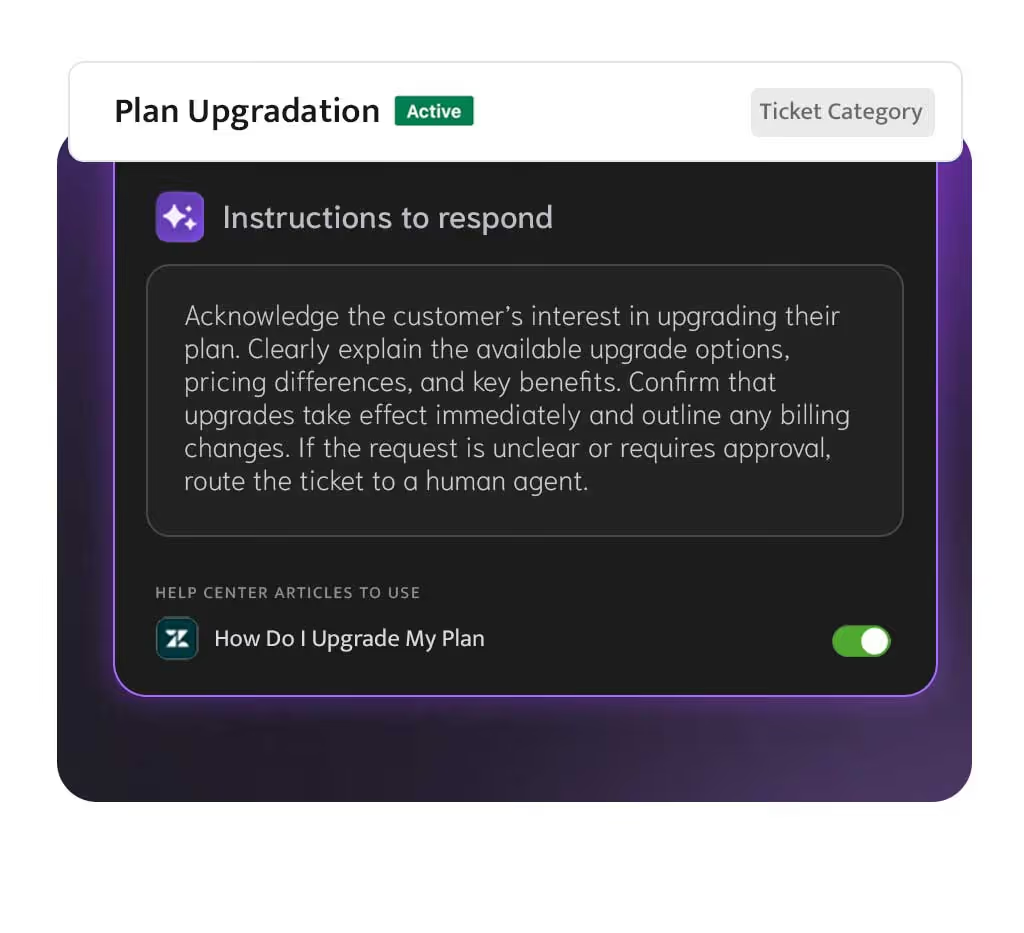
Give your AI the exact steps and tone to follow
For every intent, you can add SOPs, templates, tone instructions, and reply structure. These act as a playbook for the AI — telling it how to compose replies, what details to include, and how to phrase them in your brand voice.
You can also define specific phrasing, disclaimers, or structured formats. This ensures that every automated reply mirrors your team's standards — accurate, helpful, and always on-brand.
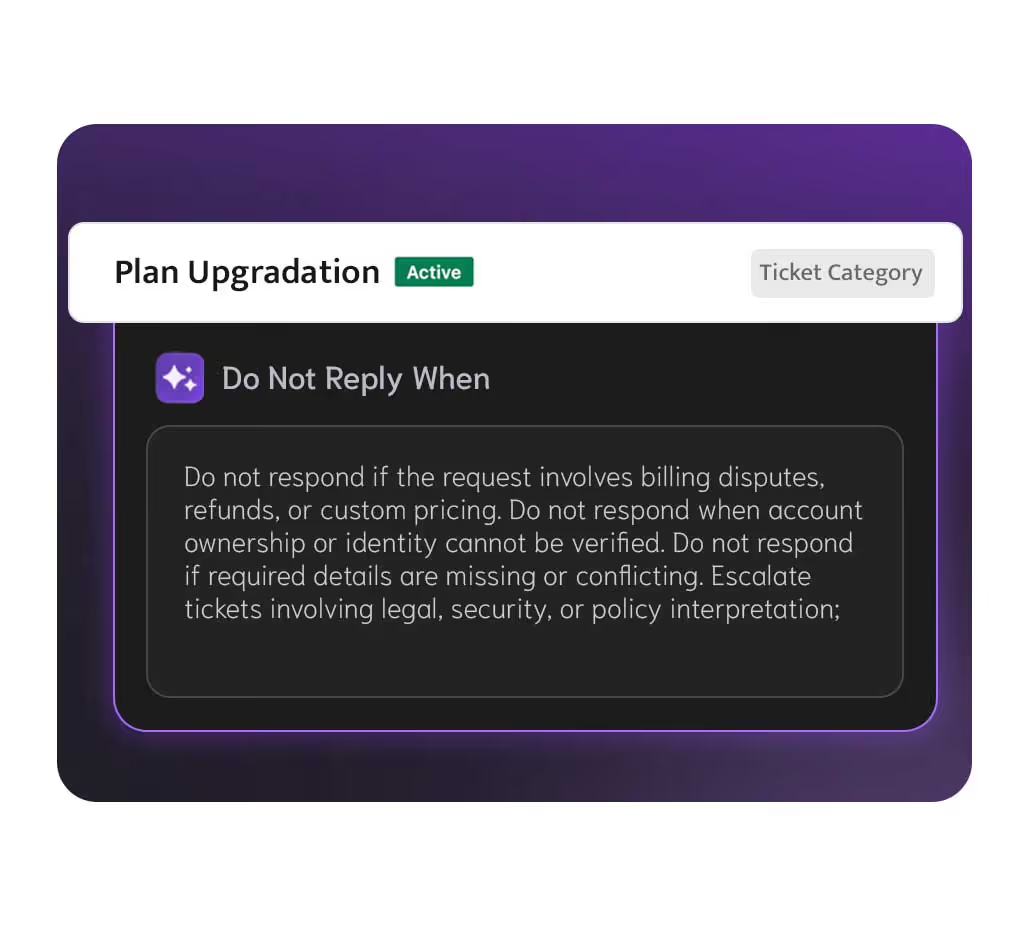
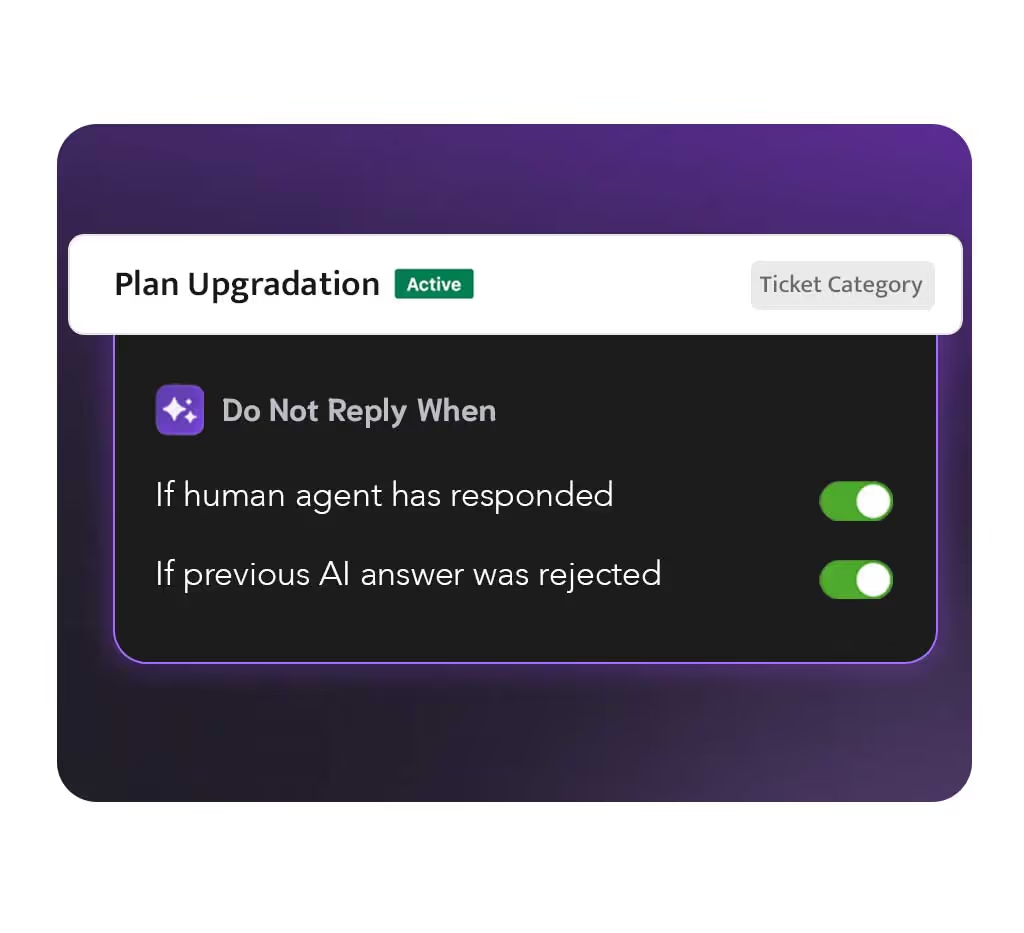
Prevent automation on edge cases and sensitive scenarios
Even within a ticket category, there are cases you never want the AI to respond to. That's where Do-Not-Reply rules come in.
You can add keywords, patterns, or triggers that stop automation for specific scenarios — escalations, unusual refund requests, missing information, or anything requiring human attention. Combined with your global rules, Do-Not-Reply lists make automation safer and more accurate across all your workflows.
Faster, consistent replies
AI follows the same SOP every time — no variations, no drift.
Reduce agent load
Automate your most repetitive categories, freeing agents for complex cases.
Zero engineering effort
All intent creation happens inside Zendesk, with no code required.
Full transparency
Review every step the AI takes when matching and responding to intents.
No credit card required
Built For Trust.
Designed For Privacy.
Your data is safe with Macha AI. We meet the highest security standards so you can focus on support without compromise.
GDPR Compliant
Fully aligned with global data protection and security standards.
No Training On Your Data
Your content is never used to train AI models, and is kept only for the periods set out in our Privacy Policy.

Loved by support teams worldwide
See what support teams are saying about Macha AI.
The application seems excellent to me! We are still testing, and we need support for some details and they were extremely efficient too!

Daniela Costa
Head of Support, Seabra
Macha has been a great addition to our support toolkit. It generates clear, well-organized responses that fit naturally into our workflow. One feature we particularly appreciate is its ability to automatically reply in the same language as the ticket.

Marius F
Support Head, Zentana
We've been using Macha for a little while now and it's been really great addition so far! It's powerful, convenient, and makes getting work done a lot easier for our agents.

Alexander Wedén
Head of Support
Support team is very helpful and responsive. Really enjoy how lightweight this is within Zendesk itself vs other more intrusive tools.

Cathleen Wright
Zendesk Admin, Cortex IO
So far it's pretty good! Our queries are a little nuanced, so we can't always use it, but it's got enough utility for us. It can even incorporate our bilingual country with greetings in a second language.

Jae Oliver
Head of Support, Wise
Really enjoying using Macha, it has made a noticeable difference to our support team in a short amount of time. I really like the ticket summary feature, saves us a lot of time.

Harry Jackson
Head of Support, Crumb
Macha AI is a great addition to my workspace! It's powerful, convenient, and it really makes productivity so much easier for our agents!

Dave G
Head of Support, Cyber Power Systems
Very impressed! AI integration for Zendesk has certainly come a long way and Macha seems to set the standard for now. This will for sure save lot of time in our support team.

Pauli Juel
Head of CS, Dokument24
Macha has been working great for us so far! The auto-responses are accurate and our resolution time has dropped significantly.

Lana T
Zendesk Admin, Swotzy
Macha AI is a great addition. The knowledge base feature means our agents always have the right answers at their fingertips.

Mischa Wolf
Head of Support, Topi
We're enjoying this integration so far. It's made our support team more efficient and our customers get faster responses.

Paula G
Head of Customer Support, Xly Studio
The team enjoys using it. It saves considerable time on common questions and the integration options are excellent.

Kilian Leister
Support Head, Didriksons
The application seems excellent to me! We are still testing, and we need support for some details and they were extremely efficient too!
Daniela Costa
Head of Support, Seabra
Macha has been a great addition to our support toolkit. It generates clear, well-organized responses that fit naturally into our workflow. One feature we particularly appreciate is its ability to automatically reply in the same language as the ticket.
Marius F
Support Head, Zentana
We've been using Macha for a little while now and it's been really great addition so far! It's powerful, convenient, and makes getting work done a lot easier for our agents.
Alexander Wedén
Head of Support
Support team is very helpful and responsive. Really enjoy how lightweight this is within Zendesk itself vs other more intrusive tools.
Cathleen Wright
Zendesk Admin, Cortex IO
So far it's pretty good! Our queries are a little nuanced, so we can't always use it, but it's got enough utility for us. It can even incorporate our bilingual country with greetings in a second language.
Jae Oliver
Head of Support, Wise
Really enjoying using Macha, it has made a noticeable difference to our support team in a short amount of time. I really like the ticket summary feature, saves us a lot of time.
Harry Jackson
Head of Support, Crumb
The application seems excellent to me! We are still testing, and we need support for some details and they were extremely efficient too!
Daniela Costa
Head of Support, Seabra
Macha has been a great addition to our support toolkit. It generates clear, well-organized responses that fit naturally into our workflow. One feature we particularly appreciate is its ability to automatically reply in the same language as the ticket.
Marius F
Support Head, Zentana
We've been using Macha for a little while now and it's been really great addition so far! It's powerful, convenient, and makes getting work done a lot easier for our agents.
Alexander Wedén
Head of Support
Support team is very helpful and responsive. Really enjoy how lightweight this is within Zendesk itself vs other more intrusive tools.
Cathleen Wright
Zendesk Admin, Cortex IO
So far it's pretty good! Our queries are a little nuanced, so we can't always use it, but it's got enough utility for us. It can even incorporate our bilingual country with greetings in a second language.
Jae Oliver
Head of Support, Wise
Really enjoying using Macha, it has made a noticeable difference to our support team in a short amount of time. I really like the ticket summary feature, saves us a lot of time.
Harry Jackson
Head of Support, Crumb
Macha AI is a great addition to my workspace! It's powerful, convenient, and it really makes productivity so much easier for our agents!
Dave G
Head of Support, Cyber Power Systems
Very impressed! AI integration for Zendesk has certainly come a long way and Macha seems to set the standard for now. This will for sure save lot of time in our support team.
Pauli Juel
Head of CS, Dokument24
Macha has been working great for us so far! The auto-responses are accurate and our resolution time has dropped significantly.
Lana T
Zendesk Admin, Swotzy
Macha AI is a great addition. The knowledge base feature means our agents always have the right answers at their fingertips.
Mischa Wolf
Head of Support, Topi
We're enjoying this integration so far. It's made our support team more efficient and our customers get faster responses.
Paula G
Head of Customer Support, Xly Studio
The team enjoys using it. It saves considerable time on common questions and the integration options are excellent.
Kilian Leister
Support Head, Didriksons
Macha AI is a great addition to my workspace! It's powerful, convenient, and it really makes productivity so much easier for our agents!
Dave G
Head of Support, Cyber Power Systems
Very impressed! AI integration for Zendesk has certainly come a long way and Macha seems to set the standard for now. This will for sure save lot of time in our support team.
Pauli Juel
Head of CS, Dokument24
Macha has been working great for us so far! The auto-responses are accurate and our resolution time has dropped significantly.
Lana T
Zendesk Admin, Swotzy
Macha AI is a great addition. The knowledge base feature means our agents always have the right answers at their fingertips.
Mischa Wolf
Head of Support, Topi
We're enjoying this integration so far. It's made our support team more efficient and our customers get faster responses.
Paula G
Head of Customer Support, Xly Studio
The team enjoys using it. It saves considerable time on common questions and the integration options are excellent.
Kilian Leister
Support Head, Didriksons



