Shopify
 Stripe
 Slack
Slack Notion
 Google Workspace
 Confluence

What Is the Best Zendesk AI Copilot in 2026? 7 Tools Compared on Price and Features


Macha is the best Zendesk AI copilot on our scoring in 2026, 17 out of 20, from $299 a month for 750 tickets with setup done for you; Stylo Assist is a point behind with the longest track record, from $15 per agent a month. Seven tools scored on review evidence, how much agent work each removes, published pricing, and setup and ongoing support, with a weak spot named for every one, including Macha.
Key takeaways
- Macha scores 17 out of 20 and ranks first among Zendesk AI copilots in 2026: from $299 a month for 750 tickets, set up and run by the Macha team with a dedicated success manager included.
- Zendesk's native Copilot costs $50 per agent per month as an add-on for Suite Professional at $115, so the combined price is $165 per agent.
- Pluno now publishes pricing: a platform fee of €850 a month for 1,000 to 3,000 tickets, plus €49 per seat for its AI Copilot.
- Stylo Assist ranks second on 16, with the most review evidence, starting at $15 per agent per month with a 14-day free trial and no credit card.
- Easy Ticket AI now lists $20 per active agent per month with a 14-day trial, but we found no reviews for it on G2 or Capterra.

The best Zendesk AI copilot in 2026 on our scoring is Macha, at 17 out of 20: it drafts and acts in your other systems, prices on ticket volume from $299 a month for 750 tickets with unlimited seats, and the Macha team sets it up and runs it for you. Stylo Assist is a point behind at 16, with the longest track record, from $15 per agent per month, and Zendesk's own Copilot costs $50 per agent per month on top of Suite Professional at $115. All seven tools below are agent assist: a human reads and sends every reply. Prices were read from each vendor's own pages on 24 September 2026.
| Rank | Tool | Score (out of 20) | Starting price | Billing unit | Best for |
|---|---|---|---|---|---|
| 1 | Macha | 17 | $299/month for 750 tickets | Ticket | Copilot that also acts in other systems, set up and run for you |
| 2 | Stylo Assist | 16 | $15 per agent per month | Seat | Proven, zero-setup drafting |
| 3 | Zendesk Copilot | 15 | $50 per agent per month plus Suite Professional | Seat | All-in on Zendesk |
| 4 | Pluno | 13 | €850/month platform plus €49 per Copilot seat | Ticket volume plus seat | Jira-heavy B2B teams |
| 5 | Wordwand AI | 11 | $24/month flat | Flat, capped | Very small budgets |
| 6 | Easy Ticket AI | 11 | $20 per active agent per month | Seat | Quick trial on a small team |
| 7 | SwiftCX | 9 | Contact sales | Not published | Enterprise procurement |
The problem with this category is not a shortage of options. Pricing models vary widely (per seat, flat rate, ticket volume, contact sales), features overlap without matching, and many marketing pages read the same. Below are real prices, actual features and a "where it falls short" line for every tool, including ours.
How were these copilots ranked, and who wrote this?
Disclosure: Macha publishes this blog. Macha is one of the seven tools below, scored on the same criteria as everything else on this page, placed where those criteria put it, and carrying the same watch-out line as every other entry. We include ourselves where we genuinely compete, and we say so here rather than burying it in a footer.
To make the list, a tool had to be live and selling on the Zendesk Marketplace or directly to Zendesk teams in September 2026, and work as agent assist: a human reviews and sends. Four criteria set the order. Each is scored from 1 to 5, the total out of 20 decides the rank, and a tie goes to the tool with more evidence it works:
- Evidence it works. Track record, public review volume on the Zendesk Marketplace, and named customers. Adoption is the whole game with a copilot, and a product with hundreds of reviews has told you something a product with none has not.
- How much of the agent's work it actually removes. Rewriting text ranks below drafting from your knowledge, which ranks below drafting and acting in your other systems.
- Whether it publishes a price you can model against your own team before a sales call.
- Setup and ongoing support. Who does the setup work, and who looks after the tool once it's live. 5: the vendor sets it up and a dedicated person handles changes after go-live, on every plan including the trial. 4: implementation included on every plan. 3: hands-on onboarding or dedicated staff on a higher tier or under a contract. 2: self-serve, with documentation and standard support.
That scoring explains the order:
| Tool | 1. Evidence | 2. Work removed | 3. Published price | 4. Setup and ongoing support | Total (out of 20) |
|---|---|---|---|---|---|
| Macha | 2 | 5 | 5 | 5 | 17 |
| Stylo Assist | 5 | 3 | 5 | 3 | 16 |
| Zendesk Copilot | 4 | 4 | 5 | 2 | 15 |
| Pluno | 2 | 4 | 5 | 2 | 13 |
| Wordwand AI | 2 | 2 | 5 | 2 | 11 |
| Easy Ticket AI | 1 | 3 | 5 | 2 | 11 |
| SwiftCX | 2 | 3 | 1 | 3 | 9 |
Macha leads on criteria 2 and 4: it drafts from your knowledge and acts in your other systems, and the Macha team builds the agent and a dedicated success manager handles changes on every plan. It scores 2 on criterion 1, where Stylo wins by a distance: nothing else here has five years and 93 Marketplace reviews behind it. Stylo's support score is a 3 because onboarding starts on its Growth plan and a dedicated success manager and ML engineer come with Professional. Zendesk's Copilot is third on the strength of Zendesk's footprint and its actions, and loses points on setup, since you write its procedures yourself. Wordwand and Easy Ticket tie on 11, and Wordwand takes fifth on evidence. SwiftCX is last because it publishes no price.
Where the facts come from: each vendor's own pricing and Marketplace pages, re-read on 24 September 2026. What we could not check: SwiftCX publishes no pricing, so that entry describes how it sells rather than what you'd pay; Zendesk Marketplace review counts could not be re-read on that date and are carried from our previous count; and we found no G2 or Capterra profile for Easy Ticket AI at all.
What is a Zendesk AI copilot?
Before we dive into the comparison, let's clarify what we're talking about. AI Copilot tools (also called "agent assist" software) are designed to help your human agents work more efficiently. They're not chatbots that interact with customers directly; instead, they work alongside your agents inside Zendesk.
A typical AI Copilot will do some combination of the following: suggest draft replies based on ticket context, summarize long conversation threads, translate messages to and from different languages, recommend relevant knowledge base articles, and help agents maintain a consistent tone across all interactions.
The key benefit here is that AI Copilots are low-risk. Since a human agent reviews and sends every message, you don't need to worry about the AI saying something embarrassing to a customer. This makes them an excellent starting point for teams that want to experiment with AI without fully committing to automation.
How do you measure whether an AI copilot is working?
Before you pick a tool, it helps to know what success looks like. Here are the metrics that actually matter:
Average Handling Time (AHT): This is where you'll see the most immediate impact. If agents can draft responses faster, AHT should drop. Most copilot tools claim 20-60% reduction in agent effort per ticket, though your mileage will vary based on ticket complexity.
Tickets Resolved Per Agent: If AHT goes down and quality stays consistent, agents should naturally handle more tickets in the same amount of time.
Time-to-Competency for New Hires: This is an underrated benefit. New agents can lean on AI suggestions while they're still learning your products and processes, which means faster ramp-up and less hand-holding from senior staff.
Customer Satisfaction (CSAT): If responses are faster and more accurate, CSAT should improve, though this one takes longer to show up in your data.
The biggest challenge with any copilot tool is adoption. If your agents don't actually use it, none of these benefits materialize. That's why ease of use and integration quality matter more than having the longest feature list.
Which are the 7 best Zendesk AI copilot tools?
Let's get into the specifics. We've scored each tool on the four criteria above: review evidence, how much work it removes, pricing transparency, and setup and ongoing support.
1. Macha: The Copilot That Also Acts Outside Zendesk, Set Up for You

Website: getmacha.com
Marketplace: Macha on the Zendesk Marketplace
This is our product, so here is the mechanism rather than the pitch. Macha is an AI agent layer that runs on the help desk you already have: Zendesk, Freshdesk, Gorgias, Front, HubSpot or Intercom. The Copilot is one of its surfaces: the same configured agent can sit in the Zendesk sidebar assisting a human, post an internal note, draft a reply for someone to send, or run autonomously on a trigger. You're not buying a copilot SKU; you're buying agents and choosing how much rope to give each one.
It sits at 1 on 17 points. It loses criterion 1 to Stylo outright, since five years and 93 Marketplace reviews is evidence we don't have, and wins on criteria 2 and 4: the Macha team sets the agent up and runs it with you. It sits above Zendesk's Copilot on criterion 2: it drafts from your knowledge and calls your other systems, where the native Copilot's reach is narrower and, for a 10-agent team, its add-on alone costs $500 a month against Macha's $299.
Key Features:
The core functionality covers what you'd expect from a copilot: AI-drafted replies, translation across 180+ languages, ticket summaries with suggested next steps, and Help Center grounding. The differences are in what happens after the draft.
Agents, Not a Fixed Bot: An agent is a set of written instructions plus the tools it's allowed to call. Those tools read the ticket, its comments, custom fields and attachments, search past tickets, and write back: public reply, internal note, tags, status, priority, assignee, custom fields.
Custom Tools Against Your Own APIs: Any HTTP API can be wired up as a tool, so an agent can look up an order in Shopify, check a subscription, or run a warranty check instead of drafting a paragraph around a gap in your help center. This is the line between a text tool and a copilot that removes work.
Multiple Agent Personas: Different agents for different situations, so a technical support reply doesn't sound like a billing reply. Still rare in this category.
Channel-Specific Formatting: Configure how replies are formatted per channel: longer and more detailed on email, concise on chat. Most tools here treat every channel identically.
Multiple Knowledge Sources: Zendesk Help Center, macros and past tickets, plus Notion, Confluence, Google Docs, Shopify and external websites. The agent pulls from everything you connect.
Simulation Before Anything Goes Live: Replay thousands of your real past tickets against an agent and read what it would have said, before a single customer sees it.
Setup Done for You: Macha is the done-for-you option in this list. You connect Zendesk and the tools your answers come from, about 15 minutes. The Macha team then analyzes your past tickets, builds the knowledge base and the agent, tests it on a sample of those tickets, and runs it with drafts as internal notes until the drafts are right. After go-live a dedicated success manager handles your changes (new categories, instruction changes, new tools), so nobody on your team has to manage the AI. It's included on the trial and every plan at about $0.40 a ticket, with no professional-services line item.
Pricing:
| Monthly tickets | Price | Details |
|---|---|---|
| Trial | $0 | $50 of free usage, about 125 tickets, no credit card, no time limit |
| 750 | $299/month | About $0.40 a ticket; every feature, unlimited seats |
| 1,500 / 3,000 | $599 / $1,199 per month | Same per-ticket rate at every tier |
| 5,000 / 7,500 / 10,000 | $1,999 / $2,999 / $3,999 per month | Custom above 10,000 |
One plan, priced on the number of tickets a month you want AI to work, billed monthly. A ticket is one thread with one person, charged once however many messages or tool calls it takes: an email ticket, a live chat and a Copilot session each count once. There are no overages: agents pause at the tier limit rather than auto-billing you. Because seats are unlimited and the meter is tickets, adding agents to your team doesn't change the bill, which is the opposite of how every per-seat tool on this page behaves. Full pricing.
Who It's Best For: Teams on Zendesk, Freshdesk, Gorgias, Front, HubSpot or Intercom who want the copilot to reach past the help center into their order, billing and internal systems, and who'd rather the bill tracked ticket volume than headcount.
Where It Falls Short: We're a much smaller company than the platforms in this category, with no G2 or Capterra profile and a Marketplace review footprint a fraction of Stylo's; if your procurement process requires third-party review volume, we will fail it, and that's the criterion where Stylo beats us by a distance. Macha isn't a help desk, so it's a line item on top of Zendesk rather than a replacement for it. And an agent does what its instructions say, so a vague instruction produces a vague agent; the configuration work is real, which is why we do it for you rather than handing over a blank console.
2. Stylo Assist: Longest Track Record, Most Review Evidence
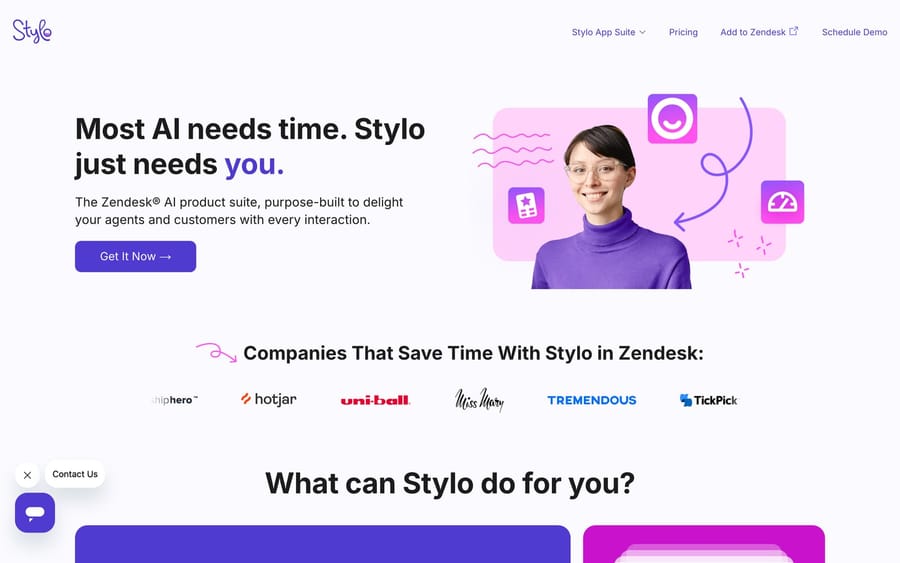
Website: askstylo.com
Stylo has been in the Zendesk AI Copilot space since 2020, which makes it one of the earliest entrants and the clear winner on criterion 1. It carries 93 Zendesk Marketplace reviews, the highest count of any app in this category, and over 200 customers. On a page where most competitors have single-digit public review counts, that gap is the single most decision-relevant fact here.
Key Features:
Stylo uses what it calls a "Context Engine": a combination of its proprietary NLP model and GPT models. This hybrid approach gives it more control over output quality compared to tools that just wrap the OpenAI API.
Zero Setup: Stylo works immediately after installation. It auto-integrates with your Zendesk Guide and starts generating suggestions without requiring any configuration or training.
Model Tuning: Depending on your plan, Stylo tunes its model for your use case yearly (Basic), quarterly (Growth) or monthly (Professional). Professional plans also get a dedicated ML engineer and customer success manager.
App Suite: Beyond the core Assist product, Stylo offers Sentiment (sentiment analysis and scoring), Voice AI (call scoring and summarization), and Scribe (help center article generation). If you want to expand over time, there's a natural upgrade path.
Pricing:
| Plan | Price | Features |
|---|---|---|
| Basic | $15 per seat per month | 1 Stylo app, yearly model tuning, email and live chat support ($12.75 billed yearly) |
| Growth | $20 per seat per month | 2 Stylo apps, quarterly tuning, minimum 3 agents ($17 billed yearly) |
| Professional | $25 per seat per month | Full app suite, monthly tuning, dedicated ML engineer, minimum 3 agents ($21.25 billed yearly) |
| Free trial | $0 | 14 days, no credit card |
Who It's Best For: Teams that value a proven track record and don't mind less customization in exchange for simplicity. The zero-setup approach is genuinely helpful if you want to start seeing value immediately.
Where It Falls Short: Stylo drafts; it does not resolve or act. Every ticket still needs an agent to read, approve and send, so the ceiling on what it saves you is handle time rather than volume. Seat pricing means the bill tracks your headcount rather than your ticket count, which is the wrong direction if the point of the purchase was to grow support without growing the team. And it has less configuration depth than Macha or Zendesk's Copilot: one persona, no channel-specific formatting, no choosing which article the AI cites.
3. Zendesk Native Copilot: Best for All-In-One Zendesk Shops

Website: Zendesk Copilot
Zendesk's own AI Copilot is built directly into the platform as an add-on that Zendesk sells for Suite Professional and higher plans, not Suite Team. It's part of the broader "Resolution Platform" strategy, which means it's designed to work alongside other Zendesk AI features like AI agents and Intelligent Triage.
Key Features:
The native Copilot proactively suggests replies and actions based on your configured procedures. Agents can accept, edit, or dismiss suggestions. It's tightly integrated with the Agent Workspace, so everything feels native rather than bolted-on.
Procedure Automation: You can define business workflows in natural language, and Copilot will suggest actions based on those procedures. For example: "If customer requests refund and order was placed within 30 days, suggest processing refund."
Auto-Assist: When certain conditions are met, Copilot can automatically perform actions on the agent's behalf (with their approval). This goes beyond suggesting text; it can click buttons and fill fields.
Pricing:
| Plan | Price | Details |
|---|---|---|
| Copilot Add-On | $50 per seat per month | Annual billing; requires Suite Professional or above |
| Suite Professional (Base) | $115 per seat per month | Annual billing, before the Copilot add-on; Suite Enterprise is now contact sales |
| Total with Copilot | $165 per seat per month | Combined cost |
Who It's Best For: Large teams already deep in the Zendesk ecosystem who want everything under one vendor, have budget for the premium pricing, and fit into Zendesk's supported industry categories. If you're planning to use several Zendesk AI features together, the native integration makes sense.
Where It Falls Short: It is the most expensive option here by a wide margin: $165 a seat a month all in, and a 10-seat team is paying $500 a month for the Copilot add-on alone. The implementation is also narrower than the price suggests: it leans on Zendesk's intent prediction, which requires fitting one of Zendesk's predefined industry categories, and the impressive Shopify refund and cancellation flows don't help you if you're not in e-commerce. It's trained separately from your existing content, too, so an established AI agent setup or a mature macro library doesn't transfer; you configure procedures from scratch.
4. Pluno AI Copilot: Best for Jira-Heavy Teams
Website: pluno.ai
Marketplace: AI Copilot by Pluno
Pluno (formerly AwesomeQA) takes a different approach than most copilots by focusing heavily on cross-tool integration, particularly Jira. If your support team regularly escalates issues to engineering and tracks bugs across both platforms, Pluno has some genuinely unique capabilities.
Key Features:
Reasoning Transparency: Unlike most copilots that just give you a suggested reply, Pluno shows you why it's suggesting something. You can see the references it pulled from (help center articles, past tickets, Jira issues), which helps agents verify accuracy before sending.
Interactive Chat: Agents can have a conversation with the copilot inside the sidebar. If the initial suggestion isn't quite right, you refine it through chat rather than manually editing. That's more natural than the typical accept-or-reject workflow.
Deep Jira Integration: This is Pluno's best feature. It surfaces relevant Jira issues directly in the ticket sidebar, so agents know if there's an existing bug report before they start troubleshooting. When escalation is needed, it creates Jira issues with full context from the support conversation.
Escalation Copilot: One-click escalations from the ticket to Slack or Jira, with an auto-generated report and two-way sync back to the ticket. Pluno now sells this as part of its platform fee rather than as a separate free app.
Pricing:
| Plan | Price | Details |
|---|---|---|
| Platform fee | €850/month | 1,000 to 3,000 tickets a month; includes Escalation Copilot, AI tagging and field filling |
| AI Copilot add-on | €49 per seat per month | On top of the platform fee |
| Free trial | €0 | 14 days, every module, no credit card |
Who It's Best For: SaaS companies and technical support teams that live in both Zendesk and Jira. If your biggest pain point is the disconnect between customer support and engineering, Pluno specifically addresses that gap.
Where It Falls Short: Pluno is highly specialized; if you don't use Jira, most of its differentiation doesn't apply to you, and the reasoning transparency and interactive chat aren't enough on their own to pick it over positions 1–3. It is also the priciest way to get a copilot on this list for a small team: the €850 platform fee applies before the first €49 Copilot seat, so 10 agents cost about €1,340 a month. Pluno quotes in euros, with 15% off for annual billing.
5. Wordwand AI: Best Budget Option
Website: wordwandai.com
Marketplace: ChatGPT Word WandAI
Wordwand AI takes a different approach: extremely transparent pricing at budget-friendly rates. If you just need basic AI text generation and don't want per-seat billing, Wordwand might be sufficient.
Key Features:
Wordwand offers the basics: expand short notes into full replies, change tone from casual to professional, translate messages, and generate responses based on your Help Center (on Professional and above). Setup takes under two minutes.
Flat-Rate Pricing: Unlike per-seat models, Wordwand charges a flat monthly fee regardless of team size. The Growth plan at $24/month covers up to 5 agents. On a small team, that math works out favorably.
Pricing:
| Plan | Price | Limits |
|---|---|---|
| Growth | $24/month | 5 agents, 50 messages/day, no Help Center |
| Professional | $99/month | 20 agents, unlimited messages, Help Center for one brand |
| Enterprise | $249+/month | Unlimited agents, multiple brands, custom model training |
Who It's Best For: Very small teams (under 5 agents) with simple needs and tight budgets. If you want to expand bullet points into emails and occasionally translate messages, Wordwand does that cheaply.
Where It Falls Short: The budget pricing comes with real constraints. The $24 Growth plan caps you at 50 messages a day and excludes Help Center integration, which starts on the $99 Professional plan (unlimited messages, up to 20 agents). More fundamentally, Wordwand is text manipulation: it can't learn from past tickets, doesn't integrate with external tools, and executes nothing. It's a sophisticated text editor, not a copilot that removes work, which is why criterion 2 puts it here rather than higher.
6. Easy Ticket AI: Basic and Affordable
Website: easyticket.ai
Marketplace: Easy Ticket AI
Easy Ticket AI, a product of UK company TechnoQuest Ltd, offers standard copilot features at a mid-range price point. It claims to get up and running with AI training in about 10 minutes.
Key Features:
The feature set is fairly standard: unlimited AI reply drafts, rewrite and translate, an assistant chat, self-learning from past tickets, help center and macros, priority and type auto-fill, and resource recommendations. Custom API and CRM integrations are contact-us.
Fast Training: Easy Ticket AI emphasizes quick setup: about 10 minutes to train the AI on your data. If you've been burned by tools that take weeks to configure, that could appeal.
Pricing:
| Plan | Price | Details |
|---|---|---|
| Per active agent | $20 per agent per month | Billed monthly; 20% off annually; 14-day free trial, no credit card |
Who It's Best For: Teams willing to take a chance on a newer tool that emphasizes quick setup. If the 10-minute training time proves accurate and the features work as described, it could be a reasonable mid-tier option.
Where It Falls Short: It scores lowest on criterion 1, and it isn't close. The website has minimal documentation and no named customer case studies, and we found no reviews on G2 or Capterra. For a tool that will learn from your customer data, that opacity is the problem. Its pricing page is now clear ($20 per active agent a month), but at $20 a seat you're paying more than Stylo's Basic tier for a far less proven product.
7. SwiftCX AI Copilot: Enterprise-Focused with Opaque Pricing
Website: swiftcx.com
Marketplace: SwiftCX AI Copilot
SwiftCX (not to be confused with Swifteq) positions itself as a solution "built for support leaders, by support leaders." Its leadership team includes former Zendesk and Support.com executives, which gives it credibility in the enterprise space.
Key Features:
SwiftCX offers the standard copilot features: AI-generated replies, ticket summaries, and suggestions based on your knowledge base. It also pulls from external sources like Notion and Google Docs, which helps if your documentation lives outside Zendesk.
AI Notes: Beyond drafting responses, SwiftCX generates wrap-up notes and after-call summaries. Useful for teams that need to document interactions for compliance or internal tracking.
Multi-Platform: Unlike Zendesk-only solutions, SwiftCX also integrates with Front and Gorgias. If you're running several help desks or considering a platform switch, that flexibility might matter.
Pricing:
| Plan | Price | Details |
|---|---|---|
| All Plans | Contact Sales | No public pricing available |
Who It's Best For: Enterprise teams with dedicated procurement processes who don't mind the sales cycle. If you're already talking to SwiftCX's team and like what you see in the demo, it's a credible option. Just don't expect self-serve evaluation.
Where It Falls Short: The website carries no pricing information whatsoever; you schedule a demo to learn what it costs, which is why it scores 1 on criterion 3 and finishes last despite the stronger product. It also doesn't appear to offer API integration or automation: it recommends actions, it doesn't execute them. For an e-commerce team that wants refund processing handled, that's the difference between a suggestion and a resolution.
How much does each Zendesk AI copilot cost?
Here's how all seven tools stack up on cost. The 10-agent column is where the billing unit shows itself.
| Tool | Starting Price | 10-Agent Monthly Cost | Pricing Model |
|---|---|---|---|
| 1. Macha | $299/month for 750 tickets | $299; seats don't change it | Per ticket, one plan priced on monthly volume |
| 2. Stylo Assist | $15 per seat per month | $150 | Per seat |
| 3. Zendesk Native Copilot | $50 per seat per month | $500 (add-on only) | Per-seat add-on |
| 4. Pluno AI | €850/month + €49 per Copilot seat | About €1,340 | Ticket-volume platform fee + per seat |
| 5. Wordwand AI | $24/month flat | $99 (Professional plan) | Flat-rate with usage caps |
| 6. Easy Ticket AI | $20 per active agent per month | $200 | Per seat |
| 7. SwiftCX | Contact Sales | Unknown | Contact Sales |
Note: Zendesk Native Copilot requires Suite Professional or higher. Professional is $115 per seat per month on annual billing, making $165 all in; Zendesk now sells Suite Enterprise with Copilot through sales only, with no published price.
Two things worth reading off that table. First, most of the seven bill by headcount or by a flat cap, which means the bill grows when you hire rather than when the AI does more work. At 10 agents the dollar-priced tools run from $99 to $500, and Pluno's euro platform fee puts it above all of them. Second, Macha is the outlier because it meters tickets rather than seats: the same $299 covers 3 agents or 30, and it goes up only when your volume does.
Which features does each copilot include?
| Feature | Stylo | Macha | Zendesk | Pluno AI | Wordwand | SwiftCX | Easy Ticket |
|---|---|---|---|---|---|---|---|
| AI Reply Drafts | ✅ | ✅ | ✅ | ✅ | ✅ | ✅ | ✅ |
| Translation | ✅ | ✅ | Limited | ✅ | ✅ | ✅ | ✅ |
| Ticket Summaries | ✅ | ✅ | ✅ | ✅ | ❌ | ✅ | ✅ |
| Help Center Integration | ✅ | ✅ | ✅ | ✅ | Pro+ only | ✅ | ✅ |
| Multiple Personas | ❌ | ✅ | ❌ | ❌ | ❌ | ❌ | ❌ |
| Channel-Specific Formatting | ❌ | ✅ | ❌ | ❌ | ❌ | ❌ | ❌ |
| External Knowledge Sources | Limited | ✅ | ❌ | ✅ | ❌ | ✅ | ❌ |
| Executes Actions in Other Systems | ❌ | ✅ (custom API tools) | ✅ (Auto-Assist) | ✅ (Jira) | ❌ | ❌ | Unknown |
| Runs on Other Help Desks | ❌ | ✅ (Freshdesk, Gorgias, Front, HubSpot, Intercom) | ❌ | ❌ | ❌ | ✅ (Front, Gorgias) | ❌ |
| Jira Integration | ❌ | ❌ | ❌ | ✅ | ❌ | ❌ | ❌ |
| Hands-On Setup Included | Pro only | Done for you by the Macha team, with a dedicated success manager, included | ❌ | ❌ | ❌ | ❌ | ❌ |
| Transparent Pricing | ✅ | ✅ | ✅ | ✅ | ✅ | ❌ | ✅ |
| Free Trial | 14 days | $50 usage, no time limit | ❌ | 14 days | 7 days | Unknown | 14 days |
| Public Review Volume | 93 Marketplace reviews | Small; no G2/Capterra profile | Large (Zendesk-wide) | Small | Small | Small | None found |
Which Zendesk AI copilot should you choose?
After analyzing all seven options, here are our recommendations based on different scenarios:
Best Overall, and Best When the Answer Isn't in an Article: Macha
If your agents' time goes on looking things up in Shopify, billing or an internal tool before they can reply, a text copilot doesn't help much. Macha's custom tools call those systems from inside the ticket, the personas and channel formatting are genuinely rare, and the bill tracks tickets rather than headcount. It's also the one you don't configure yourself: the Macha team builds the agent from your past tickets and a dedicated success manager handles changes, all in about $0.40 a ticket. It's first on our scoring, but ours is the smallest review footprint in the top three, so trial it rather than take our word for it.
Best Track Record: Stylo Assist
If you value a proven vendor with five years of Zendesk experience, 93 Marketplace reviews and 200+ customers, Stylo is the safe choice. You'll get fewer customization options than Macha or Zendesk's Copilot, but you're getting a product that's been refined over time and that installs with no configuration at all.
Best for Enterprise Zendesk Shops: Zendesk Native Copilot
If you're already spending heavily on Zendesk Suite and want tight integration with the rest of Zendesk's AI, the native Copilot makes sense. Just be prepared for $50 a seat a month on top of an already expensive subscription, and check that your industry fits its intent-prediction categories first.
Best for Jira Integration: Pluno AI
If your support team regularly escalates to engineering and tracks issues in Jira, Pluno's deep integration is genuinely useful. Budget for the €850 platform fee before any Copilot seats, and use the 14-day trial on your real escalations.
Best for Tight Budgets: Wordwand AI
If you just need basic text expansion and translation for a small team, Wordwand's $24/month flat rate might work. Just understand the limitations: no Help Center integration on the cheap plan, and usage caps that will bite a heavy user.
How do you roll out an AI copilot to your team?
Whatever tool you choose, here are some tips for successful adoption:
Start with a pilot group: Don't roll out to your entire team at once. Pick 3-5 agents who are tech-friendly and let them test the tool for 2-4 weeks. Their feedback will help you refine the configuration before broader rollout.
Measure baseline metrics first: Document your current AHT, tickets per agent, and CSAT before enabling the copilot. Without baseline data, you won't be able to prove ROI later.
Invest in training: Even if the tool is "zero setup," your agents still need to understand how to use it effectively. Schedule a 30-minute training session and create a quick reference guide.
Review and iterate: Check in weekly for the first month. Are agents actually using the suggestions? What's working well? What's frustrating? Most tools let you customize tone, format, and knowledge sources; use that flexibility.
Get leadership buy-in: AI copilots only deliver ROI if agents use them consistently. Having leadership emphasize the value and recognize early adopters helps drive adoption.
Frequently asked questions
What is a Zendesk AI copilot? An agent assist app that works alongside your human agents inside Zendesk, drafting replies, summarizing threads, translating, and recommending knowledge base articles. A person reviews and sends every message, which is what separates a copilot from an AI agent that replies to customers on its own.
What's the best Zendesk AI copilot in 2026? On our four criteria, Macha, at 17 out of 20. Its custom tools reach into the systems your agents look things up in, and the Macha team sets it up for you: it analyzes your past tickets, builds the knowledge base and the agent, and runs it in safe mode until the drafts are right, at about $0.40 a ticket, which includes setup and a dedicated success manager who handles your changes. Stylo Assist is a point behind at 16 and leads on review evidence and track record. If you're deep in the Zendesk ecosystem and have the budget, the native Copilot integrates most tightly. Pluno wins outright for Jira-heavy technical teams.
How much does a Zendesk AI copilot cost? Most bill per seat: Stylo is $15–$25 a seat a month, Easy Ticket $20 per active agent, and Zendesk's native Copilot $50 a seat on top of a Suite Professional plan at $115, $165 all in. Wordwand charges a flat $24 to $249 a month with usage caps. Macha prices on monthly ticket volume from $299 for 750 tickets with unlimited seats, and Pluno charges a €850 platform fee plus €49 per Copilot seat. SwiftCX publishes nothing.
Does Zendesk have its own AI copilot? Yes. Zendesk Copilot is an add-on to Suite Professional and above at $50 a seat a month on annual billing. It suggests replies and actions from procedures you define in natural language, and its Auto-Assist feature can perform some actions on the agent's behalf with approval.
Is a copilot the same as an AI agent? No. A copilot drafts and a human sends, so the saving is handle time. An AI agent replies on its own, so the saving is volume. Some tools here do only the first; Macha and Zendesk's Resolution Platform do both, and the copilot is usually the safer place to start before you let anything reply autonomously.
Do these copilots work outside Zendesk? Mostly no. Stylo, Wordwand, Pluno, Easy Ticket and Zendesk's own Copilot are Zendesk-only in practice. SwiftCX also integrates with Front and Gorgias, and Macha runs on Zendesk, Freshdesk, Gorgias, Front, HubSpot or Intercom, so the same agents and knowledge move with you if your help desk changes.
How do I know if a copilot is working? Measure average handling time, tickets resolved per agent, time-to-competency for new hires, and CSAT, against a baseline you recorded before switching it on. Adoption is the thing that kills most rollouts, so track how often agents actually accept suggestions rather than how many features the tool shipped.
Which copilot should you trial first?
AI Copilot tools represent one of the lowest-risk ways to bring AI into your customer support workflow. Since a human agent reviews every message before it goes out, you get the efficiency benefits of AI without the risk of embarrassing automation failures.
The market has matured significantly over the past few years, and there are now solid options at every price point. Whether you're looking for budget-friendly basics (Wordwand), enterprise integration (Zendesk Native), specialized workflows (Pluno), a proven track record (Stylo), or a copilot that can act in the systems where your answers actually live (Macha), there's a tool that fits.
Our recommendation: run a trial of your top two choices on real tickets. Stylo, Pluno, Easy Ticket and Wordwand all offer trials without a credit card, and Macha's trial is $50 of free usage, so there's no cost to testing, and two weeks of your agents using them on your own queue will tell you more than any comparison table, including this one.
The best copilot is the one your team actually adopts.