





 Shopify
 Stripe
 Slack
Slack Notion
 Google Workspace
 Confluence

What Are the Best Analytics and QA Tools for Zendesk in 2026?


Qvasa, Kaizo, SentiSum, Miuros by Dixa and Geckoboard each fix a different gap in Zendesk Explore, from hourly-refresh reports to hand-sampled QA. Their prices range from a free tier to $100,000 a year.
Key takeaways
- The five analytics and QA tools compared for Zendesk in 2026 are Qvasa, Kaizo, SentiSum, Miuros by Dixa and Geckoboard, ranging from a free tier to $100,000 a year.
- Qvasa has a free tier with 3 open dashboards, then charges $10 per agent per month on Essentials and $20 on Professional, with AI QA reserved for Enterprise.
- SentiSum now sells an annual partnership starting at $100,000 a year, including unlimited users and its Insights and Early Warning agents, with a 90-day walk-away right.
- Geckoboard's Essentials plan costs $79 a month and refreshes Zendesk Support data every 10 minutes and Zendesk Talk data every 30 seconds.
- Kaizo scores 100% of conversations with AutoQA for Zendesk and Salesforce teams but does not publish prices, quoting by seat tier after a demo.

The five analytics and QA tools worth shortlisting for Zendesk in 2026 are Qvasa (live dashboards from $10 per agent per month), Kaizo (AI QA on 100% of conversations), SentiSum (voice-of-customer analysis from $100,000 a year), Miuros (now part of Dixa) and Geckoboard (TV wallboards from $79 a month). They sit alongside Zendesk rather than replacing it, and they fix three things Zendesk Explore doesn't: historical reports that refresh only hourly on Explore Professional (daily on Lite), QA that's still sampled by hand, and ticket data that shows what customers contacted you about but not why.
| Tool | Main job | Published price (checked Sept 2026) | Best for |
|---|---|---|---|
| Qvasa | Live dashboards, alerts, AI QA | Free tier; $10 / $20 per agent/month; Enterprise custom | Ops leads who find Explore too slow |
| Kaizo | AutoQA and coaching | Not published (seat-based tiers, demo only) | Zendesk or Salesforce teams scaling QA |
| SentiSum | Root-cause and VoC analysis | From $100,000 a year | Enterprise CX and product teams |
| Miuros by Dixa | Analytics, QA, automation | Not published | Teams already evaluating Dixa |
| Geckoboard | KPI dashboards and TV wallboards | $79 / $319 a month; Enterprise custom | Teams that want metrics on a screen |
What do analytics, QA and operational AI tools actually do?
The label covers four jobs, and most tools do one or two well:
- Quality assurance (QA) tools: score conversations automatically, track agent performance and feed coaching.
- Voice of customer (VoC) analytics: tag sentiment and topics, find root causes, explain why contact volume moved.
- Real-time operational dashboards: show live queue length, wait times and agent status so a lead can act now.
- Performance management: scorecards, coaching plans and, in some tools, gamification.
All five pull data from your tickets, chats and calls through the Zendesk API. None of them answer customers. That matters for how you budget: these are measurement tools, so their return depends on someone acting on what they show.
1. Qvasa: live Zendesk analytics, alerts and AI QA
What It Is
Qvasa is a Seattle-based analytics platform for support operations that aims to replace Explore rather than sit beside it. Beyond live dashboards it covers threshold alerting, AI QA and scorecards, voice and WFM analytics and bot performance analytics. Its integrations page is Zendesk-heavy: Zendesk Support, Chat and Messaging, Talk, Guide, Side Conversations and Sunshine Conversations, plus Quiq, Zendesk AI agents, Forethought (which Zendesk itself acquired in March 2026), and the Tymeshift and Assembled WFM tools.
Key Features
Live dashboards
- Real-time metrics for queue length, wait time, AHT, agent load, CSAT and bot deflection
- Drag-and-drop boards for floor teams, exec views and agent self-serve dashboards
- TV wallboards with pin-secured links
- Data out to AWS S3, Google Cloud Storage, bulk CSV and scheduled dashboard exports
AI QA and sentiment
- AI Agent QA and scorecards on the Enterprise plan
- Sentiment and topic categorization to see why customers are writing in
- Voice analytics so calls get the same treatment as tickets
Threshold alerting
- Define thresholds for any metric
- Alerts to Slack, email, SMS (Twilio), PagerDuty or outbound webhooks
- Hourly alerts on Essentials, minute-level alerts on Enterprise
Qvasa's own example is a login-issue surge its alerts flagged before the customer's engineering team knew. That's the use case to test in a trial: set one alert on a metric you care about and see whether it fires before a human notices.
Bot analytics
- Track Zendesk AI agents, Sunshine Switchboard bots and Forethought
- Deflection rates, hand-off metrics and conversation quality
- An AI Agent API and MCP endpoint for pulling the data elsewhere
Best For
- Operations leaders frustrated with Explore's hourly refresh and report-building effort
- Teams that want analytics, alerts and QA in one tool instead of stacking point products
- Zendesk teams running AI agents or bots who need their deflection numbers next to human metrics
Pricing
From Qvasa's pricing page, billed annually:
- Free: $0, 3 open dashboards, 1 demand alert, standard metrics, admin-only access
- Essentials: $10 per agent per month; up to 20 dashboards, hourly alerts, 100 users, email support
- Professional (most popular): $20 per agent per month; unlimited dashboards, Sunshine Conversations, agent performance, scheduled exports, guided onboarding
- Enterprise: custom; AI Analytics Suite, minute-level alerts, AI Agent QA and scorecards, voice and WFM analytics, SSO/SAML, premium support
- Installed as a Zendesk Marketplace app
Note where the pricing puts the lines. The QA and voice features that make Qvasa more than a dashboard sit in Enterprise, so a team buying Essentials for $10 a seat is buying a faster Explore, not a QA program.
Customer Results
Qvasa quotes a global finance automation customer with a 98% decrease in time to assign tickets, and testimonials such as "A breath of fresh air versus Zendesk Explore" from James Dieckmeyer at Aventon. These are vendor-reported; we haven't verified them.
Notable Customers
Bilt Rewards, MaintainX, Angel Studios, Aventon, Partiful, Playtomic, Wahoo (as listed by Qvasa)
The Bottom Line
Choose Qvasa if: you run Zendesk, Explore feels too slow or shallow for daily decisions, and you want live dashboards and alerts at a per-seat price you can read off a web page.
Skip Qvasa if: your help desk isn't Zendesk (its integration list is almost entirely Zendesk plus Quiq), or you only need a TV wallboard with nothing behind it.
2. Kaizo: AutoQA and coaching for Zendesk and Salesforce
What It Is
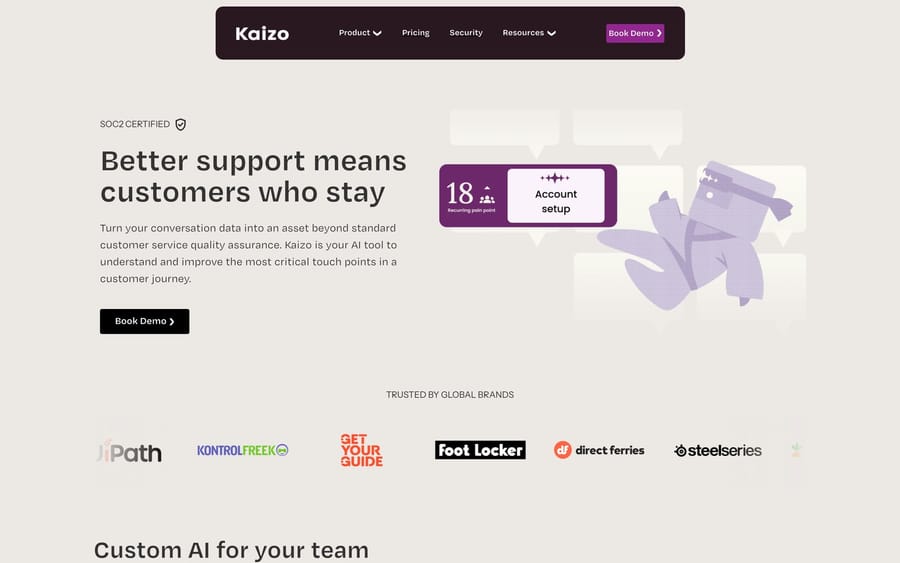
Kaizo is an Amsterdam-based QA platform that integrates with Zendesk and Salesforce Service Cloud. It built its name on gamified QA (missions, points and leaderboards for agents), but its current site leads with four products: AutoQA, AutoPilot (a customized AI setup for enterprise teams), Insights & Analytics and AI Coaching.
Key Features
AutoQA
- Scores 100% of conversations, not a sample, and Kaizo says it cuts manual QA work by 80%
- Sentiment and empathy scoring for each interaction
- Conversation summaries so reviewers can skim
- Model-agnostic: Kaizo says you're "never tied to a single AI provider" and doesn't name the models it uses
Insights and AI Coaching
- Agent and team scorecards with drill-down to spot where quality slips
- Trend analysis with recommended actions
- Real-time coaching feedback and root-cause identification; Kaizo claims a 90% reduction in coaching prep time
- Rate tickets directly in Zendesk without switching tabs
Gamification
Kaizo's earlier product centered on missions, a points system and leaderboards meant to make QA feel less like surveillance. The current homepage doesn't lead with it, so ask in the demo which game mechanics are still in the product before you buy on that basis.
Best For
- Larger support teams that need to scale QA without hiring more analysts
- Teams on Zendesk or Salesforce (the only two help desks Kaizo lists)
- Support leaders who want coaching tied to scored conversations
Pricing
Kaizo doesn't publish prices. Its pricing page lists three seat-based tiers (Insight for 1 to 25 seats, Intelligence for 26 or more, Enterprise for unlimited) and sends you to a demo for a quote. We removed the per-seat estimate an earlier version of this post carried, because we couldn't source it.
Customer Results
- SteelSeries: 75% decrease in coaching time and a 13% annual CSAT increase (per Kaizo)
- Procede Software: 12 hours of QA work saved every week (per Kaizo)
- EverHelp: Kaizo's case study reports a 270% increase in QA capacity for the 400-agent outsourced team
Notable Customers
SteelSeries, Procede Software, EverHelp, plus earlier-listed brands such as WeTransfer and Foot Locker
The Bottom Line
Choose Kaizo if: you're on Zendesk or Salesforce, QA coverage is the bottleneck, and you want scored conversations to flow straight into coaching.
Skip Kaizo if: you're a small team that reviews a handful of tickets a week, you need price transparency before a sales call, or you mainly want live operational dashboards.
3. SentiSum: enterprise root-cause and voice-of-customer analysis
What It Is
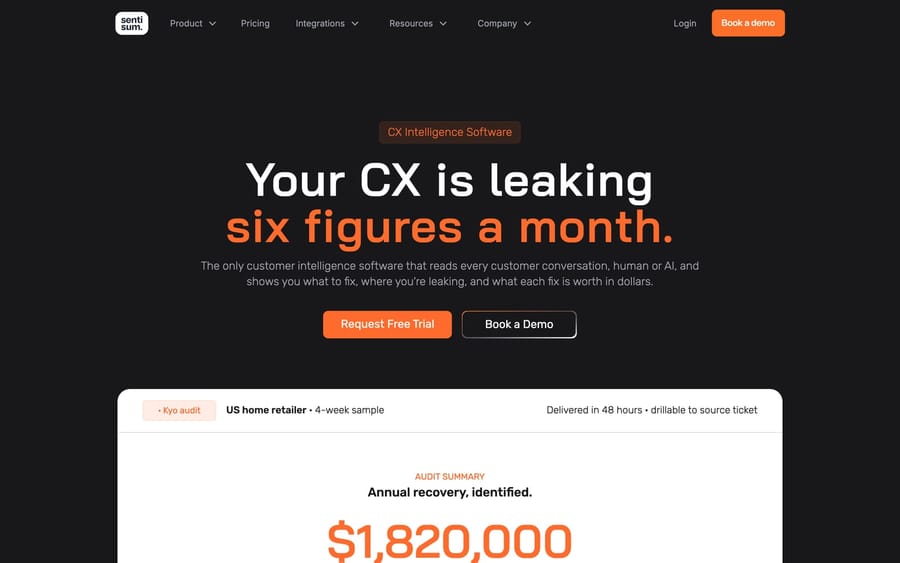
SentiSum is a London-based voice-of-customer platform that now sells itself as a "CX Intelligence Layer." It reads every conversation across channels (tickets, chat, calls, surveys, reviews), tags them against a custom taxonomy, and tries to answer why contact volume or sentiment moved, not just what customers said.
The big change since earlier versions of this post is the price. SentiSum used to be pitched as roughly $1,000 a month on month-to-month terms. Its pricing page now says: "One annual partnership. From $100,000."
Key Features
Tagging and topic analysis
- Meaning-based tagging against a taxonomy built for your business, not keyword rules
- Aspect-based sentiment, broken down by topic and subtopic
- Instead of one "delivery" tag, you get separate issues such as late delivery, damaged goods and wrong address, each with its own trend
Root-cause analysis
This is the reason to buy SentiSum. A dashboard tells you there were 300 delivery complaints; root-cause analysis tries to tell you that late deliveries tripled in one region because of one courier's capacity on specific routes. SentiSum's marketing cites a product error it says cost a customer £250K and was found in hours.
Agents on top of the data
- Insights and Early Warning agents are included in the base price
- Quality Agent, Automation Agent and an MCP server are add-ons, priced separately
- Early-warning alerts flag a spike (say, login failures jumping overnight) before it reaches CSAT
Multi-channel coverage
Calls are transcribed and analyzed with the same granularity as text, alongside tickets, chat, surveys, reviews and social, in one view.
Best For
- Enterprise CX and product leaders who need to explain why customers contact support
- Companies with enough volume that a six-figure annual contract pays back through fixed root causes
- Organizations that want calls analyzed alongside tickets
Pricing
- From $100,000 a year, sold as an annual partnership with volume agreed in bands (no per-ticket metering)
- Base price includes analysis of every conversation, custom taxonomy, the Insights and Early Warning agents, unlimited users, all integrations and dedicated customer success
- Free audit on your data before signing, and a walk-away right in the first 90 days
The banded annual model tells you who SentiSum wants: companies that plan CX spend once a year and would rather have a fixed number than a meter. It also puts SentiSum out of reach for most teams reading a "best tools for Zendesk" list.
Customer Results
SentiSum has published results such as a 51% decrease in resolution time for urgent tickets at James Villas. These are vendor-reported.
Notable Customers
Ticketmaster, Hotjar, Gousto, British Airways, Cleo, JustPark (as listed by SentiSum)
The Bottom Line
Choose SentiSum if: you have enterprise volume, a product team that will act on root causes, and a budget that starts at $100,000 a year.
Skip SentiSum if: you want self-serve purchasing, monthly terms, or you mainly need dashboards and QA.
4. Miuros by Dixa: analytics, QA and automation inside Dixa
What It Is
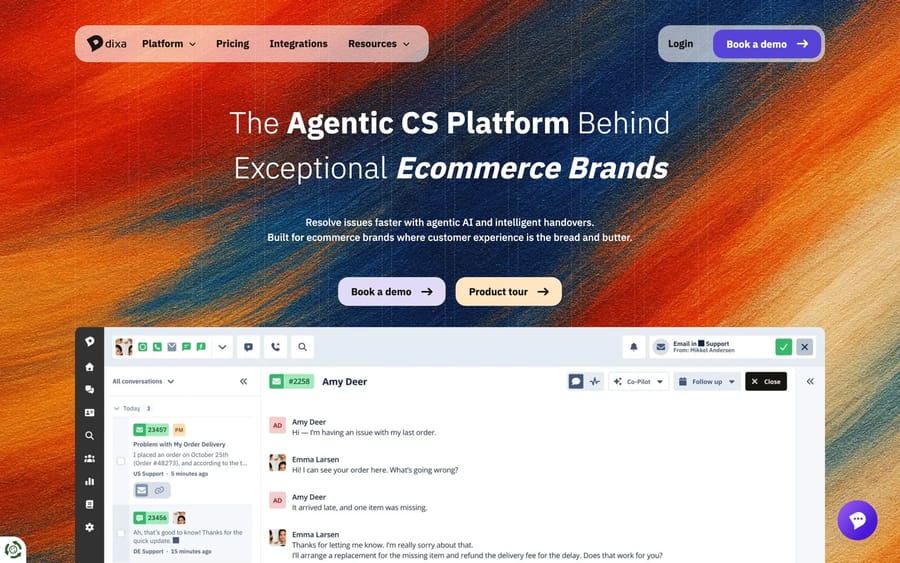
Miuros is a Lyon-founded platform that pitched itself as a "virtual data scientist" for support teams. Dixa bought it in 2022 as half of a $43M double acquisition with Solvemate. Dixa's Miuros page now says plainly that "Miuros is now a part of Dixa" and describes it as AI-powered analytics, quality assurance and automation. It no longer lists third-party help-desk integrations or a standalone price.
Because Miuros now sells as part of the wider Dixa platform, if you're weighing the parent product rather than the analytics module, our Dixa guide covers its pricing and AI features.
The idea that set Miuros apart was crossing QA scores with operational data, so you could see, for example, that low CSAT tracks a specific macro and then fix or remove that macro.
Three Core Products
1. Miuros Insights (Analytics)
- Pre-built dashboards for CS managers
- Smart Benchmark for fairer agent performance comparisons
- Macro and template performance tracking: which macros work and which don't
2. Miuros Review (Quality Assurance)
- QA audits of interactions, with calibration so reviewers score consistently
- QA results linked to operational metrics
3. Miuros Assist (Automation)
- Automatic ticket categorization that learns from your patterns
- Template recommendation for the most likely macro
- Typo-tolerant template search
Best For
- Teams already on, or moving to, Dixa
- Mid-market and enterprise teams that want analytics, QA and automation from one vendor
Integrations
Before the acquisition, Miuros connected to Zendesk, Freshdesk, Salesforce Service Cloud, Help Scout, Intercom, Helpshift, Dixa and Front. Dixa's current page doesn't list any of these, so if you're on Zendesk, confirm with Dixa's sales team that a Zendesk connection is still sold before you plan around it.
Pricing
Not published. Dixa's page routes you to a demo. We removed the per-user estimate an earlier version of this post carried, because we couldn't source it.
Customer Results
Miuros' older materials cite customers such as a team that grew from 25 to 100 agents with its categorization in place. Treat these as historical, vendor-reported claims.
Notable Customers
Wise, Deezer, GetYourGuide, Freenow, Back Market (historically listed by Miuros)
The Bottom Line
Choose Miuros if: you're evaluating Dixa anyway and want analytics and QA in the same contract.
Skip Miuros if: you're staying on Zendesk and want a tool that sells a Zendesk integration today with a published price. Four years after the acquisition, Miuros reads as a Dixa feature, not a standalone Zendesk add-on.
5. Geckoboard: real-time KPI dashboards and TV wallboards
What It Is
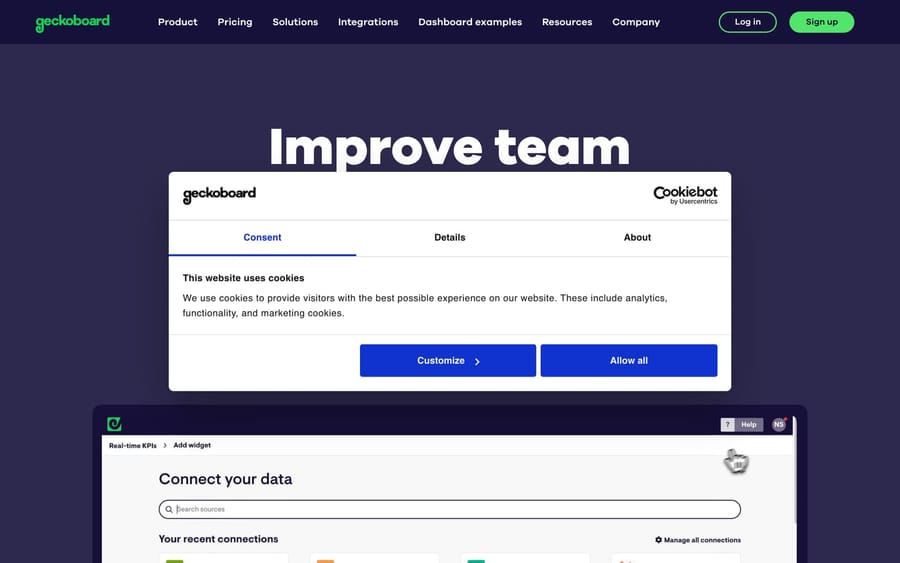
Geckoboard is a London-based dashboard tool for putting KPIs on office TVs, desktops and phones. Where Kaizo and SentiSum try to explain why things happen, Geckoboard shows what is happening, to everyone, now. It's the simplest tool on this list and the only one that isn't support-specific: it connects to 90+ data sources.
Key Features
Fast dashboard building
- Drag-and-drop editor, no code
- Pre-built widgets for common Zendesk metrics
- Live preview before you add a widget
Zendesk refresh rates
Per Geckoboard's refresh-rate documentation:
- Zendesk Support: every 10 minutes
- Zendesk Chat: every 10 minutes, with current metrics every 1 minute
- Zendesk Talk: every 30 seconds
- Zendesk messaging (via Support): immediate
For comparison, Zendesk's own refresh-interval article says Explore's historical data updates hourly on Professional and Enterprise and daily on Lite. Explore's live dashboards do refresh in 5 to 10 seconds, so the gap is in historical reporting, not live queue counts.
TV wallboards
- Send to TV turns an office screen into a live wallboard
- Control what's shown from a laptop, and loop several dashboards on one screen
- Viewers don't need accounts
Multi-source dashboards and sharing
- Combine Zendesk with Google Analytics, Salesforce, HubSpot and other sources on one board
- Share to Slack or Teams, by email, or with public and private links
- Alerts and drill-downs on the Performance and Enterprise plans
Zendesk-Specific Metrics Available
- Volume: tickets created, solved, open, pending
- Performance: first reply time, resolution time
- Agent: status, availability, workload, top solvers
- Quality: CSAT, SLA tickets
- Channel: email, chat, voice, messaging
Best For
- Team leads who want KPIs visible on a screen all day
- Co-located or hybrid teams with an office wallboard
- Teams that want support metrics next to sales or marketing numbers
Pricing
From Geckoboard's pricing page:
- Essentials: $79 a month; 2 dashboards (+$24 each), 1 editor (+$20 each), 1 TV screen (+$20 each)
- Performance: $319 a month; 20 dashboards, 3 editors, 5 TV screens, plus alerts and drill-downs
- Enterprise: custom pricing, billed annually
- Free trial: 14 days; no free plan is listed
- Nonprofit discount: 20% off any plan, forever
Geckoboard prices by dashboards and screens, not agents, which is why it stays cheap for a 100-agent team with one wallboard and gets expensive for a 10-agent team that wants a board per person.
Customer Feedback
Reviews tend to praise ease of use and fast, friendly support. Geckoboard lists brands such as Airbnb, Slack, Skyscanner and Marketo among its users.
The Bottom Line
Choose Geckoboard if: you want live Zendesk numbers on a TV, mixed with data from other tools, and you value simplicity over analysis.
Skip Geckoboard if: you need QA, root-cause analysis or sub-10-minute refresh on Zendesk Support tickets. Geckoboard monitors; it doesn't analyze.
How do the five tools compare side by side?
| Feature | Qvasa | Kaizo | SentiSum | Miuros by Dixa | Geckoboard |
|---|---|---|---|---|---|
| Primary focus | Live analytics + alerts + QA | AutoQA + coaching | VoC + root cause | Analytics + QA + automation | Dashboards + TV wallboards |
| Pricing | Free; $10–$20/agent/mo; Enterprise custom | Not published | From $100,000/year | Not published | $79 or $319/mo; Enterprise custom |
| Automated QA | ✅ Enterprise plan | ✅ Core product | Add-on (Quality Agent) | ✅ Yes | ❌ No |
| Sentiment analysis | ✅ Yes | ✅ Part of AutoQA | ✅ Aspect-based | Limited | ❌ No |
| Root-cause analysis | ✅ Yes | ✅ Via coaching insights | ✅ Core product | ✅ Yes | ❌ No |
| Proactive alerts | ✅ Hourly; minute-level on Enterprise | ✅ Yes | ✅ Early Warning agent | Limited | ✅ Performance plan and up |
| Voice call analysis | ✅ Enterprise | Not stated | ✅ Yes | Not emphasized | ❌ No |
| TV wallboards | ✅ Yes | ❌ No | ❌ No | ❌ No | ✅ Core feature |
| Help desks | Zendesk, Quiq | Zendesk, Salesforce | All integrations included | Dixa (others unconfirmed) | 90+ data sources |
| Trial | Free tier | Demo | Free data audit; 90-day walk-away | Demo | 14 days |
How do you choose the right tool for your team?
Start from the problem, not the feature list:
Choose Qvasa if...
- ✅ You're on Zendesk and Explore's hourly refresh is slowing decisions
- ✅ You want alerts that fire when a metric crosses a line
- ✅ You run Zendesk AI agents or Forethought and want bot metrics next to human ones
- ✅ Budget: free tier, then $10 or $20 per agent per month
Choose Kaizo if...
- ✅ QA coverage is your bottleneck and you want every conversation scored
- ✅ You want scores to feed agent coaching
- ✅ You're on Zendesk or Salesforce
- ✅ Budget: quote only, sold by seat tier
Choose SentiSum if...
- ✅ You need to know why customers contact you, across tickets, calls, surveys and reviews
- ✅ You have a product team that will fix what it finds
- ✅ Budget: $100,000 a year or more
Choose Miuros by Dixa if...
- ✅ You're evaluating Dixa as your help desk
- ✅ You want QA scores crossed with operational metrics from the same vendor
Choose Geckoboard if...
- ✅ You want live metrics on an office TV
- ✅ You want Zendesk numbers alongside other business data
- ✅ Budget: $79 to $319 a month
If your shortlist runs wider than Zendesk add-ons, the contact-center QA platforms compete for the same budget. Our Level AI guide covers the QA-and-coaching end of that market.
What mistakes should you avoid when buying one?
❌ Mistake #1: Choosing on price alone
A cheap tool that doesn't answer your actual question costs more than it saves. A $79 wallboard won't tell you why reopens spiked.
❌ Mistake #2: Assuming you must replace Explore
Most of these tools complement Explore. Qvasa is the one built to replace it outright. Keep Explore for historical deep dives if it already works for you.
❌ Mistake #3: Buying features you won't use
Don't pay for voice analysis if you don't take calls, or for enterprise VoC if nobody will act on the root causes it finds.
❌ Mistake #4: Not checking what the plan actually includes
On Qvasa, AI QA and voice analytics sit in Enterprise. On Geckoboard, alerts start on Performance. On SentiSum, the Quality Agent is an add-on. Read the plan line, not the homepage.
❌ Mistake #5: Skipping the trial
Qvasa has a free tier, Geckoboard a 14-day trial and SentiSum a free audit on your data. Test on real tickets before committing.
Where does an AI agent fit next to these tools?
Every tool above measures. None of them answer the ticket. Once a dashboard tells you that a third of volume is "where is my order" or refund requests, the next question is whether an agent can resolve that category. That's where Macha sits: it runs inside Zendesk, Freshdesk, Gorgias, Front, HubSpot or Intercom, reads the ticket, calls your own systems through custom tools and replies or drafts. Macha logs every agent run in its own analytics, and Studies let you grade an agent against your historical tickets before it touches a customer, which is the QA step for automation that these tools don't cover. Pricing is per ticket, published on our pricing page.
How we researched this
Every tool in this roundup was researched from its own site (product, pricing and documentation pages) plus its Zendesk Marketplace listing where one exists. On September 24, 2026 we re-checked all five vendors' pricing pages and the refresh-rate documentation for Zendesk Explore and Geckoboard. That pass changed SentiSum's price (now from $100,000 a year), Geckoboard's plans (Essentials $79, Performance $319, no free plan), Qvasa's free tier and Professional price, and removed per-seat estimates for Kaizo and Miuros that we couldn't source. Customer results are vendor-reported. We haven't run all five on a live Zendesk ourselves, and G2 blocks scripted requests, so there are no aggregate review scores here rather than estimated ones.






