Shopify
 Stripe
 Slack
Slack Notion
 Google Workspace
 Confluence

The Complete Guide to Zendesk AI: Features, Pricing & Everything You Need to Know (2026)


Confused about Zendesk AI pricing and features? This comprehensive guide covers AI Agents, Copilot, implementation, and cost-effective alternatives for 2026.

Zendesk AI has evolved from simple automation tools to a comprehensive AI-powered platform that can handle everything from customer-facing interactions to behind-the-scenes agent assistance. If you're a Zendesk admin or support leader trying to understand what Zendesk's native AI offering actually includes, how much it costs, and whether it's the right fit for your team, this guide breaks it all down.
Read Time: 18 minutes
In this comprehensive guide, we'll cover Zendesk's AI ecosystem organized around what actually matters: how these tools help your team resolve customer issues faster and more efficiently. We'll look at AI Agents (the customer-facing automation), Agent Copilot (the behind-the-scenes assistant), knowledge management features, pricing structures, and how everything fits together.
Understanding the Zendesk AI Ecosystem
Zendesk's AI offering isn't just one product—it's an integrated platform built around what they call the "Resolution Platform." The idea is simple: shift from handling tickets to designing resolution paths. Instead of asking "who should reply?" the system asks "what's the best way to resolve this?"
The platform consists of three main components that work together:
AI Agents handle customer interactions autonomously across email, messaging, and voice channels. Think of them as your first line of defense—available 24/7, speaking 80+ languages, and capable of resolving common issues without human intervention.
Agent Copilot assists human agents with real-time suggestions, automated actions, and contextual insights. It's the productivity multiplier that helps your team handle complex cases faster and more consistently.
Knowledge & Intelligence Layer powers both systems with content from your help center, past tickets, procedures, and connected data sources. This is what makes everything else work—without quality knowledge, neither AI Agents nor Copilot can deliver accurate resolutions.

Image source: Zendesk
AI Agents: Your Autonomous Customer Service Team
AI Agents are Zendesk's autonomous customer service solution. Unlike traditional chatbots that follow rigid scripts, these agents use agentic AI—meaning they can reason, adapt, and take action independently while staying within your business guardrails.
How AI Agents Actually Work
When a customer reaches out via email, messaging, or voice, an AI Agent immediately engages. Here's what happens behind the scenes:
Intent Detection: The system automatically identifies what the customer wants to accomplish. Zendesk's AI comes pre-trained for 10+ industries (financial services, insurance, IT, HR, travel, retail, SaaS, and more) but you can also add custom intents specific to your business.
Knowledge Retrieval: The agent pulls relevant information from your knowledge base, help center articles, connected systems (like Confluence or SharePoint), and even past ticket resolutions to formulate an accurate response.
Generative Responses: Using OpenAI's language models (Zendesk partners with OpenAI), the agent crafts conversational, brand-appropriate responses that sound natural—not robotic.
Procedures & Actions: For more complex requests, AI Agents can follow step-by-step procedures, gather required information (order numbers, account details), connect to external systems (your CRM, order management, booking systems), and even take actions like processing refunds or updating account information.
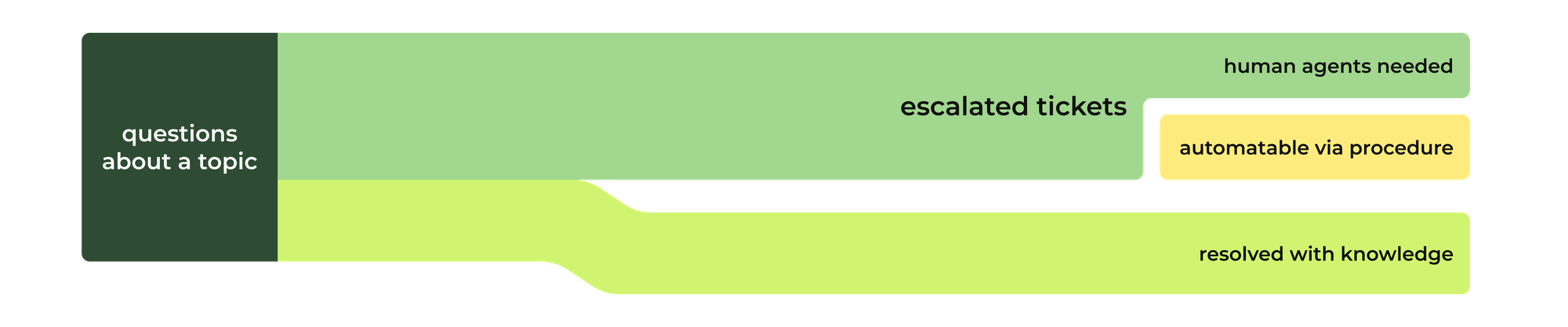
Image source: Internal Note by Thomas Verschoren
The Progressive Automation Path
Zendesk positions AI Agents as a staged journey rather than an all-or-nothing implementation. Here's how teams typically scale their automation:
Stage 1: Start Fast with Generative AI (30% Automation)
Connect your AI agent to existing knowledge sources and achieve roughly 30% automation from day one. No scripting required—the agent automatically understands your help center content and can answer knowledge-based questions across all channels.
Stage 2: Add Procedures for Complex Workflows (50-60% Automation)
Build procedures that guide AI Agents through multi-step processes. For example, a "return processing" procedure might collect order number, reason for return, verify purchase date, check return eligibility, then either approve the return or escalate to a human based on your business rules.
Stage 3: Connect to External Systems (70-80%+ Automation)
Integrate with your tech stack (Shopify, Salesforce, custom APIs) so AI Agents can retrieve real-time data and trigger actions across systems. This level of automation handles most routine requests end-to-end, leaving only truly complex or sensitive issues for human agents.
Multi-Channel Support
AI Agents work consistently across:
Email: Responds to support inbox messages with full context and threading
Messaging: Powers web widget, mobile SDK, WhatsApp, Facebook Messenger, and other messaging channels
Voice: Handles phone calls with natural conversation flow, no IVR menus required (more on this later)
The critical advantage is that you build procedures and knowledge once, and they work everywhere. A refund procedure created for email automatically works on messaging and voice without any additional configuration.
AI Agents Pricing Breakdown
This is where Zendesk's pricing gets interesting because they've moved to an outcome-based model rather than just charging per agent seat.
| Plan | What's Included | Automated Resolutions (ARs) | AR Cost |
|---|---|---|---|
| Support Team $19-25/agent/month |
AI Agents Essential Email only Generative replies Basic escalation |
5 ARs per agent/month included | Committed: $1.50/AR Pay-as-you-go: $2/AR |
| Suite Team $55-69/agent/month |
AI Agents Essential Email + Messaging Generative replies Custom persona |
5 ARs per agent/month included | Committed: $1.50/AR Pay-as-you-go: $2/AR |
| Suite Professional $115-149/agent/month |
AI Agents Essential All channels Advanced features |
10 ARs per agent/month included | Committed: $1.50/AR Pay-as-you-go: $2/AR |
| Suite Enterprise $169-219/agent/month |
AI Agents Essential All channels Knowledge Builder Generative search 300 help centers |
15 ARs per agent/month included | Committed: $1.50/AR Pay-as-you-go: $2/AR |
| Advanced AI Agents Add-on (contact sales) |
AI Agent Builder Procedures & workflows System integrations Actions Advanced reasoning 80+ languages |
Custom | Custom |
How Automated Resolutions (ARs) Work: You're essentially paying for outcomes. An "automated resolution" is counted when an AI Agent successfully resolves a customer inquiry without human intervention. If a ticket gets escalated to a human agent, you don't pay the AR fee—you just handle it like any other ticket.
For example, if you have 10 agents on Suite Professional, you get 100 included ARs per month (10 agents × 10 ARs). If your AI Agent resolves 500 tickets that month, you'd pay for the additional 400 ARs at your committed rate ($1.50 each if you've committed to volume, or $2 each pay-as-you-go).
Learn more about Zendesk AI Agents on their official product page.
Agent Copilot: AI-Powered Agent Assistance
While AI Agents handle customer-facing automation, Agent Copilot is the behind-the-scenes assistant that makes human agents dramatically more productive. It's the difference between agents spending 45 minutes on a complex refund request versus 10 minutes.
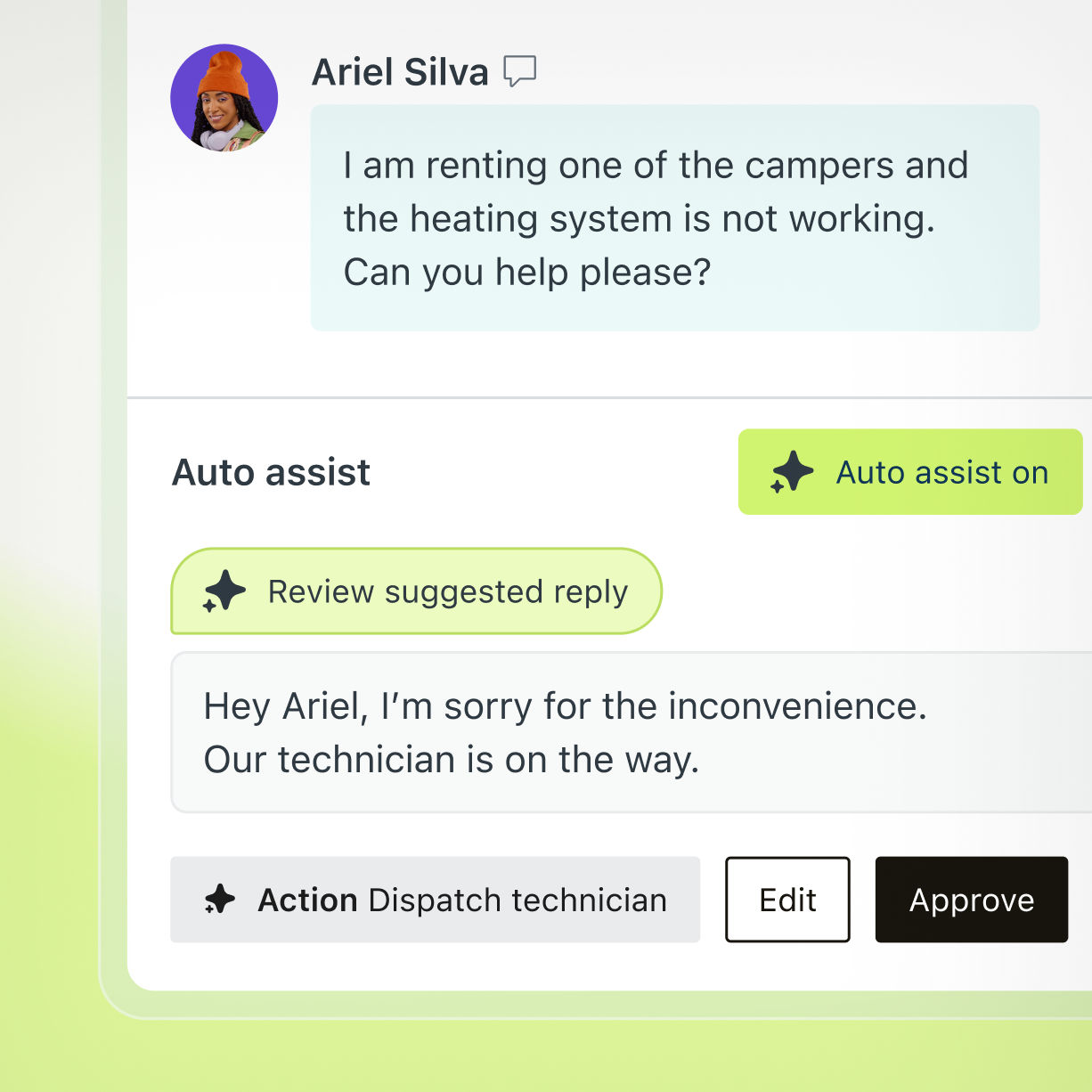
Image source: Zendesk
Core Agent Copilot Capabilities
1. Instant Context & Intelligence
The moment an agent opens a ticket, Copilot provides AI-generated insights including intent classification (what does the customer want?), sentiment analysis (are they frustrated or satisfied?), language detection (what language are they writing in?), and entity extraction (automatically pulls out order numbers, product names, account IDs, dates).
This means agents don't have to read through entire email threads or chat transcripts to understand the situation—they get instant context that helps them respond appropriately and quickly.
2. Real-Time Reply Suggestions
As agents work on tickets, Copilot continuously suggests relevant responses from trusted sources: knowledge base articles matched to the customer's question, pre-approved macros for common scenarios, similar historical tickets showing how colleagues resolved comparable issues, and step-by-step procedures for complex workflows.
Agents can insert suggested content with one click, edit it to personalize, and send—dramatically reducing the time spent crafting responses from scratch.
3. Auto-Assist with Procedures
This is where Copilot gets really powerful. You can create procedures in natural language (no coding required) that guide agents through complex processes or even execute actions automatically with agent approval.
For example, a "process refund" procedure might automatically check order validity in your e-commerce system, verify return eligibility, calculate refund amount based on your policies, and present the agent with a one-click approval button. The agent reviews the AI's work and clicks approve—no manual system navigation required.
These procedures can trigger actions in external systems like Shopify (process returns, update orders), Jira (create issues, link tickets), Slack (send notifications, update channels), Salesforce (update CRM records, create cases), or any system with an API connection.

Image source: Internal Note by Thomas Verschoren
4. Instructions for Manual Steps
Sometimes automation isn't viable—maybe the process requires physical actions (check a warehouse, call a vendor) or specialized judgment. In these cases, Copilot can display step-by-step instructions to guide agents through the proper workflow, ensuring consistency even when full automation isn't possible.
Agent Copilot Pricing
Unlike AI Agents which are included in Suite plans, Copilot is a paid add-on:
| Component | Availability | Price |
|---|---|---|
| Agent Copilot | Add-on to Suite Professional or Enterprise | $50 per agent/month (billed annually) |
| Intelligent Triage | Included with Copilot | Included |
| Auto Assist | Included with Copilot | Included |
| Macro Suggestions for Admins | Included with Copilot | Included |
| AI Reporting & Insights | Included with Copilot | Included |
This means if you have 20 agents and want to add Copilot to your Suite Professional plan ($115/agent/month), you'd pay an additional $50/agent/month for Copilot, bringing your total to $165/agent/month.
Important note: AI Agents and Copilot are priced separately. They work together but are sold as distinct add-ons, allowing teams to choose the right mix of automation and human assistance for their needs.
Explore more about Agent Copilot features on Zendesk's official page.
Measured Impact of Agent Copilot
Teams using Copilot report significant productivity gains:
82% increase in agent productivity - Agents handle more tickets in less time by leveraging AI-powered suggestions and automated actions
76% more valuable time saved - Reduced time spent on repetitive tasks, data entry, and searching for information
65% reduction in operational busy work - Automation of routine actions and administrative tasks frees agents from non-customer-facing work
Knowledge as the Foundation of AI Success
Both AI Agents and Agent Copilot are only as good as the knowledge they can access. Zendesk has evolved from a simple Help Center model to a comprehensive knowledge platform that powers every aspect of the AI system.
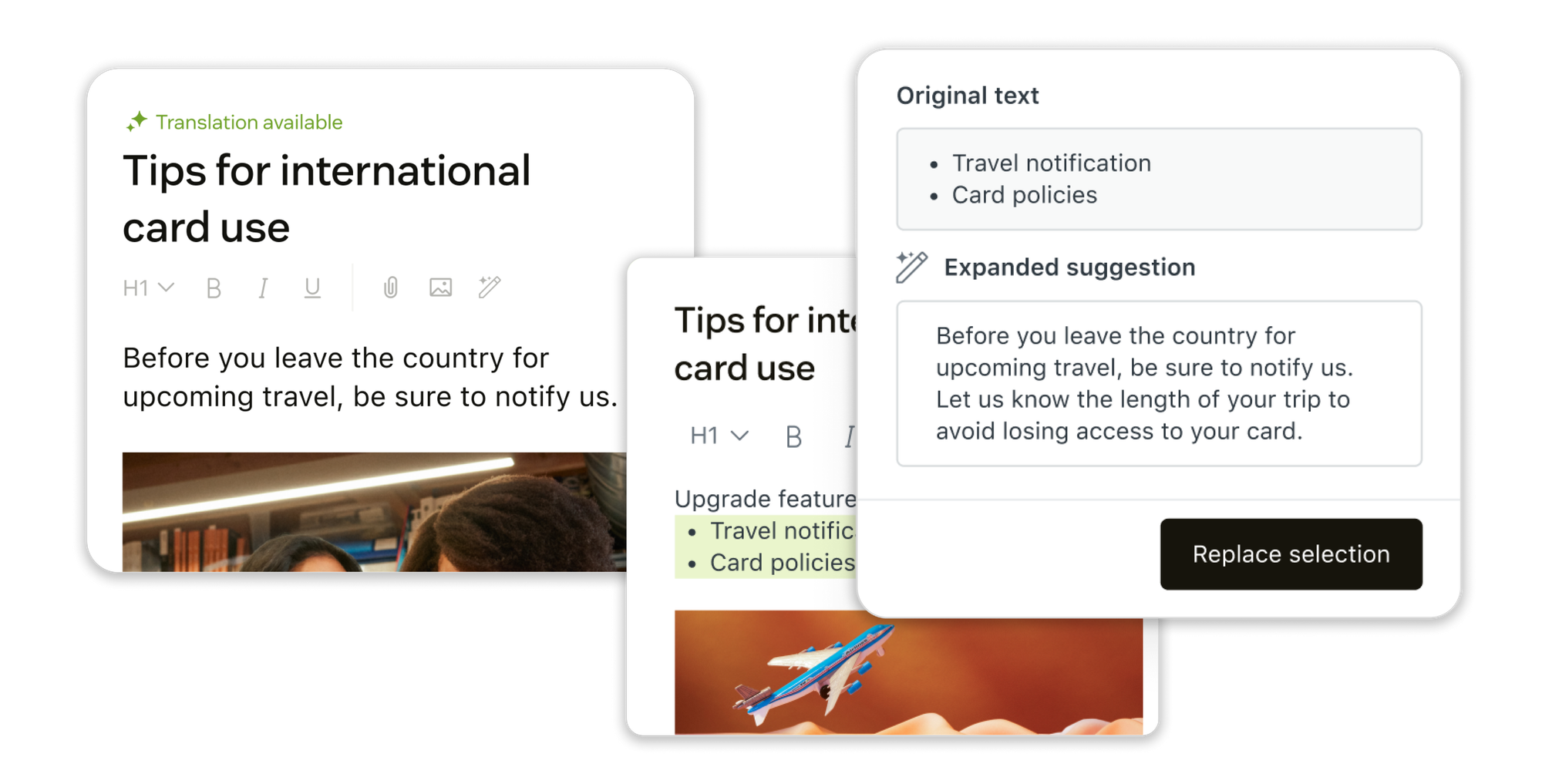
Image source: Internal Note by Thomas Verschoren
Knowledge Builder: AI-Generated Content
One of the biggest challenges with implementing AI is having enough quality content to train on. Zendesk's Knowledge Builder addresses this by automatically generating help center articles based on your existing ticket history.
Here's how it works: the system analyzes your resolved tickets to identify common questions and knowledge gaps (topics where customers frequently ask questions but no article exists). It then generates draft articles that you can review, edit, and publish. This can create an entire help center in hours rather than weeks.
Included in Suite Enterprise ($169-219/agent/month), Knowledge Builder dramatically accelerates the time to value for AI implementations. Teams can go from having a sparse help center to a comprehensive knowledge base that actually powers effective automation.
Knowledge Connectors: Beyond the Help Center
Your support knowledge doesn't just live in Zendesk—it's scattered across Confluence, SharePoint, Google Docs, internal wikis, and more. Knowledge Connectors allow AI Agents and Copilot to access these external sources, creating a federated search across all your knowledge repositories.
This means when an AI Agent needs to answer a customer question about your product roadmap, it can pull from your Confluence documentation. When Copilot suggests a response about company policies, it can reference your internal wiki. Everything stays up-to-date automatically as you edit source documents.
AI-Powered Writing & Translation Tools
Creating and maintaining knowledge base content is easier with AI assistance built directly into the article editor:
Content Generation: Turn bullet points into complete articles, expand brief notes into comprehensive documentation, or simplify complex technical content for general audiences.
Tone Adjustment: Make articles more formal or friendly with one click to match your brand voice.
Automatic Summaries: Generate article summaries that appear at the top of long-form content, helping customers quickly determine if they're in the right place.
AI Translation: Translate articles into 40+ languages while maintaining your tone of voice and correctly translating product names and industry-specific terms based on the context of your entire help center.
These tools are included in Suite plans and significantly reduce the time required to create and maintain multilingual knowledge bases.
Learn more about AI capabilities in Zendesk Help Center from this comprehensive Internal Note article.
Voice AI: Bringing Intelligence to Phone Support
Zendesk recently extended AI Agents to voice channels, transforming phone support from one of the least efficient channels into a highly automated one.
How Voice AI Works
When a customer calls, an AI Agent answers (no IVR menus) and has a natural conversation to understand the issue. The agent can answer questions using your knowledge base, follow procedures to gather information and take actions, or escalate to a human agent with full context and transcript.
For escalations, the human agent sees the full conversation transcript and Agent Copilot immediately kicks in—offering instructions, suggesting next steps, and automating actions right in the ticket interface. This hybrid approach (AI handles the simple stuff, humans take the complex cases) makes voice support dramatically more efficient.
Voice AI supports 80+ languages with automatic language detection and native fluency, handling conversations in whatever language the customer speaks without requiring separate configurations per language.
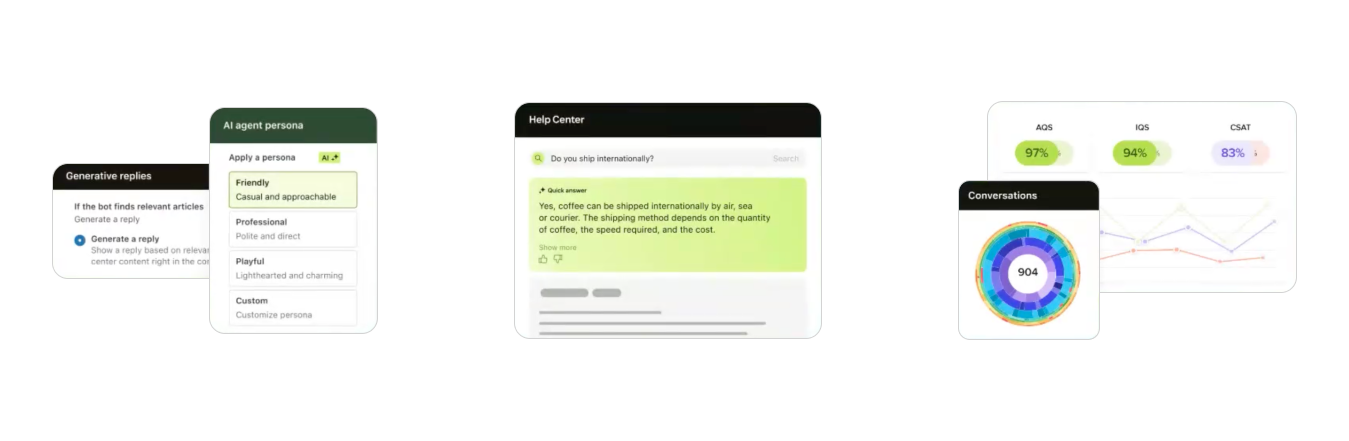
Image source: Internal Note by Thomas Verschoren
Voice Pricing
Voice capabilities are included with Suite Professional and Enterprise plans, though there may be per-minute charges for phone usage depending on your call volume and regions. Contact Zendesk sales for specific voice pricing based on your needs.
Quality Assurance & Analytics
As you implement more AI automation, how do you ensure quality doesn't slip? Zendesk has several answers to this question.
Built-In QA for AI Agent Interactions
Every AI Agent interaction automatically gets a quality score. The system evaluates whether the agent correctly identified intent, pulled relevant knowledge, followed procedures properly, and achieved resolution. This means 100% of automated interactions are quality-checked—something impossible to achieve with manual QA for human agents.
Zendesk Quality Assurance Add-On
For teams that want comprehensive QA across both AI and human agents, Zendesk offers a dedicated Quality Assurance add-on at $35/agent/month. This includes automated evaluation of 100% of conversations (not just samples), sentiment and empathy analysis, risk detection, coaching opportunities, and custom evaluation criteria based on your business requirements.
This is particularly valuable during AI rollout—you can monitor quality metrics in real-time and quickly identify where AI Agents need additional training or where procedures need refinement.
AI Insights & Reporting
Copilot includes AI-powered insights that analyze patterns across all customer interactions to surface trending topics and emerging issues, knowledge gaps where customers ask questions but content doesn't exist, automation opportunities for repetitive inquiries, routing optimizations based on resolution patterns, and agent training needs.
These insights help teams continuously improve both their AI automation and their human agent processes, creating a feedback loop where the system gets smarter over time.

Image source: Zendesk
Additional AI-Powered Add-Ons
Beyond the core AI Agents and Copilot offerings, Zendesk provides several other AI-enhanced tools:
| Add-On | What It Does | Price |
|---|---|---|
| Workforce Management | AI-powered forecasting, automated scheduling, real-time performance monitoring | $25/agent/month |
| Quality Assurance | Automated QA for 100% of conversations, coaching insights, risk detection | $35/agent/month |
| Workforce Engagement Bundle | Combines Workforce Management + Quality Assurance at a discount | $50/agent/month |
| Advanced Data Privacy | Enhanced security controls, data residency options, advanced compliance | $50/agent/month |
| Contact Center | Advanced voice features for complex contact center operations | $50/agent/month |
Trust, Security & Compliance
Implementing AI in customer service raises legitimate concerns about data security, accuracy, and compliance. Zendesk addresses these with several commitments:
Privacy & Security: All Zendesk AI features are designed with privacy from the ground up, including GDPR, CCPA, and SOC 2 compliance, data encryption in transit and at rest, enterprise-grade security controls, and role-based access permissions.
Model Selection & Quality: Zendesk runs rigorous benchmarking to select the optimal AI model for each use case, evaluating based on latency, cost, quality, and suitability. Models are only released after meeting precise accuracy thresholds, and the company maintains transparency about how the technology works.
Partnership with OpenAI: Zendesk's partnership with OpenAI (announced April 2023) provides access to industry-leading large language models while maintaining Zendesk's control over implementation, prompt engineering, and quality assurance. New OpenAI models can be evaluated and deployed within 24 hours when beneficial.
Data Protection: Your customer data is never used to train public AI models. Zendesk maintains strict data isolation, and you retain full control over what information AI Agents and Copilot can access.
Learn more about Zendesk's security approach at their Trust Center.
Complete Pricing Summary
Here's a consolidated view of what you're actually paying for across Zendesk's AI ecosystem:
| Plan/Add-On | Annual Price | Monthly Price | Key AI Features |
|---|---|---|---|
| Support Team | $19/agent/month | $25/agent/month | AI Agents Essential (email), 5 ARs included |
| Suite Team | $55/agent/month | $69/agent/month | AI Agents Essential (email + messaging), 5 ARs included |
| Suite Professional | $115/agent/month | $149/agent/month | AI Agents Essential (all channels), 10 ARs included |
| Suite Enterprise | $169/agent/month | $219/agent/month | AI Agents Essential, Knowledge Builder, Generative Search, 15 ARs included |
| Advanced AI Agents | Contact Sales | Contact Sales | Procedures, integrations, advanced reasoning, 80+ languages |
| Agent Copilot | $50/agent/month | - | Auto assist, intelligent triage, macro suggestions, AI insights |
| Quality Assurance | $35/agent/month | - | Automated QA for 100% of conversations |
| Workforce Management | $25/agent/month | - | AI-powered forecasting and scheduling |
For detailed pricing and feature comparison, visit the official Zendesk pricing page.
Implementation & Getting Started
One of Zendesk AI's biggest advantages is deployment speed. Unlike enterprise AI platforms that require months of implementation, Zendesk AI can be operational in minutes.
Quick Start Guide
For AI Agents (3-Click Setup):
Enable AI Agents in your admin settings (literally a toggle switch), connect your knowledge sources (help center, external docs), and configure your brand voice and escalation rules. That's it—your AI Agent is ready to start handling customer conversations.
For Agent Copilot:
Enable Copilot in admin settings, connect your knowledge base and documentation, set up third-party integrations if needed (Shopify, Jira, etc.), define procedures in natural language, and provide a brief orientation to agents (typically 30-60 minutes).
Progressive Rollout Strategy
Most successful implementations follow a phased approach: start with knowledge-based automation (generative answers from help center), add procedures for common workflows (password resets, order tracking, account updates), integrate with key systems (e-commerce, CRM, booking systems), and expand to more complex use cases over time.
This staged approach allows teams to build confidence in the AI, gather feedback from customers and agents, and continuously improve based on real-world performance data.
Comparing Zendesk AI to Alternatives: Where Macha AI Fits
Zendesk's native AI offering is comprehensive, but it comes with challenges that make third-party alternatives like Macha AI worth considering, especially for specific use cases.
💡 Why Teams Choose Macha AI Alongside or Instead of Native Zendesk AI:
1. Cost-Effective Modular Approach
Zendesk's AI pricing can get expensive quickly. Agent Copilot alone is $50/agent/month, and that's on top of your Suite plan. For a 20-agent team, you're looking at $1,000/month just for Copilot features. Macha AI offers focused, purpose-built apps starting at $15/agent/month per app—meaning teams can get AI-powered reply assistance, translations, or summaries without paying for a comprehensive bundle they may not fully utilize.
2. Faster Time to Value
While Zendesk touts "3-click setup," the reality is that achieving meaningful automation with Advanced AI Agents requires significant configuration: building procedures, setting up integrations, training the system on your specific workflows, and ongoing optimization. Macha AI's focused apps (Copilot, Auto Reply, Translations) work immediately after installation with minimal configuration—you get value in minutes, not weeks.
3. Purpose-Built Apps vs. One-Size-Fits-All
Zendesk AI is designed to do everything, which means it may be over-engineered for teams with specific needs. If you primarily need AI to help agents write better responses faster, Macha AI Copilot does exactly that without the complexity of a full Agent Copilot implementation. If you need multilingual support, Macha AI Translations handles it elegantly without requiring the full Zendesk AI stack.
4. More Apps Coming Soon
Macha AI is rapidly expanding its suite of Zendesk apps. While Zendesk offers a comprehensive platform, Macha AI focuses on building best-in-class solutions for specific workflows. Teams can mix and match exactly the apps they need without paying for capabilities they won't use.
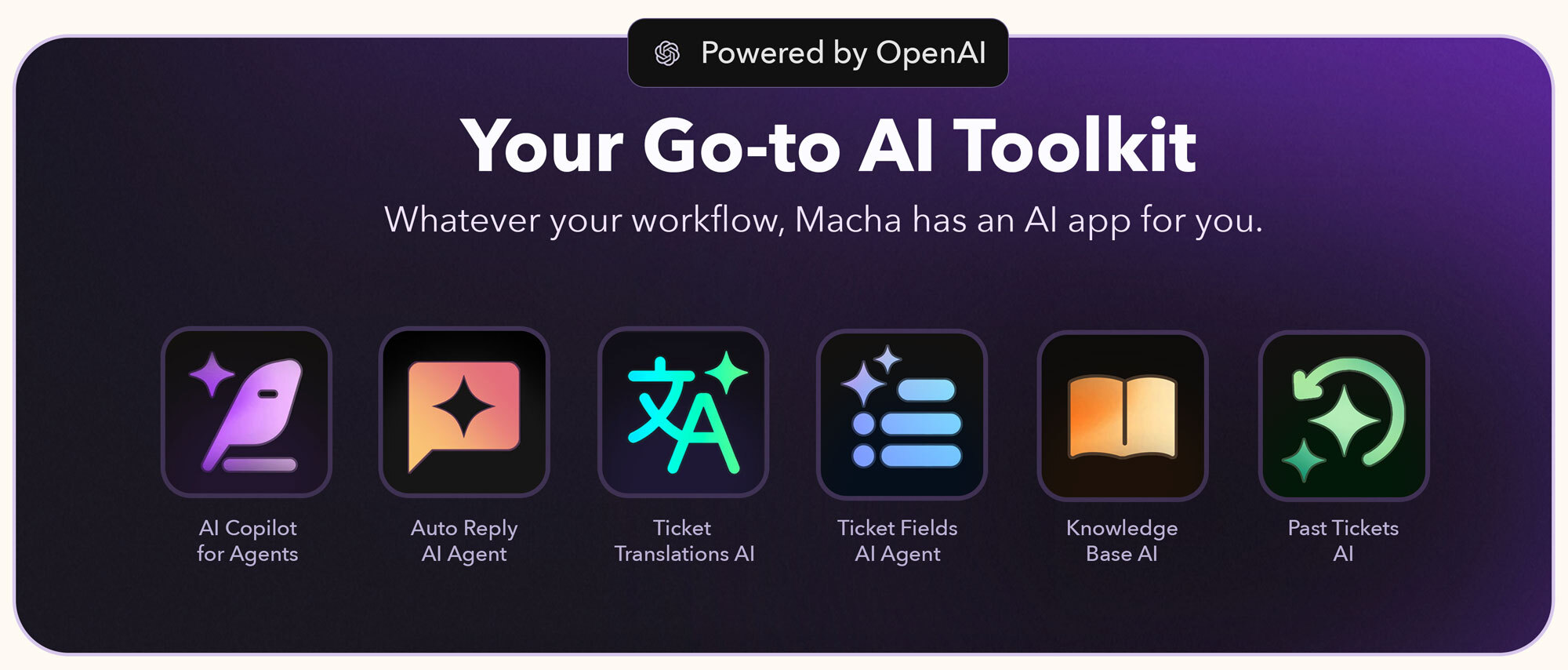
Image source: Macha AI
When to Choose Macha AI:
You want targeted solutions for specific pain points (reply assistance, translations, summaries), you need faster ROI without complex implementation, you're budget-conscious and want to pay only for what you use, you prefer modular apps you can enable/disable based on changing needs, or you want specialized tools built exclusively for Zendesk workflows.
When to Choose Zendesk Native AI:
You need comprehensive customer-facing automation (AI Agents), you want a fully integrated platform with native support, you have complex workflows requiring advanced procedures and system integrations, you're planning to automate 70-80%+ of customer interactions, or you prefer a single vendor for your entire support stack.
The Hybrid Approach:
Many teams use both—Zendesk AI Agents for customer-facing automation and Macha AI apps for targeted agent productivity. For example, you might use Zendesk's AI Agents to handle common customer questions while using Macha AI Copilot ($15/agent/month) to help human agents handle the complex tickets that get escalated. This gives you comprehensive automation at a more manageable cost.
Explore all Macha AI apps for Zendesk to see how they can complement or replace Zendesk's native AI capabilities.
Key Takeaways
Zendesk AI is comprehensive but complex. It's not just one product—it's an ecosystem of AI Agents, Agent Copilot, knowledge tools, and analytics that work together. Understanding what each component does and how they're priced is essential before committing.
Pricing can add up quickly. While AI Agents are included in Suite plans, you'll pay per automated resolution. Agent Copilot is a separate $50/agent/month add-on. Quality Assurance is another $35/agent/month. For a 25-agent team going all-in on Zendesk AI, you could easily be looking at $6,000+/month in additional costs beyond your base Suite plan.
Implementation is easier than most enterprise AI, but still requires effort. Yes, you can enable AI Agents in "3 clicks," but achieving meaningful automation requires building procedures, connecting systems, creating quality knowledge content, and continuous optimization. Budget time for this.
Knowledge is everything. Both AI Agents and Copilot are only as good as your knowledge base. If you don't have comprehensive help center content, procedures, and connected data sources, the AI won't be able to deliver accurate resolutions. Knowledge Builder helps here, but it's only available in Enterprise plans.
Consider modular alternatives. Zendesk's bundled approach means you pay for capabilities you might not use. Purpose-built apps like those from Macha AI let you pick exactly what you need (reply assistance, translations, summaries) at a fraction of the cost.
Voice AI is a game-changer. Extending AI to phone support transforms one of the least efficient channels into a highly automated one. If you have significant call volume, Voice AI alone could justify the investment.
Quality assurance is built-in for AI, add-on for humans. Every AI Agent interaction gets automatically scored for quality. If you want the same level of QA for human agents, that's an additional $35/agent/month add-on.
Staged rollout is critical. Don't try to go from 0 to 80% automation overnight. Start with knowledge-based answers, add procedures gradually, integrate systems over time, and continuously optimize based on performance data.
Add AI agents to your Zendesk
Macha reads the ticket, drafts the reply and takes the action, inside the Zendesk you already run.