Intercom
 Shopify
 Stripe
 Slack
Slack Notion
 Google Workspace
 Confluence

Zendesk AI Agents vs Third-Party AI Agents (2026): Which Should Your Team Use?


Zendesk includes AI agents on every plan and bills each automated resolution, while third-party platforms like Macha bill a flat price per ticket and let you pick the model. The right choice depends on your volume and whether your AI work stays inside Zendesk.
Key takeaways
- Zendesk native AI agents suit teams whose AI work stays inside Zendesk, while third-party platforms suit teams wanting model choice, per-ticket billing, or agents on several help desks.
- Zendesk bills AI agents per automated resolution, and its pricing page lists $1.50 per committed resolution or $2.00 pay-as-you-go.
- At 1,500 AI-resolved tickets a month, Zendesk native AI agents cost roughly $2,250 to $3,000 at Zendesk's listed rates, against $599 for Macha.
- Zendesk AI agents can now act in other systems through Action Builder and prebuilt connectors, so the gap with third-party tools is model choice and billing.
- Since 18 May 2026 each Zendesk seat earns a monthly AI allowance of $2, $5 or $10 by plan, which can make native cheaper under about 200 tickets a month.

Zendesk's native AI agents suit a team whose AI work stays inside Zendesk; a third-party platform suits a team that wants model choice, flat per-ticket billing, or the same agents across help desks. Zendesk now includes AI agents on every Suite and Support plan and bills each automated resolution on top. Zendesk's pricing page lists that rate: $1.50 per committed resolution or $2.00 pay-as-you-go. Macha, the third-party platform we make, bills per ticket from $299 a month for 750 tickets.
| Question | Zendesk native AI agents | Third-party platform (Macha) |
|---|---|---|
| How is it billed? | Per automated resolution; $1.50 committed or $2.00 pay-as-you-go (Zendesk pricing page) | Per ticket, from $299/mo for 750 tickets |
| Who picks the model? | Zendesk (generative AI plus its own intent models) | You, per agent |
| Can it act in other systems? | Yes, through Action Builder and prebuilt connectors | Yes, through connectors and custom API tools |
| Which help desks? | Zendesk only | Zendesk, Freshdesk, Gorgias, Front, HubSpot or Intercom |
| Extra vendor to review? | No | Yes |
We make a third-party tool, so take our framing with a grain of salt. The honest answer for some teams is Zendesk's native option, and the framework below says which. Prices were checked on 24 September 2026.
What is the difference between Zendesk AI agents and third-party AI agents?

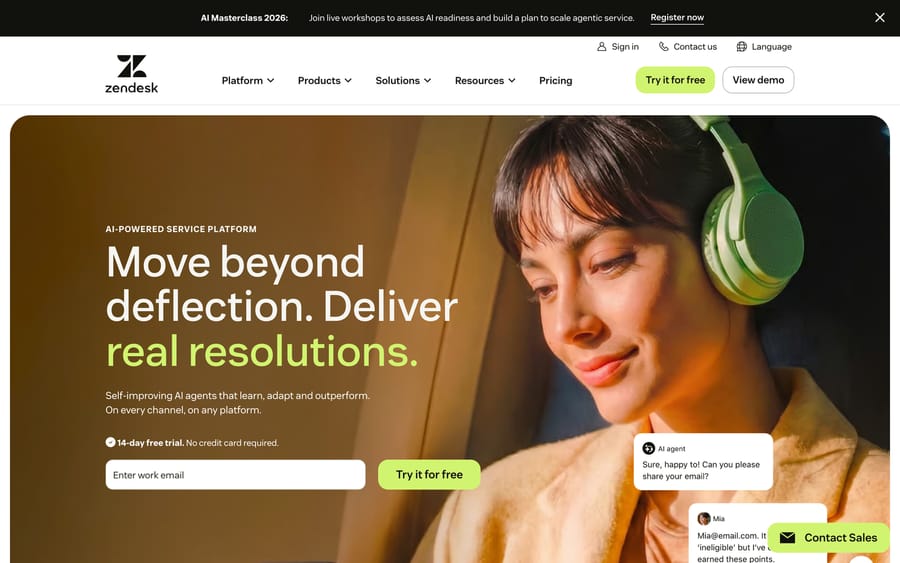
Zendesk's native AI agents are built into the Zendesk platform. Zendesk says they run on "Generative AI and Zendesk proprietary intent models," answer from your Help Center, and can take actions in other systems through Action Builder. Since Zendesk completed its acquisition of Forethought on 26 March 2026, that agent technology sits inside the same product. They're included in every plan and billed per automated resolution (zendesk.com/pricing).
Third-party AI agents connect to Zendesk via OAuth or API key and run from outside it. They bring their own models (Anthropic, OpenAI, open-source), connect to tools beyond Zendesk (Stripe, Shopify, Slack, your own APIs), and let you write agent behavior in plain language.
What do Zendesk's native AI agents do well?
Credit where it's due:
- Zero connector work. It's already inside Zendesk. No OAuth, no separate login. You enable it from Admin Center.
- Tight UI integration. Replies show up in the agent workspace exactly like a teammate's reply, and the handoff to a human looks native.
- Single vendor for support. Same contract, same SLA, same support team. If something breaks, you have one throat to choke.
- Compliance familiarity. If you've already done procurement and security review on Zendesk, you don't redo it for the AI feature.
- A seat allowance. Since 18 May 2026 each Zendesk seat earns a monthly dollar allowance toward AI usage ($2, $5 or $10 by plan, capped at $5,000 a year), which covers a small volume of resolutions. Zendesk's pricing table lists the same allowance as included automated resolutions: 5 per agent a month on Support Team and Suite Team and 10 on Suite Professional, up to 10,000 a year.
For teams that mostly need AI to answer Help Center questions and don't want another vendor, Zendesk's native AI agents are a reasonable buy.
What do third-party AI agents add?

The trade-off for the convenience above is control. Here's what teams tend to find missing:
1. Model choice
Native AI uses the models Zendesk chooses. Third-party platforms like Macha let you pick per agent: GPT-5.4 for nuanced tickets, GPT-5.4 Mini for high-volume triage, Claude Sonnet 4.5 for long-context work. The model is the biggest single factor in agent quality, and being unable to change it is a real constraint. See our deep-dive on choosing the right AI model for why.
2. Multi-tool workflows you own
The customer asks for a refund. To answer well, the agent needs to:
- Look up the order in Shopify
- Check the payment in Stripe
- Verify against your refund policy (often in Notion or Google Docs)
- Process the refund and add a ticket reply in Zendesk
- Notify the team in Slack if it's over a threshold
Zendesk can now build flows like this with Action Builder and its prebuilt connectors, so "native can't leave Zendesk" is no longer true. The difference is where the logic lives. In Zendesk it's a low-code flow per action; on a third-party platform one agent holds the connectors and decides which to call from its instructions.
3. Custom instructions and behavior
Third-party agents give you a free-text instruction field where you write the rules like onboarding notes for a new hire. "When a VIP customer asks about a refund, escalate immediately. Otherwise process under $50 automatically." That kind of rule is easier to write in a sentence than to build out of form fields.
4. Custom API tools
Your team has internal APIs: a fraud-check service, a loyalty-points lookup, an inventory database. Third-party platforms let you wire any REST API as a tool the agent can call. See the guide to custom API tools for how that works in practice.
5. More than one help desk or subdomain
Zendesk's AI agents only run on Zendesk, and two Zendesk subdomains are two separate setups. Macha connects both subdomains to one platform, and the same agents also run on Zendesk, Freshdesk, Gorgias, Front, HubSpot or Intercom, so a later help desk move doesn't mean rebuilding your AI.
What are the tradeoffs of each?
Third-party tools cost you:
- Another vendor to manage. A separate contract, security review, support channel and bill.
- Setup time. About 30 minutes to connect, configure and test the first agent in our own walkthrough; on Macha the team does the setup and monitoring for you.
- Slightly less native UI. The Macha widget lives in the Zendesk sidebar, but the autonomous flow runs through trigger webhooks, one layer removed from Zendesk's UI.
Native AI costs you:
- Lock-in. The agent runs only on Zendesk and uses Zendesk's models. Your AI strategy follows Zendesk's roadmap.
- Per-resolution pricing. You pay for each automated resolution, $1.50 to $2.00 on Zendesk's pricing page. That pricing model means the vendor earns more the more tickets reach resolution through its bot, and your bill rises with every one.
- Less customization. What you can configure is what Zendesk decided to expose.
How much does each cost at 1,500 AI-resolved tickets a month?
Take a team doing 3,000 tickets a month where about 50% are AI-eligible, so 1,500 AI-resolved tickets a month:
| Option | Monthly cost | What you get |
|---|---|---|
| Zendesk native AI agents | ~$2,250 to $3,000 (1,500 × $1.50 to $2.00 per resolution, Zendesk's listed rates), less the seat allowance | Replies inside Zendesk, Help Center answers, Action Builder flows |
| Macha | $599 (up to 1,500 tickets, whatever model the agent runs) | All of the above plus model choice, custom API tools, setup and monitoring by the Macha team |
At 1,500 resolutions a month, Macha is roughly 4 to 5 times cheaper than per-resolution pricing on these numbers. Macha counts every ticket its agents handle, resolved or not, so the gap narrows if most AI-touched tickets still go to a human.
At very low volumes (under 200 tickets a month), the seat allowance and a small resolution bill can make native cheaper. At higher volumes, flat per-ticket pricing pulls ahead.
Which should you pick?
Pick Zendesk native AI agents if:
- Your AI work is mostly Help Center answers inside Zendesk
- You have under ~200 AI-eligible tickets a month
- You strongly prefer single-vendor procurement
- You don't need control over which AI model is used
Pick third-party AI (Macha, or competitors) if:
- Your support workflows touch payments, ecommerce or internal APIs and you want one agent to handle them
- You have 200+ AI-eligible tickets a month and want predictable monthly pricing
- You want to choose the AI model per workflow
- You want to write the agent's behavior in plain language
- You run multiple Zendesk subdomains, or may move help desks
Can you run both at once?
Yes. Many teams use Zendesk's native AI for simple Help Center answers and a third-party platform for the workflow-heavy tickets: refunds, escalations, multi-system lookups. There's no exclusivity. The question is which one does what.
If you want to see how a third-party setup feels, our complete setup walkthrough takes you from zero to a working Zendesk agent in 30 minutes. Or check out Macha for Zendesk directly.
Add AI agents to your Zendesk
Macha reads the ticket, drafts the reply and takes the action, inside the Zendesk you already run.