
Billing, Plans, and Credits
Manage your subscription, monitor credit usage, configure alerts, and handle payments.
Plans overview
Macha is one plan, priced on how many tickets a month you want AI to solve. Every feature is included at every step: unlimited agents and team seats, every channel, every integration and knowledge source, custom API tools, scheduled triggers, safe simulation before go-live, continuous evaluation, and the Macha success team who build, test and monitor your agents. The only thing that changes with price is your monthly ticket allowance.
Trial
$50 of free usage, one-time. Roughly 125 tickets at the standard rate. No monthly reset, no time limit, no credit card. Once it is used you upgrade to a paid plan or buy a top-up to continue. Enough to connect your help desk, point an agent at a real ticket category, and watch it work on your own data before paying anything.
Paid plans
Every step is the same rate, about $0.40 a ticket, so the maths is easy to check:
- $299/month — 750 tickets
- $599/month — 1,500 tickets
- $1,199/month — 3,000 tickets
- $1,999/month — 5,000 tickets
- $2,999/month — 7,500 tickets
- $3,999/month — 10,000 tickets
Your allowance resets on your billing date. Above 10,000 tickets a month the plan is quoted rather than self-serve, because at that volume the conversation is which categories to put on AI rather than how many tickets to buy. Talk to us and we will size it.
What counts as a ticket
One customer conversation, however many replies it takes. An email thread, a live chat, and a Copilot chat each count as one ticket and one charge. A ticket that needs ten messages costs the same as one closed on the first reply, and reopening it weeks later does not charge again. You are never charged per message, per step, per tool call, or per action.
Tickets are what you buy. Credits are how it is metered.
Your plan is sold and billed in tickets, and that is the number to plan against. The model an agent runs on does not change what a ticket costs. Inside the dashboard, usage is tracked in credits. The rest of this page explains that meter: how credits are deducted, what does not draw from them, and how top-ups work. If you only want to know how many conversations your plan covers, the list above is the answer.
Tip
Not sure which step is right? Start with the trial, watch an agent work a real category, then pick the step that matches your actual monthly volume. You can change at any time.
How usage is metered
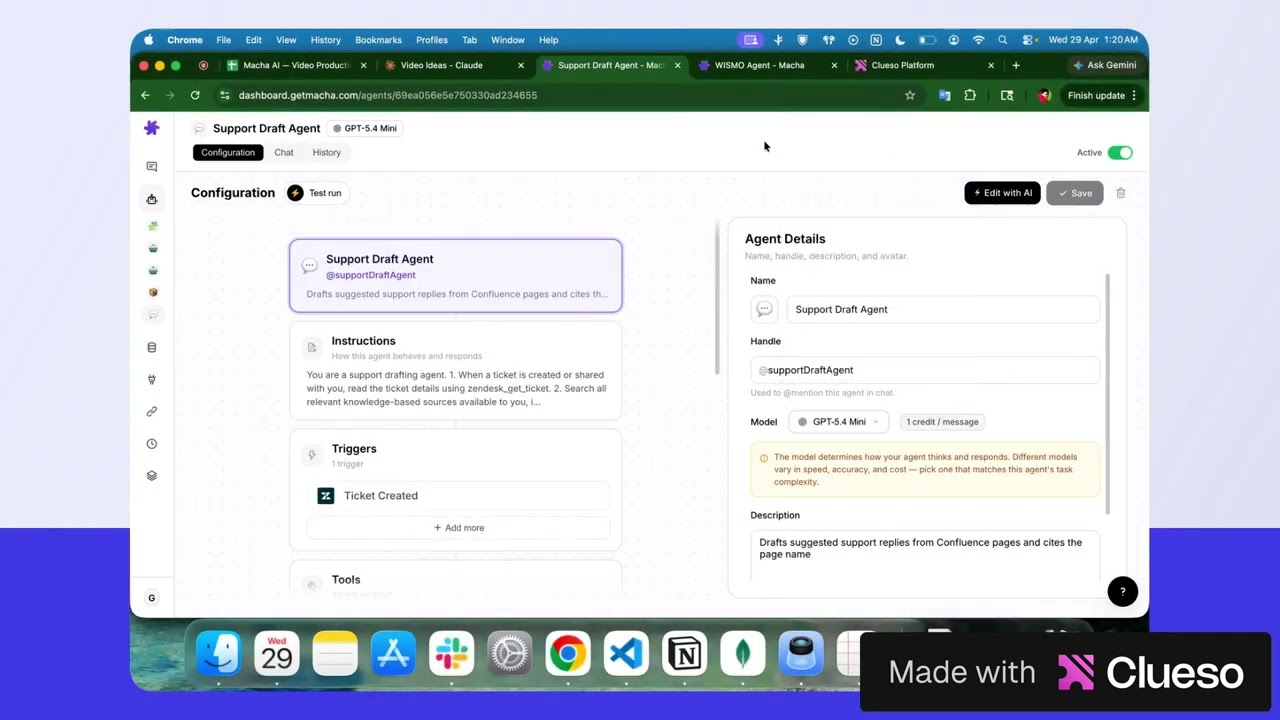
Understanding Credits & Choosing the Right AI Model
Behind the ticket allowance, the dashboard meters usage in credits. Each time an agent completes a response, credits come off your organization's balance. You do not need to think about this to buy a plan; it matters when you are watching the Usage card in Settings.
How credits work
- Credits are deducted once per complete assistant response — not per tool call, not for every step in the agent's instructions. If an agent makes several tool calls before responding, you're only charged once for the final response.
- The model an agent runs on does not change the charge. Billing is per ticket, and a ticket costs the same whichever model handles it.
- You set the model on a per-agent basis, so pick it for quality and speed on that agent's job, not to save money.
Choosing the right model for the job
Because the charge is per ticket, the model choice is about quality and speed, not cost. The line-up:
- GPT-5.6 Terra — the most capable model in the line-up. Reach for it on nuanced human-facing replies, conditional policy logic, and long multi-step reasoning.
- GPT-5.6 Luna — a lighter GPT-5.6 model for agents that need strong quality with quicker responses.
- GPT-5.4 — the platform default and a good balance for most agent workflows: triage, drafting replies, looking up orders, updating fields.
- GPT-5 — a solid general-purpose model, still available for agents already tuned on it.
- GPT-5.4 Mini — the fastest OpenAI option. Good for simple, high-volume work like tagging, routing and summarizing.
- Claude Sonnet 5 / Claude Sonnet 4.5 — strong at careful writing and following long, detailed instructions. Try these if the OpenAI models aren't giving you the quality you need on a particular agent.
- GPT OSS 120B / GPT OSS 20B — OpenAI's open-weight models, for fast, straightforward tasks.
You can pick any model when configuring an agent. If you're not sure, click the "Which model should I use?" link on the configuration screen for quick guidance.
Tip
Match the model to the task complexity, not the agent's importance. A simple summarizer that runs 10,000 times a month answers faster on Mini, and the output quality is identical for that kind of work. The ticket charge is the same either way.
What doesn't count toward your credits
A few specific things don't draw from your plan's credit balance:
- The welcome conversation. When you finish onboarding, Macha drops you into a one-time welcome chat that introduces what it can do with your connected tools. That conversation carries a small "This chat costs no credits" badge near the model picker, and every message you send inside it is on us — we want you to see Macha working with your data before any of your plan credits get spent. Only this one conversation per organization is credit-free; every other chat draws from your balance as normal.
- The internal Macha Sidekick agent. Questions you ask Macha-the-product (from the Sidekick widget in the dashboard) don't deduct credits.
- Cancelled study runs. If you cancel a study mid-run, credits already spent on processed records stay billed, but no new ones get charged for the cancelled remainder.
Quoted plans
Organizations on a quoted plan (above 10,000 tickets a month) bypass usage checks entirely. Agents keep running regardless of balance, so service is never interrupted mid-month.
Top-up credits
If you burn through your monthly allowance ahead of schedule — or just want a buffer for a one-off project like a large Study — you can buy a one-time top-up pack instead of upgrading your plan.
Available packs
- 1,000 credits — $99 ($0.099 per credit)
- 5,000 credits — $449 ($0.090 per credit) — most popular, ~9% saving
- 10,000 credits — $799 ($0.080 per credit) — best value, ~19% saving
How top-up credits behave
- They never expire. Unlike monthly credits, top-ups don't reset at the end of your billing cycle — they roll over until they're used.
- Monthly credits are spent first. Top-ups only kick in once your monthly allowance is exhausted, so you never have to choose which bucket to draw from.
- Both buckets are shown separately on the Usage card in Settings → Billing.
- One-time payment, no auto-renew. Top-ups are bought through Chargebee's one-time checkout in an in-page popup — no subscription change, no surprise charges next month.
Who can buy top-ups
The Top up section appears on the Billing page for any active paid subscription. Trial accounts can't buy top-ups — upgrade to a paid plan first. Quoted plans already bypass usage checks, so top-ups aren't surfaced there.
Tip
Running a one-off Study against a large ticket backlog? Buy a top-up first instead of upgrading your plan — the pack covers the spike, your subscription stays where it is, and any unused credits roll forward.
Usage alerts
Macha sends email notifications to all organization admins when your credit usage reaches certain thresholds:
- 50% used — a heads-up that you're halfway through your credits
- 80% used — a warning that credits are running low
- 90% used — an urgent alert to top up or upgrade before agents stop working
These alerts are sent once per threshold, so you won't receive duplicate emails.
Plan limits
On a paid plan there are none worth planning around. Connectors, data sources, agents, team seats, scheduled triggers and custom API tools are all included, on every step. The only number that changes with your plan is the monthly ticket allowance.
The trial is the exception only in how usage is granted: it is a fixed amount of free usage rather than a monthly allowance. Features are not held back on it; Studies, for example, work on the trial.
Managing your subscription
To upgrade, downgrade, or manage your subscription, go to Settings and open the Billing section. From there you can:
- Upgrade your plan — click the upgrade button and complete checkout. The checkout opens directly within Macha (no external redirect).
- Downgrade your plan — switch to a lower plan. The change takes effect at the end of your current billing period.
- View your current plan — see your plan name, credit balance, and usage.
Tip
If you downgrade and your current usage exceeds the new plan's limits, existing resources won't be deleted — but you won't be able to create new ones until you're within the limits.
© 2026 AGZ Technologies Private Limited