



 Intercom
 Shopify
 Stripe
 Slack
Slack Notion
 Google Workspace
 Confluence

Freshdesk vs Zoho Desk (2026): Which Help Desk Should You Choose?


Zoho Desk is the cheaper, more customizable pick at $7 to $40 per agent a month, while Freshdesk costs $19 to $89 and gets an omnichannel team productive faster. The right choice mostly comes down to budget, AI pricing and which ecosystem you already use.
Key takeaways
- Zoho Desk suits budget-focused and Zoho-suite teams at $7 to $40 per agent a month, while Freshdesk suits teams wanting fast omnichannel setup at $19 to $89.
- Freshdesk's pricing page no longer lists a free plan, though a Free program covers up to 2 agents for 6 months; Zoho Desk stays free for up to 3 users.
- Freshdesk's Freddy AI Agent comes with a one-time allowance of 500 sessions per account, then costs $49 per 100 sessions, and Freddy Copilot is $29 per agent a month.
- Zoho Desk unlocks Zia in steps: Answer Bot from Standard at $14, predictions from Professional at $23, and Zia AI agents only on Enterprise at $40.
- If you pick Freshdesk, Macha is a done-for-you AI agent layer on top of it: the Macha team builds the knowledge base and the agent and runs it in safe mode, at about $0.40 a ticket with a dedicated success manager included.

Choose Zoho Desk if price or the Zoho suite matters most: its paid plans run $7 to $40 per agent a month billed annually, against $19 to $89 for Freshdesk. Choose Freshdesk if you want a polished omnichannel desk live fast with minimal training. Freshdesk leans toward fast adoption and polished omnichannel customer support; Zoho Desk leans toward value, deep customizability, and gravity inside the Zoho suite. Get the fit right and you'll be happy for years. Get it wrong and you'll either overpay for capability you don't use, or hit a ceiling you didn't see coming.
| Freshdesk | Zoho Desk | |
|---|---|---|
| Paid plans (annual, per agent/month) | Growth $19, Pro $55, Enterprise $89 | Express $7, Standard $14, Professional $23, Enterprise $40 |
| Free option | No free plan on the pricing page; Free program for up to 2 agents for 6 months | Free plan for up to 3 users |
| AI pricing | 500 one-time AI Agent sessions, then $49 per 100; Copilot $29/agent | Zia included; AI agents and Zia Actions on Enterprise |
| Best for | Fast, turnkey omnichannel support | Budget, deep customization, Zoho shops |
Below we compare them head to head across positioning, pricing, AI (Freddy vs Zia), ticketing and automation, omnichannel, ecosystem, reporting, and ease of use, then give a "who wins when" by segment and an FAQ. One disclosure up front: Macha (the company publishing this) builds an AI agent layer that runs on top of help desks like Freshdesk and Zendesk. So we have a point of view, but we'll keep the comparison even-handed and save our one honest aside for the end.
How did we compare Freshdesk and Zoho Desk?
Plan names and prices come from the official pricing pages for Freshdesk (and Freshdesk Omni) and Zoho Desk, cross-checked against third-party trackers (eesel, desk365, costbench, clearfeed). For real-user signal we used G2 and Capterra aggregate ratings, review counts, and the recurring pros/cons on their head-to-head comparison pages. Zoho's page can render in local currency, so the USD figures come from the price file Zoho's own pricing page loads. Prices were re-checked on 24 September 2026; G2 and Capterra figures are mid-2026 readings. Pricing in this category moves often, so confirm current rates before you budget.
How are Freshdesk and Zoho Desk positioned differently?
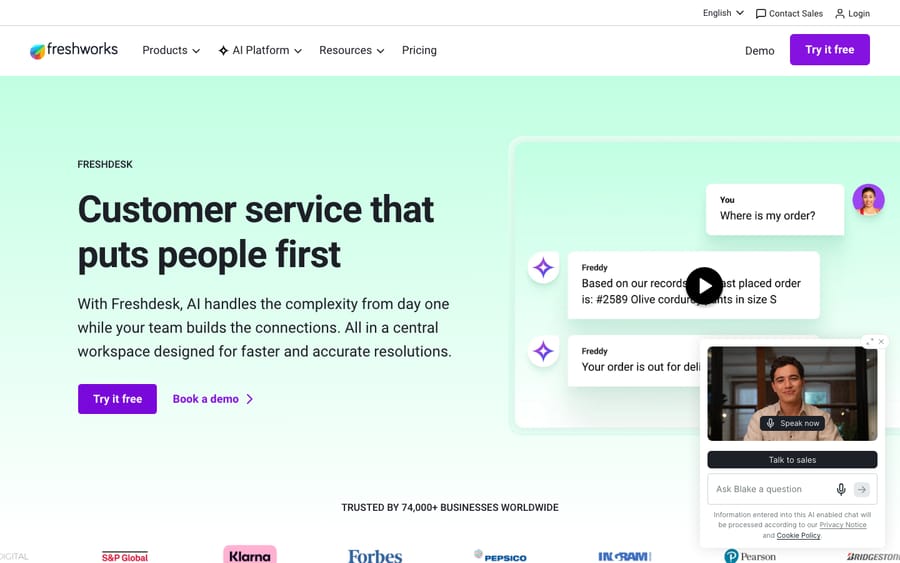
Freshdesk is Freshworks' customer-support help desk. Its whole design philosophy is time-to-value: get a support team live quickly, unify email, chat, phone, and social into one shared inbox, and lean on a clean, modern UI that most agents can use without training. It's the tool you reach for when you want omnichannel customer support running this week, not next quarter.
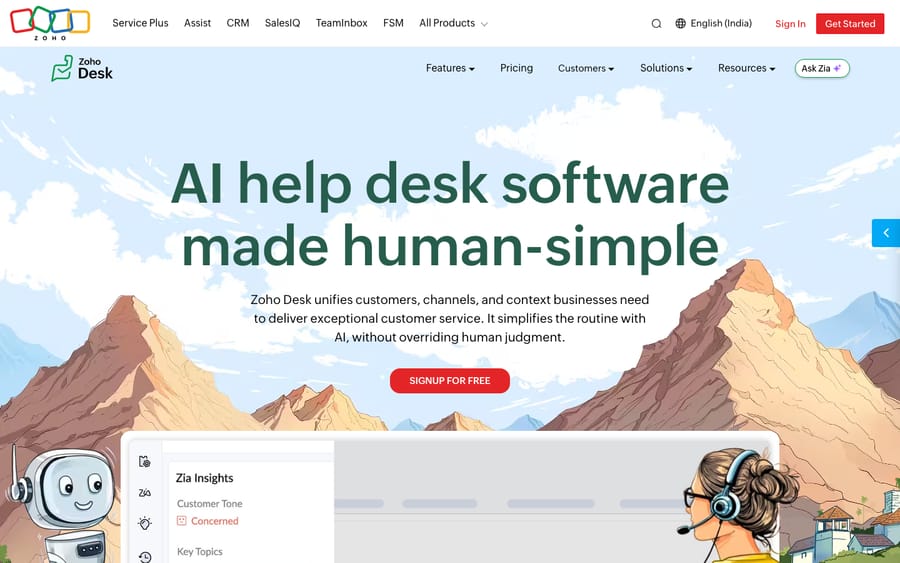
Zoho Desk is the support pillar of the sprawling Zoho ecosystem: 40-plus business apps spanning CRM, books, projects, HR, and more. Its design philosophy is value plus configurability: more knobs to turn, lower per-agent prices, and a deep, almost reflexive integration with Zoho CRM and Zoho Analytics. It's the tool you reach for when budget matters, you want to tailor everything, or you already live in Zoho.
The shorthand: Freshdesk optimizes for getting your team productive fast; Zoho Desk optimizes for getting the most capability per dollar inside a bigger suite. That split shows up everywhere below.
Is Zoho Desk cheaper than Freshdesk?
Yes, at every tier. Both bill per agent, per month and both discount annual commitments, but Zoho Desk is materially cheaper at each level, while Freshdesk's ladder is simpler to reason about.
Zoho Desk (annual, per agent/month):
- Free: $0 · up to 3 users, basic ticketing.
- Express: $7 ($9 monthly) · light workflow and automation, capped at 5 agents.
- Standard: $14 ($20 monthly) · real automation, social channels, multi-department, Zia Answer Bot and sentiment.
- Professional: $23 ($35 monthly) · Blueprint process automation, time tracking, multi-brand, Zia predictions and anomaly detection.
- Enterprise: $40 ($50 monthly) · Zia AI agents and Zia Actions, advanced customization, governance.
Freshdesk (Email & Ticketing, annual, per agent/month):
- No free plan on the pricing page · a separate Freshdesk Free program covers up to 2 agents for 6 months; otherwise a 14-day trial.
- Growth: $19 · omnichannel basics, automations, collision detection.
- Pro: $55 · custom objects, advanced ticketing, custom reporting, richer routing.
- Enterprise: $89 · audit logs, approval workflows, skills-based assignment, added security.
Freshdesk also sells Freshdesk Omni, a bundle adding live chat, voice, and Freddy AI on top of ticketing, at Growth $29 / Pro $79 / Enterprise $119 per agent/month billed annually (Freshworks' Omni pricing page, 24 September 2026). The Free program doesn't cover Omni.
The gap is stark at the top: Zoho Desk Enterprise at $40 undercuts Freshdesk Enterprise at $89 by more than half. Even mid-tier (Zoho Professional $23 vs Freshdesk Pro $55), Zoho is roughly 40 cents on the dollar. Zoho's catch is the 5-agent cap on Express (the cheapest paid plan), which pushes growing teams to Standard sooner than the sticker suggests. Freshdesk's catch is Freddy AI, which is largely a line item on top of the seat price (more below). For the full breakdowns, see our guides to Freshdesk pricing and Zoho Desk pricing.
Which has better AI, Freddy or Zia?
Both platforms ship a named AI layer, but they have different personalities.
Freddy AI (Freshdesk) is the more operational of the two. It splits into Freddy AI Agent (the autonomous, customer-facing bot that deflects and resolves queries) and Freddy AI Copilot, the agent-assist layer (reply suggestions, summaries, tone). Crucially, Freddy is mostly metered or add-on priced: the AI Agent is session-based (a one-time allowance of 500 sessions per account, then $49 per 100 sessions), and Copilot is $29/agent/month billed annually as an add-on on Pro and Enterprise. The upside is you can switch it on selectively; the downside is the bill grows with usage, and the most powerful pieces sit outside the base seat price.
Zia (Zoho Desk) is the more analytical of the two. It does sentiment analysis, anomaly detection, auto-tagging, ticket-field prediction, and a Reply Assistant that drafts responses from your knowledge base. Zia is bundled into paid tiers at no extra seat cost, but it unlocks in steps: Answer Bot and sentiment from Standard ($14), predictions and anomaly detection from Professional ($23), and Zia AI agents and Zia Actions only on Enterprise ($40/agent/month for everyone). Generative features use your own AI provider key. Zia's real edge is that it sees across the Zoho graph: with Zoho CRM and Analytics in the mix, it reasons over customer history and cross-department data in a way a standalone bot can't.
Honest caveat that applies to both: these are largely rule-based and assistive enhancements layered on traditional ticketing, not autonomous resolution engines that learn your knowledge base in real time. Treat either as triage-and-assist, and budget AI as its own line: for Freshdesk because it's metered, for Zoho because the AI agents are Enterprise-only.
Which is better for ticketing and automation?
Both cover the table stakes (ticketing, SLAs, assignment rules, canned responses, macros) competently.
Freshdesk wins on out-of-the-box clarity. The shared inbox, ticket views, and automation builder are clean and discoverable; teams routinely report being productive without formal training. It's automation you can set up in an afternoon.
Zoho Desk wins on depth of customization. Its Blueprint feature (Professional and up) lets you model a ticket's entire lifecycle as a visual state machine with mandatory fields, transitions, and approvals at each stage, genuinely powerful for teams with strict, multi-step processes. The trade-off is a steeper learning curve: more power, more configuration, more time before it sings.
The rule of thumb: if you want fast and obvious, lean Freshdesk; if you want to model complex, opinionated workflows, lean Zoho Desk.
Which handles omnichannel support better?
Freshdesk's omnichannel story is its historical strength: email, live chat, phone (via the integrated voice product), WhatsApp, and social unified into one queue, with the chat and voice channels feeling first-class rather than bolted on. If you support customers across many channels and want them genuinely unified, Freshdesk has the edge, especially via Freshdesk Omni.
Zoho Desk covers the same channels (email, chat, phone, social, messaging) and does it well, but the experience leans more on configuration and on stitching Zoho's other tools (e.g., Zoho SalesIQ for chat) together. For a single-suite shop that's a feature; for a team that wants channels unified with minimal assembly, Freshdesk feels more turnkey.
Does the Freshworks or Zoho ecosystem matter more?
This is the most underrated factor in the decision.
Freshworks is a focused suite: Freshdesk (support), Freshservice (ITSM), Freshsales (CRM), Freshchat, Freshcaller, all built around customer and employee experience. The integrations are tight within that family, and there's a healthy marketplace beyond it. It's "best-of-suite for support teams."
Zoho is one of the broadest software ecosystems in business, full stop: 40-plus apps across CRM, finance, HR, projects, marketing, and BI, often bundled into Zoho One. If you're already running Zoho CRM and Books, Zoho Desk slots in with near-zero integration friction and shared data, and the per-user economics of Zoho One can make Desk feel almost free at the margin. The flip side: that gravity is real, and committing to Desk often means committing to the wider Zoho way of doing things.
The deciding question is simple: which ecosystem do you already live in, or want to? That single answer breaks a lot of ties.
Which has stronger reporting and analytics?
Both ship solid reporting. Freshdesk offers curated and custom reports plus Freddy-powered insights, but a recurring reviewer gripe is that deeper reporting feels gated to higher tiers and can get complex to build. Zoho Desk is generally regarded as the stronger analytics story for the money: built-in dashboards plus, on higher tiers, the option to plug into Zoho Analytics for cross-app BI that few standalone help desks match. If reporting depth per dollar is a priority, Zoho has the advantage; if you want clean defaults without much setup, Freshdesk is the gentler path.
Which is easier to use?
This is Freshdesk's signature strength. Across G2 and Capterra, the dominant theme is fast onboarding and an intuitive UI: teams up and running quickly, minimal training. Zoho Desk is well-liked too, but reviewers more often mention a learning curve and the time it takes to configure all that flexibility. More power, more setup. If speed-to-live and low training overhead matter most, Freshdesk wins this axis cleanly.
How do they compare side by side?
| Freshdesk | Zoho Desk | |
|---|---|---|
| Best at | Fast adoption, polished omnichannel | Value, deep customization, Zoho suite |
| Free plan | Not on the pricing page (Free program: 2 agents, 6 months) | Yes, up to 3 users |
| Entry paid (annual) | Growth $19/agent/mo | Express $7/agent/mo (max 5 agents) |
| Mid tier (annual) | Pro $55/agent/mo | Professional $23/agent/mo |
| Top tier (annual) | Enterprise $89/agent/mo | Enterprise $40/agent/mo |
| AI | Freddy: practical automation; metered/add-on (sessions + Copilot $29) | Zia: analytical (sentiment, prediction); AI agents on Enterprise |
| Automation | Clean, fast to set up | Deep (Blueprint state machines), steeper curve |
| Omnichannel | Turnkey, first-class chat + voice | Strong, more assembly across Zoho tools |
| Ecosystem | Freshworks (focused CX suite) | Zoho (40+ apps, Zoho One bundle) |
| Reporting | Solid; depth gated to higher tiers | Strong value; ties into Zoho Analytics |
| Ease of use | Excellent: minimal training | Good: more to learn |
| G2 rating | ~4.4 / 5 (~3,700 reviews) | ~4.4 / 5 (~6,500 reviews) |
Rates re-checked on the official pricing pages on 24 September 2026; G2/Capterra figures are mid-2026 readings. Confirm before budgeting, as pricing changes often.
What do users say about each?
Real-user sentiment maps neatly onto the positioning.
- Freshdesk: ~4.4/5 on G2 (~3,700 reviews) and ~4.5/5 on Capterra (~3,300 reviews). The standout praise is ease of use and unified ticket management: reviewers consistently note they can "manage tickets from a single platform" and get a team productive without much training. The recurring watch-outs: the cost of stacking Freddy AI add-ons, and reporting that some find complex or gated to pricier tiers.
- Zoho Desk: ~4.4/5 on G2 (~6,500 reviews) and ~4.5/5 on Capterra. Reviewers repeatedly call it "user-friendly and customizable" and highlight the seamless integration with other Zoho and third-party apps as the reason it earns its keep. The common criticisms: email-import and attachment quirks, a steeper setup curve to unlock all that flexibility, and harder-to-reach support.
Net: both are genuinely well-liked and tie on raw G2 score. The complaints differ in kind: Freshdesk's are mostly about cost of AI and reporting depth; Zoho Desk's are mostly about setup friction and support.
Who should choose Freshdesk, and who should choose Zoho Desk?
- Choose Freshdesk if you want a polished, omnichannel customer-support desk live fast, with minimal training overhead, and you value turnkey chat/voice. Best for support-led teams that prize time-to-value and a clean agent experience over squeezing the lowest per-seat price.
- Choose Zoho Desk if budget is a primary constraint, you want deep customization (Blueprint workflows), strong analytics for the money, or, most decisively, you already run the Zoho suite. Best for cost-conscious and process-heavy teams, and a near-automatic pick for existing Zoho CRM/Books shops.
- Lean Freshdesk for AI-forward customer support if you'll actually use a customer-facing bot and don't mind metering it; lean Zoho Desk for analytical AI if sentiment, prediction, and cross-app insight (with Zoho Analytics) matter more than autonomous deflection.
- Either way, budget AI separately: Freddy because it's session-metered and add-on priced, Zia because its AI agents sit on Enterprise.
Where does an AI layer like Macha fit?
One narrow, honest aside, and only because it's relevant to one side of this comparison. If you land on Freshdesk, its built-in Freddy AI isn't your only option for AI resolution. Macha is an AI agent layer that runs on top of Zendesk, Freshdesk, Gorgias, Front, HubSpot or Intercom, and it's the done-for-you option: the Macha team analyzes your past tickets, builds the knowledge base and an agent that resolves tickets inside Freshdesk, and runs it in safe mode until the drafts are right. It's billed per ticket, about $0.40 a ticket from $299/month for 750 tickets, which includes the setup and a dedicated success manager who handles your changes. To be clear about scope: Macha is not a third help desk in this race, and it does not integrate with Zoho Desk, so if you choose Zoho, this simply doesn't apply. But if Freshdesk is your pick and you'd like to see AI resolution running on top of it before committing, you can start with $50 of free usage, no credit card required.
Frequently asked questions
Is Freshdesk or Zoho Desk cheaper? Zoho Desk is cheaper at every paid tier: Express $7, Standard $14, Professional $23, Enterprise $40 per agent/month annually, versus Freshdesk's Growth $19, Pro $55, Enterprise $89. Zoho has a free plan for up to 3 users; Freshdesk's pricing page has no free plan, though its Free program covers up to 2 agents for 6 months. Note Zoho's cheapest paid plan (Express) caps at 5 agents, and Freshdesk's AI is largely an add-on cost on top.
Which has better AI, Freddy or Zia? It depends on what you want. Freddy AI (Freshdesk) is more practical for automating and deflecting customer queries, but it's session-metered and add-on priced. Zia (Zoho Desk) is stronger on analytics (sentiment, anomaly detection, prediction) and integrates deeply with Zoho CRM and Analytics, but its AI agents and Zia Actions are gated to the Enterprise tier. Both are assistive layers on traditional ticketing rather than fully autonomous resolution engines.
Should I pick Zoho Desk if I already use Zoho CRM? Usually, yes. Zoho Desk's tightest integrations are within the Zoho ecosystem, and the Zoho One bundle can make Desk very economical at the margin. If you already run Zoho CRM, Books, or Analytics, Zoho Desk slots in with minimal friction and shared data; that ecosystem gravity is one of the strongest tie-breakers in this comparison.
Which is easier to use? Freshdesk. Its biggest and most consistent praise on G2 and Capterra is fast onboarding and an intuitive UI: teams routinely get productive without formal training. Zoho Desk is well-liked but more often described as having a learning curve, because its greater customizability requires more configuration.
Can I use both Freshdesk and Zoho Desk together? You can, but it's uncommon: they're direct substitutes for the same job (customer support ticketing), so most teams pick one. Running both usually only makes sense across separate business units or during a migration, not as a permanent setup.
So which should you choose?
Freshdesk vs Zoho Desk isn't a quality contest: both are mature, well-rated help desks that tie at ~4.4/5 on G2. It's a fit decision. Freshdesk is the faster, more polished, more turnkey omnichannel support desk: pick it when time-to-value, ease of use, and unified channels matter most, and you're willing to pay a premium and budget Freddy AI as an add-on. Zoho Desk is the better-value, more customizable, ecosystem-anchored option: pick it when budget, deep workflow control, or an existing Zoho footprint drive the decision, and you can absorb a steeper setup curve. Match the tool to what you actually optimize for, confirm every rate on the official pricing pages before you commit, and budget AI as its own line either way.
Prices re-checked on 24 September 2026 on the official Freshdesk, Freshdesk Omni, and Zoho Desk pricing pages; ratings are mid-2026 readings from G2 and Capterra as noted.
Add AI agents to your Freshdesk
Macha reads the ticket, drafts the reply and takes the action, inside the Freshdesk you already run.





