



 Intercom
 Shopify
 Stripe
 Slack
Slack Notion
 Google Workspace
 Confluence

How Much Does Freshservice Cost in 2026? Plans, Add-Ons and Real Totals


Freshservice costs $19, $49 or $99 per agent a month on annual billing, with Enterprise quoted and no free plan. The invoice grows through Freddy AI Copilot, orchestration transaction packs and asset units, so model those before you lock seats.
Key takeaways
- Freshservice costs $19 for Starter, $49 for Growth and $99 for Pro per agent a month billed annually, while Enterprise is a custom quote.
- Freddy AI Copilot costs $29 per agent a month billed annually and is sold only on the Pro and Enterprise plans, so Starter and Growth teams cannot add it.
- Each Freshservice Enterprise license includes 1,200 Freddy AI Agent (Classic) sessions a year, plus a sandbox and 20,000 orchestration transactions a month.
- Freshservice orchestration packs cost $250 per 1,000 transactions, and asset units beyond the included 100 start at $125 a month per 500.
- A 15-agent Freshservice Pro team with Copilot and 1,000 extra assets pays about $26,040 a year, roughly 46% above the $17,820 seat price.

Freshservice costs $19 (Starter), $49 (Growth) or $99 (Pro) per agent a month billed annually, and Enterprise is a custom quote, per Freshworks' official Freshservice pricing page (checked 24 September 2026). There's no free plan, only a 14-day trial, and the bill grows past the seat price through four metered lines: Freddy AI Copilot at $29 per agent a month, orchestration transaction packs, asset units and day passes.
| Plan | Price (billed annually) | What it adds | Orchestration transactions |
|---|---|---|---|
| Starter | $19 / agent / month | Incident, knowledge and task management, support portal | 1,000 / month |
| Growth | $49 / agent / month | Service catalog, SLA management, on-call and cloud management | 2,000 / month |
| Pro | $99 / agent / month | Problem, change, release and major incident management | 5,000 / month |
| Enterprise | Custom quote | Freddy AI Agent (Classic), Freddy AI Insights, sandbox, XLAs | 20,000 / month |
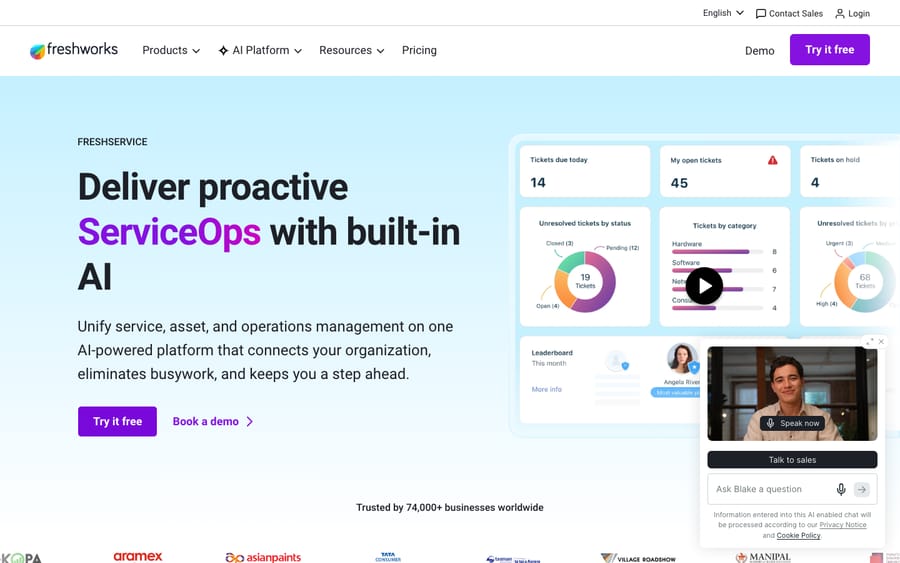
One clarification, because it trips people up constantly: Freshservice is Freshworks' IT service management (ITSM) tool, an internal service desk for IT, HR, facilities and other back-office teams, built around incidents, assets and ITIL processes. It is not Freshdesk, which is the customer-support help desk. They're different products with different price sheets. If you landed here looking for customer-support pricing, see our Freshdesk vs. Freshservice breakdown, and if you're still working out what Freshservice is, start with what is Freshservice.
How much does Freshservice cost per agent?
All four prices are per agent, per month, billed annually. The pricing page has a monthly toggle, but the monthly rates don't appear in the page itself. Third-party trackers such as Costbench put monthly billing at $29 / $59 / $119 per agent for Starter / Growth / Pro. That's a 53% premium on Starter, so confirm the exact number at checkout. Enterprise has no public price: Freshworks lists it as "Custom," and any figure you see for it is an estimate. Get a real quote.
Do you pay for requesters or only agents?
Before the tiers, the single most important Freshservice billing concept: you pay for agents, not requesters.
- Agents are your IT and service-desk staff: the people who work tickets, manage assets and run workflows. These are the paid seats, billed per the table above.
- Requesters are the employees who raise tickets, which means everyone in the company who might email IT or submit a request. Requesters are unlimited and free.
That's the right model for an internal service desk: a 2,000-employee company might run on 12 agent seats. So when you estimate cost, count your service-desk team, not your headcount. Need temporary hands during a migration or an incident surge? Freshservice gives you 3 free Day Passes at sign-up and sells more from $3 a pass, so occasional agents don't need a full monthly seat. Non-IT teams such as HR or facilities can also run on a Business Agent license at $49 per agent a month on the upper tiers.
What does each Freshservice tier include?
The jump between tiers isn't "more of the same." Specific ITIL capabilities are gated to specific plans. Here's what changes as you move up.
Starter: $19/agent/month
The on-ramp for a team graduating from a shared inbox or spreadsheet. You get incident management, knowledge management, task management and a support portal, plus the Workflow Automator with 1,000 orchestration transactions a month. Every plan, Starter included, now carries the ITAM Growth package with 100 asset units, so a small estate can be tracked from day one. What Starter lacks is SLA management and a service catalog, and there's no change, problem or release management. Fine for a small IT team that just needs tickets organized.
Growth: $49/agent/month
Where most IT teams start. Growth adds the service catalog (employees request standard items like laptops, software or access through a self-service portal), SLA management, on-call management, cloud management and MSP mode, plus a larger orchestration allowance of 2,000 transactions a month. This is the tier where Freshservice starts behaving like an ITSM platform rather than a ticket queue. The asset count is still capped at the included units, which we cover under add-ons.
Pro: $99/agent/month
The full-ITIL tier, and the biggest price jump in the lineup. Pro unlocks problem management, change management (with a change advisory board and change calendars), release management and major incident management, plus workload management, employee journeys and Analytics Pro. The orchestration budget rises to 5,000 transactions a month. Pro is also the first tier that can buy Freddy AI Copilot. If you're adopting ITIL properly, this is realistically your floor, and change, problem and release are the reason you'd pay a $50 step from Growth.
Enterprise: custom quote
The AI-and-governance tier. Freshworks labels it "Freddy AI included": each license comes with 1,200 Freddy AI Agent (Classic) sessions a year (prorated for shorter billing cycles, with a session counted as one user's interactions in a 24-hour window) and Freddy AI Insights. You also get a sandbox environment, experience level agreements (XLAs) and the highest orchestration allowance at 20,000 transactions a month. Copilot is still a separate $29 add-on here. Because it's quote-only, there's no public sticker, so budget conservatively and negotiate.
Which add-ons make the Freshservice bill grow?
The headline per-agent price is the start of the math. Freshservice meters several things on top of your seats, and they're easy to under-budget. The incentive is plain: a low Starter sticker wins the shortlist, and usage lines recover the margin from teams that automate heavily or track a lot of hardware.
Freddy AI: Copilot is a paid add-on from Pro up
This is the one to model carefully. Freddy AI Copilot (the agent-facing assistant that drafts responses, summarizes tickets, suggests field values and finds similar tickets) costs $29 per agent a month billed annually, or $35 billed monthly, and it's only sold on Pro and Enterprise. The Freddy AI Agent (Classic), the requester-facing virtual agent that answers on chat, Teams and Slack, is bundled into Enterprise at 1,200 sessions a year per license. The practical implication: a Starter or Growth team can't buy AI at all, and a Pro team that wants it adds $29 per seat on top of $99.
Orchestration transactions
Freshservice's automations that call external apps (Slack, Azure AD and so on through the Workflow Automator) are metered as orchestration transactions. Each tier includes a monthly allowance per account: 1,000 (Starter), 2,000 (Growth), 5,000 (Pro), 20,000 (Enterprise). Go over and you buy packs at $250 per 1,000 transactions, valid until the end of the billing cycle. Heavy automators sometimes move up a tier for the allowance rather than the features.
Asset units (AUs)
IT asset management is metered too. Every plan includes 100 ITAM Growth asset units; managed assets beyond that are bought as asset units in packs of 500. Freshworks' ITAM pricing page says pricing starts at $125 a month per 500 asset units, and higher ITAM tiers are quote-only. For a hardware-heavy org, this line is real money.
| Add-on | What it does | Price model | Rate (September 2026) |
|---|---|---|---|
| Freddy AI Copilot | Agent-side drafting, summaries, suggestions | Per agent / month (Pro and Enterprise) | $29 annual, $35 monthly |
| Freddy AI Agent (Classic) | Requester-side virtual agent and deflection | Sessions (Enterprise only) | 1,200 sessions/yr/license included |
| Orchestration transactions | App-node automation runs over your allowance | Per 1,000 over plan limit | $250 / 1,000 transactions |
| Asset units | Managed assets over the 100 included | Per 500 assets | from $125 / month per 500 |
| Day Passes | Occasional and temporary agents | Per active day | 3 free, then from $3 / pass |
Is there a free version of Freshservice?
No. Unlike Freshdesk, which has a small free tier, Freshservice has no permanent free plan. What you get is a 14-day free trial with unrestricted access to every feature, and then it's a paid seat from day one. If a free tier is a hard requirement, Freshservice won't meet it; use the trial to prove value before you commit.
What should you watch before you buy Freshservice?
A few things that don't show up in the big price boxes but do show up on the invoice:
- Annual is the discount; monthly costs more. Every headline price is the annual rate. Third-party trackers put monthly Starter, Growth and Pro at $29, $59 and $119 per seat. Annual saves money but locks in your seat count, so don't over-provision.
- Pro is the real ITIL floor. Change, problem and release management live at Pro ($99). If you need those processes, and most maturing IT teams do, you can't get there at Growth. Make a must-have checklist and find the lowest tier that has all of it.
- AI starts at Pro. Copilot is a $29 per agent add-on sold only on Pro and Enterprise, and the virtual agent is bundled only at Enterprise. Budget AI as its own line item.
- Enterprise is quote-only. There's no public Enterprise price, so you can't self-serve a budget. If you want the bundled virtual agent or a sandbox, you're in a sales conversation.
- Three things meter beyond seats: orchestration transactions, asset units and AI sessions all have allowances that turn into recurring cost once exceeded. High-automation, high-asset or high-deflection shops should model these explicitly.
What does a 15-agent IT team really pay for Freshservice?
Sticker math says 15 agents on Pro is "$99 each." Here's a more honest 2026 estimate for a mid-sized IT team that wants AI assisting its agents and tracks about 1,000 more assets than the included 100, all on annual billing:
| Line item | Calculation | Monthly | Annual |
|---|---|---|---|
| Pro seats (15 agents) | 15 × $99 | $1,485 | $17,820 |
| Freddy AI Copilot (15 agents) | 15 × $29 | $435 | $5,220 |
| Asset overage (1,000 extra assets) | 2 × $125 | $250 | $3,000 |
| Estimated total | $2,170 | $26,040 |
The base seats are $17,820 a year, but with Copilot switched on for the team and a modest asset overage, the run-rate is $26,040 a year, about 46% above the sticker. The asset line uses Freshworks' "starts at" rate, so treat it as a floor. The takeaway isn't that Freshservice is overpriced; it's that the add-ons are the swing factor. Drop Copilot and the asset overage and you're back at $17,820. Add orchestration overages or move to Enterprise for the bundled virtual agent and it shifts again. Model your AI, automation and asset volumes before you lock seats. If you want the requester-facing virtual agent, price Enterprise as a separate quote and compare it against Pro plus Copilot.
Is Freshservice worth the price?
For internal IT, often yes, with eyes open. Freshservice's Growth tier is reasonably priced for a real ITSM platform with a service catalog and SLAs, the product is mature and quick to roll out, and the unlimited-requester model fits the internal-service-desk job well. The friction points are predictable: the Pro jump is steep if you need ITIL processes, Enterprise is quote-only so AI-inclusive budgeting is opaque, and the metered add-ons (orchestration, assets, AI) make the total scale with how you use it rather than only with headcount.
Where it's a strong fit: IT, HR and facilities teams that want a dependable internal service desk and are happy to add capabilities tier by tier. Where you should pencil it out carefully: heavy-automation or large-asset estates, and any team leaning on AI deflection, where the metered lines can outgrow the seat cost.
Where does AI deflection fit, and does Macha work with Freshservice?
One reason teams scrutinize Freshservice's AI pricing is that deflection is the variable that drives ROI, and the model differs by tier: Copilot per seat from Pro, virtual-agent sessions bundled only at Enterprise.
A scope note so we don't mislead: Macha is an AI agent layer that runs on top of customer-support help desks. It connects natively to Zendesk, Freshdesk, Gorgias, Front, HubSpot or Intercom, not to Freshservice (the ITSM tool covered here). So if your AI question is about an internal IT service desk, Macha isn't the fit, and we'd point you to Freshservice's own Freddy AI or an ITSM-native option. If your question is about customer support on one of those desks, that's what Macha does: it plugs into the desk you already pay for, reads your connected knowledge and past tickets, resolves issues in the ticket or chat, and escalates to a human with full context when it isn't confident. It's another integration to set up, and it's only as good as the knowledge you connect.
On cost, Macha bills per ticket: one conversation is charged once however many messages, lookups or drafts it takes, rather than per seat or per "resolution," so the cost tracks the volume you handle rather than the size of your team. Pricing starts at $299 a month for 750 tickets, about $0.40 each, and setup and monitoring by the Macha team are included. You can try it on your own customer-support desk with $50 of free usage, no credit card required, and the integration details live on the Macha product page.
Frequently asked questions
How much does Freshservice cost per agent? Annual per-agent pricing in 2026 is $19/month (Starter), $49/month (Growth) and $99/month (Pro), with Enterprise on a custom quote. Monthly billing runs higher; third-party trackers put it at $29/$59/$119 for Starter/Growth/Pro. All seats are billed per agent (your IT staff); requesters who raise tickets are unlimited and free.
Is there a free version of Freshservice? No. Freshservice has no permanent free plan, only a 14-day free trial with full access. After that, every agent is a paid seat.
What's the difference between the Freshservice tiers? Starter covers incident, knowledge and task management plus a support portal. Growth adds the service catalog, SLA management, on-call and cloud management. Pro unlocks full ITIL (problem, change, release and major incident management) and can add Freddy AI Copilot. Enterprise (custom-quoted) includes the Freddy AI Agent, Freddy AI Insights and a sandbox.
Is Freddy AI included in Freshservice pricing? Partly, and only at Enterprise, where each license includes 1,200 Freddy AI Agent (Classic) sessions a year plus Freddy AI Insights. Freddy AI Copilot (agent-side) is a paid add-on at $29 per agent a month billed annually on Pro and Enterprise. Starter and Growth can't buy it.
What are orchestration transactions and asset units? Orchestration transactions meter automations that call external apps; each tier includes an allowance (1,000 / 2,000 / 5,000 / 20,000 a month for Starter / Growth / Pro / Enterprise), with extra packs at $250 per 1,000. Asset units meter managed assets beyond the 100 included on every plan, bought in packs of 500 from $125 a month. Both can add meaningfully to the bill.
Is Freshservice the same as Freshdesk? No. Freshservice is ITSM (an internal IT service desk); Freshdesk is a customer-support help desk. Different products, different pricing. See Freshdesk vs. Freshservice.
Pricing checked against Freshworks' official Freshservice pricing page and ITAM pricing page on 24 September 2026. Monthly seat rates and the Enterprise price aren't published there; confirm exact numbers in a quote before you commit.
Simple per-ticket AI pricing
One thread with one person is one charge, however many replies it takes.





