



 Intercom
 Shopify
 Stripe
 Slack
Slack Notion
 Google Workspace
 Confluence

What Is Help Scout AI? AI Drafts, AI Answers and Pricing Explained (2026)


Help Scout AI splits into agent-assist features included in paid plans and AI Answers, a Beacon chat bot billed at $0.75 per resolution. Which plan unlocks which feature, what AI Answers really costs, and where it stops.
Key takeaways
- Help Scout AI Answers, the Beacon chat bot, costs $0.75 per resolution after 3 months of free unlimited resolutions for new accounts, billed in arrears.
- Help Scout's pricing table lists unlimited AI Drafts and AI Summarize on Plus ($45 per user a month) and Pro only, while Standard gets AI Assist.
- Help Scout says companies average a 73.19% resolution rate with AI Answers, but one customer quoted by myAskAI saw it handle only about 15% of volume.
- Help Scout AI Answers is read-only and runs only in Beacon web chat, so email tickets and requests needing order lookups or refunds still go to humans.
- At 1,000 AI Answers resolutions a month, Help Scout's metered cost reaches $750 on top of the per-user plan price.

Help Scout AI is two things: an agent-assist set (AI Assist, AI Drafts and AI Summarize, marketed as Inbox Assistant) bundled into paid plans from $25 per user a month, and AI Answers, a customer-facing chat bot billed at $0.75 per resolution after a 3-month free trial for new accounts. The detail most guides miss: Help Scout's own pricing table puts unlimited AI Drafts and AI Summarize on Plus ($45) and Pro ($75) only, so Standard gets AI Assist and not the one-click drafts. Figures below come from Help Scout's pricing page, its AI features page and support docs, checked 24 September 2026. For the wider picture, see what is Help Scout and Help Scout pricing explained.
| Feature | What it does | How it's billed | Plans (per pricing page) |
|---|---|---|---|
| AI Assist | Shorten, expand, edit or translate text | Included, unlimited | Standard, Plus, Pro |
| AI Drafts | One-click reply drafts from past conversations and help content | Included, unlimited | Plus, Pro |
| AI Summarize | Bulleted recap of a long thread | Included, unlimited | Plus, Pro |
| AI Answers (the "AI agent") | Answers customers in Beacon chat from your knowledge sources | $0.75 per resolution, billed in arrears | All plans; 3 months free for new accounts; monthly cap available |
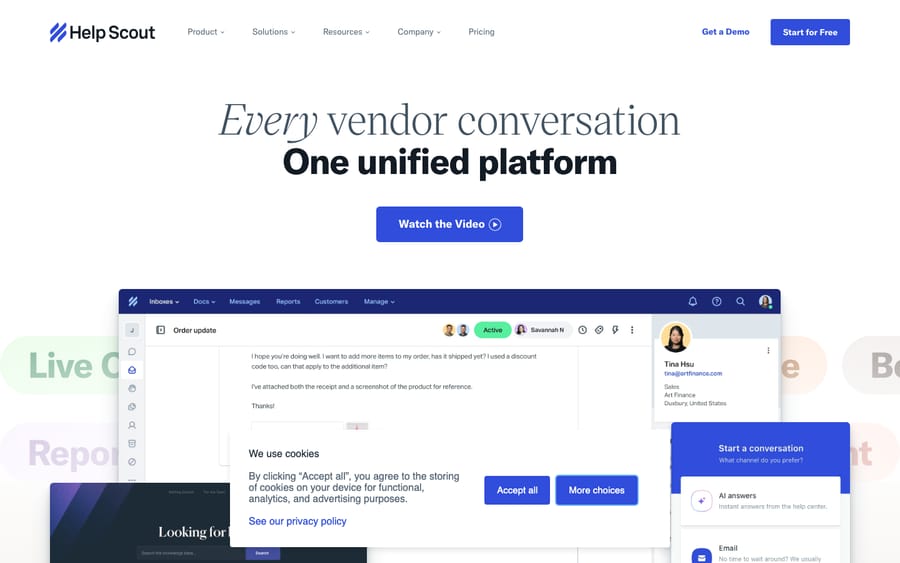
What are the two halves of Help Scout AI?
The cleanest way to keep Help Scout's AI straight is to split it by who it serves and how it's billed:
- Agent-assist AI: the features that sit beside your human agents inside the inbox and speed up their work. A human always reviews and sends. These are included in your plan with no per-use charge, though which ones you get depends on the plan. Help Scout's AI features page markets them as Inbox Assistant, while the pricing table and support docs still list the original names: AI Assist, AI Drafts, and AI Summarize.
- Customer-facing AI: the autonomous bot that talks to your customers directly and resolves questions with no human in the loop. This is AI Answers, the closest thing Help Scout has to an "AI agent." It's metered, billed per resolution, separately from your plan.
One naming point, because it trips people searching for it: Help Scout does not sell a product called "AI Agent." Its AI features page names two products, AI Answers and Inbox Assistant. When people say "the Help Scout AI agent," they mean AI Answers. Everything else helps a human rather than replacing one.
Which Help Scout AI features are included in each plan?
These three live inside the inbox and don't add a per-use charge on top of your plan. The plan gating matters more than most write-ups admit.
AI Drafts. With one click, Help Scout generates a full suggested reply in draft state, drawing on your Docs articles and prior conversations. The pricing page describes it as drafting "based on past conversations and help content." The agent reviews, edits, and sends; nothing goes out automatically. It's the biggest single time-saver for repetitive replies, and it's unlimited on Plus and Pro. The pricing table doesn't list it on Standard.
Some third-party breakdowns claim the AI can only use Docs and listed URLs and can't learn from past tickets. Help Scout's own doc and pricing page both say drafts use previous conversations too. The safe read: point it at solid Docs and treat conversation history as a bonus. Confirm the behavior in your own account.
AI Summarize. Click summarize on a long back-and-forth and Help Scout returns a short, bulleted recap of the key points. It's most useful on reassigned tickets and complex threads, where a new agent is caught up in seconds instead of scrolling. Like AI Drafts, the pricing table lists it on Plus and Pro.
AI Assist. A text-editing layer on whatever you've written: expand, shorten, edit, adjust tone, or translate into other languages (Spanish, French, German, Japanese, Portuguese and more). It's the one assist feature on every paid plan, Standard included. Useful for a ticket in a language your agent doesn't speak, or for tightening a wordy first draft.
The honest read on all three: they're real productivity wins and they're included, with no metering and no per-resolution surprise. But they're assist tools. A human still reads, approves, and sends every reply, so they speed your team up without reducing headcount on their own. And if drafts are the feature you want, budget for Plus, not Standard.
How does AI Answers, Help Scout's autonomous bot, work?
AI Answers is the piece most people mean by "Help Scout AI agent." It runs inside Beacon, Help Scout's chat widget on your site. When a customer opens Beacon and asks a question, AI Answers reads your knowledge sources and replies conversationally, resolving routine questions with no human involved and handing off to a person when it can't.
How it answers. You point it at knowledge sources: your Help Scout Docs articles plus custom sources such as public website URLs. It generates answers from that content. Anything it can't confidently resolve escalates to a normal conversation for a human agent.
How much does Help Scout AI Answers cost?
AI Answers isn't included in your plan and isn't priced per agent. It's billed per resolution at $0.75 each, metered separately (Help Scout's AI Resolutions pricing doc). Three details matter for forecasting:
- A resolution is a conversation, not a reply. It's counted only when the customer receives an AI response and doesn't escalate, search the knowledge base, ask more questions, or click "I still need help." You're charged once per conversation even if the bot answers several questions in it.
- The 3-month free trial is for new accounts. Help Scout gives 3 months of free, unlimited AI Answers resolutions starting the day you create your account. After that the $0.75 meter starts. Charges are billed in arrears, on your next billing date, unlike most Help Scout charges.
- You can set a monthly cap. When you hit it, AI Answers is disabled in Beacon for the rest of the cycle, and Help Scout emails you as you approach it.
The arithmetic adds up faster than the unit price suggests. At 500 resolutions a month that's $375 on top of your plan; at 1,000 it's $750. Note the incentive: per-resolution pricing earns Help Scout more as the bot deflects more, so the cap is your budget control. Set one before you launch.
Which Help Scout plan do you need for AI?
The bundled features ride on your per-user plan; AI Answers is the only piece with its own meter.
| Plan | Price (pricing page, 24 Sept 2026) | AI included |
|---|---|---|
| Free | $0 (5 users, 1 Inbox, 1 Docs site) | Not listed in the AI rows |
| Standard | $25/user/mo | AI Assist; AI Answers at $0.75/resolution |
| Plus | $45/user/mo | AI Assist, unlimited AI Drafts, AI Summarize; AI Answers at $0.75/resolution |
| Pro | $75/user/mo | Same AI as Plus, plus unlimited workflows |
Standard and Plus come with a 15-day free trial and no credit card; Pro is sold through sales. Help Scout revises packaging often, so confirm in your own account (Help Scout pricing).
What are the limits of Help Scout AI?
Help Scout AI's real strength is simplicity and bundling: the assist features are built into the inbox your team already works in, they're included rather than metered, and AI Answers is easy to point at your Docs and switch on. For small, email-first teams that want a low-friction setup, that's the appeal, and the three-month free AI Answers trial lets you test deflection on real traffic before you pay.
But go in clear-eyed about where it tops out:
- The resolution rate is a marketed average, not a guarantee. Help Scout says companies average a 73.19% resolution rate with AI Answers; myAskAI's 2026 review quotes one customer at 85% and another whose AI Answers handled only ~15% of total volume (Help Scout AI features, myAskAI). Your number depends mostly on how good your Docs are. Treat 73% as the vendor's average, not a day-one baseline.
- AI Answers is read-only. It answers questions from content. Neither Help Scout's AI pages nor its docs describe it taking actions, and myAskAI lists what it can't do: check order history, process refunds, update customer records, assign conversations, or trigger workflows (myAskAI). Anything account-specific or transactional still becomes a human ticket.
- It's Beacon-only. Help Scout's docs configure and cap AI Answers under Beacons; it runs in the web chat widget, not email or social. If most of your volume arrives by email, the autonomous piece won't touch it. AI Drafts will (on Plus and Pro), but a human still sends.
- It's only as good as the content you feed it. Thin or stale docs mean thin or stale answers, and there's no real sandbox, so you tune it against production. One user quoted by myAskAI spent two weeks tweaking it and still didn't get the results they expected.
None of this makes Help Scout AI bad. It rewards investment in your knowledge base and suits teams whose work is mostly FAQ-shaped chat deflection plus reply drafting.
When do you need a dedicated AI agent layer instead?
For a lot of teams, Help Scout's built-in AI is enough. If your volume is moderate, your Docs are solid, and you mainly want reply drafts plus a chat bot for FAQs, Plus with AI Answers does the job without another vendor.
The gap shows up when you want deeper autonomous resolution than a read-only, Docs-only, chat-only bot delivers: resolving account-specific tickets end to end, acting on data from other systems, or handling email volume the Beacon bot never sees. That's the layer a dedicated AI agent adds. One caveat up front: Macha is an AI agent layer for Zendesk, Freshdesk, Gorgias, Front, HubSpot or Intercom, and it does not integrate with Help Scout. So this isn't a "bolt Macha onto Help Scout" pitch; it's a contrast in approach, useful if you're weighing help desks or considering a move.
The difference is in what each is built to do. Help Scout's AI Answers is a content-answering bot: fast to launch, read-only, and priced per resolution. Macha runs on top of your help desk, connected to tickets, knowledge, and other systems, so it can auto-triage incoming tickets, draft replies for an agent to approve, take actions, and resolve routine tickets autonomously across email and chat. Anything it can't handle stays a normal ticket with full context for a human. The billing logic differs too: Help Scout meters per resolution, while Macha bills per ticket, one charge per thread covering every step it takes (summarizing, tagging, routing, drafting, or resolving), from $299 a month for 750 tickets with setup and monitoring by the Macha team included. Most automation isn't a tidy "resolution"; it's work done along the way.
Which model fits depends on your help desk, your channels, and whether your work looks like discrete chat sessions or many small actions across the ticket lifecycle. If you're on one of the desks Macha supports and your open queue or repetitive replies are the bottleneck, that's the line worth testing. Start your free Macha trial: it starts with $50 of free usage, no credit card required. Connect your help desk, point it at your knowledge, and watch it triage, draft, and resolve real tickets before you commit.
Frequently asked questions
What AI features does Help Scout have? Four, in two groups. Three agent-assist features included in paid plans: AI Assist (expand, shorten, edit, translate) on every paid plan, and AI Drafts (one-click reply drafts) and AI Summarize (bulleted thread summaries) on Plus and Pro. Plus one customer-facing bot, AI Answers, which runs in the Beacon chat widget and is billed per resolution. Help Scout markets the assist features as "Inbox Assistant."
Does Help Scout have an AI agent? Not as a separately named product. The autonomous, customer-facing piece is AI Answers, the Beacon chat bot. When people say "the Help Scout AI agent," that's what they mean. The other AI features assist a human; they don't replace one.
How much does Help Scout AI cost? The assist features are included in paid plans: Standard ($25/user/month) gets AI Assist, while Plus ($45) and Pro ($75) add unlimited AI Drafts and AI Summarize. AI Answers costs $0.75 per resolution on any plan, with 3 months of free unlimited resolutions for new accounts, billed in arrears after that. Confirm current prices in-account.
What counts as an AI Answers resolution? A conversation where the customer gets an AI response and doesn't escalate, search the knowledge base, ask more questions, or say they need more help. You're charged once per conversation, even if the bot answers several questions. A monthly cap disables AI Answers for the rest of the cycle when reached.
What are the main limits of Help Scout's AI Answers? It's read-only (no checking orders, processing refunds, updating records, or triggering workflows), it runs only in Beacon web chat (not email or social), and it answers only from your Docs and custom sources. Real-world deflection depends heavily on content quality, so the marketed 73% average isn't guaranteed.
How is Help Scout AI different from a dedicated AI agent layer? Help Scout's AI is built in and easy to switch on, but AI Answers is a read-only, chat-only content bot billed per resolution. A dedicated AI agent layer like Macha runs on top of a supported help desk (not Help Scout), connects to tickets and other systems, can take actions, works across email and chat, and bills per ticket. Help Scout wins on simplicity; an agent layer wins when you need resolution and action beyond what a Docs-fed chat bot reaches.
Is Help Scout AI worth turning on?
For most Help Scout teams, yes, with a plan check first. The assist features are included, but the drafts and summaries that save the most time sit on Plus and Pro, so a Standard team gets AI Assist and little else. AI Answers is worth running through its 3-month free trial: watch the resolution count against your Beacon volume, then price it at $0.75 each before the meter starts. If your volume is mostly email, or your tickets need account lookups and actions, a Docs-fed chat bot will leave most of the queue with humans, and that's when a dedicated agent layer on a supported desk is worth modeling. From here, read what is Help Scout, Help Scout pricing explained, or the Macha on Zendesk model.
Help Scout AI naming and pricing checked against Help Scout's pricing page, AI features page, and support documentation on 24 September 2026. Help Scout updates pricing and packaging often, so confirm specifics in your own account.
Simple per-ticket AI pricing
One thread with one person is one charge, however many replies it takes.





