



 Intercom
 Shopify
 Stripe
 Slack
Slack Notion
 Google Workspace
 Confluence

What Is Help Scout? Features, Pricing and Who It's For (2026)


Help Scout is an email-first customer support platform that gives a team a shared inbox, a knowledge base, a website widget and AI, priced per user from $25 a month. It suits small and growing teams that want customers to feel they're talking to a person, not a ticket number.
Key takeaways
- Help Scout is an email-first help desk combining a shared inbox, the Docs knowledge base, the Beacon widget, Messages, workflows and AI, priced from $25 per user a month.
- Help Scout was founded in 2011 by Nick Francis, Denny Swindle and Jared McDaniel; Toby Gabriner is now CEO and Francis is Chairman.
- Help Scout's paid plans cost $25 on Standard, $45 on Plus and $75 on Pro per user a month, with a 10-user minimum on Pro.
- Help Scout's AI Answers add-on costs $0.75 per resolution, and new accounts get 3 months of free, unlimited resolutions.
- Help Scout says a self-service help center can drop email volume by 30%, and Docs content also feeds Beacon search and AI Answers.
Help Scout is an email-first customer support platform: a shared inbox that looks like ordinary email, plus a knowledge base (Docs), a website widget (Beacon), proactive Messages, workflows and AI, sold per user from $25 a month on Standard (Help Scout pricing page, checked 24 September 2026). It was founded in 2011, is now run by CEO Toby Gabriner, and says over 12,000 customer-facing teams use it.
| Question | Short answer |
|---|---|
| What it is | Shared inbox, Docs knowledge base, Beacon widget, Messages, workflows, reports, AI |
| Who makes it | Help Scout, founded 2011 by Nick Francis, Denny Swindle and Jared McDaniel; CEO Toby Gabriner |
| Price | Free (5 users); Standard $25, Plus $45, Pro $75 per user/month |
| AI Answers | $0.75 per resolution add-on |
| Trial | 15 days on Standard and Plus, no card |
| Best for | Small and mid-sized teams running email and chat support |
Who makes Help Scout?
Help Scout is made by a company of the same name, founded in 2011 by Nick Francis, Denny Swindle and Jared McDaniel (Help Scout about page). Francis is now Co-Founder and Chairman of the Board, and Toby Gabriner is Chief Executive Officer. The origin story explains the product's personality: the founders were building websites and apps for clients when one of their apps took off, and their shared inbox started overflowing with customer emails. The help desks they tried "turned customers into numbers" and made it hard to build real relationships, so they built the tool they wished existed.
That philosophy still drives the product. The team is fully remote, working from more than 115 cities, and Help Scout positions itself as the human, uncomplicated alternative to heavyweight platforms. Its about page says the product powers over 12,000 customer-facing teams and has hosted over 950 million customer conversations.
The point: Help Scout isn't trying to be the most configurable help desk on the market. It's trying to be the one your team can set up in an afternoon, where customers never notice they're being "ticketed".
What does Help Scout do?
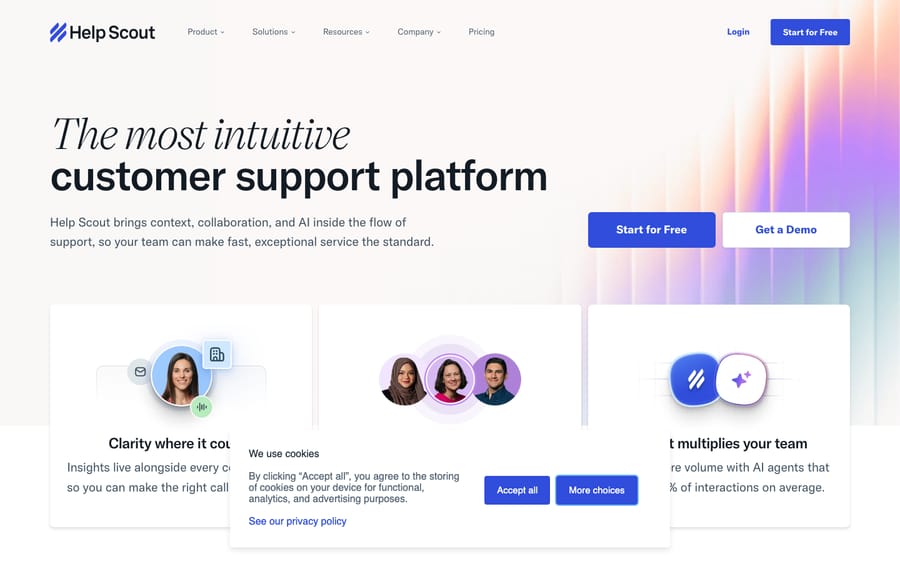
Help Scout bundles a handful of tightly integrated tools. Here's what each one does.
1. Shared Inbox (mailboxes)
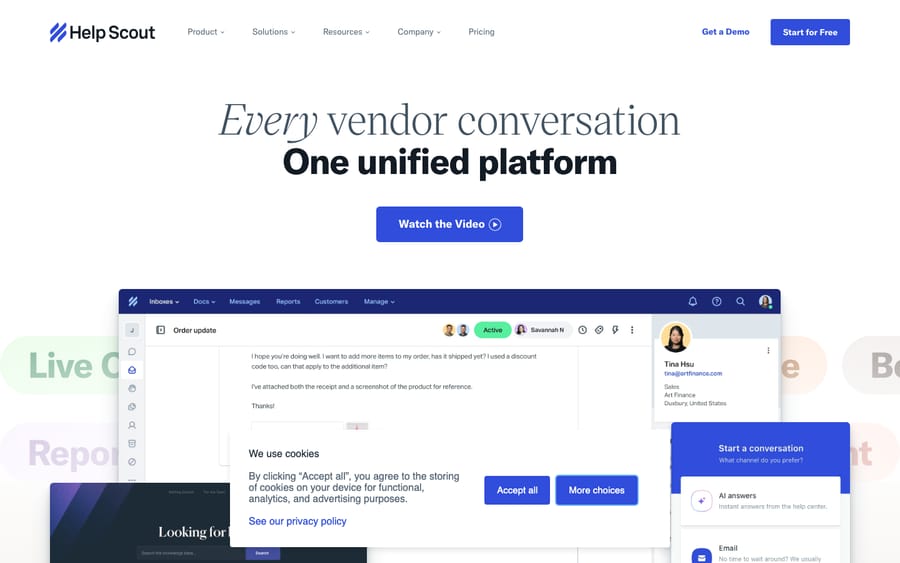
The shared inbox is the heart of Help Scout. Your support email (like [email protected]) flows into an inbox your whole team works from. Unlike a traditional ticketing queue, it deliberately looks like an email client, with collaboration features layered on top:
- Collision detection so two agents don't reply to the same customer at once.
- Private notes and @mentions to loop in teammates without the customer seeing.
- Assignments, statuses and tags to keep conversations organized.
- Multiple inboxes so different teams or brands (support, billing, sales) each get their own.
The customer's side stays clean: replies arrive as normal, personal-looking emails with no ticket numbers or "[Case #44213]" clutter. That "email that doesn't feel like a help desk" experience is Help Scout's signature.
2. Docs (knowledge base)
Docs is Help Scout's knowledge base. You write help articles, organize them into collections, and publish a self-service help center customers can search. Help Scout's knowledge base page says a self-service help center can drop email volume by 30%. The same content also powers AI answers and the search inside Beacon, so a well-built Docs site does double duty.
3. Beacon (the widget)
Beacon is the embeddable widget you drop onto your website or app. It rolls several things into one small button:
- A contact form to start an email conversation.
- Live chat with your team.
- Help article search pulled from your Docs site, so customers can self-serve before reaching a human.
- AI-powered answers drawn from your knowledge base.
- Proactive Messages (covered next) shown in context.
The idea is one widget that escalates in order: answer first, chat second, email third.
4. Messages
Messages lets you trigger proactive, in-context nudges instead of waiting for customers to come to you. These can be a pop-up from Beacon, a banner, a modal, a survey or an NPS prompt, shown to the right people at the right moment (announcing a feature, flagging an outage, or asking for feedback after a key action).
5. Workflows and saved replies
Workflows are Help Scout's automation engine: if-this-then-that rules that route conversations, assign them, change tags or status, send auto-replies, and handle the housekeeping that otherwise eats an agent's day. Standard gets basic workflows, Plus gets advanced ones, and Pro gets unlimited workflows. Saved replies let agents insert pre-written answers in a click. Together they're how a small team handles a large volume without burning out.
6. Reports and Insights
Help Scout's reporting covers the metrics support leads care about: conversation volume, response and resolution times, busiest times of day, agent productivity, happiness ratings, and Docs performance (which articles get viewed and whether they're failing customers). Reports export to CSV or Excel. It's readable rather than infinitely customizable, in keeping with the product's simplicity-first design.
7. AI features
Help Scout has added AI across the product:
- AI drafting and assist: write a reply from a short prompt, change tone, fix grammar, or expand bullet points into a full response. The pricing page lists an "AI Inbox assistant" from Standard up.
- AI summarize: condense a long thread into a few lines so an agent picking up a conversation gets context fast.
- AI Answers: an add-on that resolves customer questions automatically from your Docs content inside Beacon, before a human is involved.
The assist features ship inside the plans; AI Answers is metered separately (see pricing below).
How much does Help Scout cost?
Help Scout's plans are priced per user, per month (official pricing page, checked 24 September 2026). Annual billing takes 16% off the monthly rates below.
| Plan | Price (per user/mo) | Best for |
|---|---|---|
| Free | $0: 5 users, 1 inbox, 1 Docs site, 100 contacts/mo | Tiny teams testing the waters |
| Standard | $25 (up to 25 users) | Small teams wanting inbox, chat, social channels and AI assist |
| Plus | $45 (up to 50 users, up to 25 light users) | Growing teams needing advanced workflows and integrations |
| Pro | $75 (unlimited users, min. 10, up to 50 light users) | Larger teams needing SSO/SAML, HIPAA and a dedicated account manager |
A few things worth flagging:
- AI Answers is a separate add-on at $0.75 per resolution, and new accounts get 3 months of free, unlimited AI Answers resolutions to start.
- Light users (engineers or managers who read and comment but don't handle conversations) don't take a full seat. Plus allows 25 and Pro allows 50.
- There's a 15-day free trial on Standard and Plus, no credit card required. Pro is sold through a demo.
- Paid plans include unlimited contacts. The Free plan caps contacts at 100 a month, where a contact is anyone who got a reply from your team or had a question resolved by the AI assistant.
The incentive behind the model is worth naming. Help Scout used to sell contact-based billing, where you paid by the number of customers helped with unlimited users. New signups are now quoted per user with unlimited contacts, which ties Help Scout's revenue to your headcount, while AI Answers ties a second line to resolutions. If you're already on a contact-based plan you can keep it. Because Help Scout revises packaging periodically, confirm the numbers on the official page before you commit, and see our Help Scout pricing explained guide for plans, add-ons and the legacy option.
Who is Help Scout for?
Help Scout's sweet spot is small and mid-sized teams that value simplicity over configurability: startups, SaaS companies, agencies, ecommerce brands, and scaling support orgs that want a polished support experience without a long implementation.
It's a strong fit if you:
- Run an email- and chat-first support operation rather than heavy phone or complex omnichannel.
- Want a tool agents can learn in an afternoon and customers never feel "ticketed" by.
- Care about brand voice and relationships, not just throughput.
- Find Zendesk or similar platforms too heavy (and too expensive) for your needs.
It's less ideal if you need deep enterprise customization, native voice (the pricing page lists phone as "via integration"), or the sprawling automation and analytics larger platforms specialize in. Standard and up cover WhatsApp, Instagram and Messenger. Help Scout trades raw power for clarity, and that's the deal. If you're weighing it against the field, see our roundup of the best Help Scout alternatives.
What are Help Scout's strengths and limits?
Where Help Scout does well:
- Ease of use and setup: consistently its most-praised quality; teams are productive in a day.
- Email-native experience: customers get clean, personal replies, not ticket clutter.
- Knowledge base plus widget: Docs and Beacon work together well for self-service.
- Predictable feature set: most of the product is included rather than sold piecemeal.
Where it has limits:
- Channel breadth: no built-in telephony compared to omnichannel suites; SMS and phone run through integrations.
- Reporting depth: readable but not as customizable as enterprise analytics suites.
- Scaling cost: per-user pricing on Pro, with a 10-user minimum, plus the AI Answers per-resolution add-on can add up for larger teams.
- Power ceiling: by design, it won't match the heaviest platforms on complex routing or configurability.
What do users think of Help Scout?
Here's how customers rated Help Scout on the major independent review sites when we last read them in June 2026:
| Platform | Score | Reviews |
|---|---|---|
| Capterra | 4.6 / 5 | 226 |
| G2 | ~4.4 / 5 | hundreds |
On Capterra, 94% of reviews were positive. The recurring praise on both sites centers on ease of use, intuitive design, clean customer-facing emails, and the quality of Help Scout's own support team. The most common criticisms are reporting depth, the cost of higher tiers, and limited omnichannel options.
How we sourced this: the Capterra rating and count were read from its Help Scout listing in June 2026; the G2 figure is the commonly cited public score (G2's review page is bot-walled, so the exact count couldn't be re-verified). Both sites blocked our re-check on 24 September 2026, so treat the scores as dated. We don't run a configured Help Scout account (Macha connects to Zendesk, Freshdesk, Gorgias, Front, HubSpot or Intercom, not Help Scout), so this guide is researched against Help Scout's own pages and independent reviews rather than hands-on UI testing.
Where does an AI agent layer fit?
Worth understanding before you buy: a help desk's native AI, Help Scout's drafts, summaries and AI Answers included, is good at assisting agents and deflecting the most repetitive, knowledge-base-shaped questions. But many of the tickets that pile up sit in the middle: they need a real answer pulled from your docs, past conversations or another system, resolved in the thread.
That middle is where a dedicated AI agent layer like Macha comes in. To be upfront: Macha runs on top of Zendesk, Freshdesk, Gorgias, Front, HubSpot or Intercom, and it does not integrate with Help Scout today, so this is context, not a pitch. The principle holds whatever help desk you choose: an agent layer reads the customer's actual question, draws on your connected knowledge and history, resolves the issue in the same conversation, and escalates to a human with full context when it isn't confident. It's only as good as the knowledge you connect it to. If you're on one of those desks and want to see it work, Macha's trial gives you $50 of free usage with no credit card required, and paid plans start at $299 a month for up to 750 tickets.
How do you get started with Help Scout?
Getting going is deliberately low-friction:
- Start a free trial at helpscout.com: 15 days on Standard or Plus, no card needed.
- Connect your support email so incoming messages land in your shared inbox.
- Invite your team and set up inboxes for different functions if you need them.
- Build your Docs with your most common answers (this also powers AI Answers and Beacon search).
- Install Beacon on your site for self-service, chat and a contact form in one widget.
- Add Workflows and saved replies to automate routing and speed up common responses.
- Turn on AI features and tune them against your Docs content.
Frequently asked questions
What is Help Scout in simple terms? Help Scout is customer support software built around a shared inbox that works like email, plus a knowledge base (Docs), a website widget (Beacon), proactive Messages, automation and AI. It gives small and growing teams a simple way to support customers without the complexity of a traditional help desk.
What does Help Scout do? It centralizes customer support: a shared team inbox for email, chat and social messages, a self-service knowledge base, an embeddable widget for self-service and live chat, proactive in-app messages, workflow automation, saved replies, reporting, and AI for drafting replies, summarizing threads and auto-answering common questions.
Who owns Help Scout? Help Scout is privately held and made by the company of the same name, founded in 2011 by Nick Francis, Denny Swindle and Jared McDaniel. Francis is Co-Founder and Chairman of the Board, and Toby Gabriner is CEO.
Is Help Scout free? There's a Free plan ($0) for up to 5 users with one inbox, one Docs site and 100 contacts a month. Paid plans start at $25 per user/month (Standard), and there's a 15-day free trial of Standard and Plus with no credit card required.
How much does Help Scout cost? As of 24 September 2026, the per-user monthly plans are Standard $25, Plus $45 and Pro $75 (16% cheaper billed annually), with a 10-user minimum on Pro. AI Answers is a separate add-on at $0.75 per resolution. Older contact-based billing is a legacy option for existing customers only. See our Help Scout pricing explained guide for the full detail.
Is Help Scout a good alternative to Zendesk? For small and mid-sized teams that want simplicity over depth, yes: Help Scout is often chosen as a lighter, cheaper alternative to Zendesk. Larger teams needing advanced routing, native voice and deep analytics may still prefer a heavier platform. See our best Help Scout alternatives and Help Scout features guides to compare.
What's the difference between Docs and Beacon? Docs is the knowledge base itself: the articles and help center. Beacon is the widget on your site that surfaces those Docs articles, plus chat, a contact form and AI answers. Docs is the content; Beacon is one of the places customers read it.
Is Help Scout the right help desk for your team?
Help Scout is a simple, email-first customer support platform: a shared inbox that feels like email, paired with Docs, Beacon, proactive Messages, workflow automation, and AI for drafting, summarizing and auto-answering. It suits small and mid-sized teams that prize ease of use and fast setup over maximum configurability, at $25 to $75 per user a month. It sits a rung below the heaviest enterprise platforms on power, and ahead of them on clarity. If your support is email- and chat-led and you want customers to feel cared for rather than ticketed, Help Scout is one of the best-reviewed options in its class.
Verified against Help Scout's official about, knowledge base and pricing pages on 24 September 2026. Help Scout revises packaging and pricing periodically, so confirm current figures on helpscout.com before relying on them.
Simple per-ticket AI pricing
One thread with one person is one charge, however many replies it takes.





