



 Intercom
 Shopify
 Stripe
 Slack
Slack Notion
 Google Workspace
 Confluence

What Features Does Help Scout Have, and Which Plan Includes Each? (2026)


Help Scout bundles a shared inbox, a Docs knowledge base, the Beacon website widget, proactive Messages, AI and reporting into four plans from Free to Pro at $75 per user a month. The catch is plan gating: AI Drafts, advanced workflows and the Salesforce, HubSpot and Jira integrations start on Plus, and AI Answers is metered on top.
Key takeaways
- Help Scout sells four linked products, a shared Inbox, the Docs knowledge base, the Beacon widget and proactive Messages, on Free, Standard at $25, Plus at $45 and Pro at $75 per user a month.
- Help Scout's Free plan allows up to 5 users, 1 inbox, 1 Docs site with 10 articles and 100 contacts a month, while Standard stops at 25 users.
- AI Answers, Help Scout's autonomous Beacon chatbot, costs $0.75 per resolution on every paid plan after a 3-month free trial.
- Help Scout's AI Drafts and AI Summarize, advanced workflows, round-robin routing and the Salesforce, HubSpot and Jira integrations all start on the Plus plan.
- Help Scout's Pro plan costs $75 per user a month with a minimum of 10 users, and annual billing across paid plans is 16% cheaper than monthly.

Help Scout's features come as four linked products, a shared Inbox, the Docs knowledge base, the Beacon website widget and proactive Messages, on four plans: Free, Standard at $25, Plus at $45 and Pro at $75 per user a month. AI Answers, its autonomous chatbot, costs $0.75 per resolution on top of any paid plan. Every figure below was re-checked against Help Scout's pricing page on 24 September 2026.
| Plan | Price (per user/mo, monthly) | Users | Inboxes | Main step up |
|---|---|---|---|---|
| Free | $0 | Up to 5 | 1 | 1 Docs site, 100 contacts a month |
| Standard | $25 | Up to 25 | 2 | Live chat, social channels, AI Assist, 150 basic workflows |
| Plus | $45 | Up to 50 | 5 | AI Drafts and Summarize, advanced workflows, round robin, Salesforce, HubSpot and Jira |
| Pro | $75 | Unlimited (minimum 10) | 10 | Unlimited workflows, SSO/SAML, HIPAA |
If you want the higher-level "what is this and who's it for" first, read what is Help Scout; for the full money breakdown, see Help Scout pricing explained; and for the AI features specifically, Help Scout AI explained goes deeper than the AI section here.
How is Help Scout structured?
Help Scout is really four products that share one account:
- The Inbox: where your team works (shared mailboxes, replies, assignment, automation).
- Docs: your knowledge base or help center.
- Beacon: the widget customers see on your site (chat, contact form, help search, AI).
- Messages: proactive in-app messages you push to customers.
AI, reporting, customer profiles, collaboration, and integrations run across all four. Keep that map in mind and the feature list below stops feeling like a pile of buzzwords.
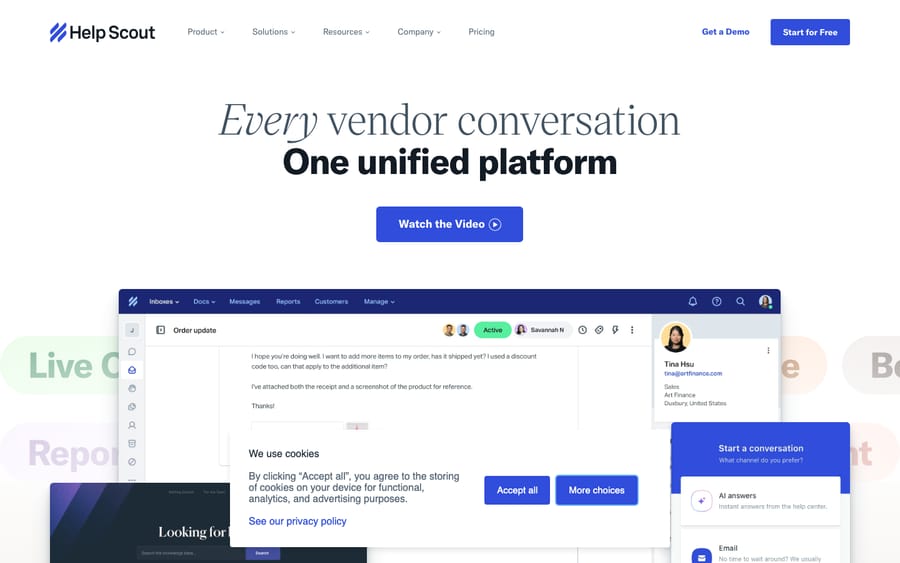
What does the Help Scout shared inbox do?
The shared inbox is Help Scout's core. Your support address (say, [email protected]) lands in a mailbox the whole team works from, but the customer-facing side stays clean: replies arrive as normal, personal emails with no ticket numbers. Inside, you get the collaboration layer:
- Conversations: every email, chat, and social message becomes a threaded conversation with status (Active, Pending, Closed), not a rigid ticket.
- Assignment: assign conversations to a person or team; Plus and above add load-balanced (round-robin) routing so work spreads automatically.
- Collision detection: Help Scout shows you when a teammate is already viewing or typing on a conversation, so two agents never reply to the same customer.
- Saved replies: reusable canned responses for common questions, inserted in a click.
- Tags: label conversations for organization, reporting, and to trigger workflows.
- Workflows: Help Scout's automation engine (covered in its own section below).
- Multiple mailboxes: separate inboxes for support, billing, sales, or different brands.
Plan availability: the inbox is on every plan, including Free. What changes is how many inboxes you get: Free includes 1, Standard 2, Plus 5 and Pro 10, with extra inboxes at $10/mo each up to a plan maximum of 20 on Standard, 50 on Plus and unlimited on Pro. Free also caps saved replies and tags at 10 each and contacts at 100 a month. Round-robin routing starts on Plus, and Pro adds load-balanced routing.
Which channels does Help Scout support?
Help Scout is email- and chat-first, but it does pull a few other channels into the same inbox:
- Email and live chat (chat runs through Beacon) on all paid plans.
- Social: Instagram, Facebook Messenger and WhatsApp are supported and route into the shared inbox.
- SMS is listed on the Standard plan card, but the comparison table marks it "via integration"; phone and voice run via integration (for example Aircall) on every paid plan. There's no built-in telephony.
Plan availability: email and the social channels are on Standard and up. Phone/SMS depend on a third-party integration (Aircall is an add-on on Standard/Plus, with preferred pricing on Pro).
What does the Docs knowledge base include?
Docs is Help Scout's knowledge base. You write articles, group them into collections and categories, and publish a searchable, branded help center. A good Docs site does triple duty: customers self-serve directly, the content feeds Beacon's in-widget search, and it's the knowledge source AI Answers draws on to resolve questions automatically.
Plan availability: Docs is available on every plan including Free (Free is limited to 1 site and up to 10 articles). Paid plans get more sites: Standard 2, Plus 3, Pro 5: with additional Docs sites at $20/mo each and unlimited articles on paid plans. Help Scout's pricing page on 24 September 2026 shows a Docs site on every tier, including Free.
What does the Beacon widget do?
Beacon is the embeddable widget you drop on your website or app. It's a single button that rolls several jobs into one, escalating from self-service to a human:
- Help article search: surfaces Docs content so customers can answer themselves first.
- AI Answers: an AI chat experience that resolves questions from your Docs (and listed public URLs) before a human is involved.
- Live chat: real-time conversation with your team.
- Contact form: starts an email conversation when chat isn't available.
- Proactive Messages: in-context nudges shown inside the widget (next section).
Plan availability: Beacon is on all plans: 1 Beacon on Free, 5 on Standard and unlimited on Plus and Pro. The AI Answers piece inside it is metered separately (see AI, below).
What are Help Scout Messages?
Messages flips the model: instead of waiting for customers to come to you, you push timely, targeted messages to them. These can be a pop-up, banner, modal, survey, or NPS prompt, shown to a chosen audience at a chosen moment, such as announcing a feature, flagging an outage, onboarding a new user, or asking for feedback after a key action.
Plan availability: Messages is not on the Free plan; it's included at no extra charge on the paid plans. Help Scout's pricing page no longer prints a monthly viewer allowance, so check usage limits in your account.
What AI features does Help Scout have?
Help Scout has woven AI through the inbox and the widget. There are two halves: agent-assist (helps your team write) and autonomous (answers customers directly):
- AI Drafts: generates a full reply draft from a short prompt, drawing on your Docs and past conversations.
- AI Summarize: condenses a long thread into a few bullets so an agent picking it up gets instant context.
- AI Assist: rewrites your text: make it shorter or longer, change tone, fix grammar, or translate.
- AI Answers: the autonomous, customer-facing piece. It runs in Beacon chat and resolves questions from your knowledge base without a human.
Plan availability: the agent-assist features split across two tiers. AI Assist is the only one on Standard (and up), the rewrite, tone and translate tool. AI Drafts and AI Summarize require Plus or higher. If full reply drafts or thread summaries matter to your team, that alone is a reason to step up to Plus. AI Answers is metered separately at $0.75 per resolution on every paid plan, after a 3-month free trial, with pre-paid discounts available. A "resolution" is one chat session where the AI answers and the customer doesn't ask for more help, charged once per session, not per message. For the full mechanics, limits, and what counts as a resolution, see Help Scout AI explained.
What reporting does Help Scout include?
Help Scout's reporting covers the metrics support leads actually use: conversation volume, first-response and resolution times, busiest times of day, agent and team productivity, happiness/CSAT ratings, and Docs performance (which articles get viewed, and which searches return nothing, a signal of content gaps). It's readable and practical rather than infinitely customizable.
Plan availability: reporting is on all plans, but history depth scales: Free keeps 30 days, Standard 2 years, and Plus and Pro keep all-time history. Custom reports and CSV or Excel exports come with the paid plans.
What do Help Scout customer profiles show?
Every conversation carries a customer profile in the sidebar: contact details, previous conversations, and custom properties / app data pulled in from integrations (orders, subscription status, CRM fields). It's how an agent sees who they're talking to without leaving the reply box, and it powers personalization and workflow conditions.
Plan availability: profiles are core to the inbox on all plans. The pricing page lists up to 10 custom fields per conversation and up to 50 extra customer properties; how rich a profile gets depends on which integrations you connect.
Which collaboration tools come with Help Scout?
Help Scout's collaboration tooling keeps the team coordinated without cc'ing customers:
- Private notes: internal comments on a conversation the customer never sees.
- @mentions: pull a teammate into a thread for input.
- Collision detection: see who else is looking at or replying to a conversation.
- Light users: read-only seats for people who need to follow or comment (engineers, managers) but don't handle conversations, so they don't cost a full seat.
- Teams: group agents for assignment and reporting (higher plans).
Plan availability: notes, @mentions, and collision detection are on all plans. Light users start on Plus, which includes 5 (up to 25), while Pro includes 15 (up to 50). Teams arrive on Plus.
How much automation do Help Scout workflows allow?
Workflows are Help Scout's if-this-then-that automation: rules that route and assign conversations, change status or tags, send auto-replies, and handle the repetitive housekeeping that otherwise eats an agent's day.
Plan availability: Free has no workflows. Standard includes up to 150 basic workflows; Plus unlocks advanced workflows (up to 500) with richer conditions; Pro makes advanced workflows unlimited. SLA policies follow the same ladder: 1 basic policy on Standard, 2 advanced on Plus and unlimited on Pro.
Does Help Scout have mobile apps?
Help Scout offers native iOS and Android apps so agents can read, reply to, assign, and add notes to conversations on the go, with push notifications for new messages and assignments. It mirrors the core inbox rather than the full admin experience.
Plan availability: the mobile apps are available on all plans at no extra cost.
What does Help Scout integrate with?
Help Scout connects to a large library of third-party tools: Slack, Zapier, HubSpot, Salesforce, Jira, Aircall, Shopify, and 100+ apps in total, plus a REST API and webhooks for custom builds. Integrations are what populate those customer profiles and let workflows act on outside data. For the standouts and how to set them up, see our best Help Scout integrations guide.
Plan availability: Free is limited to 1 integration; Standard and up unlock the 100+ app library. A few connectors are gated higher: Salesforce, HubSpot and Jira start on Plus, and Aircall is an add-on on Standard and Plus with preferred pricing on Pro.
Which Help Scout features are on which plan?
| Feature | Free | Standard ($25) | Plus ($45) | Pro ($75) |
|---|---|---|---|---|
| Shared mailboxes | 1 | 2 | 5 | 10 |
| Docs sites | 1 (10 articles) | 2 | 3 | 5 |
| Beacon widget | Yes | Yes | Yes | Yes |
| Users | Up to 5 | Up to 25 | Up to 50 | Unlimited (min. 10) |
| Messages (proactive) | No | Yes | Yes | Yes |
| AI Assist (rewrite/tone/translate) | No | Yes | Yes | Yes |
| AI Drafts / Summarize | No | No | Yes | Yes |
| AI Answers ($0.75/resolution) | No | Yes | Yes | Yes |
| Workflows | None | 150 basic | 500 advanced | Unlimited advanced |
| Reporting history | 30 days | 2 years | All-time | All-time |
| Round-robin routing | No | No | Yes | Yes |
| Light users | None | None | 5 (up to 25) | 15 (up to 50) |
| Integrations | 1 | 100+ | 100+ (adds Salesforce, HubSpot, Jira) | 100+ |
| SSO/SAML | No | Add-on | Add-on | Included |
| HIPAA | No | No | No | Yes |
Prices are per user/month, billed monthly; annual billing is roughly 16% cheaper. Pro requires a minimum of 10 users. Help Scout revises packaging periodically, so confirm on its pricing page before you commit.
One billing note: Help Scout used to sell a contact-based model (pay by unique customers helped, with unlimited users). Today's pricing page quotes only per-user plans, and "contacts" survive only as the Free plan's cap of 100 a month. If you're already on a contact plan, check your account for what still applies.
Where do Help Scout's AI features stop?
Help Scout's built-in AI is genuinely useful: AI Drafts and Summarize speed your team up, and AI Answers deflects the most repetitive, knowledge-base-shaped questions in Beacon chat. But there are honest limits. AI Answers is web-chat only (not email or social), it's read-only: it answers from your Docs but can't look up an order, process a refund, or update a record, and the per-resolution cost grows with volume.
That gap, between "deflect FAQ-shaped questions" and "actually resolve the ticket using your systems," is where a dedicated AI agent layer like Macha fits. To be straight with you: Macha runs on top of Zendesk, Freshdesk, Gorgias, Front, HubSpot or Intercom; it does not integrate with Help Scout today, so this is context, not a pitch. The principle holds whatever help desk you're on: an AI agent layer reads the customer's real question, draws on connected knowledge and history, resolves the issue in-thread, and hands off to a human with full context when it isn't sure. It's only as good as the knowledge and tools you connect, but if your ticket mix is mostly repetitive questions, that's the line where native deflection stops scaling. If you're on one of those and want to see it work, there's $50 of free usage, no credit card required.
Frequently asked questions
What are Help Scout's main features? A shared inbox (mailboxes with assignment, collision detection, saved replies, tags, and workflows), Docs (knowledge base), Beacon (a website widget combining help search, live chat, contact form, and AI Answers), Messages (proactive in-app messaging), AI (Drafts, Summarize, Assist, and AI Answers), reporting and insights, customer profiles, collaboration tools, native mobile apps, and 100+ integrations with a REST API.
What can Help Scout do that basic email can't? It turns a shared mailbox into a real support tool: it prevents two agents replying at once (collision detection), lets teammates add private notes and @mentions, automates routing and tagging with workflows, inserts saved replies, surfaces customer history and order data in a sidebar, publishes a self-service help center, and reports on volume, response times, and CSAT, all while keeping the customer-facing email clean and ticket-number-free.
Which Help Scout features are on the Standard plan? Standard ($25/user/mo, up to 25 users) includes the shared inbox (2 inboxes), Docs (2 sites), up to 5 Beacons with live chat, Messages, AI Assist (the rewrite, tone and translate tool; AI Drafts and AI Summarize require Plus or higher), AI Answers (metered at $0.75/resolution), 150 basic workflows, 2-year reporting history and the 100+ integration library. Salesforce, HubSpot and Jira start on Plus.
Is the knowledge base (Docs) included for free? Yes. The Free plan includes 1 Docs site with up to 10 articles. Paid plans raise the limits (2 sites on Standard, 3 on Plus, 5 on Pro), with extra Docs sites at $20/mo each.
How much does Help Scout's AI cost? The agent-assist AI is bundled into the paid plans at no extra cost, but it's split by tier: AI Assist (rewrite/tone/translate) is on Standard and up, while AI Drafts and AI Summarize require Plus or higher. AI Answers, the autonomous Beacon chatbot, is metered separately at $0.75 per resolution on paid plans after a 3-month free trial. See Help Scout AI explained for the full detail.
Does Help Scout have phone support / a call center? Not natively. Help Scout is email-, chat-, and social-first; phone and SMS are handled through integrations like Aircall rather than a built-in dialer.
Which Help Scout plan covers most teams?
Help Scout's feature set is broad but deliberately uncluttered: a collaborative shared inbox at the center, with Docs, Beacon, Messages, AI, reporting, customer profiles, mobile apps, and 100+ integrations around it. The real decisions are about plans, not capabilities. The inbox, Docs, and Beacon are everywhere, but mailbox counts, advanced workflows, reporting history, round-robin routing, SSO, and HIPAA step up as you move from Standard to Plus to Pro, and AI Answers is always metered on top at $0.75 per resolution. Standard also stops at 25 users, so a growing team hits Plus on headcount as well as features. For most small-to-mid teams, Standard or Plus covers the feature list comfortably; map the table above to what you'll actually use, and confirm the current numbers on Help Scout's pricing page before you buy.
Verified against Help Scout's pricing page on 24 September 2026. Help Scout revises packaging and feature gating periodically, so confirm current figures on helpscout.com before relying on them.
Resolve tickets automatically with AI agents
Macha's AI agents work on top of the help desk you already use — no code.





