



 Intercom
 Shopify
 Stripe
 Slack
Slack Notion
 Google Workspace
 Confluence

What Are the Best Help Scout Integrations in 2026?


The Help Scout integrations most teams need are a CRM app, Slack, Shopify, Jira or GitHub, and Zapier or Make for the long tail. Several of the most-wanted apps need the Plus plan, and AI Answers is billed per resolution.
Key takeaways
- The best Help Scout integrations for most teams are HubSpot or Salesforce, Slack, Shopify, Jira or GitHub, and Zapier or Make for tools without a native app.
- HubSpot, Salesforce, Jira, GitHub and Linear carry a Plus badge in Help Scout's directory, so they need the Plus plan at $45 or Pro at $75 per user per month.
- Help Scout's native Shopify app lets agents refund, cancel, edit or duplicate a customer's most recent orders from the conversation sidebar.
- Help Scout has no native BigCommerce app, so stores connect it through Zapier, Make or Pabbly, and creating tagged conversations through Zapier requires Plus.
- Help Scout's AI Answers chatbot is an add-on billed at $0.75 per resolution, while AI Drafts is included only on the Plus and Pro plans.

The Help Scout integrations most support teams need are a CRM app (HubSpot or Salesforce), Slack for alerts, Shopify for order lookups and refunds, Jira or GitHub for bug escalation, and Zapier or Make for everything without a native app. The catch is the plan: HubSpot, Salesforce, Jira, GitHub and Linear carry a Plus badge in Help Scout's directory, and Plus is $45 per user per month on the Help Scout pricing page.
We checked every app below against the Help Scout integrations directory, the pricing page and Help Scout's support docs in September 2026. New to the platform? Start with what is Help Scout. If budget is the question, see Help Scout pricing explained.
| Integration | Category | Type | What it brings to Help Scout |
|---|---|---|---|
| HubSpot | CRM | Native (Plus) | Customer and lifecycle data in the sidebar |
| Salesforce | CRM | Native (Plus) | Salesforce records in the conversation |
| Slack | Collaboration | Native | Event alerts and @mentions per inbox |
| Shopify | E-commerce | Native | Order history, refunds, cancellations, edits |
| BigCommerce | E-commerce | Via Zapier/Make | Order events into conversations (no native app) |
| Jira | Dev / issues | Native (Plus) | Link conversations to Jira issues, both ways |
| GitHub | Dev / issues | Native (Plus) | Dev context and customer updates from the conversation |
| Aircall | Voice | Native | Call history and call capture on the customer |
| Nicereply / ratings | Surveys | Built in + third-party app | CSAT, NPS, CES; basic ratings built in |
| Zapier / Make | Automation | Third-party iPaaS | No-code workflows to thousands of apps |
| Docs + Help Scout AI | Knowledge / AI | Native | Knowledge base, AI Answers ($0.75 per resolution), Drafts, Assist, Summarize |
Plus-badged apps need the Plus plan ($45) or Pro ($75 per user per month), and third-party tools carry their own fees. Confirm on each listing before installing.
How did we pick these Help Scout integrations?
Help Scout's directory advertises 100+ apps, and Zapier opens the door to thousands more. We didn't try to list them all. We listed the ones support teams actually reach for, grouped by the job they do. The bar for inclusion:
- It's live in the Help Scout directory (or is a built-in capability) as of September 2026.
- It maps to a real support job: CRM context, commerce data, internal collaboration, engineering escalation, voice, feedback, automation, or knowledge and AI.
- It earns an agent's screen space. It removes a tab or a manual step, not just adds a logo.
We flag two things throughout. First, whether the app is native (a one-click install from Help Scout's directory) or third-party (reached through middleware like Zapier, or built by the partner). Second, which apps carry the Plus badge, because that surprises people. The incentive is plain enough: Help Scout keeps the $25 Standard plan simple and uses the integrations sales and engineering teams care about as the reason to move up to $45.
How do you add a Help Scout app?
The install flow is the same for almost everything native, so we won't repeat it per app. In Help Scout, go to Manage → Apps, find the app, click Install App, and follow the prompts. Most ask you to authenticate the other tool with an OAuth login or an API key, then choose which inbox and which data to connect. Built-in capabilities, like satisfaction ratings and the native AI tools, are switched on in settings rather than installed.
What do users say about Help Scout's integrations?
Integrations only earn their keep if teams keep them switched on. Help Scout itself rates 4.6 out of 5 on Capterra from 226 reviews as of September 2026, and it also reviews well on G2. The in-conversation sidebar is a recurring reason. A few themes from aggregated reviews (paraphrased across reviewers, not single-person quotes):
- Shopify is the most-cited time-saver. Reviewers say the order panel means they don't have to open Shopify: order details, fulfillment and tracking sit in the sidebar, and refunds or cancellations happen without a tab switch.
- Slack gets praised as the alert layer that keeps support where the team already works, surfacing new conversations in-channel so nothing sits waiting in a second tab.
- HubSpot and other CRMs win on context. Agents see the customer record, lifecycle stage and recent activity next to the reply box and stop looking people up mid-conversation.
The most common gripe in reviews isn't the integrations. It's reporting depth and how the per-user tiers add up. A 10-person team on Plus pays $450 a month before any add-on, so install only the apps that remove a real step.
Which CRM apps work with Help Scout?
Knowing the customer's plan, lifecycle stage and deal history changes how you reply. These put CRM context in the Help Scout sidebar so agents don't tab out to look someone up.
1. HubSpot (native, Plus)
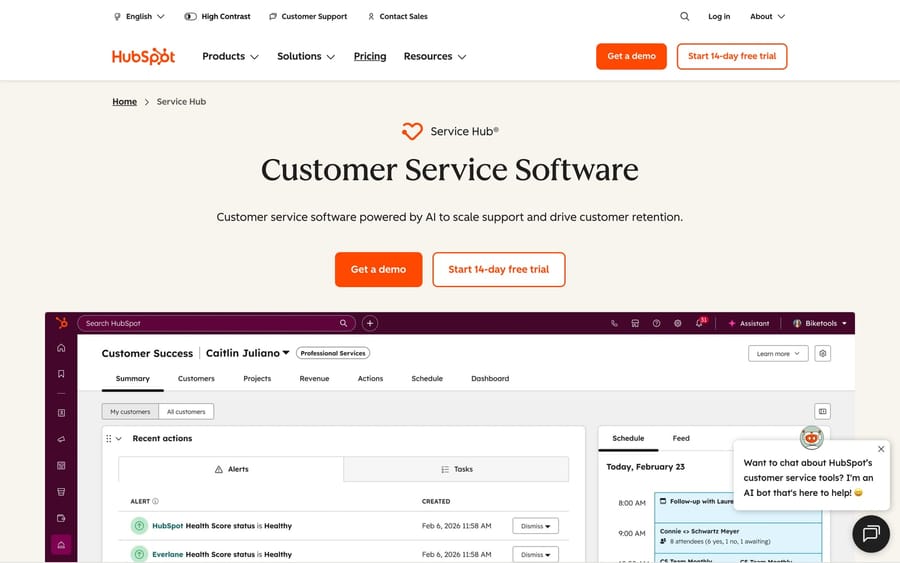
What it does: The native HubSpot app pulls customer data, such as lifecycle stage, recent sales and marketing activity and deal context, into the Help Scout conversation sidebar, so an agent sees who they're talking to without leaving the reply box. Who it's for: Teams running HubSpot as their CRM that want support to see the same customer record sales and marketing do. Native vs third-party: Native Help Scout app, included on Plus and Pro.
2. Salesforce (native, Plus)
What it does: The native Salesforce app surfaces Salesforce records inside Help Scout, so agents see account and contact context from your system of record without a second tab. Who it's for: B2B and mid-market teams standardized on Salesforce. Native vs third-party: Native Help Scout app, also Plus and Pro only. If you need deeper, field-level or conditional sync than the native app offers, teams usually bridge the gap with Zapier, Make or dedicated middleware.
How does Help Scout connect to Slack?
Most resolutions involve a second person: a teammate, a manager, an engineer. Slack keeps that loop where your team already talks.
3. Slack (native)
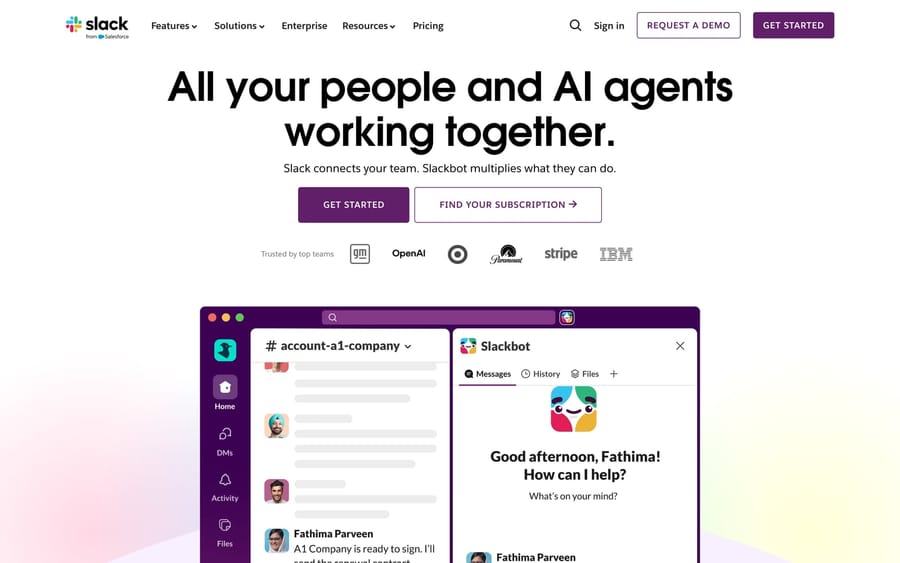
What it does: The official Slack app posts Help Scout events (conversations created, updated, replied to or closed, plus assignments) into the Slack channels you choose, with a separate channel per inbox if you want one. Map Help Scout users to their Slack usernames and assigned conversations trigger an @mention with a link back to the conversation. A "Satisfaction Rating Received" event can drop a bad rating into your team channel in real time. Who it's for: Any team that lives in Slack. Native vs third-party: Native Help Scout app. Set it up at Manage → Apps → Slack → Install App, then pick events and channels. Brand-new Slack channels can take up to about 2 hours to appear in the menu.
Which e-commerce integrations does Help Scout have?
For online stores, most tickets are "where's my order?" and "I want a refund." Order data in the conversation answers them without a tab switch.
4. Shopify (native)
What it does: The native Shopify app shows a customer's order history in the Help Scout sidebar, along with lifetime value, annual value and average order value. Per Help Scout's docs, agents can refund, cancel, edit or duplicate the customer's most recent orders from that sidebar. There's also a Help Scout listing on the Shopify App Store for the reverse direction. Who it's for: Shopify stores that want order context and refunds in the agent's hands. Native vs third-party: Native Help Scout app, with no plan restriction mentioned in the docs.
5. BigCommerce (via Zapier or middleware)
What it does: Here's an honest gap: there's no native BigCommerce app in the Help Scout directory. You connect the two through an iPaaS such as Zapier, Make or Pabbly, using BigCommerce triggers (new order, new customer, abandoned cart, new shipment) to create or annotate Help Scout conversations. Who it's for: BigCommerce stores that want order events to flow into Help Scout and don't mind building the connection in a no-code tool. Native vs third-party: Third-party only. Creating conversations with tags and custom fields through Zapier requires Help Scout's Plus plan.
Can Help Scout send bugs to Jira or GitHub?
Yes. When a ticket is really a bug, support shouldn't be retyping it into the engineering backlog. Both apps link conversations to issues with visibility on each side.
6. Jira (native, Plus)
What it does: The native Jira app lets agents link a Help Scout conversation to a new or existing Jira issue and see previously linked issues from inside the conversation. Linked conversations show up on the Jira side too, so support and engineering stay in sync. Who it's for: Support teams that escalate bugs to a Jira-based engineering org. Native vs third-party: Native Help Scout app, Plus and Pro only. Install from Manage → Apps, then connect with your Jira base URL, a Jira admin username and an API token.
7. GitHub (native, Plus)

What it does: The native GitHub app gives developers context from support conversations and helps agents keep customers updated on issues without leaving Help Scout. Who it's for: Teams whose engineering work lives in GitHub Issues rather than Jira. Native vs third-party: Native Help Scout app, Plus and Pro only. If your team runs Linear instead, Help Scout has a native Linear app with the same Plus badge.
Which phone systems integrate with Help Scout?
Phone is still a primary channel for a lot of teams. These tie calls to conversations so nothing falls through after the customer hangs up.
8. Aircall (native)
What it does: The native Aircall app connects your cloud phone to Help Scout so agents see the customer's conversation history before a call and capture what happens during it. Call details and recordings sit alongside the conversation for clean follow-ups. Who it's for: Teams already on Aircall. Help Scout's Pro plan lists preferred pricing on Aircall. Native vs third-party: Native Help Scout app, built with the partner. CloudTalk and JustCall are other voice options in the directory.
How do you run CSAT surveys in Help Scout?
Help Scout has feedback built in, and integrates with a dedicated survey tool when you need more.
9. Built-in satisfaction ratings + Nicereply
What it does: Help Scout ships with native email and chat satisfaction ratings, a quick great/okay/not-good prompt on replies and Beacon chats, with no extra tool. When you need richer surveys, the Nicereply app adds one-click CSAT, NPS and CES surveys, custom branding and scales, agent leaderboards, and pushes scores back into the rated Help Scout conversation as comments and custom-field values. Who it's for: Most teams can start with built-in ratings and add Nicereply for NPS or CES, deeper reporting or trigger-based sends. AskNicely and Zonka connect through Zapier. Native vs third-party: Ratings are built in; Nicereply is a partner-built app.
How do Zapier and Make fill the gaps?
When no native app exists for a tool you use, a no-code automation platform bridges the gap.
10. Zapier and Make (third-party iPaaS)
What it does: Zapier and Make are no-code integration platforms. Help Scout events (new conversation, tag added, conversation assigned) act as triggers, and either tool can create or update conversations, add notes, or pass the data to thousands of other apps. Make adds a visual workflow canvas. Who it's for: Teams connecting Help Scout to a long tail of tools, like BigCommerce above, or automating multi-step back-office workflows. Native vs third-party: Third-party platforms you configure yourself. They bill per task or per operation, and some Help Scout actions (creating conversations with tags or custom fields) require Plus.
What AI does Help Scout include, and what does it cost?
This is the fastest-moving category, and it's where Help Scout's pricing is least obvious: two AI features come with every paid plan, one needs Plus, and one is billed per resolution.
11. Docs + Help Scout AI (native)
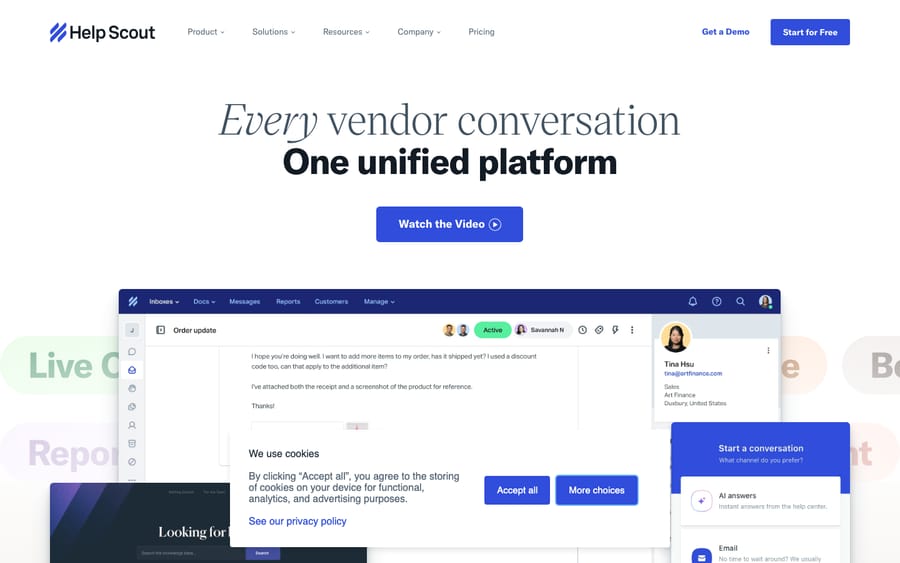
What it does: Docs is Help Scout's native knowledge base, and it doubles as the source for Help Scout's AI. AI Answers is a Beacon chat experience that answers common questions from your Docs content; it's an add-on at $0.75 per resolution, with a 3-month free trial of unlimited resolutions. AI Drafts writes a full reply for the agent to edit and send, and is unlimited on Plus and Pro. AI Assist (adjust tone, shorten, expand or translate a reply) and AI Summarize (condense a long thread) come with all paid plans. Who it's for: Teams that want assistive AI and self-serve answers without another vendor. Per-resolution billing means Help Scout earns more as AI Answers closes more chats, so watch the monthly count against what a resolved chat is worth to you. Native vs third-party: Native. For a separate embeddable knowledge widget, Elevio is a long-standing third-party app in the directory.
A note on AI agents. People sometimes ask whether Macha, our AI agent layer, plugs into Help Scout. It doesn't. Macha connects on top of Zendesk, Freshdesk, Gorgias, Front, HubSpot or Intercom, so it isn't a Help Scout integration and we've left it out of the list on purpose. On Help Scout, the AI tools that answer and assist are the native ones: AI Answers for customers and AI Drafts and Assist for your agents. If you run one of the supported desks and want an agent that resolves routine tickets end to end, that's where Macha fits. There's $50 of free usage, no credit card required.
How should you choose your Help Scout integrations?
You don't need eleven. Start where your conversations and your team actually spend time:
- Add CRM context first (HubSpot or Salesforce) if agents will act on it. A sidebar nobody reads is just setup, and both need Plus.
- Connect Slack so assignments, escalations and bad ratings surface without a context switch.
- Bring in commerce if you sell online: Shopify natively, BigCommerce through Zapier.
- Wire up your escalation path (Jira, GitHub or Linear) if support regularly hands bugs to engineering.
- Layer feedback and voice by channel: built-in ratings or Nicereply for CSAT, Aircall, CloudTalk or JustCall if phone is a real channel.
- Use Zapier or Make for the long tail rather than hunting for a dedicated app that may not exist.
- Turn on the native AI before you shop for a separate AI vendor, and price AI Answers at $0.75 per resolution against your chat volume.
A good rule: every integration should remove a tab an agent currently opens or a step they do by hand. If it doesn't, skip it.
Frequently asked questions
What are the best Help Scout integrations to start with? For most teams: a CRM connection (HubSpot or Salesforce), Slack for team alerts, and Shopify if you sell online. Add Jira or GitHub for engineering escalation, Aircall for phone, Nicereply or built-in ratings for CSAT, and Zapier or Make for anything without a native app. The CRM and issue-tracker apps require the Plus plan.
Does Help Scout have a Slack integration? Yes, a native one. The Slack app posts Help Scout events (new conversations, replies, closures, assignments, satisfaction ratings) into channels you choose, supports a separate channel per inbox, and can @mention the assigned agent. Install it at Manage → Apps → Slack.
Where do I find and install Help Scout apps? In Help Scout, go to Manage → Apps, find the app, click Install App, and authenticate the other tool with OAuth or an API key. Built-in features like satisfaction ratings and the native AI tools are switched on in settings rather than installed.
Are Help Scout integrations free? Some are; many of the most-wanted ones aren't. HubSpot, Salesforce, Jira, GitHub and Linear carry the Plus badge, so they need Plus at $45 or Pro at $75 per user per month. You still pay for the other product's own plan, and Zapier or Make bill per task. See Help Scout pricing explained for the full breakdown.
Does Help Scout integrate with HubSpot and Salesforce? Yes. Both are native apps that surface CRM data in the conversation sidebar, and both are included on Plus and Pro. If you need deeper field-level sync than the native apps offer, teams often add Zapier, Make or dedicated middleware.
Does Help Scout have built-in AI, or do I need an integration? It's built in. AI Assist and AI Summarize come with every paid plan, AI Drafts needs Plus or Pro, and AI Answers is an add-on at $0.75 per resolution. You don't need a separate AI app to get started. An external agent layer like Macha connects to Zendesk, Freshdesk, Gorgias, Front, HubSpot or Intercom, not Help Scout, so for a Help Scout shop the native AI is the path.
Which Help Scout integrations should you install first?
Lead with the apps that erase a tab: your CRM (HubSpot or Salesforce), your team chat (Slack), your store (Shopify, or BigCommerce through Zapier), your engineering tracker (Jira, GitHub or Linear) and your phone (Aircall). Add Nicereply or built-in ratings for feedback and Zapier or Make for everything without a native app. Before you commit, count how many of your picks carry the Plus badge: if the answer is two or more, the $20 per user gap between Standard and Plus is part of the integration's real cost.
Integrations and prices checked against the Help Scout directory, pricing page and support docs, September 2026. Vendors and plan tiers change, so confirm details on each listing before installing.
Resolve tickets automatically with AI agents
Macha's AI agents work on top of the help desk you already use — no code.





