



 Intercom
 Shopify
 Stripe
 Slack
Slack Notion
 Google Workspace
 Confluence

What Is Help Scout Beacon? The Help Widget, AI Answers Pricing and Modes (2026)


Beacon is Help Scout's embeddable help widget: Docs search, AI Answers, live chat, a contact form and proactive Messages behind one button, included on every plan. The only metered piece is AI Answers, billed per resolution.
Key takeaways
- Help Scout Beacon is the embeddable widget that combines Docs search, AI Answers, live chat, a contact form and proactive Messages, and it's included on every Help Scout plan, including Free.
- Help Scout bills AI Answers at $0.75 per resolution, charged once per session and billed in arrears, and only new customers get the 3-month unlimited free trial.
- At 1,000 AI Answers resolutions a month, Help Scout's metered charge comes to about $750, or roughly $9,000 a year.
- Beacon offers three modes, Self Service, Neutral and Ask First, but Ask First is removed from the options once AI Answers is enabled.
- Help Scout moved Beacon and AI Agent setup under the Tools menu, so you create a Beacon at Tools > Beacons and copy its code from Edit Beacon > Installation.

Help Scout Beacon is the embeddable help widget that puts Docs search, AI Answers, live chat, a contact form and proactive Messages behind one button on your site or app. It's included on every Help Scout plan, including the free plan. The only metered part is AI Answers at $0.75 per resolution, with 3 months of unlimited resolutions free for new customers (Help Scout pricing, checked 24 September 2026).
| Beacon at a glance | Detail |
|---|---|
| Price | Included on all plans, including Free; paid plans (Standard, Plus, Pro) start at $25 per user a month |
| AI Answers | $0.75 per resolution, charged once per session, billed in arrears |
| Modes | Self Service, Neutral, Ask First (Ask First disappears with AI Answers on) |
| Install | JavaScript snippet from Tools > Beacons, plus iOS and Android SDKs |
| Setup path | Tools > Beacons to create; Tools > AI Agents for AI Answers |
The details below are checked against Help Scout's own documentation as of September 2026. For the bigger picture of the whole platform, start with what Help Scout is.
What is Help Scout Beacon?
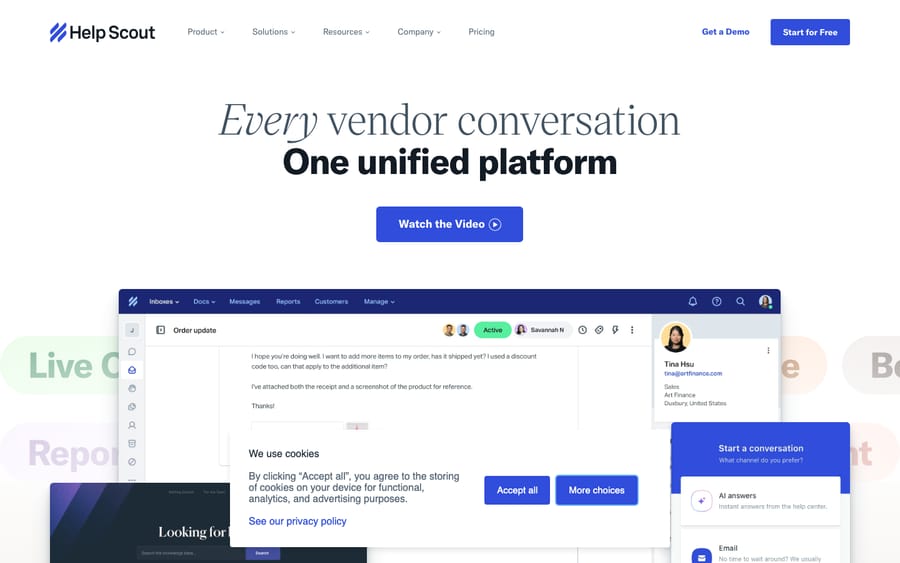
Beacon is the customer-facing widget that Help Scout customers embed on their site or in their app. Where the shared inbox is the tool your agents work from, Beacon is the part your customers actually touch. According to Help Scout's Beacon page, a single Beacon can:
- Surface help articles from your Docs knowledge base so customers can self-serve.
- Answer questions with AI (AI Answers) before a human is involved.
- Offer live chat with your team, with conversations flowing into the shared inbox.
- Show a contact form that turns into an email conversation (a "ticket") in the inbox.
- Display proactive Messages: announcements, prompts, and surveys shown in context.
The design philosophy is graceful escalation: answer the question first, offer chat or a message second, and only create a human-handled conversation when self-service falls short. That ordering is what makes Beacon a deflection tool rather than just a contact button.
How does Beacon reduce ticket volume?
Most support volume is repetitive (password resets, "where's my order," billing questions), and most of it is already answered somewhere in your help center. Beacon's job is to put that answer in front of the customer at the exact moment they'd otherwise open a ticket.
It does this in three layers, in order of effort:
- Docs search and suggestions. As a customer types, Beacon searches your Docs content and surfaces matching articles right inside the widget. Many questions never become tickets because the article shows up first.
- AI Answers. When enabled, Help Scout's AI agent reads the customer's actual question and generates a direct answer from the knowledge sources you've connected, rather than making them read through articles themselves (more on this below).
- Contact options. If self-service doesn't resolve it, the customer can start a live chat or submit the contact form, which lands as a conversation in your shared inbox with context attached.
Help Scout says a well-built Docs site surfaced through Beacon can meaningfully cut inbound email volume. The exact reduction depends entirely on how complete and current your articles are. That's the honest catch with any deflection tool: it's only as good as the knowledge behind it.
What is AI Answers in Beacon, and what does it cost?
AI Answers is Help Scout's customer-facing AI bot inside Beacon. Per Help Scout's documentation, it's an AI-powered agent (powered by OpenAI) that delivers instant responses to common questions directly in the widget.
Here's how it works:
- You build an AI Agent under Tools > AI Agents and connect knowledge sources: your Help Scout Docs sites plus other public documents and pages. Then you switch AI Answers on under Tools > Beacons > Edit Beacon.
- AI Answers draws only on those connected sources to answer, which keeps it grounded in your real content rather than guessing.
- It requires a Beacon with Docs enabled, and it now works in mobile apps via Help Scout's latest iOS and Android SDKs.
On pricing: Beacon itself is free on every plan, but AI Answers is a metered add-on billed at $0.75 per resolution, where a "resolution" is a session in which AI Answers responds and the customer doesn't ask for more help after its last reply. Help Scout spells out the mechanics in its dedicated AI Resolutions Pricing doc: you're charged once per session (not per message: if AI Answers handles several questions in one session, it still counts as one resolution), charges are billed in arrears (added to your next billing date rather than prepaid), and new customers get a 3-month free trial of unlimited resolutions before metering begins. Existing customers don't get the trial. The pricing page also lets you set a monthly cap on resolution spend. For the full picture of Help Scout's AI suite (drafts, summaries, and AI Answers together), see our Help Scout AI explained guide.
A useful distinction: Docs search shows the customer articles to read; AI Answers writes them a direct answer. The first deflects by pointing; the second deflects by responding. AI Answers does more of the work, and it's the one that affects your bill.
What AI Answers costs at volume
Because AI Answers is priced per resolution, you can model the cost directly once you have a rough sense of how many sessions it closes each month. At the published $0.75 per resolution, the math is simple:
| AI Answers resolutions / month | Monthly cost | Annualized |
|---|---|---|
| 250 | ~$188 | ~$2,250 |
| 500 | ~$375 | ~$4,500 |
| 1,000 | ~$750 | ~$9,000 |
| 2,500 | ~$1,875 | ~$22,500 |
The framing that matters: each resolution is a session a human didn't have to handle. If a typical agent-handled conversation costs you several dollars in loaded labor time, a $0.75 resolution is cheap deflection, as long as the answer was genuinely helpful. Note the incentive, though: Help Scout earns more the more sessions AI Answers closes, so a customer who gives up counts the same as one who got their answer. The risk is paying $0.75 for near-misses that still escalate, which is why content quality and a tuned agent are what actually protect this line item. If you're a new customer, the 3-month unlimited free trial lets you measure real resolution volume before a single dollar is metered. Existing customers should set a spend cap and watch the first month closely.
What are Beacon's modes: Self Service, Neutral and Ask First?
A Beacon's mode controls what customers see first and how aggressively it steers them toward self-service. Per Help Scout's docs, there are three:
| Mode | Opens to | Customer behavior |
|---|---|---|
| Self Service | Answers screen | Must interact with content (search, or open an article and rate it negatively) before contact options appear |
| Neutral | Answers screen | Sees answers and contact options together; can switch to the Ask screen anytime |
| Ask First | Ask (contact) screen | Sees contact options first; can switch to Answers anytime |
Two important nuances:
- Modes only appear as a choice when both the email form and Docs are enabled. If you've only turned on one, there's nothing to balance, so no mode picker.
- When AI Answers is enabled, only two modes are offered: Self Service and Neutral. Ask First drops out of the list, because the whole point of AI Answers is to attempt a resolution before routing to a human, which Ask First would short-circuit.
Self Service mode maximizes deflection but can frustrate customers with urgent issues; Neutral is the balanced default most teams reach for; Ask First prioritizes human contact and suits high-touch or sales-led use cases. Choose based on whether your priority is reducing ticket volume or maximizing reachability.
Which mode fits your team?
If you're not sure where to start, match the mode to how your team actually operates:
| Pick this mode | If your team looks like… | Why it fits |
|---|---|---|
| Self Service | High-volume B2C or SaaS support with a mature, well-maintained Docs site and a small team that needs to protect agent time | A deep knowledge base means most questions genuinely can be self-served, so steering customers through content first deflects hard without leaving them stranded. |
| Neutral | Most growing teams: a decent help center, mixed question complexity, and a desire to deflect without feeling like you're hiding the contact button | Answers and contact sit side by side, so easy questions deflect and harder ones reach a human immediately. The safe default. |
| Ask First | High-touch, premium, or sales-led support: onboarding flows, enterprise accounts, or anything where a fast human reply is the product | Reachability matters more than deflection here; surfacing contact first signals "we want to talk to you." (Note: unavailable once AI Answers is on.) |
A practical rule of thumb: start in Neutral, watch your deflection rate and CSAT for a month, then tighten toward Self Service only if your articles are strong enough to carry the load.
How much can you customize and target Beacon?
Beacon is designed to feel like part of your product, not a bolted-on third-party widget. From the Customize tab (docs) you can adjust:
- Branding: your colors, the launcher button style, your logo, and team-member avatars so the widget looks on-brand.
- Language and labels: set the language and rewrite essentially every text string in the widget.
- Basic vs. advanced settings: simple controls for most teams, plus advanced options (including a JavaScript API for developers) for fine-grained behavior.
For targeting and display, Beacon can be shown only on the pages where it's relevant. You control which pages carry the snippet, and you can surface help (and proactive Messages) at the right place and moment rather than everywhere at once. That's how teams avoid a chat bubble nagging customers on, say, the checkout-confirmation page.
How do you set up and install Beacon?
Setup is deliberately low-friction. The outline (create + install docs):
- Create a Beacon. Go to Tools > Beacons and click Create a Beacon (or New Beacon if you've made one before).
- Choose what it does. Enable Docs, the contact form, live chat, and/or AI Answers depending on the experience you want.
- Pick a mode. Set Self Service, Neutral, or Ask First (or one of the two AI-Answers modes) based on your deflection goals.
- Customize it. Apply your branding, language, and labels under the Customize tab.
- Install the snippet. Open Tools > Beacons > [your Beacon] > Edit Beacon > Installation, copy the JavaScript embed code (two JavaScript calls), and paste it into your site's code on every page where Beacon should appear. (For single-page apps and developer setups, Help Scout's Beacon JS API gives you programmatic control.)
- Add it to mobile. Use Help Scout's iOS and Android SDKs to bring Beacon, and AI Answers, into native apps.
That's it: paste the snippet, and the widget appears. Most teams have a basic Beacon live in well under an hour.
How do you get the most out of Beacon?
- Invest in Docs first. Beacon's deflection is a direct function of your knowledge base. Thin or stale articles mean weak self-service and a chattier AI agent that has nothing good to draw on.
- Start in Neutral mode. It balances deflection with reachability; tighten to Self Service later if your articles are strong and volume is high.
- Target deliberately. Put Beacon where customers get stuck (pricing, onboarding, account pages), not on every URL.
- Watch your AI Answers spend. Since it's billed per resolution, set a monthly cap and monitor volume and content quality so you're paying for genuinely helpful answers, not near-misses.
- Keep contact options reachable. Aggressive self-service can backfire for urgent issues. Make sure a frustrated customer can always reach a human.
What do users say about Beacon?
Beacon doesn't get reviewed in isolation. It shows up inside broader Help Scout feedback, which is consistently strong: Help Scout holds 4.6/5 across 226 reviews on Capterra (checked 24 September 2026) and is also widely reviewed on G2, with reviewers repeatedly praising how much arrives bundled in one tool and how little setup friction there is.
On the self-service side specifically, the recurring theme is value-for-money and the breadth of what's included. As one Capterra reviewer puts it (aggregated user feedback): "I love that you get so much included in the price… knowledge base, live chat with Beacon, the email management system, plus all the ways you can organize and sort your incoming messages." Another common refrain is ease of deployment: "Help Scout is easy to set up and, in most cases, you can avoid working with your IT team", which tracks with Beacon's one-snippet install.
The honest read on the aggregate sentiment: teams like that Docs, Beacon, and the shared inbox come as one package rather than separately priced bolt-ons, and they rate setup as genuinely low-effort. The more measured reviews tend to focus on wanting deeper reporting and more advanced automation, the same gap we cover in the limits below.
What are Beacon's limits?
Beacon is a well-integrated widget, but it has limits:
- AI Answers deflects; it doesn't deeply resolve. It's excellent at answering knowledge-base-shaped questions, but it works from the content you connect. It isn't reaching into other systems to take action on a customer's behalf.
- Per-resolution pricing scales with volume. For high-traffic sites, the $0.75-per-resolution model can add up: 1,000 resolutions a month is about $750. It rewards precise, high-quality content and a tuned agent.
- Self Service mode is a trade-off. Forcing customers through content first lifts deflection but can frustrate people with time-sensitive problems.
- It lives in the Help Scout ecosystem. Beacon is built to feed the Help Scout shared inbox and Docs. That's great if you're all-in on Help Scout, less flexible if you're not.
For where Beacon fits among Help Scout's other tools, see our Help Scout features overview.
When do you need more than Beacon's AI Answers?
Worth understanding before you lean entirely on a native widget: Beacon's AI Answers is built to deflect: to answer the repetitive, article-shaped questions before they become tickets. That's genuinely valuable, and for a lot of teams it's enough.
But a chunk of real tickets sit past deflection: they need an answer pulled from past conversations or another system, and resolved in the conversation, not just a relevant article surfaced. That's the gap a dedicated AI agent layer like Macha is built for: it reads the customer's actual intent, draws on your connected knowledge and history, resolves the issue in the thread, and hands off to a human with full context when it isn't confident.
To be upfront: Macha runs on top of Zendesk, Freshdesk, Gorgias, Front, HubSpot or Intercom. It does not integrate with Help Scout today, so this is context, not a pitch. The principle holds whatever help desk you're on: native widget AI is great at deflection, but the line where deflection stops scaling is where a dedicated agent layer earns its keep. If you're on one of those desks and want to see the difference between deflecting and resolving, you can try Macha free with $50 of usage and no credit card. After that it's billed per ticket, from $299 a month for 750 tickets.
Frequently asked questions
What is Help Scout Beacon? Beacon is Help Scout's embeddable help widget for your website or app. It combines help-article (Docs) search, AI Answers, live chat, a contact form, and proactive Messages in one button, so customers can self-serve or reach your team without leaving the page. It's included in every Help Scout plan.
Is Beacon free? Yes. Beacon itself is included on all Help Scout plans, including the free plan, at no extra cost. The one metered piece is AI Answers, the customer-facing AI bot, billed at $0.75 per resolution, with a 3-month unlimited trial for new customers.
How do I install Beacon? Create a Beacon under Tools > Beacons, configure and customize it, then open Edit Beacon > Installation and copy the JavaScript snippet. Paste that code into your site on every page where the widget should appear. For native apps, use Help Scout's iOS and Android SDKs.
What are Beacon modes? Modes control what customers see first: Self Service (must engage with content before contact options show), Neutral (answers and contact side by side), and Ask First (contact options first). Modes appear only when both a contact feature and Docs are enabled, and when AI Answers is on, only Self Service and Neutral are offered.
What is AI Answers in Beacon? AI Answers is Help Scout's customer-facing AI agent inside Beacon. It generates direct answers to questions from the knowledge sources you connect (your Docs and public content), powered by OpenAI, and requires a Beacon with Docs enabled. It's a metered add-on priced per resolution.
Does Beacon include live chat? Yes. Beacon offers live chat with your team, and those chat conversations flow into the Help Scout shared inbox where agents can assign, collaborate on, and resolve them like any other conversation.
What's the difference between Docs search and AI Answers in Beacon? Docs search surfaces relevant articles for the customer to read; AI Answers writes a direct response generated from your connected content. Both deflect tickets, but AI Answers attempts an actual answer rather than pointing to one, and it's the part that's metered.
Is Beacon worth turning on?
For a Help Scout team, yes: Beacon costs nothing extra and a one-snippet install gets Docs search, chat and a contact form live. The decision that matters is AI Answers. Start in Neutral mode, set a spend cap, and check after a month whether the $0.75 resolutions are real answers or customers giving up. The payoff scales with the quality of your Docs.
Verified against Help Scout's official documentation (docs.helpscout.com) and pricing page, 24 September 2026. Help Scout revises Beacon's features and pricing periodically, so confirm current details on helpscout.com before relying on them.
Simple per-ticket AI pricing
One thread with one person is one charge, however many replies it takes.





