



 Intercom
 Shopify
 Stripe
 Slack
Slack Notion
 Google Workspace
 Confluence

What Are the Best AI Agents for Help Scout in 2026?


Help Scout has a small AI ecosystem: its own AI Answers and AI Drafts, plus two third-party agents, eesel AI and DocsBot AI, that connect through its API. Popular agents like My AskAI have no native Help Scout integration, so the realistic shortlist is three tools.
Key takeaways
- The realistic Help Scout AI shortlist in 2026 is Help Scout's native AI, eesel AI and DocsBot AI, because My AskAI and Macha do not connect to Help Scout.
- Help Scout AI Answers runs in the Beacon widget and costs $0.75 per resolution on all plans, with a free 3-month trial and an optional monthly spending limit.
- Help Scout AI Drafts costs $50 per 100 drafted conversations but is included on current Plus and Pro plans, while AI Summarize is listed on Standard, Plus and Pro.
- eesel AI connects through the Help Scout API and bills $0.40 per conversation handled, with no seat fee on self-serve and a $1,000 monthly platform fee on Enterprise.
- DocsBot AI includes its Help Scout integration from the Standard plan at $149 a month, drafting a reply for each new conversation through an OAuth app and webhook.
The best AI agents for Help Scout in 2026 are Help Scout's own AI Answers ($0.75 per resolution, on every plan), eesel AI ($0.40 per conversation handled, connected through the Help Scout API) and DocsBot AI (Help Scout integration from its $149-a-month Standard plan). That is the whole realistic shortlist: popular agents such as My AskAI have no native Help Scout integration, and Macha runs on Zendesk, Freshdesk, Gorgias, Front, HubSpot or Intercom, not Help Scout, so it is not a list entry here.
| Tool | Type | How it connects | Pricing model | Rating (June 2026 reading) | Best for |
|---|---|---|---|---|---|
| Help Scout AI Answers | Native (customer-facing) | Built into Beacon | $0.75 per resolution, 3 months free | HS G2 4.4/5 (~424) | Deflecting chat in the widget |
| Help Scout AI Drafts / Assist / Summarize | Native (agent assist) | Built into the inbox | Drafts $50 per 100 conversations, included on Plus and Pro; Assist on all paid plans | HS Capterra 4.6/5 (~225) | Speeding up human replies |
| eesel AI | Third-party AI agent + copilot | Help Scout API (no code) | $0.40 per conversation handled | G2 4.6/5 (~15, small) | Autonomous resolution, many sources |
| DocsBot AI | Third-party auto-draft / auto-reply | OAuth + Webhooks app | Flat plans; Help Scout from Standard $149/mo | G2 4.0/5; PH 4.5/5 | Doc-driven draft replies on a budget |
Prices were checked on each vendor's page on 24 September 2026. Ratings are June 2026 readings (G2 blocks automated checks), so treat them as approximate.
For each tool below you get what it does, exactly how it connects, its pricing model, who it suits, and a real-user signal. We also name the popular agents that don't support Help Scout, so you don't waste a demo. Full disclosure: we make an AI agent (Macha), and it isn't on this list because it doesn't connect to Help Scout. More on that near the end.
What is the difference between a chatbot, an AI agent and a copilot?
These three words get used interchangeably and it costs teams money, because they map to different line items:
- Chatbot / bot: the older, scripted experience: menus, keyword matching, decision trees. Cheap and predictable, and useless the moment a customer phrases something off-script.
- AI agent: an LLM-powered agent that reads a question in natural language, pulls from your help center and connected data, and resolves it by answering the customer or drafting and sending the reply, escalating to a human when it isn't confident. This is what most people now mean by a "Help Scout AI agent."
- Copilot / assist: helps the human agent inside the conversation by suggesting a draft, fixing tone, translating or summarizing a long thread, but a person still owns the send. It improves handle time, not deflection.
Help Scout's native AI spans all three. The third-party tools below mostly add agent or copilot capability. When you compare pricing, compare the resolution line, because that's the one that deflects volume.
How did we pick the tools?
We looked only at tools that support Help Scout in 2026, confirmed on each vendor's own integration page or docs, and that add AI resolution or drafting, not just scripted flows. For each we pulled the live pricing model from the vendor's pages, the G2/Capterra rating and approximate review count as a real-user signal, and read reviews and community threads for recurring praise and complaints. We flag small review samples, because a 4.6 from 15 reviews and a 4.4 from 400+ are not the same kind of evidence.
What AI does Help Scout include natively?
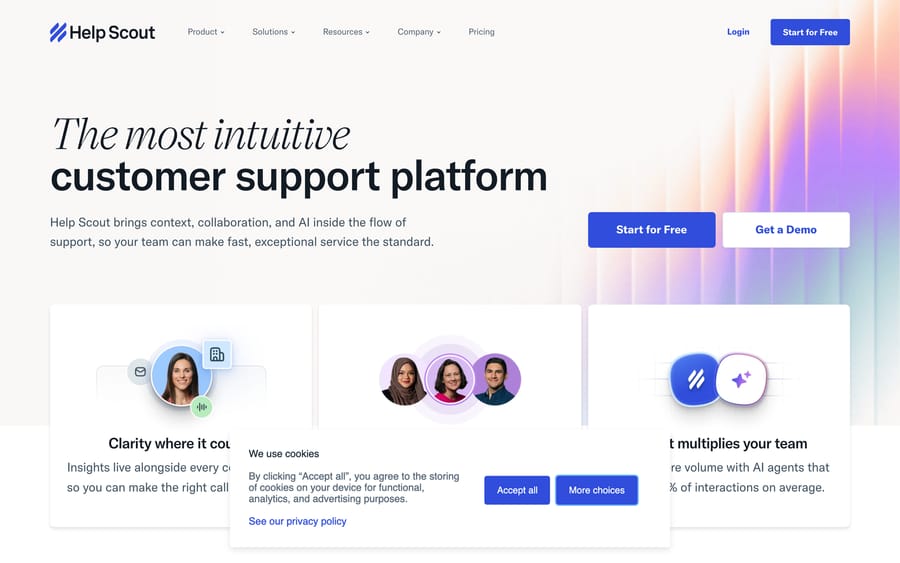
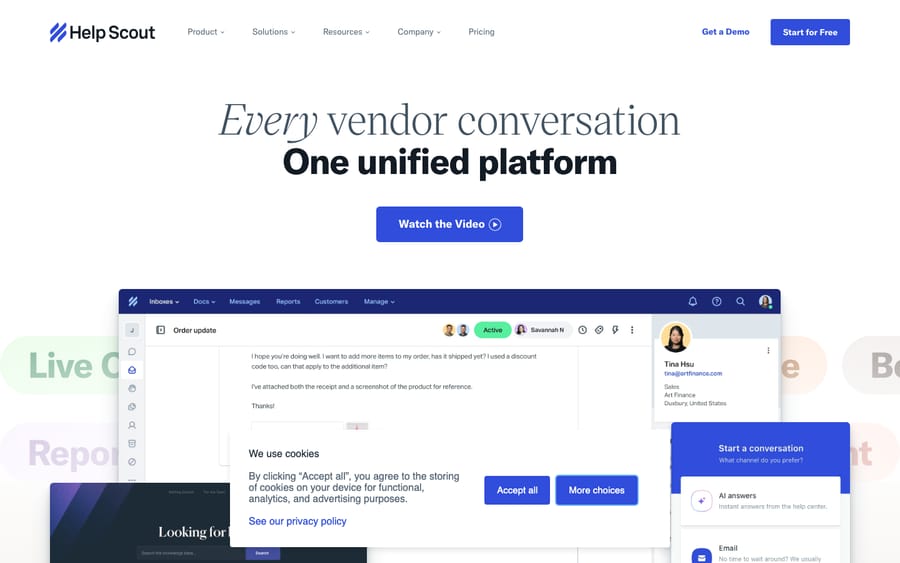
What it does: The headline agent is AI Answers, which Help Scout's pricing page calls "an autonomous agent that resolves customer questions instantly." It lives in Beacon (Help Scout's chat and help widget): a customer asks a question, AI Answers pulls from your knowledge sources and replies on the spot, and hands off to a human when it can't resolve. Alongside it sit three agent-assist features: AI Drafts (suggests a full reply based on past conversations and help content), AI Assist (expands, shortens, edits or translates text) and AI Summarize (condenses a long thread into a few bullet points).
A bit of history: AI Drafts came from Help Scout's September 2023 acquisition of SupportAgent.ai, a standalone Help Scout drafting tool that learned from past conversations. You may still see the SupportAgent.ai name, but it has been folded into Help Scout's native AI and isn't a separate vendor you'd buy today. (articles.helpscout.com)
How it connects: It's part of Help Scout. AI Answers runs inside Beacon; AI Drafts, Assist and Summarize live in the inbox. You point the AI at your knowledge sources (Help Scout Docs plus other public sites and documents), tune the behavior and turn it on. Separately, Help Scout now runs an official MCP server on Standard, Plus and Pro that lets assistants like Claude or ChatGPT search conversations and pull reports, but new connections are read-only: they can't send, edit or delete anything, so it is not a way to plug in a resolving agent. (docs.helpscout.com, Help Scout MCP)
Pricing model: usage-based, not a flat AI plan:
- AI Answers is billed at $0.75 per resolution each month, available on all plans, with a free 3-month trial (unlimited resolutions during the trial) to train it first. A resolution is "a single AI chat session that is resolved without help from a human": you're charged only when the AI responds and the customer doesn't ask for more help. You can set a monthly spending limit, and AI Answers switches off when you hit it. (docs.helpscout.com, AI Resolutions pricing, updated 3 September 2026)
- AI Drafts is listed on Standard, Plus and Pro. It costs $50 per 100 conversations where a draft is generated, billed in 100-conversation increments in arrears, and the free trial includes 100 conversations. It's included on current Plus and Pro plans and on contact-based billing plans. AI Assist is on all paid plans, and AI Summarize is on Standard, Plus and Pro. (docs.helpscout.com, AI Drafts pricing; helpscout.com/pricing)
For context, Help Scout's seats are $25 (Standard), $45 (Plus) and $75 (Pro) per user a month, with a Free plan for up to 5 users and 16% off for annual billing.
Who it's for: Teams that want AI inside the product they already run, with no second vendor, especially if most of your deflectable volume comes through Beacon chat and your answers live in Help Scout Docs. Our Help Scout AI explainer goes deeper on setup and limits.
Real-user signal: In June 2026 Help Scout held a G2 rating of 4.4/5 (~424 reviews) and Capterra 4.6/5 (~225 reviews), with reviewers praising its clean interface and responsive human support. On the AI, sentiment is positive but early: teams like that AI Answers and Drafts are built in and quick to switch on, and some report real drafting-time savings. The recurring watch-outs are that AI Answers resolves only in the Beacon widget (it isn't a full email AI agent), that there's no real staging environment so you tune it live on real customers, and that per-resolution and per-draft metering makes the bill harder to predict than a flat plan. (G2, Capterra)
Which third-party AI agents connect to Help Scout?
If the native AI isn't enough, because you want autonomous email resolution, broader knowledge sources or more control over behavior, two third-party tools connect to Help Scout today. This ecosystem is small compared to Zendesk's, so the list is short on purpose. Tools that claim AI for support but don't support Help Scout are covered further down.
2. eesel AI: autonomous AI agent on top of Help Scout
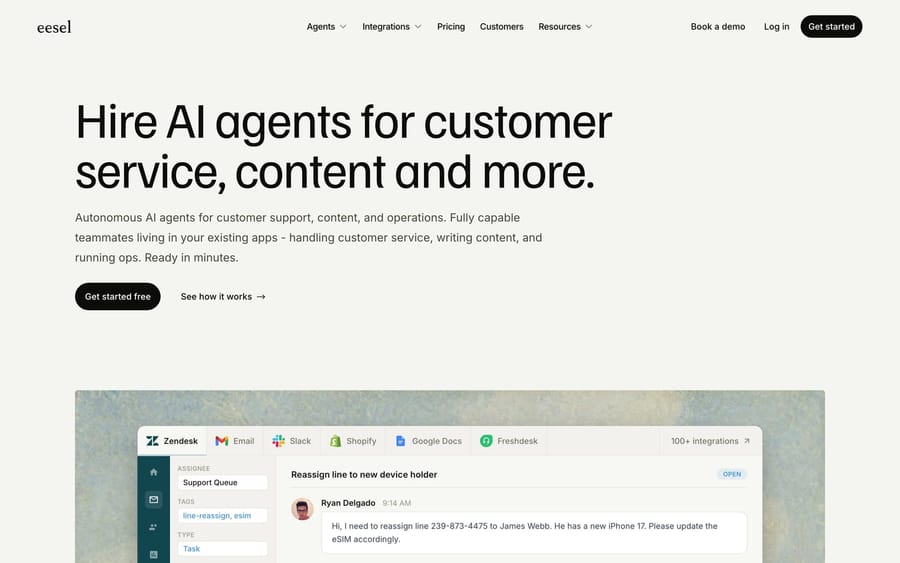
What it does: eesel AI is a dedicated AI layer that runs as an AI Agent (resolves conversations on its own) or an AI Copilot (drafts replies for a human), plus AI Triage. Inside Help Scout it behaves like a team member in your mailbox rather than a separate widget: in eesel's words it "reads Help Scout conversations, drafts and sends replies from your mailbox, adds notes, updates tags, and routes to teammates." It trains on past conversations, Help Scout Docs and saved replies, and can pull from other sources (Confluence, Google Docs, Notion) so answers aren't limited to your KB.
How it connects to Help Scout: through the Help Scout API, as a no-code authorization from eesel's dashboard, with setup in 30 minutes or less by eesel's own figure. A useful safety feature: you can run the agent against past Help Scout conversations before it touches live ones. (eesel.ai/integration/help-scout-ai)
Pricing model: usage, not seats. eesel bills per task: a regular task is one Help Scout conversation or chat session however many messages it takes, at $0.40 each; light dashboard lookups are free and heavy generations (a blog draft) are $4.00. The self-serve tiers have no platform fee, no per-seat fee and no monthly minimum, the trial is $50 of free usage, there's a $250 default monthly spend limit you can change, and paying annually upfront saves 25%. A separate Enterprise tier adds a $1,000/month platform fee on top of usage (dedicated solutions engineer, higher knowledge limits, SSO, HIPAA). (eesel.ai/pricing)
Who it's for: teams that want autonomous resolution (not just drafts) on top of Help Scout, a meter that starts at zero with no platform or seat fee, and knowledge beyond the Help Scout Docs site.
Real-user signal: G2 4.6/5, but from only ~15 reviews in June 2026 (and ~4.0 on Capterra from very few), so weight it accordingly. Reviewers praise fast setup and easy integration; the recurring criticisms are that the price feels high for smaller teams and occasional slow support responses. (G2)
3. DocsBot AI: doc-driven draft (and auto-reply) bot
What it does: DocsBot builds a chatbot from your documentation and, for Help Scout, generates a draft reply for each new conversation, with the option to auto-send the first reply. It runs up to three rounds of search for complex, multi-part tickets, supports multiple languages, and can map different mailboxes or tags to different bots.
How it connects to Help Scout: via a Help Scout OAuth app plus the Webhooks app: you create an OAuth app, add the App ID and secret to DocsBot, and configure a webhook so each new conversation triggers a draft. More setup than eesel, but well documented. (docsbot.ai, Help Scout integration)
Pricing model: tiered plans: Free $0, Personal $49/mo, Standard $149/mo, Business $499/mo, and Enterprise, with two months free on annual billing. The Help Scout integration starts on Standard ($149/mo); Free and Personal don't include it. (docsbot.ai/pricing)
Who it's for: smaller, doc-heavy teams that mainly want fast, grounded draft replies (or a cautious auto-reply on the first message) without an enterprise contract.
Real-user signal: G2 4.0/5 (small sample) and 4.5/5 across 200+ Product Hunt reviews (June 2026 readings). Reviewers praise easy setup and good documentation retrieval; the most common complaint is occasional hallucinated answers, which is why DocsBot's draft-first, review-before-send mode matters for support. (G2)
Which popular AI agents don't connect to Help Scout?
Several well-known AI support agents get suggested for Help Scout but don't integrate with it, so skip the demo:
- My AskAI, a popular low-cost deflection agent, says on its own blog that it "does not have a native Help Scout integration." It works with Zendesk, Intercom, Freshdesk, HubSpot and Gorgias, so you'd have to switch help desks to use it. (myaskai.com/ai-agent-integration)
- Macha (that's us) is an AI agent layer that runs on top of Zendesk, Freshdesk, Gorgias, Front, HubSpot or Intercom. It does not connect to Help Scout, so we've kept it out of the list and table above. If you also run one of those desks, or you're weighing a move, Macha is the AI layer there: you write agents in plain English, give each one the knowledge and tools it's allowed to use, and it resolves, drafts or triages inside the ticket. It's billed per ticket, from $299 a month for 750 tickets, which works out at about $0.40 a ticket, and the trial is $50 of free usage with no credit card and no time limit. Details live on our Zendesk product page.
Update (September 2026): Salesforce completed its acquisition of Fin, the company formerly called Intercom, on 10 September 2026. Fin keeps selling its agent at $0.99 per outcome. It still doesn't run on Help Scout, but it matters if you're weighing a move to Intercom.
The practical upshot: Help Scout's third-party AI ecosystem is thinner than Zendesk's or Intercom's. For most Help Scout teams the realistic shortlist is Help Scout's own AI, eesel AI or DocsBot AI.
How do you choose the right AI for Help Scout?
- Decide where you need AI: widget, inbox, or both. If your deflectable volume is chat in Beacon, AI Answers is the most direct path. If it's email and you want drafts or autonomous replies, look at AI Drafts (native) or eesel / DocsBot (third-party).
- Deflection vs. drafting vs. resolution. AI Answers and eesel's Agent resolve (close the loop with the customer); AI Drafts and DocsBot mostly draft for a human. Drafting is safer and cheaper; resolution deflects more volume. Buy for the outcome you want.
- Model the bill at your real volume. Per-resolution (AI Answers, $0.75), per-drafted-conversation (AI Drafts, $50 per 100 unless you're on Plus or Pro), per-task metering (eesel, $0.40 a conversation) and flat plans (DocsBot) bill very differently at scale. At 1,000 resolved chats a month, AI Answers costs $750 and eesel $400; DocsBot Standard stays $149.
- Map your knowledge sources. If your answers live only in Help Scout Docs, the native AI is fine. If they're spread across Notion, Confluence or Google Docs, eesel reads more sources.
- Weigh the review evidence, then pilot. A 4.4 from 400+ reviews and a 4.6 from ~15 are different confidence levels. Run whatever you shortlist on a real slice of your queue, and where possible (eesel, DocsBot) test on past conversations first, measuring resolution rate, accuracy and escalation quality before committing.
What do users say about these tools?
Across G2, Capterra and community threads, a few themes repeat. Help Scout (4.4/5 G2, 4.6/5 Capterra) is liked for its clean interface and responsive support; on AI, reviewers like that it's built in and quick to enable, but note AI Answers is Beacon-only, there's no staging environment, and usage metering makes costs less predictable. eesel AI (4.6/5 G2, ~15 reviews) gets praise for fast setup and easy Help Scout connection, with price the main gripe and a small review base to weigh. DocsBot AI (4.0/5 G2; 4.5/5 across 200+ Product Hunt reviews) is liked for easy, doc-grounded setup, with occasional hallucinations the recurring concern, which draft-review mode mitigates. Native Help Scout AI is the low-friction default, eesel is the pick for autonomous resolution and broader knowledge, and DocsBot is the budget draft option.
Frequently asked questions
Does Help Scout have a built-in AI agent? Yes. Help Scout's native AI includes AI Answers (a customer-facing agent in the Beacon widget that resolves questions from your knowledge base), plus agent-assist features: AI Drafts (reply suggestions), AI Assist (tone, length, translation) and AI Summarize. AI Answers is billed $0.75 per resolution on all plans, with a free 3-month trial.
What's the best AI agent for Help Scout? It depends on what you need. For chat deflection in the widget, Help Scout's own AI Answers is the simplest. For autonomous email resolution and broader knowledge sources, eesel AI connects via the Help Scout API. For budget, doc-grounded draft replies, DocsBot AI. The field is small: Help Scout's third-party AI ecosystem is smaller than Zendesk's.
How much does an AI agent for Help Scout cost? Help Scout AI Answers is $0.75 per resolution; AI Drafts is $50 per 100 drafted conversations (included on Plus and Pro); eesel AI bills $0.40 per conversation handled with no platform, seat or minimum fee on self-serve (Enterprise adds a $1,000/mo platform fee); DocsBot AI is $149/mo and up for the Help Scout integration. Model your real volume before signing.
Can I add a third-party AI agent without leaving Help Scout? Yes, but the choice is limited. eesel AI (via the Help Scout API) and DocsBot AI (via OAuth and webhooks) both connect on top of Help Scout. Many popular agents, including My AskAI, do not support Help Scout and would require switching help desks. See our best Help Scout integrations roundup for the wider ecosystem.
Is Help Scout's native AI good enough, or do I need a third-party tool? If most of your deflectable volume is Beacon chat and your answers live in Help Scout Docs, the native AI is often enough, and there's nothing to integrate. If you need autonomous email resolution, knowledge beyond Docs, or finer control over agent behavior, a third-party layer like eesel earns its keep.
Can I connect ChatGPT or Claude to Help Scout? Yes, through Help Scout's official MCP server on Standard, Plus and Pro. New connections are read-only: the assistant can search conversations, customers, Docs and (on Plus and Pro) reports, but it can't send, edit or delete anything.
Which Help Scout AI option should you start with?
Start with Help Scout's own AI if your volume is Beacon chat: AI Answers has a 3-month free trial, so you can measure its resolution rate before paying $0.75 per resolution. Move to eesel AI when you need autonomous email resolution or knowledge beyond Docs, and pick DocsBot AI if you want doc-grounded drafts on a flat $149 plan. Some popular agents (My AskAI, and our own Macha) don't connect to Help Scout; if you run Zendesk, Freshdesk, Gorgias, Front, HubSpot or Intercom instead, Macha is the AI layer there, with a trial of $50 of free usage, no credit card and no time limit.
Prices checked on vendor pages on 24 September 2026; ratings are June 2026 readings. AI pricing in this category changes fast, so confirm current terms on each vendor's site before buying.
Resolve tickets automatically with AI agents
Macha's AI agents work on top of the help desk you already use — no code.





