





 Shopify
 Stripe
 Slack
Slack Notion
 Google Workspace
 Confluence

Help Scout vs Zoho Desk (2026): Which Help Desk Is Better and Cheaper?


Zoho Desk is the cheaper, deeper help desk at $7 to $40 per agent a month, while Help Scout costs $25 to $75 per user and wins on simplicity. The right choice depends on whether your team values an email-like inbox or SLAs, automation and the Zoho ecosystem.
Key takeaways
- Zoho Desk undercuts Help Scout at every tier, topping out at $40 per agent a month for Enterprise against $75 per user a month for Help Scout Pro.
- Help Scout Pro requires a 10-user minimum, which sets an effective floor of $750 a month before add-ons such as extra inboxes at $10 a month.
- Help Scout's AI Answers agent bills $0.75 per resolution, with a 3-month free trial for new accounts and at most one charge per conversation.
- Zoho Desk spreads Zia across tiers: Answer Bot and sentiment analysis from the $14 Standard plan, and prebuilt AI agents only on the $40 Enterprise plan.
- Zoho Desk monthly billing runs 25% to 52% above its annual rates, so the $40 Enterprise plan costs $50 per agent on a monthly contract.

Zoho Desk is the cheaper and deeper help desk, at $7 to $40 per agent a month billed annually, while Help Scout costs $25 to $75 per user a month and wins on simplicity. Pick Help Scout if you want an email-like shared inbox your team learns in an afternoon; pick Zoho Desk if you want SLAs, Blueprint process automation and Zia AI for less money, especially if you already run Zoho CRM. Prices below were checked on both vendors' pricing pages on 24 September 2026.
| Help Scout | Zoho Desk | |
|---|---|---|
| Paid plans | $25 / $45 / $75 per user a month | $7 / $14 / $23 / $40 per agent a month (annual) |
| Free plan | Up to 5 users, 100 contacts a month | Up to 3 users |
| AI agent | AI Answers, $0.75 per resolution | Zia, tier-gated; prebuilt AI agents on Enterprise |
| Best for | Small teams that want simplicity | Budget teams and Zoho users |
One disclosure up front: Macha (the company publishing this) makes an AI agent layer that runs on top of other help desks. It does not integrate with Help Scout or Zoho Desk, so we're not a contender here. We'll keep the comparison even-handed and save the one aside about where we fit for the end.
How did we compare them?
We pulled plan names and prices from the official pricing pages for Help Scout and Zoho Desk (plus the price file Zoho's page loads), cross-checked against our own deep-dives on Help Scout pricing and Zoho Desk pricing. For real-user signal we used G2 and Capterra aggregate ratings, review counts and recurring themes, plus an attributed reviewer quote for each tool. Review counts are mid-2026 snapshots and drift, so we flag them as approximate. Pricing in this space moves, so confirm current rates before you budget.
What is the core difference between Help Scout and Zoho Desk?
This is the whole decision, so slow down on it.
Help Scout is email-first customer support, kept deliberately simple. It's a shared inbox plus a good knowledge base (Docs) and an embeddable help widget (Beacon), aimed at small and growing teams who want to answer customers well without the overhead of a full ticketing suite. The mental model is customer support software that feels like email: fast to learn, light to run, replies that look human rather than ticketed.
Zoho Desk is a feature-rich help desk anchored in the Zoho ecosystem. It's a true ticketing system with multichannel intake, SLAs and escalations, Blueprint process automation, multi-brand help centers, the Zia AI suite, and deep ties to Zoho CRM, Books, Analytics and the rest of Zoho One. It leans toward teams that want a lot of capability for very little money, and especially teams already living inside Zoho. The mental model is a configurable support platform that grows with you.
That split, simplicity against breadth, drives almost every difference below.
What does Help Scout offer?
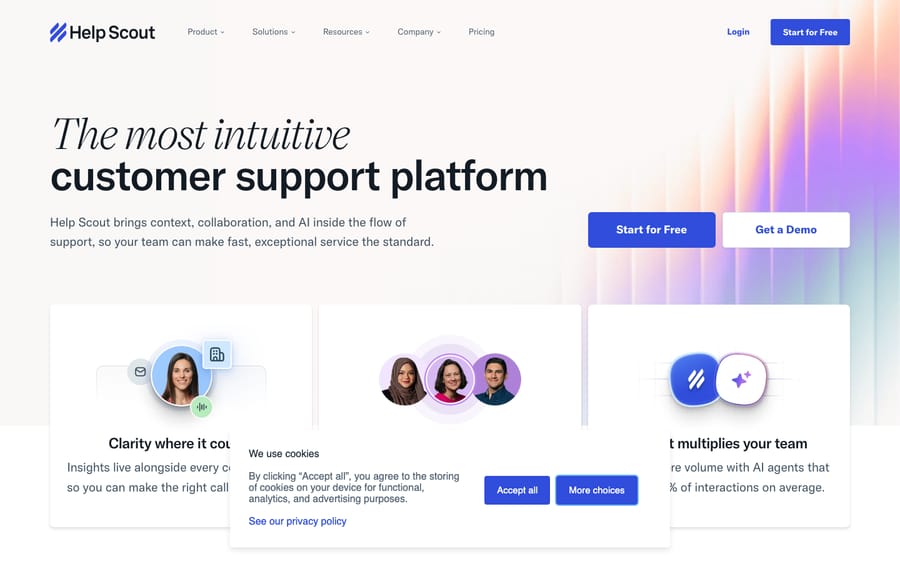
Help Scout is a customer support platform centered on a clean shared inbox. Its calling card is approachability: teams get up and running in hours, not weeks, and customers get replies that read like normal email rather than ticket numbers.
Core strengths:
- Shared inbox for email, live chat and social (Messenger, Instagram, WhatsApp), with collision detection, saved replies and private notes.
- Docs: an easy-to-build knowledge base for customer self-service.
- Beacon: an embeddable widget that surfaces help articles and chat in your app or site.
- Workflows and reporting: automation rules plus CSAT and support analytics that scale with the plan.
- AI features: AI Assist on every paid plan, AI Drafts from Standard (unlimited on Plus and Pro), plus the customer-facing AI Answers agent priced per resolution.
Help Scout's trade-off is the flip side of its simplicity: it's less configurable than a full help desk, its reporting is lighter, and the per-user pricing climbs quickly relative to Zoho Desk.
What does Zoho Desk offer?
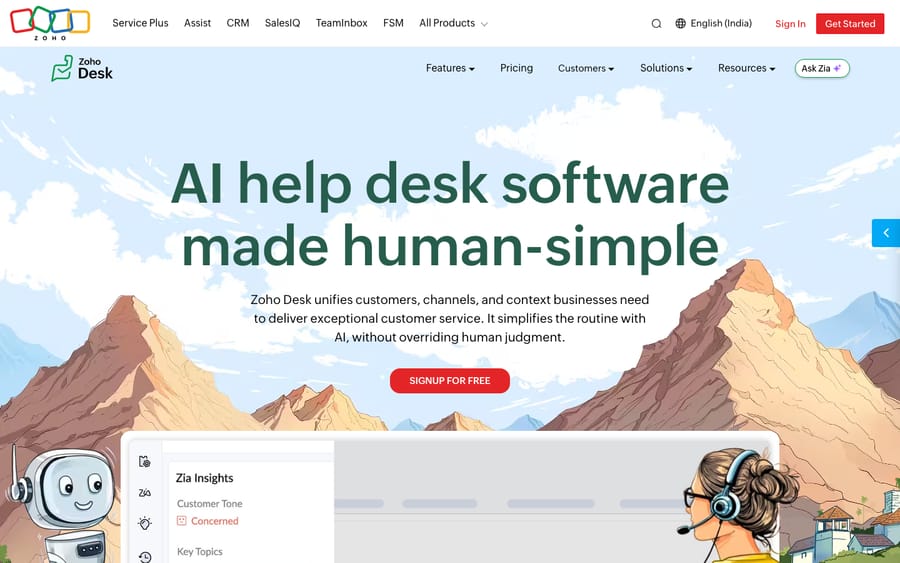
Zoho Desk is a full-featured, budget-friendly help desk and one of the most capable tools you can buy at its price. Where Help Scout thinks in shared inboxes and human replies, Zoho Desk thinks in tickets, queues, SLAs and process automation, with a free tier and entry plans that undercut almost everyone.
Core strengths:
- Multichannel ticketing: email, social, chat, telephony and web forms unified into one ticketing workspace.
- Automation depth: workflow rules, macros, SLAs with escalation, round-robin assignment and Blueprint visual process automation.
- Zia AI: an Answer Bot and sentiment analysis from Standard, field predictions and anomaly alerts from Professional, and prebuilt AI agents on Enterprise.
- Ecosystem: native integration with Zoho CRM, Books, Analytics, SalesIQ and the rest of Zoho One.
- Multi-brand and customization: multiple help centers, custom fields, custom functions and sandboxing on higher tiers.
Zoho Desk's trade-off: all that capability brings more complexity and a steeper learning curve, the interface feels busier, and the experience is at its best when you're already invested in the Zoho ecosystem.
How do Help Scout and Zoho Desk compare side by side?
| Help Scout | Zoho Desk | |
|---|---|---|
| Best described as | Simple, email-first customer support | Feature-rich, budget help desk |
| Ideal team | SMB support teams wanting simplicity | Budget/feature-driven teams; Zoho users |
| Ease of use | Very high, minimal onboarding | Capable but steeper learning curve |
| Knowledge base | Docs, a core strength | Multi-brand help centers, multilingual |
| Automation | Workflows, saved replies | Deep: Blueprint, SLAs, round-robin, macros |
| Entry price | $25 / user / mo (Standard) | $7 / agent / mo (Express, up to 5 users) |
| Top published tier | $75 / user / mo (Pro, 10-user min) | $40 / agent / mo (Enterprise) |
| Free plan | Yes (up to 5 users, 100 contacts/mo) | Yes (up to 3 users) |
| AI | AI Assist/Drafts + AI Answers ($0.75/resolution) | Zia from Standard; AI agents on Enterprise |
| Ecosystem | Focused integrations (HubSpot, Salesforce, Jira) | Deep Zoho One integration |
| G2 rating | ~4.4 / 5 (~435 reviews) | ~4.4 / 5 (~6,500 reviews) |
| Capterra rating | 4.6 / 5 (226 reviews) | 4.5 / 5 (2,213 reviews) |
Prices checked on the official pricing pages on 24 September 2026. Ratings are mid-2026 snapshots from G2 and Capterra; G2 review counts vary by snapshot and are approximate.
Which is cheaper, Help Scout or Zoho Desk?
Zoho Desk, at every tier. Both have a free plan, but the paid ladders are on different planets.
Help Scout (per user/month; paying yearly saves 16%):
- Free: $0 · up to 5 users, 1 inbox, 1 Docs site, capped at 100 contacts a month.
- Standard: $25 · the real entry point, up to 25 users, with AI Drafts and live chat.
- Plus: $45 · up to 50 users, advanced workflows, Salesforce/Jira/HubSpot integrations, unlimited AI Drafts.
- Pro: $75 · SSO/SAML included (an add-on on Standard and Plus), HIPAA available as an add-on, and a 10-user minimum (an effective $750 a month floor).
Help Scout's AI Answers agent costs $0.75 per resolution, with a 3-month free trial for new accounts and at most one charge per conversation. Extra inboxes cost $10 a month and extra Docs sites $20 a month, billed annually ($12 and $24 monthly). One wrinkle: Help Scout switched to a "contacts helped" model in late 2024, walked much of it back after backlash, and now shows per-user pricing for new signups, but some accounts remain on the legacy contact-based plan. Full detail in our Help Scout pricing breakdown.
Zoho Desk (per agent/month, billed annually; monthly price in brackets):
- Free: $0 · up to 3 users, email ticketing, basic help center.
- Express: $7 ($9) · up to 5 users, social channels, web forms, workflows and escalations.
- Standard: $14 ($20) · live chat for logged-in customers, instant messaging, knowledge base, CSAT, Answer Bot.
- Professional: $23 ($35) · telephony, Blueprint automation, round-robin, multi-department, webhooks, Zia predictions.
- Enterprise: $40 ($50) · SalesIQ live chat with bots, prebuilt AI agents, skill-based assignment, multi-brand help centers, sandbox.
Monthly billing runs 25% to 52% above the annual rates, depending on the plan. Full detail in our Zoho Desk pricing breakdown.
The practical read: Zoho Desk is far cheaper at face value. Its top Enterprise tier ($40) costs roughly half of Help Scout's top published tier ($75), and its entry plans ($7 to $14) undercut Help Scout's $25 Standard by a wide margin. If raw price per agent and feature count are what you're optimizing, Zoho Desk wins. Help Scout's pricing buys simplicity and polish rather than depth, and its per-resolution AI is a single clean line against Zoho's tier-gated Zia. For most budget-driven buyers Zoho Desk is the better value; for teams who'd rather pay more to keep things simple, Help Scout earns its higher price.
Which has better AI, Help Scout or Zoho Desk?
Both ship AI, but with different philosophies.
Help Scout keeps it simple. AI Assist (rewrite, tone, translate) is on every paid plan, AI Drafts (draft replies from your docs and past conversations) starts on Standard and is unlimited on Plus and Pro, and the customer-facing AI Answers agent is billed at $0.75 per resolution with a monthly spending cap you set. The whole thing is easy to reason about and easy to budget.
Zoho Desk offers more AI surface area through Zia, spread across the tiers: an Answer Bot for self-service and sentiment analysis from Standard, field predictions and anomaly alerts from Professional, and prebuilt Desk AI agents plus Zia Actions on Enterprise. Generative AI features run on your own OpenAI key, and Zoho's pricing page lists AI agents with up to 30M free tokens a month. So the $7 plan gets little AI, and the useful self-service pieces start at $14. If you want predictable per-resolution AI without thinking about tiers, Help Scout is cleaner; if you want a broad AI toolkit bundled into a plan you're already paying for, Zia offers more for the money.
Which is easier to use, and which fits my other tools?
Ease of use is Help Scout's home turf. Reviewers consistently call it one of the most intuitive tools in the category: minimal onboarding, an interface that feels like email, and little need for an admin to keep it running. Zoho Desk is capable but busier: more menus, more settings, more power, and a steeper learning curve that rewards teams willing to configure it.
Ecosystem is Zoho Desk's home turf. If you already use Zoho CRM, Books, Analytics or Zoho One, Desk slots in natively (shared records, unified billing, one vendor), and that depth is a real reason to choose it. Help Scout integrates well with the tools SMB teams use (HubSpot, Salesforce, Jira, Slack) but isn't the center of a business suite. Zoho Desk is the obvious pick if you're a Zoho shop; Help Scout if you want a focused, standalone support tool.
What do users say about Help Scout and Zoho Desk?
Aggregate sentiment is strong for both, with a striking gap in review volume.
- Help Scout: ~4.4/5 on G2 (around 435 reviews) and 4.6/5 on Capterra (226 reviews). The standout theme is ease of use and a human, email-like experience. As one G2 reviewer put it: "The shared inbox, automation features, and reporting tools help streamline support workflows while still delivering a human, email-like experience for customers." The common watch-outs are reporting depth, the Standard-to-Plus price jump, and lingering confusion from the 2024–25 pricing-model changes.
- Zoho Desk: ~4.4/5 on G2 (around 6,500 reviews, far more than Help Scout) and 4.5/5 on Capterra (2,213 reviews). Reviewers consistently praise value for money and feature breadth, especially Zoho-ecosystem users. As Capterra reviewer Maria Fernanda C. wrote: "They have worked a lot on improvements, the value for money is still pretty good." The most frequent criticisms are a learning curve on advanced features and an interface that can feel cluttered next to lighter tools.
Net: ratings are essentially tied, but Zoho Desk carries a far larger review base (a sign of much broader adoption), Help Scout edges it on ease of use and Capterra score, and both deliver real value: Help Scout through simplicity, Zoho Desk through breadth at a low price.
Who should choose Help Scout, and who should choose Zoho Desk?
- Choose Help Scout if you're an SMB support team that values simplicity: you want a clean shared inbox, a good knowledge base (Docs), fast onboarding, predictable per-resolution AI, and replies that feel human. It's the "just answer customers well" pick, and worth the higher per-user price for the polish.
- Choose Zoho Desk if you're a budget- or feature-driven team: you want the most capability per dollar (SLAs, Blueprint automation, multi-brand, Zia AI), a cheap entry point, and especially if you already use the Zoho ecosystem. It's the value-and-depth pick, provided you can absorb the learning curve.
- It's close if you're a small team weighing simplicity against cost. Start with both free plans (Help Scout's 5 users against Zoho Desk's 3), weigh Help Scout's ease of use against Zoho Desk's lower per-agent price, and let how much configuration you're willing to do break the tie.
Where does an AI layer like Macha fit?
One narrow aside: if you're evaluating these because you want stronger AI resolution on top of your support tool, it's worth knowing how the layer approach differs. To be clear, Macha does not integrate with Help Scout or Zoho Desk. Macha is an AI agent layer that runs on top of Zendesk, Freshdesk, Gorgias, Front, HubSpot or Intercom, so it isn't an option if your help desk is Help Scout or Zoho Desk, and we won't pretend otherwise.
We mention it as a billing-model contrast. Help Scout bills its AI Answers agent per resolution, and Zoho's Zia is bundled into higher tiers; Macha bills per ticket: one conversation, charged once however many steps the agent takes inside it (understanding the ticket, pulling an answer, drafting a reply, tagging, routing), so the bill never hangs on an outcome definition you don't control. Plans start at $299 a month for up to 750 tickets, with setup and monitoring by the Macha team included. Neither model is universally better. If you run one of those help desks and want to see the per-ticket approach in practice, you can start a free trial ($50 of usage, no credit card required).
Frequently asked questions
What's the difference between Help Scout and Zoho Desk? Help Scout is simple, email-first customer support software (shared inbox, Docs knowledge base, Beacon widget) aimed at SMB teams that value ease of use. Zoho Desk is a feature-rich, budget-friendly help desk with deep automation (Blueprint, SLAs), the Zia AI suite, and tight integration into the Zoho ecosystem, built for teams that want the most capability per dollar.
Is Help Scout or Zoho Desk cheaper? Zoho Desk, by a wide margin. Its paid plans run $7 to $40 per agent a month billed annually ($9 to $50 monthly), against Help Scout's $25 to $75 per user a month. Both offer a free plan (Help Scout up to 5 users with a 100-contact cap; Zoho Desk up to 3 users).
Which is easier to use, Help Scout or Zoho Desk? Help Scout. It's consistently praised for an intuitive, email-like interface and minimal onboarding. Zoho Desk is more capable but busier, with a steeper learning curve and more configuration, which suits teams willing to invest in setup.
Which has better AI, Help Scout or Zoho Desk? It depends on what you want. Help Scout's AI is simpler and predictably priced (AI Assist on every paid plan, AI Drafts from Standard, AI Answers at $0.75 per resolution). Zoho's Zia is broader, with Answer Bot and sentiment analysis from the $14 Standard plan and prebuilt AI agents on the $40 Enterprise plan.
Does Macha work with Help Scout or Zoho Desk? No. Macha is an AI agent layer for Zendesk, Freshdesk, Gorgias, Front, HubSpot or Intercom, and it does not integrate with Help Scout or Zoho Desk. It's mentioned here only as a billing-model contrast (per ticket against per resolution).
Does Zoho Desk's Express plan have a user limit? Yes. Express ($7 a month billed annually) is capped at 5 users; Standard, Professional and Enterprise have no user cap. Help Scout's caps run the other way: Standard up to 25 users, Plus up to 50, and Pro requires at least 10.
Vendor prices checked on Help Scout's and Zoho Desk's official pricing pages on 24 September 2026; ratings are mid-2026 snapshots from G2 and Capterra (G2 review counts are approximate and vary by snapshot).






