



 Intercom
 Shopify
 Stripe
 Slack
Slack Notion
 Google Workspace
 Confluence

What Is Front? The Shared-Inbox Help Desk and What It Costs in 2026


Front is a shared-inbox help desk that puts email, chat, SMS, WhatsApp, social and voice conversations into inboxes a whole team works from. Seats cost $25 to $105 a month on annual billing, and most of its AI is sold as per-seat add-ons below Enterprise.
Key takeaways
- Front is a customer-operations and shared-inbox app, founded in 2013 in San Francisco, that adds assignment, internal comments, rules and AI agents to email-style customer conversations.
- Front's annual per-seat pricing runs Starter $25, Professional $65 and Enterprise $105 a month, with Starter capped at 10 seats, one channel type and 10 automation rules.
- Front sells Copilot at $20 per seat, Smart QA at $20 and Smart CSAT at $10 below Enterprise, while Autopilot costs from $0.05 per conversation on every plan.
- Front's 14-day free trial includes every Professional feature and needs no credit card, and contracts over $25k require a paid onboarding package.
- Front says 9,300+ companies use it, and Dan O'Connell has been CEO since March 2024, when co-founder Mathilde Collin became Executive Chair.

Front is a customer-operations and shared-inbox app at front.com that puts a team's email, chat, SMS, WhatsApp, social and voice conversations into shared inboxes, with seats priced from $25 to $105 a month on annual billing. It keeps the feel of email (personal, threaded replies) and adds help desk structure on top: assignment, internal comments, rules, SLAs, analytics, a knowledge base and AI agents. Figures below were checked against Front's pricing page on 24 September 2026.
| Question | Answer (checked 24 September 2026) |
|---|---|
| What it is | Shared inbox plus help desk for customer conversations |
| Maker | Front, founded 2013 in San Francisco; CEO Dan O'Connell since March 2024 |
| Plans | Starter $25, Professional $65, Enterprise $105 per seat a month, billed annually |
| AI add-ons | Copilot $20, Smart QA $20, Smart CSAT $10 per seat; Autopilot from $0.05 per conversation |
| Trial | 14 days with Professional features, no credit card |
| Customers | 9,300+ companies, by Front's own count |
One disambiguation, because the name is crowded: this is about Front the software product, not weather fronts, building fronts or front-end development.
Who makes Front?
Front (the app) is made by a company of the same name, founded in 2013 in San Francisco by Mathilde Collin and Laurent Perrin (alongside early co-founders Elizabeth Welles and Aditya Vora). Collin ran Front as CEO for about eleven years. In March 2024 she became Executive Chair and Front appointed Dan O'Connell as CEO. The company is venture-backed. Investors over the years have included Sequoia, Threshold (formerly DFJ) and Uncork Capital, and press has put its valuation at roughly $1.7 billion.
The origin story explains the product's personality. The founders were frustrated that work email lived in silos: a shared address like support@ or sales@ was a black hole where nobody knew who was handling what, conversations got duplicated or dropped, and collaborating meant forwarding and CC chains. Front's answer was to keep the feel of email (personal, threaded, one-to-one) and add the structure of a help desk on top: assignment, internal comments, automation and analytics.
Front's homepage now says 9,300+ companies use it. Named customers have included software companies like ClickUp, logistics firms like Echo Global Logistics, insurers like Branch and travel-management companies like Reed & Mackay. That list is a tell: Front skews toward relationship-driven, operations-heavy B2B teams rather than high-volume, anonymous consumer support.
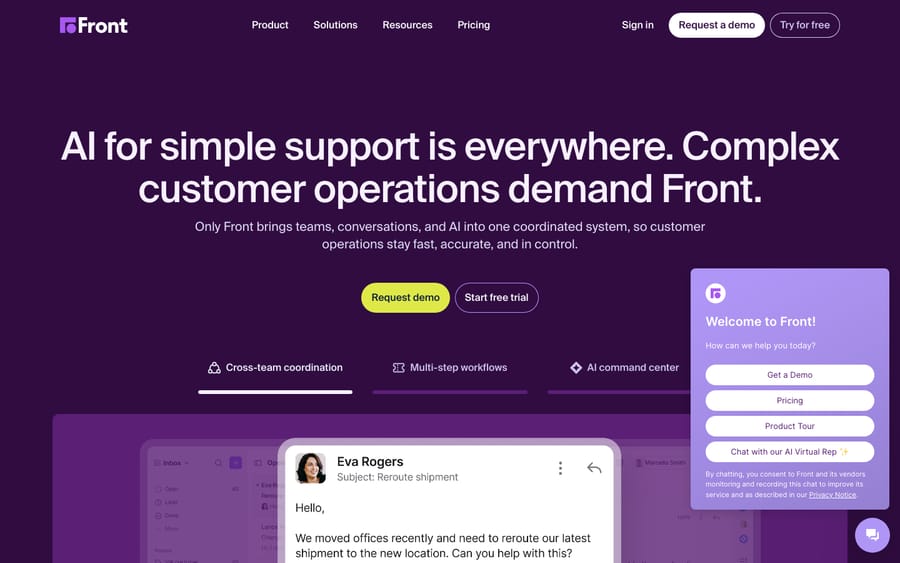
What does Front do?
Front bundles several tools into one workspace. Here's what each one does.
1. Shared inboxes (the core)
The shared inbox is the heart of Front. A shared address (support@, billing@, a specific account team) flows into an inbox the whole team works from. Unlike a traditional ticketing queue, it deliberately looks and reads like an email client, with collaboration layered on top:
- Assignment so every conversation has a clear owner.
- Collision detection so two teammates don't reply to the same customer at once.
- Internal @-comments to discuss a message privately inside the thread, instead of starting a separate Slack or email chain.
- Shared drafts so colleagues can co-write or approve a reply before it goes out.
- Statuses, tags and assignees to keep work organized.
The customer's side stays clean: replies arrive as normal, personal emails with no "[Case #44213]" clutter, which is the experience relationship-led teams want.
2. Omnichannel: more than email
Front started email-first and now handles many channels. A Front workspace can pull in email, live chat, SMS, social media (Facebook and Instagram), WhatsApp, voice and Slack, so every channel a customer uses lands in the same place and is handled with the same tools. The catch is plan gating: Starter supports a single channel type, and omnichannel starts on Professional.
3. Rules, workflows and macros
Front's rules engine is its automation layer: if-this-then-that logic that routes incoming messages to the right inbox or teammate, applies tags, sets SLAs, sends auto-replies and handles the repetitive triage that otherwise eats an agent's morning. The number of rules is capped by plan: up to 10 automation rules on Starter, up to 20 on Professional, and unlimited rules and macros on Enterprise. Macros let agents apply a bundle of actions (a canned reply plus a tag plus a status change) in one click.
4. SLAs and analytics
Front includes SLA management (rules that flag or escalate conversations approaching a deadline) plus analytics covering volume, response and resolution times, team and individual workload, and channel performance. Starter gets basic analytics; Professional gets advanced analytics.
5. Knowledge base and help center
Front offers a no-code public knowledge base on every plan, so customers can self-serve and so that content can feed AI answers and chat deflection. It isn't the deepest standalone knowledge base on the market, but it lives in the same platform your agents already work in.
6. Contact context (CRM-ish)
Front keeps a contact and conversation history for each customer (past threads, notes, details), so an agent picking up a conversation has context without digging. It isn't a full CRM, but for relationship-driven teams it gives enough "who is this and what's our history" to reply well. Front also has an open API and a large integrations library to sync data from the actual CRM, billing or internal tools.
7. AI agents and assist tools
Front's AI suite has specific names worth knowing:
- AI Topics: automatic tagging and classification of conversations (included from Starter).
- Compose, Translate, Summarize: draft a reply from a prompt, translate a message, or condense a long thread.
- Copilot: a deeper drafting and agent-assist layer.
- Smart QA: automated quality scoring of conversations without manual review.
- Smart CSAT: satisfaction scores inferred from conversations instead of surveys.
- Autopilot: Front's omnichannel AI agent that works through customer conversations on its own.
For budgeting, the important part is that most of these are add-ons on the lower plans, not free inclusions. The next sections have the prices.
Who is Front for?
Front's sweet spot is operations-heavy, relationship-driven B2B teams, where each customer matters individually and conversations are ongoing rather than one-off tickets. That includes:
- Logistics, freight and supply-chain teams juggling email-heavy coordination with carriers, vendors and clients.
- B2B SaaS and professional services where account managers and support share customer threads.
- Financial services, insurance and travel where a personal, accountable reply matters more than deflection volume.
- Any team living in a shared address (support@, ops@, dispatch@) that has outgrown forwarding and CC chains.
It's a weaker fit for high-volume, anonymous, ticket-style consumer support, where deep macros, sprawling automation and per-resolution economics dominate. That's the home turf of the traditional ticketing vendors. Front trades some ticketing depth for a collaborative, email-native experience. If you're weighing it against the field, see our roundup of the best Front alternatives.
How much does Front cost?
Front's published plans are priced per seat, per month, billed annually (official pricing page, checked 24 September 2026). Front shows the annual rate by default and says it saves 24% against paying monthly.
| Plan | Price (per seat/mo, billed annually) | Best for |
|---|---|---|
| Starter | $25, up to 10 seats, single channel type, up to 10 automation rules | Small teams starting with one shared inbox |
| Professional | $65, up to 50 seats, omnichannel, up to 20 automation rules | Growing teams needing multiple channels plus advanced analytics |
| Enterprise | $105, unlimited rules and macros, demo required | Larger teams needing scale, permissions and AI included |
Three things to flag:
- AI is mostly an add-on below Enterprise. On Starter and Professional, Copilot is $20/seat/mo, Smart QA $20/seat/mo, Smart CSAT $10/seat/mo (QA and CSAT bundled at $25/seat/mo), and Autopilot starts at $0.05 per conversation. Enterprise includes Copilot, Smart QA and Smart CSAT, but Autopilot is still an add-on on every plan.
- Channel limits push upgrades. Starter is restricted to one channel type (email or Front Chat or SMS, and so on); omnichannel starts on Professional.
- The trial is Professional-level. The 14-day free trial gives you every Professional feature with no credit card, and contracts over $25k require a paid onboarding package.
Do the arithmetic before you sign. A 10-person team on Professional pays $650 a month in seats. Add Copilot for everyone and that becomes $850, before a single Autopilot conversation. Front's incentive is plain: a low seat price gets you in, and the AI you actually want is sold per seat on top. Front simplified its packaging in 2026, moving from four older plans (Starter, Growth, Scale, Premier) to the three tiers above, and many third-party pages still list the old names. See our Front pricing explained guide for the full breakdown of plans, AI add-ons and what teams actually pay.
What are Front's strengths and limits?
Where Front does well:
- Email-native collaboration. @-comments and shared drafts make a shared inbox feel like a team workspace, not a ticket queue. This is its standout strength.
- Personal customer experience. Customers get clean, human replies, which suits relationship-driven and B2B work.
- Many channels in one place. Email, chat, SMS, social, WhatsApp and voice, from Professional up.
- Strong reviews. Users rate it highly (see below).
Where it has limits:
- AI costs stack up. Copilot, QA, CSAT and Autopilot are add-ons on lower plans, so the real bill can climb well past the headline seat price.
- Per-seat pricing scales with headcount. Fine for tight ops teams, expensive for large support orgs.
- Channel and rule gating. Starter's single channel and 10-rule cap push many teams to Professional sooner than they expect.
- Not a heavy ticketing engine. By design, it's lighter on routing and automation depth than the largest enterprise help desks.
How do users rate Front?
Here's how customers rated Front on the main independent review sites when we last read them (June 2026):
| Platform | Score | Reviews |
|---|---|---|
| G2 | 4.7 / 5 | ~2,400 |
| Capterra | 4.5 / 5 | 286 |
The recurring praise centers on ease of use, the collaborative shared inbox, tagging and discussing emails with colleagues, and responsive support from Front's own team. The most common criticisms are cost (especially once AI add-ons are layered in), occasional sync and migration friction (some users flagged Outlook sync issues after a January 2026 account migration), and the per-seat model getting expensive at scale.
How we sourced this: the Capterra rating and count were read from its Front listing in June 2026. The G2 figure is the commonly cited public score; G2's review page is bot-walled, so the exact count (quoted between roughly 2,100 and 2,429 across sources) couldn't be re-verified. This guide is researched against Front's own pages and independent reviews, not hands-on testing of a Front tenant of our own.
Where does an AI agent layer fit on Front?
A platform's native AI (Front's Copilot, Smart QA, Smart CSAT and Autopilot) is good at assisting agents and deflecting the most repetitive, knowledge-base-shaped questions. But many of the tickets that pile up sit in the middle: they need a real answer pulled from your docs, past conversations or another system, resolved in the thread.
That middle is where a separate AI agent layer like Macha comes in. To be upfront: Macha runs on top of Front and other help desks. It's a layer on Front, not a replacement for it. The agent reads the customer's question, draws on your connected knowledge and history, resolves the issue in the same conversation, and escalates to a human with full context when it isn't confident. It's only as good as the knowledge you connect. Pricing works differently from Front's add-ons: Macha bills per ticket, not per seat, starting at $299 a month for up to 750 tickets, with setup and monitoring by the Macha team included (getmacha.com/pricing). If you're on Front and want to see it work, you can try Macha with $50 of free usage and no credit card.
How do you get started with Front?
- Start a free trial at front.com: 14 days with Professional features, no card needed.
- Connect your shared addresses (support@, ops@, sales@) so conversations flow into shared inboxes.
- Invite your team and set assignment so every conversation has a clear owner.
- Add channels (chat, SMS, social, WhatsApp). Remember you'll need Professional or above to keep more than one channel type after the trial.
- Build rules and macros to route, tag and auto-handle common requests, within your plan's rule cap.
- Set up your knowledge base and turn on the AI features that fit your plan and budget.
- Watch the analytics to tune SLAs, staffing and routing.
For a closer look at how the inbox works day to day, see our Front shared inbox explained guide.
Frequently asked questions
What is Front (the app) in simple terms? Front is a customer-operations and shared-inbox app: a shared team inbox across email, chat, SMS, social and voice, with collaboration features (assignment, comments, shared drafts), automation rules, analytics, a knowledge base and AI agents. A team manages all customer conversations in one place while replies still feel personal.
Is "Front" a help desk or an email tool? Both, by design. It started as a smarter shared inbox for email and grew into a full customer service platform with AI. The difference from a classic ticketing tool is that Front keeps the email-native, collaborative feel instead of turning every message into an impersonal ticket.
Who makes Front and where is it based? A company of the same name, founded in 2013 and headquartered in San Francisco. It was co-founded by Mathilde Collin (CEO until March 2024, now Executive Chair) and Laurent Perrin. Dan O'Connell has been CEO since March 2024.
How much does Front cost? As published on 24 September 2026, the per-seat plans (billed annually) are Starter $25, Professional $65 and Enterprise $105 per seat a month. Copilot, Smart QA and Smart CSAT are paid add-ons on Starter and Professional and included on Enterprise; Autopilot is an add-on on every plan, from $0.05 per conversation. See our Front pricing explained guide for the full detail.
Is there a free version of Front? There's no permanent free plan. Front offers a 14-day free trial with every Professional feature and no credit card required.
What channels does Front support? Email, live chat, SMS, social media (Facebook and Instagram), WhatsApp, voice and Slack. Starter is limited to a single channel type, and omnichannel starts on Professional.
Is Front good for customer support, or just internal email? Both. Teams use it for external customer service and for shared internal email. Its sweet spot is operations-heavy, relationship-driven B2B teams (logistics, SaaS, financial services, travel) rather than high-volume anonymous consumer ticketing.
Is Front worth it?
Front is worth it for B2B and operations teams that want every conversation owned, collaborative and personal, and it's one of the best-reviewed tools in its class. Price it on the full bill, not the seat: per-seat plans plus per-seat AI add-ons mean a Professional team using Copilot pays $85 a seat, not $65. Confirm current figures on front.com before relying on them, since Front revises packaging periodically.
Add AI agents to your Front
Macha reads the conversation, drafts the reply and takes the action, inside the Front you already run.





