



 Intercom
 Shopify
 Stripe
 Slack
Slack Notion
 Google Workspace
 Confluence

What Are the Best Front Alternatives in 2026? Prices, Free Options and Who Each One Suits


Missive is the closest Front alternative at $14 to $36 a user a month, Help Scout suits email-led support, Hiver and Gmelius keep you in Gmail, Zendesk and Freshdesk add real ticketing, Gorgias fits ecommerce, and Chatwoot or FreeScout cost nothing. Each price below comes from the vendor's own page, and the guide says plainly which Front complaint each tool fixes and who should stay on Front.
Key takeaways
- Missive is the closest match to Front's collaborative inbox, with Starter at $14 a user a month against Front's $25 Starter seat, and ten users on Productive cost $240 a month.
- Front's per-seat plans cost $25 for Starter, $65 for Professional and $105 for Enterprise billed annually, so a 10-person Professional team pays $650 a month, or $7,800 a year.
- Front's Copilot, Smart QA and Smart CSAT add-ons cost $20, $20 and $10 a seat a month below Enterprise, and its Autopilot AI agent starts at $0.05 per conversation.
- Gorgias prices by ticket volume rather than per agent, from Starter at $40 a month for 50 tickets to Advanced at $1,227 a month billed annually for 5,000 tickets.
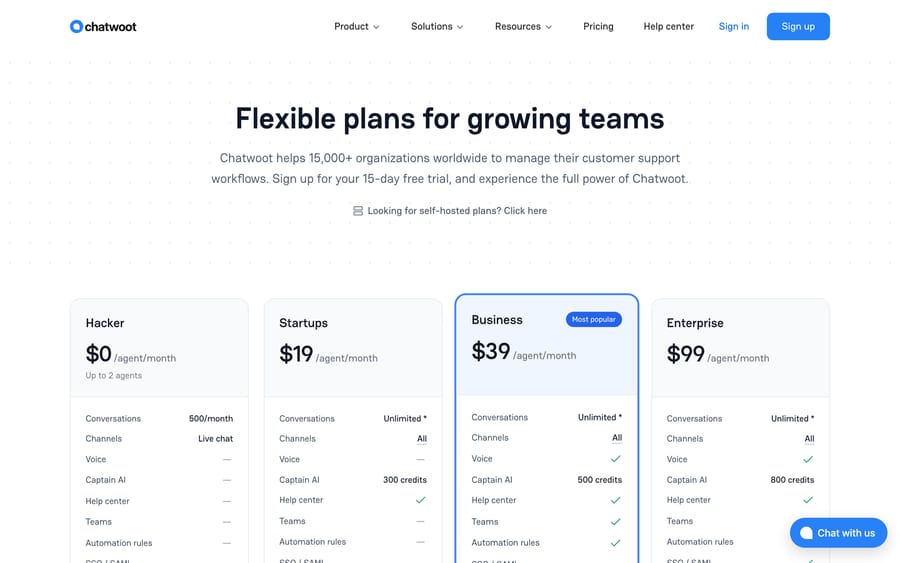
- Chatwoot's free Hacker plan covers up to 2 agents and 500 conversations, while its cloud plans cost $19, $39 or $99 per agent a month, or it can be self-hosted.

The best Front alternative is Missive if you want the same collaborative inbox for less ($14 to $36 a user a month against Front's $25 to $105 a seat), Help Scout for email-led support, Hiver or Gmelius if your team stays in Gmail, Zendesk or Freshdesk for real ticketing, Gorgias for ecommerce, and Chatwoot or FreeScout if the budget is zero. We checked every price below against the vendor's own pricing page, most recently on September 24, 2026. New to the tool itself? Start with what the Front app is and Front pricing explained.
Which Front alternatives are worth comparing?
Prices are per user or per seat per month on annual billing unless noted, taken from each vendor's own page on September 20, 2026 and rechecked for Front, Missive, Help Scout, Hiver, Freshdesk, Fin, Gorgias and Chatwoot on September 24, 2026.
| Tool | Billing unit | Entry price | Best for | vs Front |
|---|---|---|---|---|
| Missive | Per user | $14 Starter (up to 5 users) | Collaboration-first teams on any email host | Closest match, roughly a third of the seat cost |
| Help Scout | Per user | Free (5 users), then $25 | Email-led support teams | Simpler and warmer; lighter on social and SMS |
| Hiver | Per user | $25 Growth (annual) | Google Workspace teams | Lives inside Gmail; no new app to learn |
| Gmelius | Per user | $19 Meli (annual) | Gmail teams wanting automation | Gmail-native workflows; lower channel ceiling |
| Zendesk | Per agent | $19 Support Team, $55 Suite Team | Teams who need real ticketing | Far deeper help desk; heavier to run |
| Freshdesk | Per agent | $19 Growth | Cost-conscious ticketing at scale | More automation per dollar; busier interface |
| Fin (formerly Intercom) | Per seat + per outcome | $29 Essential (annual) + $0.99 per outcome | Chat-led SaaS support | Stronger messenger and AI; two meters to watch |
| Gorgias | Monthly ticket volume | $40 Starter (50 tickets); $77 Basic annual (300 tickets) | Shopify and DTC brands | Order data in the ticket; poor fit outside retail |
| Zoho Desk | Per agent | Free for 3 users | Budget ticketing inside the Zoho stack | Much cheaper; ticket-centric rather than inbox-centric |
| Crisp | Flat per workspace | Free (2 seats), then $45 | Chat-first small teams | Flat pricing that ignores headcount |
| Chatwoot | Per agent, or self-host | Free (2 agents) or $0 self-hosted | Teams with an engineer and a budget of zero | Open source; you run the servers |
| Spark Mail | Per user | Free, then $8.25 Plus (annual) | Small teams who want a fast client with light sharing | Much cheaper; shallow collaboration and email only |
| Superhuman | Per user | Not readable on its page; trackers report $30 monthly, $25 annual | Speed-obsessed individuals and sales teams | Fastest keyboard email; not a support inbox |
| Tidio | Billable conversations | Free, then $24.17 Starter | Ecommerce teams who lead with live chat | Chat-first with the Lyro AI agent; weaker on email |
| Kustomer | Per seat, quote-only | Not published; trackers say $89 and up, 8-seat minimum | Enterprise CX teams who want a CRM timeline | Replaces the inbox with a customer record; enterprise pricing |
Front itself, for reference: 4.7 out of 5 from 2,511 G2 reviews and 4.5 out of 5 from about 286 Capterra reviews, the G2 figure read on September 20, 2026 and the Capterra figure carried from this guide's June 2026 edition.
Why do teams leave Front?
Front is good at the thing it invented. The shared inbox with internal comments and assignment is still the cleanest version of that idea, and G2 reviewers rate it 4.7 out of 5 across 2,511 reviews, which we read on September 20, 2026. Teams leave for four reasons, and three of them are about money.
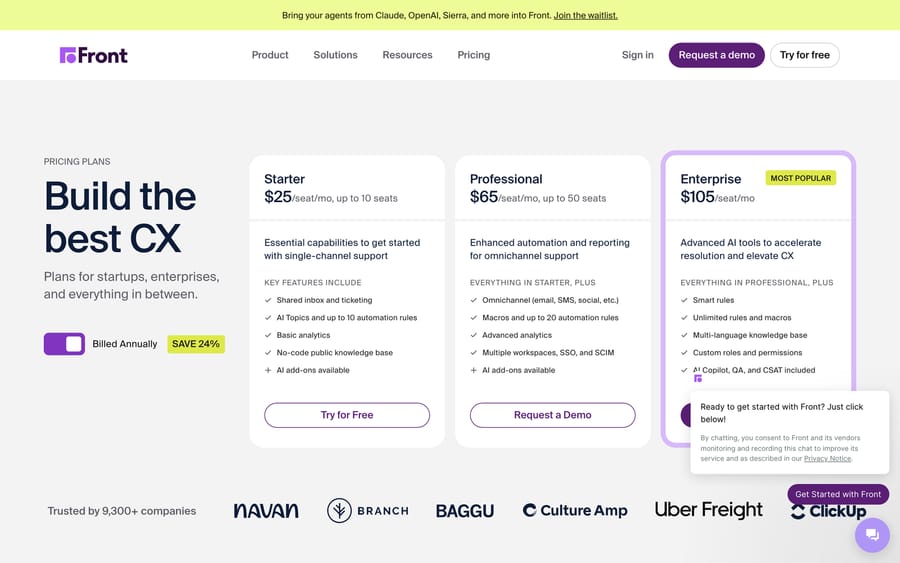
Per-seat pricing climbs steeply. Front's published plans are Starter $25 a seat a month (up to 10 seats), Professional $65 (up to 50 seats) and Enterprise $105, all billed annually, which the page says saves 24%. Starter is capped at single-channel support, so any team that wants social, SMS or chat lands on Professional or higher. Ten seats on Professional is $650 a month, or $7,800 a year.
That is the complaint people actually write down. On r/SaaS, one reply to "Does anyone have used a front alternatives" says Front "works well for small teams but gets expensive as hell when you scale." On r/sysadmin, the original poster of "Front App alternative" puts it in accounting terms: "The current pricing of approximately $50 per user, per month, on top of our existing Office 365 email service, is no longer justifiable." Reddit blocks our crawler, so both quotes come from search snippets captured on September 20, 2026; the threads are linked in the sources.
AI sits on top of the seat price. Front's Copilot, Smart QA and Smart CSAT are bundled at Enterprise and sold as add-ons below it, at $20, $20 and $10 a seat a month, and Autopilot, Front's AI agent, starts at $0.05 per conversation. That is a reasonable rate, but it stacks on a per-seat bill that already went up when you moved to Professional for the channels. Our Front AI explainer covers what each piece does.
It is a collaboration tool first and a help desk second. Front does shared inboxes and internal comments better than any ticketing system. If your bottleneck is granular SLAs, custom reporting, a public help center with real depth, or order data inside the conversation, a purpose-built help desk does more on day one.
Product changes break setups. Reviewers flag interface updates and changed rules behavior as a recurring irritation, which matters more than it sounds for a process-heavy operations team with 20 rules wired into a workflow.
Name your own reason before you read the list. Two of the four are fixable without leaving.
How did we compare the Front alternatives?
We looked at tools a Front team could realistically move to and grouped them by the shape of the product rather than a leaderboard. For each one we pulled the price from the vendor's own live pricing page on September 20, 2026, and recorded the billing unit, because the unit is what determines your bill at scale. We read Front's G2 profile in a browser the same day for the current rating and review count. Reddit is blocked to our crawler, so community quotes come from search snippets with the thread linked; Capterra's rating and the verbatim reviewer quotes further down were sourced when this guide was first published in June 2026 and are labeled with their dates.
Worth saying out loud: seven of the nine pages ranking for "front alternatives" on September 20, 2026 are written by vendors who appear on their own list. Missive wrote the page that ranks first. Zendesk, Crisp, Hiver, Kayako, Drag and Front itself wrote five more. We sell an AI agent layer, which is disclosed in its own section below and kept out of the comparison table.
Who are Front's competitors, by segment?
Searches for "Front competitors" return one ranked list containing Gmail add-ons, standalone email clients and full customer-service platforms, which hides the only thing that decides your choice: which segment you belong to. The shortlist gets easy once you name it, because each segment answers a different question.
Gmail-native tools (Hiver, Gmelius, Google's own Collaborative Inbox) add team features inside Gmail. Nobody learns a new interface, and you inherit Gmail's ceiling.
Standalone inbox apps (Missive, Help Scout, Spark, Superhuman, Front itself) are their own application connected to your email host, with collaboration built into the conversation.
Help desk platforms (Zendesk, Freshdesk, Gorgias, Zoho Desk, Kustomer, Tidio, Chatwoot) treat every message as a ticket with SLAs, reporting and customer history that Front deliberately keeps light.
Front lives in the middle segment, which is why it feels heavier than the Gmail add-ons and lighter than the help desks. Most bad switches happen when a team crosses two segments to fix a one-segment problem.
Onboarding cost runs the other way
The segments also rank cleanly on how long it takes to get live, and it is the inverse of their depth.
Gmail-native tools go live the day you install them, because there is no new interface to learn. Standalone apps including Front and Missive ask the whole team to adopt a new surface, which is a real lift that pays back in a purpose-built collaboration view. Help desks demand the most: SLAs, routing rules, ticket fields and a knowledge base before the first ticket behaves properly. That setup is the price of the depth, not a flaw, but it is the cost teams forget when they cross two segments at once.
Superhuman is the odd one out. It onboards a person in an afternoon and a support team slowly, because it is built around individual keyboard speed rather than a queue.
Where do Spark, Superhuman, Tidio and Kustomer fit?
They come up in the "Front competitors" searches and are worth placing, even though none of them is the right answer for most people leaving Front.
Spark Mail is the budget standalone client: free, then Plus at $8.25 a user a month annually ($10 monthly) and Pro at $16.58 annually ($20 monthly). Shared inboxes, shared threads, drafts and templates land on Plus and above, with 2 free active collaborators on Plus and unlimited on Pro. It is email only, and the collaboration is shallow next to Front or Missive. Choose it if a small team wants a fast client with a bit of sharing, not a support desk.
Superhuman is the speed play, and the one price in this guide we could not read at source: its pricing page renders in the browser, so a fetch on September 20, 2026 returned no figures. Third-party trackers consistently report Starter at $30 a user a month or $300 a year, working out at $25, and Business at $40 monthly or $396 a year, about $33. Treat those as reported rather than checked. The plan split is clearer: Starter carries shared conversations and team comments, Business adds auto drafts, Ask AI, custom auto labels and the HubSpot and Salesforce integrations. It is the fastest keyboard-driven email here and it is not a shared support inbox. Choose it for founders and sales teams, not for a queue.
Tidio comes at Front from the chat side. Free, then Starter at $24.17 a month for 100 billable conversations, Growth from $49.17 from 250, and Plus from $300 plus usage. Its Lyro AI agent is metered separately, from $32.50 a month for 50 Lyro conversations, and the free plan's 50 Lyro conversations are a one-off allowance rather than a monthly one. Note the billing unit: you are buying conversations, not seats, which is cheap with a small team and expensive with a busy widget. Choose it if a live chat widget on a storefront is the actual job.
Kustomer is the enterprise end of the map, and the one that replaces the inbox metaphor entirely with a CRM-style customer timeline. It does not publish prices: the page is quote-gated, and third-party trackers put the seat plans at roughly $89 and $139 a seat a month billed annually on an eight-seat minimum, with AI sold separately on top. That floor is around $8,500 a year before anyone has answered a ticket. Our Kustomer pricing breakdown has the detail. Choose it if you genuinely need the customer record to be the primary object; if you are leaving Front over per-seat cost, this is the wrong direction.
Is there a free or open-source Front alternative?
Four options cost nothing to start, and they are genuinely different from each other.
Chatwoot is open source and gives you a real choice: its Hacker plan is $0 a month for up to 2 agents and 500 conversations, or you self-host the community edition on your own server for the cost of the server. Cloud plans run $19, $39 and $99 per agent per month, and its Captain AI is sold separately at $20 per 1,000 credits. This is the only tool here where "free" scales, because self-hosting has no seat count.
FreeScout describes itself as "the super lightweight and powerful free open source help desk and shared inbox built with PHP (Laravel framework)", with unlimited agents, tickets and mailboxes in the free core and paid modules sold on top. It runs on shared hosting, which makes it the cheapest credible shared inbox in this guide if somebody on your team is comfortable with a LAMP stack.
Help Scout's free plan covers 5 users, 1 inbox and 1 Docs site with unlimited saved replies and tags. That is a working shared inbox for a small team, not a trial.
Crisp's free plan is $0 for 2 seats with the chat widget, shared inbox and mobile apps, though it includes no AI credits.
Google Groups Collaborative Inbox is included in a Google Workspace subscription you probably already pay for. It has assignment and resolution states and nothing else, which is enough for a two-person ops@ address and nowhere near enough for a support team.
The incentive to read here is the vendor's, not yours. A free tier capped at 2 seats exists to get the second and third teammate added, at which point the per-seat meter starts. Chatwoot's self-hosted edition and FreeScout are the two where the vendor's revenue comes from support contracts and modules instead of seats, which is why their free tiers have no headcount limit.
What does each Front alternative cost, and who is it for?
Missive: the closest thing to Front, for a third of the seat price
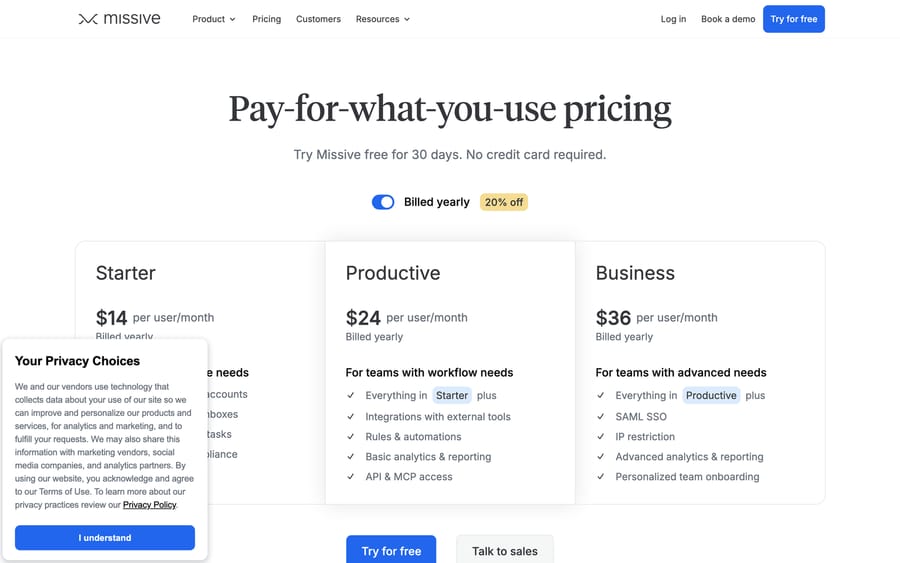
A collaborative inbox built around email, SMS and social with threaded team chat inside the conversation. Starter is $14 a user a month for up to 5 users, Productive $24 for up to 50, Business $36 with no user cap, and there is a 30-day free trial with no card; yearly billing takes 20% off. AI runs on Anthropic, OpenAI or Gemini, with a choice of Missive AI credits or your own key.
Choose it if per-seat cost is your reason for leaving and you want the same working model. Ten users on Productive is $240 a month against $650 on Front Professional. Reviewers consistently name search and the learning curve as the weak spots, and the integration catalog is much smaller than Front's.
Help Scout: the simplest email-led inbox
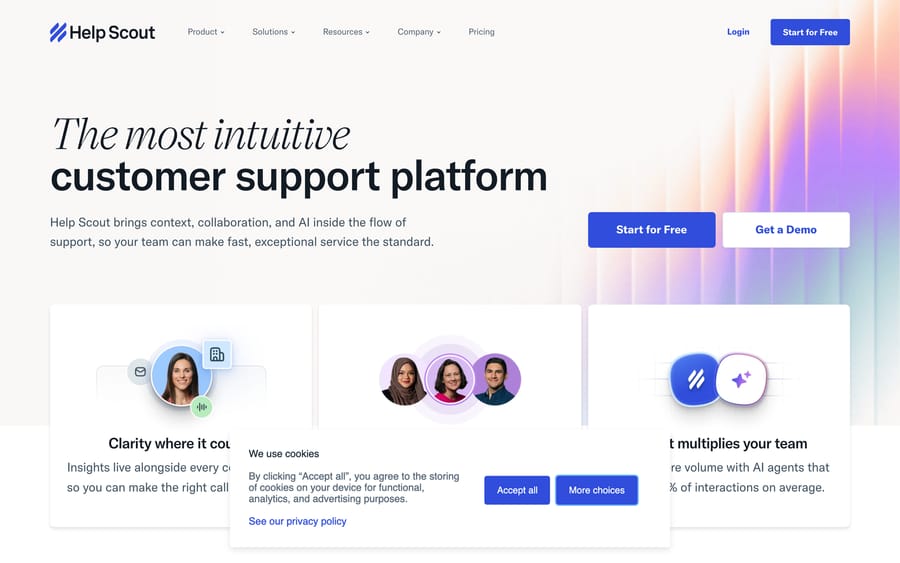
Email-first support that hides the ticket machinery, with Docs for a knowledge base, its chat widget and AI Answers. Free for 5 users with 1 inbox and 1 Docs site; Standard $25 a user (up to 25 users), Plus $45 (up to 50), Pro $75 with a 10-seat minimum. AI Answers bills $0.75 per resolution on top.
Choose it if your support is mostly email and Front feels like more product than you need. Skip it if SMS and social are load-bearing channels for you.
Hiver: Front's model without leaving Gmail
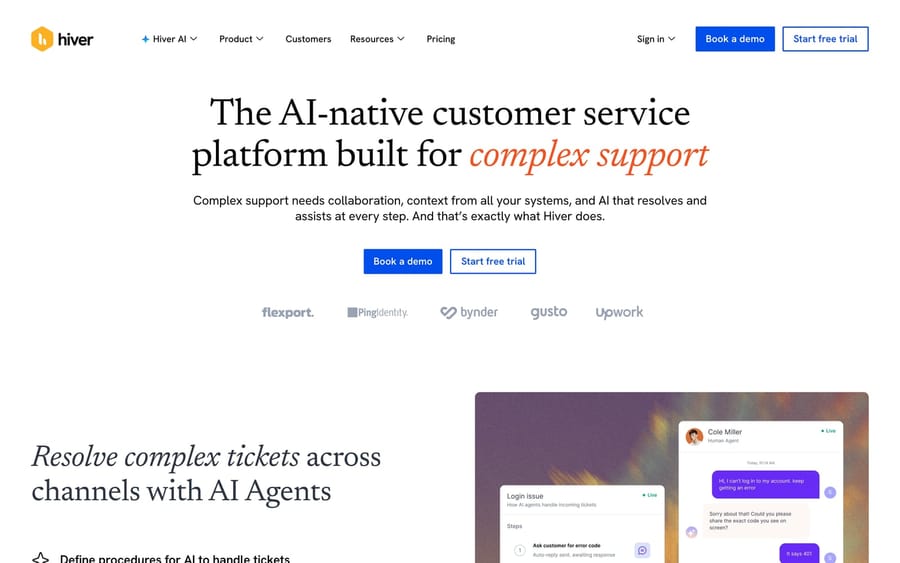
A help desk that runs inside Gmail, so there is no second application. Growth is $25 a user a month on annual billing ($35 monthly), Pro $55 ($65), Elite $85 ($95). Voice is a $30 per voice seat add-on including 1,000 minutes, then $0.03 a minute. One change worth knowing: Hiver's pricing page now offers a 7-day trial of Elite rather than the free plan earlier versions of this guide described.
Choose it if your team already lives in Google Workspace and onboarding time is the real cost. The ceiling is Gmail's.
Gmelius: Gmail collaboration with real automation
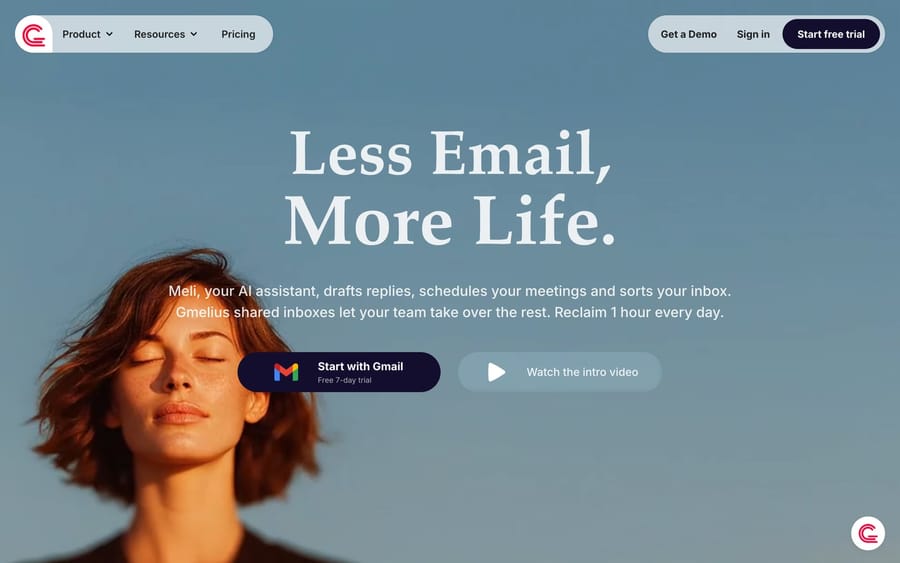
A shared-inbox and automation layer on Gmail, with Kanban boards and multi-step sequences that go further than most Gmail add-ons. Meli is $19 a user a month annually ($21 monthly), Growth $25 ($33), Pro $40 ($50), with Enterprise custom above 50 users.
Choose it if you are committed to Gmail and your reason for leaving Front is rules rather than price alone.
Zendesk: the deepest help desk on the list
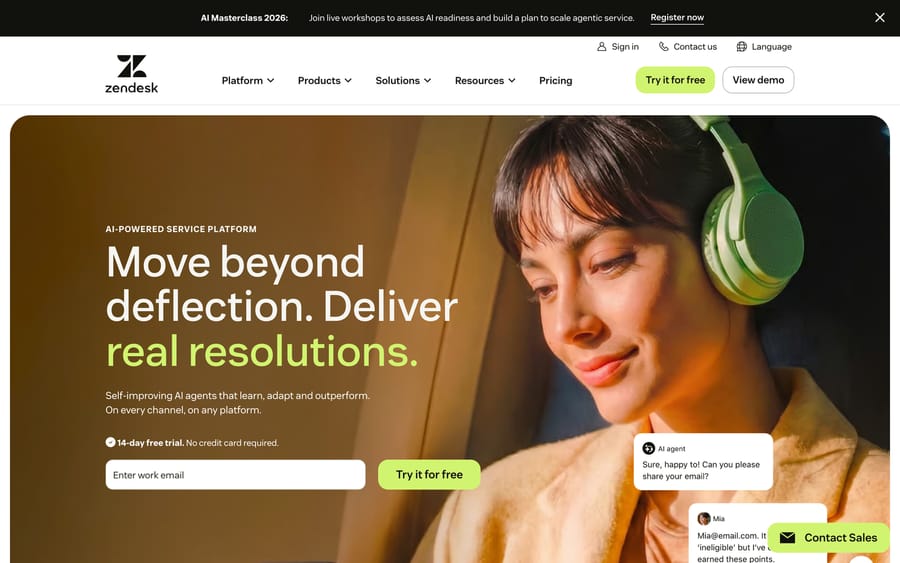
Omnichannel ticketing, a large app marketplace, Explore reporting and native AI agents. Support Team is $19 an agent a month on annual billing, Suite Team $55, Suite Professional $115, with Enterprise quote-only. AI is metered separately: automated resolutions run $1.50 each on a committed plan, or $2.00 pay-as-you-go, against a monthly dollar allowance per seat of $2 on Suite Team, $5 on Growth and Professional and $10 on Enterprise.
Choose it if SLAs, routing and reporting are why you are leaving. The per-resolution meter is worth modeling before you sign: it earns Zendesk more the more tickets your self-service fails to prevent, which is a strange incentive to hand a supplier.
Freshdesk: more automation per dollar
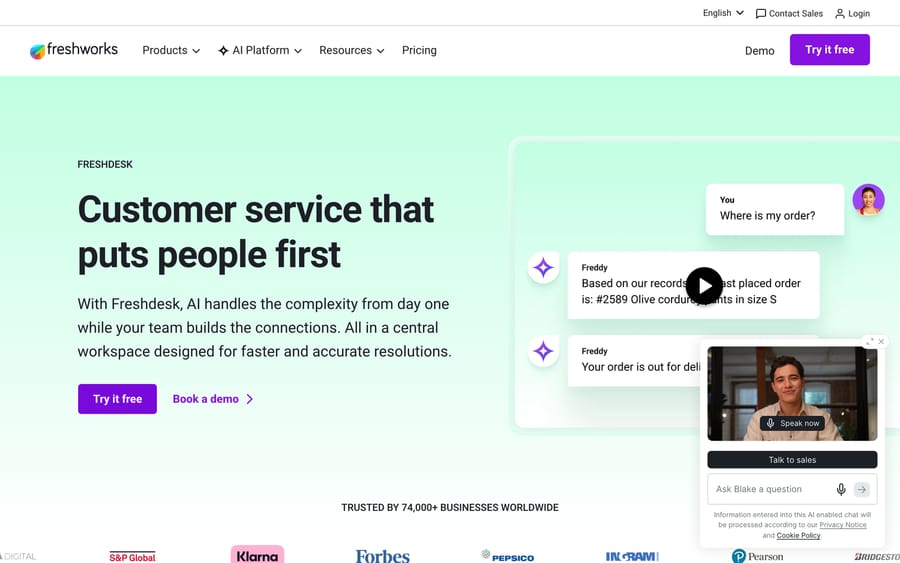
Freshworks' help desk: omnichannel ticketing, dispatch rules, SLAs and a knowledge base. Growth is $19 an agent a month annually, Pro $55, Enterprise $89, with a 14-day Enterprise trial. Freddy AI Agent gives 500 free sessions once per account, then bills $49 per 100 sessions, so 1,200 sessions a month is $588.
Choose it if you want Zendesk-shaped depth at a lower seat price. Note that the permanent free tier for 2 agents that earlier editions of this guide listed is no longer on the pricing page.
Fin, formerly Intercom: the AI-first, chat-led option
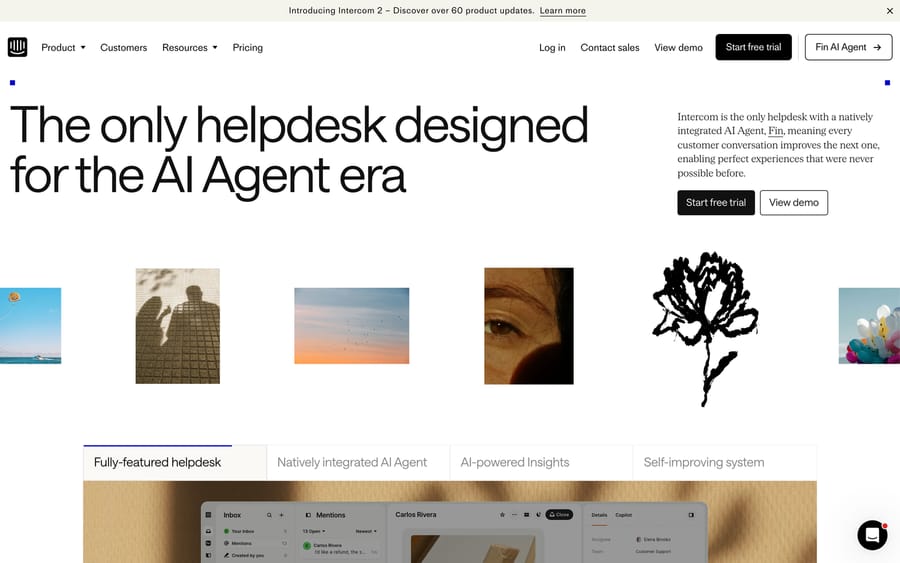
The company renamed itself from Intercom to Fin on May 12, 2026, and Salesforce completed its acquisition on September 10, 2026. Intercom remains the name of the help desk. Advanced and Expert seats are $85 and $132 a seat a month billed annually, or $99 and $139 billed monthly; the entry Essential plan is $29 a seat a month billed annually ($39 monthly); on September 24, 2026 Intercom was also testing a $19 annual price with some visitors. Fin bills $0.99 per outcome; the 50-outcome monthly minimum applies when Fin runs on a help desk other than Intercom. An outcome is defined on Fin's own pricing page as "No further help is requested after Fin's last answer."
Choose it if in-app chat is your primary channel and deflection is the number you are managing. Two meters running at once makes the bill hard to forecast, which is the complaint that shows up most.
Gorgias: the ecommerce specialist
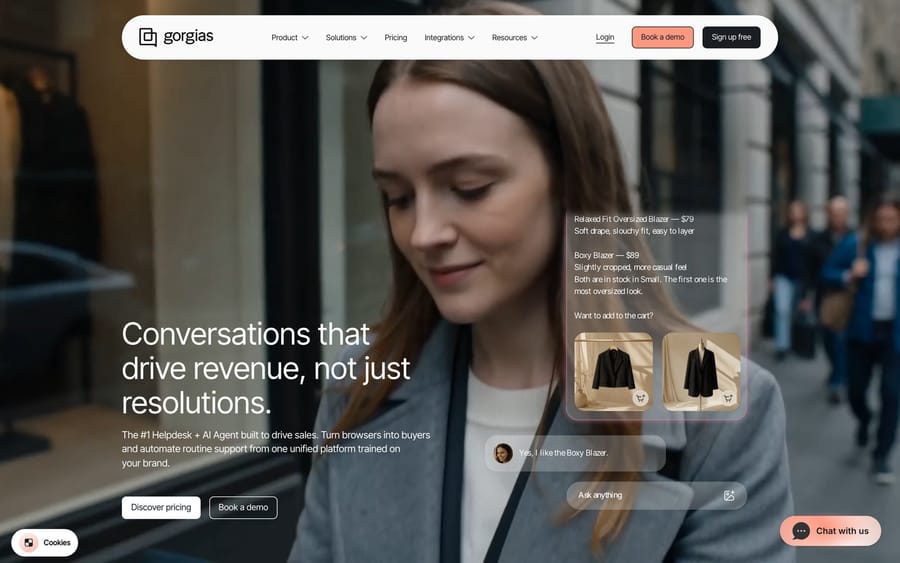
Purpose-built for Shopify-era retail, with order, refund and subscription data inside the ticket. Its pricing page states the model plainly: "Helpdesk scales from 50 to 5,000 tickets a month, never priced per agent", and "AI Agent on every plan, pay only when it resolves a conversation", with Voice and SMS as add-ons. On September 24, 2026 the tiers read: Starter $40 a month (50 tickets, 30 automated interactions, monthly billing only), Basic $77 billed annually or $90 monthly (300 tickets), Pro $471 or $550 (2,000 tickets, 190 automated interactions) and Advanced $1,227 or $1,430 (5,000 tickets, 530 automated interactions). Past the allowance, tickets cost $0.40 each ($0.36 on Pro and Advanced) and automated interactions $1.50 each.
Choose it if most of your conversations are about an order. Ticket-volume billing rewards a lean team handling high volume, and punishes a large team handling little.
Zoho Desk: the budget help desk
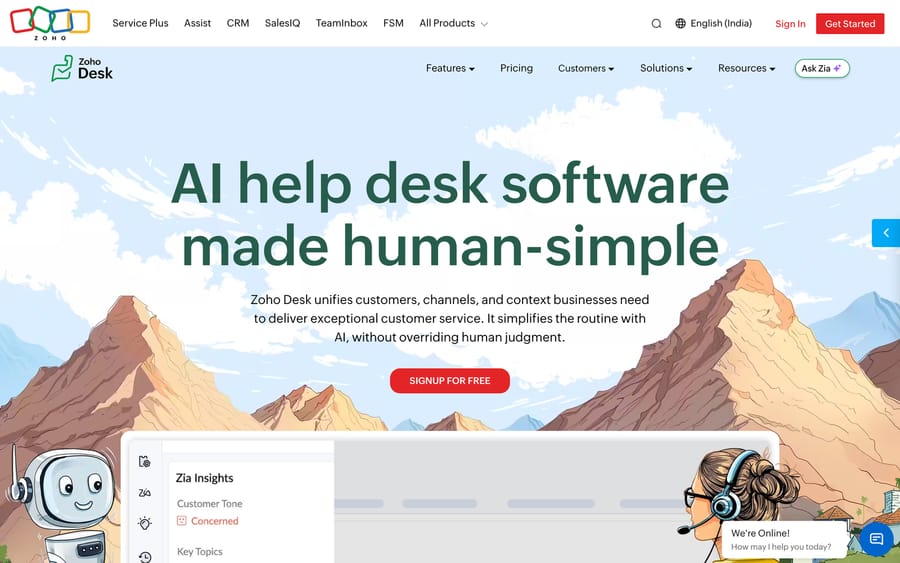
A deep help desk for the money, with Blueprint process automation, Zia AI and tight links into the rest of Zoho. The free edition covers 3 users with basic email ticketing.
One honesty note on price: Zoho's pricing page geolocates, and the page served to us showed Express ₹420, Standard ₹800, Professional ₹1,400 and Enterprise ₹2,400 per user per month billed annually. The currency selector offered only rupees from where we were browsing, so we are not printing a USD figure we could not read. Check the page from your own country before you budget.
Choose it if you already run Zoho CRM or Zoho One. Skip it if the inbox feel is what you liked about Front.
Crisp: flat pricing that ignores headcount
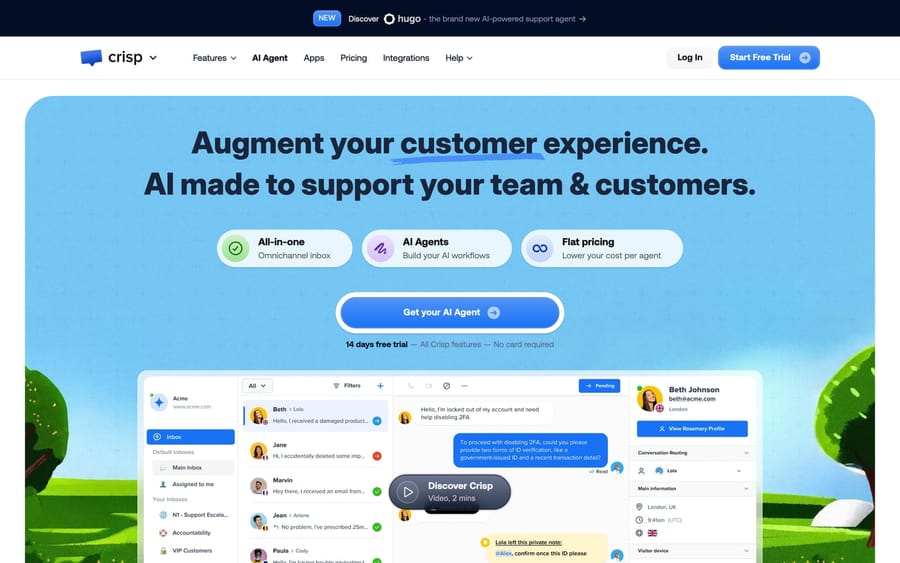
An all-in-one messaging tool built around live chat, sold per workspace rather than per seat. Free is $0 with 2 seats and no AI credits; Mini $45 a month, Essentials $95, Plus $295, each including $5, $25 and $75 of AI credits respectively.
Choose it if chat is your main channel and you keep adding part-time agents, because a flat workspace price is the one model here that does not charge for headcount.
Chatwoot: open source, and free if you self-host
Covered in the free section above. Worth repeating here because it is the only tool in this guide that belongs in both lists: Hacker $0 for 2 agents and 500 conversations, cloud plans at $19, $39 and $99 per agent per month, or the community edition on your own infrastructure.
What do real users say about Front?
Ratings give you the average and reviews give you the reason. Front holds 4.7 out of 5 across 2,511 G2 reviews, which we read on September 20, 2026, and 4.5 out of 5 from about 286 Capterra reviews as recorded in this guide's June 2026 edition. Praise clusters on collaboration; criticism clusters on price and product churn. Four verbatim Capterra reviews, sourced when this guide was first written:
"The shared inbox functionality is a game-changer, making collaboration seamless and ensuring no messages slip through the cracks." Jay M., Director (Real Estate), Capterra, March 2025.
"Front's collaboration, shared inbox system and ability to coordinate with people on my team make it a necessity in our core tech stack." Emily H., Marketing and Technology (Real Estate), Capterra, May 2025.
"Pricing is quite steep, and depth of rules only goes so far, for example SLA functionality is limited." Tamir H., General Counsel (Law Practice), Capterra, June 2025.
"Recently they've changed the user interface which looks horrible... It's unworkable at the moment." Robert K., Director (Computer and Network Security), Capterra, August 2025.
The r/smallbusiness thread "Best shared inbox tools for team email?" lands in the same place from the other direction: "I chose Missive App over front. It's cheaper and in my opinion much better."
Who should stay on Front?
If your team is collaborative, multi-channel and lives in a shared inbox all day, Front is still the best expression of that model and switching will cost you more than it saves. Its rules engine, its internal comments and its channel coverage are real, its G2 rating is the highest of any general-purpose tool in this guide, and its integration catalog is larger than every standalone rival here. Two of the four reasons teams leave, AI cost and rules depth, can be addressed on Front. Leaving over one missing feature is an expensive way to fix it.
Can you keep Front and add an AI agent instead?
Disclosure: we make an AI agent product, so read this section knowing that.
If the real problem is that too many repetitive conversations reach a human, changing inboxes solves nothing. The same tickets arrive in the new tool. Macha is an agent layer that sits on top of the help desk you already run, including Front: it reads the conversation, drafts or sends the reply from your connected knowledge and data, tags and routes what it cannot answer, and hands over with context when it is not confident. It never replaces Front.
Pricing is one plan on monthly ticket volume, from $299 a month for 750 tickets, about $0.40 a ticket at every tier, with setup and monitoring by our team included. A ticket is one thread with one person, charged once however many replies it takes. That unit is deliberate: we earn the same whether the agent answers in one message or five, so there is nothing to gain from a longer conversation. The trial is $50 of free usage with no credit card. See Macha on Front and pricing.
It suits teams already running Zendesk, Freshdesk, Gorgias, Front, HubSpot or Intercom who want agents acting inside the ticket. It is the wrong choice if you want a chat widget of your own, or if your queue is small enough that a human clears it before lunch.
How do you choose the right Front alternative?
Name your real reason for leaving. Price points to Missive, Gmelius, Zoho Desk or Chatwoot. Help desk depth and SLAs point to Zendesk, Freshdesk or Zoho Desk. Chat and AI point to Fin or Crisp. Ecommerce points to Gorgias. Staying in Gmail points to Hiver or Gmelius. A simpler email inbox points to Help Scout.
Match the billing unit to your shape. Per-seat billing punishes teams that grow headcount faster than volume. Ticket-volume billing punishes the reverse. Flat workspace pricing, which only Crisp offers here, ignores both. Work out which of the three matches your next 18 months before you compare sticker prices.
Model the total cost with AI included. Add the AI meter to the seat price at your real volume: $0.75 a resolution on Help Scout, $0.99 an outcome on Fin, $1.50 an automated interaction past the allowance on Gorgias, $1.50 committed or $2.00 pay-as-you-go on Zendesk, $49 per 100 sessions on Freshdesk, $0.05 a conversation on Front's own Autopilot. Two tools with the same seat price can differ by thousands a year once the meter runs.
Count the migration honestly. Rules, macros, tags, integrations and saved replies are all rebuilt by hand. That is weeks of somebody's time, and it is worth it for a structural problem rather than a feature gap.
Pilot on a real slice of the queue. Run the shortlist on live conversations for two weeks and measure first response time, resolution rate and CSAT against your Front baseline.
Frequently asked questions
What is the best Front alternative in 2026? It depends on which complaint you are fixing. Missive is the closest like-for-like swap and costs $14 to $36 a user a month against Front's $25 to $105. Zendesk and Freshdesk are the upgrades if you need ticketing depth. Help Scout is the simplest email-led inbox. Gorgias owns ecommerce, Fin leads on chat and AI, and Hiver or Gmelius win if you are staying in Gmail.
Is there a free Front alternative? Yes, four of them. Chatwoot's Hacker plan is $0 a month for up to 2 agents and 500 conversations, and its community edition is open source and self-hostable with no seat limit. FreeScout's core is a free open-source help desk with unlimited agents and mailboxes. Help Scout's free plan covers 5 users, 1 inbox and 1 Docs site. Crisp's free plan covers 2 seats without AI credits. Google Groups Collaborative Inbox is included in Google Workspace if all you need is assignment.
Who are Front's biggest competitors? By segment: Missive and Help Scout among standalone inbox apps, Hiver and Gmelius among Gmail-native tools, and Zendesk, Freshdesk, Gorgias, Zoho Desk and Chatwoot among help desks. There is one more worth naming: seven of the nine pages ranking for "front alternatives" are written by vendors listing themselves, so treat the ordering on those pages as marketing rather than research.
What is the cheapest alternative to Front? Self-hosted Chatwoot or FreeScout, where the software is free and you pay for a server. Among hosted tools, Missive Starter at $14 a user a month and Zoho Desk's free 3-user edition are the cheapest credible options. Remember to add the AI meter before you compare.
Is Missive better than Front? For collaboration-first teams on a budget, Missive matches the model at roughly a third of the seat cost, with team chat inside the conversation. Front wins on channel breadth, rules depth and a much larger integration catalog. Reviewers name Missive's search and learning curve as its weak points, so trial it on real mail before committing.
Can I add an AI agent to Front instead of switching? Yes. Front has its own AI, with Copilot, Smart QA and Smart CSAT bundled at Enterprise and Autopilot starting at $0.05 a conversation, and Copilot at $20 a seat a month below Enterprise. Third-party agent layers also connect to Front, including ours. If AI cost or deflection is your reason for shopping, fix that before you rebuild every rule in a new tool.
Does Front have good reporting and SLAs? It covers the basics, and reviewers repeatedly say the rules and SLA depth stops short of a dedicated help desk. One Capterra reviewer's phrasing, from June 2025: "depth of rules only goes so far, for example SLA functionality is limited." If SLAs and custom reporting are the reason you are leaving, Zendesk Explore, Freshdesk or Zoho Desk offer materially more.
Should I use a Gmail add-on or a standalone inbox? If your team is committed to staying inside Gmail, a Gmail-native tool like Hiver or Gmelius is fastest to adopt, because there is no new interface and you are live the same day. If you want a purpose-built collaboration surface, support more than one email host, or need channels beyond email, a standalone app like Front, Missive or Help Scout is the better fit. Crossing that line is the switch teams most often regret, in both directions.
Is Kustomer or Tidio a real Front alternative? They are competitors rather than swaps, because both sit in a different segment. Kustomer replaces the shared inbox with a CRM-style customer timeline and is quote-only, with trackers putting seats around $89 and $139 a month on an eight-seat minimum. Tidio bills by conversation instead of by seat and leads with a chat widget, from free to $24.17 a month for 100 billable conversations. Pick either because the segment fits, not because Front's seat price stung.
How much does Front actually cost for a 10-person team? On Professional, $65 a seat a month billed annually, so $650 a month or $7,800 a year, before any AI add-on. Starter at $25 is capped at single-channel support and 10 seats, so most 10-person teams that want social or SMS land on Professional. Our full breakdown is in how much Front really costs.
Sources:
- Front pricing (checked September 20 and 24, 2026)
- Front on G2 (4.7/5 from 2,511 reviews, read in a browser September 20, 2026)
- Missive pricing, Help Scout pricing, Hiver pricing, Gmelius pricing
- Zendesk pricing, Freshdesk pricing, Gorgias pricing, Zoho Desk pricing
- Crisp pricing, Chatwoot pricing, FreeScout
- Spark Mail pricing, Tidio pricing, Superhuman pricing (renders client-side; figures reported by trackers, not read at source), Kustomer on Capterra (all read September 20, 2026)
- Fin pricing, Intercom pricing and Managing resolution allowances (Zendesk help center)
- Reddit threads cited from search snippets: r/SaaS, r/sysadmin, r/smallbusiness
Add AI agents to your Front
Macha reads the conversation, drafts the reply and takes the action, inside the Front you already run.





