





 Shopify
 Stripe
 Slack
Slack Notion
 Google Workspace
 Confluence

What Is Kustomer? The CRM-Based Customer Service Platform Explained (2026)


Kustomer is a CRM-based customer service platform that organizes support around a single customer timeline rather than a ticket queue, and it sells by custom quote on annual contracts. Founded in 2015 and owned by Meta from 2022, it has been independent again since May 2023.
Key takeaways
- Kustomer is a CRM-based customer service platform that puts every conversation, order and data point for a customer on one timeline instead of a ticket queue.
- Kustomer was founded in 2015 by Brad Birnbaum and Jeremy Suriel, bought by Meta in a deal closed February 2022, and spun back out in May 2023.
- Kustomer now presents its AI as four products: Concierge for customers, Envoy for reps, Architect for building experiences, and Data Explorer for goal-driven optimization.
- Kustomer publishes no prices; eesel reports customer-facing AI at $0.60 per engaged conversation and a rep copilot at $40 per user per month, on annual contracts.
- Macha does not integrate with Kustomer today, so Kustomer teams rely on Kustomer's own AI, which is priced separately from the platform.

Kustomer is a CRM-based customer service platform that puts every conversation, order and data point for a customer on one timeline instead of a ticket queue, and it sells by custom quote only. It was founded in 2015, owned by Meta from 2022, and has been independent again since May 2023. Its AI now ships under four names: Concierge, Envoy, Architect and Data Explorer (checked against Kustomer's site in September 2026).
| Question | Short answer |
|---|---|
| What it is | A CRM and a customer service platform in one, built around a per-customer timeline |
| Who makes it | Kustomer, Inc., founded 2015 by Brad Birnbaum and Jeremy Suriel; independent since May 2023 |
| AI products | Concierge (customer-facing), Envoy (for reps), Architect (build and tune), Data Explorer (goal-driven optimization) |
| Pricing | Quote-only, annual contract; eesel reports $0.60 per engaged conversation for customer-facing AI |
| Best for | Mid-market and enterprise B2C teams (ecommerce, retail, travel) with high volume |
Who makes Kustomer?
Kustomer's corporate history is unusually eventful for a support platform, and it explains a lot about where the product sits today:
- Founded in 2015 by Brad Birnbaum and Jeremy Suriel. Birnbaum had previously co-founded Assistly, which became Desk.com after Salesforce acquired it, so Kustomer was built by people who already knew the help-desk category and wanted to do it customer-first, not ticket-first.
- Acquired by Meta (Facebook). The deal was announced in November 2020 and, after regulatory review, closed in February 2022, reportedly for around $1 billion. The idea was to plug Kustomer into Meta's messaging surfaces (WhatsApp, Messenger, Instagram) for business support.
- Spun back out to independence in May 2023. During Meta's "year of efficiency," Kustomer was spun out at a reported valuation of about $250 million, with a $60 million infusion from earlier backers Battery Ventures, Redpoint and Boldstart. Birnbaum stayed on as CEO, and Meta kept a minority stake.
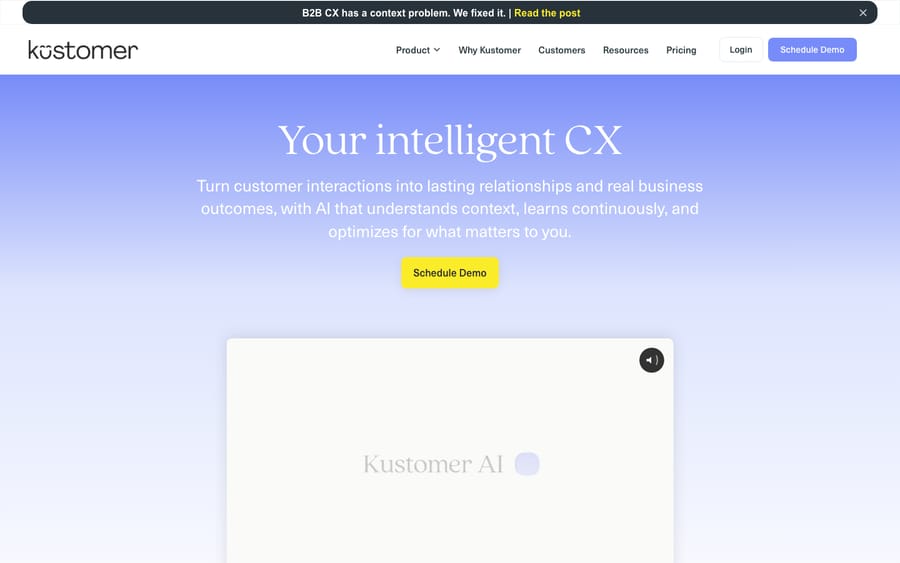
So Kustomer is an independent company again: VC-backed, led by its original founder, with a heritage in messaging-led, high-volume B2C support. Its homepage now says it serves 600+ B2C and B2B companies, naming Sweetgreen, Turo, SKIMS and Rappi.
What does Kustomer do?
Kustomer is best understood as a CRM and a customer service platform fused into one. Here's what that includes.
1. The omnichannel customer timeline
This is Kustomer's defining feature. Rather than a queue of tickets, Kustomer gives each customer a single timeline: a chronological feed of every interaction and event across email, chat, phone, SMS, WhatsApp, social and more. An agent opening a customer sees the whole relationship in one view (past conversations, orders, returns and account events side by side) instead of hunting across disconnected tickets. Conversations still exist, since they're how work gets assigned and resolved, but they hang off the customer record rather than defining it.
2. KObjects: the custom data model
Underneath the timeline sits Kustomer's CRM data model, built on Klasses and KObjects (its term for custom objects). You can model your own business data (order, shipment, subscription, policy, claim, loyalty tier) as structured objects tied to each customer. A furniture retailer can track delivery status, damage claims and warranty history as separate objects; an insurer can store policies and claim history. This is what lets agents, and AI, answer "where's my order?" or "what's my claim status?" without leaving the screen.
3. Kustomer's AI: Concierge, Envoy, Architect and Data Explorer
Kustomer's AI engine was long sold as Kustomer IQ, covering intent detection, routing and triage, sentiment analysis and answer suggestions. The homepage now presents the AI as four products:
- Concierge: customer-facing AI that "resolve[s] complex requests across every channel using full customer context."
- Envoy: gives human reps "the context, intelligence, and tools to drive the right outcome in every interaction."
- Architect: for building, deploying, analyzing and improving customer experiences.
- Data Explorer: you set a business goal and the AI's actions orient toward it.
Because the AI can read and write the customer and conversation objects directly, it can do real work (look up an order, update an address, issue a refund) inside an automated flow, not only answer FAQs.
An honest note: Kustomer's homepage quotes Vuori saying 70% of its chat conversations are fully automated with Kustomer's AI. Treat headline automation rates as best-case; real deflection depends on your data quality, ticket mix and how much configuration you put in.
4. Workflows and automation
Workflows are Kustomer's automation builder: a trigger (an event inside Kustomer or from a connected system) plus conditional logic that fires actions such as tag, assign, route, create records or call an external API. Callable Workflows let the conversational assistant and AI agents invoke these flows to do transactional work (check order status, issue refunds, update addresses) by talking to your other systems. Workflows can also fire when a KObject is created or updated, which enables proactive outreach, such as alerting a customer when their order status changes.
5. Self-service and proactive support
Kustomer supports self-service through its conversational assistant and knowledge content, and its messaging heritage shows in proactive, outbound support that reaches customers before they ask. Because everything is anchored to the timeline, self-service answers can use the specific customer's context rather than a generic script.
6. Reporting and analytics
Built-in reporting and data exploration cover the usual support metrics (volume, response and resolution times, CSAT, agent performance), plus the ability to slice by the custom CRM data you've modeled. Kustomer pitches this as business intelligence rather than support dashboards, since the data model captures more than tickets.
How is Kustomer different from a traditional help desk?
A traditional help desk (Zendesk, Freshdesk, Zoho Desk) is ticket-centric: the ticket is the atomic unit, and customer data is attached to it. Kustomer flips that. The customer is the atomic unit, and conversations and data attach to them. That changes the day-to-day: agents work from a single relationship view, AI has a richer data model to act on, and reporting can answer customer-lifetime questions, not just ticket-throughput ones.
The trade-off is weight. Kustomer's CRM model is more capable but also more to configure, and the platform is aimed at higher-volume teams rather than a small shared inbox.
How much does Kustomer cost?
Kustomer doesn't publish prices. Its pricing page says "We don't post one-size-fits-all pricing," offers a two-minute ROI assessment and a demo, and lists only pay-as-you-go usage for Kustomer Voice (talk, SMS and transcription) and WhatsApp, plus add-ons for a HIPAA-enabled subscription and implementation services.
The figures below come from eesel's Kustomer pricing breakdown (last edited May 2026), not from Kustomer's own rate card:
| Item | Reported price | Notes |
|---|---|---|
| Base platform | Not disclosed | Sold as "Kustomer AI" or "Kustomer AI + Platform"; quote from sales |
| Customer-facing AI agents | $0.60 per engaged conversation | Charged on top of the platform |
| Rep copilot | $40 per user per month | Platform path only |
| Data storage overage | $50 per GB per month | Attachment storage $1 per GB per month |
A few things to flag:
- Annual contracts. eesel reports that both purchase paths need an annual contract and a sales conversation.
- Older per-seat figures are out of date. Earlier third-party trackers listed an Enterprise plan around $89 a seat and Ultimate around $139, with an 8-seat minimum. Kustomer's current packaging doesn't use those plan names, so treat those numbers as history, not a quote.
- AI is priced separately from the platform, per engaged conversation for customers and per user for reps.
- Implementation can cost extra. Some configurations need a statement of work and an additional fee, and Kustomer publishes no fee schedule. Kustomer is an enterprise purchase, not a swipe-a-card signup.
The takeaway: Kustomer is priced and packaged for mid-market and enterprise teams. For a small team, the annual commitment and sales-led process will likely rule it out before features come up.
Who is Kustomer for?
Kustomer's sweet spot is high-volume B2C support, especially ecommerce, retail, travel and on-demand, plus larger B2B teams that want CRM-grade customer context. It fits if you:
- Handle lots of conversations across many channels (chat and messaging especially) and want one unified customer view.
- Need to model business data (orders, subscriptions, claims, loyalty) and have agents and AI act on it.
- Are mid-market or enterprise and can absorb an annual contract and a real implementation.
It's less ideal if you:
- Are a small or early-stage team: annual lock-in and setup overhead are a poor match for a simple shared inbox.
- Want transparent, self-serve pricing you can evaluate without a sales call.
- Run a mostly internal IT/ITSM use case. Kustomer is built for external customer service, not service management.
What are Kustomer's strengths and limits?
Strengths: a customer-centric data model (the timeline plus KObjects); strong omnichannel and messaging heritage; Workflows and Callable Workflows for transactional automation; AI split into customer-facing, rep-facing and builder products; reporting that goes beyond ticket metrics; a clear fit for high-volume B2C.
Limits: quote-only pricing with AI as a separate cost; annual contracts that exclude small teams; a heavier learning curve and real implementation effort; and a smaller third-party app ecosystem than the largest incumbents. If those trade-offs give you pause, our roundup of the best Kustomer alternatives walks through where each rival is stronger, and our guide to the best help desk software maps the wider category.
Can an AI agent layer work alongside Kustomer?
Kustomer's native AI is capable, and because it sits on a rich CRM data model it can do more than deflect FAQs. But the pattern across every support platform is the same: many tickets land in the middle, where they need a real answer pulled from your docs, past conversations or another system, resolved in the thread. With Kustomer, that AI is a separately priced add-on on top of an enterprise-level base.
That middle is where a dedicated AI agent layer like Macha comes in. Macha isn't a help desk or a Kustomer replacement. It runs on top of the help desk you already use: it reads the customer's question, draws on your connected knowledge and conversation history, resolves the issue in the same thread, and hands off to a human with full context when it isn't confident.
One honest caveat for Kustomer users: Macha connects to Zendesk, Freshdesk, Gorgias, Front, HubSpot or Intercom, and it does not integrate with Kustomer today. If you're committed to Kustomer, lean on its native AI and budget for the add-on. If you're on one of the desks Macha supports and your ticket mix is mostly repetitive questions your help center could answer, Macha is priced per ticket from $299 a month for up to 750 tickets, and you can start with $50 of free usage, no credit card required.
Frequently asked questions
What is Kustomer in simple terms? Kustomer is an AI-native customer service platform built around a CRM. Instead of organizing support as a queue of tickets, it gives each customer a single timeline that unifies every conversation, order and data point across channels, then layers AI and automation on top. It's made by Kustomer, Inc.
Is Kustomer a CRM or a help desk? Both. Kustomer fuses a customer CRM (its KObject/Klass data model) with customer service tooling (omnichannel conversations, workflows, AI), so agents work from a full relationship record rather than isolated tickets.
Who owns Kustomer? Kustomer is an independent, venture-backed company again. Meta acquired it in a deal announced in 2020 and closed in February 2022 (reportedly about $1B), then spun it out in May 2023 at a reported valuation of about $250M, with founder Brad Birnbaum staying on as CEO and Meta keeping a minority stake.
How much does Kustomer cost? Kustomer doesn't publish prices; you get a quote from sales on an annual contract. eesel reports customer-facing AI at $0.60 per engaged conversation and the rep copilot at $40 per user per month, on top of an undisclosed platform price. Voice, SMS, transcription and WhatsApp are pay-as-you-go.
What is Kustomer IQ? Kustomer IQ was the name for Kustomer's AI engine: intent detection, routing and triage, sentiment analysis, answer suggestions and customer-facing deflection. Kustomer's site now presents its AI as Concierge (customer-facing), Envoy (for reps), Architect and Data Explorer.
What are KObjects in Kustomer? KObjects are Kustomer's custom data objects (instances of custom "Klasses"). They let you model your own business data, such as orders, subscriptions, claims and loyalty tiers, and tie it to each customer's timeline, so agents and AI can read and act on real account data.
Is Kustomer worth shortlisting?
Shortlist Kustomer if you're a mid-market or enterprise B2C team (ecommerce, retail, travel) that wants support organized around the customer rather than the ticket, and you can handle quote-based annual pricing and a real implementation. Skip it if you're a small team or want transparent, self-serve plans. After its detour through Meta, Kustomer is independent and leaning hard into its AI-plus-CRM positioning.
Checked against Kustomer's homepage and pricing page, September 2026. Add-on prices come from eesel's May 2026 breakdown because Kustomer's pricing is quote-based; confirm current figures with Kustomer before relying on them.






