





 Shopify
 Stripe
 Slack
Slack Notion
 Google Workspace
 Confluence

What Is LiveAgent? Quality Unit's Help Desk and Live Chat Software Explained (2026)


LiveAgent is an all-in-one help desk and live chat tool from Quality Unit, a Slovak company, that turns email, chat, calls, social messages and contact forms into tickets in one inbox. Paid plans start at $15 per agent a month billed annually, and there is a forever-free plan.
Key takeaways
- LiveAgent is an all-in-one help desk and live chat tool from Quality Unit, with paid plans from $15 per agent a month billed annually.
- Quality Unit, based in Bratislava, Slovakia, was founded in 2004 by Viktor Zeman and Andrej Zeman after they couldn't find a tool combining live chat with ticketing.
- LiveAgent's paid tiers cost $15, $29, $49 and $69 per agent a month billed annually, or $19, $35, $59 and $85 billed monthly.
- The forever-free LiveAgent plan includes one email address and one chat button but hides ticket messages older than 7 days until you upgrade.
- LiveAgent holds a 4.7 out of 5 rating on Capterra across 1,776 reviews, with reviewers praising value and noting a dated interface.

LiveAgent is an all-in-one help desk and live chat tool made by Quality Unit, a Slovak software company, with paid plans from $15 per agent a month billed annually. It turns email, live chat, phone calls, social messages and contact forms into tickets in one shared inbox, and it has a forever-free plan plus a 30-day trial with no credit card (LiveAgent pricing, checked 24 September 2026).
| Question | Answer (checked 24 September 2026) |
|---|---|
| Maker | Quality Unit, LLC, Bratislava, Slovakia (founded 2004) |
| Channels | Email, live chat, phone call center, social and messaging, contact forms |
| Price | $15, $29, $49 or $69 per agent a month billed annually; $19, $35, $59 or $85 monthly |
| Free option | Forever-free plan; 30-day trial of paid features, no credit card |
| AI | AI Chatbot and AI Answer Assistant on every paid plan |
| Rating | 4.7 out of 5 on Capterra from 1,776 reviews |
Who makes LiveAgent?
LiveAgent is the flagship product of Quality Unit, LLC, based in Bratislava, Slovakia. The company's origin story explains the product's personality:
- Quality Unit was founded in 2004 by Viktor Zeman and Andrej Zeman as a software development shop. Running their own business, they found communicating with customers in real time clumsy, went looking for a tool that combined live chat with ticketing, couldn't find one they liked, and built LiveAgent themselves (LiveAgent company background).
- That "we built it because we needed it" heritage shows. LiveAgent started with live chat and grew outward into a full help desk, which is why its chat is so central to the pitch and why the product feels practical and channel-first rather than enterprise-process-first.
- Quality Unit is privately held and self-funded (it took no major venture rounds), which is a big part of why LiveAgent competes so hard on price. Viktor Zeman remains CEO and co-founder.
LiveAgent says it now serves 150 million+ end users across 40,000+ businesses, and lists customers including BMW, Yamaha, Huawei, and Oxford University (vendor-stated figures). So this isn't a scrappy newcomer. It's a long-running, profitable SMB tool that has quietly racked up a large install base by bundling many channels cheaply.
What does LiveAgent do?
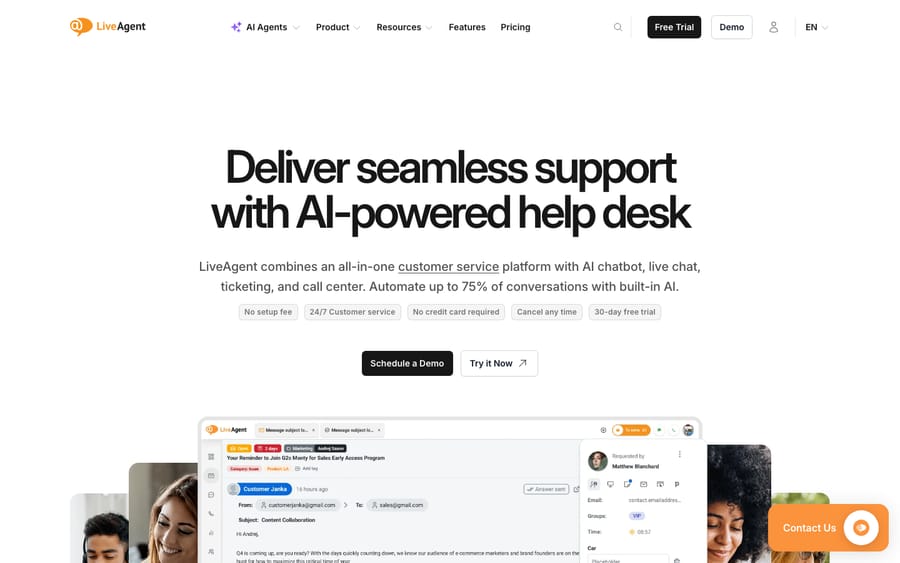
At its heart LiveAgent is a ticketing system wrapped in an unusually broad set of channels, plus gamification and AI on top. Here's what that actually includes.
1. Universal inbox and ticketing
Every customer request — an email, a chat, a phone call, a Facebook comment, a contact-form submission — lands in one universal inbox and becomes a ticket: a single record holding the full conversation, the customer's details, status, priority, and assignment. Automated ticket distribution routes work to the right agent, and a single thread can stitch together messages a customer sent across different channels, so a chat this morning and last week's email sit in one place.
2. Hybrid ticket stream
This is one of LiveAgent's distinctive touches. The hybrid ticket stream lets an agent follow a single customer through multiple channels inside one ticket — start in live chat, continue by email, pick up a phone call — without the conversation fragmenting into separate records. For teams whose customers hop between channels, it's a genuinely useful way to keep context together.
3. Native live chat
Live chat is LiveAgent's origin and still its headline. The chat widget is fast to load, and LiveAgent markets it as "the fastest live chat on the market." It includes the features you'd expect — proactive chat invitations, real-time typing view (agents can see what a visitor is typing before they hit send), canned messages, and visitor tracking. If live chat is your priority channel, this is one of LiveAgent's strongest reasons to exist.
4. Built-in call center (VoIP)
LiveAgent includes a cloud call center rather than bolting one on — inbound and outbound calls, IVR menus, call routing, call recording, and callback requests, all logged as tickets. Having a real phone channel inside the same tool (rather than a third-party integration) is unusual at this price point and a recurring reason teams choose it.
5. Social media channels
LiveAgent connects to the major social and messaging platforms — Facebook, Instagram, X (Twitter), WhatsApp, Viber, and Telegram — so mentions and DMs become tickets alongside everything else. Social channels are included on the Large and Enterprise plans. On lower plans some are sold as add-ons; LiveAgent's pricing page lists WhatsApp at $39 a month on Small and Medium.
6. Knowledge base and self-service
LiveAgent includes a customer-facing knowledge base and customer portal (with a WYSIWYG editor, articles, forums, and feedback boards) so customers can answer their own questions, plus an internal knowledge base for your team's private docs. The same articles can feed the AI chatbot for automated deflection.
7. Gamification
A more unusual feature: LiveAgent gamifies agent performance with badges, levels, leaderboards, and rewards. It's aimed at busy SMB and BPO-style teams that want to motivate agents and make response-time targets a bit more engaging — something most rivals don't offer natively.
8. AI features
LiveAgent's AI is included on every paid plan, not gated to the top tier, and covers the now-standard pieces: an AI chatbot that answers from your knowledge base, AI answer/reply assistance for agents, automated ticket categorization, and human handover when the bot isn't confident. Treat AI deflection numbers as best-case — real results depend on how good your knowledge base is and how repetitive your ticket mix is.
9. Reporting, time tracking, and apps
Built-in reports and dashboards cover ticket volume, agent performance, channel metrics, and SLA compliance; there's time tracking, SLA management, mobile apps for iOS and Android, support for 43 languages, and GDPR compliance. Deeper reports, SLAs, and time rules arrive on the Medium tier and up.
How much does LiveAgent cost?
LiveAgent uses a tiered, per-agent model with a genuinely free entry point and a 30-day trial. As of 24 September 2026, the plans are (USD, per agent/month billed annually):
| Plan | Price (per agent/mo, annual) | What it adds |
|---|---|---|
| Free | $0 (forever, limited) | 1 email address, 1 chat button, 1 phone number, contact forms, basic reports, unlimited agents; 7-day ticket-history visibility, no integrations, no automation, no SLAs |
| Small | $15 | Full ticketing, live chat, knowledge base, contact forms, AI Assistant + AI Chatbot |
| Medium | $29 | Everything in Small + call center/IVR, SLA, time rules, advanced reports |
| Large (most popular) | $49 | Everything in Medium + social channels (Facebook, Instagram, X, WhatsApp, Viber, Telegram), SSO, custom roles |
| Enterprise | $69 | Everything in Large + dedicated account manager, priority 24/7 support, assisted integration |
A few things to flag honestly:
- The Free plan is real and permanent, but it's deliberately limited: one email address, no integrations, no automation, and messages in tickets older than 7 days are hidden until you upgrade. It's a sampler, not a long-term home for a busy team.
- Prices above are annual rates; monthly billing costs more (Small $19, Medium $35, Large $59, Enterprise $85).
- Social channels are sold as add-ons below the Large plan; WhatsApp is listed at $39 a month on Small and Medium.
- There's a 30-day free trial of the paid features, no credit card required, which is one of the more generous trials in the category.
- If you've seen an older "$9 entry plan" quoted elsewhere, that figure is out of date. LiveAgent's cheapest paid tier is now $15/agent/month (annual). Pricing changes periodically, so confirm the current number on the official page.
Who is LiveAgent for?
LiveAgent's sweet spot is small-to-mid-size teams that want a lot of channels for very little money. It's a strong fit if you:
- Want email, live chat, a phone call center, and social in one tool without paying enterprise prices for each.
- Treat live chat as a primary channel. The widget is fast and feature-rich, and that's where LiveAgent shines.
- Run a lean or BPO-style support team where gamification, time tracking, and per-agent pricing actually matter.
It's less ideal if you:
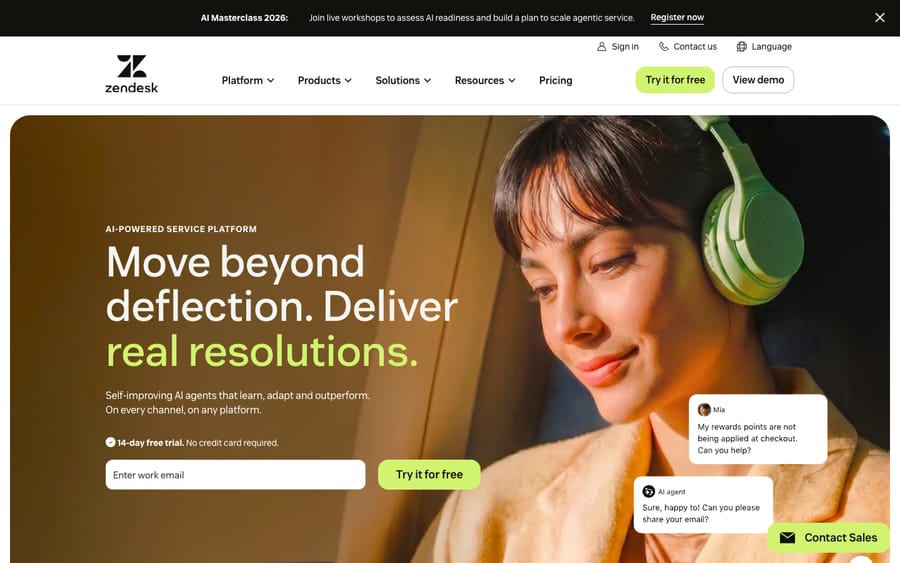
- Need deep, enterprise-grade workflow automation, reporting, or a large third-party app marketplace, areas where heavier incumbents like Zendesk pull ahead.
- Want the most mature AI/agentic resolution out of the box.
- Dislike per-channel add-on fees (social channels cost extra below Large) or need long ticket-history retention on a free/cheap tier.
On reputation: LiveAgent holds a strong 4.7/5 on Capterra across 1,776 reviews as of September 2026, with reviewers consistently praising value-for-money and the breadth of channels, and occasionally noting the interface feels dated and busy.
For a fuller side-by-side against the rest of the category, see our guide to the best help desk software.
What are LiveAgent's strengths and limits?
Strengths: exceptional value for money; a genuinely all-in-one channel set (email, live chat, native call center, social) at SMB prices; a fast, polished live chat; the hybrid ticket stream for cross-channel context; native gamification; AI included across paid tiers; a real free plan and a generous 30-day trial.
Limits: the interface can feel dated and cluttered; social channels cost extra below the Large plan; the free tier hides ticket history after 7 days and blocks integrations/automation; reporting, workflow depth, and the app marketplace trail the biggest competitors; and the most advanced AI-driven resolution isn't its strong suit. If those trade-offs push you to look around, our roundup of the best LiveAgent alternatives walks through where each rival is stronger.
Can you add an AI agent on top of LiveAgent?
Not with Macha today. LiveAgent's built-in AI, like every help desk's native AI, is good at deflecting repetitive questions with knowledge-base answers and assisting agents with draft replies. But plenty of tickets sit in the middle: they need a real answer pulled from your docs, past tickets, or another system, resolved right there in the conversation rather than handed straight to a human.
That middle is where a dedicated AI agent layer like Macha comes in. Macha isn't a help desk or a LiveAgent replacement. It runs on top of the help desk you already use, adding autonomous resolution: it reads the customer's actual question, draws on your connected knowledge and conversation history, resolves the issue in the same thread, and escalates to a human with full context when it isn't confident.
One honest caveat for LiveAgent users specifically: Macha connects to Zendesk, Freshdesk, Gorgias, Front, HubSpot or Intercom. It does not integrate with LiveAgent today. So if you're committed to LiveAgent, lean on its native AI chatbot and answer assist. If you happen to run one of the desks Macha does support and your ticket mix is mostly repetitive questions your help center could answer, that's the line where native deflection stops scaling. You can start with $50 of free usage, no credit card required.
How do you get started with LiveAgent?
Getting going is low-friction:
- Start free or open the 30-day trial at liveagent.com. No credit card is needed for the trial.
- Connect your support email and drop the live chat widget on your site.
- Add channels such as call center, social and contact forms as your tier allows.
- Build your knowledge base with your most common answers; this also fuels the AI chatbot.
- Set up ticket distribution, SLAs, and gamification, then invite your agents.
Frequently asked questions
What is LiveAgent in simple terms? LiveAgent is an all-in-one customer support tool that turns every customer message (email, live chat, phone, social or contact form) into a trackable ticket in one shared inbox, then adds a knowledge base, gamification, and AI to help a small team resolve it from one place. It's made by Quality Unit, a Slovak software company.
What does LiveAgent do? It centralizes customer support: a universal inbox and ticketing, a native (and fast) live chat widget, a built-in call center with IVR, social and messaging channels, a customer and internal knowledge base, gamification for agents, reporting and SLAs, and AI features (chatbot, answer assist, auto-categorization).
Who owns LiveAgent? LiveAgent is made and owned by Quality Unit, LLC, a privately held, self-funded software company based in Bratislava, Slovakia, founded in 2004 by Viktor Zeman (CEO) and Andrej Zeman.
Is LiveAgent free? Yes. LiveAgent has a forever-free plan with one email address, one chat button, one phone number, basic reports and unlimited agents. But it's limited: no integrations, no automation, no SLAs, and ticket messages older than 7 days are hidden until you upgrade. Paid plans run $15 (Small), $29 (Medium), $49 (Large), and $69 (Enterprise) per agent/month billed annually, and there's a 30-day free trial of the paid features.
How much does LiveAgent cost? Per agent/month billed annually: Small $15, Medium $29, Large $49, Enterprise $69 (monthly billing: $19, $35, $59 and $85). Social channels are included from Large up and sold as add-ons below it. Confirm current pricing on liveagent.com.
Does LiveAgent have live chat and a call center? Yes. Live chat is LiveAgent's flagship channel (marketed as the fastest on the market), and a cloud call center with IVR, routing, and call recording is built in. The call center sits on the Medium tier and up.
Is LiveAgent a good choice in 2026? For SMB and lean support teams that live in live chat, yes. LiveAgent unifies email, a fast native live chat, a built-in call center, social and contact forms in one inbox for $15 to $69 per agent a month billed annually. It sits a rung below the heaviest incumbents on workflow depth, reporting polish and AI maturity, and ahead of most on channel coverage per dollar.
Pricing verified against LiveAgent's official pricing page on 24 September 2026. LiveAgent revises packaging and pricing periodically, so confirm current figures on liveagent.com before relying on them.






