





 Shopify
 Stripe
 Slack
Slack Notion
 Google Workspace
 Confluence

How Do You Auto-Resolve Freshdesk Tickets with an AI Agent?


An AI agent can auto-resolve Freshdesk tickets by reading each new ticket, answering from your solution articles, and setting it to Resolved with an audit tag. Freshdesk's own tools stop short of that: the 48-hour time trigger only closes resolved tickets, and Freddy's Email AI Agent answers only the first email.
Key takeaways
- An AI agent built on Macha auto-resolves Freshdesk tickets by triggering on Ticket Created, searching solution articles, posting a public reply and setting the ticket to Resolved.
- Freshdesk's native time-trigger automation only closes tickets already marked Resolved after 48 hours of inactivity, without reading the ticket or writing any reply.
- Freshdesk's Freddy Email AI Agent selects up to three relevant solution articles and answers only the first message on a new ticket, not ongoing threads.
- Freshdesk includes 500 Freddy AI Agent sessions as a one-time allowance per account, then charges $49 per 100 sessions whether or not the ticket resolves.
- Macha bills per ticket at $299 a month for 750 tickets, about $0.40 each, rather than charging per session or per resolution, and the price includes setup by the Macha team and a dedicated success manager.

To auto-resolve Freshdesk ticket inquiries, trigger an AI agent on Ticket Created that reads the ticket, searches your solution articles, posts a public reply and sets the status to Resolved with a kb-auto-resolved tag you can audit later. Freshdesk's built-in 48-hour time trigger only closes tickets an agent already resolved, and its Freddy Email AI Agent answers only the first email, so the full read-reply-resolve loop needs an agent layer on top. No human touches the tickets your articles already answer, and your team spends its time on the ones that need a person.
| Option | Reads and answers the ticket? | Scope | Price (checked 24 Sept 2026) |
|---|---|---|---|
| Freshdesk time trigger | No, closes already-Resolved tickets | After 48 hours of inactivity | Included |
| Freddy Email AI Agent | Yes, from solution articles only | First email on a new ticket | 500 sessions once per account, then $49 per 100 |
| Macha agent | Yes, from articles plus other tools | Whole ticket lifecycle | $299/mo for 750 tickets, setup and a dedicated success manager included |
Macha is the layer that builds that agent. It sits on top of the Freshdesk you already run (connected with an API key, no migration, no replatforming) and orchestrates the read → search → reply → resolve loop using Freshdesk's own ticket and solution-article data. The setup takes four steps, covered below, followed by the trade-offs and a comparison with Freddy.
What does "auto-resolve" mean in Freshdesk?
If you search "Freshdesk auto resolve tickets," most of what you'll find is about a built-in time-trigger automation, not AI. It's worth separating the two before you go further, because they solve completely different problems.
1. Native auto-close (housekeeping). Freshdesk ships a default time-trigger rule under Admin → Workflows → Automations → Time triggers called "Automatically close resolved tickets after 48 hours." On paid plans it runs as a Supervisor rule, and you can change the window (e.g. 24h, 72h, 7 days). What it does is narrow and purely administrative: it takes a ticket an agent has already marked Resolved and flips it to Closed after the chosen period of inactivity, so stale tickets don't linger (Freshdesk: auto-close resolved tickets). It never reads the customer's question, never writes a reply, and never decides anything. It's a tidy-up job on the back end of an already-handled ticket.
2. AI auto-resolution (the actual work). The harder job is the front of the ticket: an agent that reads a brand-new inquiry, finds the answer, writes the reply, and resolves the ticket without a human ever touching it. That's not a time trigger. It's an AI agent doing the reading and reasoning that a person would otherwise do.
The two are complementary. A common, clean setup is to let a Macha agent auto-resolve the easy inquiries (status → Resolved, tag kb-auto-resolved) and let Freshdesk's native time trigger auto-close those resolved tickets 48 hours later if the customer doesn't reply. If you only wanted the housekeeping rule, you already have it, no AI required. The rest is about the harder half: actually answering the ticket.
How does the auto-resolve workflow run, end to end?
Here's the use case in one breath. A customer emails support; Freshdesk creates a ticket; that event wakes a Macha agent. The agent pulls the full ticket, searches your published solution articles, drafts a grounded reply, posts it as a public response, and flips the ticket to Resolved with an audit tag.
| Step | Actor | What happens | Freshdesk action |
|---|---|---|---|
| 1 | Trigger | New ticket created | Ticket Created |
| 2 | Agent | Read the customer's message + ticket context | Get Ticket |
| 3 | Agent | Find the best-matching help article | Search Articles |
| 4 | Agent | Post a clear, step-by-step answer | Add Public Reply |
| 5 | Agent | Close the loop | Update Status → Resolved, Update Tags → kb-auto-resolved |
A concrete run looks like this. The customer writes:
"How do I export my data from the platform? I need to download a CSV of my account history."
The agent searches your knowledge base and finds "How to Export Your Data" at a 97% match, then replies:
Hi! You can export your data as a CSV by following these steps: 1. Go to Settings → Account → Data Export 2. Select the date range you need 3. Choose "CSV" as the format 4. Click "Export": you'll receive a download link via email within a few minutes Let me know if you need help with anything else!
Then it sets the ticket to Resolved and tags it kb-auto-resolved. That tag matters: it's the difference between a black box and an auditable system. You can build a Freshdesk view of every auto-resolved ticket, spot-check the replies, and measure your real resolution rate instead of trusting a vendor's headline number.
How do you set it up in Macha?
1. Connect Freshdesk
Add Freshdesk as a connector with your API key. Macha's Freshdesk integration exposes the toolset the agent needs: Get Ticket, Search Tickets, Search Articles, Add Public Reply, Add Internal Note, Update Status, Update Tags, Update Priority, Assign Ticket, plus contact and attachment tools, so the agent can both answer and take action on a ticket, not just suggest text.
Because Macha connects over the API, it lives on top of Freshdesk rather than replacing it. Your agents keep working in the Freshdesk UI they already know; the AI just handles the tickets it can close on its own and leaves the rest in the queue.
2. Set the trigger
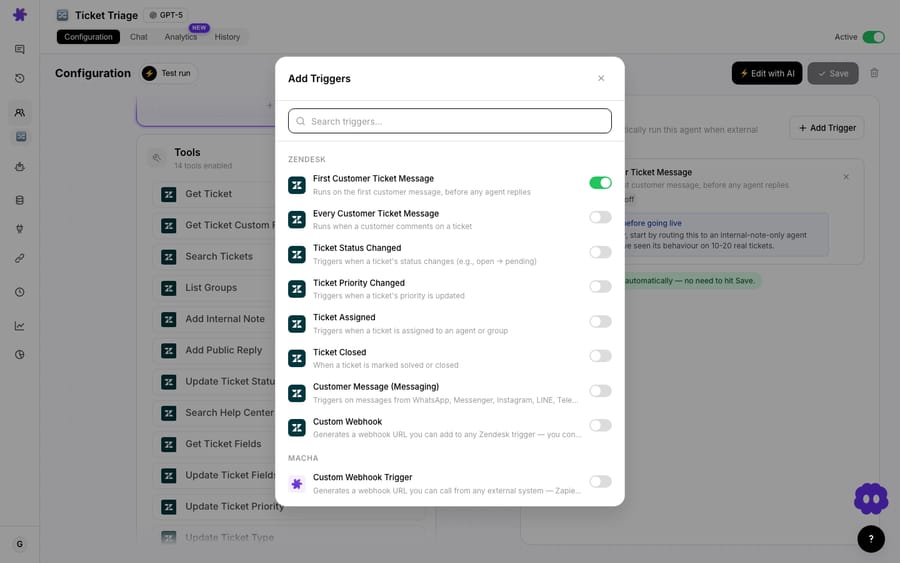
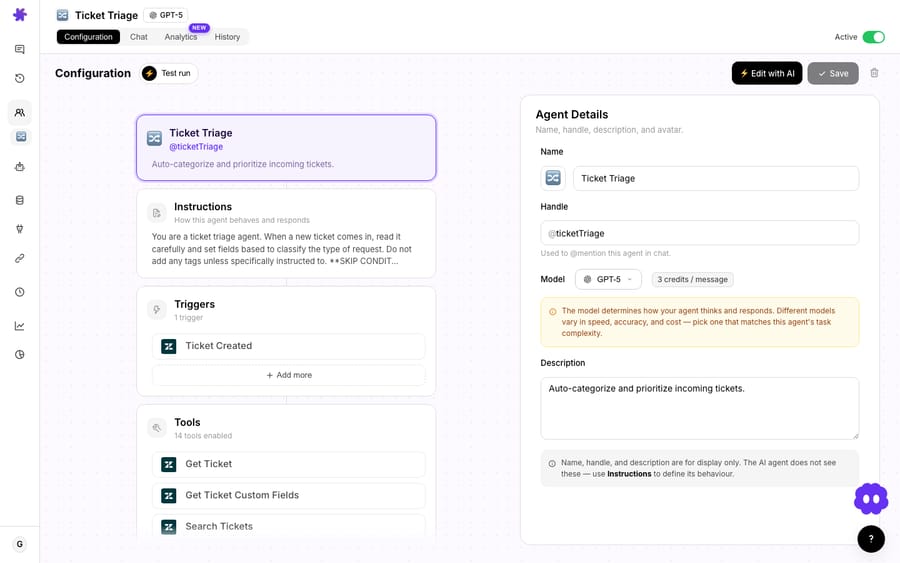
Create an agent and set its trigger to Ticket Created on the Freshdesk connector. You can scope it with a condition so it only fires on the tickets you actually want automated, for example, email and portal tickets in a specific group, or tickets without a VIP tag. Everything outside that condition flows to humans untouched.
3. Point it at your knowledge
The agent is only as good as what it can read. Macha grounds replies in knowledge sources: you can use Freshdesk's own published solution articles via Search Articles, and you can add more sources (your help center, a Notion or Confluence wiki, uploaded docs) so the agent answers from a single, curated body of truth rather than guessing.

Grounding is also your hallucination guardrail: if no article clears a confidence bar, you tell the agent to not invent an answer. Instead it adds an internal note, leaves the ticket open, and routes it to a human, which is exactly the behavior you want on the long tail.
4. Write the instructions and test
The agent's instructions are where you encode judgment: answer only from knowledge, match the customer's tone, never promise actions you can't take, escalate billing/refund/security topics to a person. Macha's builder lets you draft these in plain language (and there's a build-with-AI helper to scaffold them), then test against real ticket text before anything goes live.

How does Macha compare with Freshdesk's Freddy AI Agent?
Freshdesk ships its own answer to this problem, the Freddy Email AI Agent, and it's worth being honest about where it's strong and where Macha earns its place on top.
Freddy's Email AI Agent is genuinely useful for pure deflection: it searches your public solution articles, selects up to three relevant ones, and drafts an answer. But it has real, documented limits, and these aren't our characterization, they're Freshdesk's own (see the canonical Introduction to Email AI Agent and the Email AI Agent Configuration Guide):
- Knowledge base only. It generates answers from your solution articles via the
{{freddy_articles}}/{{freddy_answers}}placeholders. It can't take a transactional action. It can't look up an order, check a refund status, or update a record. Freshdesk's docs are explicit that it relies entirely on self-service content. - Initial ticket only. Per Freshdesk's documentation, the Email AI Agent responds to the first message on a new ticket and does not carry on ongoing email threads.
- It closes on feedback, not on resolution. Per the canonical doc, the ticket is closed only if the customer clicks "Yes, Close my ticket" in the email widget; otherwise it stays open for agent follow-up. Closure is gated on a customer click, not on whether the answer was actually correct.
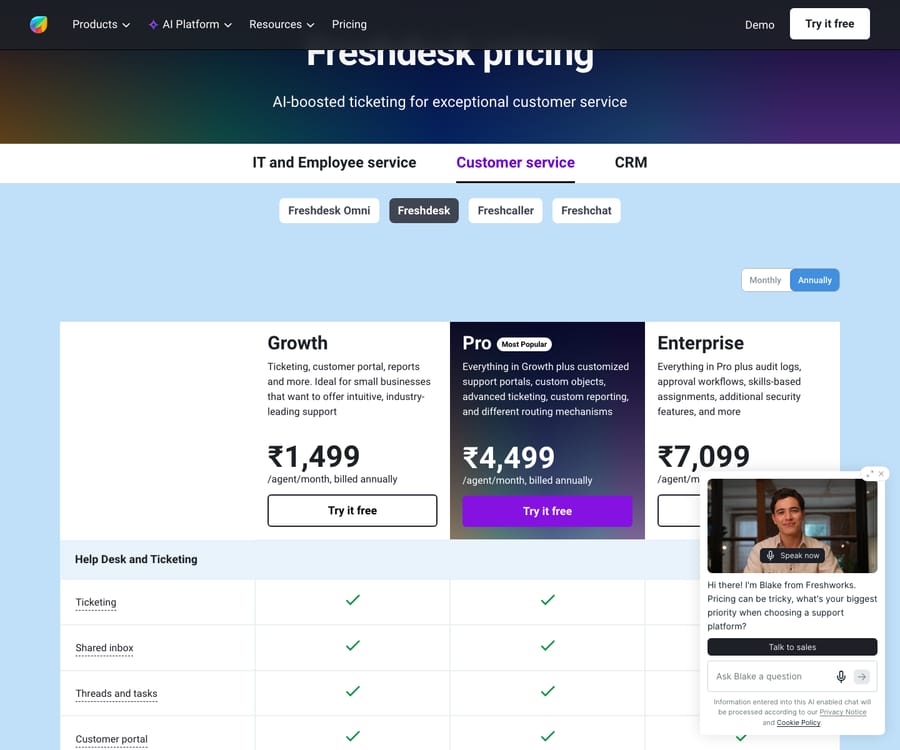
- Session-priced, with a plan question. Freshdesk's pricing page (Growth $19, Pro $55, Enterprise $89 per agent a month, billed annually) lists the Email AI Agent on all three plans, while the support article above still says Pro and Enterprise only, so confirm on your account. Sessions are billed separately: the first 500 are a one-time allowance per account, then $49 per 100 sessions, or $0.49 each. An Email AI Agent session is a 72-hour window from the customer's first email, and sessions are charged whether the ticket resolves or not. At a 25–50% resolution rate, the effective cost per resolved ticket is two to four times the headline.
Where Macha differs is the action layer. Because the same agent can call Search Articles and a Shopify order lookup, a Stripe charge check, or a custom API tool, it can resolve tickets that Freddy structurally can't: the ones where the answer isn't an article, it's an action. It works across the whole ticket lifecycle, not just the first message. And Macha bills per ticket (one thread with one person, charged once however many messages it takes), not per session, starting at $299 a month for 750 tickets, so a conversation that runs past a 72-hour window isn't billed twice, and the model you pick doesn't change the price. Freddy is self-serve: you configure it in Freshdesk yourself. On Macha, setup is done for you on the trial and every plan: the Macha team analyzes your past tickets, builds the knowledge base and the auto-resolve agent, and runs it in safe mode, with drafts as private notes, until the answers are right. See the pricing page for current plans.
The honest summary: if all you ever need is article-based email deflection and you're already on Freshdesk Pro, Freddy is the lowest-friction option and you should spend the 500 included sessions first. The incentive is worth naming: session pricing earns Freshworks the same whether the answer lands or not. If you need an agent that takes real actions, works across channels and the full ticket lifecycle, and reads from knowledge you control beyond Freshdesk's article store, that's the layer Macha adds on top.
When should you not auto-resolve a ticket?
Auto-resolution works because it removes the human, which means a bad setup ships bad answers at scale. A few hard-won guardrails:
- Don't auto-resolve what you can't ground. If your knowledge base is thin, stale, or contradictory, fix that before you turn this on. The agent will faithfully repeat whatever your articles say, including the wrong bits.
- Keep humans on the sensitive lanes. Billing disputes, refunds, security/account-access, legal, and anything with an angry tone should escalate, not auto-close. Encode these as conditions on the trigger and as rules in the instructions.
- Reply, then resolve, not the reverse. Always have the agent post its answer before it changes status, so a failed reply never leaves a "resolved" ticket with no response.
- Audit the tag. The
kb-auto-resolvedtag exists so you can review a sample weekly. Watch your reopen rate on auto-resolved tickets: a rising reopen rate is your earliest signal that an answer has gone stale. - Set a confidence floor. Better to leave a hard ticket for a human than to confidently answer it wrong. Tune the agent toward "escalate when unsure."
Run it in draft / internal-note mode first. Let the agent write its proposed reply as a private note for a week, measure how often a human would have sent it as-is, then promote it to public replies once you trust it. (Macha supports exactly this staged rollout; it's the same pattern we recommend for replying to Freshdesk tickets from knowledge base articles.)
What else can the same Freshdesk agent setup do?
Auto-resolution is one agent in a family. The same Macha + Freshdesk foundation powers triage and routing Freshdesk tickets by topic, adding context-rich internal notes on Freshdesk tickets, and handling Freshdesk ticket escalations automatically, so the easy tickets self-resolve and the hard ones land on the right desk, pre-summarized. Start with auto-resolve because it's the highest-volume, lowest-risk win, then layer the rest on top.
See the Freshdesk integration for the full list of actions and triggers, or browse all use cases for the broader pattern library.
FAQ
Does Macha replace Freshdesk? No. Macha is an AI agent layer that connects to Freshdesk over the API and works on top of it. Your team keeps using Freshdesk exactly as they do today. Macha resolves the tickets it can handle and leaves the rest in the queue.
How does the agent avoid making up answers? It only answers from the knowledge sources you connect (Freshdesk solution articles, your help center, a wiki, uploaded docs). If nothing clears your confidence bar, you configure it to escalate to a human with an internal note rather than guess.
Can it do more than reply from the knowledge base? Yes. That's the main difference from Freshdesk's native Email AI Agent. Because the same agent can call other connected tools (Shopify, Stripe, custom API tools), it can resolve tickets that require an action, like checking an order or a charge, not just quoting an article.
Which Freshdesk plan do I need? Macha connects with a standard Freshdesk API key and doesn't require a specific Freshdesk AI add-on. You do need published solution articles for the knowledge-base flow to work well.
How is this priced? Macha bills per ticket (one thread with one person, charged once however many messages it takes) rather than per session or per resolution, starting at $299 a month for 750 tickets, about $0.40 each. That price includes setup by the Macha team and a dedicated success manager who handles your changes afterwards, such as a new category to auto-resolve, an instruction change or a new tool. Start with a free trial ($50 of usage, no credit card required) and see the pricing page for current plans.
Will customers know they're talking to AI? That's your call. Set the tone and signature in the agent's instructions. Many teams have the agent reply in the team's voice and quietly tag the ticket kb-auto-resolved for internal tracking.
How much does Freshdesk's Freddy AI Agent cost? Freshdesk includes 500 Freddy AI Agent sessions as a one-time allowance per account, then charges $49 per 100 sessions. An Email AI Agent session is a 72-hour window from the customer's first email, charged whether or not the ticket resolves.
How do you try it?
If a meaningful slice of your Freshdesk volume is just customers who couldn't find an article, you can hand that slice to an agent this week. Start a free trial ($50 of usage, no credit card required), connect Freshdesk with an API key, point the agent at your knowledge base, and watch the easy tickets close themselves, or read the Freshdesk integration docs for the full walkthrough.
Written by Abbas (Customer Support & AI, Macha) · Reviewed by Ankeet Guha (Co-founder & CTO) · Published 2026-06-24 · Last updated 2026-09-24.






