



 Intercom
 Shopify
 Stripe
 Slack
Slack Notion
 Google Workspace
 Confluence

What Are the Best Open-Source Ticketing Systems in 2026? Licenses, Activity and Hosting Costs


Zammad, Chatwoot, GLPI, FreeScout and Libredesk lead the ten open-source ticketing systems still worth self-hosting in 2026, each with a real open-source license and commits in September 2026. Peppermint, still on many shortlists, was archived by its owner on July 17, 2026 and should not be installed.
Key takeaways
- Zammad is the closest open-source match to Zendesk, and its hosted Starter v2 plan costs EUR 7 an agent a month on annual billing, capped at five agents.
- Chatwoot is the most active open-source help desk at 37,002 GitHub stars, though its enterprise directory carries a separate license from its MIT Expat core.
- GLPI is the only open-source ticketing system here with a full CMDB, and its managed Network Public Cloud plan costs EUR 19 a user a month.
- Peppermint was archived by its owner on July 17, 2026 and is read-only, so no new install should start on it despite its 3,162 stars.
- Self-hosting a small ticketing desk runs on a $10 to $40 a month VPS, against $3,300 a year for five Zendesk Suite Team seats at $55 an agent.

The open-source ticketing systems worth running in 2026 are Zammad for structured ticketing, Chatwoot for chat-led support, GLPI for IT tickets with a full CMDB, FreeScout for a shared mailbox on cheap hosting and Libredesk for the fastest install, with osTicket, Frappe Helpdesk, UVdesk, Znuny and Faveo behind them. All ten are free to self-host, and Peppermint, which many 2026 shortlists still include, was archived by its owner on July 17, 2026.
Which open-source ticketing systems are worth running in 2026?
| Project | License | Stars | Last commit | Shape | Managed option |
|---|---|---|---|---|---|
| Chatwoot | MIT Expat outside enterprise/ | 37,002 | 2026-09-19 | Omnichannel inbox and live chat | Cloud, free for 2 agents, then $19 an agent |
| UVdesk | OSL-3.0 | 19,596 | 2025-10-01 | Ecommerce help desk | SaaS $8 an agent a month billed annually |
| Faveo | OSL-3.0 | 1,255 | 2026-09-18 | ITIL-flavored help desk and service desk | Paid premium versions; Freelancer free for 2 agents |
| Snipe-IT | AGPL-3.0 | 14,962 | 2026-09-18 | Asset management, no ticketing | Hosting from $399.99 a year |
| GLPI | GPL-3.0 | 6,367 | 2026-09-18 | ITSM with a full CMDB | Network Public Cloud EUR 19 a user a month |
| Zammad | AGPL-3.0 | 5,928 | 2026-09-18 | Structured ticketing, omnichannel | Hosted from EUR 7 an agent a month |
| FreeScout | AGPL-3.0 | 4,543 | 2026-09-19 | Shared inbox, Help Scout shaped | None, paid modules instead |
| osTicket | GPL-2.0 | 3,917 | 2026-06-17 | Classic ticketing | SupportSystem, 30-day trial |
| Frappe Helpdesk | AGPL-3.0 | 3,387 | 2026-09-20 | Modern ticketing on the Frappe stack | Frappe Cloud sites from $5 a month |
| Libredesk | AGPL-3.0 | 2,946 | 2026-09-20 | Omnichannel desk in one binary | None, and no paid tiers at all |
| Znuny | GPL-3.0 | 595 | 2026-09-16 | The maintained OTRS Community fork | Znuny Professional Services |
| Peppermint | Archived 2026-07-17 | 3,162 | 2025-09-21 | Read-only. Do not install. | None |
Star counts and commit dates are from the GitHub API on September 20, 2026. Snipe-IT is in the table as the asset-management companion, not as one of the ten, and Peppermint is there so you know to skip it.
We checked every license, star count and last-commit date against the GitHub API on September 20, 2026, and read each project's own hosting prices the same day. Nothing here was installed or tested; these are published facts about live projects. If you want the hosted free tiers instead, those are in our free IT ticketing systems and free help desk software roundups.
How did we compare the projects?
Four things, in this order.
License, read from the repository. "Open source" gets used loosely, and a vendor's incentive is to use it as loosely as the word allows. Chatwoot is the case that proves why: GitHub's license field reports NOASSERTION, and the repository's own LICENSE file explains that everything outside the enterprise/ directory is MIT Expat while that directory sits under a separate license. We read the file instead of trusting the field.
Activity, from the last commit date. An unmaintained help desk that holds customer data is a liability. A project that shipped code this month isn't the same proposition as one whose last commit is a year old, whatever its star count says.
Shape. Structured ticketing, shared inbox, omnichannel chat and ITSM with assets are four different products, and people searching for an open-source ticketing system usually mean exactly one of them. Getting that wrong is how you end up self-hosting a chat widget when what you wanted was SLAs.
The price of not running it yourself. Every project here that has a commercial sponsor sells hosting, support, or both. Those numbers are the honest ceiling of "free".
What does each project do well, and where does it fall short?
Chatwoot: the most active project in the category
Chatwoot is an omnichannel inbox with a live chat widget, and at 37,002 stars on September 20 (37,139 by September 24) with commits the week we checked it has more momentum than the rest of this list combined. The license split is the thing to understand before you deploy: the LICENSE file says everything outside the enterprise/ directory is available under MIT Expat, and that directory carries its own terms. For most installs that means the whole product you want is MIT, but you shouldn't take that on trust.
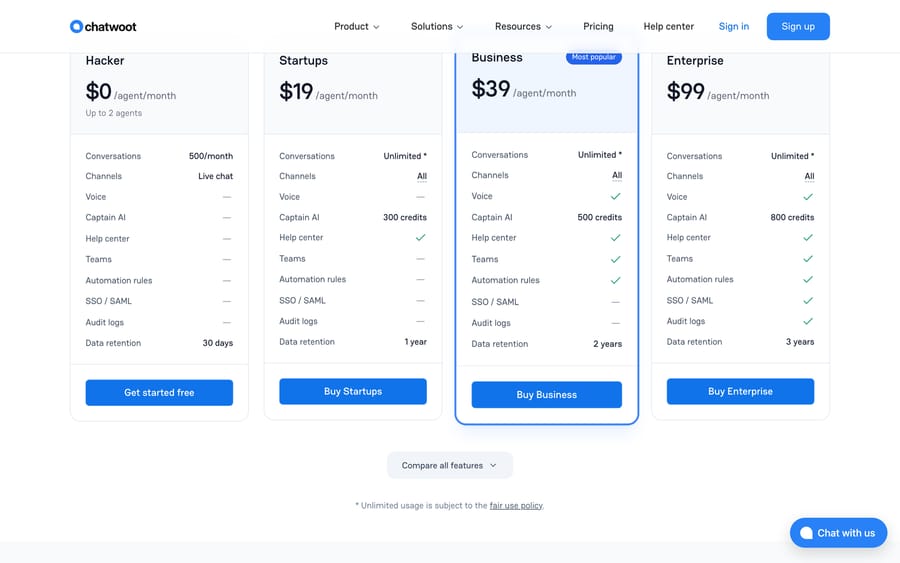
If you would rather not host it, Chatwoot Cloud is free for 2 agents with 500 conversations a month, live chat only and 30 days of retention, then $19 an agent on Startups, $39 on Business and $99 on Enterprise. Our Chatwoot explainer goes through the difference.
It fits teams whose support arrives as chat and social messages. It's the wrong fit if you need approvals, change management or asset records.
Zammad: the most complete ticketing model
AGPL-3.0, 5,928 stars, last commit September 18, 2026. Zammad is what people mean when they say they want an open-source Zendesk: states, escalation rules, SLAs, a customer portal, email, web forms, SMS, chat and Telegram, with a UI that does not feel like 2009.
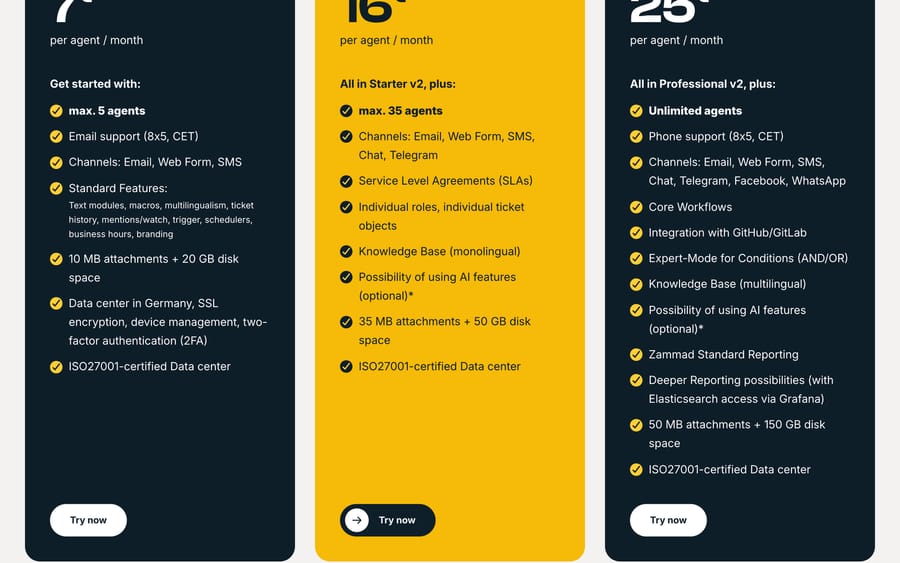
Zammad's hosted plans are worth reading even if you self-host, because they show what the maintainers think the product is worth: Starter v2 at EUR 7 an agent a month billed annually and capped at five agents, Professional v2 at EUR 16 capped at 35, Plus v2 at EUR 25 with unlimited agents. AI features are optional and metered at EUR 0.03 per AI call. Self-hosted support contracts start at EUR 2,999 a year, which is the real number to compare against a SaaS invoice if you want somebody to call.
osTicket: the default answer, mid-rewrite
GPL-2.0, 3,917 stars, v1.18.4 released June 17, 2026, and still the page Google ranks first for this query. It runs on PHP and MySQL, installs anywhere, and has been doing the job since before most of this category existed.
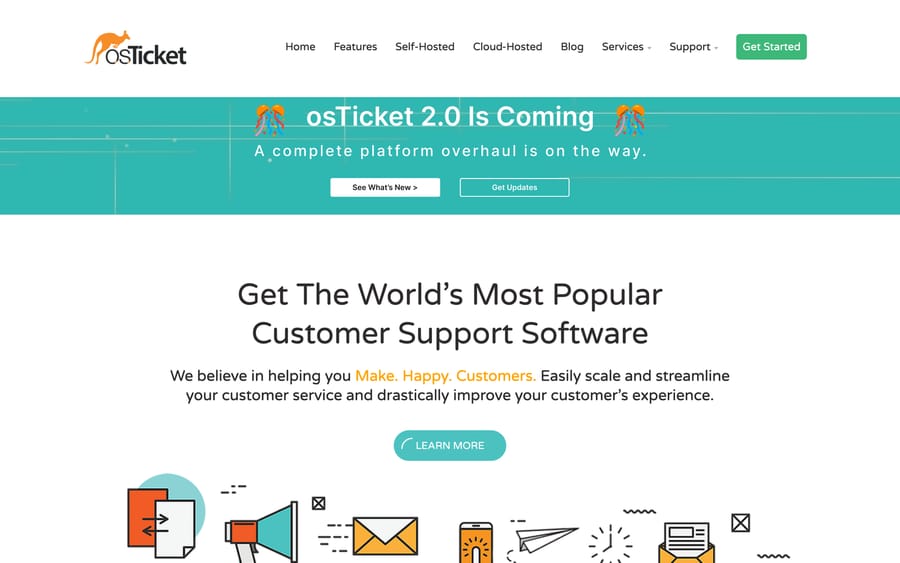
Its homepage now carries a banner reading "osTicket 2.0 Is Coming: a complete platform overhaul is on the way". You'll want to know that before you spend a weekend customizing 1.18, and it also explains the gap since the last commit. osTicket also sells a hosted version, SupportSystem, with a 30-day trial.
FreeScout: the one that runs on shared hosting
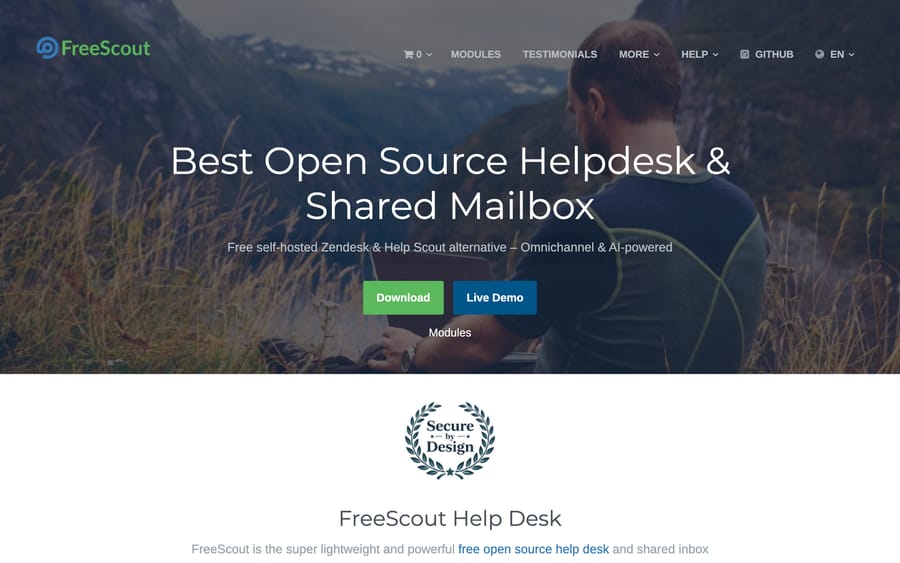
AGPL-3.0, 4,543 stars, last commit September 19, 2026. FreeScout is PHP and Laravel, which means it will install on the cheapest hosting you can find, and its shape is a shared mailbox rather than a ticket queue. Its own site describes it as a free self-hosted Zendesk and Help Scout alternative, which is accurate about the shape and the audience.
There's no hosted plan. The commercial model is paid modules on top of a free core, and it's worth naming the incentive that creates: the maintainers earn on features, so the core stays free while the module catalog grows. That's a cleaner deal than a seat cap, and it does mean the feature you want may be a purchase.
Libredesk: the newest, and the easiest to install
AGPL-3.0, 2,946 stars, committed to on the day we checked, v2.8.0 released August 22, 2026. It ships as a single Go binary you run on your own server with Postgres and Redis behind it, and its FAQ is unusually direct: "libredesk is open source and free to self-host. Every feature is included, and there are no paid tiers."
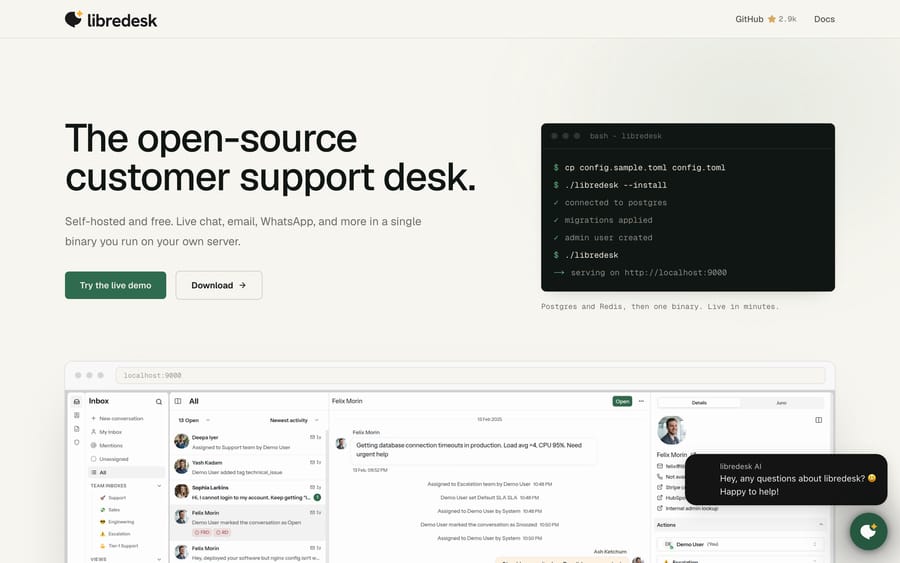
It's the project r/selfhosted keeps surfacing, and it's the one we'd start with for a fast install. The honest caveat is age: a 2026 project hasn't been through the upgrade cycles that shake out data-migration bugs.
Frappe Helpdesk: modern ticketing with a hosting path
AGPL-3.0, 3,387 stars, last commit September 20, 2026. It sits on the Frappe framework, so it shares an ecosystem with ERPNext, and the UI is the most contemporary on this list after Libredesk.
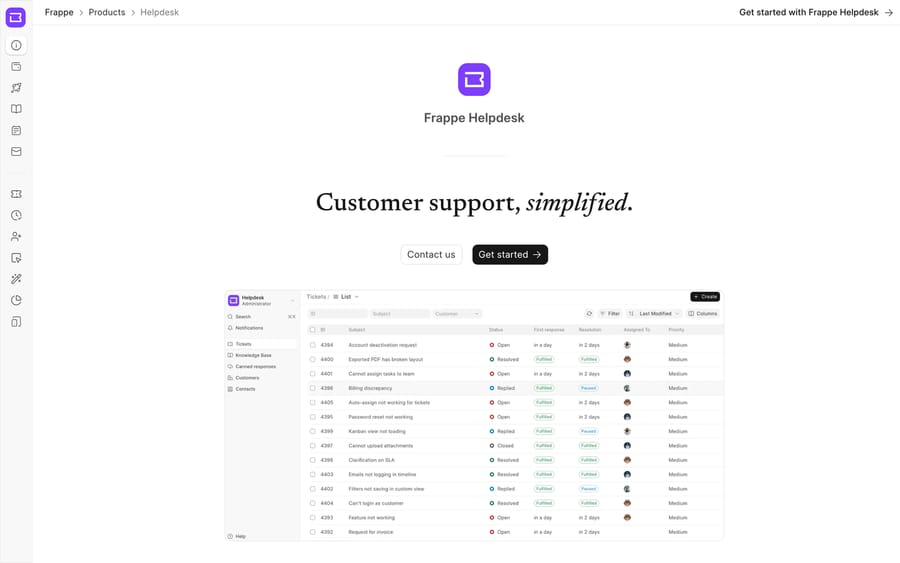
Its FAQ says you can self-host for free because it is fully open source, and Frappe Cloud is the managed path: sites from $5 a month, servers from $20 a month, with product support included on the $50 a month plan and above. That $5 entry is the cheapest managed open-source desk here.
GLPI: the one with a real CMDB
GPL-3.0, 6,367 stars, last commit September 18, 2026. GLPI is ITSM rather than customer support: tickets, assets, contracts, budgets and suppliers in one product. If your search for an open-source ticketing system is really a search for tickets plus hardware inventory, this is the answer and nothing else here competes.
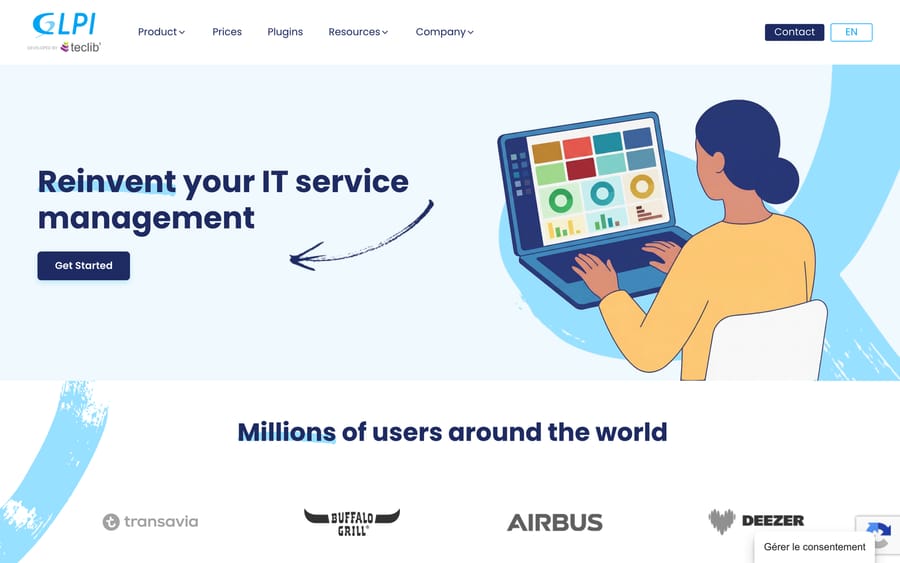
Managed by Teclib', GLPI Network Public Cloud is EUR 19 excluding tax per user per month with unlimited assets and unlimited end users, Private Cloud is EUR 21 for 25 users or more, and there is a 45-day free trial.
UVdesk: ecommerce shaped, and quieter than its star count
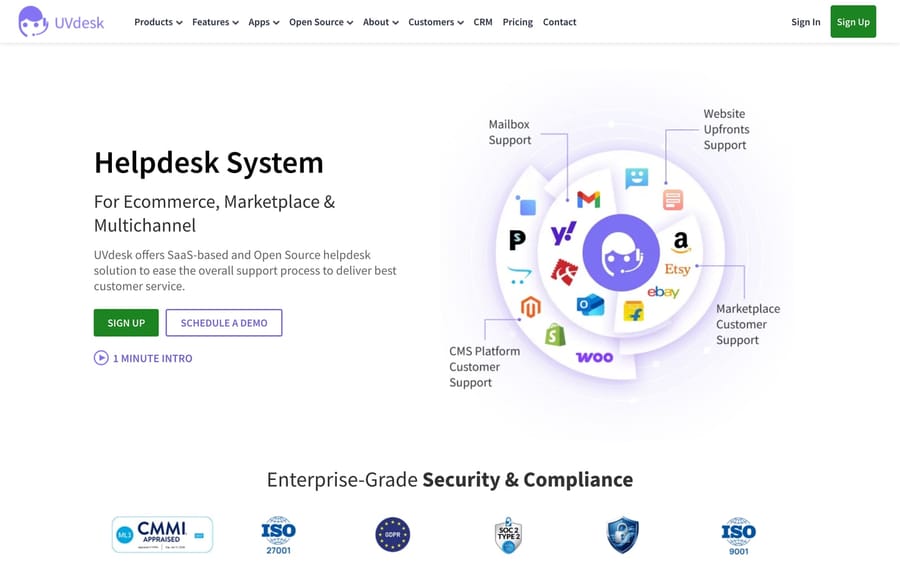
OSL-3.0, 19,596 stars, 564 forks, and the last push to the community skeleton was October 1, 2025. That gap is the thing to weigh: the star count is the second highest here, and the commit history is the second oldest. UVdesk's community edition is free with unlimited agents, and its SaaS is $8 an agent a month billed annually or $11 month to month with a 30-day trial.
Znuny: the OTRS Community Edition that still exists
GPL-3.0, 595 stars, last commit September 16, 2026. OTRS Community Edition was discontinued, and Znuny is the fork that carries it on with long-term support; its current LTS release, 6.5.25, shipped on September 16, 2026. Its own site describes it as "the ((OTRS)) Community Edition Fork with long-term Support (LTS)".
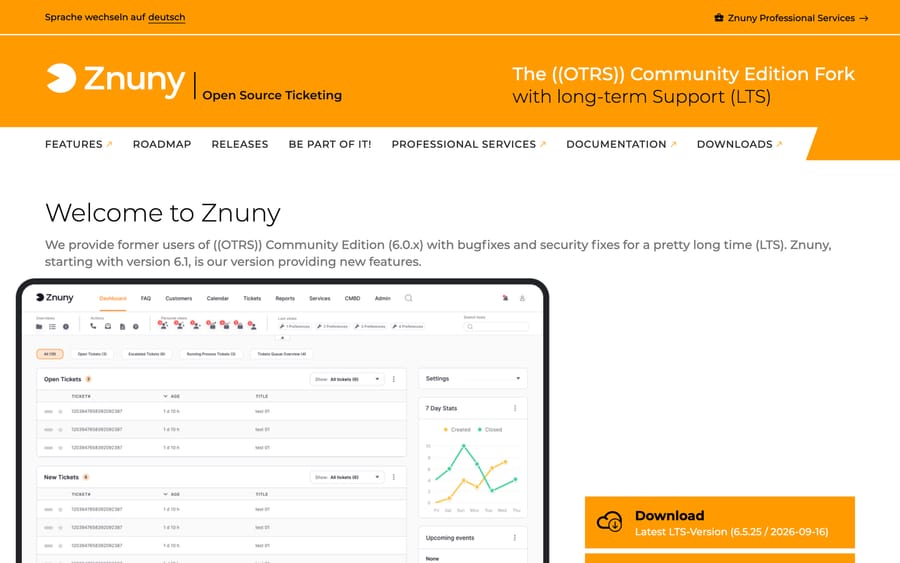
It suits organizations already running OTRS who need a supported path forward. If you're starting fresh in 2026, there are friendlier options above.
Faveo: free community edition, paid everything else
OSL-3.0, 1,255 stars, last commit September 18, 2026. Faveo splits into Helpdesk and Servicedesk products with an ITIL flavor, and its pricing page offers "our free open source version or paid premium versions which come with support & multi-platform integration", plus a Freelancer plan that is free for 2 agents. The paid per-agent prices rendered in local currency from our location, so no dollar figure for Faveo appears here.
Snipe-IT, which is not a ticketing system
AGPL-3.0, 14,962 stars, last commit September 18, 2026. It is worth naming because it is the other half of the pairing people actually want: Snipe-IT does asset management and nothing else, and its pricing page says the software "is and always will be free" if you host it. Run it alongside osTicket or Zammad and you have tickets plus inventory for the price of a server. Hosted plans are $399.99 a year for Basic, $999.99 for Small Business and $2,499.99 for a small dedicated server.
Peppermint: archived, and still on every list
Peppermint's repository carries the banner "This repository was archived by the owner on Jul 17, 2026. It is now read-only". Its last commit is from September 2025, 86 issues are still open, and peppermint.sh returns a Cloudflare 520. It had 3,162 stars and a good reputation, and a 2026 roundup that still recommends it hasn't checked.
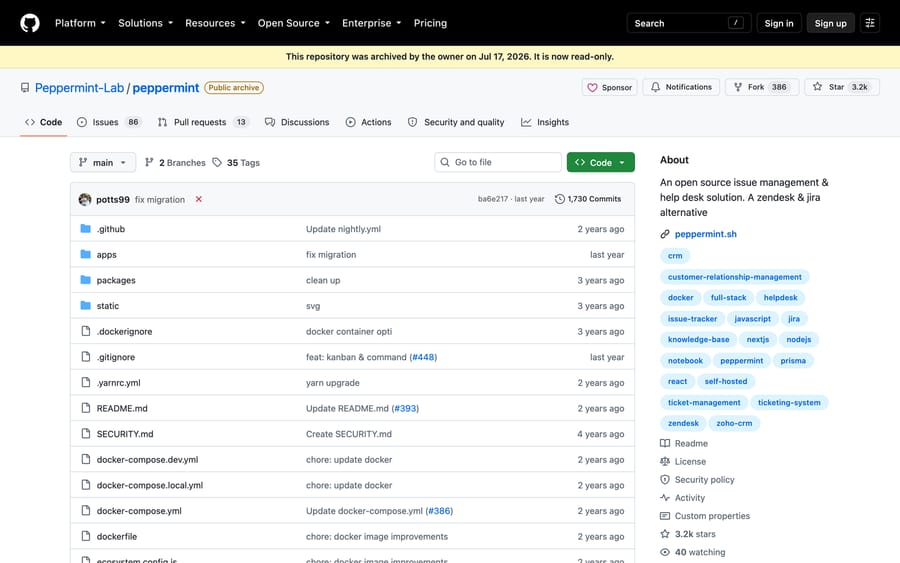
That's the case for reading a last-commit date before you read a feature list.
What is the best open-source Zendesk or Intercom alternative?
Those are two different searches and they have different answers.
Open-source Zendesk alternative means structured ticketing with SLAs, a customer portal and email as the main channel. Zammad is the closest match by a wide margin, with osTicket as the low-maintenance option and Frappe Helpdesk if you want a modern UI. If you also need asset management, it is GLPI. The hosted free tiers that compete with Zendesk are in our free Zendesk alternatives guide.
Open-source Intercom alternative means a chat widget, an inbox and an AI agent on top. That is Chatwoot, and there is no close second: it is the only project here built around the widget rather than around the ticket. Libredesk is the nearest challenger and is much younger. The paid comparison, including what Fin's $0.99 per outcome actually costs, is in our cheaper Intercom alternatives breakdown.
What does it really cost to self-host an open-source help desk?
The license is free; the running is not. Four costs never appear on a pricing page.
- The server. A single-instance desk runs happily on a $10 to $40 a month VPS, and that's the easy part. Add Postgres backups, object storage for attachments and a staging copy and you are closer to $60.
- Email deliverability. That's the one that bites. Inbound is easy; outbound from your own domain means SPF, DKIM, DMARC and a warmed sending reputation, or a transactional provider on top.
- Upgrades. Every project here ships security releases. Somebody has to apply them, and somebody's got to be awake when one breaks inbound mail.
- Support, if you want any. Zammad sells it from EUR 2,999 a year. Znuny sells professional services. Frappe includes product support on its $50 a month plan. That range is what "free" costs once you'd like a phone number.
Set against a SaaS bill, the arithmetic still usually favors self-hosting. Five Zendesk Suite Team seats are $3,300 a year at $55 an agent a month billed annually (zendesk.com/pricing, checked September 24, 2026). A $30 server and four hours a month of somebody's attention is cheaper, as long as those four hours exist. If they don't, you're buying an outage.
Which open-source help desks can you pay someone else to host?
Four of these projects sell a managed version of the same software, which is the cleanest way to get the license terms you want without the maintenance window: Chatwoot Cloud from $19 an agent, GLPI Network from EUR 19 a user, Zammad hosted from EUR 7 an agent, Frappe Cloud from $5 a site. You keep the data portability and the exit route, and you don't own the upgrade any more.
Where does an AI agent layer fit?
Macha is our product and it is not open source, so it is not on this list. It is an AI agent layer that runs on top of Zendesk, Freshdesk, Gorgias, Front, HubSpot or Intercom, and none of the projects above is one of them. If you're self-hosting, the AI path is your own: Chatwoot's Captain AI on a paid cloud plan, or a model API wired into your own install.
We mention it for one specific reader, because it comes up in these threads: the team weighing a self-hosted desk mainly to escape per-resolution AI pricing. Macha prices on monthly ticket volume from $299 a month for 750 tickets, about $0.40 a ticket at every tier, one thread counting once however many replies it takes, with setup and monitoring by the Macha team and a $50 free-usage trial. That's a different trade from running your own server, and it only applies if you stay on a commercial desk. Pricing has the tiers.
Which open-source ticketing system should you choose?
- Chat widget and social, closest to Intercom. Chatwoot.
- Structured ticketing, closest to Zendesk. Zammad.
- Tickets and hardware inventory in one product. GLPI.
- Shared mailbox on cheap hosting. FreeScout.
- Fastest install with the least maintenance. Libredesk, then Frappe Helpdesk.
- Longest track record and the most tutorials. osTicket, with the 2.0 rewrite in mind.
- You already run OTRS. Znuny.
- You want a managed version of an open-source product. Frappe Cloud at $5 a site is the cheapest entry; Chatwoot Cloud and GLPI Network are the most complete.
- Do not start with Peppermint. It's archived.
Frequently asked questions
What is the best open-source ticketing system? Zammad for structured ticketing, Chatwoot for chat-led support, GLPI if you need asset management, and FreeScout for a shared mailbox on cheap hosting. Libredesk is the newest and the easiest to install. All five had commits within days of September 20, 2026.
Is there a free open-source alternative to Zendesk? Yes. Zammad is the closest in shape, and it is free under AGPL-3.0 if you host it. osTicket and Frappe Helpdesk are the other two credible ticket-shaped options. None of them costs anything to license, and all of them cost a server.
Is there an open-source alternative to Intercom? Chatwoot. It is the only project on this list built around a chat widget and an inbox, it is MIT Expat licensed outside its enterprise directory, and at 37,002 GitHub stars it is by far the most active. Libredesk is the nearest alternative and is much younger.
Is Chatwoot really open source? Mostly. The repository's LICENSE file says everything outside the enterprise/ directory is MIT Expat, and that directory is governed by a separate license file. GitHub's license field reports NOASSERTION because of that split, which is why we read the file.
Which open-source help desk has asset management? GLPI, which ships a full CMDB with contracts and budgets alongside the ticket queue. If you would rather keep the two jobs separate, run Snipe-IT beside osTicket or Zammad; Snipe-IT is AGPL-3.0 and free to self-host.
How much does it cost to self-host a help desk? A $10 to $40 a month VPS for a small team, plus backups and attachment storage. The real costs are email deliverability setup and somebody's time for upgrades. Compared with $3,300 a year for five Zendesk Suite Team seats, self-hosting wins on cash and loses on attention.
Is Peppermint still maintained? No. Its GitHub repository was archived by its owner on July 17, 2026 and is read-only, the last commit is from September 2025, and peppermint.sh returns a server error. Do not start a new install on it.
What happened to OTRS Community Edition? It was discontinued. Znuny is the fork that carries it forward with long-term support, and its current LTS release 6.5.25 shipped on September 16, 2026. If you are running an old OTRS install, Znuny is the supported migration path.
Can I get AI on an open-source help desk? Yes, with work. Chatwoot's Captain AI is available on its paid cloud plans, Zammad meters AI features at EUR 0.03 per call on its hosted tiers, and on a self-hosted install you wire up your own model keys and pay the model provider. No project here hands you a configured AI agent for nothing.
Sources:
- GitHub, checked September 20, 2026: Chatwoot, UVdesk, Snipe-IT, GLPI, Zammad, FreeScout, osTicket, Frappe Helpdesk, Libredesk, Znuny, Peppermint (archived)
- Project pages: osTicket, Zammad pricing, FreeScout, Chatwoot pricing, GLPI pricing, Libredesk, Frappe Helpdesk, UVdesk pricing, Znuny, Faveo pricing, Snipe-IT pricing
- Community threads reached through search: r/selfhosted on the best open-source IT ticketing system, r/msp on open-source help desk solutions, r/selfhosted on Libredesk, r/selfhosted on open-source Jira Service Desk alternatives
Simple per-ticket AI pricing
One thread with one person is one charge, however many replies it takes.





