





 Shopify
 Stripe
 Slack
Slack Notion
 Google Workspace
 Confluence

How Much Does Chatwoot Cost in 2026? Pricing, Captain AI Credits and Alternatives


Chatwoot is an open-source omnichannel inbox that costs $0 self-hosted and $0 to $99 per agent a month on Chatwoot Cloud, with Captain AI metered in credits at $20 per 1,000. The alternatives worth pricing against it are Crisp, tawk.to, Help Scout, Freshdesk, Zammad, FreeScout and Intercom.
Key takeaways
- Chatwoot Cloud costs $0 on the Hacker plan for up to 2 agents, $19 on Startups, $39 on Business and $99 on Enterprise, per agent a month.
- Chatwoot's Captain AI includes 300, 500 or 800 credits a month on the paid cloud plans, and extra credits cost $20 per 1,000, one credit per AI message.
- Chatwoot's free Community Edition is MIT-licensed, but features in the enterprise directory, such as SLA policies and audit logs, need a paid license.
- Chatwoot scored 22 out of 30 on Macha's six-criteria rubric, losing most points on write actions and on having only 16 G2 ratings, despite about 37.1k GitHub stars on 24 September 2026.
- Macha doesn't integrate with Chatwoot; on the commercial help desks it runs on, the Macha team builds and runs the AI agent for about $0.40 a ticket, with setup and a dedicated success manager included.

Chatwoot costs $0 to $99 per agent a month: the self-hosted Community Edition is free under the MIT license, and Chatwoot Cloud runs $0 (Hacker, up to 2 agents), $19 (Startups), $39 (Business) and $99 (Enterprise), with Captain AI credits extra at $20 per 1,000. The closest alternatives are Crisp if you don't want to run a server, tawk.to if cost is everything, and Freshdesk if you need SLAs and queues.
| Plan | Per agent a month | Captain AI credits | Hosting |
|---|---|---|---|
| Community Edition | $0 | No Captain | Self-hosted |
| Hacker | $0 (up to 2 agents, 500 conversations) | No Captain | Cloud |
| Startups | $19 | 300 a month | Cloud |
| Business | $39 | 500 a month | Cloud |
| Enterprise | $99 | 800 a month | Cloud |
| Premium Support / Enterprise Edition | $19 / $99 | Captain included from Premium Support | Self-hosted, paid license |
Cloud prices checked on chatwoot.com/pricing on 24 September 2026; self-hosted prices on 22 September 2026.
A quick disclosure: Macha, the company publishing this, makes a proprietary AI agent layer that runs on top of Zendesk, Freshdesk, Gorgias, Front, HubSpot or Intercom. It does not integrate with Chatwoot, and Chatwoot isn't a competitor to it, so we have no product stake in how you read this. The one note about where we do (and don't) fit is at the end.
Is Chatwoot any good? Our verdict, scored
We score products on six criteria, 0 to 5 each, for a maximum of 30, and 18 out of 30 is the bar a product has to clear before it goes on one of our shortlists. It is the same rubric we publish and show the working for on best help desk software.
| Criterion (0-5) | Chatwoot | Why |
|---|---|---|
| Published pricing | 5 | Cloud ladder, self-hosted ladder, the Captain credit top-up rate and a help-center article defining exactly what spends a credit are all public. Very little in this category publishes the last one. |
| Entry cost for a small team | 5 | The Community Edition is free forever on your own server, and Chatwoot Cloud's Hacker plan is $0 for 2 agents and 500 conversations a month. Paid starts at $19 an agent. |
| AI that resolves | 4 | Captain's Assistant answers customers from your help center around the clock and hands off when unsure, and you can cost it exactly: 1 credit per message, $20 per 1,000 extra credits. It loses a point because Captain is not on the free plan or the Community Edition at all. |
| Write actions | 2 | Automations and macros move, tag, assign and reply inside Chatwoot. We found no documentation of Captain changing an order, issuing a refund or updating an address in an external system. |
| Independent review base | 1 | 16 ratings on G2, no Capterra listing, no TrustRadius listing and an empty Trustpilot profile, all checked 22 September 2026. For a product 15,000 organizations are said to run, that is almost no independent evidence. |
| Channel coverage | 5 | Live chat, email, WhatsApp, Instagram, Facebook Messenger, SMS and API channels, plus a voice channel from the Business plan. |
| Total | 22 / 30 | Clears the 18/30 bar. |
The shape of that score is unusual and worth reading carefully. Chatwoot is as transparent and as cheap to start as anything we score, and it drops seven of its eight missing points on two things that have nothing to do with the software: what its AI is allowed to do, and how few people have publicly reviewed it. If you are comparing it against a commercial desk, the pricing and channel columns are where it wins and the evidence column is where you are on your own.
Is Chatwoot worth it?
It is worth it if you want an omnichannel inbox you can own, you have someone who will run a Rails application in production, or you want a hosted product whose entire price list including the AI meter is on one page. At $19 an agent the Startups plan undercuts almost every commercial rival, and the Community Edition undercuts all of them.
It is not worth it if nobody on the team will own patching, backups and upgrades and you were attracted by "free"; if you need formal ITSM workflows; or if you need to justify the choice to a procurement team that wants to see a thousand reviews. That last one is the honest gap, and no amount of GitHub stars closes it.
Name the incentive. Chatwoot's business model is the open-core one: the MIT community edition is real and capable, and the features that a growing company eventually needs anyway (SLAs, audit logs, agent capacity, custom branding, Captain AI) sit in the separately licensed enterprise directory. That is not a bait and switch, it is the deal, and it means the free version is designed to be enough until it isn't.
How we researched this
Positioning, capabilities, and pricing come from Chatwoot's own website, docs, and GitHub repository, cross-checked against G2 for aggregate ratings and recurring user feedback. The GitHub star count and the two license files were read directly from the repo, not from search snippets. Where a number moves fast (stars, ratings, Captain credit prices) we flag it and date it. Pricing and open-source projects change quickly, so confirm current figures before you commit; our next review is scheduled for December 2026.
What is Chatwoot?
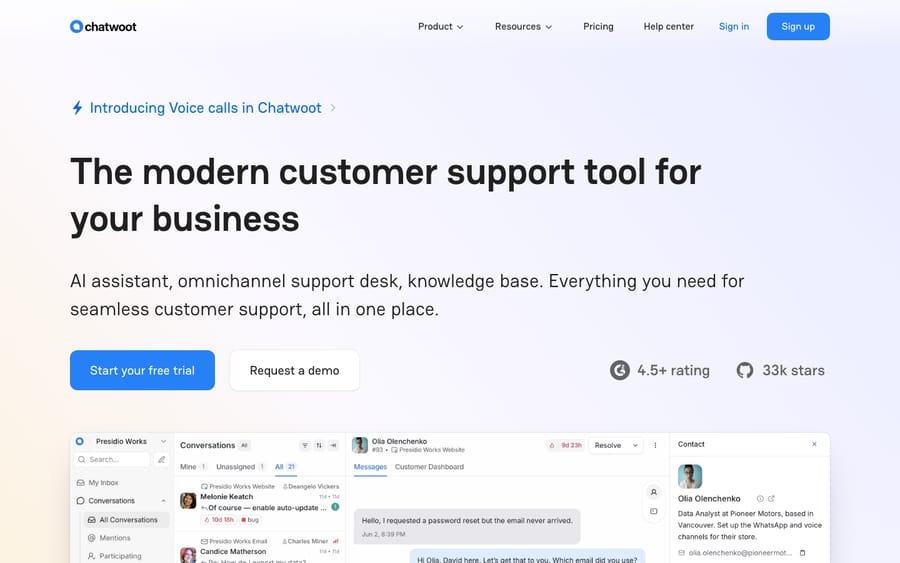
Chatwoot describes itself, in the words of its own GitHub repository, as "open-source live-chat, email support, omni-channel desk, an alternative to Intercom, Zendesk, Salesforce Service Cloud." That framing is the fastest way to understand it. It plays in the customer engagement / shared-inbox + live-chat category dominated by expensive proprietary SaaS, and its pitch is simple: most of what those tools do, with the option to own the software and the data yourself.
What makes it stand out is community scale. Chatwoot has roughly 37.1k stars and 9.0k forks on GitHub (read on the repo on 24 September 2026), among the most-starred open-source support tools and a strong signal of an active project with frequent releases, plenty of documentation, and a large self-hosted install base. Chatwoot's homepage says it is "trusted by 15,000+ businesses". On G2 it carries 4.5/5 from 16 ratings (checked 22 September 2026), so treat that rating as directional rather than statistically meaningful.
For the wider open-source field (osTicket, Zammad, FreeScout, GLPI and more), see our roundup of the best open-source ticketing systems, where Chatwoot sits alongside its peers. This guide goes deep on Chatwoot specifically.
What does Chatwoot actually do?
Chatwoot is more than a chat widget. Its feature set spans the things a small-to-mid support team needs day to day:
- Omnichannel shared inbox. The heart of the product. Conversations from website live chat, email, WhatsApp, Instagram, Facebook Messenger, SMS, and API-based channels all land in one unified inbox, so an agent works every channel from a single screen instead of tab-hopping.
- Live-chat widget. An embeddable website chat widget with customizable branding, pre-chat forms, and the ability to continue conversations by email when a visitor leaves, the classic Intercom-style messenger, self-hostable.
- Captain AI. Chatwoot's built-in AI layer (more on this below), an AI agent that answers customer questions, drafts agent replies, and surfaces knowledge gaps.
- Automations and macros. Rule-based automations route, assign, tag, and respond to conversations on triggers; macros let agents run multi-step actions in one click for repetitive workflows.
- Help center / knowledge base. A built-in portal for public help articles, which doubles as the source material Captain AI draws on to answer questions.
- CSAT surveys. Post-conversation customer-satisfaction surveys to measure how resolutions land.
- Agent collaboration. Private notes, @mentions, teams, labels, and conversation assignment, the internal-coordination plumbing that keeps a multi-agent queue from descending into chaos.
The through-line is that Chatwoot is conversation-first. It thinks in terms of ongoing customer conversations across channels, more than in terms of formal IT-style tickets with strict problem/change workflows. That shapes who it fits, and who it doesn't, which we'll get to.
How does Captain AI work in Chatwoot?
Captain is Chatwoot's native AI offering, and it's built from four distinct parts rather than a single chatbot:
- Assistant: answers customer questions automatically from your knowledge base and conversation history, and hands off to a human agent when it's unsure.
- Co-Pilot: works alongside human agents, drafting and translating replies so agents respond faster.
- Smart FAQs: analyzes conversations and flags gaps in your help center so you know what documentation to write next.
- Memories: retains per-customer context across conversations so the AI isn't starting from scratch each time.
Captain is metered in credits. Paid Cloud plans include a monthly allowance (300 credits on Startups, 500 on Business, 800 on Enterprise), and you top up beyond that at $20 per 1,000 credits, billed pay-as-you-go and non-refundable because they're usage-based (figures from chatwoot.com/pricing, 24 September 2026; re-check before budgeting). It's a sensible, increasingly standard way to price AI, but worth modeling against your real conversation volume: heavy automation can outrun the included allowance.
Should you self-host Chatwoot or use Chatwoot Cloud?
This is the decision that defines the Chatwoot experience, and it splits cleanly two ways.
Self-hosted (Community Edition). The open-source core is free to license and you run it on your own infrastructure. The stack is Ruby on Rails + PostgreSQL + Redis, typically deployed via Docker. This is heavier than the PHP-on-shared-hosting open-source tools (osTicket, FreeScout); budget a real server, not a $5 shared-hosting plan. In exchange you get full data ownership, no per-seat licensing ceiling, and complete control over customization.
Chatwoot Cloud. Chatwoot hosts, secures, scales, and patches everything for a per-agent subscription. You trade the data-ownership and zero-licensing benefits for not having to run a Rails app in production. For most teams without a spare ops engineer, this is the pragmatic option.
The honest framing, which we explore in our open-source ticketing roundup, is that self-hosting is free to license, not free to run. Someone installs it, secures it, upgrades it, and backs it up. Below a handful of agents, a managed plan often costs less once you price your own time; above it, self-hosting starts to save real money.
Is Chatwoot fully open source?
This is the single most misunderstood thing about Chatwoot, so it's worth getting precise. The repository's main LICENSE file states the project is released under the MIT License, one of the most permissive open-source licenses there is. That applies to the community core.
But it does not apply to everything in the repo. All content under the enterprise/ directory ships under a separate, proprietary, source-available license: you can see the source, but using those enterprise features in production requires a paid Chatwoot subscription and an active agreement with Chatwoot Inc. (verified against enterprise/LICENSE, June 2026). Features that live behind this split include things like customizable dashboards, SLA management, agent capacity/scheduling, IP blocklisting, and audit logs.
The practical takeaway: "Chatwoot is open source (MIT)" is true for the core, and that core is genuinely capable, but it is not a clean, single-license open-source app where every feature is MIT. If a strictly OSI-style license across the whole product is a hard requirement for you, read both license files before you build on it.
How much does Chatwoot cost?
The short answer: Chatwoot costs $0 to $99 per agent a month. Self-hosting the Community Edition is free forever in licensing terms and you pay for the server. Chatwoot Cloud runs $0, $19, $39 or $99 per agent a month. And there is a third ladder most comparisons miss: a paid self-hosted license, which unlocks the enterprise features on your own infrastructure.
| Chatwoot Cloud plan | Per agent a month (checked 24 September 2026) | Captain AI credits | Conversations | Data retention | Notable inclusions |
|---|---|---|---|---|---|
| Hacker | $0 | None | 500 a month | 30 days | Up to 2 agents, live chat only, no help center, no Captain |
| Startups | $19 | 300 a month | Unlimited* | 1 year | All channels, help center, Captain. No Teams, no automation rules, no voice |
| Business | $39 (Most Popular) | 500 a month | Unlimited* | 2 years | Adds Teams, automation rules and the voice channel |
| Enterprise | $99 | 800 a month | Unlimited* | 3 years | Adds SSO/SAML and audit logs |
| Self-hosted plan | Per agent a month (checked 22 September 2026) | What you get |
|---|---|---|
| Community Edition | $0, free forever | The MIT core on your own infrastructure. No Captain AI, no voice calls, no custom branding, no agent capacity, no roles and permissions, no SLA policies, no priority support |
| Premium Support | $19 | Adds Captain AI, voice calls, custom branding, agent capacity, roles and permissions, priority support. Still no SSO/SAML and no SLA policies |
| Enterprise Edition | $99 | Adds SSO/SAML and SLA policies on your own infrastructure |
Cloud figures were re-read on chatwoot.com/pricing on 24 September 2026, and self-hosted figures on chatwoot.com/pricing/self-hosted-plans on 22 September 2026. The asterisk on "unlimited" is Chatwoot's own: the page's footnote says unlimited usage is subject to its fair use policy. Cloud runs on AWS in the United States, the trial is 15 days, and Chatwoot's pricing FAQ says it gives the Startups plan free of charge to open-source projects.
What a Captain AI credit actually buys
This is the part of the bill that moves, and Chatwoot documents it better than most vendors document anything. From its help-center article on how AI credits work in Captain, last updated 10 December 2025 and read on 22 September 2026:
- A credit is spent per AI action, and the listed actions are Captain assistant responses, Copilot lookups, editor actions such as rephrase, summarize and suggest-a-reply, label suggestions, any workflow or automation that triggers a model call, and audio transcription.
- "All actions consume 1 credit per message" today, because only one model configuration is supported. Chatwoot says that will change when more models are offered.
- Included credits are 300, 500 or 800 a month by plan, and extra credits cost $20 per 1,000.
- Top-ups add to your balance and never reset your usage counter. Usage resets only at monthly renewal, and any overage above your monthly free allowance is deducted from the purchased balance at that renewal.
- If you run out mid-conversation, the AI action simply does not execute and the fallback runs, which in the assistant's case means the conversation is transferred straight to a human agent. Chatwoot logs the failure internally.
That last point is the one to design around. On Chatwoot's own account, a credit shortfall hands the customer to a person instead of surfacing an error, which is a much better failure mode than most credit-metered tools offer.
A worked month: three agents on Business
Every input here is our assumption, not a Chatwoot figure. Take a three-agent team on the Business plan whose Captain assistant handles 400 conversations a month, averaging three AI messages each.
| Line | Arithmetic | Cost |
|---|---|---|
| Seats | 3 agents x $39 | $117 |
| Captain credits used | 400 conversations x 3 messages | 1,200 credits |
| Included with Business | 500 credits | $0 |
| Overage, bought in 1,000-credit packs | 700 credits needed, one pack | $20 |
| Month total | $137 |
Change one assumption and watch it move: if Copilot is also on for all three agents and each uses it twice a day, that is roughly another 120 credits a month, still inside the same pack. If the assistant handles 1,200 conversations instead of 400, you are at 3,600 credits, 3,100 over the allowance, four packs, $80, and a $197 month. The seat price is the stable half of a Chatwoot bill and the credit meter is the half that tracks how hard the AI is working.
What drives a Chatwoot bill up
- Agents, not conversations. Paid cloud plans bill per agent with conversations marked unlimited under a fair use policy, so headcount is the main lever.
- Every AI action, not just customer answers. Summaries, rephrases and label suggestions your agents trigger for themselves all spend the same credit an answer does.
- The features that arrive one tier up. Automation rules and Teams are Business; SSO and audit logs are Enterprise. On the self-hosted ladder, Captain and voice arrive at Premium Support and SLAs at Enterprise Edition.
- The server, if you self-host. Rails plus PostgreSQL plus Redis is not a $5 shared-hosting workload. Price a real VPS, backups, TLS and the hours to patch it, and compare that honestly with $19 an agent.
Chatwoot flags Business ($39) as the most popular and the first "complete" tier: it's where Teams, automation rules and the voice channel all arrive together. The free Hacker plan is a genuinely usable starting point for a solo founder or a tiny team, capped at 2 agents, 500 conversations a month, live chat only and 30 days of data retention. Note that Captain AI credits start on the paid tiers, so the free plan gets no AI at all, and neither does the free Community Edition.
What are the best Chatwoot alternatives?
People leave Chatwoot, or decide against it, for three reasons: nobody wants to run the server, the interface asks too much of new agents, or they need ticketing structure rather than a conversation inbox. Match the alternative to the reason. Every price below was read on the vendor's own page on the date given.
| Alternative | Free tier | Cheapest paid | Billing unit | Self-hostable | Choose it if |
|---|---|---|---|---|---|
| tawk.to | Unlimited agents, chats and sites, with a badge | $29 a month per property to remove the badge | Per property | No | Cost is the whole constraint and you can live with the branding |
| Crisp | Free forever, 2 seats | Mini at $45 a month per workspace | Per workspace | No | You want Chatwoot's shape with a more polished interface |
| Help Scout | 5 users, 1 inbox, 1 docs site | Standard at $25 a user a month | Per user | No | Your support is email-shaped and you want it to feel calm |
| Freshdesk | None, 14-day trial only | Growth at $19 an agent a month billed annually | Per agent | No | You need SLAs, queues and reporting rather than an inbox |
| Zammad | Self-hosted build only | Hosted from EUR 7 an agent a month, Starter capped at 5 agents | Per agent | Yes | The desk is an IT service desk |
| FreeScout | Unlimited agents and tickets, self-hosted | Modules from about $12 one-time | One-time modules | Yes | You want the self-host route on a PHP stack instead of Rails |
| Intercom | None | Advanced at $85 a seat a month billed annually, plus Fin at $0.99 an outcome | Per seat plus per outcome | No | AI resolution is the reason you are shopping and the budget follows |
Prices: tawk.to, Crisp, Freshdesk, Zammad and FreeScout read on their own pages on 20 September 2026; Help Scout and Intercom on 20 and 21 September 2026; Chatwoot on 22 September 2026. Intercom renamed itself Fin on 12 May 2026 and Salesforce completed its acquisition on 10 September 2026; Fin is still sold at $0.99 per outcome and seat prices were unchanged when we checked on 24 September 2026.
The three that matter most. If the objection is the server, Crisp is the closest hosted equivalent, because it bills per workspace rather than per seat and so has the same "adding people is free" shape Chatwoot has when self-hosted. If the objection is cost above everything, tawk.to is genuinely free with no agent or conversation cap, and its whole business model is selling you staffing later. If the objection is that a conversation inbox is not a help desk, Freshdesk at $19 an agent is the shortest move to SLAs, queues and reporting, and it no longer has a free plan to soften the landing.
Who should stay on Chatwoot. If you already run it and it works, the two things you would give up by leaving are data ownership and the absence of a seat ceiling. Nothing on that list gives you both. For the wider self-hosted field, our roundup of the best open-source ticketing systems compares osTicket, Zammad, FreeScout and GLPI side by side.
Who should not buy Chatwoot
- Teams with no ops capacity who are here for "free". The Community Edition is free to license and not free to run. If nobody will own patching and backups, price the hosted plan and compare that instead.
- Teams who need formal ITSM. Incidents, problems, changes and a CMDB are not what Chatwoot is for.
- Buyers who need a large independent review base. Sixteen G2 ratings, no Capterra listing and an empty Trustpilot profile is the evidence you have.
- Teams whose AI plan involves taking actions in other systems. Captain answers, drafts and summarizes. It is not documented as an agent that changes records elsewhere.
Who is Chatwoot for?
Chatwoot fits best when control and low cost matter more than zero-maintenance convenience:
- Developers and technical teams comfortable running a Dockerized Rails app, who want to customize the platform and own their data outright.
- SMBs and startups that want modern omnichannel support and live chat without per-seat SaaS fees scaling against them; the free Hacker tier and free self-host are real on-ramps.
- Privacy- and compliance-conscious teams that need customer conversation data on their own servers.
- Product-led, customer-facing teams that live in live chat and social channels rather than formal IT ticket queues.
It's a weaker fit if you need classic ITSM-style ticketing (incident/problem/change workflows, asset/CMDB management; that's GLPI or a dedicated ITSM tool), or if you have no ops capacity at all and want a tool that someone else fully runs with enterprise polish out of the box.
What do real users say about Chatwoot?
We checked all four rating sites in a real browser session on 22 September 2026, because three of them turn scripted requests away. Two of the four have nothing at all.
| Source | Rating | Ratings counted | Checked |
|---|---|---|---|
| G2 | 4.5 / 5 | 16 | 22 September 2026 |
| Capterra | No listing | 0 | 22 September 2026 |
| TrustRadius | No listing | 0 | 22 September 2026 |
| Trustpilot | No score | 0 | 22 September 2026 |
That table is the finding, not a hole in our research. A Capterra search for "Chatwoot" on 22 September 2026 returned Chatwee, Chatwork, ChatFlow and NoFilterGPT and no Chatwoot listing; trustradius.com/products/chatwoot/reviews returns a 404; and trustpilot.com/review/chatwoot.com exists with the page title "Be the first to review chatwoot.com". So the honest position is that Chatwoot's public reputation lives on GitHub and in its Discord, not on the review sites a procurement team checks. Read the 4.5 as the opinion of sixteen people and weight it accordingly.
What users complain about
With sixteen reviews there are no themes, only individual reports, and we would rather say that than manufacture a pattern. Two are worth quoting because they name concrete, checkable things.
A trainee patent analyst at a small business wrote on 5 May 2026: "When we posted flash sale for our products, suddenly more requests started coming across multiple platforms (facebook and instagram), that time Chatwood mobile notifications are delayed. And also connecting whatsapp in the start is a bit messy and difficult for me" (G2). Delayed mobile notifications under a traffic spike and a fiddly WhatsApp setup are both things you can test in a trial before you commit.
An intern at a small business, on 17 December 2024, gave the complaint that recurs most often across the small sample: "Though it is a very good tool, the only thing which could be improved a bit is the UI so that people who are new could adapt and adjust to the platform more easily." That is the same onboarding friction the strengths-and-limits section below describes, from the person it affects most.
For balance, a founder at a small business wrote on 22 January 2026, after nearly a year of daily use, that they had not found any problems so far.
What are Chatwoot's strengths and limits?
Strengths. The biggest open-source community in this category, which means frequent releases, deep docs, and a large pool of integrations and shared knowledge. A permissive MIT core. The strongest live-chat and social-channel story among open-source support tools. Real data ownership and no per-seat ceiling when self-hosted. A built-in AI agent (Captain) so you're not bolting one on. And a free tier plus free self-host that lower the barrier to trying it.
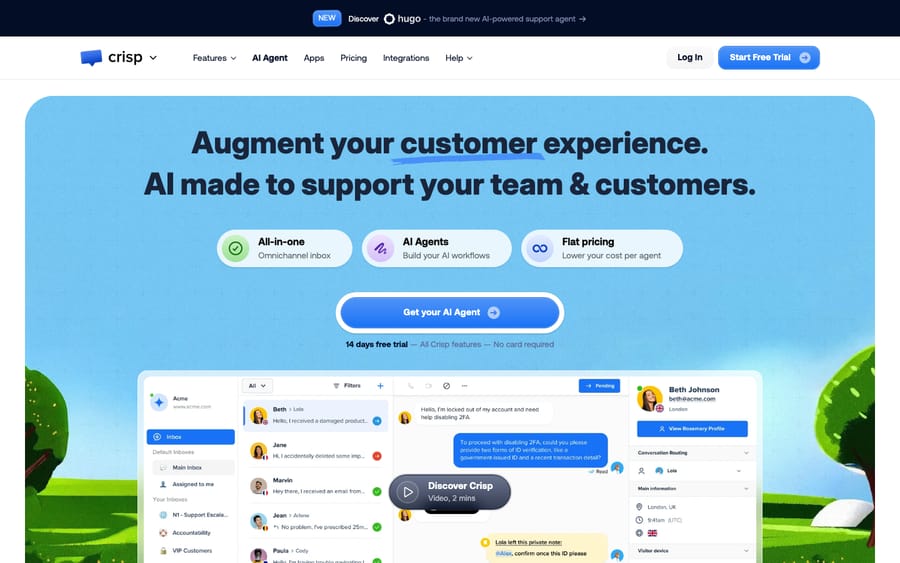
Limits. It's conversation-first, not built for rigid IT-style ticketing. The community/enterprise license split means some capabilities (SLA management, advanced dashboards, audit logs) sit behind the paid edition. Self-hosting carries a real operational and total-cost burden: Rails + Postgres + Redis is not shared-hosting-friendly, and patching/backups/uptime become your job. And on G2, reviewers repeatedly note the interface isn't the most beginner-friendly for brand-new agents, even as they praise the channels and AI. For a peer comparison, lightweight hosted live-chat tools like Crisp occupy the same "modern messenger" space without the self-host overhead; see our guide to the best live chat software.
Where does Macha fit next to Chatwoot?
Since you'll see Macha mentioned elsewhere on this site, here's the straight version: Macha is not an open-source platform, and it does not integrate with Chatwoot. Macha is a proprietary AI agent layer that sits on top of commercial help desks (Zendesk, Freshdesk, Gorgias, Front, HubSpot or Intercom) to resolve routine tickets automatically inside your existing workflow. Chatwoot, by contrast, is the platform itself, with its own native Captain AI built in.
So these aren't competitors; they're different categories. If your plan is to own an open-source engagement platform on your own servers, Chatwoot (and the others in our roundup) is your shortlist, not Macha. If you're instead on, or considering, one of those desks and the gap you're feeling is AI automation, that's the problem Macha is built for. Macha is also the done-for-you option there: the Macha team analyzes your past tickets, builds the knowledge base and the agent on your existing help desk, and runs it in safe mode until the drafts are right. It costs about $0.40 a ticket, from $299 a month for 750 tickets, and that includes the setup and a dedicated success manager who handles your changes after go-live. See how the AI agent layer works on your help desk, or start with $50 of free usage (about 125 tickets), no credit card. Either way, pick the tool that matches how you actually want to run support.
Frequently asked questions
What is Chatwoot? Chatwoot is an open-source customer engagement platform: an omnichannel shared inbox with a live-chat widget, help center, automations, CSAT, and a built-in AI agent (Captain). It positions itself as a self-hostable alternative to Intercom, Zendesk, and Salesforce Service Cloud, and can be run free on your own servers or on Chatwoot's paid cloud.
Is Chatwoot really open source and free? The community core is genuinely open source under the MIT license, and self-hosting it is free to license. But two caveats: features under the repo's enterprise/ directory ship under a separate proprietary license that requires a paid subscription for production use, and "free to license" isn't "free to run": self-hosting the Rails + Postgres + Redis stack costs you infrastructure and maintenance time.
How much does Chatwoot cost? Self-hosting the Community Edition is $0 in licensing. Chatwoot Cloud is priced per agent a month: Hacker $0 (up to 2 agents), Startups $19, Business $39 (most popular), and Enterprise $99. Paid tiers include monthly Captain AI credits (300/500/800), with top-ups at $20 per 1,000 credits. Figures checked on chatwoot.com on 24 September 2026; re-check before budgeting.
What is Captain AI in Chatwoot? Captain is Chatwoot's built-in AI layer with four parts: an Assistant that answers customer questions and hands off to humans, a Co-Pilot that drafts and translates agent replies, Smart FAQs that flag knowledge-base gaps, and Memories that retain per-customer context. It's metered in credits included with paid plans.
How much does Chatwoot cost in 2026? Chatwoot Cloud is $0 on Hacker (2 agents, 500 conversations a month), $19 on Startups, $39 on Business and $99 on Enterprise, per agent a month. Self-hosted, the Community Edition is free forever, a Premium Support license is $19 an agent a month and the Enterprise Edition is $99. Captain AI credits are included at 300, 500 and 800 a month on the paid cloud tiers, with extra credits at $20 per 1,000. All checked on chatwoot.com on 22 September 2026.
How do Chatwoot's Captain AI credits work? One credit per message, for every AI action: assistant answers, Copilot lookups, editor actions like rephrase and summarize, label suggestions, any automation that calls a model, and audio transcription. Chatwoot's help-center article says all actions cost 1 credit today because only one model configuration is supported. Credits you buy add to your balance and do not expire at renewal; your monthly allowance does reset, and any overage is deducted from the purchased balance. If credits run out, the action does not run and the conversation is handed to a human.
Is Chatwoot cheaper than Intercom or Zendesk? On seats, yes, by a wide margin: $19 to $99 an agent against Intercom's $85 for Advanced or Zendesk's $55 for Suite Team billed annually. On AI, the comparison depends on volume, because Chatwoot meters messages at $20 per 1,000 credits while Intercom's Fin charges $0.99 per resolved outcome. At $0.02 a credit, Chatwoot is cheaper below roughly fifty AI messages per resolved conversation; above that, per-outcome pricing wins, though almost no resolution takes fifty messages.
What are the best Chatwoot alternatives? Crisp if you want the same shape without running a server, tawk.to if cost is the whole constraint, Help Scout if your support is email-shaped, Freshdesk if you have outgrown a conversation inbox and need SLAs and queues, and Zammad or FreeScout if you want to keep self-hosting on a different stack.
Is Chatwoot worth it? It scores 22 out of 30 on our rubric, clearing the 18-point bar, with full marks on published pricing, entry cost and channel coverage. It drops points on write actions and, most of all, on independent review evidence: 16 G2 ratings, no Capterra listing and an empty Trustpilot profile as of 22 September 2026. If you can evaluate it yourself, it is excellent value. If you need third-party proof for a procurement process, there was none to find on 22 September 2026.
What do I need to self-host Chatwoot? Chatwoot runs on Ruby on Rails with PostgreSQL and Redis, usually deployed via Docker. That means a real server rather than cheap shared hosting, plus someone to handle setup, security patches, upgrades, and backups. It's a heavier lift than PHP-based open-source help desks like osTicket or FreeScout.
Is Chatwoot good for IT ticketing? Chatwoot is conversation-first: excellent for live chat and omnichannel customer support, less suited to formal ITSM workflows (incident/problem/change management, asset/CMDB tracking). For IT service management, a tool like GLPI or a dedicated ITSM platform is a better fit.
Should you choose Chatwoot?
Chatwoot earns its 37.1k GitHub stars: a capable, MIT-licensed core, a modern omnichannel inbox with strong live chat, a built-in AI agent in Captain, and the freedom to self-host and own your data. The honest caveats are that "open source" applies to the core and not the separately-licensed enterprise features, that self-hosting is free to license but not free to run, and that it's conversation-first rather than a classic IT ticketing tool. If you want control and low cost and have (or can rent) the ops capacity, Chatwoot is one of the strongest open-source picks of 2026. If you'd rather not run servers, its Cloud tiers from $19 an agent, or a fully managed commercial tool, are the pragmatic middle ground.
Positioning, cloud pricing and GitHub figures checked against chatwoot.com and the chatwoot/chatwoot GitHub repository on 24 September 2026; licensing, self-hosted pricing and review sites on 22 September 2026. Stars, ratings and Captain credit prices move continually, so re-check the source pages before you decide.






