





 Shopify
 Stripe
 Slack
Slack Notion
 Google Workspace
 Confluence

What Are the Best Free IT Ticketing Systems in 2026? Seat Caps Checked


Free IT ticketing in 2026 means a hosted plan with a technician cap, an open-source project you run on your own server, or a trial wearing the word free. The hosted caps run from 2 to 5 technicians, and the self-hosted tools have no cap but need someone to run the server.
Key takeaways
- ManageEngine ServiceDesk Plus offers the most capable free IT ticketing tier, covering up to 5 technicians and 500 IT assets at no cost, with unlimited end users.
- Spiceworks Cloud Help Desk's free Core plan caps out at 1 to 5 technician seats, and its paid Premium plan is priced off the company's total employee headcount.
- Jira Service Management's Free plan includes 3 agents, one site, 2 GB of file storage and 100 emails a day, with Assets only from the $20 Standard plan.
- GLPI is a self-hosted, GPL-3.0 licensed ITSM tool with 6,367 GitHub stars that combines ticketing with a full CMDB and asset management for free.
- Freshservice has no free plan, starting at $19 per agent a month for Starter billed annually, and Peppermint's repository was archived in July 2026.

The best free IT ticketing systems in 2026 are ManageEngine ServiceDesk Plus Standard (free to 5 technicians and 500 IT assets), Spiceworks Cloud Help Desk Core (1 to 5 technician seats), Jira Service Management Free (3 agents), and GLPI if you can self-host and want a full CMDB. Zoho Desk (3 users) and HubSpot Service Hub (2 users) are free too, but built for customer queues, and Freshservice, SolarWinds and Zendesk have no free plan at all. We checked every one of those limits on the vendor's own pricing page on September 20, 2026, captured the plan tables the same day, and re-checked Freshservice on September 24. This page is about internal IT and ITSM: queues fed by colleagues, asset records, approvals. If your queue is fed by customers instead, our free help desk software roundup is the one you want.
Is a ticketing system actually free in 2026? Yes, up to about five technicians
Free tiers in this category are sized by the people answering tickets, and almost never by the people raising them. End users are unlimited nearly everywhere. Technicians are capped at two, three or five, and that cap is the product decision the whole free tier is built around: it's generous enough to run a real internal desk at a small company and tight enough that a growing IT team has to pay.
The caps, read from the vendors' own tables the same day:
| Tool | Free tier | Technician cap | End users | Assets included | Cheapest paid step |
|---|---|---|---|---|---|
| ManageEngine ServiceDesk Plus | Standard edition, free | 5 technicians | Unlimited | Up to 500 IT assets at $0 | Standard US$13 per technician a month |
| Spiceworks Cloud Help Desk | Core Plan, free | 1 to 5 seats | Unlimited | Device inventory included | Premium $5 per seat a month billed annually |
| Jira Service Management | Free forever | 3 agents | Unlimited | No, Assets starts at Standard | Standard $20 per agent a month |
| Zoho Desk | Free Edition | 3 users | Unlimited | No | Express, shown in local currency |
| HubSpot Service Hub | Free tools | 2 users | Unlimited | No | Starter from $7 per seat a month |
| GLPI | Self-hosted, GPL-3.0 | Unlimited | Unlimited | Full CMDB and asset management | Network Public Cloud EUR 19 per user a month |
| osTicket, Zammad, FreeScout, Libredesk | Self-hosted | Unlimited | Unlimited | No, pair with Snipe-IT | A VPS, roughly $10 to $40 a month |
| Snipe-IT | Self-hosted, AGPL-3.0 | Unlimited | Unlimited | Assets only, no ticketing | Basic Hosting $399.99 a year |
| Freshservice | None | n/a | n/a | n/a | Starter $19 per agent a month |
| SolarWinds Web Help Desk | None | n/a | n/a | n/a | Quote only |
How did we check the free tiers?
We opened each vendor's own pricing page in a scripted browser on September 20, 2026, read the free column instead of the marketing above it, and captured the plan table. Where a vendor's free tier is described in a FAQ answer instead of a plan card, we checked both. Where a page rewrites its prices by IP address we read the server-rendered version with JavaScript disabled, or switched the page's own currency control to USD. For every open-source project we queried the GitHub API for the license, the star count and the date of the last commit, because an abandoned self-hosted service desk is worse than a paid one. We did not create a test account on any of these tools for this page; every figure here comes from a published plan table.
Which hosted ticketing systems are free forever?
ManageEngine ServiceDesk Plus: the most capable free ITSM, at five technicians
The pricing FAQ says it plainly: "the free version of ServiceDesk Plus - Standard edition upto 5 technicians". The price calculator agrees, showing US$0 in the Standard column for both "2 tech and 250 IT assets" and "5 tech and 500 IT assets", and US$1,545 the moment you ask for ten technicians.
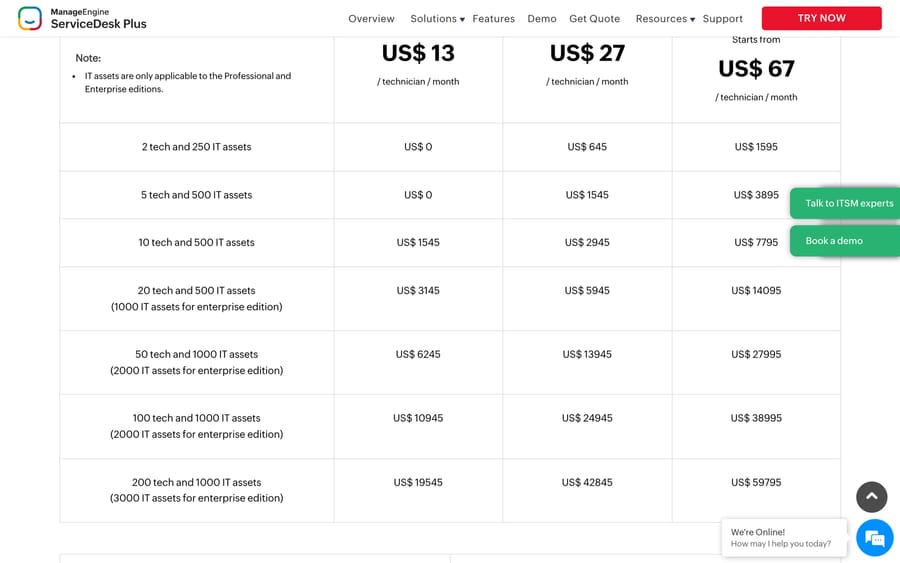
You get incident management, a self-service portal, a knowledge base and a basic asset count. Change, problem and project management are Professional and Enterprise, at US$27 and from US$67 per technician a month. ManageEngine also sells an annual maintenance service for the free edition at US$35 per technician per year, which is the cheapest support contract anywhere in this roundup and it's worth knowing it exists.
It fits teams that want ITIL shapes without ITIL pricing. It's the wrong fit if your service desk is customer-facing, because the whole product assumes an internal requester.
Spiceworks Cloud Help Desk: free because you are the audience
Core is free, ad-supported, and capped at one to five admin or technician seats with unlimited end users. The plan table puts it next to Premium at $5 per seat a month billed annually, or $6 billed monthly, with unlimited seats.
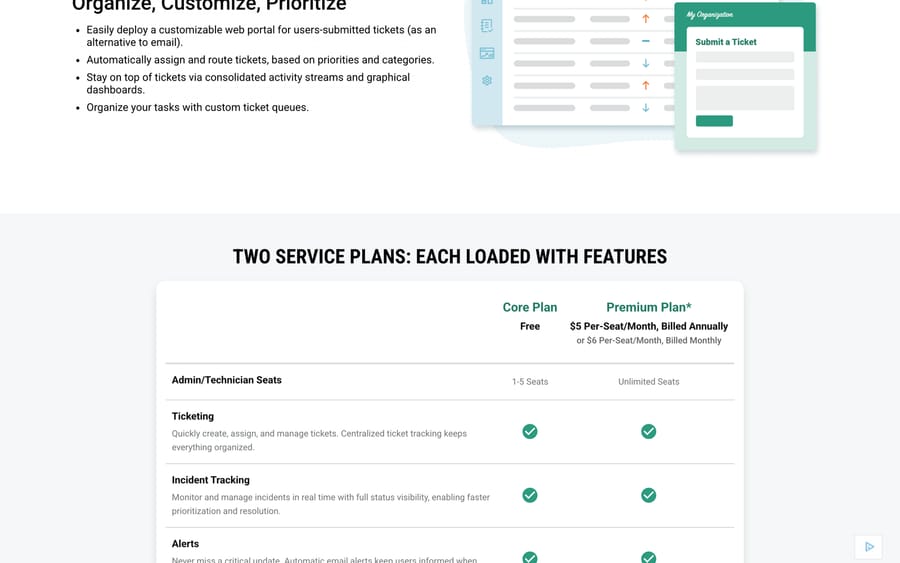
Read the footnote under that table before you budget the upgrade: "Pricing is based on the total number of active employees. It is not based on seats beyond the free limit or the number of help desk end-users." Crossing your fifth technician therefore prices Premium off the whole company's headcount. For a 200-person company that's $1,000 a month, which isn't the same shape of number as five seats at $5.
The free tier has outlasted most of its rivals because Spiceworks makes its money from advertising and vendor marketing aimed at the IT admins using it. That's a clear incentive, and Spiceworks hasn't hidden it. It also explains why r/sysadmin keeps producing threads asking whether Spiceworks is dead: the community and the on-premise product changed, and the free cloud help desk kept running.
Jira Service Management: three agents, and a hard email cap
Atlassian now sells this inside a Service Collection bundle. The Free column carries Jira Service Management Free plus Customer Service Management, with three agents, unlimited customers, one site, 2 GB of file storage and 100 emails a day. Rovo Agents and Assets, which is Atlassian's CMDB, both start at Standard, $20 an agent a month.
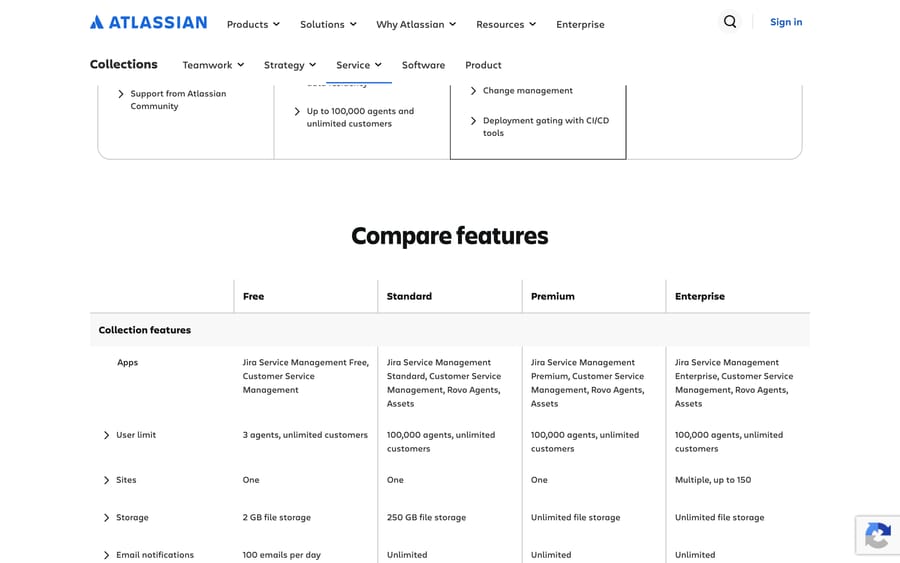
That last detail matters for anyone choosing a free ITSM tool on the strength of asset management: on the free plan there isn't any. If you already run Jira and Confluence, it's still the path of least resistance for three people.
Zoho Desk and HubSpot Service Hub: free, but customer-support shaped
Zoho Desk's Free Edition is three user licenses, free forever, with email ticketing and a knowledge base. HubSpot's free service tools are capped at two users, in the card's own words, "Free for up to 2 users. No credit card required."
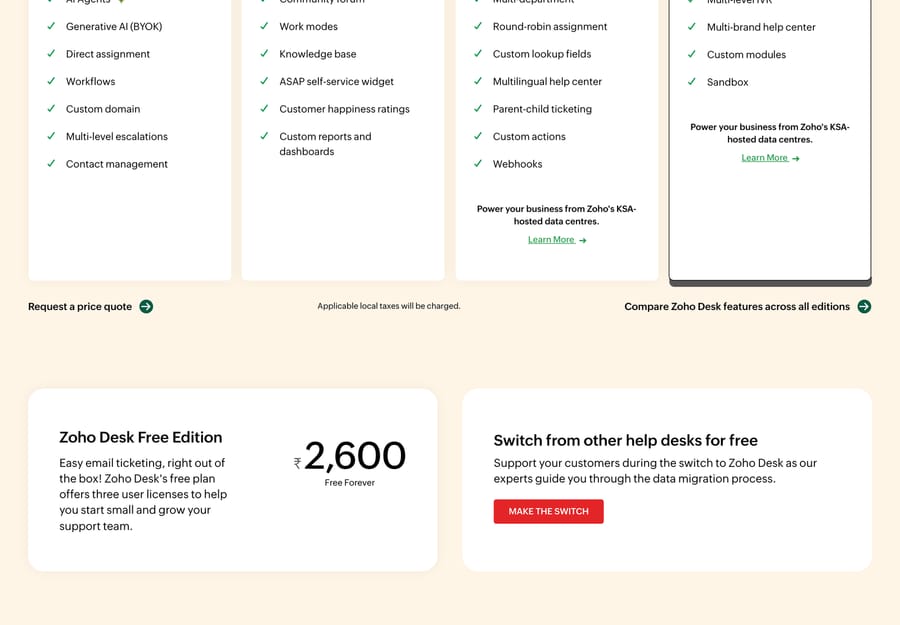
Both are built for customer queues, so the vocabulary is contacts and conversations instead of requesters and incidents, and neither has approvals, change management or asset records. They suit an IT team of two or three at a company that already runs the rest of that vendor's stack.
Which free ticketing system also does asset management?
Eleven separate r/sysadmin and r/k12sysadmin threads in our sample ask for one tool that does tickets and hardware inventory together, and it's the gap in most free roundups. There are three honest answers.
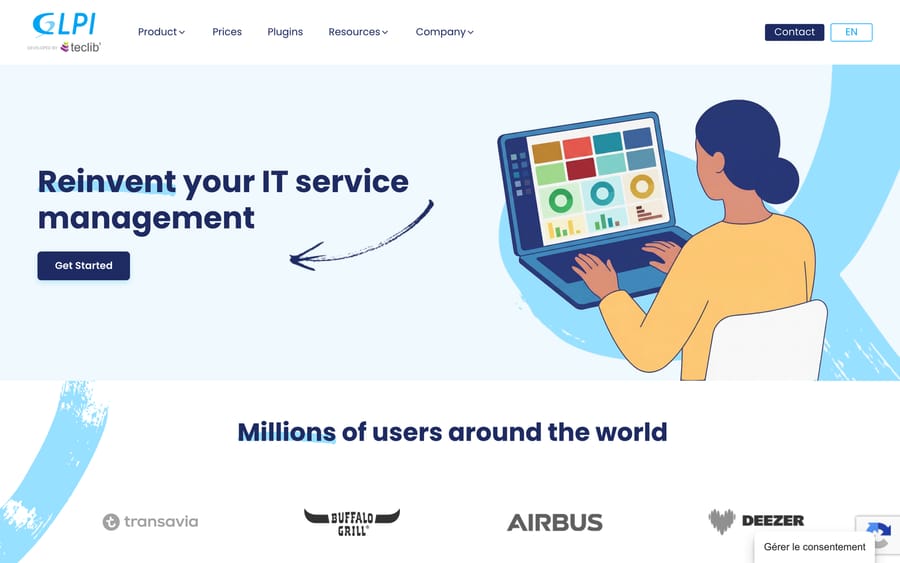
GLPI does both, in one product, for free. It is GPL-3.0, 6,367 GitHub stars, last commit September 18, 2026, and it ships a full CMDB, financial and contract management alongside the help desk. Self-hosting is free. If you want it managed, GLPI Network Public Cloud is EUR 19 excluding tax per user per month with unlimited assets and unlimited end users, Private Cloud is EUR 21 for 25 users or more, and there is a 45-day free trial.
Spiceworks bundles a device inventory with the free desk. Less depth than GLPI, no self-hosting, and ads. For a small internal desk that mostly needs to know what laptop a person has, it's the fastest thing to stand up.
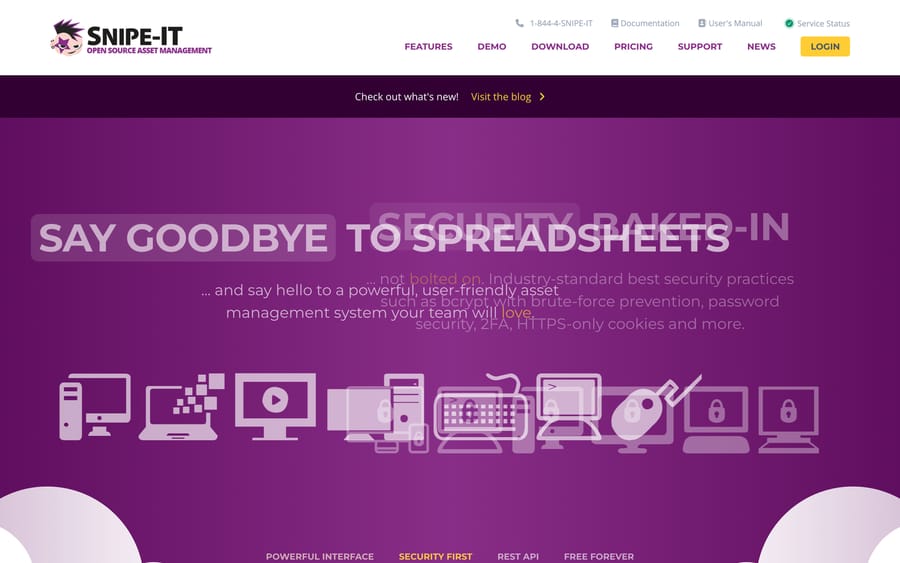
Or split the job: a desk plus Snipe-IT. Snipe-IT is asset management only, AGPL-3.0, 14,962 stars, last commit September 18, 2026, and its pricing page says "Snipe-IT Asset Management is and always will be free" if you host it. Hosted plans run $399.99 a year for Basic, $999.99 for Small Business and $2,499.99 for a small dedicated server, all with unlimited users and unlimited assets. Pair it with osTicket or Zammad and you have both halves for the price of a VPS.
Which self-hosted ticketing systems are still maintained?
| Project | License | Stars | Last commit | What it is |
|---|---|---|---|---|
| Snipe-IT | AGPL-3.0 | 14,962 | 2026-09-18 | Asset management, no ticketing |
| GLPI | GPL-3.0 | 6,367 | 2026-09-18 | ITSM with CMDB and assets |
| Zammad | AGPL-3.0 | 5,928 | 2026-09-18 | Structured ticketing, email, chat, Telegram |
| FreeScout | AGPL-3.0 | 4,543 | 2026-09-19 | Shared inbox, runs on shared hosting |
| osTicket | GPL-2.0 | 3,917 | 2026-06-17 | The classic, v1.18.4, 2.0 announced |
| Libredesk | AGPL-3.0 | 2,946 | 2026-09-20 | One Go binary, v2.8.0, no paid tiers |
| Znuny | GPL-3.0 | 595 | 2026-09-16 | The maintained OTRS Community Edition fork, LTS 6.5.25 |
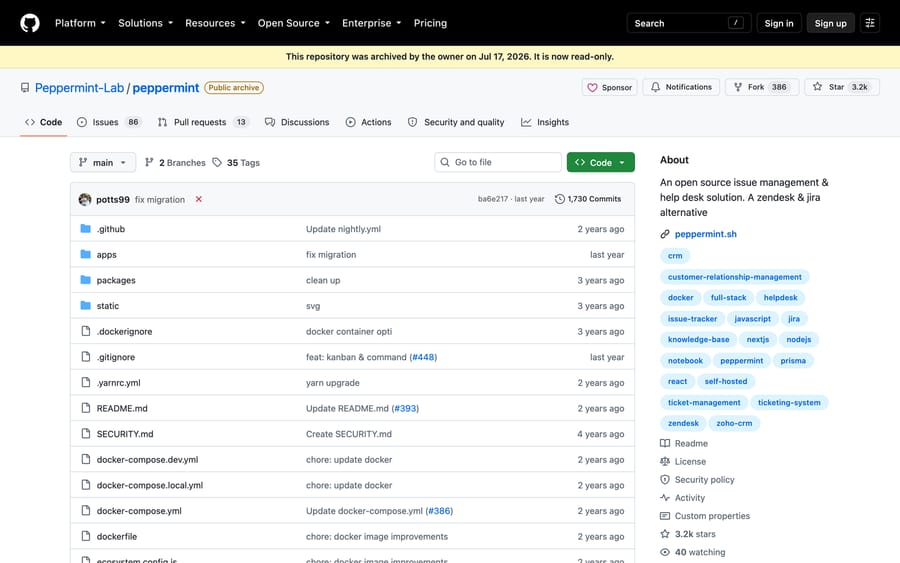
| Peppermint | Archived 2026-07-17 | 3,162 | 2025-09-21 | Read-only. Do not start here. |
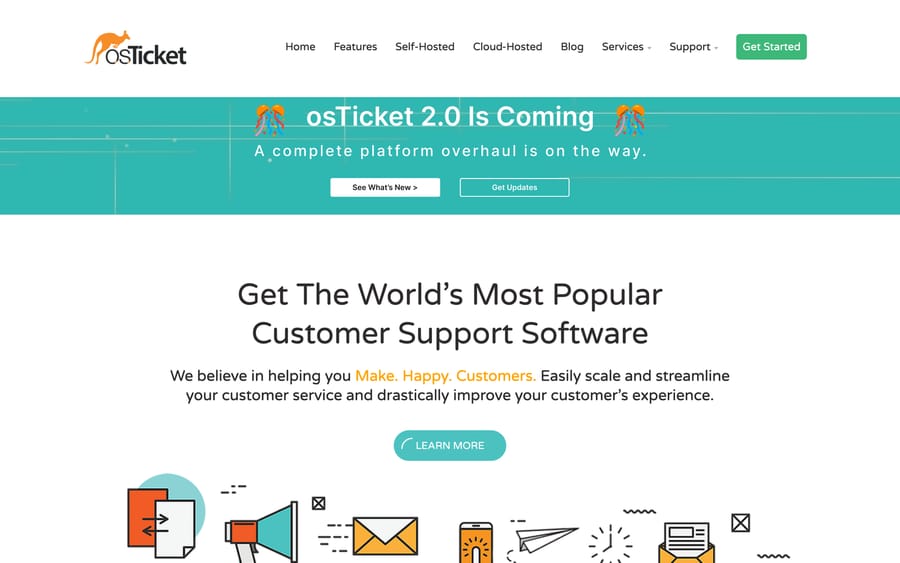
osTicket is still the default answer on r/sysadmin and still the page Google ranks first for this query. Its homepage now carries a banner reading "osTicket 2.0 Is Coming: a complete platform overhaul is on the way", which you'll want to know before you invest a weekend in customizing 1.18.
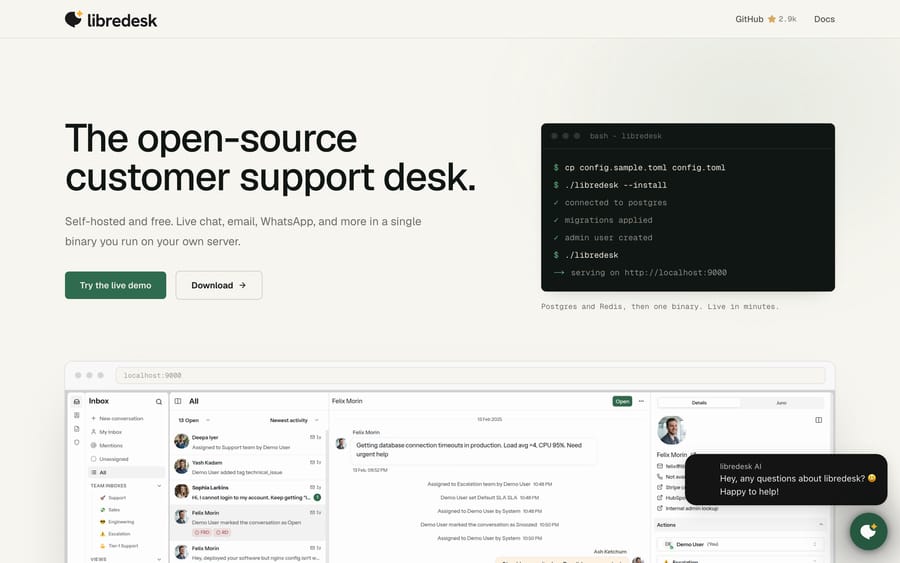
Libredesk is the newer project that r/selfhosted keeps surfacing. It ships as a single Go binary you run on your own server, and its FAQ is unusually blunt: "libredesk is open source and free to self-host. Every feature is included, and there are no paid tiers." It's young, it's actively developed, and it's the easiest install here.
Znuny deserves a line because the tool it replaced doesn't exist any more. OTRS Community Edition was discontinued, and Znuny is the fork that carries it forward with long-term support; its current LTS release, 6.5.25, shipped on September 16, 2026.
Peppermint is the one to avoid, and several 2026 roundups have not noticed. Its GitHub repository shows the banner "This repository was archived by the owner on Jul 17, 2026. It is now read-only", the last commit is from September 2025, 86 issues remain open, and peppermint.sh returns a Cloudflare 520 error.
Our open-source ticketing systems guide has the longer version of this table, including UVdesk, Faveo and Frappe Helpdesk.
Which "free" ticketing systems are really a trial?
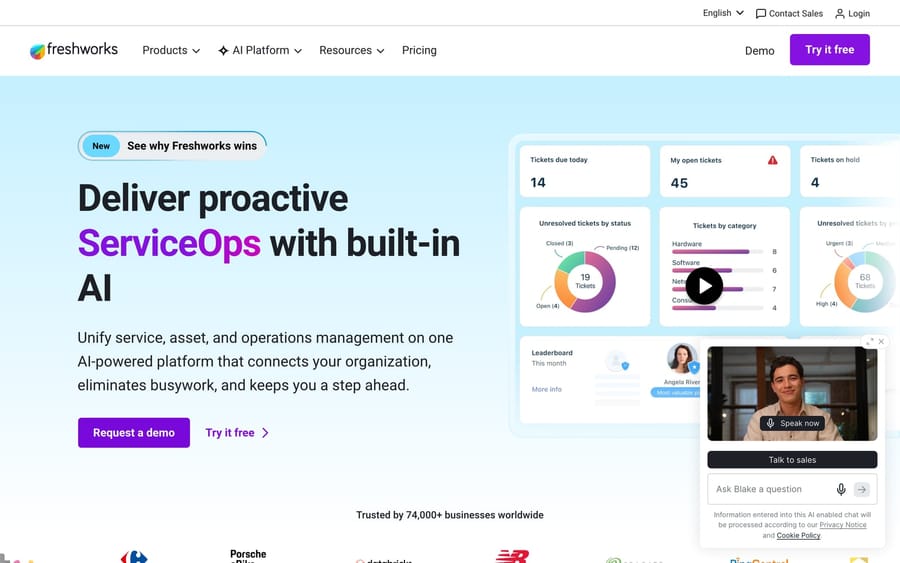
Freshservice has no free plan. Its pricing page lists Starter $19, Growth $49 and Pro $99 per agent a month billed annually, with Enterprise on request, plus Freddy AI Copilot at $29 an agent a month on top (re-checked September 24, 2026). Freshservice offers a 14-day trial instead. Freshdesk, its customer-support sibling, closed its free plan too and now sells a 14-day trial.
SolarWinds Web Help Desk is quote-only, with a trial. Zendesk has a 14-day trial and starts at US$19 an agent a month on Support Team, and the free replacements for it are a different shortlist again, covered in our free Zendesk alternatives guide. None of these belongs on a free shortlist, and all three turn up on plenty of them.
What does a free ticketing system actually cost?
- The technician cap is the upgrade trigger, and the pricing basis changes when you cross it. Spiceworks is the sharp example: free to five seats, then priced on total company headcount.
- Asset counts are a second meter. ManageEngine's free edition covers up to 500 IT assets. Past that you are on a paid tier whether or not you added a technician.
- Volume caps are the quiet one. Atlassian's 100 emails a day on Free is easy to breach during an outage, which is exactly when you need the desk.
- Self-hosting moves the cost to a person. A $0 license and a $20 server beats $1,545 a year of ManageEngine seats until an upgrade breaks inbound mail. Budget the person who fixes that and it's still cheaper; pretend they don't exist and it isn't.
- Support is the thing you actually bought. ManageEngine sells a maintenance contract for its free edition at $35 a technician a year. Zammad sells self-hosted support from EUR 2,999 a year. That gap is what "free" really costs.
How do you choose a free IT ticketing system?
- Internal IT, under five technicians, wants ITIL shapes. ManageEngine ServiceDesk Plus Standard.
- Internal IT, under five technicians, wants device inventory and does not mind ads. Spiceworks Cloud Help Desk Core.
- You already run Atlassian and have three agents. Jira Service Management Free, and accept that Assets is a paid feature.
- You want tickets and a real CMDB, for nothing. GLPI, self-hosted.
- You want tickets and assets but not in the same product. osTicket or Zammad alongside Snipe-IT.
- You want the least sysadmin work for a self-hosted desk. Libredesk, then FreeScout.
- You need more than five technicians and cannot self-host. Nothing here is free at that size. Price ManageEngine Standard at US$13 a technician against Freshservice Starter at $19 and Jira Standard at $20, and choose on features.
Where does an AI agent layer fit?
Macha is not on this list. It isn't free and it isn't a ticketing system: it's an AI agent layer that runs on top of Zendesk, Freshdesk, Gorgias, Front, HubSpot or Intercom. If you're standing up your first free IT desk, this isn't your decision yet, and none of the tools above is a Macha integration.
It matters one step later, when the desk exists and the repetitive half of the queue (password resets, access requests, the same three onboarding questions) is what costs you people. Macha prices on monthly ticket volume from $299 a month for 750 tickets, about $0.40 a ticket at every tier, with one thread counting once however many replies it takes, and setup and monitoring done by the Macha team. The trial is $50 of free usage with no credit card. Pricing has the tiers.
Frequently asked questions
Is there a genuinely free ticketing system? Yes, several, with caps. ManageEngine ServiceDesk Plus Standard is free to 5 technicians and 500 IT assets, Spiceworks Cloud Help Desk Core to 5 technician seats, Jira Service Management to 3 agents, Zoho Desk to 3 users and HubSpot Service Hub to 2. The self-hosted projects have no caps at all because nobody is counting.
What is the best free IT ticketing system? ManageEngine ServiceDesk Plus if you want ITSM structure, Spiceworks if you want ticketing plus device inventory with no server to run, and GLPI if you are willing to self-host and want assets and tickets in one product.
Which free ticketing system includes asset management? GLPI does, in full, self-hosted for nothing. Spiceworks bundles a lighter device inventory with its free plan. ManageEngine's free Standard edition covers up to 500 IT assets. Jira Service Management does not; Assets starts at Standard, $20 an agent a month.
Is Spiceworks free unlimited? No. Spiceworks' own plan table caps the free Core plan at 1 to 5 admin or technician seats. End users are unlimited on both plans. Premium lifts the seat cap at $5 per seat a month billed annually, priced on your total active employee count rather than your support team's size.
Is Freshservice free? No. Freshservice's pricing page lists Starter at $19, Growth at $49 and Pro at $99 per agent a month billed annually, with a trial and no permanently free tier. Freshdesk, its customer-support sibling, also closed its free plan and now offers a 14-day trial only.
What is the best free open-source ticketing system? osTicket for the longest track record, Zammad for the most complete ticketing model, GLPI if you need assets too, and Libredesk if you want the simplest install. Avoid Peppermint: its repository was archived in July 2026 and its website is down.
How many agents can I have on a free help desk? Two at HubSpot, three at Zoho Desk and Jira Service Management, five at ManageEngine and Spiceworks. Unlimited on anything you host yourself. All checked on the vendors' own pages on September 20, 2026.
Does a free ticketing system come with SLAs? Rarely. Jira Service Management puts SLAs on Standard, ManageEngine covers basic incident SLAs in its free Standard edition, and the self-hosted tools mostly support them because somebody built the feature and nobody is gating it. Check before you promise anyone a response time.
Is self-hosting really cheaper than a free hosted plan? Only above the seat cap. Below five technicians, a free hosted tier costs nothing and requires no maintenance window. Above it, a $10 to $40 a month VPS running GLPI or Zammad beats every paid plan here, as long as someone on the team owns upgrades, backups and mail deliverability.
Sources:
- ManageEngine ServiceDesk Plus pricing, Spiceworks Cloud Help Desk, Jira Service Management pricing
- Zoho Desk pricing, HubSpot Service Hub pricing, Freshservice pricing, Freshdesk pricing, Zendesk pricing
- GLPI pricing, Snipe-IT pricing, Zammad pricing, osTicket, Libredesk, Znuny
- GitHub, checked September 20, 2026: GLPI, Snipe-IT, Zammad, FreeScout, osTicket, Libredesk, Peppermint (archived)
- Community threads reached through search: r/sysadmin on free ticketing beyond osTicket, r/ITManagers on free service desk software, r/sysadmin on ticketing with asset management, r/selfhosted on a fully free ticketing system, r/sysadmin on what happened to Spiceworks






