



 Intercom
 Shopify
 Stripe
 Slack
Slack Notion
 Google Workspace
 Confluence

Help Desk vs Service Desk: What's the Difference? (2026)


Help desk and service desk get used as synonyms, but in IT service management they differ in scope: a help desk fixes problems, while a service desk manages services. Zendesk and Freshdesk sit on the help-desk side; Freshservice, ServiceNow and Jira Service Management are built as service desks.
Key takeaways
- A help desk is a reactive, ticket-based function that resolves issues, while a service desk is ITIL's single point of contact that also handles service requests, change, problem and asset management.
- ITIL (Version 5), released in January 2026, keeps the ITIL 4 value system and groups 34 management practices into two categories, and PeopleCert plans to sunset all ITIL 4 modules on 31 December 2027.
- Customer-support tools such as Zendesk and Freshdesk are help desks, while Freshservice, ServiceNow and Jira Service Management are built as service desk or ITSM platforms.
- A service desk is a superset of a help desk, so every service desk performs help-desk work but not every help desk manages the full IT service lifecycle.
- On the customer help-desk side, Macha adds an AI agent on top of the desk you already run, set up and run by the Macha team for about $0.40 a ticket with a dedicated success manager included.
A help desk resolves issues: someone has a problem, they open a ticket, an agent fixes it. A service desk is the ITIL-defined single point of contact between IT and its users, and it handles those same issues plus service requests, the service catalog, problem management, change management and asset tracking. Every service desk does help-desk work; not every help desk is a service desk. Customer-support tools such as Zendesk and Freshdesk sit on the help-desk side, while Freshservice, ServiceNow and Jira Service Management are built as service desks.
| Help desk | Service desk | |
|---|---|---|
| Core purpose | Resolve issues / answer questions | Manage IT services end-to-end |
| Mindset | Reactive, issue-centric (break/fix) | Proactive, service-centric (ITIL) |
| Scope | Incidents + Q&A | Incidents + service requests, problem, change, assets |
| Framework | Loosely structured | ITIL / ITSM-aligned |
| Typical audience | Customers or employees | Employees / internal IT (usually) |
| Unit of work | The ticket | The service (and its lifecycle) |
| Key features | Ticketing, KB, SLAs, automation, CSAT | Service catalog, CMDB/assets, change & problem mgmt, request fulfillment |
| Success metric | Resolution time, CSAT | Service availability, SLA adherence, change success rate |
| Example tools | Zendesk, Freshdesk | Freshservice, ServiceNow, Jira Service Management |
| Relationship | A subset of what a service desk does | A superset that includes help-desk work |
Definitions checked against ITIL/ITSM sources (PeopleCert, Atlassian, Zendesk, ITSM.tools, IBM, ManageEngine). Vendor labels vary, so check actual capabilities.
A quick disclosure: Macha, which publishes this, makes an AI agent layer that runs on top of customer-support help desks. So we live on the help-desk side of this line, not the ITSM side. The explainer stays neutral, with one aside at the end.
What is the quick answer?
- Help desk = a support tool or team for resolving incidents and answering questions. Reactive, ticket-driven, issue-centric. Can be external (supporting customers) or internal (supporting employees).
- Service desk = an ITIL-aligned function that's the single point of contact between IT and its users, covering incidents and service requests, plus problem, change, and asset management. Service-centric, almost always internal (IT/employee-facing).
- ITSM (IT service management) is the umbrella discipline both sit inside. The service desk is the front door to ITSM; the help desk is a narrower, fix-it slice.
If you only remember one thing: a help desk is about restoring service; a service desk is about managing services.
What is a help desk?
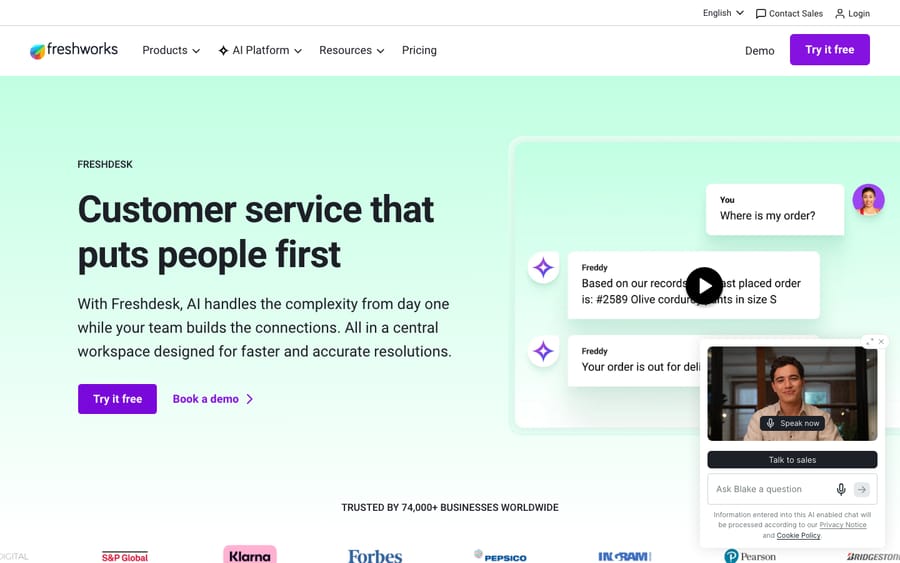
A help desk is a centralized resource, software plus the people behind it, that provides support to end users. Someone hits a problem, a ticket is created, and an agent (human or AI) works it to resolution. The defining traits are that it's reactive and issue-centric: the unit of work is the ticket, and success is measured by how fast and how well you close it.
Classic help-desk capabilities:
- Ticketing: turn emails, chats, calls, and form submissions into trackable tickets in one queue.
- Incident handling / break-fix: the bread and butter: "this is broken, fix it."
- Knowledge base and self-service: articles and FAQs so users can resolve common issues without an agent.
- Automation and SLAs: routing rules, canned responses, and service-level targets that keep tickets moving.
- Reporting: volume, response time, resolution time, and (for customer-facing desks) CSAT.
Crucially, a help desk can point in two directions. An external help desk supports your customers, the e-commerce or SaaS support team answering email and chat. An internal help desk supports your employees, often an IT team handling "I can't log in" or "the printer's down." Same core idea, different audience.
Tools commonly described as help desks include Zendesk and Freshdesk on the customer-support side. (For a deeper look at one of them, see our guide to what Freshdesk is.)
What is a service desk?
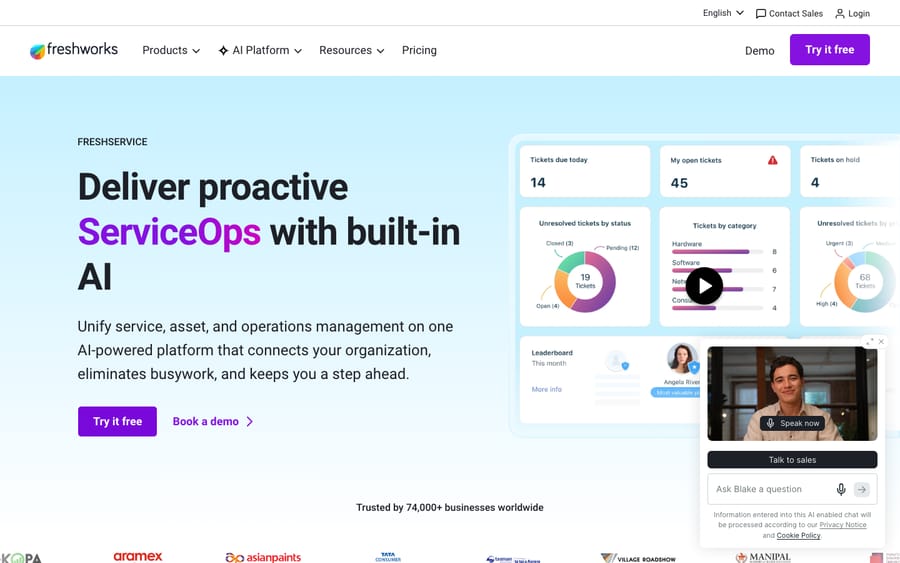
A service desk is a more strategic, structured function. In ITIL terms, it's "the single point of contact (SPOC) between the service provider and the users": the one front door for everything IT-related. It does everything a help desk does, then keeps going: it also fulfills service requests (new laptop, software access, onboarding) and connects into the broader ITSM machinery behind the scenes.
The service desk was, quite literally, an evolution of the help desk. It emerged from ITIL, the IT Infrastructure Library, the most widely adopted best-practice framework for IT service management, and the idea of "managing IT as a service" rather than just fixing what breaks. That shift from issue-centric to service-centric is the whole distinction.
A service desk is the front end of several ITIL practices working together:
- Incident management: restore normal service as fast as possible when something disrupts work (the help-desk overlap).
- Service request management: fulfill standard, pre-approved requests (access, equipment, software) that aren't "something broke."
- Problem management: find the root cause behind recurring incidents so they stop happening, not just get patched repeatedly.
- Change enablement (change management): govern changes to IT infrastructure with approvals and risk assessment so updates don't cause outages.
- Service catalog management: a published menu of available IT services users can request, with defined workflows and approvals.
- IT asset management / CMDB: track hardware and software assets across their lifecycle and map how they relate to one another.
Because of all that structure, service desks are almost always internal, built for employees and run by IT (and increasingly extended to HR, facilities, and finance under "enterprise service management"). Tools built as service desks / ITSM platforms include Freshservice, ServiceNow, and Jira Service Management.
Where do ITSM and ITIL fit?
It's easy to muddle three terms, so here's the hierarchy:
- ITSM (IT service management) is the broad discipline: how an organization designs, delivers, supports, and improves IT services end-to-end. It's the umbrella.
- ITIL is the most popular framework for doing ITSM well, a library of best practices. The current version is ITIL (Version 5), released in January 2026 (Lumify, a PeopleCert training partner, dates it to 29 January 2026). PeopleCert, which owns ITIL, says Version 5 keeps ITIL 4's value system and guiding principles, adds end-to-end lifecycle guidance for digital products and services, and groups 34 management practices into product and service management practices and general management practices (PeopleCert ITIL FAQ). ITIL 4, which replaced the older five-stage service lifecycle with the Service Value System, still runs in parallel; PeopleCert plans to sunset all ITIL 4 modules on 31 December 2027.
- The service desk and help desk are narrower pieces inside ITSM. The service desk is ITIL's named practice for the user-facing point of contact; the help desk is the more informal, fix-it function that predates it.
So when someone says their "service desk follows ITIL," they mean it's run according to that framework's practices: incidents and problems and changes handled as defined processes, not ad hoc. A help desk can borrow ITIL ideas, but it isn't defined by them.
One honest caveat: in everyday marketing, vendors use "help desk" and "service desk" loosely and sometimes interchangeably. ITIL prefers "service desk," but you'll see "help desk software" used to describe products that do far more than break-fix. Read the capabilities, not the label.
Does it matter whether you support customers or employees?
The audience question is one of the cleanest ways to tell the two apart in practice.
- External support is customer-facing: your buyers, users, or members reaching out. This is almost always a help desk play: omnichannel ticketing, fast resolution, CSAT. Service-desk concepts like a CMDB or change management don't really apply to supporting external customers.
- Internal support serves employees. Here it can go either way. A small company might run a lightweight internal help desk for IT break-fix. As the organization grows and IT gets more complex (more assets to track, more changes to govern, more standardized requests to fulfill), that internal function tends to mature into a full service desk running ITIL practices.
In other words: if you're supporting customers, you want a help desk. If you're supporting employees at any real scale and complexity, you're likely heading toward a service desk.
Where do help desks and service desks overlap?
The two aren't cleanly separated, which is exactly why the terms get confused:
- Both do ticketing and incident management. Logging, routing, and resolving issues is shared DNA; a service desk just does more on top.
- Both offer self-service and knowledge bases. Deflection matters everywhere.
- A service desk contains a help desk. The incident/request-handling front end of a service desk is essentially a help desk; ITSM adds the surrounding processes.
- Modern tools blur the line. Many platforms can be configured toward either use case, and "enterprise service management" pushes service-desk practices into HR, facilities, and beyond, further muddying the labels.
The overlap is real, but the test still holds: if the tool manages the lifecycle of services (catalog, changes, problems, assets), it's a service desk; if it mostly resolves issues, it's a help desk.
How do you choose between a help desk and a service desk?
You're usually not choosing between the abstract concepts; you're choosing a tool for a job. A simple way to decide:
- Who are you supporting? External customers → help desk. Internal employees → keep going.
- How complex is your IT? If internal support is mostly "reset my password, fix this app," a help desk is plenty. If you need to track assets, govern infrastructure changes, manage root-cause problems, and publish a request catalog, you need a service desk.
- Do you need ITIL? Regulated industries, larger IT estates, and audit requirements push you toward ITIL-aligned ITSM; that's service-desk territory.
- Do you do both jobs? Many organizations run both: a customer help desk (e.g., Zendesk or Freshdesk) for external support and a service desk (e.g., Freshservice, ServiceNow, or Jira Service Management) for internal IT. Don't force one tool to do both well; you'll lose the features that make each good. For a same-vendor version of this exact split, see our Freshdesk vs Freshservice breakdown.
The mistake to avoid is over-buying: a small customer-support team doesn't need a CMDB or change management, and paying for a full ITSM platform to answer customer emails is overkill. Match the tool to the work.
Where does an AI layer like Macha fit?
One narrow, honest aside, scoped to the help-desk / customer-support side of this comparison only. If you're running a customer help desk and want stronger AI resolution than the built-in bots, Macha is an AI agent layer that runs on top of Zendesk, Freshdesk, Gorgias, Front, HubSpot or Intercom. It connects to your knowledge and resolves customer tickets inside the tool you already use. The setup is done for you: the Macha team analyzes your past tickets, builds the knowledge base and the agent, and runs it in safe mode, with drafts as internal notes in your help desk, until the drafts are right. Pricing is per ticket, about $0.40 a ticket from $299 a month for 750 tickets, and it includes that setup and a dedicated success manager who handles your changes after go-live.
To be clear about scope: this is a customer-support play, not an ITSM one. If your need is service-desk territory (a CMDB, change management, an IT service catalog), Macha isn't the tool for that job, and we won't pretend otherwise. But on the customer-support side, if you'd like to see the agents work before committing, you can start with $50 of free usage (about 125 tickets), no credit card.
Frequently asked questions
What is the difference between a help desk and a service desk? A help desk is a reactive, ticket-based function focused on resolving issues and answering questions. A service desk is a broader, ITIL-aligned function that handles incidents and service requests, plus problem management, change management, a service catalog, and asset tracking. Put simply: a help desk fixes problems; a service desk manages the whole IT service lifecycle.
What is a service desk? In ITIL, a service desk is the single point of contact (SPOC) between an IT service provider and its users. It's the front door to IT service management (ITSM), taking incidents and service requests, and linking into problem, change, and asset management behind the scenes. It's service-centric rather than issue-centric.
Is a service desk just a help desk for IT? Not exactly. A service desk includes help-desk work (logging and resolving incidents) but adds the ITSM backbone a help desk lacks: service request fulfillment, a service catalog with approvals, problem and change management, and a CMDB/asset database. A help desk is a subset of what a service desk does.
What's the relationship between help desk, service desk, and ITSM? ITSM is the overall discipline of managing IT services. ITIL is the most common framework for doing ITSM. The service desk is ITIL's named user-facing function, and the help desk is a narrower, fix-it function that predates it. Both the help desk and service desk are pieces inside ITSM.
Are help desk and service desk the same thing? In casual and marketing use, the terms are often used interchangeably, but technically they're not the same. ITIL prefers "service desk" and defines it more broadly. Always judge a tool by its actual capabilities (does it manage changes, assets, and a service catalog?) rather than the label on the box.
What is the current version of ITIL? ITIL (Version 5), released in January 2026. It keeps the value system and guiding principles from ITIL 4 and organizes 34 management practices into two groups. ITIL 4 runs in parallel for now, and PeopleCert plans to sunset its modules on 31 December 2027.
Which tools are help desks vs service desks? Help-desk / customer-support tools include Zendesk and Freshdesk. Service desk / ITSM platforms include Freshservice, ServiceNow, and Jira Service Management. Several products can be configured toward either use case, so confirm the feature set against your needs.
So which one do you need?
Help desk vs service desk isn't a contest between two competing products; it's a question of scope. A help desk is the reactive, ticket-based function that resolves issues fast, and it can serve either customers (external) or employees (internal). A service desk is the broader, ITIL-aligned function that the help desk evolved into: same incident-handling core, plus service requests, problem and change management, a service catalog, and asset tracking, the full ITSM front door, almost always for internal IT.
Choose by audience and complexity: customers or simple internal break-fix → help desk; mature internal IT that needs ITIL → service desk; both jobs at scale → run both, and don't make one tool pretend to be the other.
Definitions checked in September 2026 against ITIL/ITSM sources including PeopleCert, Atlassian, Zendesk, ITSM.tools, IBM, and ManageEngine. Because vendors use "help desk" and "service desk" loosely, evaluate tools by capability rather than label. Next review: December 2026.
Resolve tickets automatically with AI agents
Macha's AI agents work on top of the help desk you already use — no code.





