



 Intercom
 Shopify
 Stripe
 Slack
Slack Notion
 Google Workspace
 Confluence

How Do You Migrate from Intercom? A 2026 Step-by-Step Guide


Migrating from Intercom means exporting contacts to CSV, pulling transcripts through the REST API or a migration service because the easy Dataset export holds metadata only, and rebuilding workflows by hand in the new help desk. The limits, the Gorgias route and a step-by-step plan below were checked against vendor documentation in September 2026.
Key takeaways
- Migrating from Intercom takes a CSV export for contacts, the REST API or a paid service for transcripts, and a hand rebuild of workflows, SLAs and saved replies.
- Intercom's CSV and Dataset exports return only metadata, such as IDs, timestamps and tags, and leave out message bodies, which must come from the REST API or a migration service.
- Intercom's REST API returns 20 conversations per page by default and 150 at most, and apps can make 10,000 calls a minute per app and 25,000 per workspace.
- Browser downloads of Intercom conversation data stop at 10,000 rows, and the Export API covers a maximum 90-day timeframe per request.
- Gorgias asks any Intercom migration above 500 tickets a month to talk to its sales team, and imports Intercom help center articles with a native importer.

To migrate from Intercom, export contacts and companies to CSV, pull full conversation transcripts through the REST API or a paid migration service (the built-in Dataset export returns metadata only, with no message bodies), rebuild workflows and SLAs by hand in the new help desk, then run a 20-conversation demo before the full move. The export side has hard limits worth planning around: browser downloads stop at 10,000 rows, the Export API covers 90 days per request, and the REST API returns at most 150 conversations per page. We checked the Intercom and destination capabilities below against the vendors' own documentation on 20 September 2026 and re-checked the export and API limits on 24 September 2026.
| What you're moving | How it gets out of Intercom | How it gets into the new desk |
|---|---|---|
| Contacts and companies | CSV export (More → Export) | Destination's free native importer |
| Conversation metadata (IDs, tags, assignees, SLA data) | Dataset export or S3/Google Cloud Storage export | Rarely useful on its own |
| Conversation transcripts | REST API, or text/PDF one conversation at a time | Import API or a migration service |
| Help center articles | Help center export or a service | Native importer on some desks (Gorgias has one for Intercom) |
| Workflows, SLAs, saved replies | Nothing exports them | Rebuild by hand |
Why do teams leave Intercom?
Intercom is a genuinely strong product, with a best-in-class messenger, a mature inbox, and an AI agent (Fin) that many teams rate highly. But a few fair, recurring reasons push teams to move:
- Pricing that scales unpredictably. Intercom's blend of per-seat fees and usage-based AI outcome charges means the bill can climb in ways that are hard to forecast, especially once Fin is resolving at volume. For many teams, cost is the single biggest driver.
- The Salesforce acquisition. Salesforce completed its acquisition of Fin, the company formerly known as Intercom, on September 10, 2026. The definitive agreement was signed on June 15, 2026 at roughly $3.6 billion, and the product is set to fold into Salesforce's Agentforce platform (Salesforce press release, TechCrunch). Acquisitions don't break a product overnight, but they do create real uncertainty about roadmap, pricing, and packaging, and that uncertainty is a legitimate reason to evaluate alternatives now rather than later. Worth separating from a second event people conflate with it: the company renamed itself from Intercom to Fin on May 12, 2026, before the Salesforce deal was signed. Intercom remains the name of the help desk.
- A model mismatch for ticket-heavy support. Intercom is conversation-first. Teams that have grown into formal ticketing, SLAs, and queue-based workflows sometimes find a dedicated helpdesk a more natural fit.
- Channel or stack alignment. Ecommerce teams want order context in the ticket; teams standardizing on another ecosystem want their support tool to live there.
Pin down your real reason, because it determines both your destination and whether a migration is even the right fix. If you're still shortlisting, our roundup of the best Intercom alternatives compares the main destinations with honest pricing and ratings.
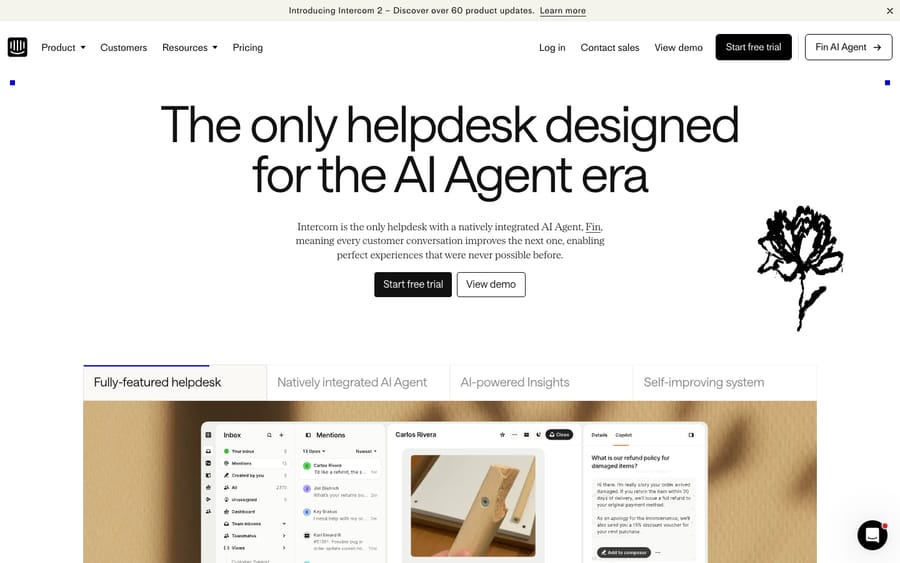
What data do you need to migrate from Intercom?
Before touching a tool, inventory what you're carrying. A migration is really three jobs wearing one name: records (data that can move), configuration (logic you rebuild), and the cutover (the operational switch). Most of the pain lives in the second and third.
Here's what to account for in Intercom specifically:
- Conversations and tickets. The full message thread (customer and teammate replies), notes, status, assignee, and the tags attached to each. Intercom's conversation transcript is the crown jewel here, and also the part the standard export handles least well.
- Contacts (users and leads) and companies. Your people and the organizations they belong to, including the custom attributes you've defined on each.
- Custom attributes. Intercom leans heavily on custom data attributes for both contacts and conversations. Catalog every one, its type, and where it's used; these have to be recreated as custom fields in the destination before you import.
- Help center articles. Collections, articles, authors, and any translations or multilingual content.
- Tags. Used for routing and reporting. Map them deliberately instead of dragging across hundreds of stale ones.
- Teammates. Who needs a seat in the destination and which teams or inboxes conversations route to. On most destinations, teammates and groups must exist before conversations import so assignments land correctly.
- Macros / saved replies, workflows, and SLAs. Treat these as a rebuild spec, not as data that transfers.
A migration is the cheapest moment you'll ever get to prune. Leave behind dead attributes, unused saved replies, and ancient closed conversations you don't legally need. Don't faithfully reproduce a mess.
How do you export your data from Intercom?
Whether you feed a file into a native importer or let a service pull via API, you need to know how Intercom lets data out. There are two routes, plus a crucial caveat that catches almost everyone.
Route A: the built-in data export (no code)
Intercom's exports live under Settings → Data → Imports & exports → Export data. The main paths:
- Conversations export to an AWS S3 or Google Cloud Storage bucket. You choose the Data API version and output format, run either a Historical export (up to roughly two years of data) or a Periodic export (hourly or daily for new and updated conversations), and toggle whether to include attachments (Intercom: export conversations data, export to cloud storage).
- Tickets have their own export flow (Intercom: export tickets data).
- Contacts (users/leads) and companies export to CSV. Select the records, then More → Export, choosing displayed columns or all columns (Intercom: export users, leads, or company data).
- Reports → Dataset export produces CSVs of Conversations and Tickets datasets with a date range and column selection.
The caveat that matters most: the CSV Dataset export returns metadata only, meaning IDs, timestamps, assignees, tags, SLA data, and custom attributes, not the message bodies, transcripts, inline images, or attachments. And the S3 or cloud storage conversation export doesn't carry the transcript either. In other words, the easy export gives you the shape of your conversations but not their content. To get true transcripts you either export individual conversations as text/PDF from the three-dot menu, which gives a full chronology with timestamps and is fine for a handful but hopeless for thousands, or you pull them via the REST API. Also note that browser conversation-data downloads are capped at 10,000 rows; larger exports are emailed to you and can take up to an hour. The programmatic Export API allows a maximum 90-day timeframe per request, so two years of history is eight or nine windowed jobs (Intercom: export conversations data, checked 24 September 2026).
Route B: the Intercom REST API (for bulk and transcripts)
For a programmatic pull, or to get the transcripts the CSV export leaves out, the Intercom REST API is the other route. A few real limits to plan around:
- Cursor-based pagination. Intercom uses
starting_aftercursors instead of page numbers, with a default of 20 objects per page and a maximum of 150 viaper_page(Intercom: list conversations). For incremental or delta pulls, the Search endpoint lets you filter onupdated_atso you fetch only recently changed conversations. - The transcript N+1 problem. Listing conversations returns summaries; fetching the full message parts, which is the actual transcript, often means a follow-up call per conversation. At scale that's a lot of requests and careful stitching of parts back into threads, and it is a common place migrations slow down or drop data.
- Rate limits. Intercom slices each per-minute allowance into 10-second windows instead of letting you spend it all in one burst. Private and public apps get 10,000 calls/min per app and 25,000/min per workspace, so one app can spend about 1,666 calls in any 10-second window. Either way, a naive burst gets a
429even under the per-minute ceiling (Intercom: rate limiting). Build in backoff.
For most teams, the API is something the migration service handles for you, which is the point of Route 3 below.
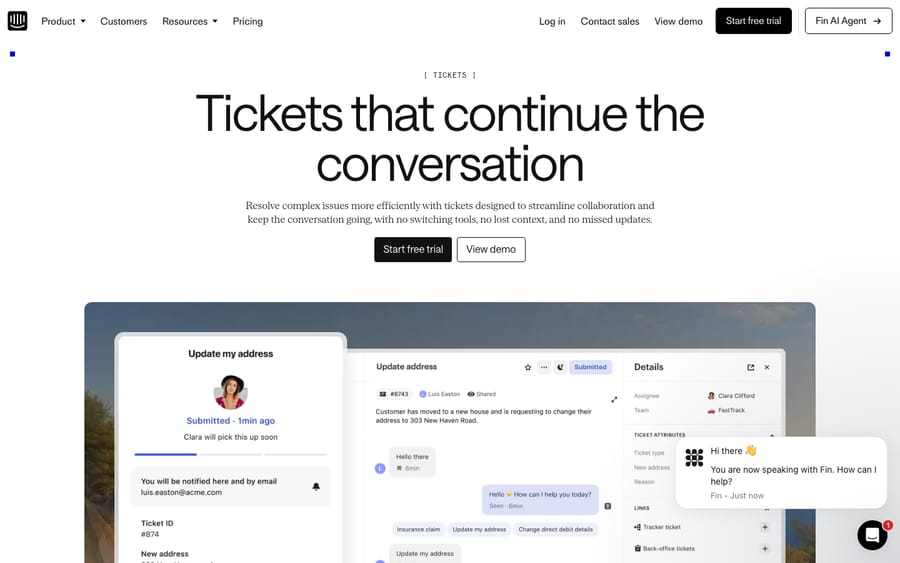
Which help desk should you migrate to from Intercom?
Where you land should follow your reason for leaving, not the other way around. The common Intercom destinations:
- Zendesk. The heavyweight ticketing platform: deep reporting, a huge app marketplace, mature SLAs and routing. Pricier, and its AI is billed separately. Best for teams that have outgrown Intercom's conversation-first model and want formal ticketing. We have a dedicated walkthrough for this path: how to migrate to Zendesk from Intercom.
- Freshdesk. Strong value, solid ticketing, good for teams who want Zendesk-style structure at a lower entry price.
- Help Scout. Simpler and more human-first, a natural fit for small and mid-size teams who liked Intercom's tone but not its bill.
- Gorgias. The ecommerce specialist, and the right call if your support is mostly Shopify or DTC order questions. The route is different enough from the others to be worth its own section, below.
- Zoho Desk, HubSpot Service Hub, Front and others fit narrower profiles: suite-unified, CRM-native, collaborative inbox.
Model the total cost at your real volume, meaning base seats plus AI plus any channel fees, instead of the sticker price. Intercom's own pricing taught everyone that the headline number is rarely the final bill, and the same is true of every destination. For a side-by-side with ratings and honest watch-outs, see the best Intercom alternatives.
How do you migrate from Intercom to Gorgias?
Gorgias is the destination people most often research as a migration and then find the least written about, so here is the shape of it. Before the mechanics, the fit question: Gorgias suits teams whose queue is mostly order status, returns, shipping and product questions against a Shopify or other store catalog. It is the wrong fit if a meaningful share of your volume is technical product support, onboarding, or account configuration, which is the work Intercom's conversation-first model handles well and the work you would be moving away from support for.
The move itself differs from a Zendesk or Freshdesk one in two ways that change your plan.
First, the billing unit changes, not just the tool. Gorgias charges by ticket volume rather than per seat, which is the opposite trade to Intercom's seat-plus-usage model. That means your migration business case has to be rebuilt around monthly ticket count, and it also means you should prune before you move rather than after. For the full feature and pricing comparison, we cover it in Gorgias vs Intercom.
Second, the help center and the conversations take different routes.
- Help center articles have a native importer. Go to Settings → Channels → Help Center, click Create Help Center or the Import icon on an existing one, choose Import from another provider, and pick Intercom. It brings across all articles and categories, mapping published public items to Public, private items to Unlisted, and drafts to Draft. Gorgias is explicit that "we won't import the appearance or any custom scripts you set up," so your theme and any embedded JavaScript are a rebuild (Gorgias docs).
- Conversations do not have one. Gorgias's own guidance for non-Zendesk providers points you at its email import first, and then says that "if you're unable to do so through email import in Gorgias, then you can use a platform like help-desk-migration.com." It also tells anyone above 500 tickets a month to talk to its sales team, who will help with the migration (Gorgias docs). In practice that means most Intercom-to-Gorgias moves of any size run through method 3 below.
On the service route, Help Desk Migration supports Intercom as a source for Gorgias and moves agents, customers, tickets (subject, tags, status, priority, comments with attachments, and custom fields), knowledge base articles and categories with translations, and business rules such as macros. Its Free Demo moves 20 random tickets and 20 knowledge base articles, and a Custom Demo lets you handpick which 20 of each, which is the better option here: pick your ugliest multi-channel threads rather than whatever the sampler grabs. The demo is also what produces your quote.
Two Gorgias-specific things to check in that demo. Status vocabulary differs, so agree the mapping before the production run. And because Gorgias is built around the order, confirm that your Shopify or other store integration is connected before you import, so migrated customers resolve to real store records rather than bare email addresses.
This section covers the Intercom-to-Gorgias direction only. If you are moving the other way, into Intercom, the export side of the job is Gorgias's rather than Intercom's and the import side is Intercom's CSV and content tooling, which is a different guide.
What are the three ways to move Intercom data?
However you export, the data gets into your destination one of three ways:
- Native importers (CSV). Most destinations offer a free importer for contacts, companies, and sometimes help center content. Great for seeding people and accounts, but most native importers don't move full conversation history with transcripts. Good for part of the job, rarely the whole job.
- The API. Destinations like Zendesk have a dedicated import API that preserves historical timestamps and won't fire automations on import. Paired with Intercom's REST API on the export side, it moves everything, but it's real engineering effort (cursor pagination, the transcript N+1 pattern, rate-limit backoff, thread stitching), and imported conversations often won't carry valid SLA or metric data. Worth it only with developer time and unusual requirements.
- A third-party migration service. Tools like Help Desk Migration (Relokia) connect to Intercom and your destination via API and move the heavy stuff for you. Their Intercom support covers conversations/tickets, contacts, companies, help center articles (with inline images, links, and translations), tags, custom fields, and agent data, with a free demo run. The honest caveats: it's paid, priced by record volume (its Intercom-to-Zendesk page quotes $100 per 1,000 records); translation migration is only automated for some destinations (Zendesk, Freshdesk, Salesforce); and the business logic (workflows, SLAs, routing) still rebuilds by hand.
The short version: native tools move your people and KB; a service or the API moves your conversations with their transcripts. Almost every real migration combines them, with the heavy lifting on method 3.
Worth naming the incentive while you're choosing. A migration service is paid by record volume, so it has no reason to talk you out of carrying five years of closed conversations you will never read again. Decide your retention cut-off before you request a quote, not after.
What are the steps in an Intercom migration?
- Audit and prune (in Intercom). Build the inventory above. Count conversations (open vs. closed), list every custom attribute and its type, catalog tags, and note your workflows, SLAs and saved replies as a rebuild spec. Drop anything dead.
- Pick your destination and method. Match the destination to your real reason for leaving, then choose native importer plus API, or a third-party service. For most teams it's a service for conversations plus a native importer for contacts and companies.
- Set up the destination's foundations. Create teammates and groups, recreate your custom attributes as custom fields with their types and dropdown values, and stand up ticket forms, all before you import records that reference them.
- Export and prep from Intercom. Run the conversation export (or let the service pull via API), export contacts and companies to CSV, and export the help center. Keep a copy as your reference of truth to verify against later, and confirm your conversation export actually contains transcripts and not just metadata.
- Map your fields and structure. Account for vocabulary and structure differences. Intercom companies often become organizations, and Intercom's Collection → Article help-center hierarchy, where an article can live with no section, may need restructuring to fit a destination that expects three levels such as Category → Section → Article. Build the mapping in a spreadsheet by hand, or use the service's guided wizard.
- Run a demo or sample migration first. Move a small batch of around 20 conversations and inspect them in the destination. Requester and assignee correct? Full transcript including teammate notes? Attachments and inline images present? Status and tags mapped right? Custom attribute values populated? Timestamps preserved? Fix mapping and re-run until the sample is clean.
- Freeze, then run the full migration. Set a data-freeze timestamp in Intercom, communicate it to teammates, then launch the full run, which takes hours to days by volume. Afterward, run a delta migration, which is exactly what Intercom's Search endpoint filtering on
updated_atis built for, to catch anything created or changed since the freeze. - Rebuild what doesn't transfer. Recreate workflows, SLA policies, saved replies and macros, business hours, routing rules, and apps natively. This is the most-underestimated step, so block real time for it and treat it as a chance to improve rather than copy.
- Redirect channels and retrain. Point email forwarding and MX, the messenger or web widget, and any chat or social channels at the new tool, then send a real test message and confirm it creates a ticket. Give teammates a short orientation and a one-page cheat sheet.
- Verify, then keep Intercom read-only. Spot-check conversation counts (your Intercom export total vs. destination), watch the first day of live tickets closely, and keep Intercom accessible read-only for a few weeks as a safety net before you decommission.
What goes wrong in Intercom migrations?
- The "empty transcript" trap. The single most common Intercom mistake: trusting the CSV or dataset export and discovering it has no message bodies. Verify transcripts in your sample before you commit.
- ID mapping. Conversation IDs won't match, because the destination assigns its own, so external references to old Intercom IDs break. Store the original Intercom ID in a custom field during migration and keep your export as a lookup.
- Custom attributes. Intercom-heavy workspaces lean on custom attributes. If you don't recreate the field definitions first, those values land nowhere. Catalog them before you start.
- Help center hierarchy. Intercom's flatter Collection → Article model can collapse or mis-nest when forced into a three-level structure. Plan the mapping deliberately.
- Downtime and the freeze. Teammates quietly working conversations in Intercom after cutover strand those updates. Enforce the freeze and rely on the delta pass.
- Assuming logic transfers. Workflows, SLAs, saved replies, and business hours do not migrate on any method. Budget to rebuild them.
Do you need to migrate just to change your AI?
A quick disclosure, because we make this. If your only reason to migrate was Fin's AI cost or behavior, switching helpdesks is a lot of pain to solve one line item, so it's worth naming what an AI layer can and can't do here.
Macha isn't an Intercom alternative and isn't a helpdesk. It's an AI agent layer that runs on top of a helpdesk. The relevant caveat for this guide: Macha connects to Zendesk, Freshdesk, Gorgias, Front, HubSpot or Intercom, but it is never the destination, because it isn't a helpdesk. It can be the AI layer on your Intercom today, and it can be the AI layer on whichever desk you migrate to; what it cannot do is replace the desk itself. It reads the customer's actual question, pulls from your connected data and help center, resolves routine tickets in-thread, and hands off to a human with context when it's not confident.
The honest watch-out: it's one more integration to configure, and it's only as good as the knowledge you point it at, which is one more reason to get the help-center step of your migration right. Pricing is one plan on monthly ticket volume, from $299 a month for up to 750 tickets and billed per ticket rather than per message (pricing page), and setup and monitoring are done by the Macha team. If your destination is Gorgias, how the layer works on Gorgias is the page to read; if it's Zendesk, the Zendesk version is there too. There is $50 of free usage to try it with, no credit card.
What should you check before and after the migration?
Before you start
- [ ] Real reason for leaving named, and a migration confirmed as the right fix
- [ ] Destination chosen and total cost modeled at real volume, in that destination's billing unit
- [ ] Full data inventory built; dead attributes, tags and conversations pruned
- [ ] Retention cut-off decided before requesting any service quote
- [ ] Teammates, groups, and custom fields (from Intercom attributes) created in the destination
- [ ] Field and help-center hierarchy mapping documented (companies → organizations; Collection → Article → three levels)
- [ ] Workflows, SLAs, and saved replies documented as a rebuild spec
- [ ] Intercom export taken as a reference copy, with transcripts confirmed present
After the migration
- [ ] Demo verified, then full run plus delta completed
- [ ] Conversation counts reconciled (Intercom export vs. destination)
- [ ] Transcripts, teammate notes, attachments, timestamps, and custom values spot-checked
- [ ] Workflows, SLAs, saved replies, business hours, routing, and apps rebuilt and tested
- [ ] Channels (email/MX, messenger/widget, chat/social) redirected and tested live
- [ ] Teammates retrained; first day of live tickets monitored
- [ ] Intercom kept read-only for a grace period before decommissioning
Frequently asked questions
How do I export my data from Intercom? Use Settings → Data → Imports & exports → Export data. Conversations export to AWS S3 or Google Cloud Storage as Historical (~2 years) or Periodic jobs; contacts and companies export to CSV; the help center and tickets have their own flows. The big caveat: the CSV/Dataset export returns metadata only, with no message bodies or transcripts, so for true transcripts you export individual conversations as text/PDF or pull them via the REST API (Intercom docs).
How do I migrate from Intercom to Gorgias? In two parts. Help center articles have a native importer at Settings → Channels → Help Center → Import from another provider → Intercom, which brings across articles and categories but not your theme or custom scripts. Conversations go through Gorgias's email import or, for most teams, a third-party service such as Help Desk Migration, which is what Gorgias's own non-Zendesk migration guidance recommends; above 500 tickets a month Gorgias asks you to talk to its sales team. Run a Custom Demo on your messiest threads first, and connect your Shopify store before importing customers.
Can I migrate from Intercom for free? Partially. Native CSV importers on most destinations move contacts and companies for free, but they generally don't move full conversation history with transcripts. Full migration means either building against both APIs, which is engineering effort, or paying for a third-party service. For most teams the paid service is the realistic time-versus-money trade.
Should I migrate because of the Salesforce acquisition? Not automatically. Salesforce completed its acquisition of Fin, formerly Intercom, on September 10, 2026, at roughly $3.6 billion, with the product folding into Agentforce (Salesforce). That's a legitimate reason to evaluate alternatives, since roadmap, pricing, and packaging can shift after an acquisition, but the product still works today. Decide on your own cost and fit, and use the change as a prompt to plan rather than a reason to panic-migrate.
Will my Intercom transcripts and custom attributes come across? They can, but not via the easy CSV export, which is metadata only. Transcripts come from per-conversation text/PDF exports, the REST API, or a migration service that pulls them for you. Custom attributes must be recreated as custom fields in the destination before import, or their values land nowhere.
What are Intercom's API limits for a migration? Conversation lists return 20 per page by default and 150 at most, using starting_after cursors. Private and public apps can make 10,000 calls a minute per app and 25,000 per workspace, spread evenly across 10-second windows, and a burst over the window limit returns a 429 (Intercom: rate limiting).
Will my workflows, SLAs, and saved replies transfer? Mostly no, so plan to rebuild business logic natively in the destination. Some services migrate help-center content and basic structures, but workflows, SLA policies, business hours, routing, and apps rebuild manually on any method. Document everything in Intercom first so you have a spec.
Do I have to leave Intercom to get better AI? This one's different from most helpdesks: an external AI layer like Macha runs on Zendesk, Freshdesk, Gorgias, Front, HubSpot or Intercom, Intercom included, so you don't have to leave Intercom to add one. Your options there are Fin (Intercom's own agent, $0.99 per outcome), an Intercom-native add-on, or a layer like Macha. If you do migrate, Macha can be the AI layer on the new desk too. If your problem is purely Intercom's pricing model, weigh that against the full cost of a migration before you move.
What order should an Intercom migration follow?
A clean Intercom migration comes down to sequence. Audit and prune, choose a destination that fixes your real reason for leaving, export your data while remembering that Intercom's easy export gives you metadata and not transcripts, so plan the REST API or a service for the actual conversation content. Then pick a method (native importers for people and KB, a service or API for conversations), run a demo before the full run, freeze and delta-migrate, and rebuild the workflows, SLAs, and saved replies no tool transfers. Finish by redirecting channels, retraining teammates, and keeping Intercom read-only as a safety net. Gorgias is the destination with the least written about it and the most route-specific detail, so give that section a second read if it's where you're headed. The Salesforce acquisition is a fair reason to evaluate now, but let cost and fit make the call. Still shortlisting? Start with the best Intercom alternatives, or if you've settled on Zendesk, the Intercom-to-Zendesk walkthrough.
Sources:
- Export your conversations data, Intercom Help
- Export users, leads, or company data, Intercom Help
- Rate limiting, Intercom Developer Platform
- List all conversations, Intercom Developer Platform
- Import Help Center from Zendesk, HelpDocs, Re:amaze, and Intercom, Gorgias docs
- Migrate from non-Zendesk providers, Gorgias docs
- Gorgias data migration, Help Desk Migration
- Intercom data migration, Help Desk Migration
- Salesforce completes acquisition of Fin, Salesforce newsroom
Intercom export and API capabilities, Gorgias import routes, third-party migration scopes, and the Salesforce/Fin acquisition were verified against the vendors' own documentation on September 20, 2026; export limits, pagination and rate limits were re-checked on September 24, 2026. Helpdesk capabilities, limits, pricing, and post-acquisition roadmaps in this category change fast, so confirm current terms in your own Intercom workspace and on each vendor's site before you rely on them.
Add AI agents to your Intercom
Macha reads the conversation, drafts the reply and takes the action, inside the Intercom you already run.





