





 Shopify
 Stripe
 Slack
Slack Notion
 Google Workspace
 Confluence

How Much Does Kustomer Cost in 2026? Plans, AI Add-Ons and Real Totals


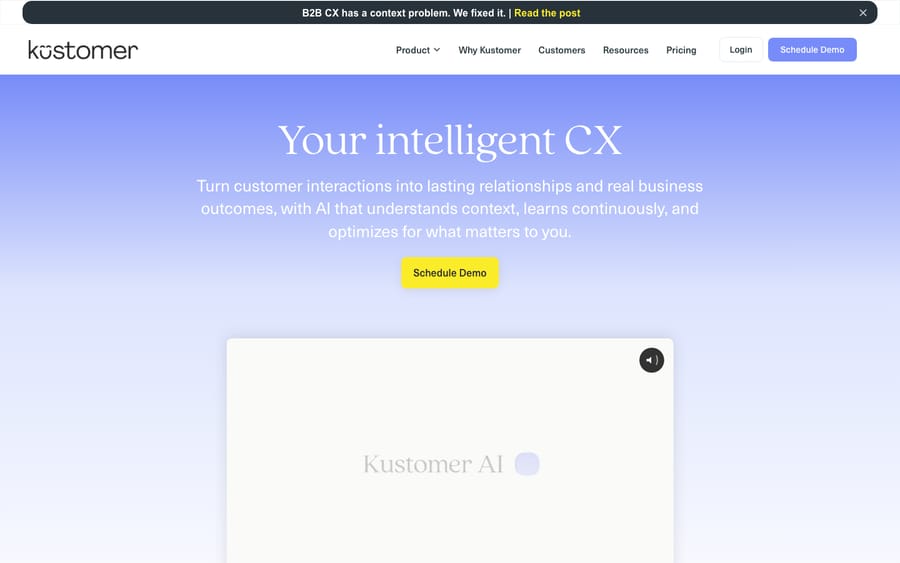
Kustomer's pricing page is quote-only, so every figure for it comes from third-party trackers. They report about $89 per seat a month on Enterprise and $139 on Ultimate, billed annually with an 8-seat minimum, with AI billed on top.
Key takeaways
- Kustomer publishes no prices, and third-party trackers in 2026 report about $89 per seat monthly on Enterprise and $139 on Ultimate, both billed annually only.
- Kustomer's reported 8-seat minimum sets an entry cost of $8,544 a year on Enterprise and $13,344 on Ultimate before any AI is added.
- Kustomer bills AI separately from seats: AI for Customers is reported at about $0.60 per engaged conversation and AI for Reps at $40 per user a month.
- Kustomer lists implementation as a paid add-on without a price, and eesel reports the average Kustomer implementation takes about two months.
- A 15-agent Kustomer team with 3,000 engaged AI conversations a month lands near $44,800 a year ongoing in the worked example, using third-party figures.

Kustomer publishes no prices, but third-party trackers updated in 2026 report about $89 per seat a month on Enterprise and $139 on Ultimate, billed annually with an 8-seat minimum, which puts the entry point at $8,544 a year before AI. AI is billed on top: about $0.60 per engaged conversation for customer-facing AI and $40 per user a month for the rep copilot.
| Cost line | Reported figure (third-party) |
|---|---|
| Enterprise seat | ~$89 / seat / month, annual only |
| Ultimate seat | ~$139 / seat / month, annual only |
| Seat minimum | 8 seats ($8,544 / yr Enterprise, $13,344 / yr Ultimate) |
| AI for Customers | ~$0.60 / engaged conversation |
| AI for Reps (copilot) | ~$40 / user / month |
| Conversation-based option | ~$0.35 (Enterprise) / ~$0.50 (Ultimate) per conversation |
| Implementation | Quoted separately; about two months on average |
A note on sourcing. Kustomer's pricing page says "we don't post one-size-fits-all pricing" and offers a two-minute ROI assessment and a demo instead. It lists Voice (talk, SMS, transcription) and WhatsApp as pay as you go, and HIPAA and implementation as paid add-ons, without prices. Every dollar figure here comes from third-party trackers checked on 24 September 2026: Gorgias (updated 8 May 2026), Chatarmin (updated 1 September 2026) and eesel (8 May 2026). Treat them as estimates and confirm in a quote. For the product itself, what Kustomer is and who owns it, see our companion guide, what is Kustomer.
How much does Kustomer cost per seat?
Kustomer is reported to sell two seat-based editions. Gorgias and Chatarmin both list the same figures in 2026; Kustomer does not publish them:
| Plan | Reported price (per seat / month) | Annual floor (8-seat min) | Best for |
|---|---|---|---|
| Enterprise | ~$89 | ~$8,544 / yr | Mid-market B2C wanting the CRM platform + omnichannel |
| Ultimate | ~$139 | ~$13,344 / yr | Larger teams needing higher quotas, advanced routing & security |
Both plans are billed annually only; both trackers report no month-to-month option. Both carry an 8-seat minimum, which is what sets your starting cost. Neither figure includes AI, which is a separate add-on (more on that below).
One newer wrinkle: eesel's May 2026 breakdown describes Kustomer selling two paths, "Kustomer AI" and "Kustomer AI + Platform", and says the base price for neither is disclosed. So the Enterprise/Ultimate seat prices may not match how your quote is packaged. Ask which structure you're being offered.
So the honest answer to "how much is Kustomer" is: expect at least $8,544 a year on Enterprise before AI, and more once you add the AI agents most teams are shopping for. Kustomer is priced and packaged as an enterprise purchase, not a swipe-a-card signup.
What's the difference between Enterprise and Ultimate?
Kustomer doesn't publish a feature matrix either, so the breakdown below reflects how reviews describe the two tiers. Confirm specifics with sales.
Enterprise (~$89/seat/mo) is the core platform: the unified customer timeline, omnichannel conversations (email, chat, SMS, WhatsApp, social, voice), the KObject/Klass CRM data model, workflows and automation, self-service and reporting. For most teams evaluating Kustomer, this is the baseline product.
Ultimate (~$139/seat/mo), roughly a 56% premium, adds higher limits and quotas, more advanced routing (skills-based routing is often cited), extra security and governance controls, and higher ceilings on the custom data model. It's aimed at larger or more complex operations that hit Enterprise's limits.
The practical read: most teams start at Enterprise, and Ultimate becomes relevant when routing, security requirements, or data and volume ceilings force the upgrade. The jump is $50 a seat a month, so on a 20-seat team that's $12,000 a year of difference. Pin down exactly which Ultimate-only feature you need before you pay for it.
How much does Kustomer's AI cost?
This is the most important thing to understand about Kustomer's cost in 2026, and the thing the headline seat price hides: the AI is not included in the seat price. Seats give you the platform; the AI agents are billed on top. Reported figures:
| AI add-on | Reported price | What it covers |
|---|---|---|
| AI for Customers | ~$0.60 / engaged conversation | Customer-facing AI agents / deflection |
| AI for Reps (copilot) | ~$40 / user / month | Agent-assist AI for your human reps |
| AI bundles (Chatarmin) | ~$129 / user (Enterprise), ~$179 (Ultimate) | Packages that fold AI into the seat price |
This two-part structure matters because the AI is usually why teams look at a modern platform in the first place. "AI for Customers," the autonomous, customer-facing layer, is metered at about $0.60 per engaged conversation, so its cost scales directly with volume. "AI for Reps," the agent copilot, is a flatter $40 per user a month on top of the seat. Chatarmin also lists an Enterprise Bundle at $129 per user and an Ultimate Bundle at $179, which simplify budgeting but raise the per-seat floor.
Usage-based AI billing is reasonable, and per-conversation pricing can be fair if your volume is predictable. The point is that the seat price alone understates your real bill whenever AI is part of the plan. Budget the AI separately, and model it against your monthly conversation volume.
Is there a conversation-based pricing option?
Yes, according to trackers. Alongside per-seat plans, Gorgias and Chatarmin both report a conversation-based model, billed per conversation rather than per agent: about $0.35 per conversation on Enterprise and $0.50 per conversation on Ultimate.
This can suit teams with uneven or seasonal volume, or those who'd rather not over-provision seats. The trade-off is predictability: per-seat pricing is a known fixed number, while per-conversation pricing tracks demand and can spike in a busy month. If conversation volume per agent is low, conversation-based may be cheaper; if each agent handles a high, steady load, per-seat usually wins. Ask sales to model both against your last 12 months of ticket volume. It's the most useful number to bring to the call.
What costs aren't in the headline price?
A few things that don't appear in any "~$89/seat" summary but show up in the contract:
- Annual commitment, no monthly. Trackers report no month-to-month billing, and eesel says both of its described packages need annual contracts. There's no low-risk way to try it for a month at the contract level.
- The 8-seat minimum is the real floor. Even a 3-person team pays for 8 seats. That puts the entry point at $8,544 a year on Enterprise (8 × $89 × 12) before a dollar of AI, which rules Kustomer out for most small teams.
- AI is a separate line item. The seat price doesn't include the customer-facing AI agents most buyers want. Budget AI for Customers (~$0.60/conversation) and/or AI for Reps (~$40/user/mo) on top.
- Implementation is quoted separately. Kustomer lists implementation as a paid add-on with no price. eesel says the average implementation takes about two months. Chatarmin cites a Gartner benchmark of 1.5 to 2 times the licence cost in year one, which on the 8-seat Enterprise floor is $12,816 to $17,088.
- Storage overages. eesel and Gorgias report about $50 per GB for data and $1 per GB for attachments above the included quota. eesel lists the base allowance as 20 GB plus 1 GB per user for data and 40 GB plus 10 GB per user for attachments.
- Compliance and channels. HIPAA is reported at $25 per user a month; voice starts at $0.02 a minute; WhatsApp carries a 20% Kustomer markup on Meta's fees (eesel).
- Quote opacity itself is a cost. Because nothing is published, list prices are a starting point for negotiation, and your number depends on seat count, term length and AI volume. Your quote is the only authority.
What does a 15-agent team really pay for Kustomer?
Sticker math says "15 agents × $89 = $1,335/month." Here's a fuller 2026 estimate for a mid-sized B2C team on Enterprise, annual billing, with customer-facing AI, using the third-party figures above (all estimated, not official):
| Line item | Calculation | Annual estimate |
|---|---|---|
| Enterprise seats (15 agents) | 15 × $89 × 12 | ~$16,020 |
| AI for Customers (~3,000 engaged conversations/mo) | 3,000 × $0.60 × 12 | ~$21,600 |
| AI for Reps (copilot, 15 users) | 15 × $40 × 12 | ~$7,200 |
| Implementation (one-time, illustrative: 1.5× seat licence) | ~$24,000 once | ~$24,000 (year 1) |
| Estimated Year 1 total | ~$68,800 | |
| Estimated ongoing annual (years 2+) | seats + AI only | ~$44,800 |
Two things jump out. First, the AI dominates the bill: at meaningful deflection volume, AI for Customers can exceed the seat cost entirely. Second, Year 1 is materially higher because of implementation. Strip AI out and run platform-only, and you're closer to $16,000 a year in seats plus implementation, but then you're paying enterprise prices for a platform without the AI layer that likely drew you in.
Adjust the conversation volume to your reality: at 1,000 engaged conversations a month, AI for Customers is about $7,200 a year; at 6,000, it's about $43,200. Your conversation volume is the biggest swing in the whole estimate, so model it before you commit. Every figure here is third-party; get a quote.
Is Kustomer worth the cost?
For the right team, the pricing is defensible. Kustomer is built for high-volume B2C support (ecommerce, retail, travel, on-demand), where the unified customer timeline, CRM data model and transactional automation pay off, and where an 8-seat minimum and annual contract are non-issues. If you process thousands of conversations a month across many channels and need agents (and AI) acting on real account data, the platform can earn its price.
Where it's a poor fit: small or early-stage teams, anyone who wants transparent self-serve pricing they can evaluate without a sales call, and teams whose volume doesn't justify a separately quoted implementation. You can't model your cost confidently from the website, and the AI-as-add-on structure means the seat price is only part of the story.
If those trade-offs give you pause, our roundup of the best Kustomer alternatives walks through where rivals are stronger, including platforms with published, self-serve pricing.
Can you add AI without Kustomer's add-ons?
If your real question behind "how much is Kustomer" is "how much will the AI cost", that's fair, since AI for Customers can be the largest line on the invoice. Some teams add a dedicated AI agent layer on top of their help desk rather than buying AI as a platform add-on.
To be straight about it: Macha is an AI agent layer that runs on top of Zendesk, Freshdesk, Gorgias, Front, HubSpot or Intercom. It does not integrate with Kustomer. So if you're committed to Kustomer, its native AI for Customers and AI for Reps are your in-platform path, and this is context, not a pitch. The pricing model is the useful contrast: Macha publishes one plan priced by ticket volume, from $299 a month for 750 tickets, billed per ticket rather than per seat or per message, with setup and monitoring by the Macha team included. If you're on one of those help desks, there's $50 of free usage, no credit card required. If you're on Kustomer, lean on its native AI or explore Kustomer alternatives.
Frequently asked questions
How much does Kustomer cost? Kustomer doesn't publish prices; its pricing page is quote-only. Third-party trackers in 2026 report an Enterprise plan around $89/seat/month and an Ultimate plan around $139/seat/month, both billed annually only with an 8-seat minimum (an effective floor of $8,544/year on Enterprise). AI is priced separately. These are estimates, not official rates; confirm with Kustomer.
Is there a free trial or monthly plan for Kustomer? Trackers report annual contracts only, with no month-to-month billing. Kustomer sells through a demo and a two-minute ROI assessment rather than self-serve signup, so there's no published free trial; discuss a pilot directly with sales.
How much does Kustomer's AI cost? AI sits on top of seats. Third-party sources report AI for Customers at ~$0.60 per engaged conversation and AI for Reps at ~$40/user/month. Chatarmin also lists bundles that fold AI into the seat price, at ~$129 per user on Enterprise and ~$179 on Ultimate. At real volume, AI for Customers can be the largest single line on the bill.
Why is the 8-seat minimum a big deal? Because it sets your floor regardless of team size. Even a 3-agent team pays for 8 seats, which is $8,544/year on Enterprise before AI. That minimum, plus the annual commitment, is the main reason Kustomer is a poor fit for small teams.
What does Kustomer implementation cost? Kustomer lists implementation as a paid add-on without a price. eesel reports an average implementation of about two months, and Chatarmin cites a Gartner benchmark of 1.5 to 2 times the licence cost in year one ($12,816 to $17,088 on the 8-seat Enterprise floor). Get it in writing as part of your quote.
Is Kustomer's per-seat or conversation-based pricing cheaper? It depends on your volume. Trackers report a conversation-based model (~$0.35/conversation on Enterprise, ~$0.50 on Ultimate) as an alternative to per-seat. Low conversations per agent favours conversation pricing; high, steady volume per agent usually favours per-seat. Ask sales to model both against your historical volume.
What will you really pay for Kustomer in 2026?
Kustomer's pricing is quote-only, so "what you'll really pay" has to be assembled from third-party reports, and every figure here is flagged as estimated. The shape: Enterprise ~$89/seat/month, Ultimate ~$139/seat/month, annual-only, with an 8-seat minimum that puts the floor at $8,544/year before AI. Then the AI, usually the whole point, is extra: ~$0.60 per engaged conversation for customer-facing agents and ~$40/user/month for the rep copilot, plus a separately quoted implementation. Our worked example puts a 15-agent team with real AI volume near $44,800/year ongoing, more in year one.
For a high-volume B2C operation, that math can be justified. For a smaller team, or one that wants a price it can see without a sales call, the minimums, annual lock-in and opacity will likely point elsewhere. Build your budget around conversation volume, not the seat price, and get a written quote before you rely on any number here.
All Kustomer figures in this article come from third-party pricing trackers (Gorgias, Chatarmin, eesel), checked 24 September 2026, because Kustomer publishes no official pricing. They are estimates; confirm current numbers with Kustomer. Re-check by March 2027.






