





 Shopify
 Stripe
 Slack
Slack Notion
 Google Workspace
 Confluence

How Do You Add Internal Notes With Context to Freshdesk Tickets Automatically?


Freshdesk can post a private note automatically, but its Scenario Automations and Automation Rules only stamp static text with placeholders. An AI agent on the Ticket Updated trigger can read the requester's contact record and past tickets first, then write a note that explains the history.
Key takeaways
- A Macha agent adds context-rich Freshdesk internal notes by firing on Ticket Updated, running Search Contacts and Search Tickets on the requester, then posting with Add Internal Note; the Macha team sets it up for you at about $0.40 a ticket, with a dedicated success manager included.
- Freshdesk's Scenario Automations and Automation Rules can post private notes hands-off, but only as static text with placeholders that cannot read customer history or summarize a pattern.
- Freshdesk locks notes created by automations to keep a consistent system log, so neither an agent nor an admin can edit them once posted.
- In Macha's worked example, the agent found customer Lisa Park had 7 previous tickets and flagged related cases #4210 and #4087 as a recurring access-issue pattern.
- Freshdesk private notes are available on every plan, from Growth at $19 an agent a month billed annually to Enterprise at $89, and never reach the requester.

To add internal notes with context to Freshdesk tickets automatically, run an AI agent on Freshdesk's Ticket Updated trigger that calls Search Contacts and Search Tickets on the requester, then posts the summary with Add Internal Note. Freshdesk's own Scenario Automations and Automation Rules can post a private note hands-off too, but only static text with placeholders: they can't read the customer's history or spot a pattern.
| Method | Runs on its own? | Note content | Reads customer history? |
|---|---|---|---|
| Manual note (Add note tab) | No | Whatever the agent researches and types | Only if the agent does it |
| Scenario Automation | No, one click | Static text + placeholders | No |
| Automation Rule | Yes | Static text + placeholders | No |
| Macha AI agent | Yes | Researched per ticket | Yes (Search Contacts, Search Tickets) |
Writing a note isn't the hard part. A good one takes research: pulling up the contact, scrolling their ticket history, spotting the pattern, summarizing it. Most agents skip it under load, and the context evaporates.
Macha is an AI agent layer that sits on top of Freshdesk, not a replacement for it. Your helpdesk stays exactly where it is; the agent does the research a busy human would skip.
What's the difference between an internal note and a reply in Freshdesk?
Freshdesk gives you two ways to add to a ticket, and they behave very differently:
- A reply is an email. When you send it, the customer gets a message in their inbox. It's customer-facing.
- A note is internal by default. A private note is visible only to agents on the ticket; it never reaches the customer. (Freshdesk's own docs put it plainly: a private note "cannot be seen by the requester" and is "meant only for internal communications.")
Notes support rich text and attachments, and you can @mention a colleague to pull them straight into the thread with a notification. Freshdesk also offers public notes (visible to the requester on the portal), but for the context-sharing use case in this guide, we mean private/internal notes.
So a good internal note is a gift to the next agent. The catch is that someone has to assemble it.
How to add an internal note manually
If you're doing this by hand today, the flow is quick, and worth knowing, because it's the exact action a Macha agent automates. Open the ticket, click Add note (the tab next to Reply), and type. A few things to know:
- It's private by default. Notes are added as Private unless you switch the Mark note as dropdown to Public; a private note is visible only to logged-in agents and never reaches the requester.
@mentionto pull a colleague in. Type@and a name to notify a specific agent, or@an email to invite an outside collaborator, and Freshdesk will ask whether to give them ticket access or just notify them by email. Everyone on the ticket still sees the note; only the people you tag get an email.- Attachments. Click the attachment icon to add a screenshot, log, or file to the note.
- Plan availability. Private notes (and private threads) are available on every Freshdesk plan: Growth ($19 an agent a month billed annually), Pro ($55), Enterprise ($89), and the Free program. Nothing here is gated behind an upgrade. Click Add Note to post.
That's the manual version: fast to write, but slow to research. The Macha agent below performs this same action, only after it has read the customer's history for you.
Can Freshdesk add notes automatically without an AI agent?
Freshdesk can already drop notes onto tickets without an agent typing them. There are two built-in paths, and it's worth knowing both before you reach for anything heavier.
Scenario Automations (one-click)
A Scenario bundles a set of actions an agent runs with one click. Add an Add Note action, write the text, use Insert Placeholder to drop in dynamic fields (requester name, ticket ID, etc.), and check Add as Private Note with "don't notify the requester." Great for a repeatable checklist, "triage steps for a refund," say, that an agent fires on demand.
Automation Rules (hands-off)
Automation Rules run on their own. You configure a rule under Ticket Creation or Ticket Updates, set the conditions, and add the note action (optionally via a webhook). When a ticket matches, Freshdesk posts the note with no human in the loop.
The ceiling on both
Two limits matter, and they're exactly the gap an AI agent fills:
- The text is static. Placeholders can stamp the ticket ID or requester name into a template, but the rule can't read the customer's history, find their two related tickets, notice they've hit the same wall three times, or summarize any of it. You get a canned checklist, not context.
- Automated notes are frozen. Freshdesk fixes notes created by automations so they "maintain a consistent system log", meaning, per Freshdesk's documentation, the note cannot be edited by the agent nor the admin once posted. Fine for a static template; awkward if the auto-text is wrong.
Native automation is excellent at "always attach this checklist." It was never built for "research this specific customer and brief me." That second job is where Macha comes in.
What does a Macha agent add to a Freshdesk note?
Macha connects to Freshdesk through an API-key integration and exposes the helpdesk as a set of actions an AI agent can take: Get Ticket, Search Contacts, Search Tickets, Add Internal Note, Add Public Reply, Update Status/Priority/Tags, Assign Ticket, and more. You give the agent a goal and a trigger; it does the legwork a thorough human would, then writes the note.
The use case here is a standard recipe in Macha's library, Add internal notes with context on Freshdesk tickets, and it runs in four moves:
- Trigger: Ticket Updated. The agent wakes when a Freshdesk ticket is updated or reassigned (the
Ticket Updatedtrigger fires on any field change: status, assignee, priority, tags). A reassignment is the perfect moment to brief the agent inheriting the ticket. - Search Contacts. It looks up the requester and reads their footprint: Lisa Park, 7 previous tickets, last contact two weeks ago.
- Search Tickets. It pulls related history: #4210 (login issue, resolved) and #4087 (password reset, resolved).
- Add Internal Note. It writes a private note synthesizing everything, so whoever opens the ticket next has the full picture without scrolling.
Here's the note it produces in the worked example, not a placeholder template, but an actual brief:
Internal note added to ticket: • Customer: Lisa Park, 7 previous tickets, all resolved • Related: #4210 (login issue, Feb 12) and #4087 (password reset, Jan 28) • Pattern: Recurring access issues, may need account-level investigation • Last interaction: Positive sentiment, quick resolution
That "pattern" line is the part no Automation Rule can generate. The agent didn't just stamp a field onto the ticket; it noticed that three of this customer's contacts are access-related and flagged it as something worth investigating at the account level. That's the research an agent skips under load, done in seconds.
How do you set it up in Macha?
You build this as an agent, not a script. The flow mirrors any Macha agent: connect Freshdesk, give the agent its tools, set the trigger, test, and turn it on.
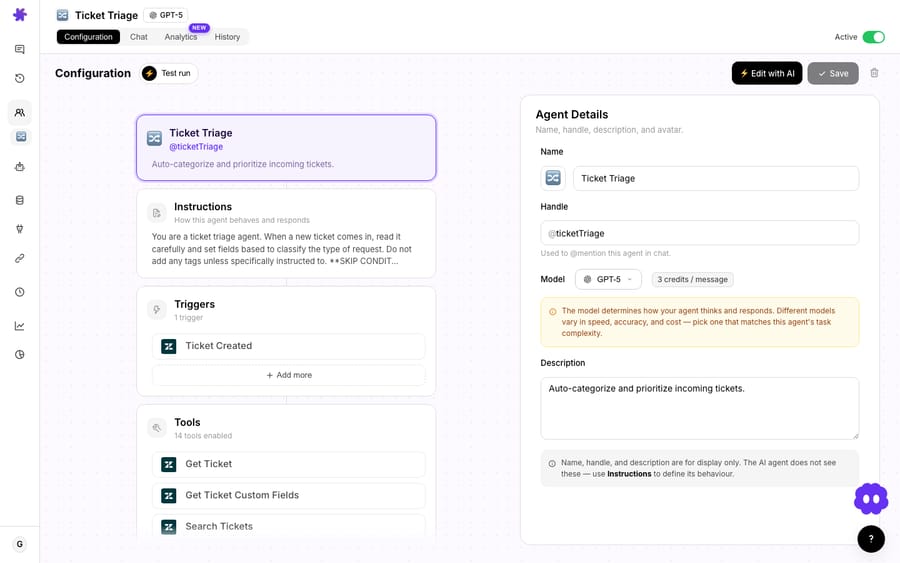
1. Connect Freshdesk. Authenticate the integration with an API key. Once connected, Freshdesk's actions and triggers become available to your agents. (Freshdesk is an action connector: it's where the agent reads tickets and writes notes; your knowledge base lives in separate sources.)
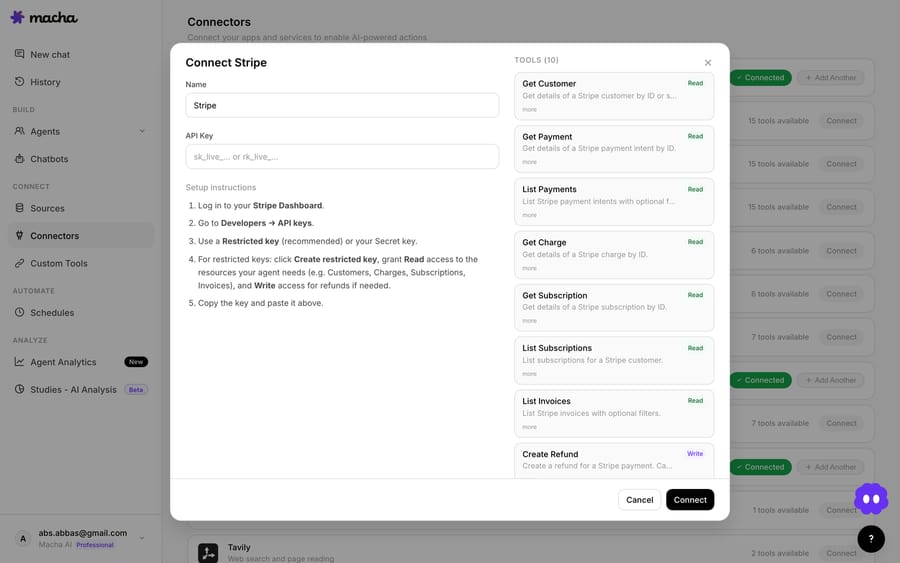
2. Give the agent its tools. Attach the four Freshdesk actions this recipe needs: Get Ticket, Search Contacts, Search Tickets, and Add Internal Note. The agent only ever uses the tools you grant it, so it can read context and post a private note, but you can withhold anything customer-facing if you want it strictly behind the scenes.
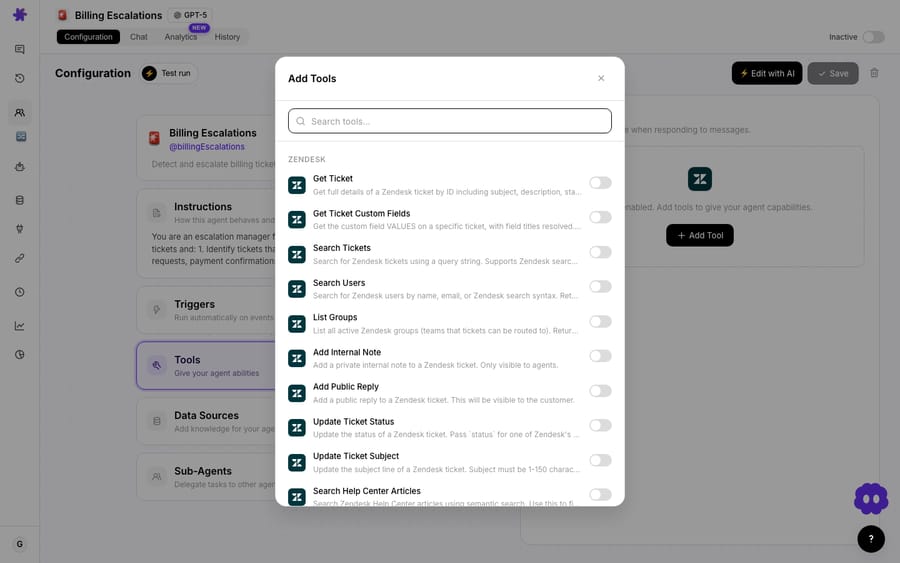
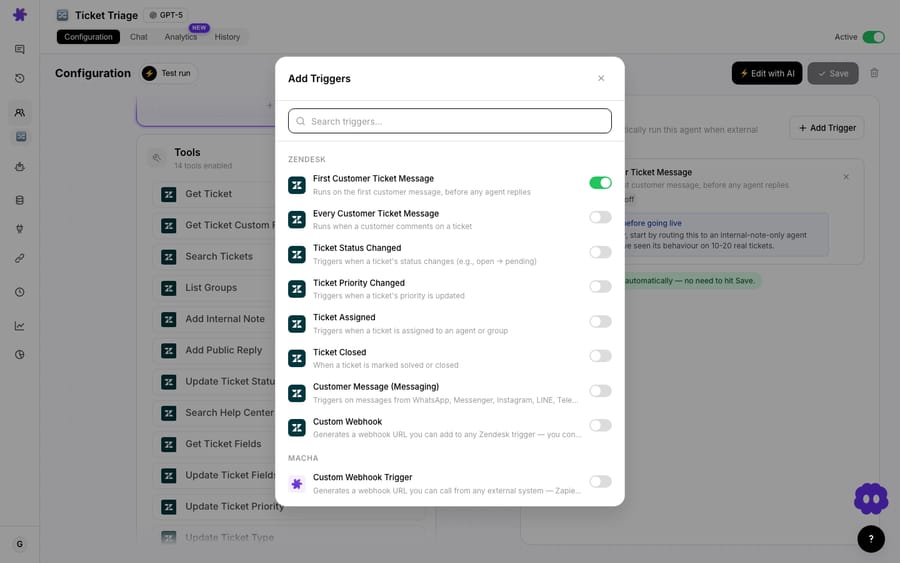
3. Set the trigger. Point the agent at the Freshdesk Ticket Updated trigger. You can scope it with conditions, for example, only run on reassignment, or only for tickets in a particular group, so it fires when context actually matters and not on every keystroke.
4. Test before you ship. Run the agent against a real recent ticket and read the note it would post. Macha shows you the steps it took (which contact it found, which related tickets it pulled), so you can sanity-check the reasoning before it's writing on live tickets.
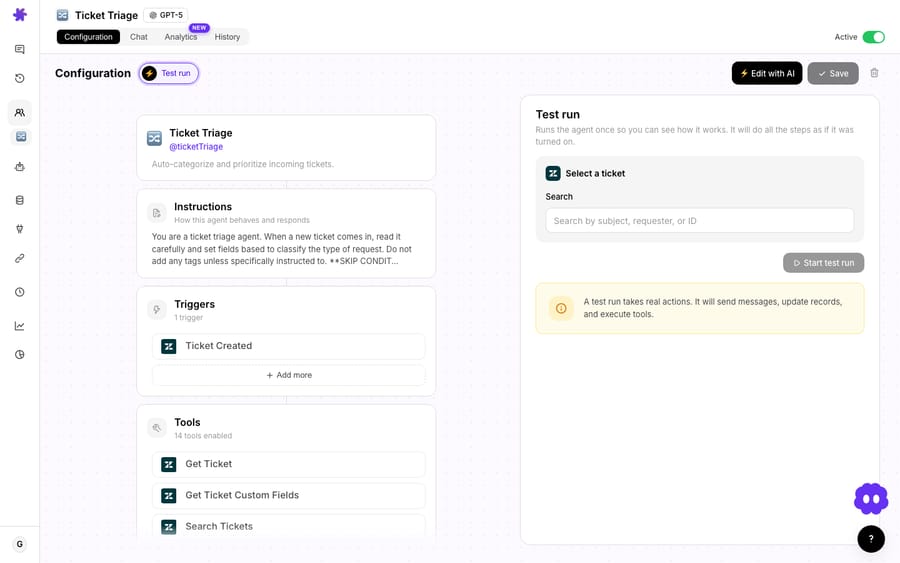
Once it looks right, enable it. From then on, every qualifying ticket update gets a fresh, researched internal note.
When does an auto-researched note pay off?
A few situations where an auto-researched note pays for itself immediately:
- Reassignments and escalations. The agent inheriting a ticket gets a briefing instead of a cold thread. No "catch me up" reply, no re-asking the customer.
- Repeat contacts. When someone's on their fifth ticket this quarter, the note surfaces the pattern, recurring access issues, may need account-level investigation, that no single ticket reveals on its own.
- Tier-1 → tier-2 handoffs. Specialists open the ticket already knowing what's been tried, which related tickets exist, and how the customer's been feeling.
- Shift changes and async teams. A note that summarizes history is the cheapest way to keep a distributed team in sync without a standup.
For more recipes like this, the use case library has the full set of Freshdesk and Zendesk workflows.
When should you not lean on an AI-written note?
This isn't magic, and a few honest caveats keep it from backfiring:
- It's an internal note, so the bar is "useful to an agent," not "publish-ready." That's deliberate: a private note that's 90% right and saves five minutes of scrolling is a win. But don't quietly route its output into a customer-facing reply without review.
- Garbage in, garbage out. The note is only as good as the history. If your Freshdesk tickets aren't tagged or linked well, the agent has less to work with. It can still summarize what's there, but it can't invent signal that was never captured.
- Mind the trigger scope.
Ticket Updatedfires on any field change. If you don't add conditions, a busy ticket could get several notes in a day. Scope it to the moments that matter (reassignment, escalation, status changes) so notes stay signal, not noise. - Cost doesn't scale with the number of runs. Macha bills per ticket, about $0.40 each from $299 a month for 750 tickets: one conversation, charged once however many notes and lookups the agent adds to it. Scoping the trigger is about keeping the notes useful, not about the invoice. That price includes setup by the Macha team and a dedicated success manager who handles your changes afterwards, such as a new trigger condition or an instruction change. See pricing for the tiers.
- Native automation is still the right tool for static notes. If all you need is "always attach this checklist," a Freshdesk Scenario or Automation Rule is simpler and free of an AI step. Reach for Macha when the note needs research, not a template.
How does a Macha agent compare to Freshdesk's native options?
| Freshdesk Scenario | Freshdesk Automation Rule | Macha AI agent | |
|---|---|---|---|
| Runs hands-off | No (one-click) | Yes | Yes |
| Note text | Static + placeholders | Static + placeholders | Researched, written per-ticket |
| Reads customer history | No | No | Yes (Search Contacts) |
| Finds related tickets | No | No | Yes (Search Tickets) |
| Summarizes a pattern | No | No | Yes |
| Editable after posting | n/a (agent writes) | No (frozen) | Note is generated fresh each run |
| Best for | On-demand checklists | Rule-based static notes | Context briefs that need research |
The native tools and Macha aren't rivals: they cover different jobs. Use Freshdesk's automation for the deterministic, always-the-same stuff. Use a Macha agent when the value is in the research. You don't have to build it yourself: on the trial and every plan, the Macha team builds the notes agent on your Freshdesk, tests it on a sample of your past tickets, and checks the notes read right before it runs on live tickets.
FAQ
What's the difference between an internal note and a private note in Freshdesk? They're effectively the same thing: an agent-only comment on a ticket that the customer can't see. Freshdesk's notes are private by default; the contrast is with a public note (visible to the requester on the portal) and a reply (which emails the customer).
Can Freshdesk add notes to tickets automatically on its own? Yes. Scenario Automations add a note on a one-click run, and Automation Rules add notes hands-off on ticket creation or update. Both insert static text with placeholders. What they can't do is research the customer and write a contextual summary, and that's what a Macha agent adds.
Can you edit a note that an automation created? No. Freshdesk fixes notes created by automations to keep a consistent system log, so neither agents nor admins can edit them after they're posted. A Macha agent sidesteps this by generating a fresh note on each run rather than editing an old one.
Does Macha replace Freshdesk? No. Macha is an AI agent layer that runs on top of Freshdesk. Your tickets, agents, and workflows stay in Freshdesk; Macha reads context and takes actions, like posting an internal note, through the integration.
How do I try it? Connect Freshdesk to Macha, attach the four-action recipe above, and test it on a recent ticket, or have the Macha team set it up for you, which is included on the trial and every plan. Macha offers a free trial ($50 of usage, no credit card required), and the docs walk through connectors, triggers, and agents step by step.
Macha builds AI agents on top of the helpdesk you already run (Zendesk, Freshdesk, Gorgias, Front, HubSpot or Intercom) and connects them to the commerce, knowledge, and comms tools where your context actually lives. See the Freshdesk integration or read more on the blog.






