



 Intercom
 Shopify
 Stripe
 Slack
Slack Notion
 Google Workspace
 Confluence

How Does Gorgias Work With Shopify? Setup, Order Actions and Pricing (2026)


Gorgias is the help desk most Shopify merchants try first, because it shows each customer's orders inside the ticket and lets agents and its AI Agent refund, cancel or edit a Shopify order without leaving the conversation. It bills by ticket volume from $10 a month, with the AI Agent charged per resolution on top.
Key takeaways
- Gorgias connects to Shopify through its Shopify App Store app, which holds 4.3 out of 5 stars from 705 reviews and starts at $10 a month for 50 tickets.
- Gorgias agents can refund, cancel, duplicate, edit or create a Shopify order from inside the ticket, without opening the Shopify admin.
- The Gorgias Edit order action does not work on archived orders, orders placed more than 60 days ago, or orders in a different currency than the store's.
- Recharge subscription orders must be canceled with the Recharge cancel button in Gorgias, and refunds for fulfilled Recharge orders must be processed in Recharge.
- Gorgias bills by ticket volume rather than per agent, and the AI Agent is charged per resolved conversation on top, at around $1.00 according to third-party trackers.

Gorgias connects to Shopify through its Shopify App Store app (4.3 out of 5 from 705 reviews, plans from $10 a month), and once installed it shows each customer's Shopify orders beside the ticket and lets agents refund, cancel, duplicate, edit or create orders without leaving the conversation. The table below is the short version; the sections after it cover setup, limits and pricing. For the broader picture of the company, see our What is Gorgias? explainer. Figures were re-checked against Gorgias's pages, docs and the Shopify App Store on 24 September 2026.
| Question | Short answer |
|---|---|
| How do you connect it? | Install the Gorgias app from the Shopify App Store, then link your Gorgias subdomain |
| What shows in the ticket? | Customer profile, order history, tracking, cart, and apps like Recharge and Loop Returns |
| What can agents do? | Refund, cancel, duplicate, edit or create Shopify orders; issue discount codes |
| Main limit | No editing archived orders, orders over 60 days old, or foreign-currency orders |
| Multiple stores? | Yes, one help desk for several stores; Gorgias advises one account per legal entity |
| Price | Billed by ticket volume, from Starter at $10 a month for 50 tickets; AI Agent billed per resolution on top |
Why is Gorgias considered built for Shopify?
Plenty of help desks integrate with Shopify. Gorgias is one of the few designed around it. The company's homepage says it powers customer conversations for 40% of Shopify brands and serves 17,000+ ecommerce brands (gorgias.com, checked 24 September 2026), a tell that ecommerce, and Shopify specifically, is the whole strategy rather than one connector among many.
The practical upshot is a deep, bi-directional sync. Other tools can read your Shopify data; Gorgias reads and writes it — issuing refunds, canceling orders, editing line items, and updating order status from inside the ticket (Gorgias order management). That two-way link is the difference between "looking up an order" and "resolving it."

How do you connect Gorgias to Shopify?
Installing is genuinely quick — most stores are connected in a few minutes. There are two routes, and they meet in the middle (Gorgias Shopify docs):
- From the Shopify App Store. Open the Gorgias app listing, click Add app, and follow the prompts to install it on your store.
- From inside Gorgias. Go to Settings → App Store → All Apps → Shopify, then click Add Shopify. This redirects you to the Shopify App Store to authorize the same install.
- Link your account. Once the app is added, enter your Gorgias subdomain (it's often pre-filled) and click Find My Account. If you don't have a help desk yet, click Create Your Account to spin one up.
- Confirm the sync. When it's connected, open any ticket from a known customer — their profile and latest orders should appear in the right-hand sidebar. If they do, you're done.
The Shopify App Store listing shows 4.3 out of 5 stars across 705 reviews, a 7-day free trial, and plans from $10/month (Starter: 3 seats, 50 tickets) (apps.shopify.com/helpdesk). (That App Store score is its own figure and sits a little below Gorgias's company-wide G2 rating — worth scanning the recent reviews for current sentiment before you commit.)
If you run more than one store, hold off on connecting them all just yet — see the multi-store section below for a caveat worth knowing first.
What Shopify data shows up in a Gorgias ticket?
This is the payoff. When a customer messages you on any channel, Gorgias pulls their Shopify context into a sidebar beside the conversation, so an agent isn't tab-hopping into the Shopify admin to answer "where's my order." Expect to see:
- Customer profile — name, contact details, lifetime spend, order count, and tags.
- Order history and the latest orders — line items, fulfillment and tracking status, and totals.
- The current cart — useful for pre-sale and abandoned-cart conversations.
- Connected apps — sidebar widgets from tools like Recharge (subscriptions), Loop Returns, AfterShip, and Yotpo (reviews), so subscription and returns context sits right there too (eesel: Gorgias for Shopify).
The whole idea is that the context an agent needs to resolve a ticket is on one screen — no copying order numbers between windows.
What can agents do to a Shopify order from the ticket?
Reading data is table stakes. The reason teams pick Gorgias is the write-back actions you can take on a Shopify order without leaving the ticket (Gorgias order management):
- Refund — full or partial, with options to restock the item and log a reason for your team.
- Cancel an order.
- Duplicate an order (handy for replacements and reships).
- Edit an order — adjust line items and details.
- Create a new order.
- Generate discount codes and share product recommendations — the "support that sells" features.
A couple of real limits are worth knowing before you promise customers anything. The Edit order action isn't available for archived orders, orders placed more than 60 days ago, or orders placed in a different currency than your store's (Gorgias Shopify actions docs). For those, your team falls back to the Shopify admin.
Subscriptions via Recharge — read the fine print
If you sell subscriptions through Recharge, Gorgias shows active subscriptions in the sidebar and lets agents cancel or reactivate them and refund charges without opening Recharge (Gorgias Recharge docs). But the routing has a sharp edge most teams trip on at least once:
- Orders that went through Recharge must be canceled using the Recharge cancel button, not the Shopify order action — otherwise the cancellation won't actually take.
- Refunds for fulfilled Recharge orders must be processed in Recharge.
In other words, "cancel the order" isn't always one button — train agents on which path a subscription order takes.
Can one Gorgias account run multiple Shopify stores?
Gorgias supports connecting several Shopify stores to one help desk, which is a real draw for agencies and operators running a portfolio of brands. Each connected store keeps its own rules, macros, signatures, and chat widget, so the brands stay distinct inside a shared inbox (Gorgias multi-store).
The caveat: automation rules that read Shopify conditions like "Shopify Customer" or "Shopify Last Order" can misfire for a customer who has ordered across multiple connected stores, and Gorgias itself recommends one account per legal entity rather than cramming unrelated companies together (Gorgias multi-store docs). So: multiple storefronts under one brand/company — great. Genuinely separate businesses — consider separate Gorgias accounts.
Beyond Shopify and Shopify Plus, Gorgias also connects to BigCommerce, Magento, and WooCommerce, so a mixed-platform portfolio can still land in one place.
How does the Gorgias AI Agent handle WISMO and returns?
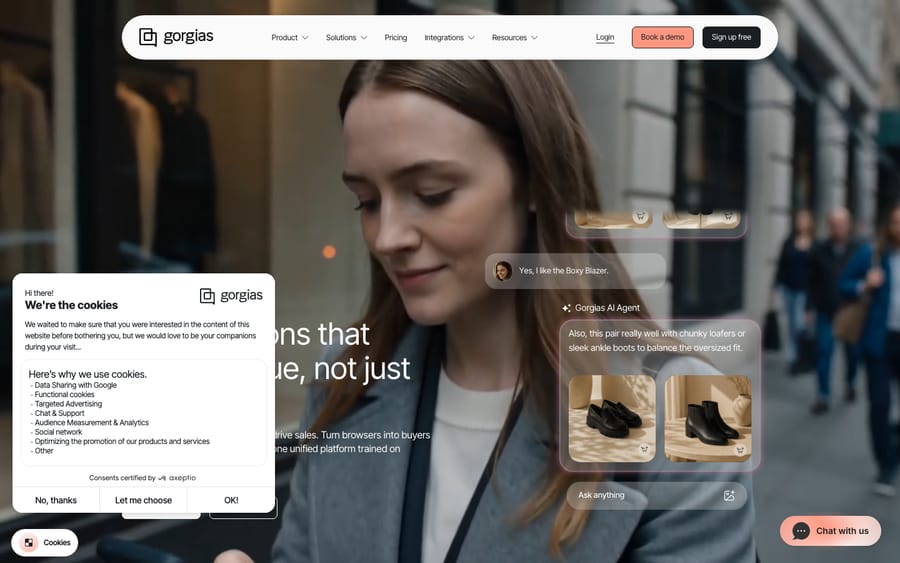
The biggest chunk of a Shopify store's inbound is repetitive: where is my order, return requests, cancellations, and simple subscription edits. Gorgias's AI Agent targets exactly that tier-1 volume, using live Shopify data to answer rather than canned text (AI Agent docs):
- For WISMO, it detects the order's current status, shares the tracking link, and can calculate an expected delivery date from the shipping method — telling the customer whether the order is processing, shipped, or delivered.
- For returns and cancellations, it can execute actions in the Shopify admin — for example, generating a return label and updating the order's status automatically.
Gorgias's homepage markets it as a way to "automate 60% of support" across email, chat and SMS, and cites one customer at a 56% automation rate within two months. Treat 60% as a vendor best-case ceiling, not a guarantee — your real rate depends on your catalog, policies, and how well your knowledge is set up, and independent reviewers note the AI is much improved but still benefits from supervision (Ringly: Gorgias AI reviews). One hard limit: the AI Agent handles email, chat, and SMS — not phone. We dig into how it's configured and where it shines in our Gorgias AI Agent explained guide.
Can Gorgias show how much revenue support drives?
The feature that most separates Gorgias from a generic help desk is revenue reporting. Because it sits on top of Shopify order data, Gorgias can attribute sales back to support conversations — surfacing metrics like pre-sale tickets, converted tickets, conversion rate, and total sales generated from support (gorgias.com/ecommerce/shopify). Gorgias's homepage now markets a "4.2x average return on investment" figure; like the 60% number, read that as a marketing claim rather than a promise.
For a CX lead, the value is being able to show that support makes money (answering "does this fit?" before checkout, recovering carts, upselling during a return) — not just that it costs money. Whether that framing matters depends on whether your support genuinely sells.
How do you roll out Gorgias on Shopify without surprises?
A few things that separate a smooth rollout from a frustrating one:
- Connect Shopify first, then build automations. Rules and macros that reference order data only work once the sync is live.
- Build macros that use order actions. A single macro can pull order details and issue the refund in one click — that's where the time savings compound.
- Set the AI Agent loose on WISMO first. It's the highest-volume, lowest-risk category; expand to returns and cancellations once you trust it.
- Map your Recharge cancellation paths before launch so agents (and the AI) don't cancel a subscription order the wrong way.
- Model your real ticket volume against pricing before committing — see the next section.
What are the limits, and how much does Gorgias cost?
Gorgias's Shopify fit is genuinely strong, but go in knowing the trade-offs:
- Edit-order limits. No editing archived orders, orders over 60 days old, or foreign-currency orders.
- Recharge routing quirks. Subscription cancellations and refunds don't always follow the obvious button.
- AI is not phone-capable and isn't set-and-forget; the 60% and 4.2x figures are vendor claims.
- Ecommerce-only. Outside online retail, Gorgias is the wrong tool — a B2B SaaS or internal IT team is better served by a general platform.
On pricing, Gorgias bills by ticket volume, not per agent. Its pricing page says the help desk "scales from 50 to 5,000 tickets a month, never priced per agent"; the Shopify listing shows Starter at $10/mo (50 tickets), Basic at $60 and Advanced at $900, with 17% off for annual billing, and Enterprise is custom. The part to model carefully: the AI Agent is metered separately, and Gorgias says you "pay only when it resolves a conversation" (third-party trackers put it around $1.00 per automated resolution). Trackers also report that each AI resolution consumes a ticket from your plan allowance, so an automated conversation can cost the resolution fee and a ticket. That "double count" is the most common pricing surprise. We break the whole bill down in Gorgias pricing explained; always confirm current numbers on Gorgias's pricing page.
Where does an AI agent layer like Macha fit?
Gorgias's native AI Agent is good at the WISMO-and-returns volume that dominates a Shopify queue. The tickets that are harder to automate are the ones needing a real answer pulled from your docs, policies, and past conversations — and that's where some teams add a dedicated AI agent layer on top of their help desk.
To be upfront: Macha is one such layer, but it runs on top of your help desk — Zendesk, Freshdesk, Gorgias, Front, HubSpot or Intercom — rather than replacing it. So if you're committed to Gorgias for your Shopify store, Gorgias's own AI Agent is the native path and a layer is the add-on one. The general principle holds whatever your stack: an AI agent layer is only as good as the knowledge you connect to it, and the best ones escalate to a human with full context when they aren't confident. If you'd rather add a layer on top of the desk you have, Macha is one plan priced by ticket volume, from $299 a month for up to 750 tickets, billed per ticket rather than per message, with setup and monitoring by the Macha team included. You can try it with $50 of free usage, no credit card required.
Frequently asked questions
How do I connect Gorgias to Shopify? Install the Gorgias app from the Shopify App Store (or go to Settings → App Store → All Apps → Shopify → Add Shopify inside Gorgias, which redirects you there). After installing, enter your Gorgias subdomain and click Find My Account — or create a new account. Once connected, customer and order data appears in the ticket sidebar.
Is Gorgias free on Shopify? There's a 7-day free trial, but Gorgias is paid software starting at $10/month (Starter, 50 tickets). It bills by monthly ticket volume rather than per agent, and the AI Agent is metered separately on top — see Gorgias pricing explained.
What Shopify data shows up in a Gorgias ticket? The customer's profile, order history and latest orders, fulfillment/tracking status, current cart, and data from connected apps like Recharge, Loop Returns, AfterShip, and Yotpo — all in a sidebar beside the conversation.
Can Gorgias refund or cancel a Shopify order? Yes. Agents and the AI Agent can refund (full or partial), cancel, duplicate, edit, and create Shopify orders from inside the ticket. Note that editing isn't available for archived orders, orders over 60 days old, or foreign-currency orders, and Recharge subscription orders must be canceled/refunded through Recharge.
Does Gorgias support multiple Shopify stores? Yes — you can connect several Shopify stores to one help desk, each with its own rules, macros, and chat widget. Just note that order-based rules can misfire for customers who've bought across multiple connected stores, and Gorgias recommends one account per legal entity.
Can Gorgias's AI handle "where is my order" on Shopify? Yes. The AI Agent uses live Shopify data to answer WISMO questions — sharing tracking links and estimated delivery dates — and can handle returns and cancellations end to end on email, chat, and SMS (not phone). Gorgias markets automating 60% of support; treat that as a best case.
Is Gorgias the right help desk for a Shopify store?
For Shopify merchants, Gorgias is about as native as a help desk gets: install it from the App Store in minutes, and every ticket comes pre-loaded with the customer's orders, tracking, cart, and subscriptions — with refunds, cancellations, edits, and returns handled right there. On top sit an AI Agent that resolves the WISMO-and-returns volume using live order data, and reporting that ties support back to revenue. The watch-outs are real but manageable: edit-order limits, Recharge routing quirks, multi-store rule caveats, and a ticket-plus-AI pricing model that can climb faster than you'd expect. Model your real volume, learn the routing edges, and Gorgias is one of the most natural homes for Shopify support there is.
Checked against Gorgias's official pages, docs, and the Shopify App Store on 24 September 2026. Gorgias revises packaging, features, and ratings periodically, so confirm current figures on gorgias.com before relying on them.
Add AI agents to your Gorgias
Macha reads the ticket, drafts the reply and takes the action, inside the Gorgias you already run.





