





 Shopify
 Stripe
 Slack
Slack Notion
 Google Workspace
 Confluence

How Do You Answer "Is It in Stock?" Tickets Automatically? A Live Shopify Inventory Agent


An AI agent can answer stock questions accurately by reading live Shopify variant inventory at reply time instead of relying on a macro or a spreadsheet. Here is the Macha build: one trigger, two Shopify lookups, one reply, and a handoff whenever the product match is uncertain.
Key takeaways
- Macha answers stock questions by calling Shopify's Search Products action, which reads live variant-level inventory at the moment the agent replies on the ticket.
- In the worked example, Shopify inventory showed the Comfort Hoodie with 12 units in stock in size L and 3 units in size XL.
- An availability answer takes three steps but counts as one Macha ticket, about $0.40, on a plan that starts at $299 a month for 750 tickets.
- If Search Products returns no confident match, the availability agent is instructed to hand the ticket to a human instead of inventing a stock answer.
- Bundles, pre-orders, location-specific stock and restock dates are poor fits for a single Search Products lookup and should route to a human or a separate flow.

To answer "is it in stock?" tickets automatically, give an AI agent one live Shopify read action, Search Products, which returns stock for every variant, and let it read the variant-level inventory count at the moment it replies on the ticket. In Macha that is one agent with a Ticket Created trigger, one Shopify lookup and one public reply, and it hands the ticket to a human whenever it can't match the product with confidence.
| Question | Short answer |
|---|---|
| Which Shopify actions does it use? | Search Products, which finds the item and returns its variants and inventory levels |
| Where does it run? | On the help desk you already use: Zendesk, Freshdesk, Gorgias, Front, HubSpot, Intercom |
| What starts it? | A Ticket Created trigger in Zendesk (or your help desk's equivalent) |
| What stops it guessing? | An instruction to hand off when Search Products returns no confident match |
| What does it cost? | One ticket, about $0.40, on plans from $299 a month for 750 tickets |
| Where does it fall short? | Bundles, pre-orders, location-specific stock and restock dates |
"Is the Comfort Hoodie in size L in stock?" is one of the most common questions an ecommerce support team gets, and one of the most annoying to answer well. The customer can't tell from the product page. Your agent has to leave the help desk, open Shopify admin, search the catalog, find the right variant, read the inventory number, switch back and type a reply. Multiply that by a few hundred tickets a week and a 10-second lookup becomes a real chunk of your team's day. Worse, if someone answers from memory or a stale spreadsheet, you've just promised stock you don't have.
Stock availability sits among the most common pre-purchase questions ecommerce teams field, alongside sizing and the post-purchase "where's my order?" Shopify's own guidance groups stock, sizing, fit and delivery as the high-intent questions where a slow answer kills the sale, and it flags this kind of high-volume, low-complexity query as the first thing to automate. The build below reads the ticket, checks your live Shopify inventory and replies in your existing help desk, with no human in the loop for the easy cases and a clean handoff for the rest.
One framing note before we build: Macha is not a help desk. It's an AI agent layer that sits on top of the Zendesk, Freshdesk, Gorgias, Front, HubSpot or Intercom you already run. You keep your help desk; Macha gives it agents that can take actions, like querying Shopify and posting the reply back on the ticket.
Why is "is it in stock?" harder to automate than it looks?
A generic FAQ bot or a canned macro can't answer this question, because the answer changes by the minute. The correct response depends on three things that a static knowledge base never knows:
- Which product the customer actually means (they rarely type the exact title — "the grey hoodie," "your comfort one").
- Which variant — size L vs XL, a specific colour, a particular SKU.
- The real-time inventory count for that variant, right now.
That's why availability is a tool problem, not a knowledge problem. The agent doesn't need a better article; it needs live read access to your store. Macha's Shopify integration gives it exactly that: Search Products, which finds the item by title, SKU, vendor, or type and returns its variants including inventory levels. Pair those with your Zendesk connection — read the ticket, post the reply — and you have everything the workflow needs.
The availability agent is a close sibling of the order-status ("where's my order?") agent: same shape, same Shopify connector, different read tools. The build below swaps Get Order for Search Products.
What does the availability workflow look like end to end?
Here's the exact shape of the agent we're building. It's a single autonomous flow with one trigger, one Shopify lookup, and one reply.
| Step | Where | What happens |
|---|---|---|
| 1. Trigger | Zendesk | A new ticket arrives; the agent decides whether it's an availability question |
| 2. Find the product | Shopify | Search Products matches the customer's wording to a real catalog item |
| 3. Read inventory | Shopify | The same Search Products result carries the variants and current stock levels |
| 4. Reply | Zendesk | The agent posts a public reply with the answer and a product link, then sets the ticket to Solved |
A worked example, drawn straight from the Macha use-case template:
Customer: "Do you have the Comfort Hoodie in size L? I can't tell from the website if it's in stock." Agent (internally): searches Shopify for "Comfort Hoodie" → reads variants → Size L: 12 in stock, Size XL: 3. Agent (reply): "Great news — the Comfort Hoodie in size L is in stock; we have 12 available. You can grab one here: [link]. Anything else I can help with?" Ticket status → Solved.
The whole thing takes seconds and never touches an agent's queue.
How do you build the agent in Macha?
1. Connect Shopify and your helpdesk
In Connectors, add Shopify (API key) and your helpdesk. The Shopify connector is read-focused for this use case — it needs product and inventory scope, nothing that can mutate your store.

2. Create the agent and describe the job
Spin up a new agent and tell it what it's for, in plain language — Macha's builder turns your description into a working configuration you can refine. Something like: "When a customer asks whether a product is in stock or available in a specific size/variant, search Shopify for the product, read the inventory level for the variant they mentioned, and reply with the current availability and a link. If the product is out of stock or you can't confidently match it, don't guess — hand off to a human."

3. Attach the tools
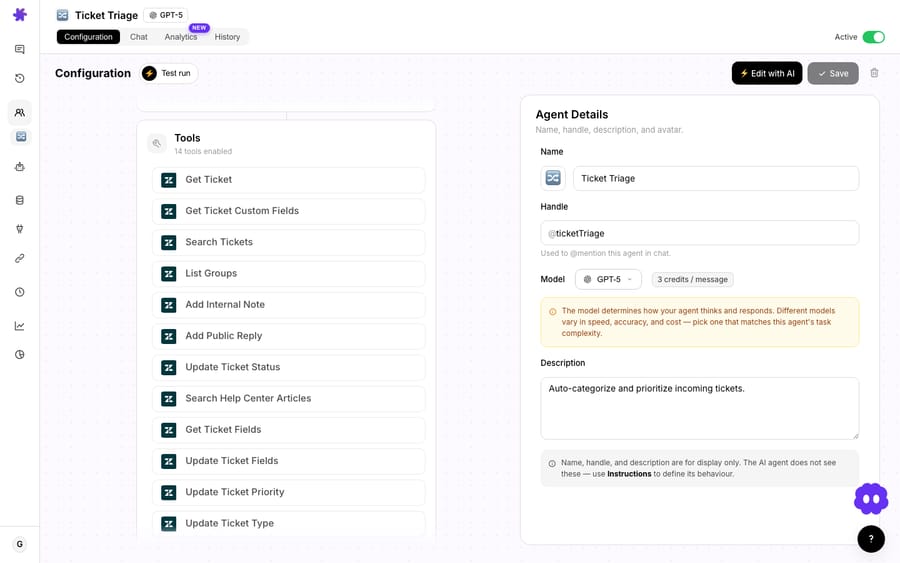
This is the part that makes the answer real instead of hallucinated. On the agent's tools tab, attach the Shopify Search Products action, plus your helpdesk's reply action. The agent can only do what you grant it — so it gets read access to the catalog and the ability to post a comment, and nothing more.
4. Set the trigger to run autonomously
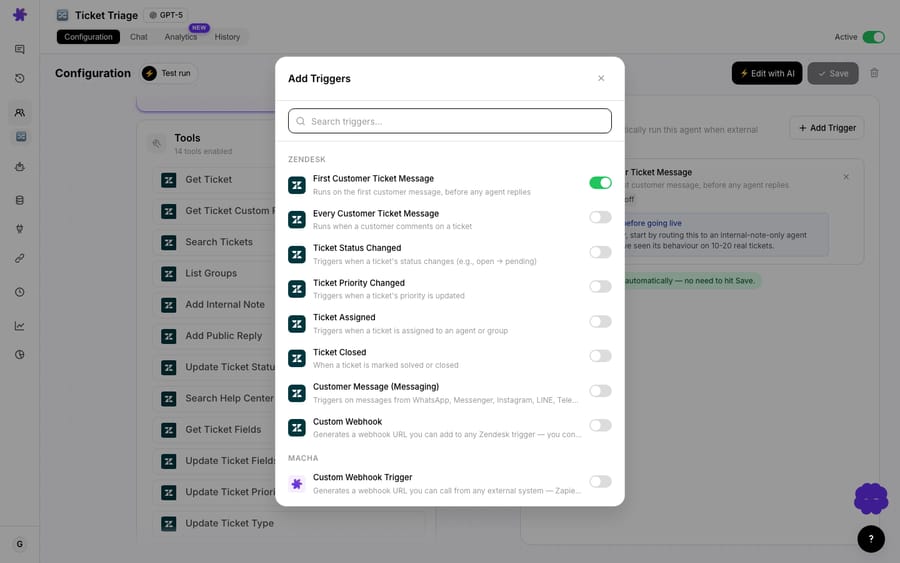
Point the agent's trigger at Ticket Created in Zendesk. The agent evaluates every new ticket, recognises the availability questions, and handles them; everything else passes through untouched. No human has to route these.
5. Test before you let it loose
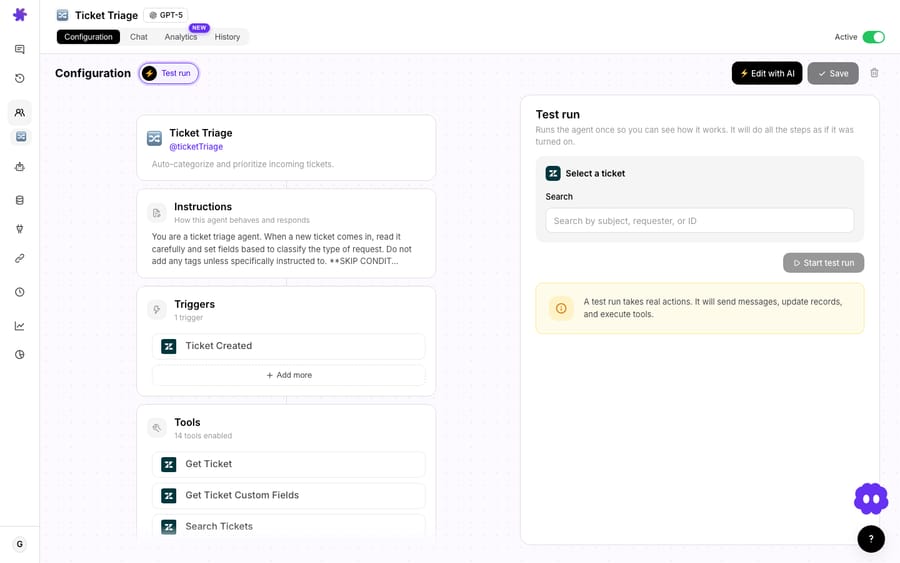
Run it against a few real (or realistic) tickets first and watch what the agent actually does — which product it matched, which variant it read, what it wrote back. Tighten the guidance until the matching is reliable, then enable it on the live queue.
How do you stop the agent giving a wrong stock answer?
A fast wrong answer is worse than a slow right one. A few things to bake into the agent's instructions:
- Confirm the variant. If the customer says "size L" but the catalog has L in two colourways, have the agent ask one clarifying question rather than guess.
- Handle out-of-stock gracefully. When the variant is at zero, don't dead-end the customer — offer the back-in-stock option, suggest the nearest available size, or hand off. An out-of-stock reply is a prime moment to recommend an alternative rather than lose the sale — answering the pre-purchase question quickly is what converts intent into an order.
- Don't promise what you can't see. If
Search Productsreturns nothing confident, the agent should hand off to a human instead of inventing a number. This is the single most important rule. - Mind low-stock honesty. "Only 3 left" can drive urgency, but make sure the count is genuinely live — which, because the agent reads it from Shopify at reply time, it is.
When should you not automate availability questions?
This pattern is excellent for the common case and a poor fit for a few others. Be honest about the edges:
- Bundles, made-to-order, or pre-orders. If availability is governed by component stock, a build queue, or a launch date rather than a simple inventory number, a single
Search Productslookup won't capture it. Route these to a human or a more specialised flow. - Multi-warehouse / location-specific stock. "Is it available at the Austin store?" depends on which inventory location the customer means. Make sure your Shopify locations are modelled and the agent knows which one applies — otherwise scope it to online stock only and say so.
- Non-Shopify catalogs. This specific build relies on the Shopify connector. If your inventory lives in an ERP or a custom system, you'd expose it through a custom API tool instead — doable, but a different post.
- Restock dates and ETAs. Inventory tells you whether something is in stock, not when it's coming back. If customers want dates, the agent needs a separate source of truth for that — don't let it improvise.
The rule of thumb: automate the questions where the answer is a clean lookup, and design the agent to escalate the moment it isn't.
How much does an automated availability answer cost?
Macha bills per ticket: one conversation, charged once, not per resolution and not per step. A typical availability answer takes three steps (read the ticket, search products, reply), and the whole exchange is one ticket, about $0.40, whichever model you point it at. There is one plan priced by ticket volume, starting at $299 a month for 750 tickets and rising to $3,999 for 10,000, with setup and monitoring by the Macha team included. A queue full of quick stock checks costs the same per conversation as a long one.
You can prove out the whole workflow on the free trial ($50 of usage, no credit card required); see pricing for the full tier table.
FAQ
Does Macha replace my helpdesk? No. Macha is an AI agent layer on top of Zendesk, Freshdesk, Gorgias, Front, HubSpot or Intercom. The customer experience stays in your helpdesk; Macha adds agents that can query Shopify and post replies on the ticket.
How does the agent know real-time stock instead of a cached number? It reads inventory live at reply time via Shopify's Search Products action, which returns current variant-level inventory. There's no static copy to go stale.
What happens if the agent can't find the product? Configure it to hand off rather than guess. If Search Products doesn't return a confident match, the agent should escalate to a human instead of inventing an availability answer — this is the guardrail that keeps the automation trustworthy.
Can it answer order questions too, not just availability? Yes. The same Shopify connector exposes Get Order and Search Orders, so a related agent can handle "where's my order?" tickets. Availability and order-status are natural companion use cases.
Will it work for variants like size and colour? Yes. Search Products returns the full variant list with per-variant inventory, so the agent can answer "size L specifically" rather than just "the hoodie generally." Tell it to confirm the variant when the customer is ambiguous.
Want to see it on your own catalog? Connect Shopify and your helpdesk, build the agent, and test it on real tickets — start with the free trial ($50 of usage, no credit card required). More patterns like this live on the Macha blog and in the docs.






