





 Shopify
 Stripe
 Slack
Slack Notion
 Google Workspace
 Confluence

Can Macha's AI Agents Read and Write Confluence? The Connector Explained


Macha's Confluence connector gives AI agents seven tools to search, read and write your docs, with a human confirmation before every write. It reads pages live, so answers come from the current version, and it can turn solved tickets into runbooks.
Key takeaways
- Since the April 9, 2026 release, Confluence is a Macha connector offering seven tools: Search Pages, Get Page, List Spaces, Get Page Children, Create Page, Update Page and Add Comment.
- Every Confluence write action in Macha, including Create Page, Update Page and Add Comment, requires explicit human confirmation before it executes.
- Atlassian API tokens can be set to expire anywhere from one day to one year, so Macha emails a reminder 30 days before the expiration date you enter.
- Connecting Confluence auto-creates a data source in Macha, the same behavior as the Google Workspace and Notion connectors.
- Macha bills per ticket rather than per Confluence search or write, with plans starting at $299 a month for 750 tickets, about $0.40 each.

Yes, Macha's AI agents can read and write Confluence: since the April 9, 2026 release, Confluence is a Macha connector with seven tools, four that read and three that write, and every write waits for a human yes. Agents search your spaces, read the right page, and act on what they find: drafting a reply, adding the troubleshooting steps as an internal note on the ticket, or writing a new runbook back into Confluence after an issue is solved. Macha sits on top of the help desk you already use (Zendesk, Freshdesk, Gorgias, Front, HubSpot or Intercom), and Confluence becomes the knowledge-and-action layer underneath it. This is a live, two-way connection to the documentation your team already maintains, not a one-time "upload your wiki" import.
What can Macha's Confluence connector do?
The Confluence connector exposes seven tools your agents can call. Four read (one of them navigates the page hierarchy) and three write:
| Tool | What it does | Type |
|---|---|---|
| Search Pages | Search by keyword across all spaces or within one space | Read |
| Get Page | Read the full content of a page by its ID | Read |
| List Spaces | List available spaces with keys and names | Read |
| Get Page Children | Get child pages to navigate a hierarchy | Read |
| Create Page | Create a new page in a space | Write (confirmation) |
| Update Page | Update an existing page's title and content | Write (confirmation) |
| Add Comment | Add a comment to a page | Write (confirmation) |
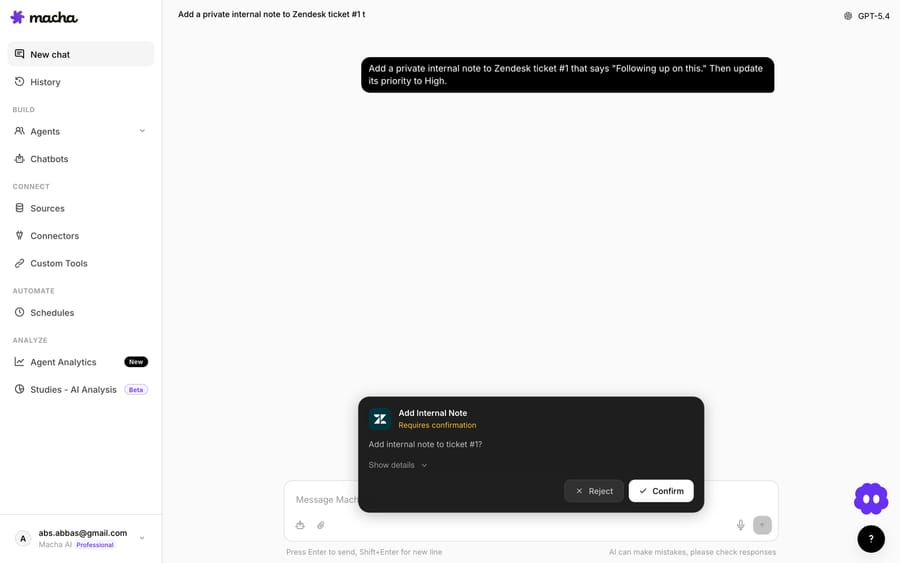
The split matters. Read tools let an agent use your documentation; write tools let it contribute back to it. And every write operation (create, update, comment) requires confirmation before it executes. An agent never silently edits your knowledge base.
How do you connect Confluence to Macha?
Authentication uses an Atlassian API token. You generate the token in your Atlassian account, paste it into Macha, and the connector goes live.
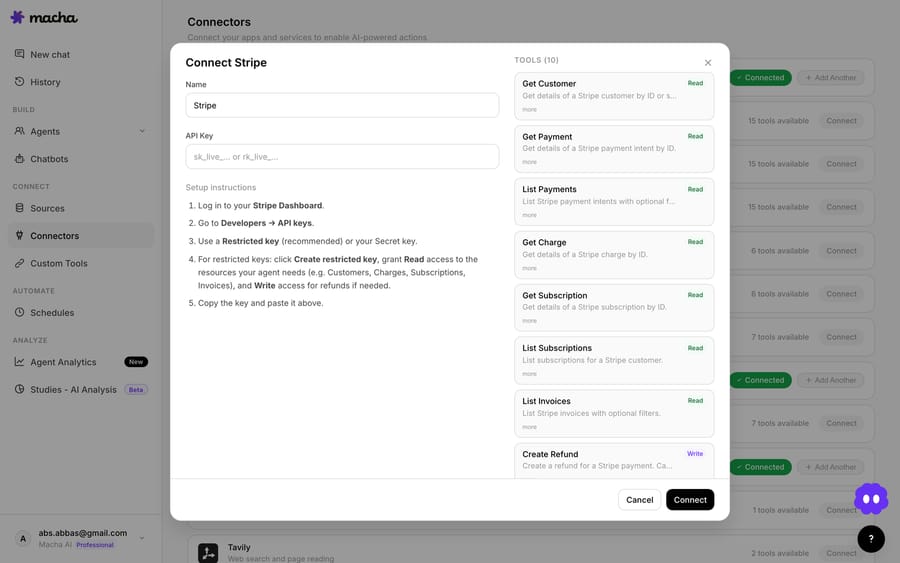
Two details make this more than a bare API hookup:
- Connecting Confluence auto-creates a data source, the same behavior as the Google Workspace and Notion connectors. You don't have to separately wire up Confluence as a knowledge source; the act of connecting registers it so your agents can draw on it as context.
- Token-expiry monitoring. You enter your Atlassian API token's expiration date, and Macha emails you a reminder 30 days before it expires, then automatically deactivates the connector on a 401 error if the token lapses. This is not a cosmetic nicety. Atlassian lets you set an API token's expiry anywhere from one day to one year, and new tokens default to one year (Atlassian docs). Even old tokens made before 15 December 2024 without an end date were set to expire between 14 March and 12 May 2026. So a connection you set up today will silently break on a date you've long forgotten unless something is watching it. Macha watches it.

Which Confluence workflows come ready to use?
Macha ships two pre-built use cases that show the read and write sides of the connector. Both are wired to your help desk (Zendesk in these examples) with Confluence underneath.
1. Search internal docs to resolve tickets (read)
This is the one most teams turn on first. Trigger: a ticket is created in Zendesk. The agent reads the ticket, searches Confluence across your spaces for the relevant documentation, reads the matching page, and adds the troubleshooting steps as an internal note on the ticket, so a human agent has the answer ready before they even open it.
A concrete pass from the shipped example: a customer writes in with "We're getting a 503 error when trying to access the reporting dashboard." The agent searches Confluence for 503 error reporting dashboard, finds the "Reporting Dashboard — Troubleshooting Guide" in the Engineering space, and posts an internal note:
The 503 error on the reporting dashboard is typically caused by a cache overflow during peak hours. Steps: check cache service status, restart the reporting worker, verify the database connection pool. The guide notes this was last seen in January and resolved by restarting the reporting worker.
Nothing customer-facing happened automatically. It's an internal note, the safe default for a knowledge lookup. The human still owns the reply; they just don't have to go digging. (See the full Search internal docs to resolve tickets use case.)
2. Auto-document resolved issues as runbooks (write)
The write side closes the loop. Trigger: a ticket is solved. The agent pulls the full conversation, searches Confluence first to check a runbook doesn't already exist, and if none does, creates a new page in your Support Runbooks space documenting the problem, root cause, solution, and prevention.
From the shipped example: ticket #4821, "SSO login failing for new users," gets resolved over six comments. The agent confirms no existing runbook, then creates "Runbook: SSO Login Failing for New Users" capturing the root cause (a missing department attribute in the IdP's SAML mapping), the fix, and a prevention note added to the SSO setup checklist.
Because Create Page is a write tool, that page creation asks for confirmation before it commits. Over a few weeks, this is how a support queue quietly turns itself into documentation instead of letting hard-won fixes evaporate when the ticket closes. (See Auto-document resolved issues as runbooks.)
Why use a live connector instead of a one-time import?
The common way to "use Confluence with AI support" is to export or sync your wiki into a vendor's index once and answer from that copy. That approach has two well-known failure modes: the copy drifts out of date the moment someone edits the original, and it's strictly read-only: the AI can answer from your docs but can never improve them.
Macha's Confluence connector is different on both counts. It queries Confluence live at the moment the agent needs an answer, so you're always reading the current page, not a stale snapshot. And it's bidirectional: the same connector that reads your runbooks can write new ones. The top informational guides on this topic (eesel's Confluence + Zendesk guide among them) stop at read-only Q&A and skip the operational reality of token lifecycle entirely; the runbook-creation half of the loop and the 30-day expiry reminder are the parts that actually keep a deployment alive in month three.
To be clear about positioning: Macha is not a replacement for Confluence or for your helpdesk. It's the agent layer that connects them. Confluence stays your source of truth, and your help desk (Zendesk, Freshdesk, Gorgias, Front, HubSpot or Intercom) stays your ticketing system. Macha is the thing that reads one and acts in the other.
When should you hold back on the write tools?
- Write tools deserve a slow rollout. Start with read-only workflows (search and internal notes). Turn on Create/Update Page only once you trust the agent's judgment, and lean on the built-in confirmation step rather than auto-approving writes. A confidently-wrong runbook is worse than no runbook.
- Search quality follows documentation quality. If your Confluence spaces are a graveyard of half-finished pages and duplicate guides, the agent will surface the same mess faster. The connector amplifies the knowledge base you have; it doesn't fix it.
- Scope your API token. Atlassian supports scoped API tokens that restrict a token to only the actions it needs (Atlassian KB). Give Macha's token the narrowest scope that covers the spaces and operations you actually want it touching.
- Mind the expiry date you enter. The 30-day reminder only fires if you enter the correct expiration date when connecting. Get it right, or the auto-deactivate-on-401 safety net is the only thing left between you and a silently dead connector.
What does the Confluence connector cost?
Confluence tool calls don't carry their own price tag. Macha bills per ticket (one conversation, charged once, however many searches, page reads and notes the agent needs along the way), so a search-and-note flow costs the same as a one-line reply, whichever model it runs on. Pricing starts at $299 a month for 750 tickets, about $0.40 each, rising to $599 for 1,500 and $1,199 for 3,000, and there are no Confluence-specific add-on fees. Setup and monitoring by the Macha team are included; see the pricing page. Confluence itself is billed separately by Atlassian: its pricing page lists Standard from $5.42 per user per month and Premium from $10.44 (checked 24 September 2026; per-user rates drop as the team grows).
FAQ
What can Macha do in Confluence? Seven tools: search pages, read a page, list spaces, get child pages, create a page, update a page, and add a comment. Reading runs without a prompt; the three write actions (create, update, comment) require confirmation before they run.
Does Macha edit my Confluence without asking? No. Every write operation pauses for explicit confirmation. Read-only tools (search, get, list) run freely; nothing is created or changed without a yes.
Do I have to import my wiki into Macha? No. Connecting Confluence auto-creates a data source and queries your pages live, so agents always read the current version. There's no separate upload or sync step, and nothing goes stale.
How does authentication work, and what happens when my token expires? You connect with an Atlassian API token. You enter its expiration date, and Macha emails a reminder 30 days before expiry, then auto-deactivates the connector on a 401 if the token lapses, so a dead token never silently breaks your agents.
Is Macha replacing Confluence or my helpdesk? Neither. Macha is the AI agent layer on top of your existing helpdesk; Confluence remains your documentation source of truth. Macha connects the two.
Which plans include the Confluence connector? All of them. Macha has one plan priced by ticket volume, and every tier includes every integration and knowledge source. See the pricing page.
How long do Atlassian API tokens last? You choose an expiry from one day to one year when you create the token, and one year is the default. Enter that date in Macha so the 30-day reminder fires on time.
How do you get started?
If your team's answers live in Confluence and your tickets live in Zendesk, this connector links the two. Start with $50 of free usage (no credit card required), connect Confluence and your help desk, and turn on the Search internal docs to resolve tickets workflow first. It's the fastest way to feel the difference. Full setup details are in the Confluence integration page and the docs.
Written by Abbas (Customer Support & AI, Macha) · Reviewed by Ankeet Guha (Co-founder & CTO) · Published 2026-06-24 · Last updated 2026-09-24.






