





 Shopify
 Stripe
 Slack
Slack Notion
 Google Workspace
 Confluence

What Is Debounce on a Trigger, and How Does Macha Stop Event Storms? (2026)


One support ticket can fire five, ten or twenty events in seconds: a double reply, a tag and a reassign, a pile of Slack mentions. Debounce makes a Macha agent wait for the burst to settle and act once, on the latest state.
Key takeaways
- Debounce on a Macha trigger batches a burst of rapid events and fires the agent once on the most recent event, after a delay set in seconds.
- Since the June 5, 2026 release, Zendesk and Freshdesk ticket events, Slack mentions and DMs, and messaging events all carry a Debounce chip.
- New event types default to 0 (off), while the existing defaults of 15s for messaging and 10s for Slack DMs were preserved unchanged.
- A Macha debounce bucket force-fires once it holds 25 events, or after 10x the debounce window capped at 2 minutes, whichever comes first.
- Cron triggers and unkeyed Macha-webhook triggers show no Debounce chip, because batching a scheduled job or a per-org universal webhook has no meaning.
Debounce on a Macha trigger waits a set number of seconds, batches a burst of rapid events into one, and fires the agent once on the latest event. Since the June 5, 2026 release, every event-driven trigger has a Debounce chip, not just messaging: Zendesk and Freshdesk ticket events, Slack mentions and DMs, and messaging events. A bucket force-fires at 25 events or after 10x the window, capped at 2 minutes, so a noisy source can never stall the agent.
The problem it solves is the event storm: the quiet cause of duplicate agent replies, doubled internal notes and the occasional "the bot answered the same ticket three times" screenshot.
| Question | Answer |
|---|---|
| Which triggers show the chip? | Zendesk and Freshdesk ticket events, Slack mentions and DMs, messaging events |
| Default for new event types | 0 (off) |
| Preserved defaults | 15s for messaging, 10s for Slack DMs |
| Force-fire ceilings | 25 events, or 10x the window capped at 2 minutes |
| No chip | Cron triggers and unkeyed Macha-webhook triggers |
Macha is the AI agent layer that runs on top of the help desk you already use (Zendesk, Freshdesk, Gorgias, Front, HubSpot or Intercom), so debounce here is about making your agents behave well against your help desk's event stream, not replacing any of it.
What changed in the June 5 release?
Before June 5, only messaging triggers exposed a debounce setting. Zendesk and Freshdesk ticket events and Slack mentions and DMs fired immediately, once per event, with no way to batch. The June 5 release rolled the same control out across the board:
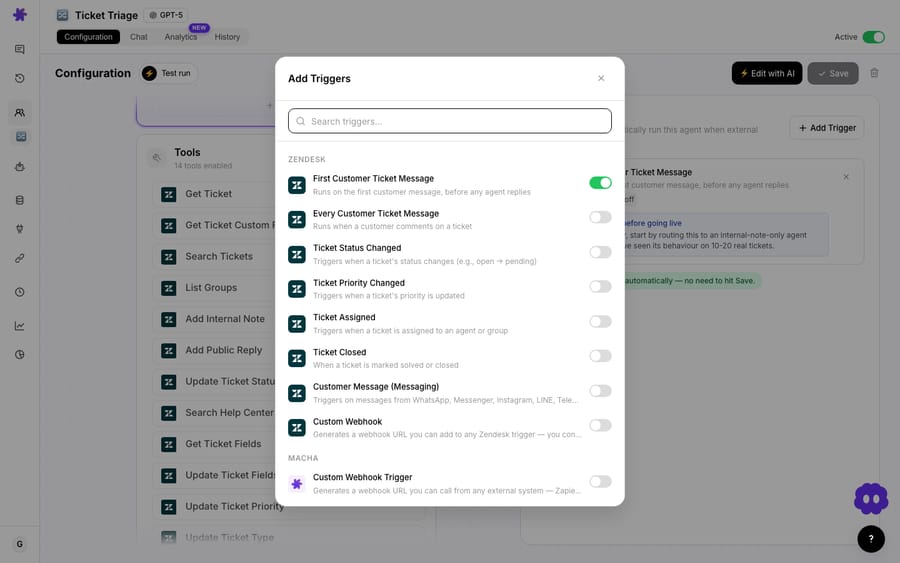
- A Debounce chip on every event-driven trigger. Any Zendesk or Freshdesk ticket event, any Slack mention or DM, and messaging events now let you click the chip and set a delay in seconds.
- Sensible defaults, nothing broken. New event types default to 0 (off). The debounce values that already existed — 15s for messaging and 10s for Slack DMs — are preserved unchanged, so nobody's existing setup shifted underneath them.
- Hidden where it makes no sense. Cron (clock-driven) triggers and unkeyed Macha-webhook triggers don't show the chip. Debouncing a scheduled job or a per-org universal webhook isn't meaningful, so it's hidden by design rather than left as a confusing no-op.
What does "debounce" actually mean?
Debounce is a borrowed term — it comes from electronics, where a single button press can register as several rapid contacts. In software automation it means the same thing: consolidate several near-simultaneous events into one action. The rule of thumb is "if we get a burst of related events within N seconds, only do the work once."
The canonical mechanic, as described in Inngest's debounce documentation, is a sliding window. When the first event arrives, a timer starts. Every new matching event resets the timer. The work only runs once the window passes with no new events — and it runs against the last event in the series, i.e. the most current state. To stop a never-ending stream from delaying the run forever, debounce implementations pair the window with a maximum wait that forces execution after some hard ceiling.
This is different from rate limiting (which caps how often something can run) and from deduplication (which drops exact repeats). Debounce is specifically about waiting for the dust to settle. As Mechanic's guide to debouncing events puts it, some providers — Intercom is the classic example — emit multiple events for what is logically one action, and you only want to react once.
Why does one ticket fire so many events?
Per Zendesk's own documentation, event-subscribed webhooks fire for every occurrence of a system event — subscribe to "ticket updated" and your endpoint receives a payload every time any field on the ticket changes. On top of that, when a trigger updates a ticket mid-cycle, Zendesk's trigger cycle can start over and run the list again, so a single human action can ripple into several update events.
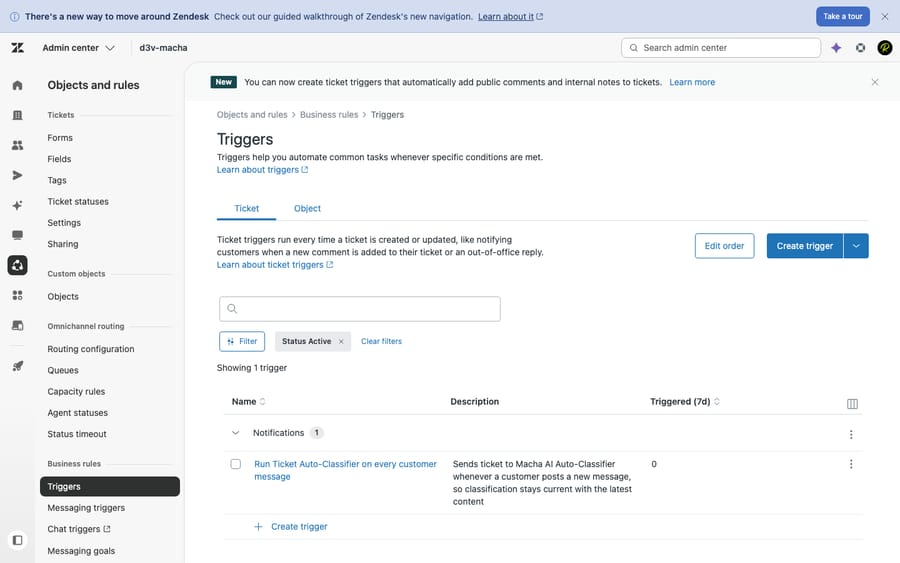
Stack a few of those realities together and the pattern is obvious:
- A customer sends three quick replies → three "ticket updated" events.
- An agent tags, prioritises, and reassigns in one sitting → three events in seconds.
- Your own automations modify the ticket → more events, sometimes recursively.
- A Slack incident channel gets spammed with @-mentions → an event per mention.
Without debounce, an agent wired to "ticket updated" reads each of those as a fresh cue to act. With debounce, it waits, lets the burst land, and acts once — on the final, complete state.
How does Macha's debounce work in practice?
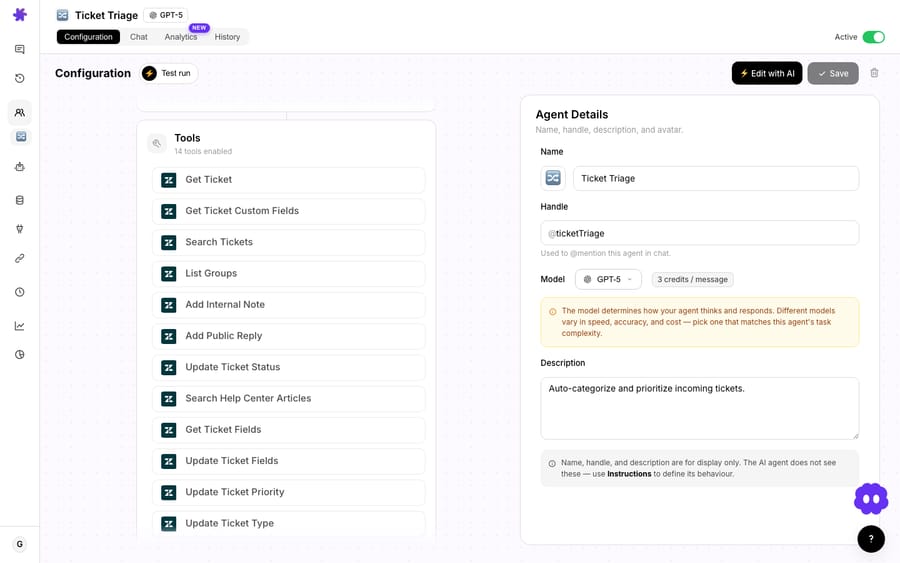
Click the Debounce chip on a trigger and set a delay in seconds. From there, Macha batches the rapid events for that trigger and fires the agent once after the burst quiets down, working from the latest event rather than the first. The docs describe it plainly: "Configurable debounce intervals to batch rapid events before firing the agent."
The interesting engineering is in the safeguards against runaway event streams — because a naive sliding window has a failure mode where a misbehaving event source never goes quiet, and the agent never fires. Macha protects against that two ways:
- Event-count ceiling. A debounce bucket is force-fired once it accumulates 25 events, regardless of timing. A flapping integration can't hold the agent hostage forever.
- Total-wait ceiling. A bucket is also force-fired after a total wait of 10× the debounce window, capped at 2 minutes. So a 5-second debounce will wait at most ~50 seconds; a 30-second debounce hits the 2-minute cap rather than waiting five full minutes.
These ceilings are the difference between a feature you can trust in production and one that silently stalls. They guarantee the agent will run on a bounded delay no matter how malformed the upstream source is.
Defaults, at a glance
| Trigger type | Debounce chip? | Default |
|---|---|---|
| Messaging events | Yes | 15s (preserved) |
| Slack DM | Yes | 10s (preserved) |
| Slack mention | Yes | 0 (off) |
| Zendesk / Freshdesk ticket events | Yes | 0 (off) |
| Cron / scheduled | No (hidden by design) | — |
| Unkeyed Macha-webhook (per-org universal) | No (hidden by design) | — |
The "0 (off) for new event types" default is deliberate: turning debounce on globally would change behaviour for existing agents, so Macha makes you opt in per trigger where you want batching.
A bonus that ships alongside it
The same release fixed a small but real annoyance: Zendesk and Freshdesk custom-webhook triggers now use the ticket_id and ticket_subject from the payload for the conversation title in agent history. Before, these autonomous runs all showed up as a generic "Custom Webhook" with no context — now you can actually tell them apart when you're auditing what your agents did. It's the kind of detail that only matters once you're running real volume, which is exactly when you need it.
How long should the debounce window be for each trigger?
Debounce length is a trade-off between responsiveness and noise suppression. Longer windows catch more of a burst but add latency before the agent responds. Here is where I would start:
- Customer-facing reply agents on "ticket updated": a short window (5–15s) is usually plenty to collapse a customer's rapid multi-reply into one run, without a noticeable delay in the first response.
- Triage / routing agents on "ticket created": often fine at 0 — creation is a single event — unless your intake form or another automation immediately re-touches the ticket.
- Slack mention agents in busy channels: a modest window (10–20s) stops the agent answering five times when five people @-mention it about the same incident.
- Agents that take real-world actions (refunds, account changes, Stripe lookups): lean toward debounce. You do not want an event storm triggering the same order-status lookup or refund flow repeatedly. Debounce here is a cheap insurance policy against doubled actions.
Debouncing a chatty trigger won't change your bill. Macha bills per ticket, one conversation charged once however many times an agent runs on it, from $299 a month for up to 750 tickets. It does change what the customer sees. Ten events that should have been one run are ten chances to say the same thing twice. See the pricing page for how the billing works.
When is debounce the wrong tool?
Debounce has trade-offs, and a few situations call for caution:
- It adds latency, by definition. If your service-level promise is "agent acknowledges within 5 seconds," a 15-second debounce will blow it. Match the window to your SLA, not to your fear of duplicates.
- It is per-trigger, not per-ticket-de-duplication. Debounce batches events on a trigger; it is not a substitute for designing agents that are idempotent on actions that must never double-fire. For genuinely irreversible actions, debounce plus an internal "already handled" check beats debounce alone.
- It only acts on the last event. Because the run uses the most recent event in the burst, any intermediate state is intentionally skipped. That's the point — but if your logic genuinely needs to process every individual update, debounce is the wrong primitive; a queue without debounce is.
- Don't reach for it on single-event triggers. Cron and unkeyed universal webhooks don't show the chip on purpose. And a clean "ticket created" trigger usually doesn't need it. Adding delay where there's no burst just makes your agent slower for no benefit.
The honest summary: debounce solves event storms. If you don't have storms on a given trigger, leave it at 0.
FAQ
What is a debounce trigger? A trigger with a debounce window set. Instead of firing the agent on every individual event, Macha waits a configured number of seconds, batches the rapid events, and fires the agent once on the most recent event — taming bursts like a customer's quick double-reply or a flurry of Slack mentions.
Which Macha triggers support debounce now? After the June 5, 2026 release, every event-driven trigger does: Zendesk and Freshdesk ticket events, Slack mentions and DMs, and messaging events. Cron/scheduled triggers and unkeyed per-org webhook triggers deliberately don't, because debouncing them isn't meaningful.
What happens if events never stop arriving? Two safeguards force the agent to run anyway: the bucket fires once it accumulates 25 events, or after a total wait of 10× the debounce window capped at 2 minutes — whichever comes first. A malformed event source can't hold your agent indefinitely.
Did this change my existing agents' behaviour? No. New event types default to 0 (off), and the values that already existed — 15s for messaging, 10s for Slack DMs — were preserved unchanged. Debounce is opt-in per trigger.
Does debounce save money? Not directly — Macha bills per ticket, so one conversation is charged once however many times an agent runs on it. What debounce saves you from is the duplicate replies and doubled-up notes those redundant runs produce.
Is this a Zendesk feature or a Macha feature? It's a Macha feature. Macha is the AI agent layer on top of your helpdesk — debounce governs how Macha's agents react to the events your helpdesk (or Slack) emits. Your Zendesk triggers and webhooks keep working exactly as they did.
How do I turn debounce on?
If your agents have ever replied twice, doubled an internal note, or reacted to the same situation in pieces, debounce is the fix, and it is now one chip away on every event-driven trigger. Start a free trial ($50 of usage, no credit card, no time limit), open any agent's Triggers tab, and set a window on your noisiest trigger. For the bigger picture on running agents on top of Zendesk, see Macha on Zendesk, and browse the blog for more capability deep-dives.
Written by Abbas (Customer Support & AI, Macha) · Reviewed by Ankeet Guha (Co-founder & CTO) · Published 2026-06-24 · Last updated 2026-09-24.






