Intercom
 Shopify
 Stripe
 Slack
Slack Notion
 Google Workspace
 Confluence

Is Freshdesk Worth It? Freshdesk Review (2026): Pricing, Pros, Cons and Who It's For


Freshdesk is one of the easiest help desks to stand up and one of the best values for small and mid-market teams, with paid plans from $19 per agent a month. Its costs climb once Freddy AI is central, and its reporting runs out of depth as you scale.
Key takeaways
- Freshdesk suits small and mid-market support teams in 2026, with annual plans at $19 for Growth, $55 for Pro and $89 for Enterprise per agent a month.
- Freshdesk's free option is now a Free program for up to 2 agents that lasts 6 months and isn't available on Freshdesk Omni.
- Freddy AI Agent gives Growth, Pro and Enterprise accounts 500 free sessions once per account, then charges $49 per 100 sessions.
- A 20-agent Freshdesk team on Pro that adds Freddy AI Copilot for every agent reaches $84 per agent a month before any AI Agent sessions.
- Freshdesk held a G2 rating of 4.4 out of 5 from roughly 3,700 reviews and a Capterra rating of 4.5 from about 3,440 reviews when observed in June 2026.

Freshdesk is a good buy in 2026 for small and mid-market support teams that want multichannel ticketing live fast: paid plans cost $19 (Growth), $55 (Pro) and $89 (Enterprise) per agent a month billed annually, and the Freddy AI Copilot add-on is $29 per agent. The weak spots are shallow default reporting and AI costs that stack up, since the 500 free Freddy AI Agent sessions are a one-time allowance per account and each further 100 sessions costs $49.
| Question | Short answer (checked 24 September 2026) |
|---|---|
| Best for | Small and mid-market teams that value fast setup and price over maximum depth |
| Seat prices (annual, per agent/mo) | Growth $19, Pro $55, Enterprise $89; Freshdesk Omni $29 / $79 / $119 |
| Free option | Free program: up to 2 agents for 6 months, classic Freshdesk only |
| AI costs | Copilot $29 per agent/mo; AI Agent 500 sessions once per account, then $49 per 100 |
| Ratings | G2 4.4/5 (~3,700), Capterra 4.5/5 (~3,440), TrustRadius 8.4/10 (~640), observed June 2026 |
| Main cons | Shallow reporting, AI add-on costs, tier-gated features, uneven vendor support |
We re-checked pricing against Freshworks' own pricing pages on 24 September 2026, pulled aggregate ratings and attributed quotes from real reviewers on G2, Capterra and TrustRadius, and looked at the product directly. One disclosure up front: Macha is our own product, an AI agent layer that runs on top of Freshdesk and other help desks. It isn't a help desk or a Freshdesk replacement, and it gets one aside near the end, flagged as ours.
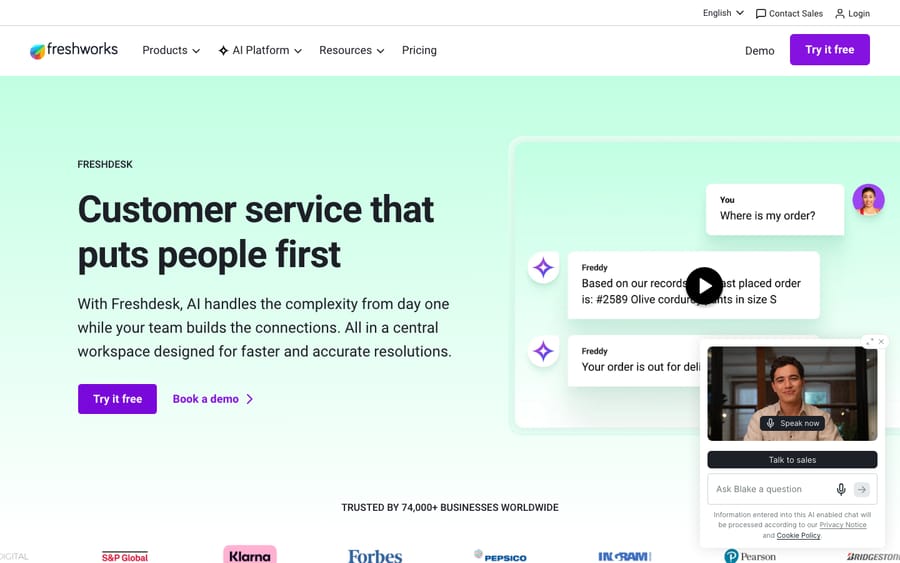
How we reviewed it: pricing checked 24 September 2026 against Freshworks' Freshdesk pricing page, the Freshdesk Omni pricing page and Freshworks' Free program article; ratings and sentiment drawn from G2, Capterra and TrustRadius reviews observed in June 2026 (those pages block automated access, so the numbers are cited, not screenshotted); and the product experience grounded in Freshdesk's own UI and site, shown below.
What is Freshdesk, and who is it built for?
Freshdesk is the customer-support product from Freshworks, built around a clean ticketing system: every customer message (email, web form, chat, phone, social) becomes a ticket in a shared queue, with routing, automation, SLAs, reporting, a knowledge base and AI on top. Its identity is approachability: it's the help desk you can roll out in an afternoon without a consultant.
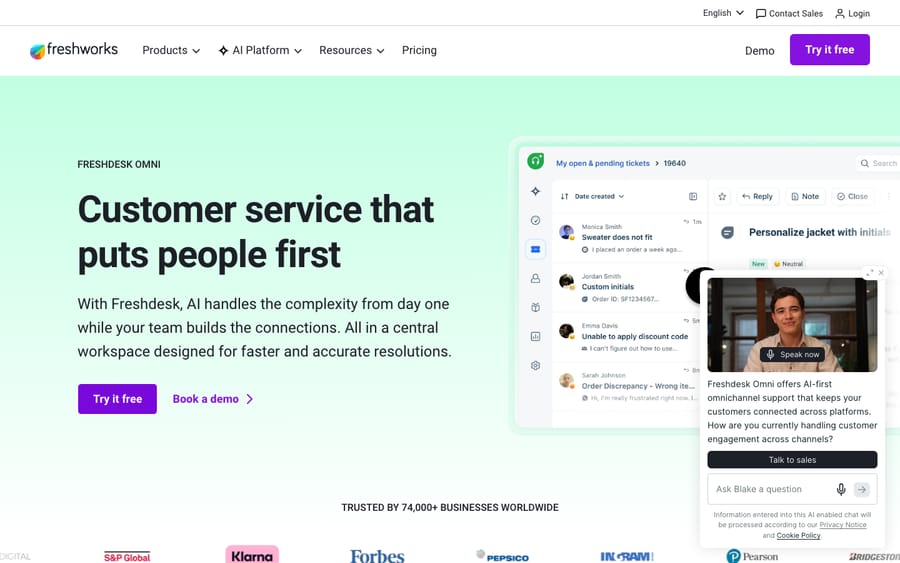
It's built primarily for small and mid-market support teams: startups, SMBs and growing operations that want real multichannel support without enterprise cost or complexity. It scales into larger teams too, but that's where the value question gets harder and where it bumps against heavier platforms like Zendesk. The one-line summary: Freshdesk is the tool you reach for when time-to-value and cost matter more than maximum depth.
What do you actually get with Freshdesk?
Ease of use is Freshdesk's signature, but the platform is broad.
Ticketing and the agent workspace
The core is the ticketing system, a tidy queue where agents triage, reply, collaborate and track conversations to resolution. This is the part reviewers like most: new hires get productive fast, and the basics (canned responses, ticket merging, private notes, collision detection) are there without a steep ramp.
Omnichannel (Freshdesk Omni)
Beyond email, Freshdesk pulls live chat, phone, WhatsApp, social and messaging into one place. The fuller omnichannel experience is packaged as Freshdesk Omni, a higher-priced product that unifies conversational and ticketing support. For most SMB teams the channel coverage is enough; heavy contact centers sometimes still pair it with dedicated telephony.
Freddy AI
Freshdesk's AI is branded Freddy, and it comes in two shapes worth keeping separate:
- Freddy AI Copilot: agent-assist features (suggested replies, summaries, tone and expansion, ticket assists) that sit alongside the agent.
- Freddy AI Agent: the customer-facing bot that resolves or deflects requests across chat and email. Freshworks says it's available on Growth, Pro and Enterprise.
The capability is real, but as with most help desks in 2026 the meaningful AI is not free, and how it's billed is the most important thing to model before you buy. It gets its own section below.
Automation
Freshdesk's automation engine (dispatch'r, supervisor, and scenario/observer rules) handles routing, assignment, escalations and SLA reminders. Reviewers call this a real time-saver, and it's one of the strongest value features on the lower tiers.
Reporting and analytics
Freshdesk includes dashboards for ticket volume, agent performance, CSAT and SLA attainment. The basics are easy to read. Depth is a recurring complaint: more granular or custom analytics need configuration and, in practice, higher-tier plans. If you live in dashboards, test this hard before committing.
Self-service and knowledge base
A built-in knowledge base / help center powers public articles, agent-facing knowledge and AI-assisted deflection. The better your articles, the more Freddy can deflect.
How much does Freshdesk cost in 2026?
Here's the published pricing for the base Freshdesk plans, checked 24 September 2026. All figures are per agent, per month, billed annually; Freshworks advertises a 20% saving for annual over monthly billing. Every plan starts with a 14-day trial of Enterprise.
| Plan | Price (annual, /agent/mo) | Built for |
|---|---|---|
| Free program | $0, up to 2 agents for 6 months | New businesses getting started with email and basic ticketing |
| Growth | $19 | Small teams wanting automation, collaboration, SLAs |
| Pro | $55 | Growing teams needing custom roles, advanced automation, multiple products |
| Enterprise | $89 | Larger orgs wanting audit logs, sandbox, skills-based routing, approvals |
The footnotes matter more than the table:
- The free plan is now a 6-month program. Freshdesk's free tier was long known as "up to 10 agents free, forever." Freshworks now describes a Free program for new businesses with up to 2 agents for 6 months, for classic Freshdesk only and not Freshdesk Omni. It no longer appears as a plan card on the main pricing page.
- Omni costs more. Freshdesk Omni is priced separately at Growth $29 / Pro $79 / Enterprise $119 per agent/mo annually, with no free plan. Don't anchor on the base numbers if Omni is what you need.
- Freddy AI is the big add-on. This is where the bill grows:
- Freddy AI Copilot: $29 per agent, per month billed annually, and you can assign it to a subset of agents.
- Freddy AI Agent: session-based. Growth, Pro and Enterprise accounts get 500 free sessions once per account to try it; after that it's $49 per 100 sessions (about $0.49 each), where a session is a unique end-user interaction with the bot.
The session design tells you what Freshworks is optimizing for. A one-time 500-session allowance lets a team switch the bot on and see it work, and every conversation after that is billed. Your AI cost then scales with customer traffic, not with the number of agents you keep.
The takeaway: Freshdesk's sticker price is competitive at the low end, and a Growth team at $19/agent is hard to beat. Your effective price climbs fast if AI is central: a 20-agent team on Pro ($55) that adds Copilot for everyone (+$29) is already at $84/agent/mo before any AI Agent sessions, close to Enterprise list. Model the AI line separately from seats. We break the math down in our Freshdesk pricing explainer.
Seat, Omni, Copilot and session prices checked against Freshworks' pricing pages on 24 September 2026; the Free program terms come from Freshworks' support article. Verify with Freshworks for your volume.
What do real users say about Freshdesk?
Aggregate scores are the closest thing to a crowd verdict. Observed in June 2026:
- G2: 4.4 / 5 from roughly 3,700 reviews (about 65% five-star, 28% four-star), a large, healthy sample.
- Capterra: 4.5 / 5 from about 3,440 reviews.
- TrustRadius: 8.4 / 10 from around 640 reviews.
Those numbers are strong and consistent across platforms. Just as telling is what reviewers praise and complain about, in their own words where we could attribute them.
What reviewers praise. Ease of use and value top every list. Capterra reviewer David N. (an IT Operations Manager) put it bluntly: "For the cost, FreshDesk is a great ticketing platform." Fast setup is the other recurring win. A Customer Experience Specialist in education management wrote that they "switched from Zendesk to Freshdesk because we were looking for a platform that felt more intuitive and easier to navigate for day-to-day support operations." Andrew Y., a technical support manager in electronics manufacturing, summed it up as "We love Freshdesk and all things Freshworks." Automation that works and quick agent onboarding round out the positives.
What reviewers criticize. Two themes dominate the negative reviews on G2 and Capterra (recurring sentiment, not single quotes). First, reporting depth: built-in analytics cover basics, but richer insight takes configuration or a higher plan. Second, features and AI gated behind pricier tiers and add-ons, with Freddy AI's cost a common surprise. Support responsiveness and hunting for settings are the other gripes. None are dealbreakers for most SMBs, but they're the predictable friction as you scale.
What are Freshdesk's pros and cons?
Pros
- Easy to use. The most-praised aspect on every platform: clean UI, fast agent onboarding, minimal training.
- Strong value at the SMB end. Growth at $19/agent is one of the best price-to-capability ratios in the category, and the 6-month Free program lets a 2-agent startup begin at zero.
- Fast setup, low admin overhead. You can be live in an afternoon without a consultant.
- Solid omnichannel. Email, chat, phone, WhatsApp and social in one place (fuller via Freshdesk Omni) cover most SMB needs.
- Capable automation. Routing, escalation and SLA rules save manual effort even on lower tiers.
Cons
- Reporting is shallow out of the box. Deeper or custom analytics need configuration and often a higher plan.
- Freddy AI adds up. Copilot is $29/agent, and the AI Agent bills $49 per 100 sessions once the one-time 500 are gone. Treat it as a second cost line.
- No lasting free plan. The free option now ends after 6 months and stops at 2 agents, so it's a trial, not a home for a tiny team.
- Features gated by tier. Useful capabilities can sit above your plan, nudging smaller teams to upgrade sooner than expected.
- Support quality is inconsistent. Response quality and speed don't always match expectations, which stings from a support vendor.
- Enterprise gaps. Very large or complex operations sometimes find governance, advanced reporting and deep customization trail heavier incumbents.
Who should choose Freshdesk, and who shouldn't?
Choose Freshdesk if you're a small or mid-market team that wants multichannel support live quickly and cheaply, you value ease of use over maximum configurability, you don't have (or want) a dedicated admin, and your reporting needs are mainstream. For that profile Freshdesk is excellent, and the 4.4 G2 / 4.5 Capterra ratings reflect a lot of happy teams in that bucket.
Look elsewhere if you need advanced, customizable analytics, you run a large enterprise operation with strict governance needs, or your plan depends on heavy AI volume where session and add-on costs stack up. We line up the strongest options in the best Freshdesk alternatives, and compare it with its biggest rival in Zendesk vs Freshdesk.
Where does an AI agent layer fit on top of Freshdesk?
Freshdesk's built-in AI is capable, but the meaningful pieces are a paid add-on (Freddy Copilot) plus per-session AI Agent billing, and the bot leans toward deflecting with help-center content or escalating. Teams that want deeper resolution, with answers pulled from a connected knowledge base, past tickets and other systems and resolved inside the ticket, sometimes add an AI agent layer on top of Freshdesk rather than relying only on Freddy.
That's the category our own product, Macha, sits in. Macha is not a help desk and not a Freshdesk alternative; it runs on top of the desk you already use (Zendesk, Freshdesk, Gorgias, Front, HubSpot or Intercom), reads the customer's actual question, pulls from your connected knowledge, and resolves the issue in the thread, escalating to a human with full context when it isn't confident. It bills per ticket, one charge however many messages, lookups or drafts it takes, rather than per seat or per session, on one plan priced by monthly volume from $299 a month for up to 750 tickets, with setup and monitoring by the Macha team included. It's only as good as the knowledge you connect, so it fits teams whose volume is mostly repetitive, knowledge-answerable questions. If that's you, see how the agent layer works or try it ($50 of free usage, no credit card required). If it isn't, Freddy may be plenty.
What are the main Freshdesk alternatives?
If Freshdesk's reporting depth, AI costs or enterprise gaps give you pause, the usual contenders are Zendesk (deeper, pricier, more enterprise-grade), Intercom (messaging-and-AI-first), Help Scout and Front (simpler, inbox-style), Zoho Desk (value, especially inside the Zoho ecosystem) and Gorgias (e-commerce focus). We break down each in the best Freshdesk alternatives.
Update (September 2026): Salesforce completed its acquisition of Fin (the company that had already renamed itself from Intercom on May 12, 2026) on September 10, 2026, in a deal worth ~$3.6 billion, and plans to fold it into Salesforce's Agentforce. Worth weighing in any long-term Intercom/Fin decision.
Frequently asked questions
Is Freshdesk good in 2026? Yes, for the right team. It carries strong, consistent ratings (G2 4.4/5 from ~3,700 reviews, Capterra 4.5/5 from ~3,440, TrustRadius 8.4/10) and excels at fast, easy, affordable multichannel support. The caveats are shallow default reporting, Freddy AI add-on costs, and depth gaps at the enterprise end.
How much does Freshdesk cost? Base plans, billed annually per agent per month: Growth $19, Pro $55 and Enterprise $89, with a Free program for up to 2 agents that lasts 6 months. Annual billing saves 20% over monthly. Freddy AI Copilot adds $29/agent/mo, and the Freddy AI Agent costs $49 per 100 sessions after a one-time 500 free sessions per account. Freshdesk Omni runs $29, $79 and $119. See the pricing explainer for the full breakdown.
Does Freshdesk still have a free plan? Only as a limited program. Freshworks' Free program covers up to 2 agents for 6 months, is aimed at new businesses, and isn't available on Freshdesk Omni. The old "10 agents free, forever" tier is gone.
What are Freshdesk's main pros and cons? Pros: easy to use, strong SMB value, fast setup, solid omnichannel, capable automation. Cons: shallow default reporting, Freddy AI costs that stack up, features gated behind higher tiers, inconsistent support quality, and depth gaps for large enterprises.
Is Freshdesk worth it? For small and mid-market teams that value speed, simplicity and price, generally yes. For data-heavy or large enterprise operations, or plans built on heavy AI volume, model the effective cost (seat plus Copilot plus sessions) and weigh it against the alternatives first.
Freshdesk vs Zendesk: which is better? Neither is better for everyone. Freshdesk wins on ease of use, setup speed and SMB value; Zendesk wins on depth, reporting and enterprise scale, usually at a higher effective cost. We compare them in Zendesk vs Freshdesk.
Is Freddy AI worth paying extra for? It's capable, but it's a paid add-on (Copilot) plus per-session AI Agent billing rather than something included. If AI is your main reason for buying, model the cost carefully, and consider whether an AI agent layer on top of a desk you already like is cheaper.
So is Freshdesk worth buying in 2026?
Freshdesk earns its reputation. It's one of the easiest help desks to adopt, one of the best values for small and mid-market teams, and a capable multichannel platform, and the steady 4.4 to 4.5 ratings across roughly 7,000 reviews back that up. The caveats are equally real: reporting is shallow until you configure or pay for more, Freddy AI is a meaningful add-on, the free plan now ends after 6 months, and the depth gap shows at the enterprise end.
So the verdict is "good for whom." If you're an SMB or mid-market team that wants fast, friendly, affordable support, Freshdesk is one of the safest bets you can make. If you're large, data-heavy or betting on AI volume, model your effective per-agent cost first, then weigh it against the alternatives and Zendesk before you sign.
Pricing checked against Freshworks' pricing pages on 24 September 2026. Aggregate ratings and review quotes were observed in June 2026 on G2, Capterra and TrustRadius and may have moved since. Macha is our own product (an AI agent layer on top of your help desk), disclosed as such.
Add AI agents to your Freshdesk
Macha reads the ticket, drafts the reply and takes the action, inside the Freshdesk you already run.