





 Shopify
 Stripe
 Slack
Slack Notion
 Google Workspace
 Confluence

How Does Freshdesk Ticket Assignment Work? Round-Robin vs Load-Balanced vs Skill-Based (2026)


Freshdesk can assign tickets by equal count, by current workload or by agent skill, and the method you pick decides whether your queue feels fair or chaotic. Each one is set per group, all three need the Pro plan or higher, and skill-based needs Enterprise.
Key takeaways
- Freshdesk assigns tickets automatically in three ways, round-robin, load-balanced and skill-based, all set per group under Admin, Groups, Group Properties, Advanced Automatic Routing.
- Freshdesk round-robin assignment gives each online agent the next ticket in a circular order, evening out ticket counts regardless of how busy each agent already is.
- Freshdesk load-balanced assignment sends tickets to the least-loaded agent under a per-agent concurrent cap from 1 to 100, and only tickets with an active SLA timer count toward that load.
- Freshdesk round-robin and load-balanced routing need the Pro plan at $55 per agent a month or Enterprise, while skill-based routing is Enterprise only at $89.
- Freshdesk skill-based routing applies the first matching skill rule in the list, so the order of skills under Admin, Skills decides which agent gets an ambiguous ticket.

Freshdesk assigns tickets automatically in three ways: round-robin (an equal count per online agent), load-balanced (the least-busy agent, up to a cap of 1 to 100 open tickets each) and skill-based (the agent whose skills match the ticket). You pick the method per group under Admin → Groups → Group Properties → Advanced Automatic Routing. Round-robin and load-balanced need the Pro plan ($55 per agent a month, billed annually) or Enterprise; skill-based needs Enterprise ($89), per the Freshdesk pricing page checked on 24 September 2026. Growth ($19) gets none of the three.
| Method | Assigns to | Plan needed |
|---|---|---|
| Round-robin | The next online agent in a circular order | Pro or Enterprise |
| Load-balanced | The agent furthest below their concurrent cap (1 to 100, 5 suggested) | Pro or Enterprise |
| Skill-based | The agent whose first matching skill fits the ticket | Enterprise only |
What engine runs Freshdesk ticket assignment?
All three methods share one routing engine called Omniroute, which checks agent availability, current load and assignment preferences before it hands a ticket over. Per Freshworks' documentation on automatic ticket assignment, you don't pick a routing method globally. You pick it per group, under Admin → Groups → (edit a group) → Group Properties → Advanced Automatic Routing. Assignment is a property of the group a ticket lands in, so the same help desk can run round-robin for Billing and skill-based for Tier 2 if the plan allows it.
One wrinkle: a legacy round-robin predates Omniroute and still shows up on some accounts and groups, separate from Advanced Automatic Routing. If you're auditing an older setup and see "Round robin (Legacy)" on a group, that's the old engine, not the Omniroute version described here. Groups are the container all of this hangs off, so if the concept is fuzzy, read Freshdesk groups explained first.
How does round-robin assignment work in Freshdesk?
Round-robin distributes tickets to online agents in a circular order. The first ticket goes to agent A, the next to B, the next to C, then back to A, cycling through everyone available in the group so that each agent ends the day with roughly the same number of tickets. Per the round-robin setup docs, it only assigns to agents marked online, so someone logged out or unavailable gets skipped.
Its strength is also its blind spot: round-robin counts tickets, not effort. It doesn't know that agent B is halfway through a messy refund thread while agent C just cleared their queue. Both are "one more ticket" to it. That makes it a good fit for small teams handling similar, straightforward queries, where every ticket costs about the same and fairness by count is actually fair. We walk through the full configuration in how to set up round-robin in Freshdesk.
How does load-balanced assignment decide who's busy?
Load-balanced assignment routes each new ticket to the least-loaded agent, then keeps filling the group until everyone hits a cap you set. Instead of counting tickets handed out, it watches how many each agent is currently holding. Per Freshworks' load-balanced assignment docs, the per-agent concurrent limit runs from 1 to 100, Freshworks calls 5 the optimal number, and incoming tickets flow to whoever is furthest below their cap.
Two details matter. First, only tickets with an active SLA timer count toward an agent's load, and you can exclude statuses (like Pending or Waiting on Customer) from the tally in Assignment Preferences, so a ticket parked on the customer doesn't block an agent from new work. Second, faster agents clear their plates sooner, so they get assigned more tickets over time. That's the design: load-balanced optimizes for throughput rather than an equal count, which makes it the better default for larger teams with real volume and uneven ticket complexity.
How does skill-based routing work, and which plan has it?
Skill-based routing assigns tickets to the agent best equipped to handle them: the French speaker, the billing expert, the owner of a product line. Skills are defined centrally under Admin → Skills, then switched on per group as the Skill-based option in Advanced Automatic Routing. Per the skill-based routing docs, you create a skill, name it, and attach conditions on ticket, contact or company fields (for example, requester language is French), then choose whether all or any conditions must match.
The behavior that trips people up is ordering. Freshdesk applies the first matching skill rule in your list, so the order of skills matters as much as the order of SLA policies. Put the most specific rules at the top; you can reorder at the account level and per agent by drag and drop. The catch is the plan: skill-based routing is Enterprise only (Freshdesk Enterprise or Freshdesk Omni Enterprise). Round-robin and load-balanced are available on Pro and Enterprise, so a Growth or Pro account doesn't get this engine at all.
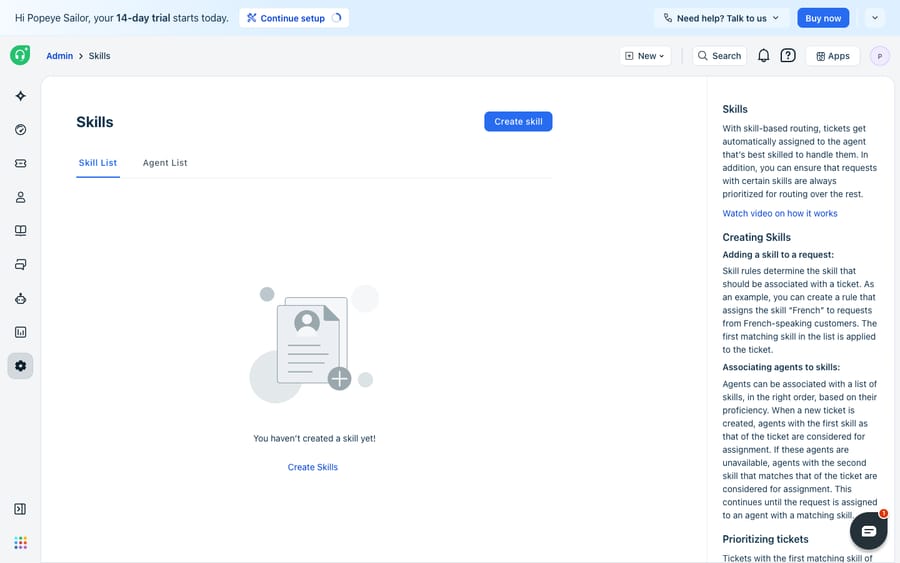
The screenshot below is the Skills admin before anything is built, the empty state, with Freshdesk's own explanation of what skill-based routing does. It's the explainer view on a fresh Enterprise account, not a configured skill set.
Which Freshdesk assignment method should you use?
The three methods aren't ranked best to worst. They optimize for different goals, so match the engine to what your team needs to be fair about.
| Dimension | Round-robin | Load-balanced | Skill-based |
|---|---|---|---|
| Optimizes for | Equal ticket count | Speed / current load | Right expertise |
| Where you set it | Admin → Groups → Group Properties | Admin → Groups → Group Properties | Admin → Skills (+ Group Properties) |
| Considers agent workload? | No, counts tickets only | Yes, routes to least busy | Indirectly, via skill + load |
| Plan required | Pro / Enterprise | Pro / Enterprise | Enterprise only |
| Best for | Small teams, similar queries | Larger teams, uneven volume | Multilingual / specialist teams |
| Main risk | Overloads slow agents | Fast agents get piled on | Mis-tagged tickets miss the skill |
A practical read: start with round-robin if your team is small and tickets are similar. Move to load-balanced once volume and complexity make an equal count feel unfair. Reach for skill-based only when real specialization (language, product depth) means the wrong agent can't resolve a ticket at all, and only if you're on Enterprise.
What can't Freshdesk routing do, and where does an AI agent fit?
Credit where it's due: Omniroute is a mature, real-time engine that respects availability, caps and business hours across all three methods, and it removes manual triage. For deciding who works a ticket, it's hard to beat.
But routing is a decision about whose queue a ticket enters, not about whether the ticket needs a human at all. All three methods assume every ticket goes to a person. None of them reads the ticket and notices "this is a password reset we've answered 400 times" or "this is an order-status check." They route the easy and the hard the same way, and every routed ticket still lands on someone who has to read it and write the reply.
Skill-based routing gets closest, but it matches on fields you've already set: requester language, product, ticket type. If intake mislabels a ticket, the skill engine faithfully routes it to the wrong specialist. And none of the three can do the reasoning that would let a ticket skip the queue.
That's the gap an AI agent layer fills, and it's worth understanding the build-versus-buy tradeoff before picking one. The broader category of AI agents for customer service exists to handle the reasoning routing can't. Macha is one such layer: it runs on top of the Freshdesk you already use as a native connector and doesn't replace your help desk, your groups or Omniroute. You connect Macha to Freshdesk with your subdomain and API key, and it reads and writes the same tickets your routing moves: resolving or drafting grounded replies to repetitive tickets before they reach a human queue, triaging by intent so the right skill or group is set at the start, and looking up order or account status through a custom tool that turns a REST API into something the agent can call. (Macha connects to Freshdesk specifically, not Freshchat, Freshservice or Freshcaller. Pricing is one plan by ticket volume, from $299 a month for up to 750 tickets, billed per ticket however many messages it takes, never per resolution; see pricing.)
The division of labor: Freshdesk's routing decides which human handles what's left, and an agent on top shrinks what's left. We cover that layering in how to automate Freshdesk with AI.
FAQ
Where do I set up automatic ticket assignment in Freshdesk? For all three Omniroute methods, go to Admin → Groups, edit a group, open the Group Properties tab and choose Advanced Automatic Routing, then pick round-robin, load-based or skill-based. Skills themselves are defined separately under Admin → Skills.
What's the difference between round-robin and load-balanced? Round-robin gives an equal number of tickets to online agents in a circular order, ignoring how busy anyone is. Load-balanced routes each ticket to the least-loaded agent up to a per-agent concurrent cap (1 to 100; Freshworks calls 5 optimal), so it optimizes for speed rather than an even count.
Which plans do I need for each routing method? Round-robin and load-balanced are on Freshdesk Pro and Enterprise. Skill-based routing is Enterprise only. The Growth plan has none of the three. Confirm against your own plan, as gating changes over time.
Do tickets on hold count toward an agent's load? Only tickets with an active SLA timer count toward an agent's workload under load-balanced assignment, and you can exclude specific statuses (like Waiting on Customer) in Assignment Preferences, so parked tickets don't block new work.
Can I add AI to Freshdesk routing without replacing Freshdesk? Yes. An AI agent layer like Macha connects to Freshdesk as a native connector and runs on top of your existing groups and Omniroute. It resolves or drafts replies to repetitive tickets before they need a human queue and triages by intent, while Freshdesk still decides which agent handles the rest.
Ready to route fewer tickets to humans in the first place? Start a free trial of Macha and connect it to your Freshdesk in minutes.






