





 Shopify
 Stripe
 Slack
Slack Notion
 Google Workspace
 Confluence

How Do You Generate a Support Report Spreadsheet With AI? Macha File Tools Explained (2026)


Most AI spreadsheet tools either export a chat you already had or turn data you paste in into an Excel file, and neither can fetch the tickets a support report is about. Macha's File Tools let an agent pull those tickets from your help desk and hand back the finished spreadsheet.
Key takeaways
- Macha's File Tools let an agent pull tickets from a connected help desk and return an .xlsx, .csv, .pdf or .docx file as a download link in the same conversation.
- File Tools are built into every Macha workspace with no authentication and shipped on March 8, 2026, according to the Macha changelog.
- A scheduled Monday 9:00 AM trigger can pull the last 7 days of tickets and build a workbook with Summary, Tickets, Agent Performance and Topics sheets.
- In the example weekly report, the Macha agent counted 312 tickets, 298 resolved (95.5%), an 8 minute average first response and 96% CSAT.
- Macha bills per ticket rather than per file, so a report that pulls 200 tickets into one spreadsheet costs the same as a one-line answer.

To generate a support report spreadsheet with AI, give a Macha agent the built-in File Tools: it pulls the tickets through your help desk connector and returns an .xlsx (or a .csv, .pdf or .docx) as a download link in the same conversation, on request or on a schedule such as Monday at 9:00 AM. There is no copy-paste, no separate generator and no connector to set up for the file itself. File Tools are built into every Macha workspace and shipped on March 8, 2026, per the Macha changelog.
Below: what File Tools generate, how an agent decides to use them, two worked workflows (on-demand and scheduled), what the files look like, the limits, and how this compares with the standalone Excel generators and export extensions you'll find in search.
Which file types can Macha's File Tools generate?
File Tools are a built-in connector with nothing to connect. The integration record lists the auth as "Built-in (no auth)", and the changelog is blunt about it: "No connection or setup required. File tools are built into every workspace." That matters because it means any agent on any plan can produce files without you provisioning an Office 365 license, a Google service account, or an API key.
There are four actions:
| Action | Output | Best for |
|---|---|---|
| Create Spreadsheet | Excel .xlsx, formatted columns and rows | Multi-sheet reports, metrics tables, exports someone will pivot on |
| Create CSV | Plain .csv | Clean tabular data destined for import into another tool |
| Create PDF | Formatted .pdf from text, tables, or structured data | Customer-facing documents, summaries, anything that should look final |
| Create Document | Word .docx with headings and tables | Editable drafts a human will finish — meeting notes, RFP answers, runbooks |
Under the hood the file is generated in-memory and returned as a download link — the agent doesn't need a storage bucket or a Drive folder to put it somewhere first. The link arrives in the conversation (or wherever the agent is replying — a Zendesk ticket, a Slack thread), and the recipient downloads it.
One thing worth saying clearly, because it's the whole point: File Tools are action tools, not knowledge tools. They don't read your data and they aren't a data source. They sit at the end of a workflow, turning whatever the agent has already gathered into a file. The gathering happens through your other connectors.
How does an agent decide when to make a file?
In Macha, an agent is a set of instructions plus a set of tools it's allowed to call. File Tools show up in the agent's tool picker alongside everything else — your Zendesk actions, your Stripe actions, your knowledge sources. You assign them the same way.

Because the agent is reasoning over a model, you don't script "if the user says X, generate a spreadsheet." You give it the tool and a line of instruction — "When someone asks for a report or an export, pull the relevant data and generate a spreadsheet" — and the model chooses the right format at runtime. Ask for "a CSV I can import" and it calls Create CSV; ask for "something I can send the client" and it leans toward PDF. If you'd rather not hand-build the agent, the AI Agent Builder (shipped April 3, 2026) lets you describe the agent in plain language and it wires the instructions, tools, and triggers for you.
File generation isn't billed separately. Macha bills per ticket — one conversation, charged once, however many steps the agent takes to finish it — so a report that pulls 200 tickets and writes one spreadsheet costs the same as a one-line answer, and the model the agent runs on doesn't change it. See the pricing page for the tiers.
How do you get a spreadsheet on demand in chat?
The simplest case is conversational. Someone — a teammate in the internal chat, or you in Macha's Sidekick — asks for something, and the agent produces it.
You: Pull every ticket tagged billing from the last 7 days and give me a spreadsheet with the requester, subject, status, and assignee.
The agent runs a Zendesk Search Tickets call, loops the results, and hands them to Create Spreadsheet. A few seconds later you get a one-line reply and a .xlsx download link. No template, no formula, no "let me just export this view and clean it up."

The same pattern produces a customer-facing PDF ("draft a refund confirmation letter as a PDF") or a Word doc someone will edit ("turn this resolved thread into a .docx runbook"). The format follows the intent.
This is also where Macha's file handling is symmetrical, which most of the export tools aren't: agents can read inbound attachments too. The Zendesk, Freshdesk, Gorgias and Front connectors each have a Read Attachment action; Gorgias and Front list PDF, DOCX, XLSX, CSV and TXT, and Zendesk also reads images with AI vision. So an agent can ingest a customer's spreadsheet, reason over it, and reply with a corrected one — read in, write out — in a single conversation.
How do you schedule a weekly support report spreadsheet?
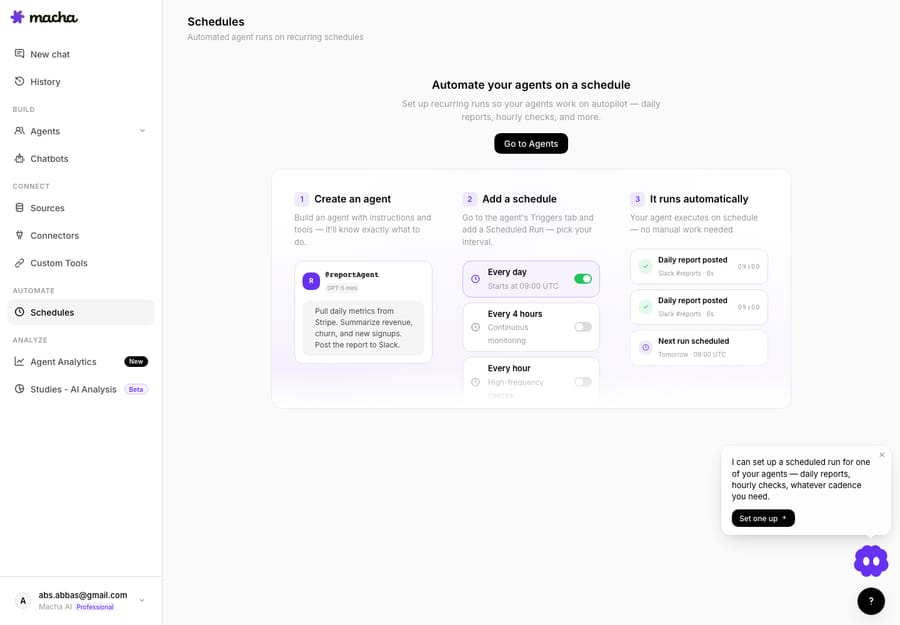
The higher-leverage use is scheduled. Pair File Tools with a scheduled trigger and the report nobody enjoys building just shows up.
This is a real Macha use case: Generate weekly support reports as spreadsheets. The wiring is four steps behind a Monday-morning trigger.
- Trigger — scheduled, weekly on Monday at 9:00 AM.
- Search Tickets (Zendesk) — every ticket from the last 7 days.
- Compile metrics — volume, resolution time, CSAT, top topics, agent performance.
- Create Spreadsheet (File Tools) — an Excel workbook with Summary, Tickets, Agent Performance, and Topics sheets, then Share File.
The agent posts a digest and attaches the workbook. Here's the example output from that use case:
Weekly Support Report — Mar 17 to Mar 23 - Total tickets: 312 - Resolved: 298 (95.5%) - Avg first response: 8 min - Avg resolution time: 1.8 hours - CSAT: 96% - Top topics: Account access (42), Billing (38), Setup help (31) Full report attached as weekly-support-report-mar-24.xlsx with detailed breakdowns by agent, topic, and day.
That's a multi-sheet .xlsx generated, named, and shared without a human opening Excel. The workbook carries four tabs — Summary (the headline metrics above), Tickets (the row-level export), Agent Performance (per-agent volume and resolution), and Topics (the tag breakdown) — so the digest in chat and the drill-down in the file are the same data at two depths. Swap the trigger for a Stripe-driven one and you've got a weekly refund report; swap the format for PDF and you've got a board-ready summary.
How does this compare with standalone AI spreadsheet generators?
If you search the generic head term — "AI generate spreadsheet from chat" — you mostly land on standalone text-to-spreadsheet generators, not support tools. Three are worth knowing by name, because they're good at what they do:
| Tool | What it does | What it's missing for support |
|---|---|---|
| Better Analyst (formerly Formula Bot) | Describe a sheet (a budget tracker, an invoice) or paste a table, and it generates a downloadable .xlsx with headers, formulas and formatting | You bring the data. No line to your helpdesk; nothing fetches your tickets. |
| GPT Excel | Formula, pivot-table, SQL and VBA generator for Excel and Google Sheets | Generates formulas and scripts, not a finished report from your own records. |
| Numerous.ai | =Numerous() functions that run AI prompts row-by-row inside Sheets/Excel | Lives inside a sheet you already populated; no connectors, no triggers, no delivery. |
They share one assumption: you already have the data in front of you. That's the line that separates them from Macha. If you arrived here from that head term and your real job is "the weekly support numbers, as a spreadsheet," none of the three will pull last week's tickets for you — you'd still export from Zendesk, paste into the tool, and prompt it. Macha starts a step earlier and ends a step later: the agent fetches the tickets through your connector and delivers the file into the workflow.
There's also a second, smaller category: browser extensions that export an existing ChatGPT/Claude/Gemini conversation into a .docx or .pdf (AI Exporter, MassiveMark). Those convert a chat you already finished; they don't build anything from your systems.
Macha's difference, then, is context, not conversion. The agent already has authenticated access to your tickets, payments, and docs, so the file is built from live data the agent fetched — not from text you pasted, and not from a chat you'd already finished. The file is also delivered into the workflow — onto the ticket, into the Slack channel, on a schedule — rather than downloaded out of a chat window for you to forward manually.
That framing also tells you when not to reach for File Tools:
- It's not a BI dashboard. Files are point-in-time snapshots. If you need a live, always-current dashboard, build that in your analytics tool and use File Tools for the exports and one-off pulls.
- It's not for analyzing your whole archive. An agent has to fetch records through tools and hold them in context, which caps how much one run can chew through. To run an AI analysis across thousands of tickets at once, use Studies instead — that's the purpose-built batch tool — then File Tools (or a CSV export) for the output.
- It's not a design tool. PDFs come out clean and structured, not pixel-perfect or brand-templated. For a polished marketing deliverable you'll still want a designer; for an internal report or a customer summary, the output is more than presentable.
- Big scheduled reports are real work. A report firing daily over a wide date range pulls and reads a lot of tickets on every run, so scope the range and the filters rather than pointing it at everything.
- Links are for delivery, not storage. Files are generated in-memory and returned as download links — treat them as something to download or share, not as a permanent document library.
FAQ
Do I need to connect anything to use File Tools? No. File Tools are built into every workspace with no auth, connector, or setup. You assign them to an agent and they're ready. You will need a connector (Zendesk, Stripe, etc.) for the agent to gather the data it puts into the file.
Which file formats can Macha generate? Four: Excel spreadsheets (.xlsx), CSV files (.csv), PDFs (.pdf), and Word documents (.docx). The agent picks the format from your request, or you can tell it which one.
Can an agent make a file on a schedule, not just when asked? Yes. Combine File Tools with a scheduled trigger and the agent generates and shares the file automatically — the weekly support report is a built-in use case.
How much does generating a file cost? There's no per-file fee. Macha bills per ticket — one conversation, charged once, however many tool calls the agent makes inside it — so asking for a file adds nothing to the bill. See pricing.
Can agents read files customers send in, too? Yes. On Zendesk, Freshdesk, Gorgias and Front the agent can read ticket attachments such as PDF, DOCX, XLSX and CSV files, so an agent can read an inbound file and reply with a generated one in the same conversation.
How do you try File Tools?
If your team still hand-builds the same spreadsheet every week, that's a workflow an agent can own. Start a free trial with $50 of usage, no credit card and no time limit, connect your helpdesk, give an agent File Tools, and ask it for a report. Read the File Tools integration page or the docs for the full setup, and browse the blog for more capability deep-dives.
Written by Abbas (Customer Support & AI, Macha) · Reviewed by Ankeet Guha (Co-founder & CTO) · Published 2026-06-24 · Last updated 2026-09-24.






