





 Shopify
 Stripe
 Slack
Slack Notion
 Google Workspace
 Confluence

Knowledge Source or Tool: Which Should Your AI Agent Use?


Put content that rarely changes in a knowledge source and read content that changes often live with a tool. Picking the wrong one is a quiet source of stale answers, and one question settles it.
Key takeaways
- On Macha, the choice between a knowledge source and a tool depends on one question: would a stale answer be wrong if the content changed?
- Static content such as policies, FAQs and help-center articles belongs in a Macha knowledge source, which chunks, embeds and indexes the document for search.
- An uploaded knowledge source reflects the file as uploaded, so a pricing sheet indexed today keeps giving last week's prices until someone replaces it.
- Pricing sheets, escalation matrices and inventory should be read live with a tool, so the agent always pulls the current value instead of an indexed snapshot.
- Google Docs, Notion and Confluence can be added as live connector sources, which Macha fetches fresh on every read instead of pre-indexing.

Use a knowledge source for content that rarely changes (policies, FAQs, help-center articles) and a tool or live connector source for content that changes often (pricing sheets, escalation matrices, inventory). The deciding question is one line: would a stale answer be wrong? If yes, read it live.
| Content | Changes? | Use |
|---|---|---|
| Policies, FAQs, help-center articles | Rarely | Knowledge source (indexed) |
| Product docs, guides, manuals | Rarely | Knowledge source (indexed) |
| Pricing sheet, escalation matrix | Often | Tool / live source (read live) |
| Inventory, order status, account data | Constantly | Tool (read live) |
Watch the 60-second guide
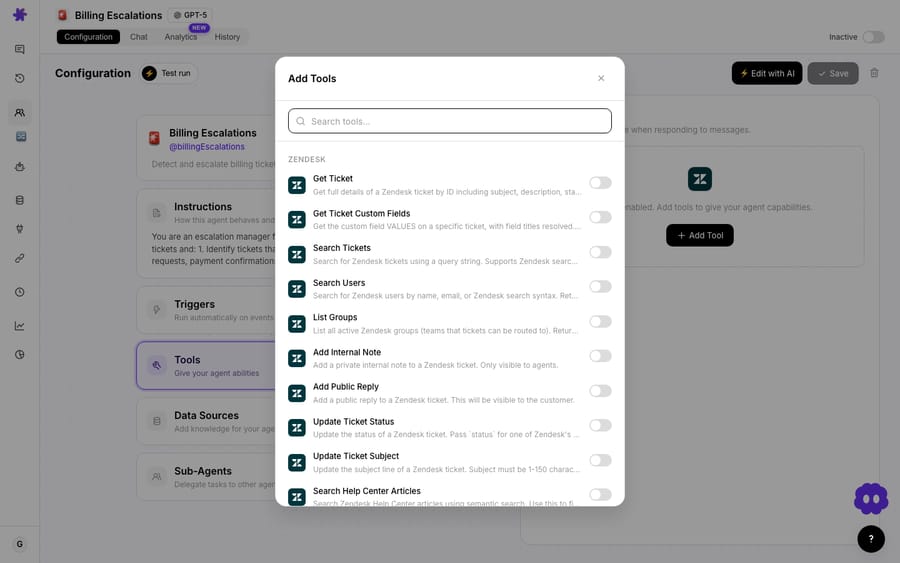
What decides whether content goes in a knowledge source or a tool?
One question: is the content static, or does it change regularly?
- Static content: a policy document, an FAQ, your Zendesk Help Center articles, an internal guide. It doesn't change often. → Add it as a knowledge source. Macha chunks and indexes it, and the agent searches that index.
- Dynamic content: a pricing sheet, an escalation matrix, an inventory list, a live Google Sheet your team edits constantly. A stale answer would be wrong. → Read it live with a tool, so the agent always pulls the current value.
Why does an indexed knowledge source go stale?
When you upload a document as a knowledge source, Macha reads it, splits it into chunks, embeds them and makes them searchable. That index is a snapshot of the file as it was when you added it. If you index a pricing sheet today and prices change next week, the agent keeps answering from last week's prices until you replace the document.
That's fine for content that rarely changes (your refund policy from 2024 is still your refund policy). For anything that updates regularly, a static index quietly serves stale answers, and that is when you want a tool that fetches the live value instead.
The exception is a synced Help Center. A Zendesk Help Center added as a source gets live webhook updates whenever an article is published or edited, so it stays current without manual work.
How do you decide in practice?
Use the table above, and a rule of thumb: if a stale answer would be wrong, read it live. If a slightly out-of-date answer is fine, index it as a source. You can mix both on one agent: search the help center, and read the current promotions document live.
What is a live connector source?
Documents from Google Docs, Notion and Confluence can be added as live sources. They are not pre-indexed: the agent calls the connector's own read tool and fetches the latest version on every read. You get the freshness of a tool with the setup of a source, at a higher cost per read than a searched chunk. For a constantly edited Google Sheet, the Google Workspace connector's Read Sheets tool does the same job. (See what knowledge sources are for the live-vs-ready distinction.)
Frequently asked questions
What's the difference between a knowledge source and a tool here? A knowledge source is indexed content the agent searches; a tool (or live source) fetches the current value in real time.
Does a knowledge source update automatically? An uploaded document does not: its index reflects the file as uploaded, so replace it when the content changes, or read it live if it changes often. A synced Zendesk Help Center is the exception.
When should I read content live instead of indexing it? When the content changes regularly and a stale answer would be wrong: pricing, inventory, escalation rules.
What about my Help Center? It's mostly static and it syncs whenever an article is published or edited, so a knowledge source is the right fit.
What's the short version?
Static content (policies, FAQs, help articles) goes in a knowledge source. Content that changes regularly (pricing, inventory, live sheets) should be read live with a tool or a live connector source, so the agent always has the current value.
Set it up right: index your static docs, and read your changing data live. $50 of free usage, no credit card required. Start free.






