Intercom
 Shopify
 Stripe
 Slack
Slack Notion
 Google Workspace
 Confluence

What Are the Best Freshdesk Integrations in 2026? CRM, Phone, Chat, BI and Costs


The most installed Freshdesk integrations are Microsoft Teams and Slack, the best rated is Atlassian Jira Plus, and none of them install on the Free plan. We read every install count, rating and version off the Freshworks Marketplace on 20 September 2026 and sorted the apps by the job they do.
Key takeaways
- Freshdesk Marketplace apps install via Admin > Support Operations > Apps > Marketplace and run on the Growth, Pro and Enterprise plans, but not on Free.
- Microsoft Teams is Freshdesk's most installed Marketplace app at 5.3k installs and 3.5 stars, followed by Slack at 4.9k installs and 3.2 stars.
- Atlassian Jira Plus, built by Freshworks, is the highest rated app in the popular list, at 4.0 stars from about 1,000 ratings and 3.3k installs.
- Third-party phone apps for Freshdesk have tiny footprints: the RingCentral extension shows 84 installs, JustCall 66 and Twilio Plus 60.
- The Freshdesk API allows 100 to 700 calls a minute depending on plan, while accounts still on legacy limits get 3,000 or 5,000 calls an hour.

The most installed Freshdesk integrations are Microsoft Teams (5.3k installs) and Slack (4.9k), the best rated is Atlassian Jira Plus (4.0 stars from about 1,000 ratings), and every Marketplace app needs a Growth, Pro or Enterprise plan, because the Free plan gets none. Two other things have changed since most Freshdesk integration guides were written, including ours: the admin path moved, and several of the categories people search for hardest are served by apps with double-digit install counts.
Here is every app covered below, with the figures we read off the Freshworks Marketplace on 20 September 2026.
| Integration | Category | Built by | Installs | Rating | Plan needed |
|---|---|---|---|---|---|
| Microsoft Teams | Collaboration | Freshworks | 5.3k | 3.5 (100+) | Growth and up |
| Slack | Collaboration | Freshworks | 4.9k | 3.2 (100+) | Growth and up |
| Freshsales Suite | CRM | Freshworks | 3.7k | 3.6 (33) | Growth and up |
| Atlassian Jira Plus | Dev / issue | Freshworks | 3.3k | 4.0 (1k) | Growth and up |
| Salesforce | CRM | Freshworks + AppExchange | not shown | not shown | Growth and up |
| HubSpot | CRM | Freshworks | not shown | not shown | Growth and up |
| Shopify | Commerce | Freshworks | not shown | not shown | Growth and up |
| WooCommerce | Commerce | Third party | not shown | not shown | Growth and up |
| RingCentral extension | Phone / CTI | Freshworks | 84 | 3.6 (5) | Growth and up |
| JustCall | Phone / CTI | JustCall | 66 | not rated | Growth and up |
| Twilio Plus | SMS | support (paid) | 60 | not rated | Growth and up |
| Aircall | Phone / CTI | Aircall (external) | not shown | not rated | Growth and up |
| PowerBI Connector App | BI | Freshworks (in-app purchase) | 300+ | 2.3 (3) | Growth and up |
| Opinyin Power BI | BI | Opinyin (external) | not shown | not rated | Growth and up |
| Zapier / Make | iPaaS | Third party | not shown | not shown | Growth and up |
| Freddy AI Copilot | AI assist | Freshworks | add-on | not applicable | Pro and up |
| Macha | AI agent layer | Connects on top | not applicable | not applicable | any paid plan with API access |
Where do you install Freshdesk apps, and which plans allow them?
Freshworks' own current article, How to add Apps to my Freshdesk Account, gives the path as Admin > Support Operations > Apps > Marketplace, then search, then Install, then configure the app's Freshdesk domain URL and API key under Settings. If you have read an older guide that says Admin > Apps > Get More Apps, that was the previous label for the same place. Our own post said that until this refresh.
The same article carries the plan matrix, and it matters more than the path: on Freshdesk, Marketplace apps are available on Growth, Pro and Enterprise, and not on Free. On Freshdesk Omni they run on Growth, Pro and Enterprise. If your account is on the Free plan, nothing in this guide installs, and the API is your route.
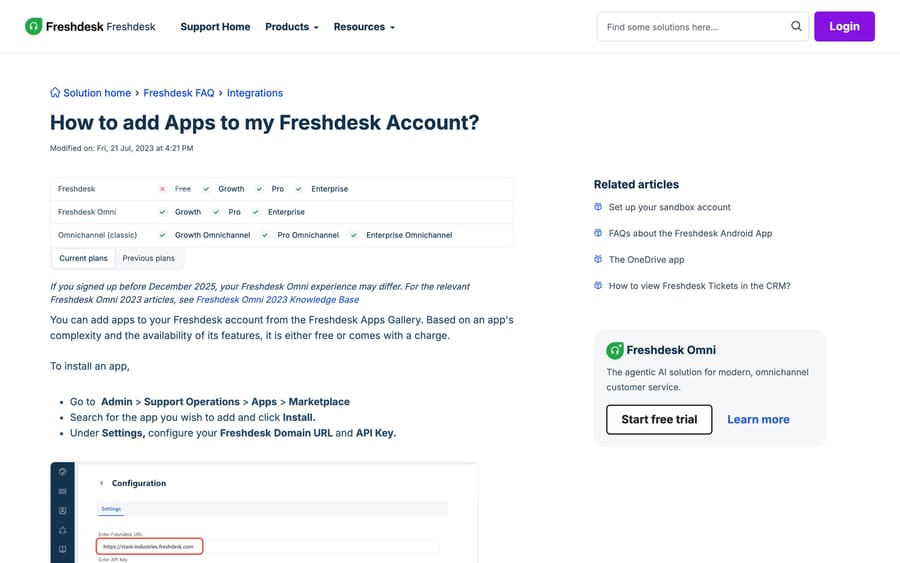
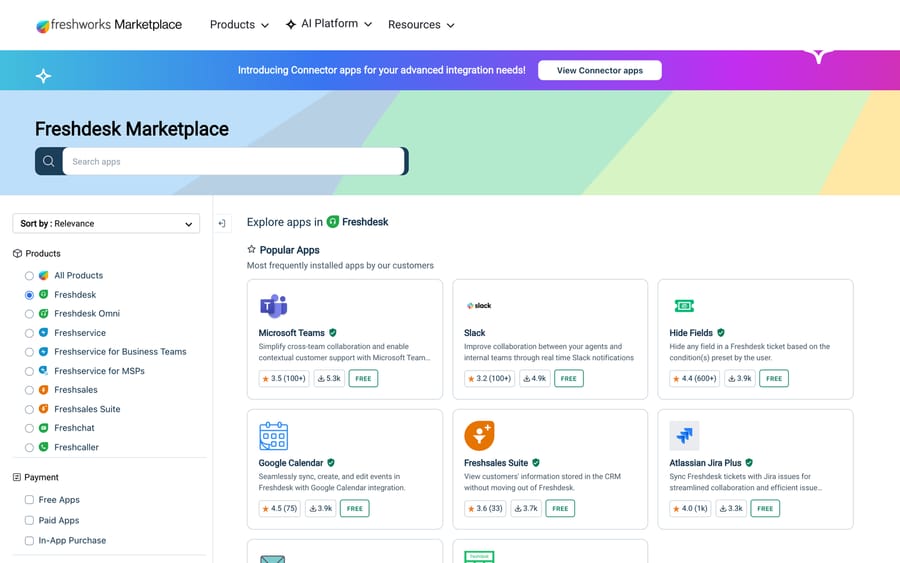
A second gate is worth knowing before you plan an integration project. The Marketplace splits apps into three payment types, shown as filters in the left rail: Free Apps, Paid Apps and In-App Purchase. A "Verified by Freshworks" badge tells you Freshworks reviewed the listing. It does not tell you Freshworks wrote the app, and it does not tell you the app has been touched recently. Both of those are printed on the listing page, and both are worth reading.
How we picked these
We started from the Marketplace's own category tree, because the tree is what an admin filters by: Chat, Video & Telephony (with Video Conferencing, Omni-Channel Support, Live Chat Email & Messaging, and Voice & Call beneath it), CRM & Sales, Commerce & Shipping, Data management & Analytics (with Dashboard & Reporting beneath it), DevOps, and Administrative & Project Management. For each category we opened the listings, read the publisher, the version, the install count and the star rating, and captured what we found. Where a category is thin on the Marketplace, we say so and point at the API or an iPaaS instead of pretending an app exists.
Two figures from the Marketplace frame everything below. The most installed Freshdesk apps are collaboration tools: Microsoft Teams at 5.3k installs (3.5 stars from 100+ ratings) and Slack at 4.9k (3.2 stars from 100+). Below them sit small utilities, not integrations: Hide Fields at 3.9k (4.4 stars, 600+ ratings) and Google Calendar at 3.9k (4.5 stars, 75 ratings). The first genuine data integration in the popular list is Freshsales Suite at 3.7k (3.6 stars, 33 ratings), which is Freshworks' own CRM, followed by Atlassian Jira Plus at 3.3k (4.0 stars, 1k ratings).
Which CRM integrations work with Freshdesk?
This is the category with the most search behind it and the widest quality spread.
Freshsales Suite is the native option, and it's the one the Marketplace pushes: 3.7k installs, 3.6 stars from 33 ratings, built by Freshworks. Contacts sync both ways and the CRM record appears in the ticket sidebar. If you're already inside the Freshworks suite this is a ten-minute job.
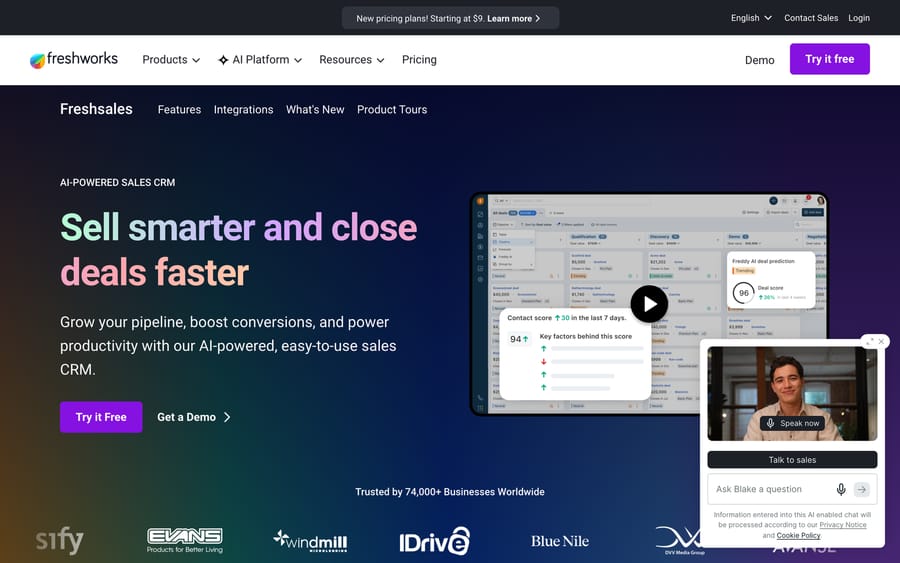
Salesforce is the one most teams actually need. There are two halves to it: a Freshworks connector that surfaces Salesforce data inside the Freshdesk ticket, and an AppExchange package that pushes Freshdesk tickets into Salesforce. Which half you install depends on which system your revenue team lives in. Our step-by-step for the connector side is how to integrate Freshdesk with Salesforce, and the direction question is covered in Salesforce and Freshdesk: what syncs where.
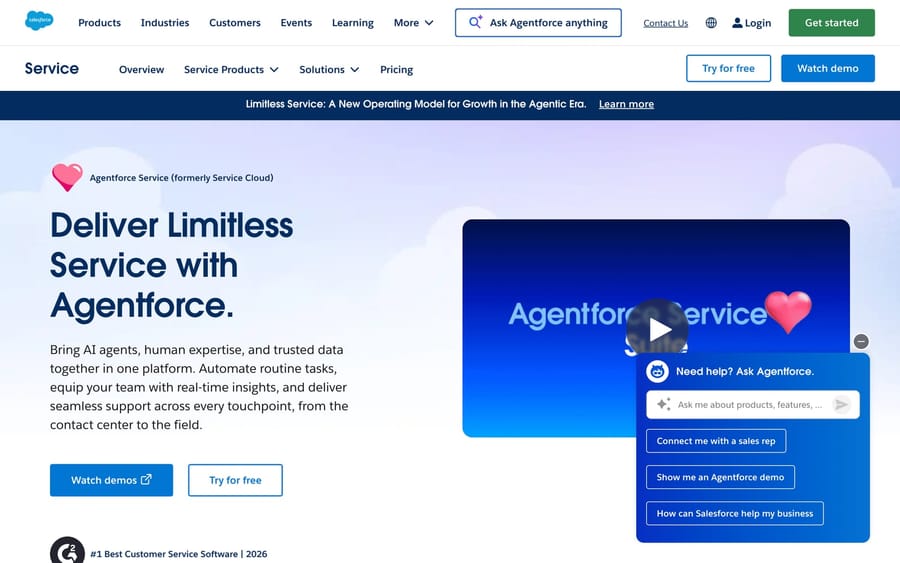
HubSpot is an official Freshworks app that syncs marketing contacts and shows HubSpot context in the ticket. Setup is in how to integrate Freshdesk with HubSpot, and the field-level behavior is in the HubSpot and Freshdesk integration explained.
NetSuite, Zoho, Pipedrive and the long tail. There is no first-party Freshworks app for most of these. The honest answer for a mid-market CRM is an iPaaS (see below) or a webhook, and the honest answer for NetSuite specifically is that teams usually build it against the REST API. Worth saying plainly because "freshdesk netsuite integration" is a query we see and the Marketplace answer to it is thin.
A note on what the CRM apps do and don't do. Every one of them surfaces a record next to the ticket. None of them writes a support outcome back into a CRM field that your sales team will see unless you configure that direction explicitly, and on the Salesforce side that direction is the AppExchange package rather than the Freshdesk-side connector. Teams discover this after go-live more often than they should.
Can you connect a phone system to Freshdesk?
Freshdesk's phone story has two layers, and the second one is where the surprise is.
Freshcaller (sold now inside the Freshdesk Omni bundle) is the native option: calls land in Freshdesk, routing and IVR are configured in the same admin, and calls become tickets without an app. If voice matters and you have no incumbent phone system, this is the path of least resistance, and the incentive behind that is obvious: Freshworks would rather sell you the channel than broker someone else's.
The third-party layer is real but small. We opened each listing on 20 September 2026:
| App | Publisher | Payment | Rating (ratings) | Installs | Version |
|---|---|---|---|---|---|
| Freshdesk Telephony Extension with RingCentral | Freshworks | Free | 3.6 (5) | 84 | 6.0 |
| JustCall | JustCall | Free | not rated | 66 | 3.0 |
| Twilio Plus (2-way SMS) | support | Paid | not rated | 60 | 8.0 |
| Aircall for Freshdesk | support | external install | not rated | not shown | 1.0 |
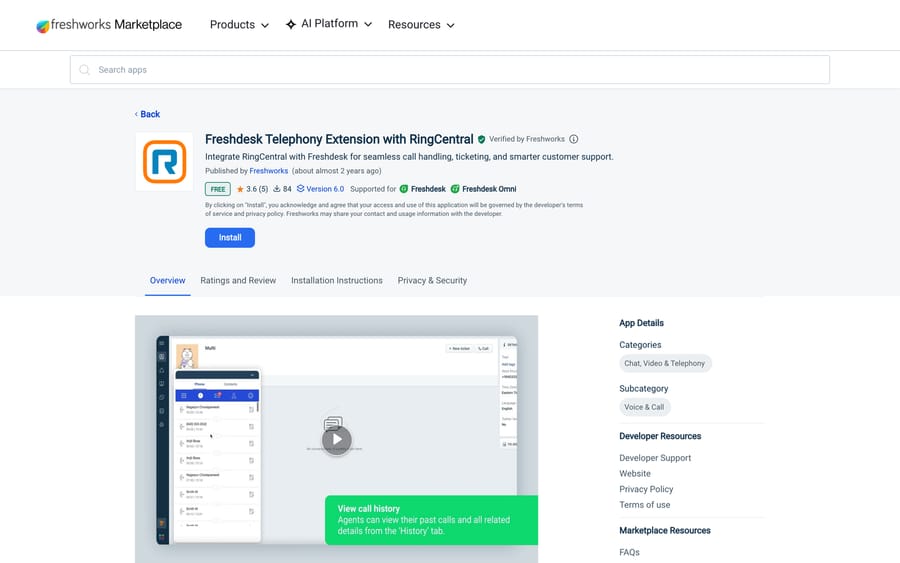
Two-digit install counts on a help desk with hundreds of thousands of accounts tell you something useful: almost nobody wires a third-party phone system into Freshdesk through the Marketplace. The Aircall listing is the sharpest example. It was published over nine years ago, it is still on version 1.0, and it installs by sending you to Aircall's own site rather than through the Marketplace flow. That doesn't mean the integration is broken. It means the integration is maintained by Aircall, on Aircall's side, and the Marketplace entry is a signpost. Check the vendor's own status page and changelog before you commit, not the Marketplace listing.
If your telephony vendor isn't listed at all, the pattern that works is: their webhook fires on call-ended, your endpoint calls the Freshdesk API to create or update a ticket. That is the same pattern as setting up a webhook in Freshdesk, run in the other direction.
Do you need an app to add chat or WhatsApp to Freshdesk?
This is the category where the product boundary confuses people, so it's worth being precise about what sits where.
Web chat, WhatsApp, SMS, Facebook and Instagram are Freshdesk Omni channels, not plain Freshdesk features. Freshworks' admin guide for the Freshdesk Omni 2025 upgrade describes connecting each channel individually in the "Connect channels and go live" step. If you are on classic Freshdesk with email and a portal, adding live chat means adding Omni, not installing an app.
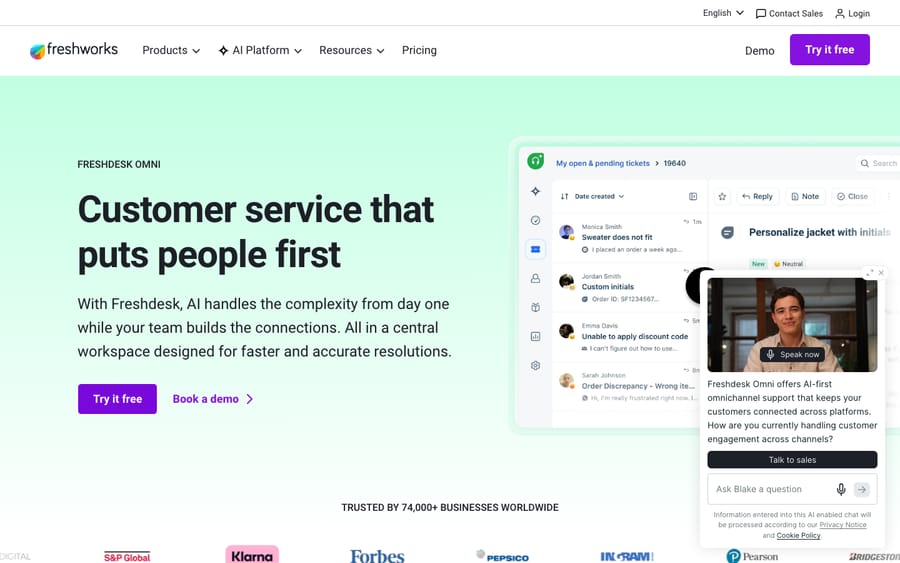
The upgrade itself has a cost that isn't on the price list. Freshworks' own article tells admins moving to Omni 2025 to reinstall marketplace applications, recreate custom dashboards, convert scheduled automations into Quick automations, and reconnect every channel. Budget a day, not an hour, and do it in a sandbox first.
For the specific channels we get asked about most: how to integrate Freshdesk with WhatsApp covers the Freshchat dependency and the per-conversation billing, and how to integrate Freshchat with Freshdesk covers the two-product setup for accounts that bought them separately.
How do you get Freshdesk data into Power BI or another BI tool?
Freshdesk's own analytics answer most operational questions. The moment someone asks for ticket data joined against revenue, headcount or product telemetry, you're exporting.
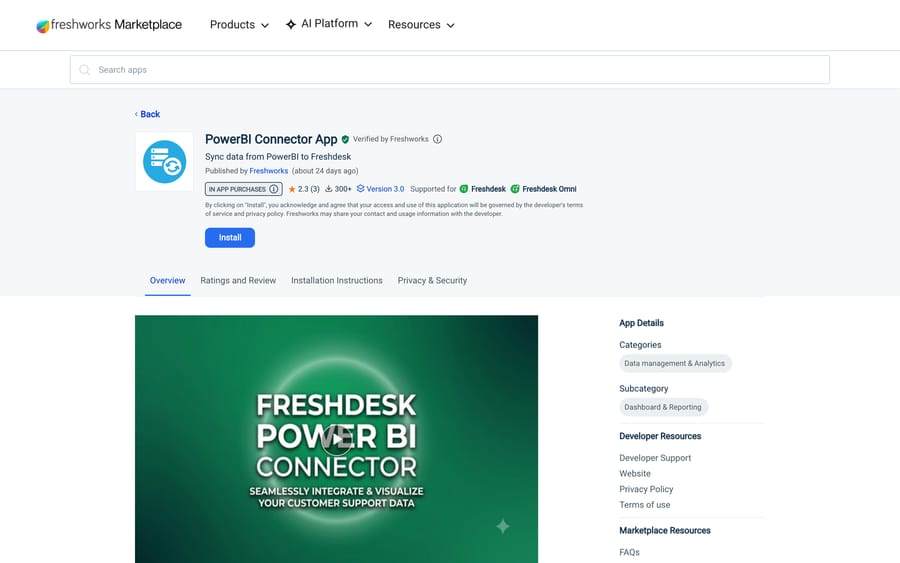
The Marketplace category is Data management & Analytics > Dashboard & Reporting, and its headline entry is the PowerBI Connector App, published by Freshworks, version 3.0, updated roughly three weeks before we checked. It carries an In-App Purchase badge, 300+ installs, and a rating of 2.3 stars from 3 ratings. Three ratings is far too few to draw a conclusion from, and we're not going to pretend otherwise, but 2.3 with an In-App Purchase badge is worth a trial before a rollout.
The third-party option is Opinyin's Power BI Reporting Solution for Freshdesk, which extracts Freshdesk data into a Microsoft Dataverse so Power BI queries the warehouse instead of the help desk. It is version 1.0, published about three years ago, and installs from Opinyin's own site. There's also an Invantive Bridge driver for teams that already standardize on Invantive.
The route most teams end up on is neither: pull tickets from the API on a schedule into your own warehouse, then point whatever BI tool you already pay for at that. The Freshdesk community's own Power BI integration thread walks that pattern, and the ticket-pull mechanics, including the 30-day default on the list endpoint that catches everyone out, are in how to use the Freshdesk API and how to export tickets from Freshdesk. Our overview of what Freshdesk reports natively is in Freshdesk reports and analytics explained.
Which integrations link Freshdesk tickets to Jira, Azure DevOps or GitHub?
Atlassian Jira Plus is the strongest-rated integration in the popular list: 3.3k installs, 4.0 stars from about 1,000 ratings, built by Freshworks. It links a ticket to an issue and syncs comments both ways. Setup is in how to integrate Freshdesk with Jira, and the field-mapping detail is in the Jira and Freshdesk integration explained.
Azure DevOps has a Freshworks connector app; see how to integrate Freshdesk with Azure DevOps. GitHub does not have a first-party app, and the Marketplace entries are third-party developer apps, so read the publisher before you grant a token.
For the planning tools that sit next to engineering, we have per-tool walkthroughs for Asana, ClickUp, Linear and Trello.
Does Freshdesk integrate with Shopify and WooCommerce?
Shopify is an official Freshworks app that brings recent order context into the ticket sidebar, which removes the single most common tab-switch in ecommerce support. Setup: how to integrate Freshdesk with Shopify. WooCommerce is third-party only, and the same "read the publisher" caution applies.
How do the Slack and Microsoft Teams apps behave?
Slack (4.9k installs, 3.2 stars) and Microsoft Teams (5.3k installs, 3.5 stars) are both official. Both push ticket events into a channel and let an agent reply or create a ticket without leaving chat. The Slack app's recurring failure is well documented: a long-running community thread on Slack channels not showing in configuration has drawn about 1,400 views and 20 replies, and it is a scope problem during the OAuth grant rather than a Freshdesk bug. Our setup guides are how to integrate Freshdesk with Slack and the advanced Slack configuration, and Teams is at how to integrate Freshdesk with Microsoft Teams.
What are the options for surveys, forms and no-code automation?
CSAT is built into Freshdesk and doesn't need an app. SurveyMonkey has an official app for teams running research surveys alongside CSAT. For form capture, how to integrate Freshdesk with Typeform covers turning submissions into tickets.
When no app exists, an iPaaS is the fastest honest answer. How to integrate Freshdesk with Zapier covers the setup, and Make works the same way. Both carry a cost the Marketplace apps don't: every event becomes a metered task on someone's plan, and support volume is exactly the kind of workload that scales task counts faster than you expect.
Freshworks meters its own equivalent. On the current Freshdesk pricing page, connector app tasks are sold at $80 per 5,000 tasks and MCP actions at $15 per 1,000, on every plan. That's a useful number to hold next to a Zapier quote, and it tells you what the vendor is optimizing for: seats for people, metered tasks for machines.
When should you build on the API instead of installing an app?
Three situations where the API beats every app above:
- You're on the Free plan. Marketplace apps aren't available there at all.
- You need a direction the app doesn't support. Most Marketplace apps read data into the ticket. Writing support outcomes back out is usually a webhook or an API job.
- You need history, not live context. Anything involving more than the last 30 days of tickets has to deal with the list endpoint's default window and its page caps.
Building custom Freshdesk integrations covers the shape of that work, and how to use the Freshdesk API covers auth and pagination. The rate limits are per minute and counted account-wide: Freshworks' API reference lists 100 calls a minute on Blossom, 200 on Garden, 400 on Estate and 700 on Forest, under the plan names the API docs still use. Accounts never moved to per-minute limits stay on the legacy hourly caps of 3,000 (Blossom, Garden) or 5,000 (Estate, Forest) until support switches them.
Where does an AI agent layer fit next to these integrations?
None of the integrations above answer a ticket. They put information next to one. That distinction is the whole reason a separate category exists.
Macha is an AI agent layer that sits on top of the Freshdesk you already run. It reads your knowledge base and past tickets, drafts or sends replies inside the ticket, and calls your other systems through custom API tools when an answer needs a lookup. It doesn't replace Freshdesk, it doesn't move your data, and it isn't a help desk. It suits teams whose ticket mix is mostly repeat questions with a lookup attached, where the same answer is being typed fifty times a week. It's the wrong fit if your volume is low or every ticket is genuinely novel, because then the setup cost has nothing to amortize against.
Pricing is one plan priced on monthly ticket volume, from $299/month for 750 tickets, about $0.40 per ticket at every tier, and setup and monitoring by the Macha team, included on every plan. A ticket is one thread between Macha and one person, charged once no matter how many messages it takes. The trial is $50 of free usage (about 125 tickets), no credit card, no time limit. Details are on the Macha on Freshdesk page and the pricing page.
Compare that model with what sits next to it in the Marketplace. Freddy AI Agent ships with 500 free sessions a month on every Freshdesk plan, with extra sessions at $49 per 100, and Freddy AI Copilot is a $29 per agent per month add-on on Pro and Enterprise. Sessions and seats are different meters from tickets, and which one is cheaper depends entirely on whether your volume comes from many people asking once or few people asking often. Our breakdown is in Freshdesk Freddy AI explained.
How we researched this
Every install count, star rating, rating count, version number and publisher in this post was read off the Freshworks Marketplace in a browser on 20 September 2026, and the four Marketplace and support-doc screenshots are captures from that session; the vendor website shots are from our own image library. Plan gating and the admin path come from Freshworks' current support articles, linked in place. Prices come from the Freshdesk pricing page on the same date, re-checked on 24 September 2026 along with the API rate limits. We do not run a Freshdesk instance, so no path here was clicked through in a live account, and where the Marketplace shows no install count or rating we've written "not shown" instead of guessing. Community thread counts come from our own crawl of community.freshworks.com, where the integrations cluster holds 24 threads and about 10,900 views.
Frequently asked questions
How many integrations does Freshdesk have? Freshworks doesn't publish a single number, and the Marketplace paginates rather than counting. What it does publish is a category tree: Chat, Video & Telephony, CRM & Sales, Commerce & Shipping, Data management & Analytics, DevOps, Administrative & Project Management and several more, each with subcategories. Filter by product (Freshdesk) first, because the same Marketplace serves Freshservice, Freshsales, Freshchat and Freshcaller.
Where do I install Freshdesk apps? Admin > Support Operations > Apps > Marketplace, then search and click Install. Older guides call this Admin > Apps > Get More Apps. Some apps, including Aircall and the Opinyin BI connector, say "Visit Site To Install" and hand you to the vendor's own signup instead.
Do Freshdesk integrations work on the Free plan? No. Freshworks' own install article lists Marketplace apps as available on Growth, Pro and Enterprise, with Free excluded. On the Free plan your options are the REST API and webhooks.
What is the best Freshdesk CRM integration? Freshsales Suite if you're inside the Freshworks suite, Salesforce if your revenue team lives there. For Salesforce, decide the direction first: the Freshworks connector brings Salesforce data into the ticket, while the AppExchange package pushes tickets into Salesforce. Installing the wrong half is the most common setup mistake we see written up.
Can I connect a phone system to Freshdesk? Yes, but check how the app is maintained. Freshcaller is native. RingCentral has a Freshworks-built extension at 84 installs, JustCall has a vendor-built app at 66, and the Aircall listing is over nine years old at version 1.0 and installs from Aircall's own site. Where no app exists, the working pattern is the vendor's call-ended webhook calling the Freshdesk API to create the ticket.
How do I get Freshdesk data into Power BI or Tableau? Three routes. The PowerBI Connector App from Freshworks (in-app purchase, 300+ installs, rated 2.3 from 3 ratings), Opinyin's connector that lands data in a Microsoft Dataverse first, or a scheduled pull from the REST API into your own warehouse. The third is what most teams settle on, because it's the only one that doesn't tie your reporting to a single BI vendor.
Does adding live chat to Freshdesk need an integration? Not an integration, a product. Web chat, WhatsApp, SMS and social channels belong to Freshdesk Omni, and Freshworks' upgrade guide asks admins to reconnect every channel, reinstall marketplace apps, recreate dashboards and convert scheduled automations when moving to Omni 2025. Plan it as a project.
Sources:
- How to add Apps to my Freshdesk Account (Freshworks support)
- Complete admin configurations for the Freshdesk Omni 2025 upgrade
- Freshdesk pricing
- Freshworks Marketplace, Freshdesk apps
- Freshdesk API reference
- Community: Slack channels are not showed in configuration
- Community: How to integrate with Power BI
Add AI agents to your Freshdesk
Macha reads the ticket, drafts the reply and takes the action, inside the Freshdesk you already run.