





 Shopify
 Stripe
 Slack
Slack Notion
 Google Workspace
 Confluence

What Is the Best Free and Open-Source Knowledge Base Software in 2026?


BookStack, Wiki.js and Docusaurus are free and open source with no user or article caps if you self-host, and Help Scout and Notion both publish a public help center on a free plan. Document360, Slite, Tettra and Freshdesk no longer list a free plan, so the paid tools are priced here too.
Key takeaways
- BookStack, Wiki.js and Docusaurus are fully free, open-source knowledge bases with no user or article caps, provided you self-host the server.
- Help Scout's free plan publishes a real public help center but caps it at 5 users, 1 Docs site, 10 articles and 100 contacts a month.
- Confluence's free plan supports 10 users but only as an internal wiki, not a customer-facing help center.
- Document360, Slite and Tettra dropped their free plans and now offer trials of 14, 14 and 30 days before requiring payment.
- Zendesk Guide comes bundled in Suite seats of $55 to $115 an agent a month, and Zendesk bills the AI that reads it per automated resolution at $1.50 committed or $2.00 pay-as-you-go.

The best free knowledge base software is BookStack, Wiki.js or Docusaurus if you can self-host (open source, no user or article caps), or Help Scout's Free plan if you need a public help center without a server (5 users, 10 articles). We checked every price and every limit on the vendor's own live page on September 20, 2026, captured the screenshots the same day, and re-checked the help-desk-bundled options on September 24, 2026. A disclosure up front: we make an AI agent layer called Macha that reads from a knowledge base you already run. It isn't a knowledge base and it isn't in the comparison; it gets one clearly marked section near the end.
Which knowledge base software is genuinely free in 2026?
The word "free" covers three different things here, and mixing them up is how teams end up on a 14-day trial that turns their wiki read-only.
| Tool | What free means | Limit | Public help center on free? |
|---|---|---|---|
| BookStack | MIT open source, self-hosted | None; you run the server | Yes |
| Wiki.js | AGPL-v3 open source, self-hosted | None; you run the server | Yes |
| Docusaurus | MIT open source, static site | None; you host the output | Yes |
| Chatwoot | Open source, self-hosted | None self-hosted; cloud Hacker excludes the help center | Yes, self-hosted only |
| Help Scout | Free plan on the commercial product | 5 users, 1 Docs site, 10 articles, 100 contacts/mo | Yes, 10 articles |
| Notion | Free plan on the commercial product | Unlimited blocks solo, limited for 2+ members, 5MB uploads | Yes, via Basic sites |
| Confluence | Free plan on the commercial product | 10 users | Internal wiki, not a help center |
Three tools people expect to find on that list are not on it. Document360, Slite and Tettra no longer have a free plan, only trials of 14, 14 and 30 days. Outline's first 30 days are free and the workspace then goes read-only until a card is added.
Which open-source knowledge bases are worth self-hosting?
These cost nothing to license. They cost a server, a domain, and whoever keeps the upgrades moving.
BookStack
BookStack is the one to try first if you want a self-hosted wiki that a non-technical team will actually use. Its structure is books, chapters and pages, which maps onto how support content is already organized, and the editor is a plain WYSIWYG rather than a markdown-only affair. Its own site is unambiguous about the terms: "BookStack is fully free and open, MIT licensed. The source is available on Codeberg. There is no cost to downloading and installing your own instance of BookStack."
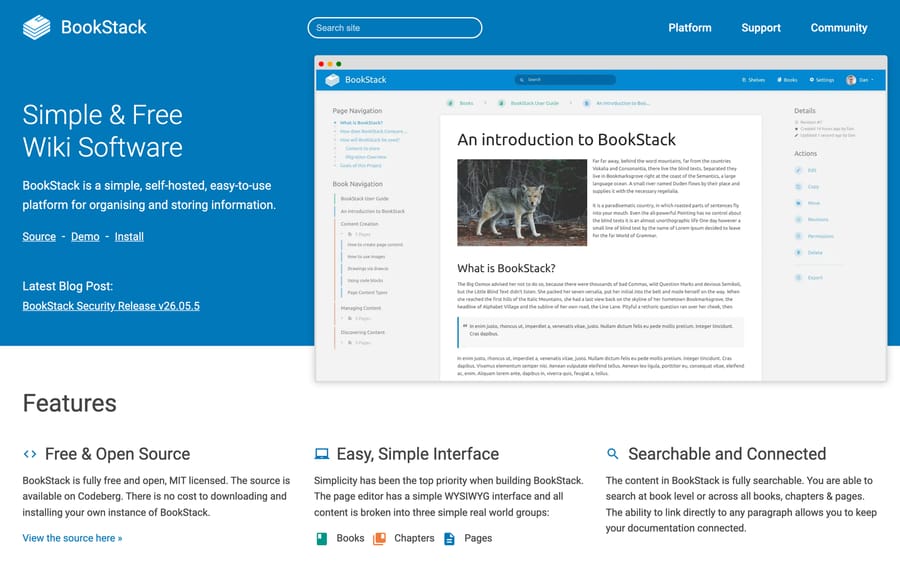
It suits internal IT and ops teams who want search, permissions and a clean editor without a per-seat bill. It's the wrong fit if you need versioned API documentation or a heavy review workflow.
Wiki.js
Wiki.js is the more configurable option: multiple editors including markdown and visual, granular permissions, and modules for authentication and storage. Its homepage states the license plainly, "Released under the AGPL-v3 license," and it ships Docker, Kubernetes, macOS and Windows Server install paths.
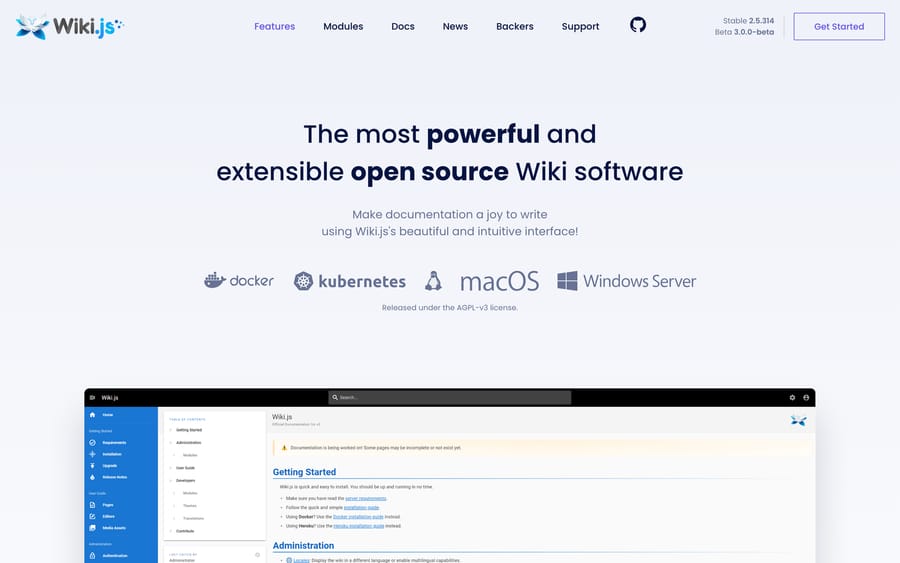
The AGPL matters if you plan to modify it and offer it as a service; for ordinary internal use it doesn't. It suits teams with someone who enjoys configuring things. It's the wrong fit for a team with nobody to run it.
Docusaurus
Docusaurus is a static-site generator under the MIT license, maintained by Meta and used for a large share of the developer documentation you have read this year. Your articles are markdown files in a repository, and the output is a fast static site you can host anywhere, including free static hosts. Versioning, i18n and search are built in.
It suits product and engineering teams who want docs reviewed the same way code is. It's the wrong fit for a support team with no git workflow, because every edit is a pull request.
Chatwoot's help center, self-hosted
Chatwoot bundles a help center with its open-source help desk, which makes it the one tool here that gives you tickets, live chat and a public knowledge base from one install. One correction worth having, because it's easy to get wrong: on Chatwoot's cloud, the free Hacker plan does not include the help center. Its own pricing table lists "Help center: Not included in Hacker." The free help center is a self-hosting thing.
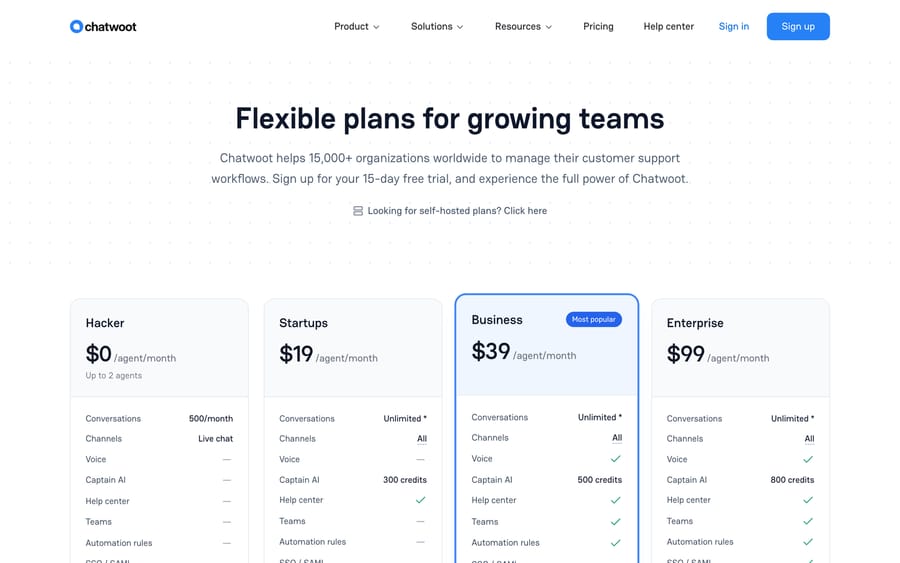
Our Chatwoot explainer covers what self-hosting involves, and the wider self-hosted market is in open-source ticketing systems.
Outline, with an asterisk
Outline is often listed as open source. Its repository reports a non-standard license, so the accurate description is source-available with a self-hosted On-Premises option. Cloud is $10 a month for 1 to 10 members, $79 for 11 to 100 and $249 for 101 to 200, and the free 30 days ends with the workspace going read-only until you add a payment method, with export still available.
Which free tiers publish a public help center?
This is the split that runs through every community thread on the subject, including r/selfhosted on open-source knowledge bases and r/technicalwriting on free internal IT knowledge bases. Reddit blocks our crawler, so both threads are linked rather than quoted. A private team wiki and a public, branded, indexable help center are different products, and plenty of free tiers only do the first.
Help Scout Free is the shortest path to a public help center at $0. The plan gives you 5 users, 1 Inbox, 1 Docs site, 100 contacts a month, 10 saved replies, 10 tags and 10 articles. Ten articles is genuinely restrictive, but it's a real branded Docs site with search, not a demo.
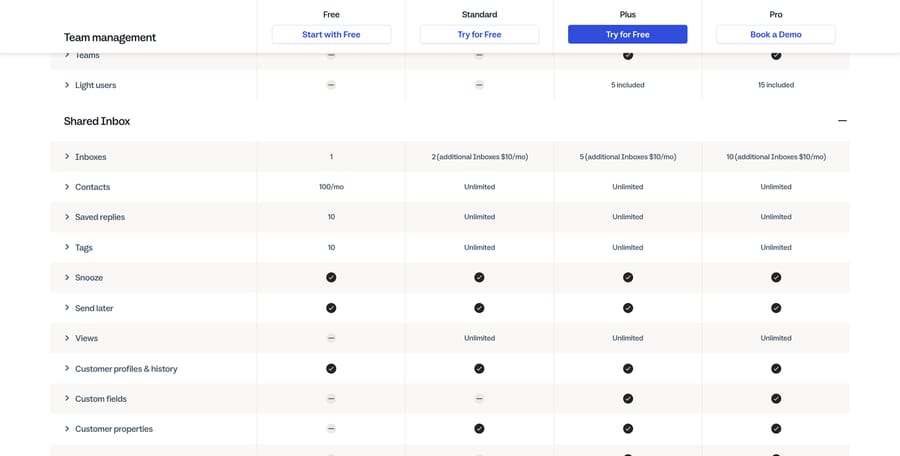
Notion Free will publish to the web. Its free plan card lists "Publish a Notion page to the web" and Basic sites, so a public FAQ is a few clicks. Custom domains, a custom favicon and analytics sit on Plus at $10 a seat a month. Blocks are unlimited for one person and capped once a second member joins.
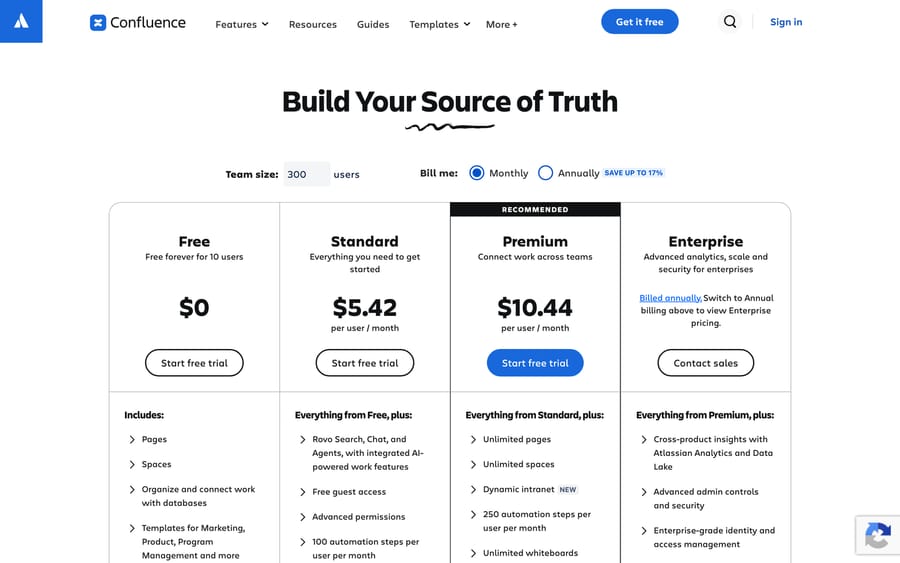
Confluence Free is 10 users and an internal wiki. Atlassian's own structured data on the pricing page says "Free forever for 10 users" at $0. It's the cheapest way to run a real wiki for a small engineering team, and it isn't a customer help center.
Self-hosting is the unlimited answer. BookStack, Wiki.js, Docusaurus and Chatwoot all publish publicly with no article cap, and none of them charges per seat. The bill moves to hosting and maintenance.
Which knowledge bases dropped their free plans?
Four free tiers in this category disappeared or turned into quotes, which is why the shortlists you'll find elsewhere are out of date.
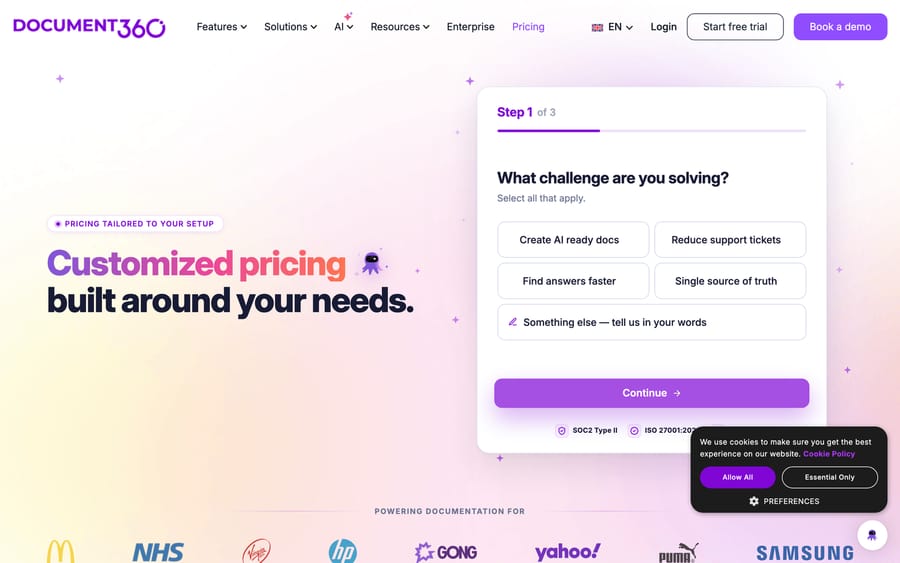
Document360 has no published price at all. The pricing page is now a "Customized pricing built around your needs" questionnaire that ends in a quote, with a 14-day trial and no free plan. The list prices that circulate for it are historical.
Guru's pricing page became a sales call. It now reads "Book a call with our team" and describes a package rather than a plan, so the per-seat Starter price and 10-seat minimum that every roundup quotes, this one included until today, no longer has a source.
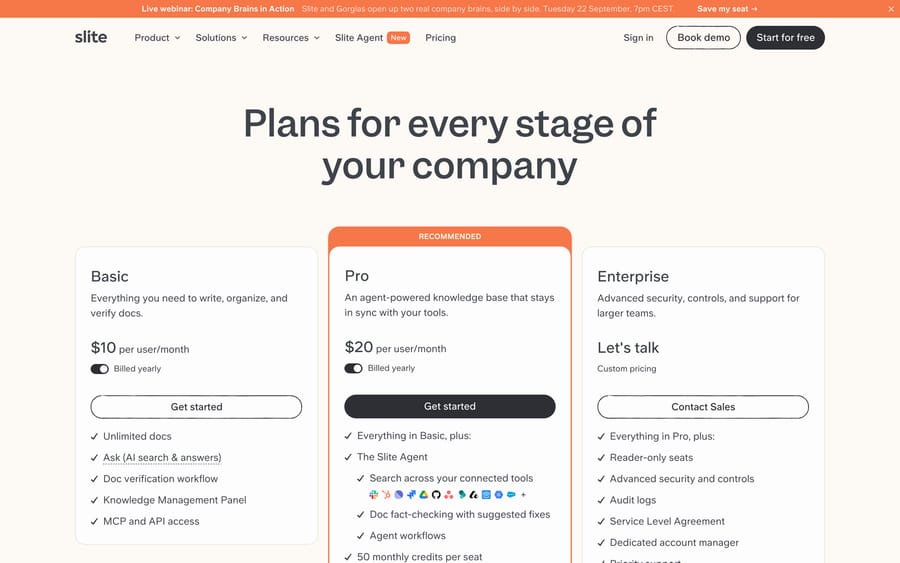
Slite dropped to two paid tiers. Basic is $10 and Pro $20 per user per month billed yearly, with a 14-day trial and no free plan.
Tettra collapsed to one tier. Scaling is $8 per user per month with a 10-user minimum, so an $80 a month floor, plus an Enterprise quote. The cheaper Basic plan is gone.
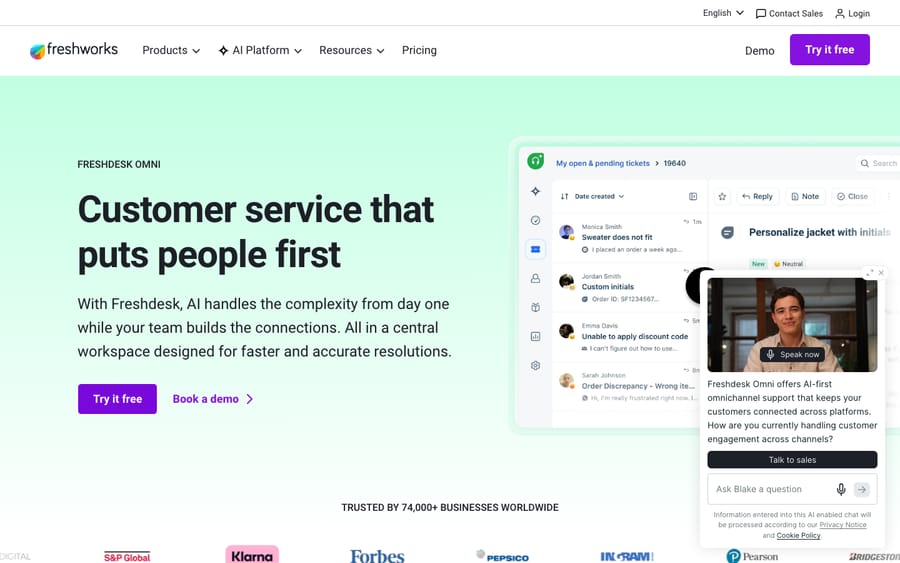
And one that matters for anyone counting on a bundled KB: Freshdesk's free plan is gone from its pricing page. The pricing page now starts at $19 an agent a month, and the old free-help-desk URL returns a 404. What remains is a Freshdesk Free program that covers up to 2 agents for 6 months. The Freshworks knowledge base is included on every paid Freshdesk plan, which is a different claim from the one this guide used to make. The detail is in our Freshdesk pricing guide.
How do the best knowledge base tools compare on price?
Prices are per user or per seat per month on annual billing unless noted, from each vendor's own page on September 20, 2026.
| Tool | Type | Free tier | Starting price | Best for |
|---|---|---|---|---|
| BookStack | Self-hosted wiki and help center | Open source, MIT | $0 plus hosting | Teams with a server and no budget |
| Wiki.js | Self-hosted wiki | Open source, AGPL-v3 | $0 plus hosting | Configurable self-hosted docs |
| Docusaurus | Static docs site | Open source, MIT | $0 plus hosting | Product and API docs in git |
| Help Scout Docs | Customer-facing | 5 users, 1 site, 10 articles | $25/user (annual) | Small teams wanting simplicity |
| Notion | Internal wiki | Yes, with block caps for teams | $10/seat (Plus) | Docs, wiki and projects in one tool |
| Confluence | Internal wiki | 10 users | $5.42/user (Standard) | Engineering and Atlassian-stack teams |
| Zendesk Guide | Customer-facing | No | Bundled in Suite, $55/agent | Teams already on Zendesk Suite |
| Freshworks KB | Customer-facing | No | Included from $19/agent | Cost-conscious Freshdesk teams |
| Intercom Help Center | Customer-facing | No | Included from $29/seat | Chat-led SaaS on Intercom |
| Slite | Internal wiki | No, 14-day trial | $10/user (yearly) | Wikis that stay accurate on their own |
| Outline | Source-available wiki | No, 30 days then read-only | $10/mo for up to 10 | Small teams wanting a clean wiki |
| Tettra | Internal wiki | No, 30-day trial | $8/user, 10-user minimum | Small Slack-centric teams |
| Helpjuice | Customer-facing | No, 14-day trial | $249/mo for 30 users | Mid-size teams wanting flat pricing |
| Document360 | Customer-facing docs | No, 14-day trial | Quote only | Structured, versioned product docs |
| Guru | Internal wiki | No | Quote only | Knowledge in the flow of work |
Which knowledge base software is best for a public help center?
These power a public, branded help center, the self-service site that deflects tickets and ranks in Google.
Zendesk Guide is Zendesk's knowledge base: branded help center, publishing workflows, content blocks, multi-language, and analytics that tie article views to deflection. It isn't sold standalone, so the real cost is a Suite seat at $55 to $115 an agent a month on annual billing, and the AI that reads it is billed on top per automated resolution. Zendesk's pricing page lists that rate: $1.50 per resolution on a committed plan and $2.00 pay-as-you-go.

Freshworks KB, called Solutions in the agent UI, gives you categories, folders and articles, a branded help center, folder-level visibility so the same tool covers internal docs, per-article SEO fields, and Freddy article suggestions. It's included on every Freshdesk plan, which now starts at $19 an agent a month. Reviewers call the editor dated and note that search degrades on large knowledge bases.
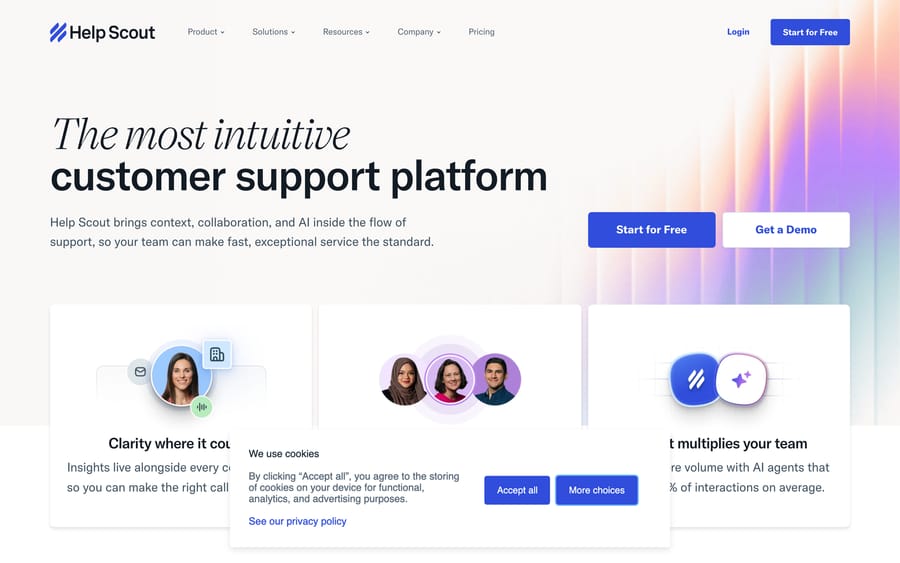
Help Scout Docs is the simplest of the bunch, paired with an embeddable help widget that surfaces articles before a customer emails. Paid plans are $25, $45 and $75 a user a month annually, or $30, $54 and $90 monthly. Extra Docs sites are $20 a month, extra inboxes $10. AI Answers is a separate $0.75 per resolution.
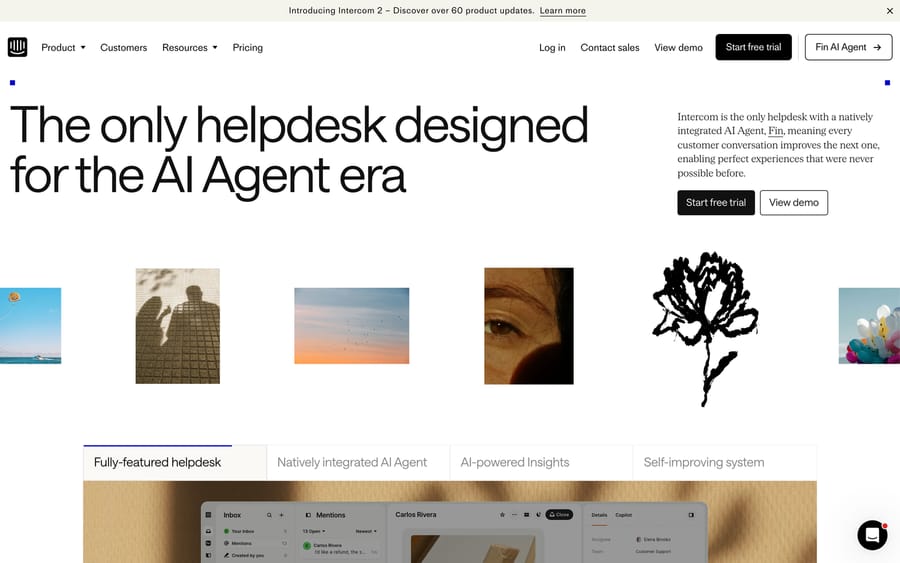
Intercom Help Center pairs public and private knowledge bases with the Messenger and the Fin agent, so articles surface in-product and feed Fin's answers. Advanced and Expert seats are $85 and $132 a month on annual billing, or $99 and $139 monthly; the entry Essential plan is $29 a seat billed annually (Intercom has also shown $19 in a pricing test), and Fin resolutions are $0.99 per outcome. The 50-outcome monthly minimum applies only when Fin runs on a help desk other than Intercom. Worth knowing for a long-term bet: the company renamed itself Fin on May 12, 2026 and Salesforce completed its acquisition on September 10, 2026.
Document360 is the dedicated documentation platform: category hierarchies, versioning, review states, a strong block editor, API docs and an Eddy AI assistant. It suits product and documentation teams who need structured, versioned docs rather than an FAQ. The watch-out is now the pricing itself, which is a quote you have to ask for.
Helpjuice is a focused standalone knowledge base with strong full-text search, deep theming, multi-language and version control. Pricing is flat rather than per seat: $249 a month for 30 users and 12GB of storage, with its AI Suite listed as not included at that tier. It suits mid-size teams who want predictable cost regardless of author count, and the $249 floor prices out the smallest.

Which knowledge base software is best for an internal team wiki?
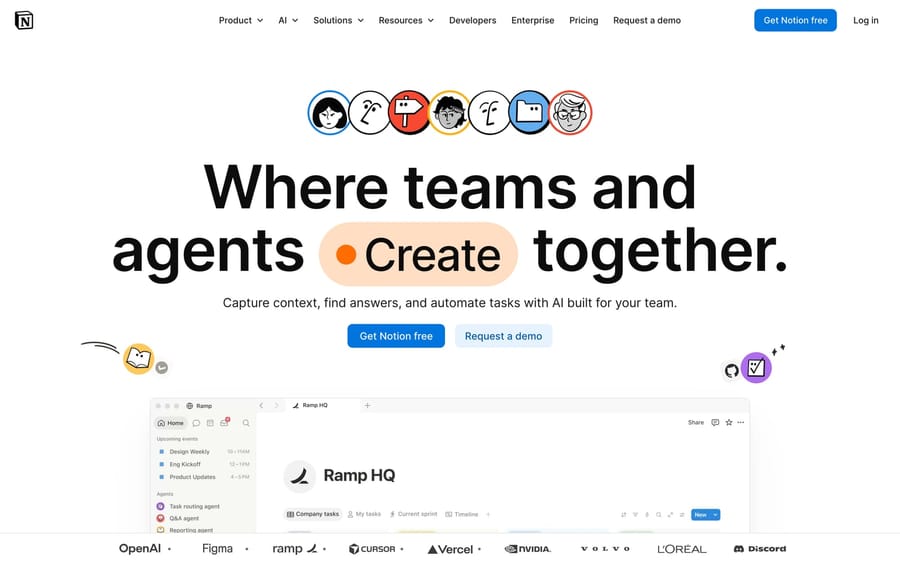
Notion is the flexible docs-and-databases workspace that doubles as a company wiki. Free for a single person with unlimited blocks, capped once you add members. Plus is $10 a seat a month and Business $20. Its Notion Agent, meeting notes and enterprise search sit on Business.
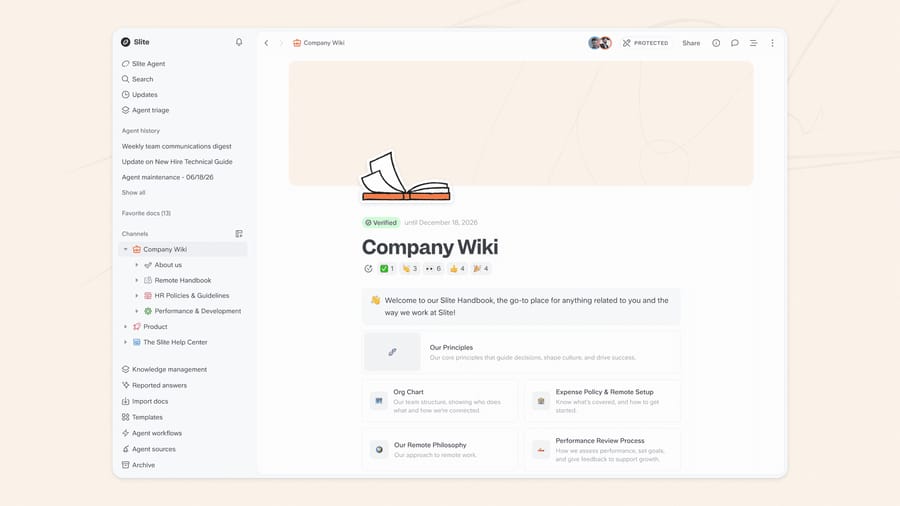
Slite is a structured wiki with an agent that keeps it current: it detects docs that have drifted across Slite and connected tools, drafts the correction, and routes every change through human approval. Docs carry a "Verified until" stamp, which makes staleness visible. Basic is $10 and Pro $20 per user per month billed yearly; the agent and cross-tool search are on Pro. It's cloud-only.
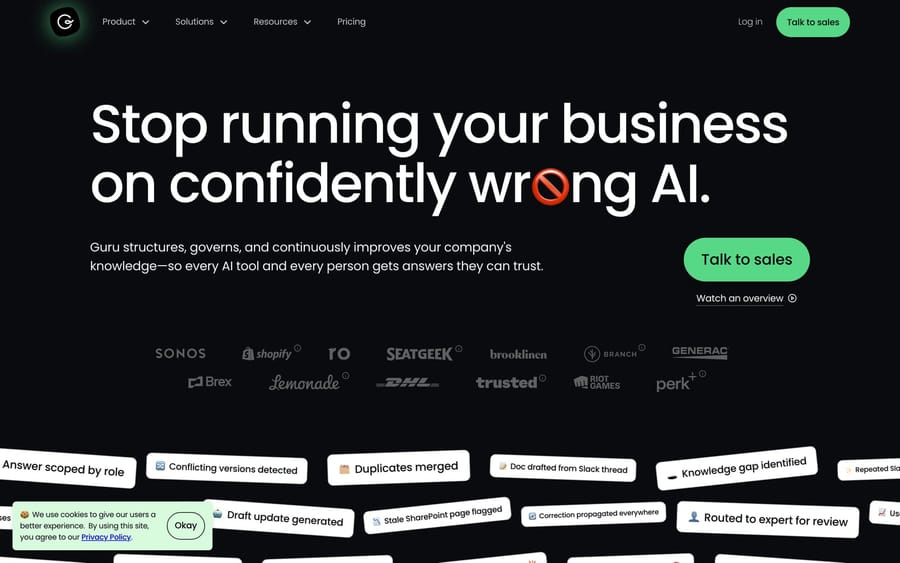
Guru brings verified knowledge into Slack, Teams, Chrome and your CRM rather than making people visit a wiki, with an owner and a re-verify cadence on every card. It suits support and revenue teams who want trusted answers inside existing tools. Pricing is a sales conversation now, so budget for a quote.
Confluence is the entrenched team wiki for specs, runbooks and meeting notes, with deep Jira integration, spaces and permissions. Free forever for 10 users, then $5.42 and $10.44 per user per month at the page's 300-user example. Reviewers flag a clunky editor and weak native search; it's powerful and not loved.
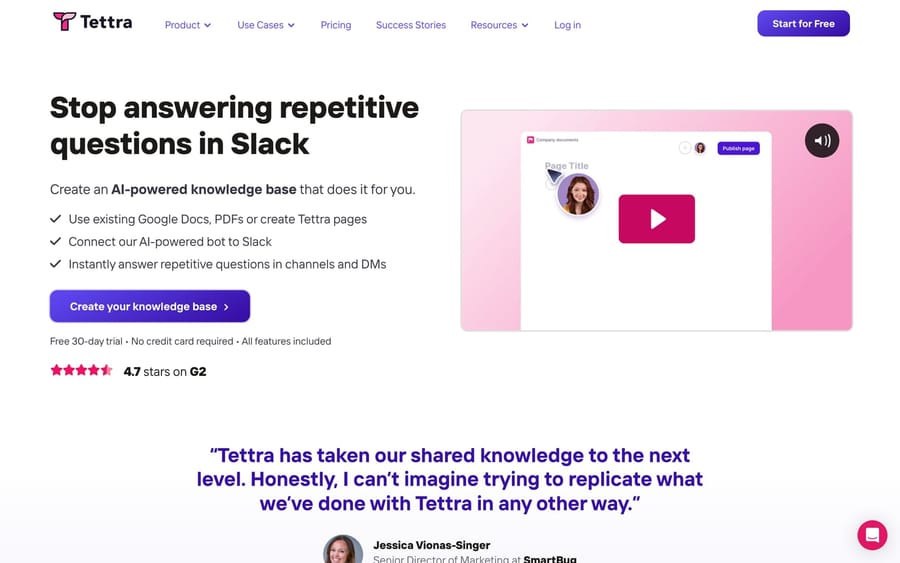
Tettra is a lightweight internal knowledge base built around Slack: ask a question, get routed to an answer or a knowledge owner, with verification and AI answers on top. Scaling is $8 per user per month with a 10-user minimum. It suits small Slack-centric teams and gets outgrown by documentation-heavy ones.
How did we compare the tools?
We looked at the tools teams genuinely shortlist across two distinct jobs, then added the free and open-source options the live version of this guide was missing. For each tool we checked the vendor's own live pricing page on September 20, 2026, recorded the free tier's exact caps, and captured a screenshot. We checked every open-source license twice: once on the project's own site and once against the GitHub API, because "open source" gets used loosely and Outline's repository reports a non-standard license.
G2's review pages are bot-walled to automated access, so the three named reviewer quotes below are verbatim from public Capterra pages, sourced when this guide was first published in June 2026 and labeled with that date. We did not install any of the self-hosted tools for this guide.
How does a knowledge base power AI deflection?
Here's the thread connecting both halves of this list, and the disclosure again.
Whatever knowledge base you pick, its 2026 value isn't only the customers who search it. It's that your knowledge base is the source every AI answer reads from. Zendesk's AI agents read Guide. Fin reads your Intercom Help Center. Freddy reads Freshdesk Solutions. Clean structure, customer-worded titles, fresh content and gaps filled from search data are what raise how much an AI can resolve correctly.
Name the incentive while we're here. Every help desk bundles the knowledge base for free and charges for the AI that reads it, per resolution or per session. That pricing rewards the vendor when your knowledge base is weak enough to need a lot of AI, and it gives them no reason to help you write fewer, better articles. The one thing entirely in your control is the content.
Macha is not a knowledge base. It's an AI agent layer that runs on top of the help desk you already have, reading from the knowledge and sources you've already connected to resolve routine tickets inside your existing workflow, then handing off to a human with full context when it isn't confident. It runs on Zendesk, Freshdesk, Gorgias, Front, HubSpot or Intercom, plus the tools on our integrations page.
It suits teams on one of those desks whose ticket mix is mostly repetitive questions a good help center could answer. It's the wrong choice if you're still choosing a knowledge base, because there's nothing for it to read yet. Build the knowledge base first with any of the tools here. Macha is one plan priced on monthly ticket volume, from $299 a month for 750 tickets, about $0.40 a ticket, with setup and monitoring by our team included; there's $50 of free usage to try it with no credit card, and the pricing page has the full table. You can see the layer working on Zendesk.
How do you choose the right knowledge base software?
- Decide customer-facing or internal first. A public help center and a private wiki are different products. Plenty of teams run one of each, and the free options differ sharply between the two.
- Check whether the free tier can publish. Confluence Free is 10 users and an internal wiki. Help Scout Free and Notion Free both publish publicly. Self-hosted tools all do.
- Count your articles, not just your seats. Help Scout Free caps at 10 articles, which a real help center passes in a week. That cap, not the user count, is what will move you to a paid plan.
- Price the maintenance of self-hosting honestly. BookStack and Wiki.js cost nothing to license and something real in upgrades, backups and someone's attention. That trade is good for an IT team with a server and bad for a two-person support team.
- Model the real cost. Per-seat, per-project, flat tiers, per-resolution AI add-ons and seat minimums all bill differently. Compare at your author count and your traffic, not at the headline.
- Plan for AI from day one. If deflection is a goal, pick a knowledge base whose content is clean, structured and easy for an agent to read, whether the AI is native or a layer on top.
What do real users say about each tool?
Ratings give you the average; reviews give you the why. The recurring themes across G2 and Capterra in 2026:
- Zendesk Guide: powerful and well-integrated, and worth it only as part of the broader Suite, with AI billed on top.
- Freshworks KB: praised for being built into the same affordable interface; the gripes are a dated editor and search that degrades on large knowledge bases.
- Help Scout Docs: loved for ease of use, light on localization depth. As one reviewer put it on Capterra in June 2026: "I appreciate being able to rapidly link articles and check statistics about which sections of our help libraries are most popular" (Emma B., Senior Director, Product Marketing, Hospital and Health Care).
- Document360: standout editor, structure and support; the complaints are opaque pricing and per-project seat caps. A technical writer's Capterra take from the same period: "I love the way pretty much anything can be embedded right in the docs, along with creation of tables that are far from simple" (Karen D., Technical Documentation Developer, IT and Services).
- Notion: beloved for flexibility and all-in-one value; reviewers warn it sprawls without discipline and search lags at scale. One Capterra summary: "Notion is an excellent 'all-in-one' solution for knowledge management, project tracking, and team documentation" (Deniz K., Senior Manager, Insurance).
- Guru: praised for verification and answers in the flow of work; the consistent gripe is findability on big card libraries.
- Confluence: deep and entrenched, especially with Jira, and the lowest-rated here, with a clunky editor and weak native search.
- Tettra: loved for Slack-native simplicity and verification; a smaller ecosystem by design.
Frequently asked questions
What is the best free knowledge base software? BookStack, if you can run a server: MIT licensed, no seat cap, no article cap, and a books-chapters-pages structure that non-technical teams pick up quickly. If you can't self-host, Help Scout's Free plan is the shortest path to a real public help center, capped at 10 articles and 5 users.
What is the best open source knowledge base? BookStack for a general wiki and help center, Wiki.js if you want more configuration, and Docusaurus if your docs live in git and you want a static site. All three are free to license. Chatwoot is the option that bundles a help center with a help desk.
Is there a free knowledge base with a public help center? Yes, three ways. Help Scout's Free plan includes 1 Docs site and 10 articles. Notion's free plan publishes pages to the web through Basic sites. Any of the self-hosted tools publishes without a cap. Confluence's free plan is an internal wiki for 10 users and won't give you a customer-facing help center.
Does Chatwoot's free plan include a help center? Not on its cloud. Chatwoot's pricing table lists the help center as not included in the free Hacker plan, which is $0 for 2 agents and 500 conversations a month. Self-hosting Chatwoot gives you the help center with no plan gate.
Does Freshdesk still include a free knowledge base? The knowledge base is included on every Freshdesk plan, but the pricing page no longer lists a free plan and starts at $19 an agent a month. The closest thing is the Freshdesk Free program, which covers up to 2 agents for 6 months.
What is the cheapest paid knowledge base software? Confluence Standard at $5.42 a user a month and Tettra at $8 a user a month with a 10-user minimum are the cheapest per seat. Outline Cloud at $10 a month covers up to 10 members in total, which makes it the cheapest small-team option outright.
Do I need to switch help desks to get an AI that uses my knowledge base? No. If your help desk and knowledge base are fine and you want better resolution, an agent layer reads from the knowledge base you already have and resolves tickets in your current workflow. If the help desk itself is the problem, that's a different move.
Should I self-host or buy? Self-host when you already run servers, want no seat cap, and have someone who will apply upgrades. Buy when your team is small, your time is the scarce resource, and a 10-article free tier or a $10-a-seat plan is cheaper than the hours self-hosting takes.
Which knowledge base should you pick?
The free end of this market is healthier than the paid end suggests. BookStack, Wiki.js, Docusaurus and self-hosted Chatwoot give you an uncapped knowledge base for the price of hosting, and Help Scout and Notion both publish a public page at $0 with real caps attached. The paid end moved the other way this year: Document360 and Guru both went quote-only, Slite and Tettra dropped their cheapest tiers, and Freshdesk's free plan left its pricing page, leaving only a 6-month Free program for up to 2 agents. Decide whether you need a public help center or a private wiki, check the article cap before the seat cap, and price the maintenance if you self-host.
Sources: BookStack, Wiki.js, Outline pricing, Chatwoot pricing, Help Scout pricing, Notion pricing, Confluence pricing, Slite pricing, Tettra pricing, Helpjuice pricing, Document360 pricing, Guru pricing, Freshdesk pricing, Zendesk pricing, all read 2026-09-20; Freshdesk, Zendesk AI and Intercom figures re-checked 2026-09-24, Freshdesk Free program, Intercom pricing, Fin pricing; Salesforce completes acquisition of Fin; r/selfhosted, "What are the best self-hosted or open-source…"; r/technicalwriting, "Good free knowledge base software for internal IT".






