





 Shopify
 Stripe
 Slack
Slack Notion
 Google Workspace
 Confluence

How Do You Crawl a Website as an AI Agent Knowledge Source?


Crawling your help center, docs and policy pages into Macha gives your AI agents the answers your team already wrote, indexed from up to 200 pages per website source. The catch is that a crawl is a snapshot, so you resync it when pages change.
Key takeaways
- Macha's Add a website option crawls from a seed URL and keeps the first 200 pages it finds, so a narrow seed like a help-center path beats a homepage.
- Macha raised its website crawler's per-page content limit from 512KB to 2MB on April 2, 2026, fixing ingestion failures on heavy e-commerce pages.
- A crawled website in Macha is a point-in-time snapshot; pressing Resync on the source pulls the latest version and removes pages that no longer exist.
- Amazon's Bedrock Web Crawler offers three scope settings, same host and path, host only, and subdomains, which shows why a narrower crawl scope produces cleaner knowledge.
- Macha Studies can analyze thousands of past Zendesk tickets and push the results back into Macha as a knowledge source that agents search alongside crawled pages.

To crawl a website as an AI agent knowledge source in Macha, open Sources, choose Add a website, paste the narrowest URL that holds your answers, and Macha indexes up to 200 pages from it, chunks and embeds the text, and lets any agent you attach it to search it on every live ticket. The crawl is a snapshot: when a page changes, you press Resync on the source to pull the latest version.
| Source type in Macha | What it holds | Stays current? | Limit |
|---|---|---|---|
| Add a website | A crawled site, following links from your seed URL | No, Resync to refresh | First 200 pages found; 2MB per page |
| Add a web page | One URL, no crawling | No, Resync to refresh | One page |
| Upload documents | PDF, DOCX, CSV, XLSX, TXT | No, re-upload to refresh | 10 files at a time, 20 MB each |
| Live connector | Google Docs, Notion, Confluence | Yes, read at query time | Whatever the connector can read |
Most teams already wrote their best support answers years ago, in a help center, docs, policy pages and product FAQs. Crawling puts that content where an agent can read it. No copy-pasting your shipping policy into a prompt, no re-uploading a PDF every time you change your return window. The agent answers from the same page your customers can read.
Below: how to crawl a site into Macha, how to scope it so you don't ingest junk, the real limits and trade-offs, and when crawling is the wrong tool and a live connector is better. Macha is an AI agent layer that sits on top of the help desk you already use (Zendesk and the rest of Zendesk, Freshdesk, Gorgias, Front, HubSpot or Intercom), so everything here feeds agents that resolve, triage, and route tickets inside your existing workflow.
What is a website knowledge source?
In Macha, a knowledge source (a "data source") is any body of content your agents can search. There are three kinds:
- Uploaded files: PDFs, spreadsheets, and documents. Spreadsheets of 2,000 rows or fewer get injected directly into the agent's context; larger files are chunked, embedded, and searched on demand.
- Crawled websites: a URL (or a single page) that Macha fetches and indexes. These show a Ready status once indexed.
- Live connector sources: Google Docs, Notion, and Confluence pages that stay in sync with the original because Macha reads the latest content at query time. These show a Live status.
A crawl sits in the middle. Unlike a live connector, a crawl is a point-in-time snapshot. Macha indexes the page as it existed when you crawled it, and it stays that way until you resync. That's the single most important thing to understand before you start, and we'll come back to it in the watch-outs.

How does crawling a site into agent knowledge work?
Every credible crawler-for-AI works the same way, and it helps to know the shape of it so the settings make sense.
A crawler starts from a seed URL and follows links outward. How far it follows them is the scope. Then for each page it keeps, it does the part that matters for an AI agent: it throws away the navigation, ads, and sidebars and keeps the actual content as clean text. Modern crawlers built for LLMs, such as Firecrawl, Spider and Crawl4AI, all converge on returning Markdown or structured text rather than raw HTML, because an agent reasons better over clean prose than over a wall of <div>s. That cleaned text is then chunked into passages, each passage is turned into a vector embedding, and those embeddings are stored so the agent can retrieve the most relevant chunks for a given question. This retrieval-augmented pattern is the standard way to ground an LLM in your own content.
Scope is where people get into trouble, so it's worth being precise. Amazon's Bedrock Web Crawler is a good public reference for how a production crawler behaves. It offers three scope settings that map onto the choice every crawler forces you to make, and lets you cap a sync at up to 25,000 pages (AWS docs):
| Scope | What it crawls | Use it for |
|---|---|---|
| Default: same host and path (narrowest) | Only pages under the seed URL's path, e.g. seed /help/ reaches /help/returns but not /blog/ | A specific help-center section or docs tree |
| Host only | Any page on the same host: /help/, /blog/, /pricing/, all of it | A whole marketing/support site on one domain |
| Subdomains (broadest) | Any page on the primary domain, including support., docs., shop. subdomains | A full multi-subdomain estate (rarely what you want) |
The lesson under that table: broad scope is a trap. Bedrock's own docs warn against crawling large sites without filters or scope limits because it "will take a very long time", and it pulls in pages you never wanted in the agent's head. The narrower you scope, the higher the signal. In Macha the stakes are concrete: a website source keeps only the first 200 pages it finds, so a homepage seed can spend that budget on blog posts and careers pages before it ever reaches your returns policy. (One aside on the reference itself: AWS says that from 30 September 2026 new Web Crawler connectors can no longer be created on customer-managed Bedrock knowledge bases, and the connector is still labeled preview.)
How do you crawl a site into Macha, step by step?
1. Open Sources and add a website
From the dashboard, go to the Sources page. The top of the screen has three add options: Upload documents, Add a website (crawl and index a whole site), and Add a web page (a single URL). Your existing sources are listed below, so you can tell at a glance what your agents already know.

2. Paste the most specific URL you can
Don't reflexively paste your homepage. Paste the narrowest URL that contains the answers you want. If your refund logic lives at help.yourstore.com/returns, seed that, not yourstore.com. A tighter seed URL is the cheapest, most effective quality control you have, and it keeps the 200-page cap working for you. For a single high-value page (one detailed FAQ, one policy page), use Add a web page instead of a full crawl.

3. Let it fetch, parse, and index
Macha fetches the pages, extracts the readable content, and runs it through the same chunking-and-embedding pipeline used for large uploaded files. You'll see pages listed in real time as Macha discovers them, and indexing usually finishes in a few minutes, after which the source shows Ready. One practical detail from Macha's changelog: the crawler's per-page size limit was raised from 512KB to 2MB (April 2, 2026), which fixed ingestion failures on content-heavy pages like large e-commerce product and category pages. If you tried to crawl a heavy store page in the past and it choked, it works now.
4. Attach the source to your agents, and scope it
A crawled source does nothing until an agent can use it. Open the agent you want to give knowledge to and attach the source. Each source row has an inline "All documents" / "Selected" toggle, so you can hand an agent the whole crawl or just the specific pages relevant to its job. Your WISMO agent might only need the shipping and tracking pages, not your entire knowledge base.
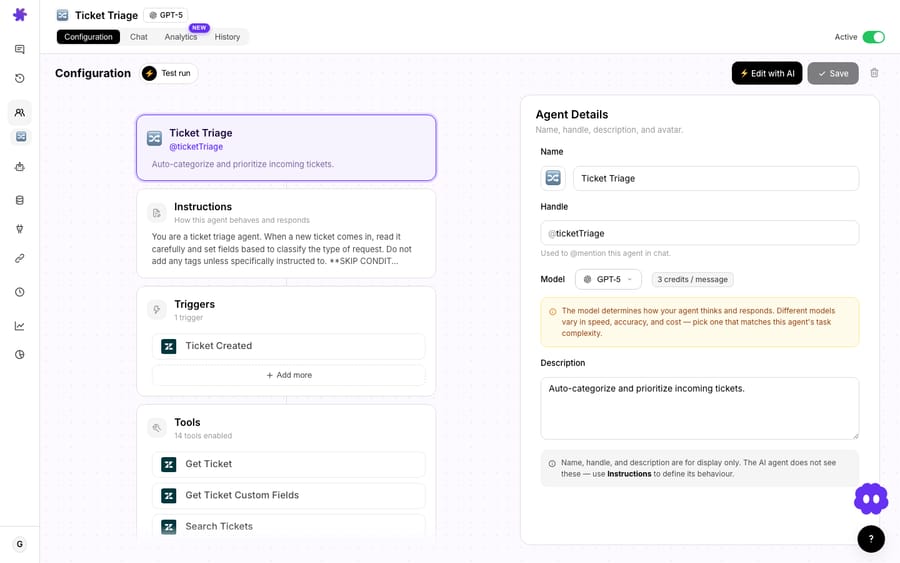
That's it. The next time a ticket comes in, the agent searches the crawled content with its search_knowledge and get_document tools, retrieves the relevant chunks, and grounds its reply in your actual page, with the source available so you can see where an answer came from.
Which pages should you crawl first, and which should you skip?
Not all of your site is good agent food. A quick triage:
Crawl these:
- Your help center / knowledge base: it's written to answer support questions.
- Policy pages: returns, refunds, shipping, warranty, privacy. High-stakes, frequently asked, and you want the agent quoting the canonical wording.
- Product docs and FAQs: the "how do I…" content.
- Pricing and plan pages, as long as they're current.
Skip these:
- Your blog, mostly. Marketing posts are persuasive, not precise, and they age badly. A blog claim from 2023 in your agent's knowledge is a liability.
- Login-gated or dynamic pages: most crawlers only reliably index static, publicly reachable HTML. Account dashboards and JS-heavy app screens won't crawl cleanly.
- Anything that changes hourly: stock levels, live order status, prices that move. That's not knowledge, it's data, and it belongs in a tool, not a crawl (more on that next).
What are the limits and watch-outs of crawling?
Crawling is the right tool a lot of the time. It is not the right tool all of the time.
A crawl is a snapshot, not a live feed. This is the big one. When you crawl a page, Macha indexes it as it is now, and Macha's docs say plainly that it doesn't monitor your website for changes. Change the page tomorrow and the agent still knows yesterday's version until you hit Resync on the source, which pulls the latest version and also cleans out pages that have been removed. Tools that "auto-detect site changes" exist in the market, but the safe mental model is: treat a crawl as a copy you own and are responsible for refreshing. Put a recurring reminder on your highest-churn pages, policies especially. If a page changes constantly and accuracy is critical, use a live connector (Notion, Confluence, Google Docs) instead, because those read the latest content at query time and never go stale.
Knowledge isn't the same as action. A crawl can tell an agent what your return policy says. It cannot look up whether order #4821 is eligible. That's a live lookup against your store, which is a connected tool's job (Shopify, Stripe, your help desk). The pattern that works: crawl the policy so the agent knows the rules, connect the tool so the agent can apply them to a specific customer. Using a snapshot for data that needs to be live is the most common mistake.
Garbage in, confident garbage out. A crawler indexes whatever's on the page, including the outdated FAQ nobody's touched since 2022 and the contradictory answer two clicks away. Crawl a tidy, curated help center and you get a tidy agent. Crawl your entire sprawling site and you've taught the agent your contradictions. Scope tightly; review what came in.
Only crawl what you're allowed to. Crawl your own properties, or sites you have explicit authorization to crawl. Production crawlers respect robots.txt directives by standard (RFC 9309), and you should too, both as a courtesy and because some of your own pages are disallowed for good reasons.
Mind the page cap, not a source quota. Macha has one plan, priced by ticket volume, and every knowledge source type is included on it (see pricing), so the number of crawled sites isn't what you ration. The limit that bites is the 200-page cap per website source. If a docs site is bigger than that, split it into several narrowly seeded crawls (one per section) rather than one sprawling one.
Where does crawling fit in a Macha setup?
Think in three layers. Crawled and uploaded knowledge is your reference library: the policies and docs the agent reasons over. Live connectors are your always-current documents: the wiki pages and runbooks that change weekly. Tools are your hands: the Shopify, Stripe and help desk actions that fetch a specific customer's data and do things. A good agent uses all three. It knows the policy (crawl), reads the latest runbook (connector), and looks up the actual order (tool).
There's also a closed loop worth knowing about. Macha Studies (called AI Analysis in the sidebar) run an AI analysis across a set of Zendesk tickets, for example the last 5,000 matching a search query, fill in the columns you define, and can then push the results back into Macha as a knowledge source for agents to search. So your knowledge sources don't have to be limited to what you wrote on your website; they can include patterns Macha extracted from how your team actually resolved tickets. Crawl what you published, and layer on what you learned.
FAQ
How many pages can Macha crawl from one URL? Up to 200. Add a website follows links from your seed URL and keeps the first 200 pages it finds, and each page can be up to 2MB (raised from 512KB in April 2026), so even heavy pages ingest cleanly. Seed a narrow, specific URL rather than a whole domain so those 200 pages are the ones you want.
Does a crawled page stay up to date automatically? No. A crawl is a point-in-time snapshot, and Macha doesn't watch the site for changes. When the source page changes, press Resync on the source to refresh the index; it also drops pages that no longer exist. For content that changes constantly, use a live connector (Notion, Confluence, Google Docs), which reads the latest version at query time.
Can I crawl just one page instead of a whole site? Yes. Use Add a web page to fetch and index one URL with no crawling. It's ideal for a single detailed FAQ or policy page you want the agent to quote precisely.
Do crawled sources work with my existing helpdesk? Yes. Macha sits on top of Zendesk, Freshdesk, Gorgias, Front, HubSpot or Intercom. The crawled knowledge feeds agents that work inside your existing help desk, so you don't change tools.
Will crawling let the agent take actions, like issuing a refund? No. Crawling supplies knowledge (what the policy says). Taking an action (issuing the refund, checking an order) is a connected tool's job. Use both together: knowledge to know the rule, tools to act on it.
Is there a limit on how many sites I can crawl? Macha sells one plan priced by ticket volume, and every knowledge source type is included on it; the pricing page has the current tiers. The practical limit is 200 pages per website source, so large sites are best split into several focused crawls.
Where should you start?
Pick your single most-asked-about section, such as your returns policy, your shipping FAQ or your getting-started docs, and crawl that one URL first. Attach it to an agent, scope it to that agent's job, and watch the next relevant ticket get answered from your own words. Then expand. Start a free trial ($50 of usage, no credit card required), connect your help desk, and add your first website knowledge source. The full walkthrough lives in the data sources docs.
Written by Abbas (Customer Support & AI, Macha) · Reviewed by Ankeet Guha (Co-founder & CTO) · Published 2026-06-24 · Last updated 2026-09-24.






