Intercom
 Shopify
 Stripe
 Slack
Slack Notion
 Google Workspace
 Confluence

What Is Freddy AI in Freshdesk? Copilot, AI Agent and Insights Costs (2026)


Freddy AI is three Freshworks products under one name: a customer-facing bot billed per session, an agent-assist Copilot billed per seat, and manager analytics on Enterprise. Each one has its own meter and plan gate, so it pays to know which problem you are buying for.
Key takeaways
- Freddy AI in Freshdesk is three products: Freddy AI Agent for customers, Freddy AI Copilot for agents, and Freddy AI Insights for managers on the Enterprise plan only.
- Freddy AI Agent gives new customers 500 complimentary sessions, then charges $49 per 100 sessions on both classic Freshdesk and Freshdesk Omni.
- A Freddy AI Agent session covers every bot reply within 24 hours on chat or 72 hours from the customer's first email.
- Freddy AI Copilot costs $29 per agent per month billed annually and is available only on the Pro and Enterprise plans.
- Macha bills per ticket rather than per session, starting at $299/month for up to 750 tickets with setup and monitoring included.

Freddy AI in Freshdesk is three products: Freddy AI Agent, a customer-facing bot billed at $49 per 100 sessions after 500 free ones; Freddy AI Copilot, agent assist at $29 per agent per month on Pro and Enterprise; and Freddy AI Insights, manager analytics on Enterprise only (Freshdesk pricing, checked 24 September 2026). The same prices apply on classic Freshdesk and on Freshdesk Omni. What changes is the base seat price underneath them. If you want the wider picture first, start with what is Freshdesk and Freshdesk pricing explained.
| Freddy product | Who it serves | Meter | Price (checked 24 Sept 2026) | Plans |
|---|---|---|---|---|
| Freddy AI Agent | Your customers | Per session | First 500 sessions free, then $49 per 100 | Growth, Pro, Enterprise |
| Freddy AI Copilot | Your agents | Per agent, per month | $29 per agent per month, billed annually | Pro and Enterprise |
| Freddy AI Insights | Your managers | Included in plan | No separate list price | Enterprise only |
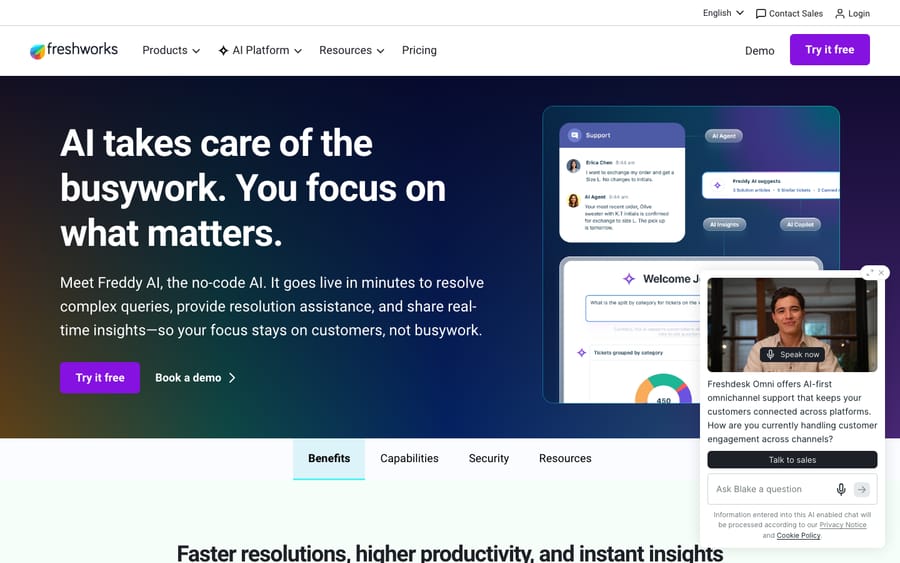
What are the three parts of Freddy AI?
Freshworks groups Freddy into three named products, and the cleanest way to keep them straight is by who each one serves:
- Freddy AI Agent. A customer-facing autonomous bot. It answers end-user questions in chat and email directly, drawing on your knowledge sources, and can resolve routine queries with no human in the loop. This is the deflection layer. It's billed by session.
- Freddy AI Copilot. An agent-assist sidekick inside the ticket. It drafts replies, summarizes long threads, reads sentiment, translates live (Freshworks lists 60+ languages) and suggests resolutions, but a human agent always sends. It's billed per agent, per month, as an add-on.
- Freddy AI Insights. Analytics for team leads and managers: proactive alerts with root-cause analysis, plus conversational insights you can ask questions of. The pricing page lists it on the Enterprise plan only, with no separate meter.
(You may also see Freddy AI Trust mentioned. That's the security and governance framework underneath all three, not a separate product you buy.)
The mental model: AI Agent faces your customers, Copilot faces your agents, AI Insights faces your managers. The two you pay for on top of your plan, AI Agent and Copilot, use different meters (one by session, one per agent), so know which problem you're solving before you turn anything on.
How does Freddy AI Agent work?
Freddy AI Agent is the piece most people mean when they say "Freshdesk AI." It's the bot that sits on your chat widget or answers inbound email, reads your help center and connected knowledge, and tries to resolve the request before it reaches a human.
How it works. You point it at knowledge sources, your Freshdesk help-center articles and approved public URLs, and it uses those to generate answers, ask clarifying questions and complete simple flows. Anything it can't confidently handle gets handed off to a human agent as a normal ticket.
How is a Freddy AI Agent session counted?
Freddy AI Agent isn't priced per agent or per resolution. It's priced per session, and a session is a time window, not a single reply. Every interaction between one end user and the bot inside that window counts as one session, however many messages go back and forth.
The window depends on the channel. Freshworks' own "manage Freddy AI add-ons" doc and the pricing page now state both figures:
- Chat: all interactions within 24 hours of the session starting count as one session (see also the session FAQs).
- Email: a session spans 72 hours from the customer's first email, so a thread that takes two or three AI replies over a couple of days still burns one session.
Earlier versions of this page reported the 72-hour email window only from third-party guides such as myAskAI's 2026 guide. Freshworks now publishes it, so the discrepancy is gone. The point that matters for forecasting holds either way: you aren't charged per AI response, you're charged once per end-user conversation inside the window.
How much do Freddy AI Agent sessions cost?
New customers on Growth, Pro or Enterprise get a one-time block of 500 complimentary sessions. After that, sessions come in packs: $49 per 100 sessions, about $0.49 each. The Freshdesk and Freshdesk Omni pricing pages show the same $49 rate as of 24 September 2026. Older third-party breakdowns (including eesel's pricing breakdown) quoted Omni web-chat sessions at around $100 per 1,000; Freshworks' current Omni page doesn't show that rate, so don't budget on it.
One thing to ask your account rep before buying packs in bulk: whether unused sessions roll over. Third-party guides say they generally don't, and Freshdesk's add-on doc doesn't address it either way. If they expire, buying packs means forecasting volume you can't always predict.
The incentive is worth naming. Session billing is predictable when volume is steady, but a busy month burns through a pack fast and a quiet one wastes what you prepaid. Freshworks earns on the prepaid pack whether or not you use it. Model it against your real ticket volume rather than the marketing number.
What does Freddy AI cost on classic Freshdesk vs Freshdesk Omni?
The Freddy add-on prices match across the two products. The seat price underneath them doesn't:
| Classic Freshdesk | Freshdesk Omni | |
|---|---|---|
| Product scope | Email/ticketing-first help desk | Omnichannel suite (ticketing + chat + more) |
| Seat price (annual, per agent/month) | Growth $19, Pro $55, Enterprise $89 | Growth $29, Pro $79, Enterprise $119 |
| Copilot | Pro and Enterprise, $29/agent/month | Pro and Enterprise, $29/agent/month |
| AI Agent sessions | 500 free, then $49 per 100 | 500 free, then $49 per 100 |
| AI Insights | Enterprise only | Enterprise only |
Figures from Freshdesk pricing and Freshdesk Omni pricing, checked 24 September 2026. Prices vary by region and change often, so confirm the live figures in your own account.
What does Freddy AI Copilot do inside the ticket?
Where the AI Agent talks to customers, Freddy AI Copilot talks to your team. It lives inside the agent workspace and speeds up the human's work rather than replacing it.
Typical Copilot capabilities:
- Reply drafting: generates a suggested response the agent can edit and send.
- Thread summaries: condenses a long back-and-forth so a new or reassigned agent is caught up in seconds.
- Tone and rewrite: makes a draft warmer, firmer or shorter.
- Translation: handles a ticket in a language the agent doesn't speak.
- Sentiment and resolution help: flags frustrated customers and proposes the next action to cut manual triage.
Cost and plan gates. Copilot is a per-agent add-on at $29 per agent per month billed annually, available only on the Pro and Enterprise plans of both classic Freshdesk and Omni (Freshdesk pricing; see also eesel's Copilot pricing guide and Freshworks' Copilot page). The pricing page notes that day passes aren't available for Copilot. The good news for budgets: you add Copilot agents by count, so you can give it to the agents who'll use it most rather than the whole roster.
The honest read on Copilot: it's a real time-saver for high-volume teams, and the summaries alone earn their keep on complex tickets. But it's an assist tool. A human still reads, approves and sends every reply, so it speeds your team up without reducing headcount on its own.
What does Freddy AI Insights add for managers?
The least-discussed pillar, Freddy AI Insights, is aimed at managers rather than front-line agents. Instead of you building reports, it surfaces them: proactive alerts when something's trending the wrong way, such as a dip in CSAT or a spike in SLA breaches, root-cause analysis on the spike, and a conversational interface for asking questions of your ticket data. Think of it as the layer that turns the data your AI Agent and Copilot generate into decisions: which categories to automate next, where coaching is needed, what's about to escalate. It sits on the Enterprise plan only, so for most teams it's a reason to weigh the Enterprise upgrade rather than something to switch on. It's a reporting aid, not a resolution engine.
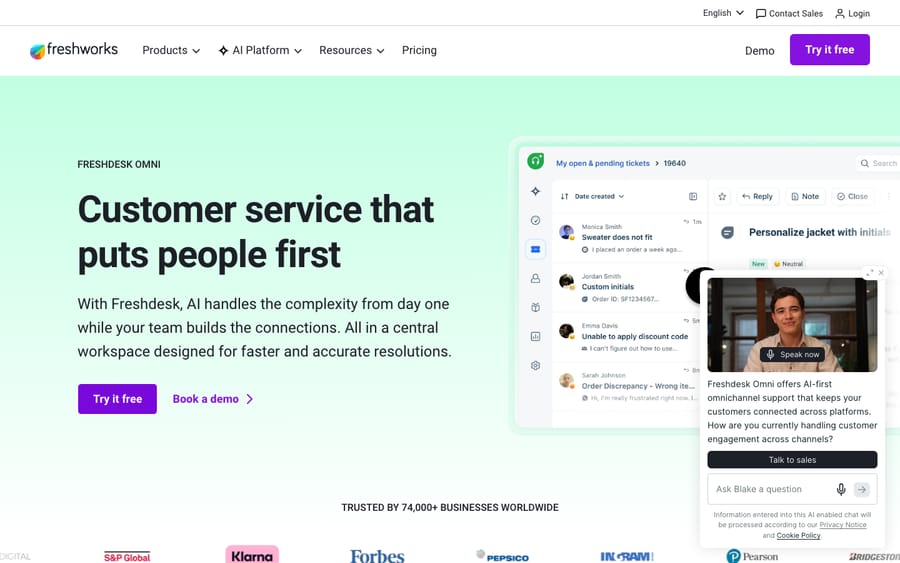
Where does Freddy AI fall short?
Freddy's real strength is proximity: it's built into the tool your team already lives in, so there's no separate integration to stand up, and Copilot's summaries and reply drafts are there the moment you switch it on. For teams already invested in Freshworks, that low friction is the whole pitch.
But go in clear-eyed about where it tops out:
- Deflection has a ceiling. myAskAI's 2026 guide cites marketed resolution rates of "up to 80%" and reports real deployments closer to 23–75%, depending heavily on how good your knowledge base is. Treat 80% as a ceiling, not a baseline.
- It's only as good as the content you feed it. Freddy AI Agent answers from your help-center articles and approved public URLs. Knowledge ingestion has caps on file size, file count and URLs, and it pulls from public, static URLs only, not login-protected pages, so thin or stale docs mean thin or stale answers.
- The email bot has historically been narrow. Reports note the email AI Agent typically replies to the first message in a thread and stays quiet on follow-ups in the same chain. Fine for one-shot questions, awkward for back-and-forth.
- It's an add-on cost on top of a plan gate. Copilot needs Pro or Enterprise and the per-agent fee; AI Agent needs session packs once the free 500 run out; Insights needs Enterprise. The most common complaint in user forums is exactly this stacking.
What do users say about Freddy?
Freshdesk itself is well liked: it holds roughly 4.4/5 from about 3,700 reviews on G2 in 2026. The criticism that recurs isn't about the help desk. It's about Freddy's packaging and out-of-box accuracy. Two themes show up again and again in reviews and forums:
- "An expensive add-on for what it does." A representative G2 reviewer (aggregated review sentiment) puts it bluntly: "The Freddy AI is an add-on, so expensive for what it can do — and only available at enterprise [tiers]." The metered-on-top-of-gated structure is the single most cited gripe.
- "Needs manual training." On accuracy, reviewers report that Freddy "needs manual training — doesn't work great out of the box [and] can be inaccurate with complex or long-winded queries" (recurring G2/review-roundup sentiment, review roundup).
These are aggregated review sentiments rather than a single named customer, but they line up across G2, Reddit and independent 2026 breakdowns. None of it makes Freddy bad. It makes it a tool that rewards investment in your knowledge base and punishes a set-and-forget approach.
When do you need an AI agent layer on top of Freddy?
For a lot of teams, Freddy is enough. If your volume is moderate, your help center is solid, and you mainly want reply drafts and a chat bot that handles FAQs, the built-in suite does the job without another vendor.
The gap shows up when you want deeper autonomous resolution than Freddy's built-in bot delivers: resolving account-specific tickets end to end, acting on data from other systems, or handling the back-and-forth the email bot skips. That's the layer a dedicated AI agent like Macha adds. Macha isn't a help desk and isn't a Freshdesk replacement. It runs on top of your existing help desk (Zendesk, Freshdesk, Gorgias, Front, HubSpot or Intercom), connected to your tickets and knowledge. It can auto-triage incoming tickets, draft replies for an agent to approve, and resolve routine tickets autonomously inside the same workspace, while anything it can't confidently handle stays a normal ticket for a human with full context attached. See Macha on Zendesk for how the layer works; the same model applies to Freshdesk. For the DIY route inside Freshdesk itself, our guide on how to automate Freshdesk with AI walks through the native options first.
A fair contrast on cost, since billing is where these approaches differ. Freddy AI Agent bills per session: one 24-hour chat window or 72-hour email window per end-user conversation. Macha bills per ticket: one charge per thread, however many messages it takes, whether summarizing, tagging, routing, drafting or resolving along the way. Plans start at $299/month for up to 750 tickets, with setup and monitoring by the Macha team included. Neither model is universally cheaper; which one wins depends on whether your work looks like short sessions or like long threads with many actions. The caveat stands either way: an AI layer is another integration to configure, and it's only as good as the knowledge you connect to it. If your open queue or repetitive replies are the bottleneck and built-in assist has stopped scaling, that's the line worth testing. Start your free Macha trial: $50 of free usage, no credit card required. Connect it to your Freshdesk, point it at your knowledge, and watch it triage, draft and resolve real tickets before you commit to anything.
Frequently asked questions
What is Freddy AI in Freshdesk? Freddy AI is Freshworks' brand for the AI features across its products. In Freshdesk it comes in three parts: Freddy AI Agent (a customer-facing bot that resolves chat and email queries), Freddy AI Copilot (agent assist for drafting, summarizing and translating inside the ticket), and Freddy AI Insights (analytics and proactive alerts for managers, on Enterprise).
How much does Freddy AI cost? Two separate meters. Freddy AI Agent is session-based: 500 free sessions for new customers on a paid plan, then $49 per 100 sessions (about $0.49 each), on both classic Freshdesk and Omni. Freddy AI Copilot is a per-agent add-on at $29 per agent per month billed annually. Insights has no separate price; it comes with Enterprise. Prices checked 24 September 2026; confirm in-account.
What is a Freddy AI session? A session is all the interactions between one end user and the bot inside a time window, not one charge per reply. For chat the window is 24 hours from session start; for email it's 72 hours from the customer's first email (session FAQs; manage Freddy AI add-ons). Every AI reply within that window counts as a single session. Sessions are sold in packs of 100; ask whether unused ones carry over before buying ahead.
Which Freshdesk plans include Freddy AI? Freddy AI Copilot is limited to the Pro and Enterprise plans as a per-agent add-on. Freddy AI Agent sessions are available on Growth, Pro and Enterprise, with 500 free to start. Freddy AI Insights is Enterprise only. The same gates apply on Freshdesk Omni.
Is Freddy AI worth it? For teams with a solid knowledge base and moderate volume, the convenience of built-in AI is hard to beat. The common complaints are that it's an add-on cost on top of a plan gate, that it "needs manual training" and can struggle with complex queries, and that real-world deflection (23–75% in myAskAI's reporting) runs below the marketed "up to 80%." Worth it if you invest in your content; underwhelming if you expect set-and-forget.
How is Freddy different from a dedicated AI agent layer? Freddy is built into Freshdesk and bills by session (AI Agent) and per agent (Copilot). A dedicated AI agent layer like Macha runs on top of Freshdesk for deeper autonomous resolution and bills per ticket (one charge per thread, from $299/month for up to 750 tickets). Freddy wins on zero-setup convenience; an AI layer wins when you need resolution beyond what the built-in bot reaches.
Which Freddy product should you start with?
Map each pillar to the problem you have. If customers wait on repetitive questions, start with Freddy AI Agent and use the 500 free sessions to measure real deflection before buying packs. If your agents lose time on long threads, Freddy AI Copilot at $29 per agent is the cheaper test, and you can license only the agents who'll use it. Freddy AI Insights only matters if you're already on, or moving to, Enterprise. Model the session and per-agent costs against your real volume, and if you need resolution deeper than the built-in bot delivers, weigh an AI agent layer on top. From here, dig into Freshdesk pricing, how to automate Freshdesk with AI, or the Macha on Zendesk model.
Freddy AI pricing and session rules checked against the Freshdesk and Freshdesk Omni pricing pages and Freshdesk support documentation on 24 September 2026. Freshworks updates pricing and packaging often, so confirm specifics in your own account before relying on them.
Add AI agents to your Freshdesk
Macha reads the ticket, drafts the reply and takes the action, inside the Freshdesk you already run.