Shopify
 Stripe
 Slack
Slack Notion
 Google Workspace
 Confluence

Front Rules vs Sequences vs Macros vs Templates: Which to Use (2026)


Front has four automation tools that are easy to confuse: rules fire on inbound events, sequences send scheduled outbound emails, macros run a bundle of actions on one click, and message templates insert reusable text. Which one you can use also depends on your plan, since sequences and macros start on Professional and rule counts are capped below Enterprise.
Key takeaways
- Front rules fire automatically on inbound events, sequences send scheduled outbound cadences, macros run bundled actions on one click, and message templates insert reusable text.
- Front caps rules at 10 on Starter and 20 on Professional, with unlimited rules on Enterprise, according to Front's pricing page.
- A Front sequence runs 1 to 10 stages, is capped at 200 addresses, and stops sending to anyone who replies, though out-of-office auto-replies don't stop it.
- Front sequences and macros both require the Professional plan or above, while company macros need Enterprise and dynamic template variables need Enterprise or the Autopilot add-on.
- A Front macro can combine tagging, moving to an inbox, replying with a template, assigning a teammate, creating a Jira issue and sending to a webhook in one click.
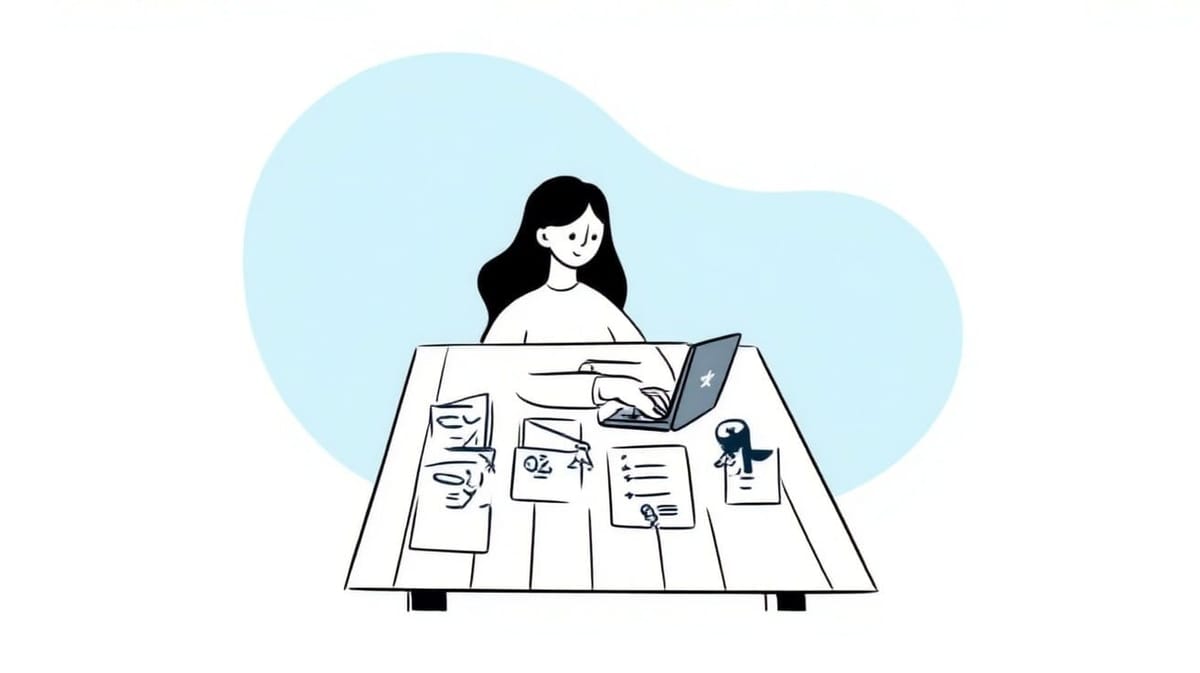
Use a Front rule when an inbound event should trigger actions with no human involved, a sequence for a scheduled outbound cadence of 1 to 10 stages, a macro for a one-click bundle of actions a teammate chooses to run, and a message template when you only need reusable text. Rules exist on every plan (Starter caps you at 10, Professional at 20, Enterprise is unlimited); sequences and macros start on Professional.
| Tool | Who starts it | What it does | Lowest plan |
|---|---|---|---|
| Rules | Front, on an inbound event | Routes, tags, assigns, archives | All plans (10 / 20 / unlimited) |
| Sequences | You, then a schedule | Sends a staged outbound email cadence | Professional |
| Macros | A teammate, one click | Runs a bundle of actions on the open conversation | Professional (company macros: Enterprise) |
| Message templates | A teammate, on insert | Drops reusable text into the composer | All plans (dynamic variables: Enterprise or Autopilot) |
What does each Front automation tool do, in one sentence?
Each tool answers a different question about who starts the work and when.
- Rules are reactive. Something happens in an inbox (a message arrives, a tag is added, a conversation is assigned) and Front runs actions automatically, with no human in the loop. This is your routing and triage layer.
- Sequences are outbound and scheduled. You pick a list of recipients and Front sends a multi-stage email cadence over days, stopping for anyone who replies. This is prospecting and structured follow-up.
- Macros are manual and instant. A teammate clicks once and Front performs a bundle of actions (tag, move, reply with a template, assign, notify) on the open conversation. This is a shortcut for a repeatable multi-step process a human decides to run.
- Message templates are the raw material. They're reusable text with variables that a teammate inserts into the composer by hand. A macro can use a template; a template on its own does nothing until someone picks it.
How do Front rules work?
Rules are the engine that works while nobody is looking. Per Front's guide to rule triggers, conditions, and actions, every rule is a When (trigger) → If (condition) → Then (action) sentence: an event wakes the rule, a test narrows it, and Front performs one or more actions automatically. Workspace rules live under Settings → Rules and macros, on the Rules tab.
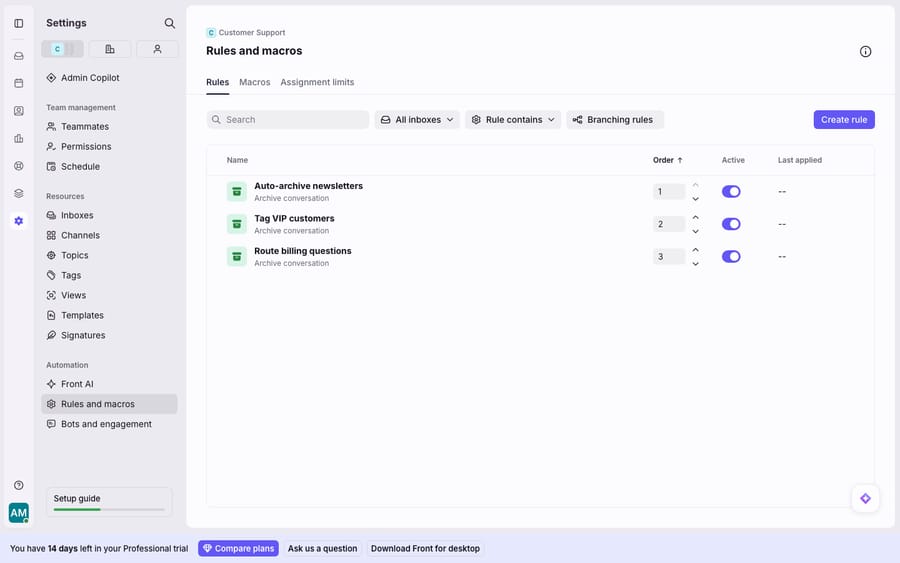
Reach for a rule when the trigger is an inbound event and you want zero human involvement: route billing questions to the billing inbox, auto-tag anything from a VIP domain, assign round-robin, or auto-archive newsletters. Rules are deterministic. They do exactly what you tell them, in the order you set, every time. Front documents the full model in Understanding rules, and we go deep on it in Front rules explained. The key property: rules run themselves. No click required.
The catch is the count. Front's pricing page caps Starter at 10 rules and Professional at 20, with unlimited rules on Enterprise, and the rule article gates load balancing, round-robin assignment, webhooks and company rules to Professional or above.
How do Front sequences work, and when do they stop?
Sequences point the other direction. Where a rule reacts to inbound mail, a sequence is proactive outbound outreach to a list of people. Per Front's Understanding sequences, a sequence has 1 to 10 stages (labelled A through J), each stage sent as a reply to the previous one, with a per-stage delay like follow up in 7 days if no reply.
Three specifics decide whether a sequence is the right tool:
- It's outbound and list-based. You upload recipients (a single sequence is capped at 200 addresses) and Front works through the cadence for each one.
- A reply ends it. If a recipient replies to any stage, later stages stop sending to them, so a genuine response never gets a robotic follow-up. Out-of-office auto-replies do not count as a reply.
- It's rate-limited on purpose. Front adds a delay between sends to stay under provider limits: roughly 7.5 seconds between emails on Gmail and Office 365, so a full 200-recipient sequence takes about 25 minutes to go out per Front's sending-limit doc.
Sequences are a Professional-plan-or-above feature. Personal sequences send from an individual inbox; workspace sequences send from a shared email inbox only. Use a sequence for sales prospecting, renewal nudges, or onboarding drips, never for reactive support triage. More in Front sequences explained.
What's the difference between a Front macro and a message template?
Macros and templates are the manual side of the house: a teammate chooses to run them. They're also the pair people mix up most.
A macro is a one-click bundle of actions on the conversation a teammate has open. Per Use macros to accelerate your workflows, a single macro can move the message to another inbox, add or remove tags, forward it, reply using a message template, create a draft, add a comment, assign or notify a teammate, update a custom field, reopen or archive, create or comment on a Jira issue, or send to a webhook, all at once. Macros are created under Settings → Rules and macros → Macros, and are a Professional feature (company macros, which apply across every workspace, are Enterprise).
A message template is narrower: reusable text with variables ({{recipient.name}}, {{user.name}}, custom contact and account fields) that a teammate inserts by typing {{ to pick from the list, per Front's variables guide. The same guide says dynamic variables are available on Enterprise or with the Autopilot add-on. A template doesn't perform actions. It just supplies text.
The relationship is the clarifier: a macro can include "reply using a message template" as one of its steps. So a template is a building block; a macro is the assembled workflow that may use it. If all you need is consistent wording, use a template. If you need "tag it, move it, reply with the right text, and mark it done" in one press, use a macro.
Which Front tool should you use for which job?
| Rules | Sequences | Macros | Message templates | |
|---|---|---|---|---|
| Who starts it | Front, automatically | You, then scheduled | A teammate, one click | A teammate, on insert |
| Direction | Inbound (reactive) | Outbound (proactive) | On the open conversation | Into the composer |
| Does actions? | Yes (routing, tagging, assign) | Sends staged emails | Yes (bundle of actions) | No, text only |
| Best for | Triage & routing | Prospecting & follow-up | Repeatable multi-step handling | Consistent wording |
| Plan gating | All plans; 10 / 20 / unlimited rules; advanced actions Professional+ | Professional+ | Professional+ (company: Enterprise) | Dynamic variables: Enterprise or Autopilot |
| Human in the loop? | No | Setup only | Yes, every time | Yes, every time |
The clean test: inbound and automatic → rule. Outbound and scheduled → sequence. Manual multi-step shortcut → macro. Reusable text → template.
What can't Front's rules, sequences and macros do?
Every one of these tools shares the same ceiling: they match patterns and follow scripts; they don't understand meaning. A rule can route "refund" by keyword but can't tell that "I was double-charged and want my money back" is also a refund. A macro replies with the same template text for everyone who fits the scenario; it can't tailor the answer to this customer's actual order. A sequence sends fixed copy on a timer. A template is, by definition, boilerplate.
There's plan friction too. Sequences and macros both require Professional or above; company macros are Enterprise, and dynamic template variables need Enterprise or the Autopilot add-on. Rule counts stop at 10 on Starter and 20 on Professional, which a team with a dozen routing needs hits fast, and that cap is the lever Front uses to move accounts up a tier. Front's automation also assumes the collaborative shared-inbox context: sequences send from shared inboxes, macros act inside them, and features like collision detection only matter because teammates share the work. That's Front's whole model, not a flaw, but a solo mailbox uses a fraction of it. See how the pieces fit in Front shared inbox explained and what Front actually is.
Where does an AI agent fit alongside Front's automation?
An AI agent layer belongs in the seam these tools can't cover: not replacing rules, sequences, macros or templates, but doing the reasoning-heavy part they structurally can't. The category of AI agents for customer service exists for the work a keyword match or a canned template can't do. Macha is one such layer. It runs on top of the Front you already use through the Macha–Front connector and doesn't replace Front, your inboxes, your rules or your macros. Keep rules routing, sequences following up, and macros saving clicks. Macha's agent then reads the routed conversation, works out intent rather than keywords, pulls a real order or account status through a custom tool that turns your REST API into something the agent can call, and drafts or sends a grounded reply. A macro tags and moves a message in one click; an agent then resolves it.
Macha bills per ticket: one conversation is one charge however many messages it takes, starting at $299 a month for up to 750 tickets, with setup and monitoring by the Macha team included. The bill doesn't hang on an outcome definition you don't control.
FAQ
What's the difference between a Front rule and a sequence? A rule is reactive: it fires automatically on an inbound event (a message arrives, a tag is added) and performs actions like routing or tagging with no human involved. A sequence is proactive outbound outreach: you upload a list of up to 200 recipients and Front sends a 1-to-10-stage email cadence on a schedule, stopping for anyone who replies. Rules are inbound triage; sequences are outbound follow-up.
What's the difference between a macro and a message template? A message template is reusable text with variables that a teammate inserts into the composer by hand; it performs no actions. A macro is a one-click bundle of actions (tag, move, assign, reply, archive) on the open conversation, and one of those actions can be "reply using a message template." A template is a building block; a macro is the assembled workflow.
Which Front automations need a paid plan? Every Front plan is paid, and rules exist on all of them: up to 10 on Starter, 20 on Professional, unlimited on Enterprise. Sequences and macros both require Professional or above. Company macros require Enterprise, and dynamic template variables require Enterprise or the Autopilot add-on. Front lists the gating on its pricing page and on each feature's help article.
When should I use a macro instead of a rule? Use a rule when you want the action to happen automatically on an inbound event with no human deciding. Use a macro when a teammate should choose to run a repeatable multi-step process on a conversation they're looking at. The difference is human-in-the-loop. If you find yourself clicking the same macro on every conversation that matches a pattern, that logic could become a rule.
Can I add AI to Front's automation without replacing Front? Yes. An AI agent layer like Macha connects to Front as a live connector and runs on top of your existing rules, sequences, macros and templates. Your automations keep doing their deterministic work; the agent reads the conversation, works out intent, and drafts or sends a grounded reply that boilerplate can't.
Ready to turn "routed, tagged, and followed up" into "actually answered"? Start a free trial of Macha with $50 of free usage and no credit card, and connect it to your Front.