Intercom
 Shopify
 Stripe
 Slack
Slack Notion
 Google Workspace
 Confluence

Is Freshdesk a CRM? No, Here's What It Is and Where Freshsales Fits (2026)


No, Freshdesk is a help desk that organizes customer requests as tickets, and the CRM in the Freshworks lineup is a separate product called Freshsales. Freshdesk stores contacts, companies and ticket history, but it has no sales pipeline, deal stages, lead scoring or forecasting.
Key takeaways
- Freshdesk is a help desk, not a CRM: it organizes support requests as tickets, while the actual CRM in the Freshworks lineup is Freshsales.
- Freshdesk stores customer data as Contacts and Companies with full ticket history, which is why people mistake it for a CRM, but it has no pipelines, deals or forecasting.
- The Freshdesk pricing page lists Advanced custom fields for customer information on the Pro and Enterprise plans, with Pro at $55 per agent a month billed annually.
- HubSpot's own Freshdesk Data Sync app costs $0 and syncs contacts, companies and tickets both ways, while Freshworks connector apps use tasks priced at $80 per 5,000.
- Freshsales, the Freshworks sales CRM, covers deal pipelines, Freddy AI intent scores and forecasting, and offers a 21-day free trial with no credit card.

No, Freshdesk is not a CRM: it's a help desk that turns customer requests into tickets, and the CRM in the Freshworks lineup is a separate product called Freshsales. Freshdesk does keep two customer record types, Contacts and Companies, with full ticket history, which is why the question comes up. It has no sales pipeline, deal stages, lead scoring or revenue forecasting. Checked against Freshworks' own pages on 24 September 2026.
| Question | Short answer (checked 24 September 2026) |
|---|---|
| Is Freshdesk a CRM? | No. It's a help desk built around tickets |
| What customer data does it store? | Contacts, Companies (grouped by email domain), full ticket history |
| What CRM features does it lack? | Pipelines, deals, lead scoring, sales sequences, forecasting |
| Freshworks' actual CRM | Freshsales (21-day free trial, no credit card) |
| Connect to HubSpot | HubSpot's free Freshdesk Data Sync app (two-way contacts, companies, tickets) |
| Connect to Salesforce | Freshdesk for Salesforce app |
The confusion is understandable, because Freshdesk does store customer records, and some marketing copy (Freshworks' own included, in places) loosely uses the phrase "service CRM." Below: what a CRM is versus a help desk, what Freshdesk actually stores, how its CRM-like features compare with a real CRM, where Freshsales fits, and how to connect Freshdesk to a CRM when you need both. Sources are Freshworks' own product pages and HubSpot's marketplace listing.
Byline: Written by Abbas, operator at Macha, working at the intersection of customer support and AI (LinkedIn). Reviewed by Ankeet, co-founder. Published June 21, 2026 · Last updated September 24, 2026.
What's the difference between a CRM and a help desk?
These two categories overlap just enough to be confusing, so it's worth pinning down precisely.
A CRM (customer relationship management) system manages the commercial relationship, mostly sales and marketing. Its job is to move people from prospect to customer and grow the account over time. The core objects are leads, contacts, accounts, deals, and pipelines, and the core features are pipeline/deal tracking, lead scoring, sales sequences, revenue forecasting, and marketing automation. The question a CRM answers is: "Where is this relationship in our funnel, and what do we do next to win or grow it?"
A help desk (also called customer support or service desk software) manages the support relationship: what happens after someone is already a customer (or is asking a pre-sales question). Its core object is the ticket: a single customer issue, with its conversation, status, priority, and assignment. Its core features are ticketing, omnichannel inboxes, SLAs, automation/routing, a knowledge base, and CSAT reporting. The question a help desk answers is: "What does this customer need help with right now, and how fast can we resolve it?"
Here's the side-by-side:
| CRM (e.g. Freshsales) | Help desk (e.g. Freshdesk) | |
|---|---|---|
| Primary job | Win and grow revenue (sales/marketing) | Resolve customer issues (support) |
| Core object | Leads, contacts, deals, pipeline | Tickets |
| Used mainly by | Sales & marketing teams | Support / customer service teams |
| Signature features | Pipeline & deal management, lead scoring, sales sequences, forecasting | Ticketing, omnichannel, SLAs, routing, knowledge base, CSAT |
| Key question | "Where is this deal in the funnel?" | "How do we resolve this issue fast?" |
| In the Freshworks family | Freshsales | Freshdesk |
Freshdesk lives entirely in the right-hand column. It has no sales pipeline, no deal stages, no lead scoring, and no revenue forecasting, because those aren't a support tool's job.
What customer data does Freshdesk store, and why do people call it a CRM?
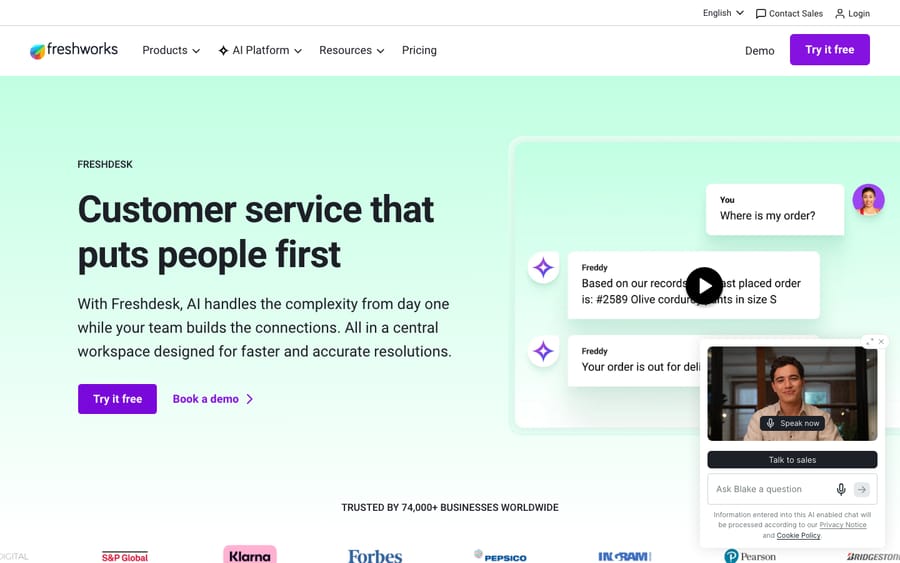
This is the root of the confusion. Freshdesk isn't only a list of tickets; it keeps a customer directory too. Specifically, Freshdesk organizes people and organizations into two record types (Freshworks: managing contact and company fields):
- Contacts: an individual person, identified by their email address. A contact record holds their details and their full ticket history.
- Companies: a group of contacts from the same organization. Freshdesk can automatically associate contacts to a company based on their email domain, so everyone from
@acme.comrolls up under "Acme."
You can add fields to those records to capture data specific to your business. The Freshdesk pricing page lists "Advanced custom fields" for customer information on the Pro ($55 per agent a month, billed annually) and Enterprise plans, not on Growth. So Freshdesk genuinely does store contacts, companies, and a rich history of every interaction, which looks a lot like the contact database at the heart of a CRM.
It's the same impulse that leads people to call any tool with a customer list a "CRM." But storing contacts is necessary for a CRM, not sufficient. What makes a CRM a CRM is the sales machinery built on top of those contacts (pipelines, deals, scoring, forecasting), and that's exactly what Freshdesk doesn't have.
A note on the "service CRM" label
You'll occasionally see Freshdesk described as a "CRM for customer service" or a "service CRM," including on some Freshworks marketing pages and in third-party reviews. That phrasing uses "CRM" in its loosest sense ("software that touches customer relationships"), not in the sales/marketing sense the word almost always means. The incentive is plain: "CRM" is a bigger, better-funded budget line than "help desk," so vendors like the word near their support products. When a buyer asks "is Freshdesk a CRM?" they're really asking "can it run my sales pipeline?" The answer to that is no. Freshdesk is a help desk that happens to keep customer records.
Which CRM features does Freshdesk have, and which is it missing?
To be fair to Freshdesk, it has features that overlap with a CRM, especially for support-led account management. Here's where the line actually falls.
What Freshdesk gives you (CRM-adjacent):
- A searchable directory of contacts and companies with custom fields.
- Full interaction history per contact (every ticket, across email, chat, phone, social).
- Basic segmentation and customer context surfaced next to the ticket so agents have background.
What Freshdesk does not do (and a CRM does):
- Sales pipeline & deal management: visual stages, deal values, win probability.
- Lead capture, scoring, and routing: assigning and ranking prospects by likelihood to close.
- Sales sequences / cadences: automated multi-step outreach (email, call, SMS).
- Revenue forecasting: projecting pipeline into expected revenue.
- Marketing automation: nurture campaigns, lifecycle email flows.
Independent reviewers land in the same place: Freshdesk includes basic contact management but lacks full CRM functionality like pipeline management, lead scoring, and sales automation (Nutshell's roundup of Freshdesk CRM integrations). In practice, Freshdesk can tell you everything a customer has ever asked support, but nothing about where they sit in your sales funnel.
What is Freshsales, Freshworks' actual CRM?
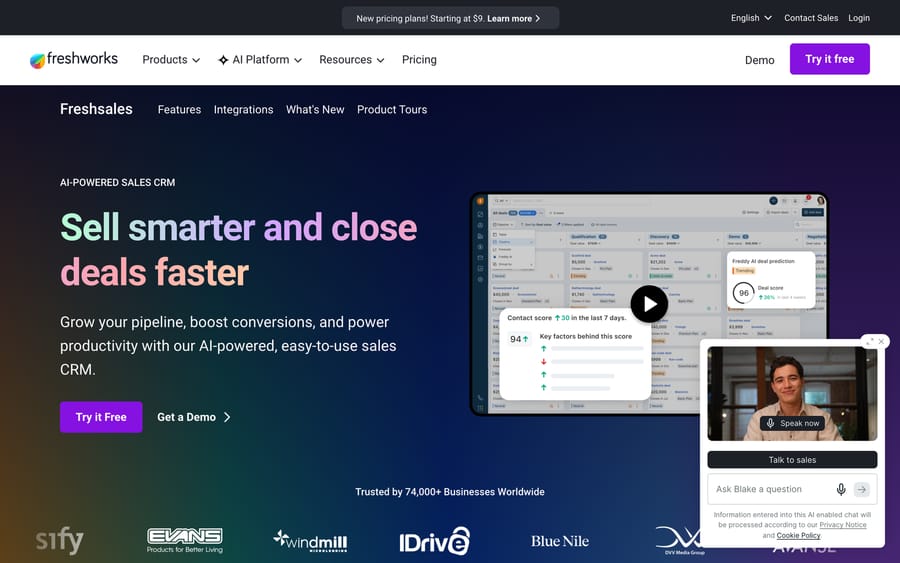
Freshsales is the CRM in the Freshworks lineup. Freshworks markets it as an "AI-powered sales CRM" and offers a 21-day free trial with no credit card (Freshsales, checked 24 September 2026). It's the product that does the things the list above says Freshdesk doesn't:
- Pipeline & deal management: kanban views of your sales process with custom deal stages, product-based deal values and win probability per stage (Freshsales features).
- Revenue forecasting: project pipeline into expected revenue and surface aging deals.
- Contact lifecycle stages: define the stages a prospect moves through, with custom fields (text, date, checklist, even formula fields).
- Lead routing & sales automation: auto-assign leads by territory rules and run automated sequences of emails, calls, and SMS to move deals forward.
- Freddy AI: intent scores that rank leads, plus deal recommendations and email drafting.
There's also Freshsales Suite, which bundles the CRM with marketing automation for teams that want sales and marketing in one place (Freshsales Suite). The clean mental model: Freshsales covers before and during the sale (sales/marketing); Freshdesk covers after the sale (support). Same company, two different jobs, much like Freshservice (IT) and Freshchat (messaging) each own their own lane. We covered the whole "Fresh-" family in What is Freshdesk?.
Do you need a help desk, a CRM, or both?
Most growing companies eventually need both, but not at the same moment and not for the same reason. Use this to decide:
- You need a help desk (Freshdesk) if your bottleneck is support volume: tickets piling up across email/chat/phone, slow response times, no shared queue, no SLAs, agents copy-pasting answers. This is a "we can't keep up with customer questions" problem.
- You need a CRM (Freshsales or similar) if your bottleneck is sales: leads slipping through the cracks, no view of the pipeline, reps unsure who to follow up with, no forecasting. This is a "we can't see or grow our deals" problem.
- You need both if you're running real sales and real support functions, which most B2B and many B2C companies are. The win from having both is a single, shared view of each customer: sales can see open support issues before they upsell, and support can see account value and deal context before they respond.
A useful rule: don't try to force a help desk to run your sales process, and don't try to force a CRM to be your support inbox. Each is mediocre at the other's job. Pick the tool that matches your actual bottleneck first, then connect the second when you need it.
How do you connect Freshdesk to a CRM?
When you do run both, you'll want them talking to each other so contacts and context stay in sync. Freshdesk integrates with the major CRMs:
- Freshsales (native): the tightest fit, since both are Freshworks. The integration gives a unified view of the customer journey, lets you create leads from support tickets (and see support context inside the CRM), and helps sales spot the right moment to upsell (Freshdesk + Freshsales).
- HubSpot: HubSpot's own Freshdesk Data Sync app is built by HubSpot, costs $0, and runs a two-way sync of contacts, companies, and tickets. Custom field mappings need a HubSpot Data Hub Starter or Professional plan. Freshworks also lists its own HubSpot CRM Connector app; connector apps run on "connector app tasks," which the Freshdesk pricing page prices at $80 per 5,000 tasks on every plan.
- Salesforce: "Freshdesk for Salesforce" maps contact and company fields (including custom fields) and can surface Salesforce contract/order data right on the Freshdesk ticket, so agents see account context without leaving the help desk.
The pattern in all three: the CRM owns the sales relationship, the help desk owns the support relationship, and the integration keeps the shared customer record consistent across both. That's the architecture to aim for (two specialized tools, synced) rather than stretching one tool to do both.
Where does an AI agent layer fit?
One more nuance worth knowing before you buy. Whether you run Freshdesk alone or Freshdesk plus a CRM, a big share of your support tickets are repetitive questions your knowledge base could already answer, and that's the work a dedicated AI agent layer is built for.
Macha is one such layer. It isn't a help desk and it isn't a CRM. It runs on top of the help desk you already use (Zendesk, Freshdesk, Gorgias, Front, HubSpot or Intercom), reads the customer's actual question, draws on your connected knowledge and conversation history, resolves the issue in the same ticket, and hands off to a human with full context when it isn't confident. Pricing is one plan by ticket volume, from $299 a month for up to 750 tickets, billed per ticket rather than per message, with setup and monitoring by the Macha team included. Like any integration, it's only as good as the knowledge you connect it to. The trial gives you $50 of free usage, no credit card and no time limit. (To be clear: this doesn't make Freshdesk a CRM, and Macha doesn't replace one either. It resolves support tickets.)
Frequently asked questions
Is Freshdesk a CRM? No. Freshdesk is a help desk / customer support tool built around tickets. It stores contacts, companies, and ticket history, but it has no sales pipeline, deal management, lead scoring, or forecasting, the features that define a CRM. In the Freshworks family, the CRM is a separate product, Freshsales.
Why do some pages call Freshdesk a "CRM"? Because "CRM" is sometimes used loosely to mean "any software that manages customer relationships." A few Freshworks marketing pages and third-party reviews use "service CRM" in that broad sense. In the standard (sales/marketing) meaning of CRM, Freshdesk is not one; it's a support tool that keeps customer records.
Does Freshdesk have a CRM built in? It has CRM-like basics: a contact and company directory, custom fields (the pricing page lists "Advanced custom fields" on Pro and Enterprise), and full interaction history per customer. It does not have the sales engine of a CRM (pipelines, deals, lead scoring, sales automation). For that, you'd use Freshsales or another CRM.
What's the difference between Freshsales and Freshdesk? Freshsales is Freshworks' sales CRM (leads, deals, pipeline, forecasting). Freshdesk is Freshworks' customer support help desk (tickets, omnichannel, SLAs, knowledge base). Roughly: Freshsales handles before/during the sale; Freshdesk handles after it. They integrate natively.
Can I use Freshdesk with a CRM like Salesforce or HubSpot? Yes. Freshdesk integrates with Salesforce, HubSpot, and Freshsales (among others), syncing contacts, companies, and ticket data so sales and support share one customer view. HubSpot's own Freshdesk Data Sync app costs $0; Freshworks-built connector apps consume connector app tasks at $80 per 5,000. The Freshsales integration is native to the Freshworks ecosystem.
Do I need a help desk or a CRM? Depends on your bottleneck. If support tickets are overwhelming you, you need a help desk (Freshdesk). If sales leads and deals are slipping, you need a CRM (Freshsales or similar). Companies with real sales and support functions typically run both, integrated.
Can Freshdesk replace a CRM for a small team? Only if you have no sales process to track. A team that just needs a customer list with ticket history can live in Freshdesk's Contacts and Companies. Once you need deal stages, lead follow-ups or a forecast, you need a CRM alongside it.
Checked against Freshworks' official product and pricing pages and HubSpot's marketplace listing on 24 September 2026. Freshworks revises packaging, integrations, and pricing periodically, so confirm current details on freshworks.com before relying on them.
Add AI agents to your Freshdesk
Macha reads the ticket, drafts the reply and takes the action, inside the Freshdesk you already run.