





 Shopify
 Stripe
 Slack
Slack Notion
 Google Workspace
 Confluence

Autonomous Mode vs. Interactive Chat: What's the Difference in Macha?


A Macha agent runs in one of two modes: interactive chat, where you start it and confirm every write, or autonomous mode, where a trigger starts it and it acts on its own. Knowing which one an agent is in tells you how much to test it first.
Key takeaways
- A Macha agent in interactive chat pauses for your confirmation before every write action, while the same agent in autonomous mode executes writes immediately after a trigger fires.
- Read tools such as fetching a ticket or searching an article run automatically in both modes; only write tools wait for a Confirm or Cancel click in chat.
- An agent switches to autonomous mode once it has at least one trigger attached, such as a new Zendesk ticket, a status change, a custom webhook or a scheduled run.
- Macha scheduled triggers run at most once an hour and are capped at 24 runs a day per trigger, and they are included on every plan.
- The recommended rollout is to test an agent in interactive chat, remove any write tool the job does not need, then attach a trigger to let it run autonomously.
A Macha agent in interactive chat runs because you messaged it and pauses for your confirmation before every write action; the same agent in autonomous mode runs because a trigger fired (a new Zendesk ticket, a status change, a Slack mention, a schedule) and executes its writes immediately, with no confirmation step. Same agent, same tools; what changes is who starts the run.
How do interactive chat and autonomous mode compare?
| Interactive chat | Autonomous mode | |
|---|---|---|
| Started by | You (a chat message) | A trigger (an event, webhook or schedule) |
| Human in the loop? | Yes | No |
| Read tools | Run automatically | Run automatically |
| Write actions | Pause for Confirm or Cancel | Execute immediately |
| Best for | Testing, one-off tasks, copiloting | Hands-free automation at volume |
| Risk | Low: you approve every write | Higher: scope the tools and test first |
Watch the explainer
What happens when you run an agent in interactive chat?
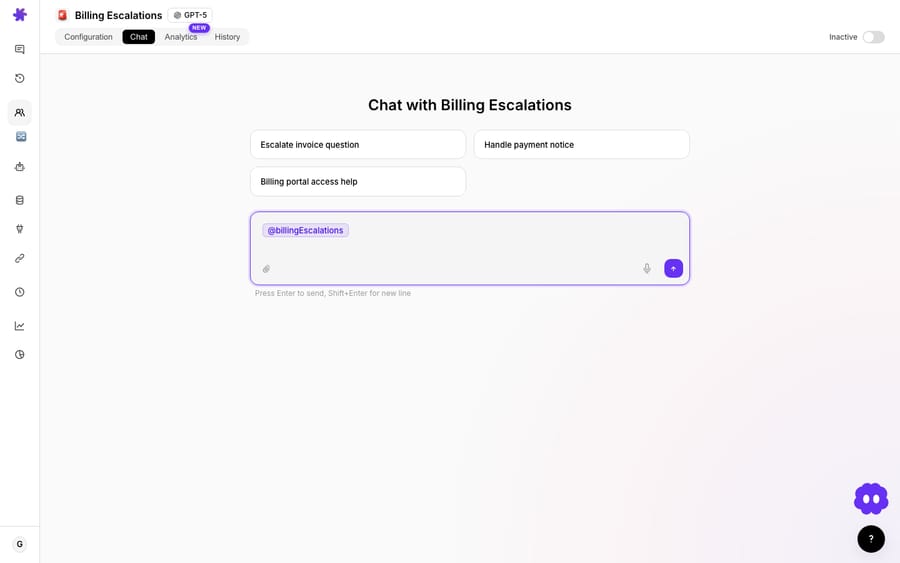
Interactive chat is when you run the agent by talking to it. You see every step it takes, and read tools (fetching a ticket, searching an article) run on their own. Before any write, the agent says in plain words what it is about to do, then shows a confirmation card with the tool and its parameters, and nothing changes until you click Confirm.
What happens when an agent runs autonomously?
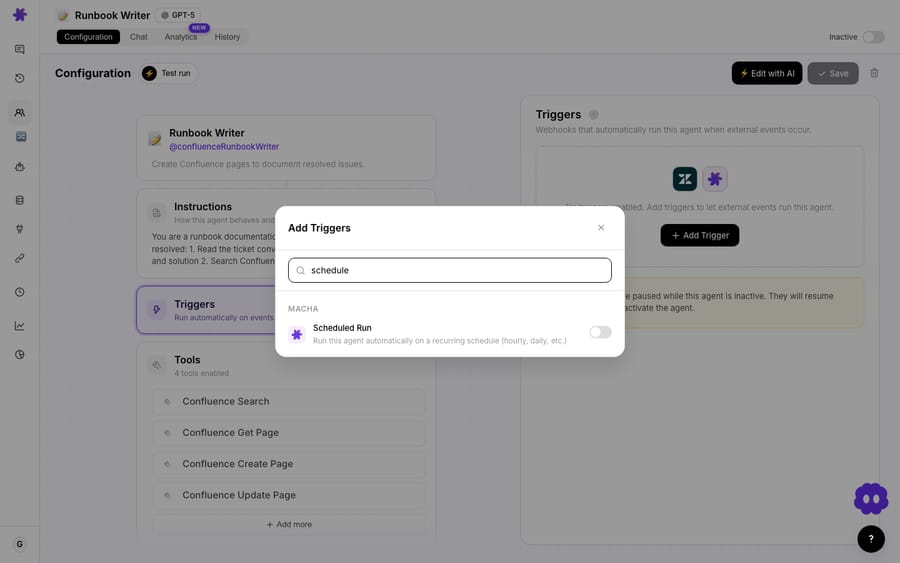
Autonomous mode starts the moment an agent has at least one trigger attached. An event fires (a new ticket, a customer reply, a status change, a custom webhook, a scheduled run) and the agent reads it, decides, and acts on its own. Write actions execute immediately, with no human in the loop and no confirmation card.
Scheduled triggers have guardrails of their own: the minimum interval is 1 hour and each trigger is capped at 24 runs a day, so a misconfigured schedule cannot run away. Scheduled triggers are included on every Macha plan.
Why test a new agent in interactive chat first?
Because nothing is written without your say-so, chat is where you prove an agent before trusting it. Chat with it on a real ticket and watch the whole run: the steps, the sources it checks, the draft it produces. If a write looks wrong, click Cancel and the agent sees the rejection on its next turn. (More in how to test an agent.)
How do you move an agent from chat to autonomous?
The two modes are two stages of the same agent's life:
- Build the agent.
- Run it interactively to test and refine: approve or reject its actions, tighten the instructions.
- Add a trigger and let it run autonomously once you trust it.
- Drop back to chat any time for one-off tasks or to debug.
The rule we use: earn your way to autonomy. An agent that does good work in chat is ready to do it alone. Before you attach the trigger, remove any write tool the job does not need, because in autonomous mode nobody is there to click Cancel.
Frequently asked questions
What's the difference between the two modes? Interactive chat keeps you in the loop and asks before any write action; autonomous mode runs from a trigger and acts on its own.
Which is safer? Interactive chat, because no write happens without your confirmation. That is why it is used for testing.
How do I make an agent autonomous? Add a trigger. Until then, it only runs when you chat with it.
Will an autonomous agent ask before acting? No. There is no confirmation step in autonomous mode, which is why you test in chat and scope its tools carefully first.
How often can a scheduled trigger run an agent? At most once an hour, and no more than 24 times a day per trigger.
See both modes: build an agent, test it in chat, then add a trigger. $50 of free usage, no credit card required. Start free.






