





 Shopify
 Stripe
 Slack
Slack Notion
 Google Workspace
 Confluence

What Is the Best Freshdesk Migration Tool in 2026? Help Desk Migration vs Native Importer vs API


Freshdesk's free native importer moves only contacts and companies by CSV, so any migration with ticket history needs a service like Help Desk Migration or a custom API build. Automation rules, SLA policies and dashboards don't travel on any route and have to be rebuilt in Freshdesk.
Key takeaways
- Help Desk Migration is the standard tool for moving ticket history into Freshdesk, priced per record at $100 for 1,000 records and $514 for 10,000.
- Freshdesk's free native importer handles only contacts and companies by CSV, needs at least 10 tickets in the account, and cannot import tickets.
- Help Desk Migration's Delta Migration syncs records created or updated after the bulk move, so teams keep working on the source system for near-zero downtime.
- Automation rules, SLA policies, dashboards, historical SLA metrics on imported tickets, and ticket audit trails do not migrate to Freshdesk and must be rebuilt or are lost.
- Help Desk Migration lists 100+ supported platforms and offers a free Demo Migration on a real sample of data before any payment.

The best Freshdesk migration tool for real ticket history is Help Desk Migration (by Relokia), priced per record from $100 for 1,000 records, because Freshdesk's free native importer moves only contacts and companies by CSV. The third route is a custom build against the Freshdesk REST API, which costs engineering time instead of a fee. Whichever you pick, automation rules, SLA policies and dashboards don't migrate and must be rebuilt.
| Route | Cost | What it moves | Downtime | Best for |
|---|---|---|---|---|
| Native Freshdesk CSV importer | Free | Contacts and companies, with custom fields | Usually a freeze on the source | Contacts only, no ticket history |
| Help Desk Migration | Per record: $100 for 1,000, $514 for 10,000 | Tickets, contacts, companies, agents, KB, canned responses, custom objects | Near zero with Delta Migration | Most migrations with history |
| Custom API build | Days to weeks of developer time | Whatever you script | Depends on your script | Non-standard data or volumes |
What are the three ways to get data into Freshdesk?
Every Freshdesk migration is one of three approaches, and picking the wrong one is where teams lose a weekend.
The native Freshdesk importer is the built-in tool. It's free and it's already in your account, but Freshworks' own import documentation covers only contact and company information from a CSV, plus their custom fields. Tickets can't come in this way. Per Help Desk Migration's built-in vs third-party breakdown, contacts and companies have to be imported separately, custom fields must be created first, and there's no test run on a sample. Two details from Freshworks' doc catch people out: your account needs at least 10 tickets before a contact import will succeed, and rows that fail come back as a CSV in the status email for you to fix and re-import by hand.
A third-party migration service automates the whole thing, and the category leader is Help Desk Migration (by Relokia). It reads your source platform's API, maps records into Freshdesk's schema, and moves tickets, contacts, knowledge base, and custom fields without you touching a CSV. It costs money and it's the right tool for any migration with real ticket history.
A custom API/CSV build means writing your own scripts against the Freshdesk REST API. It's the most flexible and the most expensive in engineering time, and it only makes sense for genuinely non-standard data or volumes.
What does Help Desk Migration actually move?
Help Desk Migration is worth understanding in detail because it sets the bar. According to its Freshdesk migration page, tickets, contacts, companies, and agents migrate with their full history: comments, conversations, CC lists, tags, custom fields, and attachments. Its documentation also lists custom fields across string, boolean, date, and number types, inline images, and comments with author, privacy status, and body. On the knowledge base side it carries articles, sections, and categories with hierarchy intact, embedded images, SEO titles and descriptions, multilingual translations, and even unpublished drafts. It also moves canned responses and scenario automations and custom objects like assets and warranties with their relationships preserved.
The tool lists 100+ supported platforms, so whatever you're leaving (Zendesk, Zoho Desk, Gorgias, Help Scout, a shared inbox), there's usually a pre-built path in.
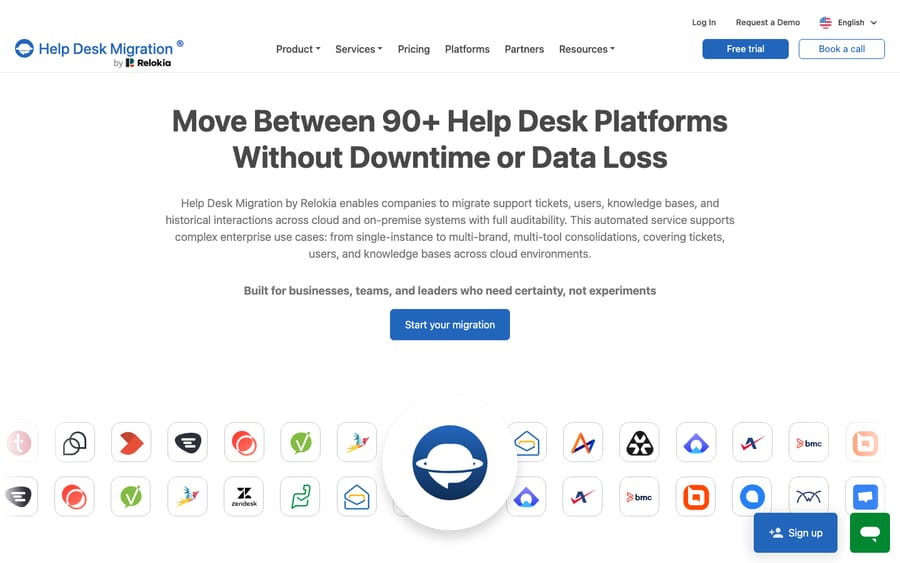
The two features that make it worth paying for are Demo Migration and Delta Migration. The free Demo Migration runs on a real sample of your data, with no credit card, and you can repeat it to adjust the mapping before committing. That's the exact safety net the native importer lacks. Delta Migration, in HDM's words, "picks up anything created or updated afterward" (new tickets, edited contacts, updated custom fields) without touching what's already moved, and you can run it as many times as you need. That's how you get near-zero downtime instead of a hard cutover.
What moves, and what do you have to rebuild?
This is the part every migration guide should lead with and most bury. Regardless of which tool you use, some of your configuration was built for the platform you're on, not the one you're moving to, so it doesn't travel.
| Item | Native CSV importer | Help Desk Migration | You rebuild |
|---|---|---|---|
| Contacts & companies | Yes (CSV) | Yes (automated) | — |
| Tickets & conversation history | No | Yes | — |
| Custom fields | Contact and company fields only; create them first | Yes (typed) | — |
| Attachments & inline images | No | Yes | — |
| Knowledge base articles + translations | No | Yes | — |
| Canned responses / scenario automations | No | Yes | — |
| Automation rules & triggers | No | No | Rebuild in Freshdesk |
| SLA policies | No | No | Rebuild in Freshdesk |
| Dashboards & analytics reports | No | No | Rebuild in Freshdesk |
| Historical SLA metrics on imported tickets | No | No | Not recoverable |
| Forums / community posts | No | Custom workaround | Often manual |
| Ticket audit trails | No | Partial | Not recoverable |
The takeaway: records move; logic gets rebuilt. As Supportbench notes in its guide to migrating Freshdesk automations, automation rules use platform-specific logic that "does not translate directly," so triggers, SLA policies, and dashboards are always a manual rebuild on the destination side. Budget for that work explicitly. It's usually a bigger job than the data move itself.
How much does a Freshdesk migration cost, and how much downtime does it need?
Cost breaks down cleanly by path. The native importer is free but, as Help Desk Migration puts it, built-in tools are "free but come with limitations." Help Desk Migration is a one-time payment priced per record, and the per-record rate falls as volume rises: its pricing page gives $100 for 1,000 records and $514 for 10,000 records on the basic Essential support plan with no custom options. Attachments, comments, and notes aren't counted as separate records, and the Demo Migration is free before you pay. Notice the incentive: HDM earns on record count, so archiving closed tickets you'll never open again is the cheapest cost cut you have. A custom API build has no license fee but carries real engineering cost (days to weeks of developer time) plus the burden of maintaining it if the run fails partway.
Downtime is where the paid path earns its keep. The native importer and a naive CSV cutover generally require you to freeze the queue during import. Help Scout's built-in import, for example, tells you to "stop using the current email once you start the import." Help Desk Migration's Delta Migration removes that constraint: you keep taking tickets on the source, run the bulk move in the background, then sync the delta and cut over fast. If even that worries you, a common tactic is to import your newest tickets first so the queue your agents actually touch is live immediately.
One quiet gotcha across every method: internal links won't update automatically. Help Desk Migration flags that URLs inside knowledge base articles need manual fixing post-migration to avoid broken links, and the same applies to any hard-coded links in canned responses.
Which Freshdesk migration tool should you choose?
A quick decision guide:
- Contacts only, no ticket history? The free native CSV importer is fine. Format the file to spec and go.
- Real ticket history, KB, and custom fields from another help desk? Use Help Desk Migration (or a comparable service). Run the free Demo Migration, verify the mapping, then use Delta for a low-downtime cutover.
- Non-standard data, unusual volumes, or strict compliance constraints? Consider a custom API build, but price the engineering time honestly against a service.
Whichever you pick, treat the migration and the reconfiguration as two separate projects. The tool moves your data; you (or your team) rebuild the automations, SLAs, and reports.
Where does an AI layer fit after you land?
Once your data is in Freshdesk, the rebuild of automations is the natural moment to ask whether you want to recreate your old rules exactly or do something better. This is where an AI agent layer belongs, and it's worth understanding the build-versus-buy tradeoff before you commit engineering time to either.
Macha is one such layer, and it's important to be precise about what it is: Macha runs on top of the Freshdesk you already use through a native connector. It is not a help desk, and it does not replace Freshdesk or the migration tool that filled it. You connect Macha to Freshdesk with your subdomain and API key, and it reads and writes the same tickets you just migrated: triaging by intent so the right priority and group get set automatically, drafting or posting grounded replies, and looking up order or account status through a custom tool that turns a REST API into something the agent can call. The broader category of AI agents for customer service exists to do exactly the reasoning-heavy work that old-style automation rules can't, and if you're rebuilding from scratch anyway, our guide to automating Freshdesk with AI walks through what that looks like in practice.
Two clarifications so there's no confusion: Macha's connector is for Freshdesk specifically, not Freshchat, Freshservice, or Freshcaller, and it bills per ticket, not per resolution, from $299 a month for up to 750 tickets. The pricing tracks the conversations you hand the agents rather than an outcome definition you don't control, and setup and monitoring by the Macha team are included. The clean division of labor after a migration: let your migration tool move the records, rebuild your SLAs and reports natively, and layer an agent on top for the part no importer or rule engine ever handled, which is actually understanding and answering the ticket.
FAQ
What is the best tool to migrate data into Freshdesk? For a full migration with ticket history, knowledge base, and custom fields, a dedicated service like Help Desk Migration (by Relokia) is the standard choice. It lists 100+ supported platforms, automates the mapping, and prices per record. For contacts and companies only, Freshdesk's free native CSV importer is enough.
Does the free Freshdesk importer move tickets? No. The native Freshdesk importer handles contacts and companies via CSV, with their custom fields. It does not move ticket history, attachments, or knowledge base content, and it offers no test run; failed rows come back in an email for you to fix and re-import.
What data does not migrate to Freshdesk automatically? Automation rules and triggers, SLA policies, dashboards and analytics reports, historical SLA metrics on imported tickets, and forums/community posts generally do not migrate and must be rebuilt or handled with a custom workaround. Ticket audit trails are also not fully recoverable.
How much downtime does a Freshdesk migration require? With a paid service using Delta Migration you can keep working on your source system and cut over with near-zero downtime. The native importer and simple CSV cutovers usually require freezing the queue during import; importing your newest tickets first mitigates the impact.
Can I add AI to Freshdesk after migrating without replacing it? Yes. An AI agent layer like Macha connects to Freshdesk as a native connector and runs on top of your help desk. It doesn't replace Freshdesk or the tool you migrated with. It helps by triaging and drafting grounded replies, while Freshdesk stays the system of record.
Migrated your data and now rebuilding the smart part? Start a free trial of Macha, with $50 of free usage and no credit card, and connect it to your Freshdesk in minutes.






