Intercom
 Shopify
 Stripe
 Slack
Slack Notion
 Google Workspace
 Confluence

What Are the Best Intercom Integrations in 2026? CRM, Ticketing, BI and Marketing Apps


The Intercom integrations worth installing are the ones that remove a tab an agent opens today: Salesforce or HubSpot, Jira or Linear, Slack, Shopify and Stripe. For Tableau, Google Sheets, Qlik or BigQuery there is no App Store app, so the answer is an export pipeline.
Key takeaways
- The most useful Intercom integrations for support teams are Salesforce or HubSpot, Jira Cloud or Linear, Slack, Shopify and Stripe, each confirmed in the Intercom App Store.
- Intercom's Dataset export covers all 13 reporting datasets, downloads instantly up to 10,000 rows, and leaves conversation and message content out of the CSV.
- The Salesforce app for Intercom needs the Advanced or Expert plan, and Intercom checks Salesforce for changes every 5 minutes while Intercom changes sync immediately.
- An Intercom App Store search for Tableau returns only Flatly and Assembled, so Tableau, Qlik and Looker reach Intercom data through a warehouse or bucket export.
- The Intercom Inbox can bulk-export 200 to 300 conversations per operation as PDF or text, which is the no-code route to full transcripts.

The Intercom integrations support teams get the most from are Salesforce or HubSpot for CRM context, Jira Cloud or Linear for engineering escalations, Slack for team discussion, and Shopify and Stripe for order and billing data in the conversation. For Tableau, Google Sheets, Qlik, BigQuery or Snowflake there is no App Store app: the route is Reports > Dataset export (13 datasets, instant up to 10,000 rows), the Amazon S3 export, or the Conversations API. Plan gates vary per app. The Salesforce app needs Advanced or Expert, and the Stripe app works on Essential, Advanced and Expert.
Which Intercom integrations are worth installing?
| Integration | Category | Built by | What it brings | Plan note |
|---|---|---|---|---|
| Salesforce | CRM | App Store listing | Lead, account and opportunity context, two-way field sync | Advanced and Expert; sandbox Expert only |
| HubSpot | CRM | App Store listing | Leads into HubSpot, conversations on the timeline | Check the listing |
| Pipedrive | CRM | App Store listing | Create deals, send conversations | Check the listing |
| Jira Cloud | Issue tracking | App Store listing | Create and link issues, two-way updates | Check the listing |
| Linear | Issue tracking | First-party | Conversations into Linear issues | Check the listing |
| monday.com in the Inbox | Project work | App Store listing | Create monday tasks from the Inbox | Check the listing |
| Zendesk Support | Ticketing | App Store listing | View and create Zendesk tickets in the Inbox | Check the listing |
| Slack | Collaboration | First-party | Conversations into channels, two-way replies | Check the listing |
| Shopify | E-commerce | App Store listing | Order and account context in the conversation | Check the listing |
| Stripe | Payments | App Store listing | Subscriptions, recent payments, in-line refunds, Fin access | Essential, Advanced and Expert; paid Stripe account |
| Mailchimp Subscribe / Sync | Marketing | App Store listings | Collect subscribers, or sync contact data | Check the listing |
| Flatly / Coupler.io | Data | App Store listings | Replicate Intercom data to storage and analytics tools | Check the listing |
| Segment | Data | App Store listing | First-party traits and events into Intercom | Check the listing |
| Zapier / Make | Automation | Third-party iPaaS | Anything without a dedicated app | Billed per task or operation |
| Calendly | Scheduling | App Store listing | Booking links in the conversation | Check the listing |
The App Store doesn't publish a star rating per app, so treat the publisher name and the last-updated date on each listing as your quality signal.
One piece of context that changes how you read vendor pages: the company behind Intercom renamed itself Fin on May 12, 2026, and Salesforce completed its acquisition of Fin on September 10, 2026. Intercom is still the name of the help desk product, and the App Store still carries the Intercom name.
How do you add an app to Intercom?
The install flow is the same for nearly everything here, so it isn't repeated per app. In Intercom, go to Settings > Integrations > App Store, find the app and click Install now. Most then ask you to authenticate the other tool with OAuth or an API key and choose what to sync. Third-party apps often send you to the developer's site to finish setup. We walked the App Store search ourselves for every app named below. Built-in capabilities such as Surveys are configured in Settings rather than installed.
Two things to check on every listing before you click install. Who built it: Intercom splits the App Store into apps built by Intercom and apps built by third parties, and it supports only the first group. A third-party app is supported by its developer, so a broken sync is their queue, not Intercom's. Which plan it needs: availability is set per app, and it isn't uniform. The Salesforce app is on Advanced and Expert; the Stripe app is on Essential, Advanced and Expert.
Which CRM integrations work with Intercom?
Salesforce
What it does: syncs leads, contacts and accounts between Salesforce and Intercom, and surfaces lead status, owner, account details and opportunity data in the Inbox. You set the sync direction per attribute.
Plan: Advanced and Expert. Installing against a Salesforce sandbox is Expert only.
The mechanic worth knowing: the two directions do not behave the same. A change in Intercom syncs to Salesforce immediately; Intercom checks Salesforce for changes every 5 minutes. Intercom's own install guide puts it plainly, warning of a delay of up to 5 minutes. And syncing starts when you save your settings, with no backfill of historical records, so an account edited last month stays unsynced until something touches it again.
Matching: an Intercom company matches a Salesforce account when the Intercom Company ID equals the Salesforce Account Number. Get your Salesforce admin to agree that field before you configure anything, because changing it later re-maps every record.
HubSpot
What it does: syncs leads captured in Intercom along with qualification data into HubSpot, logs Intercom conversations on the HubSpot timeline, and shows HubSpot fields such as lifecycle stage and lead owner in the Inbox.
Who it's for: teams running HubSpot as the marketing and CRM system of record that want support looking at the same contact.
Pipedrive
New to this guide, and one of the most-searched Intercom CRM connections that the older version of this page missed.
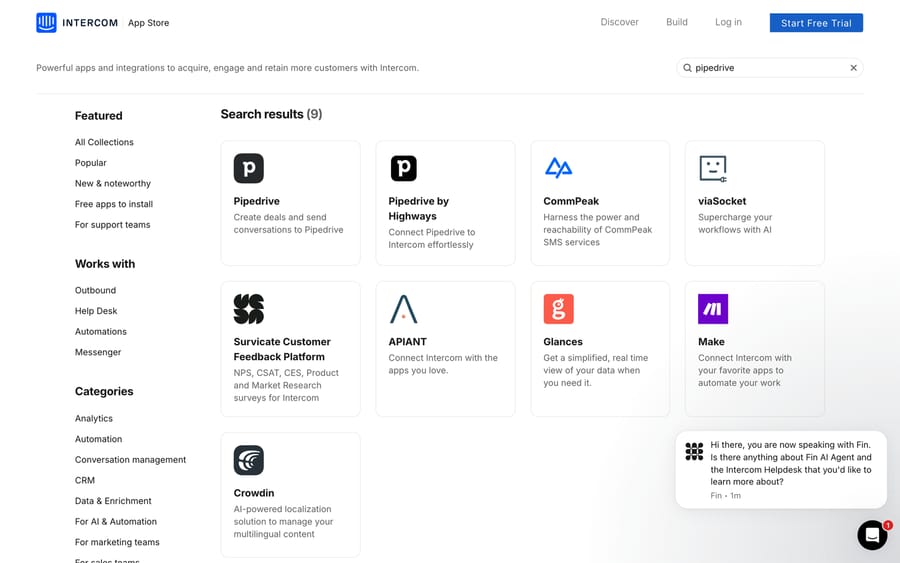
What it does: the Pipedrive app creates deals from Intercom and sends conversations across to the Pipedrive record, so a support thread that turns into an expansion opportunity doesn't get retyped.
Who built it: the App Store's Pipedrive search returns nine results, including the Pipedrive app itself and a separate "Pipedrive by Highways" build. Check the publisher on the listing before installing, because two apps with the same logo behave differently and are supported by different people.
Which ticketing and issue-tracking apps connect to Intercom?
Jira Cloud
Create a Jira bug or feature request from a conversation, comment on the work item without leaving Intercom, link conversations to existing items, and receive updates in the conversation when status changes. The feature that matters is the two-way update, because the alternative is an agent checking Jira on a timer.
Linear
First-party, built by Intercom. Turns a support thread into a Linear issue and keeps the customer linked as it moves. The default for product-led teams already standardized on Linear.
GitHub
Connects conversations to GitHub issues for teams whose engineering work lives in GitHub Issues. Check the publisher and last-updated date on the listing.
monday.com in the Inbox
Also new to this guide, and the second-highest-volume integration query pointed at this page.
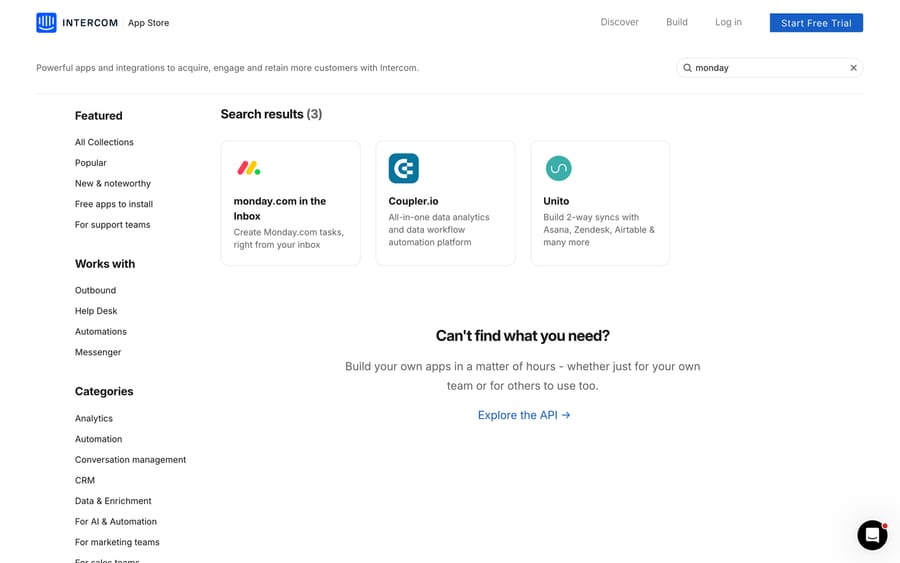
What it does: creates monday.com tasks directly from the Intercom Inbox, so a conversation that needs an operational follow-up becomes a board item without a tab switch.
What to expect: the App Store's monday search returns three results, and the other two are telling. Coupler.io appears because it moves Intercom data around for analytics, and Unito appears because it builds two-way syncs across Asana, Zendesk, Airtable and more. If you need monday items and Intercom conversations to stay in step in both directions, the task-creation app isn't enough and an iPaaS is the honest answer. Our guide to Intercom for customer support covers where Workflows fit if you'd rather automate the handoff inside Intercom.
Zendesk
If you run Intercom Messenger in front and Zendesk as the system of record, the App Store carries a Zendesk Support app for viewing and creating tickets in the Inbox and a Zendesk Help Center app for searching and sending articles. Neither keeps conversations in sync; automatic ticket creation is a Data connector you build.
How do you connect Intercom to Slack?
Slack
First-party, built by Intercom. Flows conversations into the Slack channels you choose and supports two-way replies, so a team can discuss and respond without everyone living in the shared inbox. Note the older "Intercom app for Slack" is deprecated; install the current native integration.
The failure mode to design against: a channel wired to every new conversation becomes noise within a week and gets muted, which is worse than no integration. Route by team or by tag, not by volume.
Which e-commerce and payments apps work with Intercom?
Shopify
Surfaces a customer's orders and account details inside the conversation so agents answer order-status questions without a tab switch. The single highest-value install for a store.
Stripe
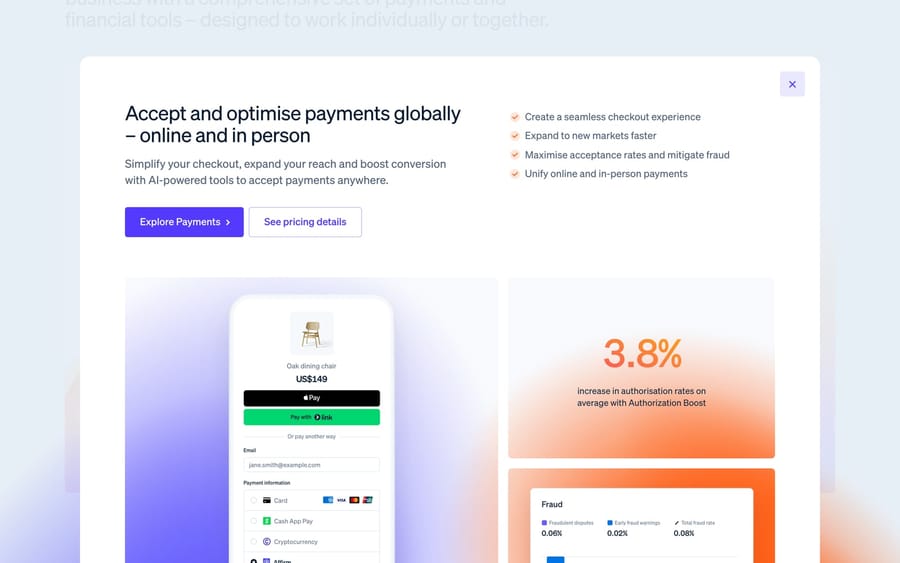
What it does: shows a customer's subscriptions and recent payments in the conversation, lets agents issue refunds without leaving Intercom, and syncs Stripe attributes such as account balance, plan and delinquency status onto the Intercom contact for segmentation. Fin AI Agent can read that Stripe data to resolve billing conversations on its own.
Plan and requirements: a paid Stripe account, and the app is available on Intercom's Essential, Advanced and Expert plans. You need to be a Stripe admin to connect it; a Stripe developer account can't connect third-party apps.
Two watch-outs from Intercom's own documentation. Sending subscriptions through the Messenger stopped being supported by this app from December 2025, so don't plan a checkout flow around it. And if you connect several Stripe accounts, the Inbox app shows data from the first one only; additional accounts sync attributes but don't appear in the sidebar.
How do you get Intercom data into Tableau, Google Sheets or BigQuery?
People look for an Intercom Tableau integration, an Intercom Google Sheets integration, Qlik, BigQuery and Snowflake. Here's the honest shape of it.
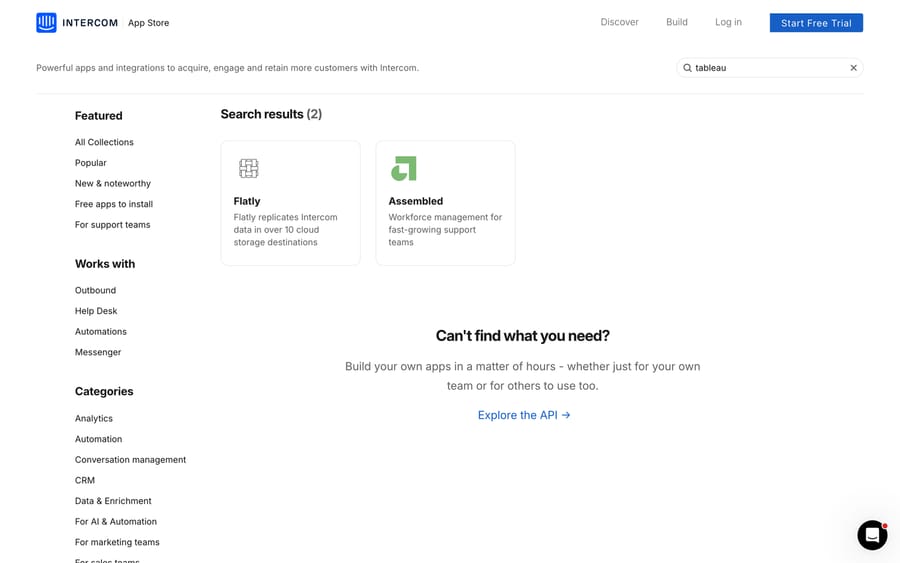
The App Store has no Tableau, Qlik or Google Sheets connector. A search for "tableau" returns two results: Flatly, which replicates Intercom data into over 10 cloud storage destinations, and Assembled, which is workforce management. That's the whole set.
So the route into a BI tool is an export pipeline, and Intercom gives you four to choose from.
Dataset export, at Reports > Dataset export, covers all 13 reporting datasets with full attribute coverage, custom column selection and attribute filtering. Downloads are instant up to 10,000 rows and emailed above that, and you can schedule them to repeat. You need two permissions: "Can access Chart drill-in" and "Can export CSV". The limitation is explicit in Intercom's documentation: conversation and message content is not included in the CSV export. This is your metrics feed, and it's the right one for a Google Sheets dashboard.
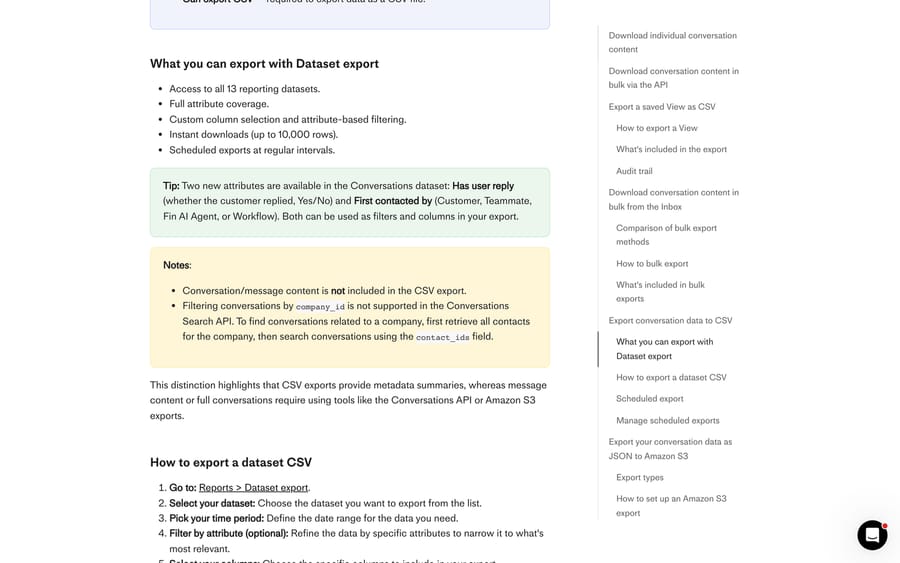
Amazon S3 export, at Settings > Data > Imports & exports > Export data, writes conversations as JSONL to your bucket, either Historical for up to two years or Periodic on an hourly or daily schedule. This is the one to build a warehouse on, and it has its own caveat: data exported to S3 will not contain a transcript. Structure and metadata at scale, message bodies from elsewhere.
The Conversations API gives you full content. The Export API allows a maximum 90-day timeframe per request without volume restrictions, so two years of history is eight or nine windowed jobs rather than one. For a one-off pull without code, the Inbox can bulk-export 200 to 300 conversations per operation as PDF or text, with the full message history.
A replication tool skips the pipeline build. Flatly sits in the App Store for cloud storage destinations, Coupler.io covers analytics workflows, and managed ELT services such as Fivetran maintain an Intercom connector. You're paying to avoid maintaining a pipeline, which is a reasonable trade when nobody on the team owns data engineering.
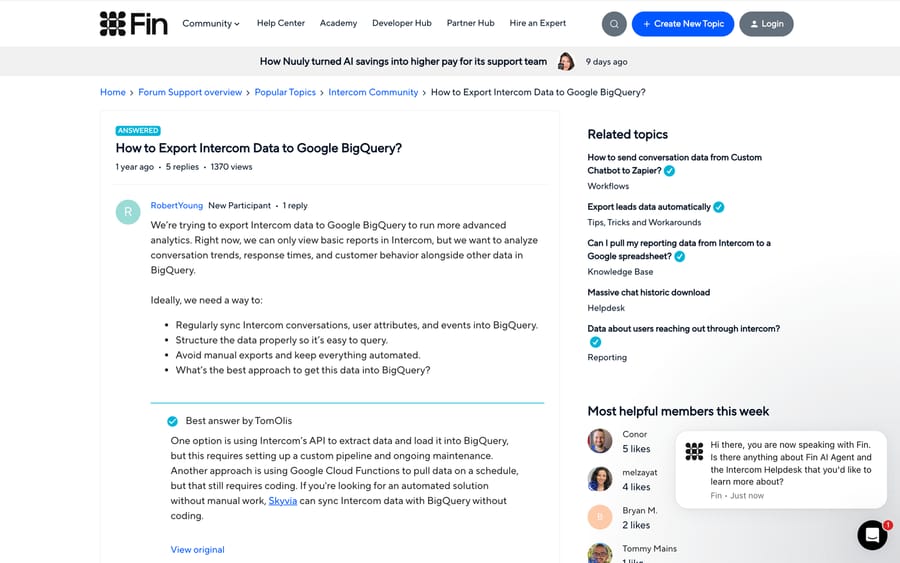
Once the data is in BigQuery, Snowflake or a bucket, Tableau, Qlik and Looker connect to the warehouse, and Intercom is upstream of it. That sequence is exactly what the Intercom community thread on exporting to BigQuery works through over five replies and 1,370 views, from a hand-built API-to-storage-to-BigQuery pipeline, to Google Cloud Functions on a schedule, to a managed ELT tool. Every answer describes the same shape.
One more export, this one for day-to-day work instead of analytics: since August 28, 2026 you can export any saved Inbox View to CSV as a point-in-time snapshot, with the same columns in the same order and a link back to every conversation. It downloads instantly up to 25,000 cells, emails larger files, and needs the "Can export conversation data" permission plus an Inbox seat.
Segment
If you already run Segment, it pipes first-party traits and events into Intercom for targeting, routing and context, and out to the rest of your stack. Worth it for data-mature teams and overkill for everyone else.
Which marketing and lifecycle apps work with Intercom?
Mailchimp
Two listings, and they do different jobs. Mailchimp Subscribe collects subscribers from Intercom. Mailchimp Sync keeps contact data in step between the two. Both sit in the App Store's marketing-automation category. Pick the one that matches the job; installing both is how you end up with two sources of truth for a contact's subscription status.
Surveys and Survicate
Intercom ships Surveys natively for CSAT, NPS and product feedback tied to the conversation and the contact record. Third-party survey apps such as Survicate connect through the App Store when you need richer logic or already own a tool.
Calendly
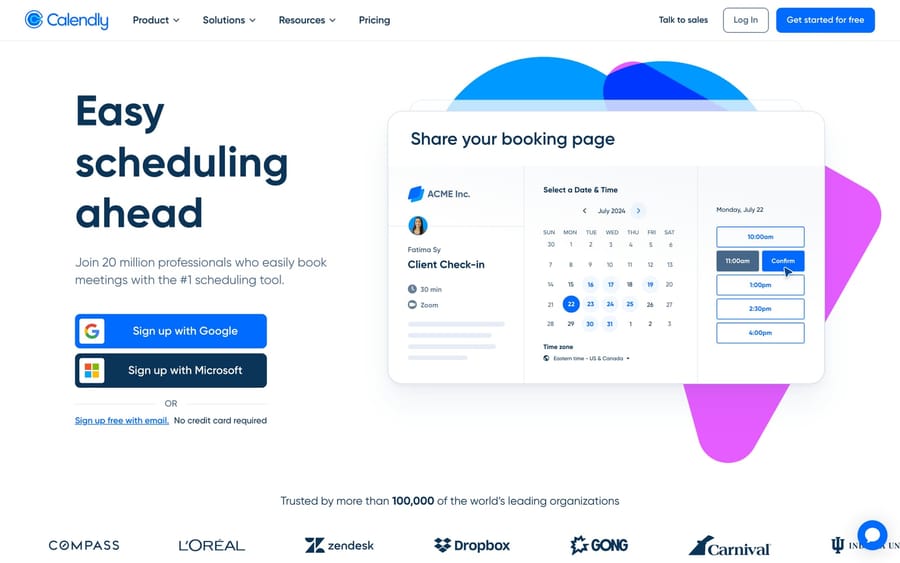
Share a scheduling link or invite a visitor to book directly in the conversation. Useful for sales-assist, onboarding and success teams; pointless for a pure support queue.
What do you use when no Intercom app exists?
Zapier and Make
No-code platforms that treat Intercom events (new conversation, new lead, tag added) as triggers and fan the data out to thousands of other apps, or write back into Intercom. Make adds a visual builder.
Name the incentive before you standardize on one: both bill per task or per operation, so a Zap wired to every conversation gets more expensive exactly as your volume grows. That pricing rewards narrow, high-value automations and punishes "sync everything", which happens to be good design advice anyway.
Data connectors and Custom Tools
Intercom's own alternative to an iPaaS. A Data connector makes an authenticated HTTP call to any API from a Workflow, Fin, a Custom Answer or a macro, and maps the response back onto conversation or people attributes. If the tool you want has an API and no App Store listing, this is the route, and our guide to building custom Intercom integrations covers it in depth.
Which integrations feed Fin its knowledge?
Fin answers from the knowledge you connect, so the most consequential "integrations" in this category are knowledge sources. Notion is a first-party Fin source built by Intercom; Guru and others connect too, and Zendesk Guide content syncs in through Knowledge > Sources. Our guide to Fin covers how it works and what it costs.
On the platform itself, so the numbers on this page are current: the G2 listing that used to sit under Intercom now resolves to Fin, where the product scores 4.5 out of 5 from 3,912 reviews, checked on September 20, 2026 in the AI Customer Support Agents category.
Which Intercom integrations should you install first?
Start where your conversations and your team actually spend time, and install in this order:
- CRM context, Salesforce or HubSpot, but only if agents will act on it. A sync nobody reads is maintenance with no return.
- Your escalation path, Jira, Linear or GitHub, if support regularly hands work to engineering. Two-way updates are the feature; one-way ticket creation just moves the retyping.
- Where your team collaborates, Slack, routed by team or tag rather than by volume.
- Commerce or payments, Shopify and Stripe, by business model. In-line refunds alone remove a whole tab.
- Your reporting pipeline, Dataset export for metrics or the S3 export for a warehouse, before someone builds a dashboard on manual CSVs.
- The long tail, through Zapier, Make or a Data connector, rather than hunting for an app that may not exist.
Prefer first-party apps where the data matters, and add third-party ones deliberately: Intercom supports the ones it built, and everything else is supported by its developer.
How did we research this?
We checked every app above against the Intercom App Store's own search in a browser on September 20, 2026, and the result counts quoted (two for Tableau, three for monday, nine for Pipedrive, 21 for Zendesk) are what that search returned that day. Plan gates, sync timings and the Stripe and Salesforce watch-outs come from Intercom's own help articles read the same day, and the G2 rating was read on G2 itself in one page load. We did not install these apps in a workspace for this pass, so there are no setup timings of our own, and Capterra was not checked. On September 24, 2026 we re-read the Stripe, Salesforce and export help articles, and every plan gate, sync timing and export limit on this page still matched.
Where does an AI agent layer sit alongside Intercom?
Fin is Intercom's built-in AI agent and the right starting point if Intercom is your help desk. Worth knowing for completeness: a separate category of AI agent layers runs on top of a help desk to resolve routine tickets end to end.
Macha is one of them, and the scoped version matters here. It connects to Zendesk, Freshdesk, Gorgias, Front, HubSpot or Intercom. It won't appear in the App Store because it isn't an Intercom app: it runs alongside Intercom rather than inside it. It fits teams who want agents resolving inside the ticket, reading their existing articles and past tickets, and escalating with context when they aren't confident. On billing, the pricing is published: one plan priced on monthly ticket volume, from $299 a month for 750 tickets, about $0.40 a ticket at every tier, billed monthly, with setup and monitoring by the Macha team included. One thread with one person is one charge however many replies it takes, so a long conversation costs the same as a short one. A trial is $50 of free usage with no credit card. If you're weighing the two platforms instead of the AI layer, Zendesk vs Intercom is the comparison, and how Macha works on Zendesk has the detail. On Intercom, Fin is your built-in agent and no switch is needed to get one.
Frequently asked questions
Does Intercom have a Tableau integration? Not as an App Store app. Searching the Intercom App Store for Tableau returns Flatly, which replicates Intercom data into cloud storage destinations, and Assembled, which is workforce management. The working route is to export Intercom data first, using Dataset export for metrics, the Amazon S3 export for volume, or the Conversations API for full content, then point Tableau at that warehouse or bucket. The same applies to Qlik and Looker.
Can I export full Intercom conversation transcripts? Yes, but not through Dataset export or the S3 export, neither of which carries the transcript. Export a single conversation as text or PDF from its three-dot menu, bulk-export 200 to 300 conversations per operation from the Inbox, or pull full content through the Conversations API in 90-day windows.
How do I get Intercom data into Google Sheets? The simplest supported path is Reports > Dataset export, which gives you all 13 reporting datasets with column selection and filtering, downloads instantly up to 10,000 rows and can be scheduled to repeat. You need the "Can access Chart drill-in" and "Can export CSV" permissions. Message content is not included, so this is a metrics feed rather than a conversation archive.
How do I export Intercom data to BigQuery or Snowflake? Three shapes, all used in practice. Build a pipeline that pulls from the Intercom API into cloud storage and loads it into the warehouse, scheduled with something like Cloud Functions. Use Intercom's Amazon S3 export, either Historical for up to two years or Periodic hourly or daily, and load from the bucket. Or use a managed replication tool such as Flatly, Coupler.io or Fivetran. Note that S3-exported conversation and ticket data does not contain a transcript.
Which Intercom plan do I need for the Salesforce and Stripe apps? The Salesforce app is available on the Advanced and Expert plans, and installing against a Salesforce sandbox needs Expert. The Stripe app is available on Essential, Advanced and Expert, and requires a paid Stripe account plus Stripe admin access to connect. Plan availability is set per app, so check the listing rather than assuming.
Why is my Salesforce data slow to appear in Intercom? Because the two directions behave differently by design. A change in Intercom syncs to Salesforce immediately, while Intercom checks Salesforce for changes every 5 minutes, and Intercom's install guide warns of a delay of up to 5 minutes. Syncing also starts from when you save your settings, with no backfill, so records that haven't changed since setup stay unsynced until something touches them.
Does Intercom integrate with monday.com and Pipedrive? Yes, both are in the App Store. monday.com in the Inbox creates monday tasks directly from a conversation. Pipedrive creates deals and sends conversations across, and there's a second "Pipedrive by Highways" listing, so check the publisher before installing. For genuine two-way sync with either tool, you need an iPaaS like Unito, not the task-creation apps.
What's the difference between first-party and third-party Intercom apps? First-party apps are built by Intercom and supported by Intercom. Third-party apps are built and supported by external developers, so a broken sync goes to that developer instead of Intercom Support. Both live in the same App Store, and the listing tells you which is which. Prefer first-party where the data matters, and check the publisher and last-updated date on everything else.
Are Intercom integrations free? Many App Store apps install for free, but you still pay for the other product's plan, and some apps need a specific Intercom plan. The Stripe app needs a paid Stripe account and Essential or above; the Salesforce app needs Advanced or Expert. iPaaS platforms like Zapier and Make bill per task or operation, which is what makes high-volume syncs expensive over time.
Sources: Intercom App Store · Intercom: export your conversations data · Intercom: Stripe app · Intercom: install Salesforce integration · Intercom: syncing Salesforce accounts and Intercom companies · Intercom: sync public articles with Zendesk · Fin on G2 · Community: exporting Intercom data to Google BigQuery
Add AI agents to your Intercom
Macha reads the conversation, drafts the reply and takes the action, inside the Intercom you already run.