





 Shopify
 Stripe
 Slack
Slack Notion
 Google Workspace
 Confluence

What Is the Best Shared Inbox Software in 2026, Including Free Options?


If you already pay for Google Workspace or Microsoft 365, you already have a free shared inbox, but it has no collision detection and breaks once two people answer the same email. We price twelve options from their own live pages, including the free plans Missive and Hiver quietly dropped.
Key takeaways
- Microsoft 365 shared mailboxes store up to 50 GB of data without a license but have no assignment or collision detection and work for internal users only.
- Help Scout's free plan covers 5 users, 1 inbox, 1 Docs site and 100 contacts a month, with paid plans starting at $25 a user a month on annual billing.
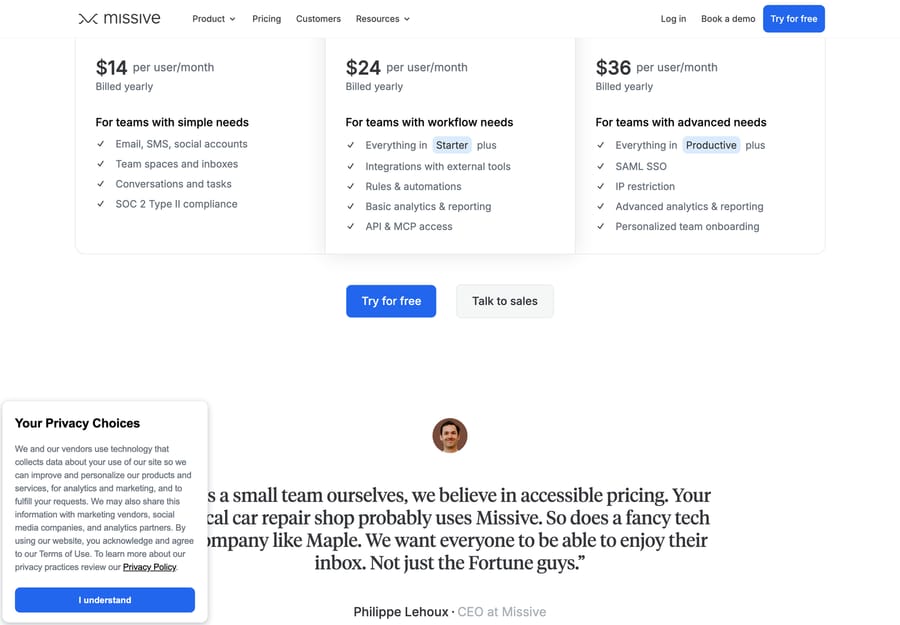
- Missive dropped its free plan and now starts at $14 per user per month billed yearly for Starter, offering a 30-day trial of Productive instead.
- Hiver also ended its free plan, moving to a 7-day trial followed by Growth at $25 a user a month on annual billing or $35 monthly.
- Intercom's Essential seat costs $29 a month billed annually, and Fin adds $0.99 per outcome, with the 50-outcome minimum applying only off Intercom.

The best shared inbox for most small teams is the one you already pay for, a Microsoft 365 shared mailbox or Google's Collaborative Inbox, until two people answer the same email; after that, Help Scout's free plan (5 users, 1 inbox, 100 contacts a month) is the best $0 product and Missive at $14 a user a month is the cheapest paid one. Front ($25 a seat on annual billing) leads for collaborative, multichannel teams, and Hiver ($25 a user) for teams living in Gmail. Missive and Hiver both dropped the free plans most roundups still list. Every price below was checked on the vendor's own page on September 20, 2026, with Intercom, Freshdesk and Zendesk AI terms re-checked on September 24.
A disclosure up front: we make an AI agent layer called Macha that runs on top of some of the tools below. It isn't a shared inbox and it isn't in the comparison; it gets one clearly marked section near the end.
Shared inbox vs help desk: what's the difference?
This is the first fork in the road, and getting it right saves money and migration pain.
A shared inbox keeps the feel of email. Conversations look like threads, the interface is light, and the core job is collaboration: assign, comment, avoid collisions, reply as a team from one address. Front, Help Scout, Missive, Hiver and Gmelius live here.
A help desk wraps that inbox in heavier machinery: tickets with statuses and SLAs, multichannel routing, automation rules, CSAT, deep reporting and a knowledge base. Zendesk, Freshdesk, Intercom and Gorgias are help desks first, and shared-inbox behavior is one capability among many.
The line blurs. Help Scout and Front have grown real help-desk features, and several help desks feel inbox-light on entry tiers. The question is still simple: do you need a collaborative email workspace or a full ticketing system? Most small and mid-sized teams overbuy here.
Which shared inboxes are free, and where does free break?
Four shared-inbox fundamentals decide whether a tool works: assignment (clear ownership), collision detection (no double replies), internal comments (private collaboration), and channels. The free options fail on different ones.
| Free option | Cost | Assignment | Collision detection | Where it breaks |
|---|---|---|---|---|
| Microsoft 365 shared mailbox | Included, no extra license | No | No | Internal users only; 50GB cap |
| Google Collaborative Inbox | Included with Workspace | Basic | No | Lives in Google Groups, not Gmail |
| Help Scout Free | $0 | Yes | Yes | 5 users, 1 inbox, 100 contacts/mo |
| Chatwoot Hacker | $0 | Yes | Yes | 2 agents, 500 conversations/mo, live chat only |
| FreeScout | $0, self-hosted | Yes | Yes | You run the server |
| Zoho Desk Free Edition | $0 | Yes | Yes | 3 user licenses |
| Freshchat Free | $0 | Yes | Yes | 10 agents, chat-led, no social or SMS |
| Crisp Free | $0 | Yes | Yes | 2 seats, no AI credits |
Microsoft 365 shared mailboxes are genuinely free and genuinely limited. Microsoft's own documentation is precise about all three parts: "A shared mailbox can store up to 50 GB of data without assigning a license to it," "To access a shared mailbox, a user must have a licensed Exchange Online mailbox, but the shared mailbox doesn't require a separate license," and "Only people inside your organization can use a shared mailbox." What it doesn't have is assignment or collision detection. Two people answering the same email at once is the normal failure mode, and nothing in the product warns them.
Google's Collaborative Inbox adds basic assignment, and hides it in Groups. It's a Google Groups feature an admin turns on, not a Gmail feature, which is why it doesn't appear in the Gmail mobile app and why most teams who try it drift back to forwarding. Gmail delegation, the other free route, has no assignment and no collision detection at all.
Help Scout's free plan is the most capable $0 option if you want a real product: 5 users, 1 inbox, 1 Docs site, 100 contacts a month and 10 articles. The cap that bites first is contacts, not users.
FreeScout and Chatwoot are the self-hosted answers. FreeScout's own site states the terms plainly, "Unlimited support agents, tickets, mailboxes, etc.," and Chatwoot's cloud free plan is 2 agents and 500 conversations a month, with self-hosting removing both caps. Both cost a server instead of a subscription, which is the trade the r/selfhosted thread on self-hosted alternatives to Freshdesk keeps going round on. Reddit blocks our crawler, so it's linked rather than quoted.
Do Missive and Hiver still have free plans?
Most shared-inbox roundups, including the previous version of this one, still list free plans for Missive and Hiver. Both are gone.
Missive has no free plan. Its pricing page now shows Starter $14, Productive $24 and Business $36 per user per month billed yearly, with a 30-day trial of Productive and no card required to start it. The free-for-three-users tier that roundups quote isn't on the page.
Hiver has no free plan either. It's a 7-day trial, then Growth $25 a user a month on annual billing or $35 monthly, Pro $55 or $65, Elite $85 or $95. The Pro and Elite figures moved too, from $45 and $75.
Name the incentive: both tools sell per seat, and a free tier for three users is the cheapest possible customer to serve and the least likely to convert. Removing it earns them more from the same acquisition spend. Neither vendor is doing anything unusual; it's just worth knowing that the shortlist you read two years ago is now a pricing sheet with two holes in it.
Freshdesk's free plan for two agents went the same way: it's no longer on the pricing page, and what remains is a separate Free program for up to 2 agents for 6 months, which we cover in our Freshdesk pricing guide.
How did we compare these tools?
We focused on tools a team could realistically run a shared support or sales inbox on today, and weighted the four fundamentals above. For each one we checked the price on the vendor's own live pricing page on September 20, 2026 and captured screenshots the same day, including Help Scout's monthly toggle, which its server-rendered page hides behind a click.
Two pages resisted: Zoho's geolocates and served us rupees, and Hiver's put a Cloudflare interstitial in front of our screenshot run, so Hiver's figures come from the page HTML. The free built-in options were checked against Microsoft Learn and Google's own admin help rather than a vendor marketing page. G2's review pages are bot-walled, so the attributed quotes come from Capterra, which serves them publicly. We did not run a real support queue on any of these tools for this guide.
The best shared inbox software at a glance
| Tool | Type | Free tier | Starting price (checked 2026-09-20) | Best for |
|---|---|---|---|---|
| Google / Microsoft native | Built-in mailbox | Included | $0 on top of your license | Tiny teams, low volume |
| Help Scout | Team inbox and help desk | Yes, 5 users | $25/user/mo annual | Small teams wanting simple and warm |
| Chatwoot | Open-source inbox and chat | Yes, 2 agents | $19/agent/mo, or self-host | Teams that can run a server |
| FreeScout | Open-source shared mailbox | Yes, self-hosted | $0 plus hosting | Budget teams with someone technical |
| Front | Team inbox, omnichannel | No | $25/seat/mo annual | Collaborative, multichannel operations |
| Missive | Team inbox and chat | No, 30-day trial | $14/user/mo yearly | Budget-conscious collaborative teams |
| Hiver | Gmail-native inbox | No, 7-day trial | $25/user/mo annual | Google Workspace teams |
| Gmelius | Gmail-native, automation | No, 7-day trial | $19/user/mo annual | Gmail teams wanting automation |
| Zendesk | Full help desk | No | $19/agent/mo (Support Team) | Scaling teams needing depth |
| Freshdesk | Full help desk | No, 14-day trial; 6-month Free program for 2 agents | $19/agent/mo annual | Budget multichannel ticketing |
| Intercom | Messenger-first help desk | No | $29/seat/mo annual plus Fin | SaaS, chat-led support |
| Gorgias | Ecommerce help desk | No | $40/mo for 50 tickets | Shopify and DTC brands |
What does each shared inbox tool cost and suit?
1. Front, the collaborative omnichannel inbox
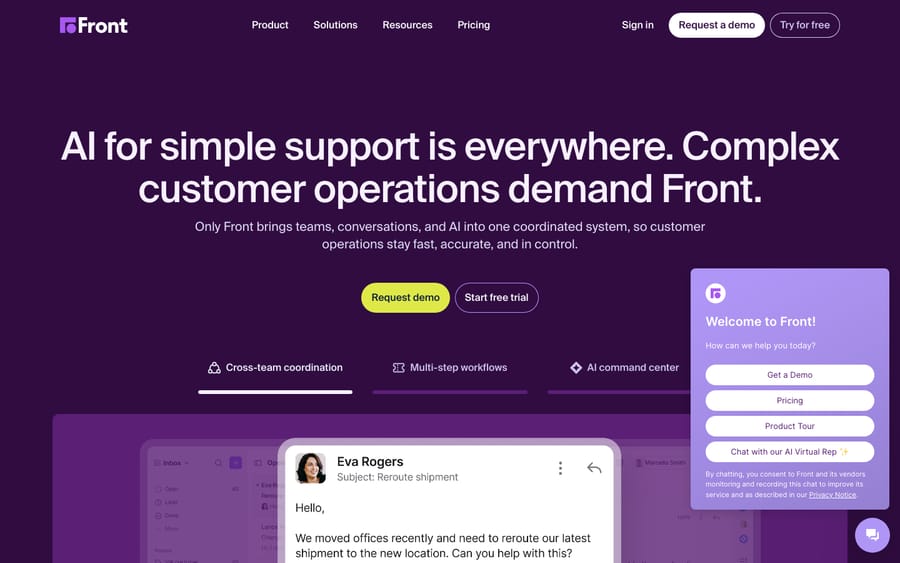
The category leader for team inboxes. Front blends email, chat, SMS and social into one workspace with the strongest collaboration layer here: assignment rules, real-time collision detection, shared drafts, internal comments and SLA tracking. Starter is $25 a seat a month on annual billing, Professional $65 and Enterprise $105, with Autopilot from $0.05 a conversation and Copilot and Smart QA at $20 a seat each below Enterprise.
It suits high-touch, collaborative teams in logistics, finance, B2B services and agencies. It's the priciest team inbox here and the cost climbs once you add AI. Our Front shared inbox explainer goes deeper on how the inbox itself works.
2. Help Scout, the simple, human-first inbox
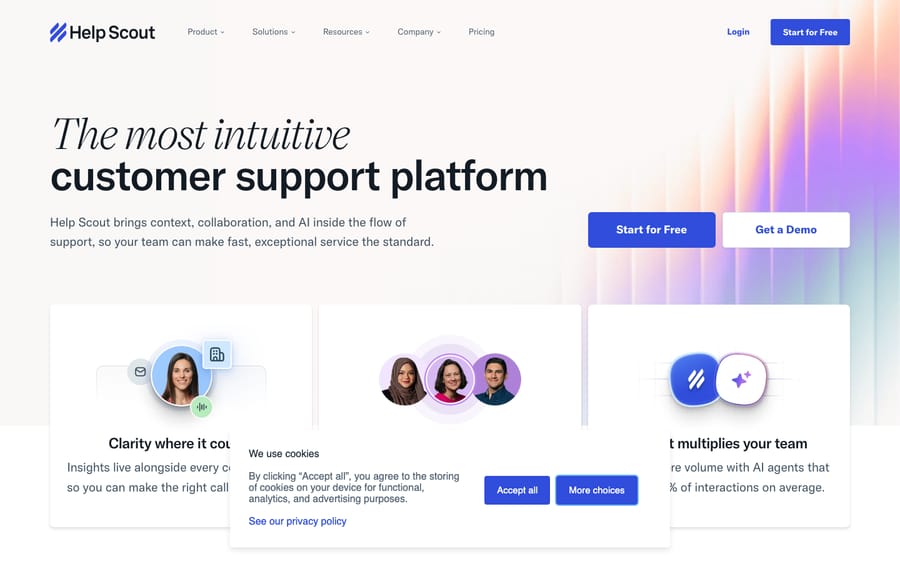
A clean, conversation-style shared inbox with a built-in Docs knowledge base and a help widget, with AI layered in. It hides ticket jargon so the whole thing feels like email. Assignment, collision detection, private notes, saved replies and workflows are all there. The Free plan covers 5 users, 1 inbox, 1 Docs site and 100 contacts a month; paid is $25, $45 and $75 a user a month on annual billing, or $30, $54 and $90 monthly. AI Answers is $0.75 per resolution and extra inboxes are $10 a month.
It suits small and mid-sized SaaS and services teams that want fast onboarding. Granular SLAs and heavy automation are where the full help desks pull ahead.
3. Missive, the collaborative value pick
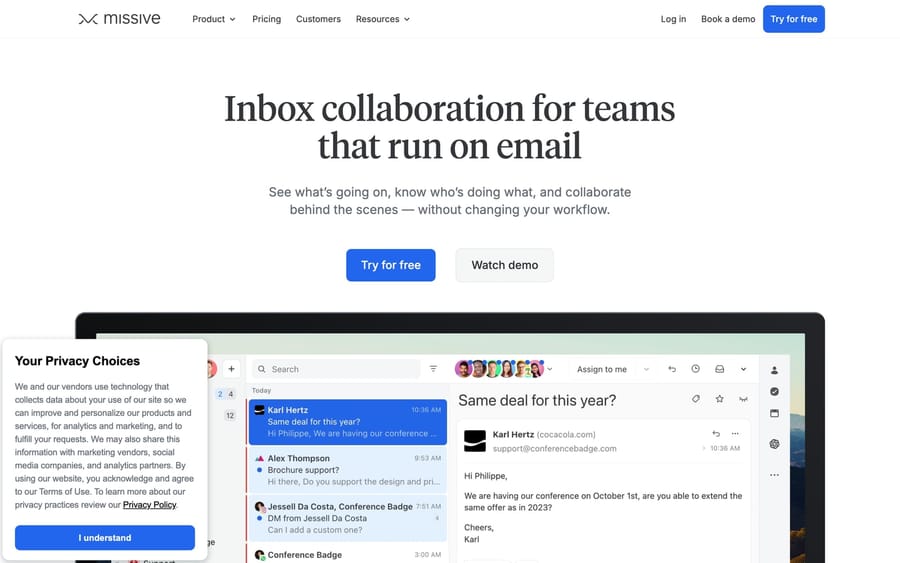
A team inbox built around real-time collaboration: shared inboxes, internal team chat, assignments and collaborative drafting in one app across email, SMS and social. The built-in chat is the standout, because the team can discuss a thread without leaving it. Starter is $14, Productive $24 and Business $36 per user per month billed yearly, with a 30-day trial of Productive and no free plan any more.
It suits budget-conscious small teams that want strong collaboration without Front's price. It's lighter on SLAs and reporting, and the ecosystem is smaller than the big names.
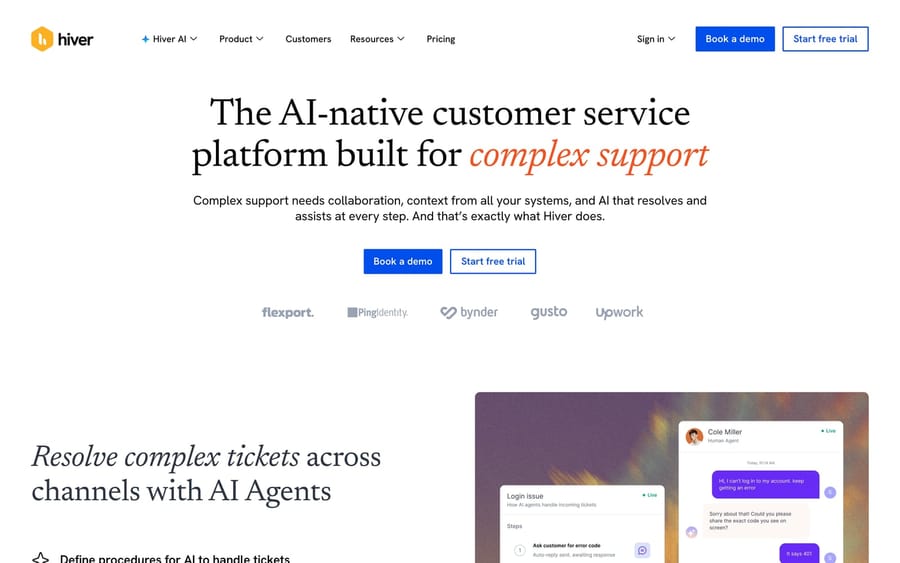
4. Hiver, the Gmail-native inbox
A shared inbox that lives entirely inside Gmail, turning Google Workspace into a team support inbox with assignments, collision alerts, shared notes, SLAs and analytics, with no separate app to learn. Growth is $25 a user a month on annual billing or $35 monthly, Pro $55 or $65, Elite $85 or $95, after a 7-day trial.
It suits small and mid-sized teams already on Google Workspace. Because it's bound to Gmail, its ceiling is lower than a standalone platform for complex multichannel operations.
5. Gmelius, Gmail-native with automation muscle
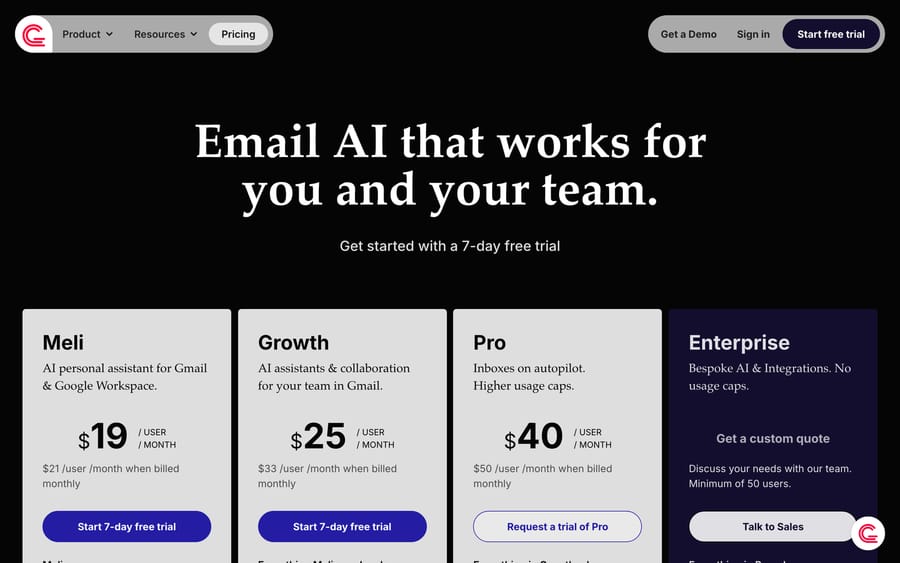
Another Google Workspace-native option, leaning harder into automation, shared labels and workflow rules, with an AI assistant layered on. Its edge over Hiver is automation depth. Meli is $19 a user a month on annual billing or $21 monthly, Growth $25 or $33, Pro $40 or $50, after a 7-day trial.
It suits Gmail teams that want shared inboxes plus meaningful workflow automation. Reviews are more mixed than Hiver's on polish and reliability, and everyone on the team shares one plan tier.
6. Zendesk, the shared inbox inside a full help desk
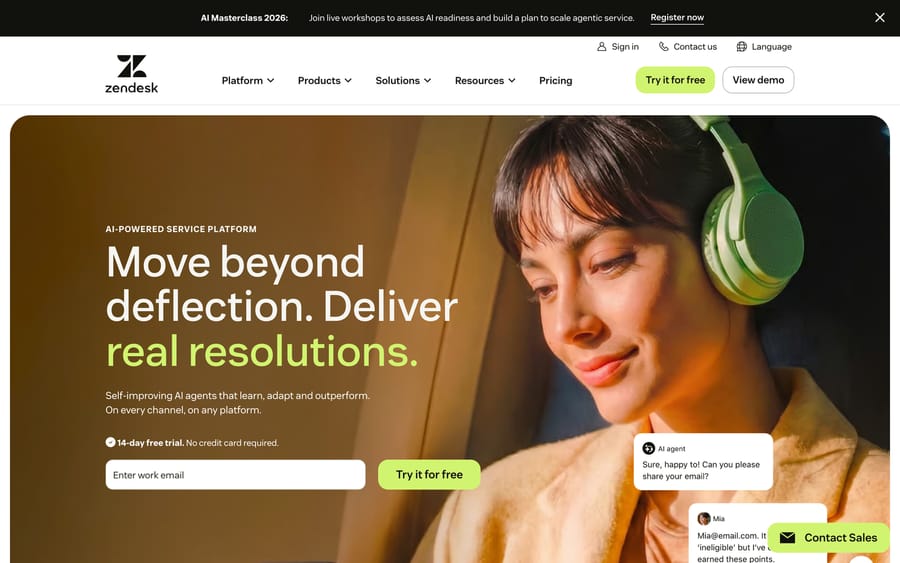
A deep, extensible support platform with omnichannel ticketing, a mature marketplace, real reporting and native AI agents. Its shared inbox is a full ticketing queue: everything a team inbox does, expressed as tickets. Support Team is $19 an agent a month on annual billing, Suite Team $55 and Suite Professional $115, with AI agents billed per automated resolution. Zendesk's pricing page lists that rate: $1.50 each on a committed plan, or $2.00 pay-as-you-go. Its plan table includes 5 automated resolutions per agent a month on Support Team and Suite Team and 10 on Suite Professional (up to 10,000 a year), which Zendesk's help center describes as a monthly dollar allowance per seat ($2, $5 or $10 by plan since May 18, 2026, capped at $5,000 a year).
It suits scaling teams that have outgrown a simple inbox and need routing and reporting. It's overkill if you genuinely want a collaborative email inbox.
7. Freshdesk, budget multichannel ticketing
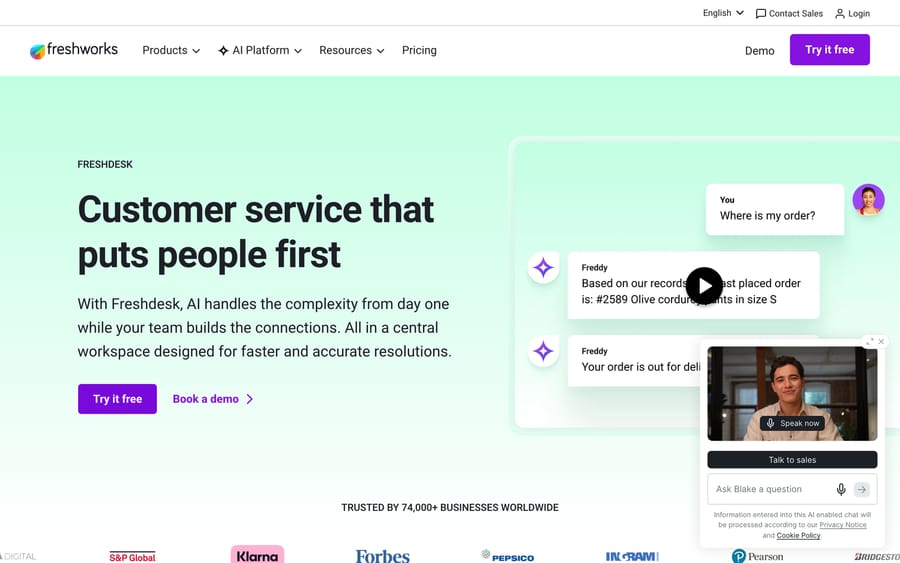
Freshworks' help desk: affordable, quick to set up, with omnichannel ticketing, agent collision detection, private notes, automation and the Freddy AI add-on. Growth is $19 an agent a month on annual billing, Pro $55 and Enterprise $89, or $23, $66 and $107 monthly. The free plan for two agents that this guide used to list is off the pricing page, replaced by a 14-day trial and a separate Free program for up to 2 agents for 6 months. Freddy AI Agent includes 500 sessions as a one-time allowance per account, then $49 per 100 sessions.
It suits cost-conscious teams that want full multichannel ticketing. The better reporting and customization live in upper tiers.
8. Intercom, the messenger-first option
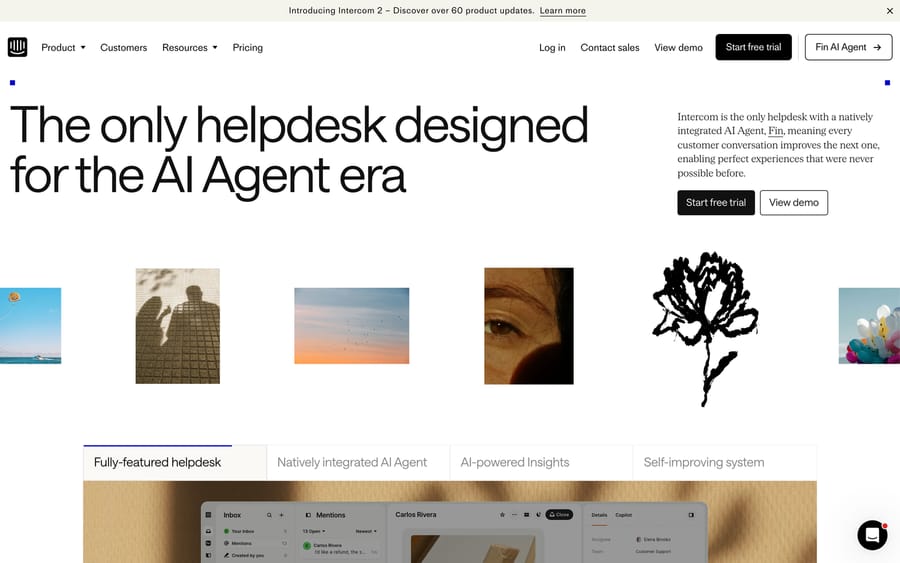
A chat- and AI-first support platform whose Fin agent is the most-cited per-outcome product in support. Its inbox is built around in-app messaging more than email. Advanced and Expert seats are $85 and $132 a month on annual billing, or $99 and $139 monthly; Essential is $29 a seat billed annually or $39 monthly, though Intercom has also shown $19 annually in a live pricing test. Fin is $0.99 per outcome; the 50-outcome monthly minimum applies only when Fin runs on a help desk other than Intercom. The company renamed itself Fin on May 12, 2026, and Salesforce completed its acquisition on September 10, 2026.
It suits SaaS teams whose support skews to in-app chat and AI deflection. The usage-based half of the bill is hard to forecast.
9. Gorgias, the ecommerce inbox
The Shopify-era help desk, purpose-built for retail. It pulls order, refund and subscription data into the conversation, and gives you a unified inbox across email, chat and social with assignment, macros and collision handling. It bills on ticket volume: Starter $40 a month for 50 tickets, Basic $90 or $77 annual for 300, Pro $550 or $471 for 2,000, Advanced $1,430 or $1,227 for 5,000, with $1.50 per automated interaction past the allowance.
It suits Shopify and DTC brands whose inbox is mostly order-related, and it's a poor fit outside ecommerce. Costs spike during high-volume periods.

10. Google and Microsoft native shared mailboxes
Covered in full above. Included with your existing license, no assignment or collision detection on the Microsoft side, basic assignment buried in Google Groups on the other. They suit very small teams handling low volume who don't yet need accountability or analytics, and they break down fast as volume and team size grow, which is exactly the wall that pushes teams toward everything else on this page.
Where does an AI agent layer fit?
The disclosure again, with a correction to an earlier version of this page. It used to say Macha ran on Zendesk and Freshdesk only, and that Front users were out of luck. Both are wrong now.
Macha is an AI agent layer that runs on top of Zendesk, Freshdesk, Gorgias, Front, HubSpot or Intercom, plus the tools on our integrations page. It reads the customer's actual question, pulls from your connected order data and help center, drafts and tags the reply inside your existing workflow, and hands off to a human with full context when it isn't confident. You keep your inbox; it resolves more of what arrives in it.
It suits teams on one of those tools whose queue is mostly repetitive questions, order status, password resets, "how do I". It's the wrong choice if you run Help Scout, Missive, Hiver or Gmelius, because it doesn't integrate with them, and it's only as good as the knowledge you connect. Macha is one plan priced on monthly ticket volume, from $299 a month for 750 tickets, about $0.40 a ticket, with setup and monitoring by our team included. There's $50 of free usage to try it, no credit card, the pricing page has the full table, and Macha on Front covers the integration for the inbox at the top of this list.
What do real users say about each tool?
Ratings give you the average; reviews give you the why. Each quote below is verbatim from Capterra, since G2's review pages are login-walled to automated access.
- Front: the collaboration is what reviewers love. Lauren L., a Senior Operations Coordinator in logistics, wrote that "the ability to assign emails to yourself or other members of the team was extremely useful, to ensure we were not doing double-work… you would be able to see when a teammate was replying or typing under the email." The consistent complaint is cost and add-on stacking.
- Help Scout: praised as clean and approachable. One verified reviewer noted managing a shared inbox "feels organised and transparent, with conversations easy to assign, track, and follow up on." The flip side is a lower ceiling on advanced features.
- Missive: users highlight the shared inbox, real-time chat and a responsive support team; the main caveat is fewer formal help-desk features.
- Hiver: Jackee S., a Talent Manager in entertainment, wrote that "it integrates seamlessly with Gmail, making it easy for our team to manage shared inboxes without having to learn a new platform. Features like email assignment, tags, and collision alerts really help keep things organized and prevent duplication of work." Complaints cluster around Gmail's ceiling.
- Gmelius: Laura S., a CEO in accounting, captured the shared-label appeal: "I love that I can easily share gmail labels with my staff, so that I don't have to forward emails to them." Reviews are more mixed than Hiver's on polish and load times.
- Zendesk: Cynthia B., a Manager of Registration Services in professional training, wrote that "managing emails as tickets and having every[thing] readily accessible for teams to review interactions that support the quality of everyone's service is invaluable." The recurring gripe is complexity and rising cost.
- Intercom: Davis O., a Customer Support Team Lead at a 1,001 to 5,000-person IT services firm, noted that "the live chat is fast and responsive, and the ability to see user activity in real time adds a layer of context." The common complaint is unpredictable pricing.
- Gorgias: an owner in apparel and fashion wrote, "I love how it gives you customer information straight from Shopify. It is so easy to manage." The watch-outs are cost at higher ticket counts and a Shopify-heavy roadmap.
How do you choose the right shared inbox?
- Try free first, honestly. If you're three people doing 30 emails a day, a Microsoft 365 shared mailbox costs nothing and works. Write down the day it stops working, which is usually the first time two people answer the same customer.
- Inbox or help desk? A collaborative email workspace points to Front, Help Scout, Missive, Hiver or Gmelius. Tickets, SLAs, routing and deep reporting point to the help desks. Don't buy a help desk to do an inbox's job.
- Match your email platform. On Google Workspace, Hiver and Gmelius live inside Gmail. Platform-agnostic and multichannel points to Front or Missive. Shopify points to Gorgias.
- Check the four fundamentals at the tier you can afford. Assignment, collision detection, internal comments and your channel mix. The free built-in mailboxes miss most of them.
- Re-check the free plan before you plan around it. Missive's and Hiver's both ended in the last year, and Freshdesk's went with them. A free tier is a marketing decision, not a feature.
- Model the total cost including AI. The per-seat sticker is rarely the real bill. Add the AI charge, per seat, per resolution, per outcome or per conversation, then compare at your actual volume.
Frequently asked questions
How much does Intercom cost as a shared inbox? Intercom's Essential seat is $29 a month billed annually ($39 monthly), with Intercom also showing $19 in a live pricing test; Advanced is $85 and Expert $132 on annual billing. Fin adds $0.99 per outcome.
Is there a free shared inbox? Yes, several. Microsoft 365 shared mailboxes and Google Workspace's Collaborative Inbox are included with licenses you already pay for. Help Scout's free plan covers 5 users, 1 inbox and 100 contacts a month. Chatwoot is $0 for 2 agents on its cloud and free to self-host, and FreeScout is free and self-hosted with no agent limit.
Can I use Gmail or Outlook as a shared inbox for free? You can, with real limits. Microsoft's shared mailboxes hold 50GB without a license but have no assignment and no collision detection, and only people inside your organization can use one. Google's Collaborative Inbox adds basic assignment but lives in Google Groups rather than Gmail, so it doesn't appear in the Gmail mobile app. Both work for very small, low-volume teams.
Does Missive still have a free plan? No. Missive's pricing page now shows Starter $14, Productive $24 and Business $36 per user per month billed yearly, with a 30-day trial of the Productive plan and no card required to start it. The free-for-three-users plan that older roundups list isn't on the page.
Does Hiver have a free plan? Not any more. It's a 7-day trial, then Growth at $25 a user a month on annual billing or $35 monthly, Pro at $55 or $65, and Elite at $85 or $95.
What's the cheapest shared inbox tool? Free, if you self-host FreeScout or Chatwoot, or use the mailbox your Microsoft 365 or Google Workspace license already includes. Among hosted products with real collaboration, Help Scout's free plan is the best $0 option, and Missive at $14 a user a month is the cheapest paid one.
Is a shared inbox the same as a help desk? No. A shared inbox keeps the lightweight feel of email and focuses on collaboration. A help desk adds tickets, SLAs, multichannel routing, automation and deep reporting. Many teams only need the inbox.
What is collision detection, and which free options have it? It's the warning that a teammate is already reading or replying to the same message, which is what stops two people sending two different answers. Help Scout Free, Chatwoot and FreeScout all have it. Microsoft 365 shared mailboxes and Gmail delegation do not.
Do I need new shared inbox software to add AI? Not necessarily. If your inbox works and repetitive questions are the problem, an AI agent layer resolves routine messages inside your existing workflow. Ours runs on Zendesk, Freshdesk, Gorgias, Front, HubSpot or Intercom, so it's an option if you're on one of those and not if you're on Help Scout, Missive, Hiver or Gmelius.
Which shared inbox should you pick?
Start with what you already own. A Microsoft 365 shared mailbox or a Google Collaborative Inbox costs nothing on top of your license and will carry a three-person team doing low volume, right up until two people answer the same customer. After that, Help Scout's free plan is the best $0 product, FreeScout and Chatwoot are the free self-hosted routes, and the paid field splits between team inboxes (Front for collaboration, Missive for value, Hiver and Gmelius for Gmail) and help desks (Zendesk for depth, Freshdesk for budget, Intercom for chat, Gorgias for ecommerce). Check the free tier is still there before you plan around it, because two of the ones on this page ended in the last year.
Sources: Microsoft Learn, About shared mailboxes in Microsoft 365, Google, Use a group as a Collaborative Inbox, Help Scout pricing, Missive pricing, Hiver pricing, Gmelius pricing, Front pricing, Chatwoot pricing, FreeScout, Zoho Desk pricing, Freshdesk pricing, Zendesk pricing, Gorgias pricing, all read 2026-09-20; Zendesk on outcome-based pricing; Salesforce completes acquisition of Fin; r/selfhosted, "Self-hosted alternatives to Freshdesk".






