Intercom
 Shopify
 Stripe
 Slack
Slack Notion
 Google Workspace
 Confluence

Freddy AI or a Dedicated AI Agent Layer on Freshdesk: Which Should You Use in 2026?


Freddy AI suits Freshworks teams at moderate volume who mainly need FAQ deflection and reply drafts, while a dedicated AI agent layer fits tickets that need lookups and actions in other systems. The two also bill differently: Freddy by session, the layers by ticket, task or conversation.
Key takeaways
- Freddy AI Agent bills by session, a 24-hour window on chat and 72 hours from the first email, costing $49 per 100 sessions after a one-time allowance of 500.
- At 3,000 email conversations a month, Freddy session packs cost $1,470, eesel AI costs $1,200 at $0.40 a task, and Macha's 3,000-ticket tier costs $1,199.
- eesel AI charges $0.40 per regular task with no platform, seat or minimum fee on self-serve, and its Enterprise tier adds a $1,000 monthly platform fee.
- Freddy AI Copilot costs $29 per agent per month on annual billing, and Freddy AI Insights is listed on the Freshdesk Enterprise plan only.
- Macha bills per ticket rather than per session, from $299 a month for 750 tickets, with one charge per thread however many steps a resolution takes.

Pick Freddy AI if you run on Freshworks at moderate volume with a solid help center and mainly want FAQ deflection and reply drafts; add a dedicated AI agent layer when tickets need account lookups, actions in other systems or knowledge beyond your help center. The billing meters differ most: Freddy AI Agent costs $49 per 100 sessions after a one-time allowance of 500, while layers charge per ticket (Macha, from $299 a month for 750), per task (eesel AI, $0.40) or per conversation (My AskAI, $0.10).
| Freddy AI (native) | Macha (layer) | eesel AI (layer) | My AskAI (layer) | |
|---|---|---|---|---|
| What it is | Built-in Freshworks AI | AI agent layer on your existing help desk | AI layer on your help desk | AI support agent on your help desk |
| Billing meter | Per session (24 hours for chat, 72 hours for email) | Per ticket | Per task, pay-as-you-go | Per conversation |
| Indicative price | $49 per 100 sessions after 500 one-time sessions; Copilot $29/agent/mo (annual) | From $299/mo for 750 tickets (about $0.40 a ticket); $50 of free usage, no credit card | $0.40 per regular task; no platform, seat or minimum fee on self-serve (Enterprise adds $1,000/mo) | $0.10 per ticket on plans from $199/mo |
| Setup / lock-in | Zero setup, native | API connect, removable; setup by the Macha team included | API connect, removable | API connect, removable |
| Action-taking | Mostly read-and-respond | Triage, draft, resolve, escalate, call your APIs | Agent, copilot and triage | Deflect and hand off |
| Knowledge sources | Help center and public URLs | Multi-source | Multi-source | Multi-source |
| G2 rating | Freshdesk about 4.4/5 (~3,700) | No standalone G2 score found | 4.6/5 (~15, June 2026) | 4.9/5 (~19, June 2026) |
Prices are from each vendor's pricing page, checked September 24, 2026, except My AskAI's, which comes from My AskAI's own pricing write-up because its pricing page blocks automated reads. Disclosure: Macha is one of the dedicated layers, so it gets a section here along with its own watch-outs, and we say plainly when Freddy is the smarter call. For the mechanics of Freddy first, read Freshdesk Freddy AI explained; for the wider shortlist, see the best AI agents and chatbots for Freshdesk.
How did we compare them?

We couldn't get hands-on with every tool, because several AI layers are quote-only or trial-gated. So the comparison rests on three things: (1) first-hand use of what we can access (Freshworks' Freddy pages and documentation, and our own AI-layer dashboards), (2) real-user evidence, meaning G2 ratings and aggregate review sentiment, and (3) vendor pricing pages, re-read on September 24, 2026, cross-checked against independent 2026 breakdowns. Where a number is approximate or contested, we say so. Pricing in this category changes often, so treat every figure as a starting point to confirm in your own account.
What is the difference between Freddy AI and an AI agent layer?
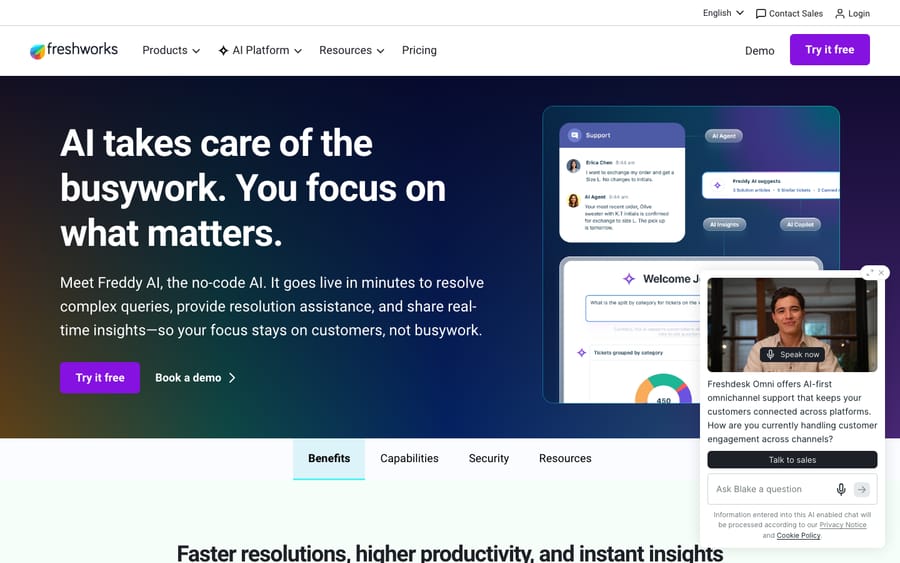
Freddy AI (native) is Freshworks' built-in AI brand. Two pieces matter here. Freddy AI Agent is the customer-facing bot that resolves chat and email from your knowledge, billed by session. Freddy AI Copilot is agent assist for drafting, summarizing and translating, billed per agent at $29 a month on annual billing. Freddy lives inside Freshdesk, so there's nothing to integrate. You switch it on.
A dedicated AI agent layer (third-party) is a separate product that connects to Freshdesk through its API and runs on top of it. It reads your tickets and knowledge, then triages, drafts and resolves inside the same workspace. It is not a help desk and doesn't replace Freshdesk. Examples in this comparison: Macha, eesel AI and My AskAI. These tools compete on deeper autonomy, broader knowledge ingestion and a different billing meter: per ticket, per task or per conversation rather than per session.
Where do Freddy AI and a dedicated layer actually differ?
Resolution depth and autonomy
Freddy AI Agent is good at FAQ-style deflection. It answers from your help center and approved URLs and resolves routine questions with no human. It tops out on account-specific or multi-step work. According to My AskAI's guide, Freshworks markets resolution of "up to 80%", while independent write-ups of real deployments land between 23% and 75%, depending mostly on knowledge-base quality. Treat both as third-party readings; we couldn't find the 80% figure on Freshworks' current pricing page.
Earlier versions of the email AI Agent replied only to the first message in a thread and stayed quiet on follow-ups. Freshworks' current session article counts every AI response within 72 hours of the customer's first email as one session, which implies it now handles more of the thread, so test follow-up behavior in your own account before relying on either reading. Dedicated layers tend to push further: back-and-forth, account-specific tickets, and escalation with full context. But "autonomous" still means "as good as the knowledge and rules you give it", whichever tool you pick.
Knowledge ingestion
Freddy draws from Freshdesk help-center articles and approved public, static URLs, with caps on file size, file count and URLs, and it generally won't read login-walled content. Dedicated layers usually cast a wider net: several help centers, past tickets, internal docs, and sources like Slack, Notion or Confluence. That wider net is often the real reason teams add one. More sources means more possible answers, and more content hygiene to maintain.
Multi-source actions and tools
This is the sharpest line. Freddy is mostly read-and-respond inside the Freshworks world. Dedicated layers act: they call external systems, look up an order, trigger a workflow or write back to other tools, so the AI finishes the task instead of describing it. If your tickets are "where's my order", "change my plan" or "reset this", action-taking matters far more than answer quality alone.
Billing model
Freddy AI Agent bills by session, and a session is a time window, not one charge per reply. Freshworks' session FAQ defines it as all interactions between one end user and the bot within 24 hours; for the email AI Agent, Freshdesk's own article says a session "spans 72 hours from the customer's first email." The same FAQ notes that previewing a bot while you build it consumes sessions. Every plan gets 500 sessions once per account, then sessions cost $49 per 100 (Freshdesk pricing). Copilot bills per agent per month.
Dedicated layers meter differently. My AskAI charges per conversation, about $0.10 each, on plans from $199 a month. eesel AI charges $0.40 per regular task (one ticket or chat session), with no platform fee, seat fee or monthly minimum on self-serve and a default $250 monthly spend limit; its Enterprise tier adds a $1,000 monthly platform fee (eesel pricing). Macha bills per ticket: one charge per thread however many steps it takes (summarize, tag, route, draft, resolve), from $299 a month for 750 tickets. The incentive differs by meter. A session meter earns more when conversations sprawl across windows; a per-ticket meter charges the same for a one-reply ticket and a ten-step one.
Run the arithmetic at 3,000 email conversations a month, one session each. Once the 500 one-time sessions are spent, Freddy costs 30 packs of 100, or $1,470 a month. eesel at $0.40 a task is $1,200. Macha's 3,000-ticket tier is $1,199. None of these is universally cheaper; the answer depends on whether your work looks like discrete sessions, discrete tickets, or many small actions across a ticket's life.
Setup and lock-in
Freddy's whole advantage is zero setup and no new vendor. It's already in the box. A dedicated layer is another integration and another contract, but because it sits on top of Freshdesk through the API, you can remove it without touching your help desk. The trade is convenience (Freddy) against flexibility and depth (a layer).
Channel coverage and analytics
Freddy covers Freshdesk's channels, web chat and email, with Freshdesk Omni extending to more channels. Freddy AI Insights, which gives managers proactive alerts and root-cause analytics, is listed on the Enterprise plan only. Dedicated layers vary: most do chat and email well, and analytics range from basic dashboards to per-action reporting. If cross-platform reporting or one AI setup across several help desks matters, a layer can win. If you live entirely in Freshworks, native Insights is hard to beat for convenience.
Cost at scale
At low to moderate volume with a solid help center, Freddy is usually the cheapest path: no extra vendor and predictable session packs. The math flips when volume climbs, knowledge spans many sources, or you need actions the native bot can't take. Session counts you can't fully predict start to sting (third-party guides say unused packs don't roll over; ask Freshworks before you buy), and a per-ticket or per-task layer with deeper automation can pay for itself. Model it against your real ticket shape, not the marketing percentage.

What do users say about Freddy and the alternatives?
Freddy / Freshdesk. Freshdesk itself is well liked, at about 4.4/5 across roughly 3,700 G2 reviews. The recurring criticism isn't the help desk; it's Freddy's packaging and out-of-box accuracy. A representative aggregated G2 theme: "The Freddy AI is an add-on, so expensive for what it can do, and only available at enterprise [tiers]." On accuracy, reviewers repeatedly say it "needs manual training, doesn't work great out of the box, and can be inaccurate with complex or long-winded queries." These are aggregate themes rather than one named customer, and they recur across G2, Reddit and independent 2026 breakdowns.
eesel AI. Held 4.6/5 on G2 (about 15 reviews) when we read it in June 2026. Reviewers praise fast setup (useful answers "within 15 minutes", and a simulation mode to test before going live) and responsive onboarding. The common complaints: it's seen as pricey, and a few reviewers cite slow support at times (G2).
My AskAI. Rated 4.9/5 on G2 (about 19 reviews) in June 2026, with reviewers pointing to simple per-ticket pricing and easy deployment. The review base is small, so weigh it as early signal (G2).
Macha. We didn't find a standalone numeric G2 score for Macha, so we're not quoting one. The evidence we can offer is the product itself: a $50 free trial with no credit card runs against your own tickets, which tells you more than a rating would.
Which option fits which team?
- Stick with Freddy if: you're committed to Freshworks, volume is moderate, your help center is solid, and you mainly want FAQ deflection plus reply drafts. The zero-setup, no-extra-vendor convenience is the whole win, so don't add complexity you don't need.
- Add Macha if: you want a layer that triages, drafts and resolves with action-taking on top of Freshdesk, and you prefer per-ticket billing (one charge per thread, however many steps) over session windows. Macha runs on Zendesk, Freshdesk, Gorgias, Front, HubSpot or Intercom, and setup and monitoring by the Macha team are included in the plan. Watch-out: it's another integration, and like any layer it's only as good as the knowledge and tools you connect.
- Add eesel AI if: you value fast self-serve setup, a simulation mode and a pay-as-you-go task meter that starts at zero. The per-task bill climbs in a straight line with volume.
- Add My AskAI if: you want the simplest meter (about $0.10 per ticket) and quick deployment, and can live with a smaller review base and lighter action-taking.
When is Freddy enough, and when does a layer win?
Freddy is enough when the job is deflect-and-assist inside Freshworks at predictable volume with good docs. A dedicated layer wins when you need deeper autonomous resolution than the native bot delivers: multi-source knowledge, actions across other systems, full back-and-forth on email, or one AI setup across more than one help desk. A layer isn't automatically better. It's more: more capability and more to manage. Add one only when the native ceiling is actually blocking you. If you want to try the native route first, our guide on how to automate Freshdesk with AI walks through it. To see how a layer is structured, Macha on Freshdesk and Macha on Zendesk show the same model. Start your free Macha trial: $50 of free usage, no credit card. Connect it to your Freshdesk, point it at your knowledge, and watch it triage, draft and resolve real tickets before you commit. Your help desk stays exactly where it is.
Frequently asked questions
What are the best Freddy AI alternatives in 2026? The strongest dedicated AI agent layers that connect to Freshdesk are Macha (per-ticket billing from $299 a month for 750 tickets, with triage, drafting, resolution and action-taking), eesel AI ($0.40 per task with no platform or seat fee on self-serve) and My AskAI (about $0.10 per ticket on plans from $199 a month). Each runs on top of Freshdesk rather than replacing it. The right pick depends on whether you need action-taking, the simplest meter, or fast self-serve setup.
Is a dedicated AI agent layer better than Freddy AI? Not automatically. Layers usually offer deeper autonomous resolution, broader knowledge ingestion and actions across other systems, but they add an integration and a second vendor. If your volume is moderate and your help center is solid, Freddy is often the smarter, cheaper choice. Add a layer when the native ceiling is actually blocking you.
How is Freddy's billing different from the alternatives? Freddy AI Agent bills by session: all interactions within 24 hours on chat, or within 72 hours of the customer's first email, count once, and you're not charged per reply. After 500 one-time sessions, packs cost $49 per 100. Copilot bills $29 per agent per month on annual billing. My AskAI bills per conversation (about $0.10), eesel AI per task ($0.40), and Macha per ticket (from $299 a month for 750). Model each against your real ticket pattern.
Can I use a third-party AI agent without leaving Freshdesk? Yes. Dedicated layers connect through the API and run on top of Freshdesk, so your help desk, tickets and workflows stay in place. Because they sit on top rather than replacing it, you can also remove them without disrupting Freshdesk.
Does Freddy AI really resolve 80% of tickets? Treat 80% as a marketing ceiling, not a baseline. Independent write-ups of real deployments, as summarized by My AskAI, cite 23% to 75%, driven mostly by knowledge-base quality. Any AI, native or layer, is only as good as the content and rules you give it.
Do Freddy's 500 free sessions renew every month? No. Freshdesk's pricing page describes the first 500 AI Agent sessions as included once per account. After that, sessions are bought in packs at $49 per 100.
How should you decide?
Map the choice to your tickets. If most of them are answerable from your help center and you're staying on Freshworks, turn on Freddy and measure sessions for a month. If a large share need an order lookup, a plan change or a write to another system, price a layer against the same month of volume: at 3,000 email conversations, that's $1,470 in Freddy session packs against $1,199 on Macha's 3,000-ticket tier. From here, dig into Freddy AI explained, the best AI agents for Freshdesk, or how to automate Freshdesk with AI.
Pricing, session rules and feature packaging for Freddy AI and every alternative change often and vary by plan and region. Freshworks, eesel and Macha figures were checked against vendor pages on September 24, 2026; G2 ratings are June 2026 readings. Confirm specifics in your own account before relying on them.
Add AI agents to your Freshdesk
Macha reads the ticket, drafts the reply and takes the action, inside the Freshdesk you already run.