Intercom
 Shopify
 Stripe
 Slack
Slack Notion
 Google Workspace
 Confluence

What Features Does Freshdesk Have? Every Feature by Plan (2026)


Freshdesk covers ticketing, automation, collaboration, self-service, Freddy AI, reporting and security, but the plan you buy decides which of those you get. Growth costs $19, Pro $55 and Enterprise $89 per agent a month, billed annually.
Key takeaways
- Freshdesk sells three paid plans billed annually per agent a month: Growth at $19, Pro at $55 and Enterprise at $89, plus a Free program for up to 2 agents for 6 months.
- Freshdesk automation runs on three rule engines: Dispatch'r fires at ticket creation, Observer fires on ticket updates, and Supervisor runs on a time schedule to catch stale tickets.
- Freddy AI Agent includes the first 500 sessions once per account on Growth, Pro and Enterprise, then costs $49 per 100 sessions.
- Freddy AI Copilot is a $29 per agent a month add-on sold only on Pro and Enterprise, and Freddy AI Insights is Enterprise only.
- Freshdesk multi-product portals allow up to 5 products on Pro and unlimited products on Enterprise, while Growth has no multi-brand support.

Freshdesk's features span ticketing, three automation engines (Dispatch'r, Observer and Supervisor), collaboration, self-service, Freddy AI, reporting and security, spread across three paid plans: Growth at $19, Pro at $55 and Enterprise at $89 per agent a month, billed annually. Which plan you're on decides what you get: round-robin routing and custom dashboards start on Pro, and skill-based routing, sandbox and audit logs are Enterprise only (Freshworks pricing page, checked 24 September 2026). For the high-level explainer, start with What is Freshdesk?; for how the ticket object behaves, read Freshdesk ticketing system explained.
Which Freshdesk plan unlocks which features?
| Plan | Price (per agent/mo, annual) | What it adds |
|---|---|---|
| Free program | $0, up to 2 agents, 6 months | Basic ticketing; not listed on the pricing page |
| Growth | $19 | Ticketing, shared inbox, portal and knowledge base, out-of-the-box reports, roles and permissions, Freddy AI Agent |
| Pro | $55 | Custom dashboards, round-robin routing, multiple SLA policies, multilingual help desk, forums, up to 5 products, Copilot add-on |
| Enterprise | $89 | Skill-based routing, Freddy AI Insights, sandbox, audit logs, IP whitelisting, unlimited products |
The pricing page shows no free plan. Freshworks still runs a separate Free program for small businesses: up to 2 agents for 6 months. There's also a Freshdesk Omni bundle (ticketing plus chat and phone) on its own higher pricing. The full money breakdown, including add-ons, AI metering and Omni, lives in our Freshdesk pricing explained guide. Below, assume a feature is on every paid plan unless we say otherwise.
What ticketing features does Freshdesk include?
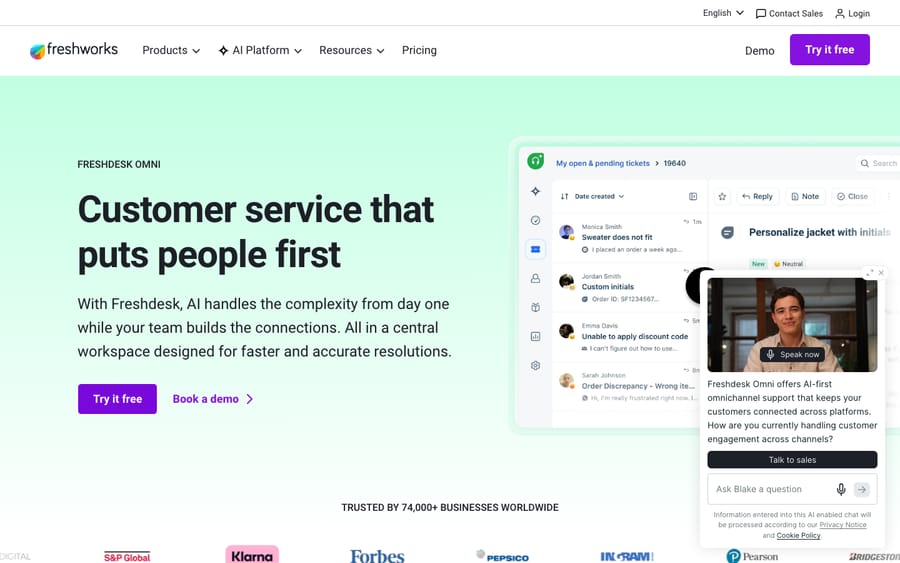
The ticket is the atom of Freshdesk: every email, chat, call or social message becomes one trackable record. The ticketing feature set covers:
- Omnichannel inbox: email, live chat, phone, social and web forms feed one shared queue, so agents work from a single list instead of tab-hopping. (Phone and chat as native channels are central to the Freshdesk Omni bundle; standard Freshdesk leans email and ticketing first, with channels added on.)
- Email-to-ticket: your support address is converted into tickets automatically, with threading kept intact.
- Ticket fields and forms: default fields (status, priority, type, group, source) plus custom fields you define; dynamic/dependent fields and multiple ticket forms sit on higher plans for routing different request types to different layouts.
- Statuses: Open, Pending, Resolved and Closed out of the box, with custom statuses for your own workflow stages.
- Priorities and SLAs: Low, Medium, High and Urgent, each tied to service-level targets (more under automation).
- Customer portal: a front door where customers raise and track tickets and search the knowledge base, on every paid plan. Custom portal branding (logo and colors) is Pro and above.
- Threads and tasks: internal conversation threads and linked tasks on a ticket, listed on Growth.
How does Freshdesk automation work?
Automation is where Freshdesk earns its keep. It's all unified under Admin → Workflows → Automations, split into three rule engines that fire at different moments:
- Dispatch'r (the Ticket Creation tab) runs the instant a ticket is created: categorize, prioritize, route and assign based on conditions.
- Observer (the Ticket Updates tab) is event-driven; it fires when something changes on a ticket (a reply, a status flip, a field edit) and reacts.
- Supervisor (the Time Triggers tab) is time-based; it runs periodically to catch tickets that have been sitting too long, escalate breaches or nudge stale conversations.
On top of those three:
- SLA management: define targets like "first response within 1 hour," and Freshdesk tracks, escalates and flags breaches. Multiple SLA policies start on Pro.
- Scenario automations: one-click bundles that run several actions at once (set priority, add a tag, reply with a canned response), handy for repetitive multi-step handling.
- Round-robin and load-balanced assignment: automatic ticket distribution with a cap on how many tickets an agent holds at once; available from Pro.
- Skill-based routing: assign tickets by matching agents' skills and experience; this is Enterprise only.
A smaller touch: the Freddy-powered Thank You Detector reads the intent of a customer's reply and decides whether a "thanks!" should reopen a resolved ticket or leave it closed.
How do agents collaborate on a Freshdesk ticket?
Freshdesk's teamwork features keep multiple agents from tripping over each other on the same ticket:
- Private notes: internal comments the customer never sees, for looping in a colleague or leaving context.
- Agent collision detection: a live indicator showing when another agent is already viewing or replying to a ticket, so two people don't send duplicate answers.
- Canned responses: saved reply templates for common questions, insertable in a click and shareable across the team.
- External collaborators: invite third parties to help resolve a ticket; the pricing page lists this from Pro, with 5,000 collaborators included.
- Shared ownership: bring other teams into a ticket and discuss it inline without forwarding or losing the thread.
- Linked and parent-child tickets: connect related issues so an update to one can cascade, useful for widespread incidents.
What self-service tools come with Freshdesk?
Self-service is both a customer convenience and the fuel for AI deflection: the better your help center, the more Freddy can answer on its own.
- Knowledge base: a searchable library of solution articles, organized into categories and folders, with article feedback. Article versioning, approval workflows and a flexible folder hierarchy sit on higher plans.
- Help widget: an embeddable widget that surfaces relevant articles (and a contact form) on your site or in-app, so customers get answers without leaving the page.
- Community forums: discussion boards where customers ask each other and share ideas, and where your team can convert a topic into a ticket. The pricing page lists forums on Pro and Enterprise.
- Multilingual help desk: run the help desk and knowledge base in the languages your customers speak; gated to Pro and above.
- Multiple products / multi-brand portals: give each product or brand its own portal, branding and article set. Pro allows up to 5 products; Enterprise allows unlimited products (Freshdesk support).
What does Freddy AI do inside Freshdesk?
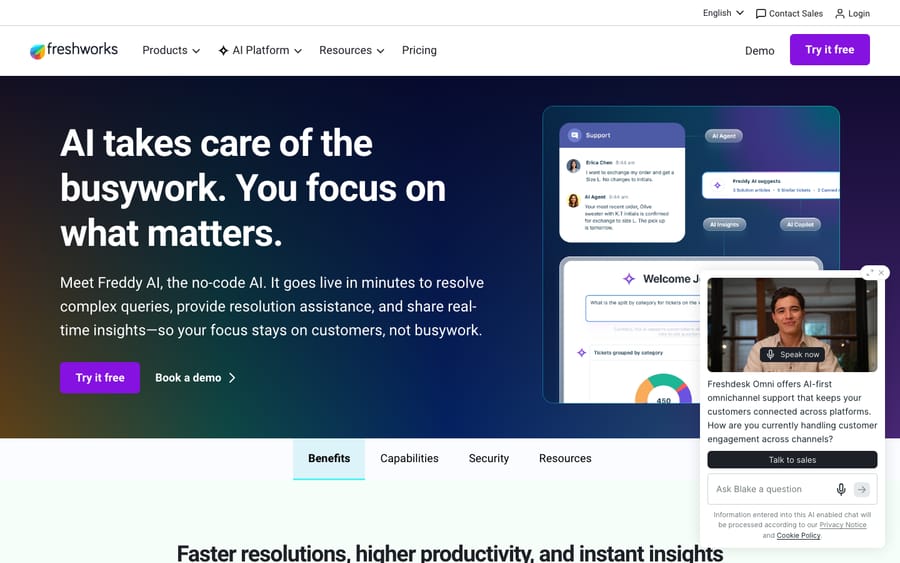
Freshworks brands all of its AI as Freddy, and inside Freshdesk it shows up in three roles. (For how this stacks against Zendesk's AI, we cover that elsewhere; here's just the Freshdesk side.)
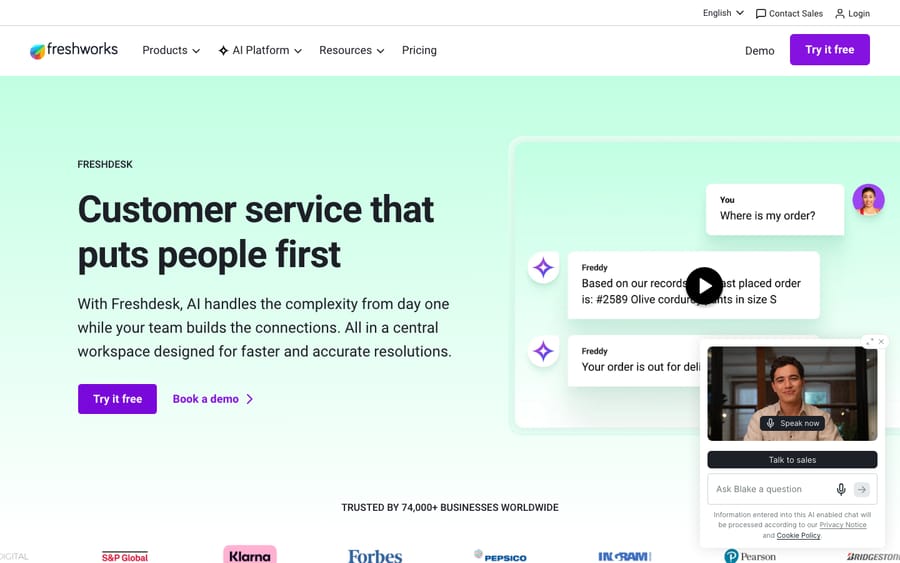
- Freddy AI Agent: the autonomous bot that resolves repetitive customer queries end to end, before a human is involved. Growth, Pro and Enterprise each list the first 500 sessions included, a one-time allowance per account, then $49 per 100 sessions.
- Freddy AI Copilot: an assistant for human agents: summaries, reply drafting and tone changes, live translation in 60+ languages, and similar-ticket suggestions. It's a paid add-on at $29 per agent a month (billed annually), offered on Pro and Enterprise only.
- Freddy AI Insights: proactive alerts on key metrics with root cause analysis for team leads; Enterprise only.
Real deflection depends almost entirely on how good your knowledge base is and how repetitive your ticket mix is, so treat any vendor resolution figure as a best case and measure your own.
What reporting does Freshdesk offer on each plan?
Freshdesk's reporting comes in two flavors, and the split is a plan boundary worth knowing:
- Out-of-the-box analytics and reporting: pre-built reports covering ticket volume, agent and group performance, SLA compliance and CSAT. Available from Growth.
- Custom dashboards and reporting: pick your own metrics, drag widgets onto dashboards and schedule exports. This is Pro and above, and custom object analysis is Enterprise.
- CSAT surveys: capture satisfaction ratings after resolution and slice them by agent, group or channel.
If bespoke analytics matter to you, budget for at least Pro; the Growth reports are useful but fixed.
Can Freshdesk support several languages and brands?
Pulled out on its own because it's a common deciding factor for global or multi-product teams:
- Multilingual support: agent portal, customer portal, help widget and knowledge base can all run in many languages; the multilingual help desk requires Pro or Enterprise.
- Multiple products: manage separate product spaces, each with its own categories and articles, inside one account: up to 5 on Pro, unlimited on Enterprise.
- Multi-brand portals: distinct branded portals per product or brand, each with its own look, knowledge base content and ticket forms. Growth has none.
Does Freshdesk have mobile apps?
Yes. Freshdesk ships native iOS and Android apps so agents can triage from anywhere: reply to tickets, add private notes, insert canned responses and solution articles, change properties and filter views. There's also a Mobile SDK for embedding support into your own app.
What integrations does the Freshdesk marketplace offer?
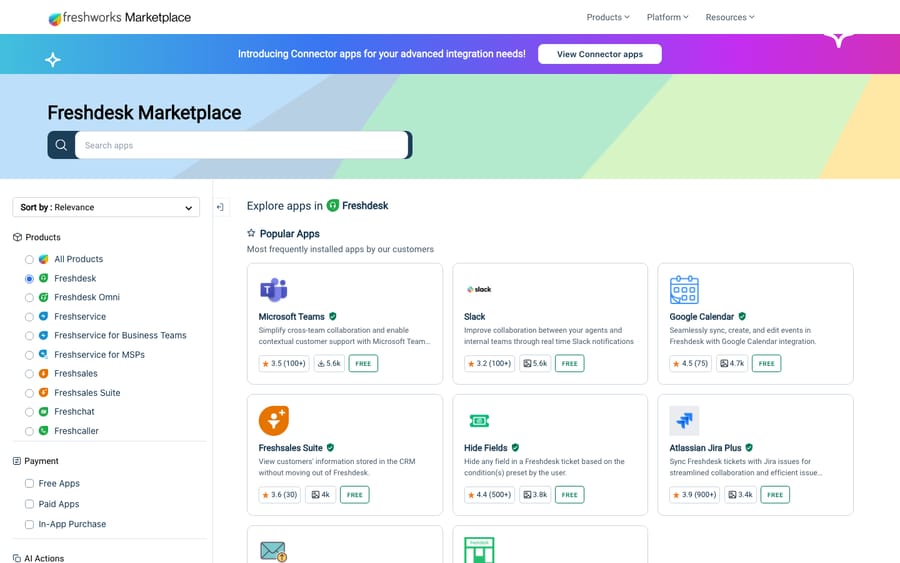
Freshdesk connects to the Freshworks Marketplace, with connectors for the usual suspects (Slack, Jira, Salesforce, Shopify, Microsoft Teams and more) plus productivity and telephony add-ons. Beyond pre-built apps you get REST APIs, webhooks and a developer portal to build custom integrations and private apps. The pricing page also sells connector app tasks at $80 per 5,000 tasks and MCP actions at $15 per 1,000 as add-ons. Most of the tools you already run have an off-the-shelf connector, which is a big part of why teams pick Freshdesk.
Which security and governance features need Enterprise?
The heavier compliance and control features cluster at the top of the lineup:
- SSO / SAML: single sign-on for centralized authentication.
- Roles and permissions: role-based access is listed from Growth; building custom roles needs Pro or Enterprise.
- Allowed domains and IP whitelisting: restrict who can create tickets and log in by domain or network; Enterprise.
- Audit log: a record of changes to automations, agent profiles and other settings; Enterprise.
- Sandbox: test configuration changes without affecting customers or agents; Enterprise.
- JWT authentication for verifying portal users; Enterprise.
- Platform-level certifications (data centers, encryption, compliance attestations) apply across plans via Freshworks' infrastructure.
Which Freshdesk plan do you actually need?
The quick reference, checked against the pricing page on 24 September 2026:
| Capability | First available on |
|---|---|
| Email-to-ticket, shared inbox, customer portal, knowledge base | Growth (basic ticketing on the Free program) |
| Collision detection, canned responses, out-of-the-box reports, roles and permissions | Growth |
| Scenario automations, Dispatch'r / Observer / Supervisor | Growth |
| Freddy AI Agent (500 sessions once per account, then $49 per 100) | Growth |
| Round-robin and load-balanced routing, multiple SLA policies | Pro |
| Custom dashboards and reporting, custom roles | Pro |
| Multilingual help desk, community forums, up to 5 products | Pro |
| Freddy AI Copilot add-on ($29/agent/month) | Pro |
| Skill-based routing, Freddy AI Insights | Enterprise |
| Audit log, sandbox, IP whitelisting, unlimited products | Enterprise |
(Freshworks revises packaging periodically; confirm on the official pricing page before you buy.)
What do users say about Freshdesk's features?
Feature lists are the vendor's story; review sites are the users'. On G2 and Capterra, the two largest software-review platforms, Freshdesk rates above average with thousands of reviews on each. What that sentiment says about the features, summarized from the review themes on both sites:
Aggregate review sentiment (G2): reviewers most consistently praise the ticket management and omnichannel inbox for keeping email, chat and social conversations in one place, and call out automation and canned responses as the biggest day-to-day time-savers. The intuitive UI is a recurring positive: agents "don't need heavy training to start handling tickets" (G2 pros & cons).
Aggregate review sentiment (Capterra): the most common pros are ease of setup and a clean, uncluttered interface, while the most common cons are that basic plans lack crucial features so you're pushed to a higher tier, and that customization and reporting feel limited unless you're on Pro or above (Capterra reviews).
That last complaint is the plan-gating story mapped above: the features are good, but several of the ones teams want most sit a tier or two up.
Where does an AI agent layer fit next to Freddy?
Freddy AI Agent is good at deflecting repetitive questions a knowledge-base article can answer, and Copilot is a solid assist for your human agents. But a lot of real tickets sit in the awkward middle: they need an answer pulled from your docs, a past ticket or another system, and resolved right there in the thread. That's also where metering at $49 per 100 sessions adds up if your volume of resolvable questions is high.
That middle is where a dedicated AI agent layer like Macha comes in. Macha isn't a help desk and it isn't a Freshdesk replacement. It runs on top of Zendesk, Freshdesk, Gorgias, Front, HubSpot or Intercom, adding autonomous resolution: it reads the customer's real question, draws on your connected knowledge and conversation history, resolves the issue in the same conversation, and hands off to a human with full context when it isn't confident. Pricing is per ticket, from $299 a month for up to 750 tickets, with setup and monitoring by the Macha team included. It's another integration to configure and only as good as the knowledge you connect it to, but if your ticket mix is mostly repetitive questions your help center could answer, that's the line where native deflection stops scaling. You can try it free: $50 of free usage, no credit card required.
Frequently asked questions
What are the main features of Freshdesk? Omnichannel ticketing (email, chat, phone, social), workflow automation via Dispatch'r, Observer and Supervisor rules and SLAs, collaboration tools (private notes, collision detection, canned responses), self-service (knowledge base, help widget, community forums), Freddy AI (AI Agent, Copilot for agents, Insights), reporting dashboards, multilingual and multi-brand support, native mobile apps, a marketplace of integrations and enterprise security controls.
What can Freshdesk do that the free plan can't? There's no free plan on the pricing page; the Free program covers basic ticketing for up to 2 agents for 6 months. Automation, the Freddy AI Agent and out-of-the-box reports start on Growth; custom dashboards, round-robin routing, the multilingual help desk and forums need Pro; skill-based routing, sandbox, audit logs and IP whitelisting are Enterprise.
What are Dispatch'r, Supervisor, and Observer in Freshdesk? They're Freshdesk's three automation engines, grouped under Admin → Workflows → Automations. Dispatch'r runs on ticket creation, Observer runs when a ticket is updated, and Supervisor runs on a time schedule to catch stale or breaching tickets.
Which Freshdesk features are Enterprise-only? Skill-based routing, Freddy AI Insights, sandbox, audit logs, allowed domains and IP whitelisting, JWT authentication, custom object analysis and unlimited products are gated to the Enterprise plan. Custom roles and up to 5 products are available from Pro.
Does Freshdesk have AI features? Yes, the Freddy suite: Freddy AI Agent (first 500 sessions included once per account on Growth, Pro and Enterprise, then $49 per 100 sessions), Freddy Copilot (agent assist, $29/agent/month add-on on Pro and Enterprise) and Freddy Insights (Enterprise). For deeper resolution across your own systems, teams often layer a dedicated AI agent on top of the help desk.
Does Freshdesk have a mobile app? Yes, native iOS and Android apps for agents (reply, notes, canned responses, property edits, filtered views), plus a Mobile SDK to embed support in your own app.
How many integrations does Freshdesk have? The Freshworks Marketplace carries connectors for most common tools, including Slack, Jira, Salesforce, Shopify and Microsoft Teams, plus REST APIs, webhooks and a developer portal for custom integrations. Freshworks' marketplace page doesn't publish a total app count.
How should you choose a Freshdesk plan?
Freshdesk's feature set is broad across ticketing, automation, collaboration, self-service, AI, reporting and security, but the value you get depends on the plan you're on. The Freddy AI Agent and out-of-the-box reports show up on Growth; custom dashboards, round-robin routing, forums and the multilingual help desk need Pro; and the governance layer most enterprises want (skill routing, audit logs, sandbox, IP whitelisting, unlimited products) is Enterprise. Map the features you need to those tiers before you commit and cross-check our pricing breakdown, and you'll avoid buying a plan that's over-built or missing the one feature you came for.
Plan gating checked against Freshworks' pricing page and support articles on 24 September 2026. Freshworks revises packaging periodically; confirm current details on freshworks.com before relying on them.
Add AI agents to your Freshdesk
Macha reads the ticket, drafts the reply and takes the action, inside the Freshdesk you already run.