Intercom
 Shopify
 Stripe
 Slack
Slack Notion
 Google Workspace
 Confluence

How Does the Freshdesk Knowledge Base Work, and How Do You Build One? (2026)


Freshdesk's knowledge base lives in the Solutions tab as categories, folders and articles, and it publishes to a branded Help Center included on every plan. Growth and Pro allow 3 levels of hierarchy, Enterprise allows 6 and adds a formal approval workflow.
Key takeaways
- The Freshdesk knowledge base is called Solutions in the agent interface and organizes content as categories, folders and articles that publish to a customer-facing Help Center.
- Freshdesk Growth and Pro cap the knowledge base at 3 levels, while Enterprise allows a six-level hierarchy with folders and sub-folders nesting up to five levels deep.
- Freshworks prices Freshdesk at $19 a month for Growth, $55 for Pro and $89 for Enterprise per agent, billed annually, and a separate Free program covers up to 2 agents for 6 months.
- Freshdesk folder visibility can be set to Everyone, Logged-in users only, or Agents only, so one account can hold a public help center and private internal docs.
- Freshdesk's article approval workflow with In Review and Approved statuses is Enterprise-only, while filters, bulk actions and a multilingual knowledge base start on the Pro plan.

The Freshdesk knowledge base is the Solutions tab: you build it as categories, then folders, then articles (3 levels on Growth and Pro, up to 6 on Enterprise), and it publishes to a branded Help Center that comes with every Freshdesk plan, from Growth at $19 per agent a month billed annually. To build one, create categories and folders under Solutions → New Article, set each folder's visibility, write your top 20 deflection articles, and switch on the portal under Admin → Channels → Portals. Structure, plan gates and pricing below were checked against Freshworks' documentation and pricing page on 24 September 2026. New to the product itself? Start with what is Freshdesk.
| Knowledge base feature | Growth ($19) | Pro ($55) | Enterprise ($89) |
|---|---|---|---|
| Help Center portal and knowledge base | Yes | Yes | Yes |
| Hierarchy depth | 3 levels | 3 levels | 6 levels |
| Folder visibility (everyone, logged-in, agents only) | Yes | Yes | Yes |
| Filters and bulk actions in Solutions | No | Yes | Yes |
| Multilingual and multi-product knowledge base | No | Yes | Yes |
| Approval workflow (In Review, Approved) | No | No | Yes |
Is Freshdesk Solutions the same as the knowledge base?
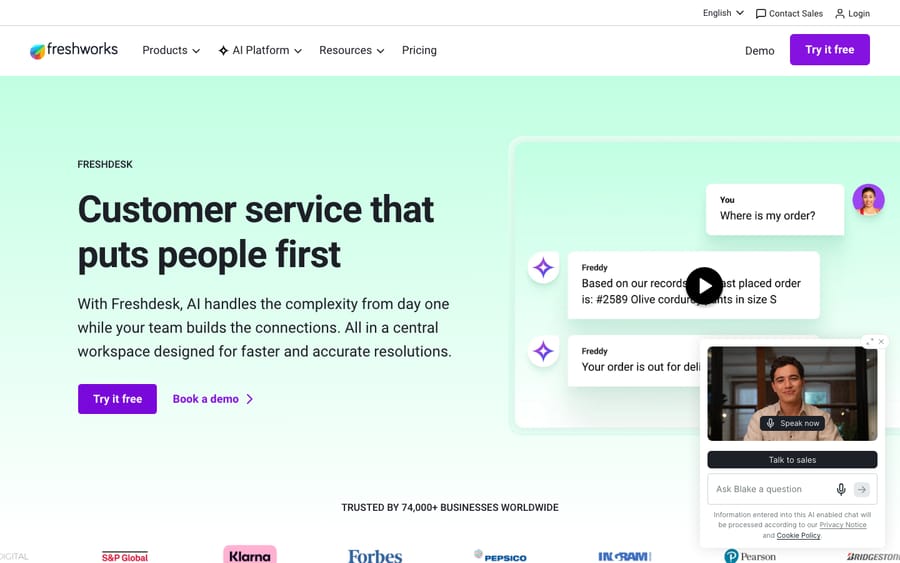
First, a terminology heads-up that trips up almost everyone: inside the Freshdesk agent interface, the knowledge base lives under a tab called Solutions. "Knowledge base," "Solutions," and "Help Center articles" all refer to the same thing. Freshworks uses Solutions for the agent-side authoring area and Help Center (or portal) for the customer-facing site that displays those articles. Don't let the naming throw you; they're two views of one content store. You author in Solutions; customers read in the Help Center.
How is a Freshdesk knowledge base structured?
Freshdesk organizes knowledge in a three-tier hierarchy:
- Categories — the top level, a broad topic area. An e-commerce store might have Orders, Returns & Refunds, and Billing.
- Folders — sub-sections inside a category that group related articles. Inside Orders you might have Placing an order, Tracking & delivery, and Cancellations.
- Articles — the actual help content: a single how-to, FAQ, or troubleshooting guide.
So a customer journey reads top-down: Category → Folder → Article, and on Growth and Pro that's the whole of it — three levels, full stop. Enterprise adds a flexible hierarchy: Freshworks' create and organize the knowledge base article puts it as "a six-level hierarchy, starting from categories at the first level, and folders and sub-folders up to five levels," and says plainly that "if you are on other plans, you can organize your knowledge base up to 3 levels." Worth knowing before you design a structure you can't build, and worth resisting even when you can: deep nesting is where help centers go to die. If you want the structural layer on its own, Freshdesk solutions, categories and folders goes deeper.
Folders also carry a visibility setting, which is one of the most useful and most overlooked features. A folder can be visible to:
- Everyone — public, indexable, shown in the Help Center.
- Logged-in users only — gated behind a customer login.
- Agents only — an internal knowledge base your customers never see, which is where SOPs, escalation playbooks and known-issue notes belong.
That last option means one Freshdesk account can hold both your public help center and your private internal docs, separated by folder visibility. Set it deliberately on every folder as you create it, because it's far easier than moving articles later.
Which Freshdesk plans include the Help Center?
The Help Center is the public website your knowledge base renders into: a branded portal where customers search articles, browse categories, and submit a ticket only if self-service didn't solve it.
A self-service portal with a knowledge base is included on every current Freshdesk plan. What scales with tier is the sophistication (portal customization depth, multilingual support, multi-product portals), not the existence of a KB. One thing to know if you're reading older guides, ours included: Freshdesk used to have a free-forever plan, and a lot of writing still says the KB is "free forever." It isn't. Freshworks' pricing page publishes Growth at $19, Pro at $55 and Enterprise at $89 per agent a month billed annually, with no free plan on the page (checked 24 September 2026). What survives is the Freshdesk Free program: up to 2 agents for 6 months, switched on from Admin → Account → Plans and Billing. That is why several support articles still print a "Free" column, and the knowledge base is ticked in it. The money side is covered in Freshdesk pricing explained.
How do you build a Freshdesk knowledge base, step by step?
A workable first version takes an afternoon, not a quarter.
Step 1: Plan your taxonomy from real ticket data
Design the structure around the questions customers actually ask, not your org chart or product spec. Open your Freshdesk ticket reports and pull your top 10–15 ticket reasons, then group them into a small handful of broad themes. Those become your categories.
| Category | Folders (sub-topics) |
|---|---|
| Orders | Placing an order · Tracking & delivery · Cancellations |
| Returns & Refunds | How to return · Refund timelines · Exchanges |
| Billing & Payments | Payment methods · Invoices · Failed charges |
| Account | Sign-in issues · Updating details · Privacy |
Two rules save pain later. Shallow beats deep: stay at two or three levels even where more are available. And name folders the way customers phrase the problem: "Tracking & delivery" beats "Fulfilment status taxonomy." Sketch it on paper first; restructuring later is a chore.
Step 2: Enable and brand the Help Center portal
Go to Admin → Channels → Portals → new portal and click Start Setup (Freshdesk docs). Toggle the portal on so it's visible to agents and customers, then brand it:
- Portal Settings tab: set the portal name and URL, add portal languages, and upload your logo (Freshworks recommends around 60×60 at a 1:1 ratio) and favicon (around 16×16) (Freshdesk docs).
- Appearance tab: pick a theme and set colors and fonts with no code: primary color for headers, buttons and nav, body colors, link and hover states, and header/footer colors (Freshdesk docs).
- For deeper control, there's an advanced code editor, and you can import and manage up to 10 custom themes per portal (Freshdesk docs). Enterprise gets the fullest template control.
Don't perfect this now. Get the logo and brand color in, then come back once you have articles to look at.
Step 3: Create your categories
In the agent view, open Solutions. Click New Article → New Category, give it a clear name and a short description, and set visibility by choosing the relevant portal (Freshdesk docs). Repeat for the categories you mapped in step 1. Keep descriptions human and benefit-led: "Track orders, manage delivery, and cancel" reads better on the portal than "Order management."
Step 4: Create folders and set visibility
Inside a category, click New Article → New Folder. Enter a name and description, and select the hierarchy; this field is mandatory. You can place a folder directly under a category or nest it inside another folder. Then set the folder's visibility (everyone, logged-in users, or agents only) as you create it, not afterwards.
Step 5: Write your highest-impact articles first
Resist writing an exhaustive manual. Start with the ~20 articles that would deflect the most tickets , your real top ticket reasons from step 1. On the Solutions page, click New Article, then add a title and body in the rich-text or HTML editor.
A reusable template that works:
- Title = the customer's question. "Why is my order stuck on processing?" beats "Order status definitions." People search in their own words; match them.
- A one-line summary up top, so a skimmer gets the answer in five seconds.
- Numbered steps for anything procedural — short, imperative, one action per step.
- A screenshot or two at the moments people get stuck.
- One job per article. A focused article ranks better, answers cleaner, and is far easier for an AI to use accurately.
- A "still need help?" line at the end pointing to the contact form.
Write plainly. The best KB article is the one a stressed customer understands on the first read.
Step 6: Fill in the SEO fields
Because the Help Center is a public website, its articles can rank in Google, and Freshdesk gives you the levers. Each article has dedicated SEO fields: a meta/SEO title, a meta description, and keywords or tags (Freshdesk docs). Freshworks' own guidance is to keep the title around 50–60 characters and the description around 150–160, both keyword-relevant and human-readable.
Practical wins: fill in the meta description on every public article rather than letting it auto-generate, put the customer's actual phrasing in the title, and keep URLs and headings clean. A well-optimized help center quietly becomes a top-of-funnel traffic source, not just a deflection tool.
Step 7: Publish, and know your plan's workflow
Articles move through a lifecycle rather than going live the instant you save:
- Draft — work in progress, invisible to customers.
- In Review — submitted for a teammate to check.
- Approved — signed off by a reviewer.
- Published — live on the Help Center.
Be precise about the middle two: In Review and Approved only exist when the formal approval workflow is switched on, which is Enterprise-only (Freshdesk docs). On every other plan the lifecycle is simply Draft → Published, and any agent with the permission can publish directly. If you're not on Enterprise, run review as a manual checklist: title in customer language, summary present, steps tested, screenshots current, SEO fields filled, visibility correct.
A few Solutions list-management conveniences are gated too: manual reordering works on every plan, automatic reordering from Growth, and filters and bulk actions from Pro. (The support article words the first as "from the Freshdesk Free program", so even the 6-month Free program has it.)
Step 8: Go multilingual or multi-product (Pro and up, optional)
Two of the most-asked-about capabilities are both Pro-and-up, so it's worth being precise:
- Multilingual knowledge base — serve the same article in several languages from one portal, with the Help Center auto-detecting a visitor's preferred language by login or browser setting. Available from the Pro plan onward. Translations are managed per article and each version carries its own status, so a German draft can sit unpublished while the English original is live.
- Multi-product knowledge base — if you run several products or brands, each can get its own space with its own categories, folders and articles inside a single Freshdesk account (Freshdesk docs). Multi-product portal management also starts at Pro.
Skip this step entirely if you're single-language and single-brand.
Step 9: Surface articles where people actually are
A KB nobody finds deflects nothing. Two places to wire it in:
- The Help Center search and support widget on your site or app, so relevant articles appear before a customer reaches the contact form. The whole point is to answer before a ticket is opened.
- Inside tickets, for agents. From the reply editor, an agent types
/sto insert a solution article — as full text or a link — and/cto drop in a canned response (Freshdesk docs). Freddy AI can also suggest relevant articles and canned responses from the ticket's content.
This is the underrated payoff of a good KB: it makes every human reply faster and more consistent, even on the tickets that do reach a person.
Step 10: Measure, maintain and prune
Freshdesk closes the loop with built-in measurement:
- Article feedback — readers mark an article helpful or not, and Freshdesk surfaces "not helpful" feedback (it can raise it as a ticket via the Article Feedback view) so weak content gets fixed.
- KB analytics — reporting on views, feedback and ratings shows your most-read articles, your worst performers, and the searches that returned nothing.
Build a monthly habit: read the "not helpful" feedback and fix those articles, write new ones for the zero-result searches, and prune or merge anything stale or duplicated. Outdated screenshots and dead steps erode trust fast. The teams that win treat search-and-feedback data as a free content roadmap.
Your starter checklist
- [ ] Pull top 10–15 ticket reasons; group into 4–6 categories
- [ ] Sketch the category → folder taxonomy (shallow, customer-worded)
- [ ] Enable the Help Center portal (Admin → Channels → Portals → Start Setup)
- [ ] Add logo, favicon, brand colors and fonts
- [ ] Create categories (Solutions → New Article → New Category)
- [ ] Create folders, set the mandatory hierarchy and the visibility on each
- [ ] Write your top ~20 deflection articles using the template
- [ ] Fill the SEO title and meta description on every public article
- [ ] Review (Enterprise workflow or manual checklist), then publish
- [ ] Add multilingual or multi-product versions if you're on Pro or above
- [ ] Surface articles in the widget; brief agents on
/sand/c - [ ] Put a monthly feedback-and-analytics review in the calendar
What can't the Freshdesk knowledge base do?
Three questions dominate the knowledge base section of the Freshworks community, and all three have the same shape: something people expect to be a feature is a workaround instead. Knowing them before you design saves a rebuild.
One article can't live in two folders
An article belongs to exactly one folder. The most persistent thread on this (1,310 views, 13 replies, still being added to in 2024) asked for cross-filing and got the flexible-hierarchy release instead, which the original poster pointed out doesn't solve it: "the core issue for us is showing the same article under different folders… it is still not possible." The workarounds people actually use are duplicating the article, which doubles your maintenance and is nasty with translations, or pulling another portal's category into yours via Manage Sections, which works at category level rather than per article.
The design implication: put each article in the folder where the customer will look for it, and use links inside the article body to cover the second home. Cross-linking is cheaper to maintain than a duplicate.
Embedding a PDF is an attachment or an iframe, not a feature
The most-read thread in the section (3,724 views, 15 replies) is someone wanting existing PDFs inside articles without rewriting them. There's no official answer on it, and the community lands on two routes: attach the file to the article, which is simple but has been reported as not rendering in the support widget; or host the PDF somewhere public — Google Drive, Dropbox, your own CDN — and paste an <iframe> or <embed> into the article's HTML view. Local file paths don't work, because the file has to be reachable by the reader's browser.
If you find yourself doing this a lot, it's usually a sign the PDF should be an article. PDFs don't rank, don't get feedback, aren't searchable inside the Help Center the way an article is, and an AI agent reading your knowledge will do much better with the text than with an embedded viewer.
Exporting or backing up your articles
There is a native CSV export in Solutions: open Quick views → All articles, pick the columns you want, and export. It's the answer to the backup thread (1,490 views), where the poster's complaint was less that export is missing and more that it's manual — you have to remember to do it. Teams that want it automated use a third-party backup or migration service; teams that don't should put the export on the same monthly calendar entry as the analytics review.
What do users say about the Freshdesk knowledge base?
Vendor docs tell you what the KB can do; review sites tell you how it feels to live in. At our June 2026 check, Freshdesk as a whole sat at G2 4.4/5 from roughly 3,700 reviews (G2) and Capterra 4.5/5 from roughly 3,400 verified reviews (Capterra), where self-service and the knowledge base portal rank among the most-used features. (These weren't re-read for this update; both sites block automated reads.)
Narrowed to the knowledge base, the sentiment splits cleanly. On the plus side, reviewers consistently like that authoring lives in the same interface — agents who double as authors don't need a separate docs tool, and turning a good ticket reply into an article is quick. The recurring gripes are that the article editor feels dated next to modern writing tools, that search accuracy degrades once the knowledge base gets large, and that real-time co-authoring is limited, so coordinating two people on one article is awkward.
Plan around the middle one: keep articles focused and your structure shallow, both of which directly counter the search problem. For most small-to-mid teams it's more than good enough; documentation-heavy orgs sometimes pair it with a dedicated docs platform.
Where does an AI agent fit on top of the knowledge base?
Here's the connection most guides skip. A self-service KB deflects only the customers who bother to search, and Freshdesk's own Freddy is decent at surfacing articles and assisting agents. But a lot of tickets still pile up in the middle: the customer who emails instead of searching, or whose question needs an answer stitched from a few articles plus their order history.
That middle is where a dedicated AI agent layer like Macha fits. Macha isn't a help desk and isn't a knowledge base. It runs on top of the Freshdesk you already use, reading the customer's actual question, pulling from your connected knowledge base and conversation history, resolving the issue in the same thread, and handing off to a human with full context when it isn't confident. Pricing is one plan on monthly ticket volume, from $299 a month for 750 tickets (about $0.40 a ticket at every tier), with setup and monitoring by the Macha team included and $50 of free usage to try it.

The catch, stated plainly: an AI agent layer is only as good as the knowledge base you connect it to. Garbage KB, garbage answers. Everything above (clean structure, fresh articles, customer-worded titles, one job per article, gaps filled from search data) is exactly what makes both native deflection and an AI agent layer work. Build the Freshdesk KB right first; the AI rides on top of it. For the native side, see how to automate Freshdesk with AI, or start a trial once your KB is in shape.
Frequently asked questions
What is the Freshdesk knowledge base? It's Freshdesk's self-service article library — called Solutions in the agent interface — that powers a public, branded Help Center where customers search for answers instead of opening tickets. Content is organized as categories → folders → articles.
What's the difference between Solutions, knowledge base, and Help Center in Freshdesk? They're three names for parts of one system. Solutions is the agent-side area where you author and manage articles; knowledge base is the general term for that content; the Help Center (or portal) is the customer-facing website that displays the published articles.
How do I create a knowledge base in Freshdesk? Open the Solutions tab in the agent view and build top-down: New Article → New Category for broad topics, New Article → New Folder (with a mandatory hierarchy and a visibility setting) for sub-sections, then New Article for the content. Enable and brand the Help Center portal under Admin → Channels → Portals so customers can read what you publish.
Where do I set up the Help Center portal? Go to Admin → Channels → Portals → new portal and click Start Setup, then toggle the portal on. Brand it from the Portal Settings tab (name, URL, languages, logo, favicon) and the Appearance tab (theme, colors, fonts), with an advanced code editor and up to 10 custom themes per portal if you need more control.
Is the knowledge base available on the Freshdesk free plan? Not as a permanent plan. The pricing page lists Growth, Pro and Enterprise only, but the Freshdesk Free program gives up to 2 agents free use for 6 months, and the knowledge base is included there. The knowledge base and self-service portal are on every current plan; multilingual KBs, multi-product portals, deep customization and the formal approval workflow need Pro or Enterprise.
How do I control who can see an article? Visibility is set at the folder level: Everyone (public), Logged-in users only, or Agents only. The agents-only option is what lets one account hold your public help center and your internal SOPs side by side.
Can I require article approval before publishing? A software-enforced workflow (Draft → In Review → Approved → Published) is Enterprise-only. On every other plan the lifecycle is Draft → Published, so review has to be a manual checklist you enforce.
Does Freshdesk support a multilingual knowledge base? Yes, from the Pro plan onward. You can publish one article in several languages on one portal, each translation carrying its own status, and the Help Center auto-detects a visitor's preferred language by login or browser setting.
Can one Freshdesk article appear in two folders? No — an article belongs to exactly one folder, and this is one of the longest-running requests in the Freshworks community. The practical options are to duplicate the article, which doubles maintenance, or to keep one copy where customers will look for it and link to it from the other folder's articles.
Can I embed a PDF in a Freshdesk article? Not as a native feature. You can attach the file to the article, though people report it not rendering in the support widget, or host the PDF somewhere publicly reachable and paste an <iframe> or <embed> into the article's HTML view. A local file path won't work. Where you can, turn the PDF into an article instead — it'll rank, collect feedback, and be far more usable by an AI agent.
How do I export or back up my Freshdesk knowledge base? Solutions has a native CSV export: open Quick views → All articles, choose the columns you want, and export. It's manual, so schedule it; teams that want it automated use a third-party backup or migration service.
Can agents add knowledge base articles to ticket replies? Yes. In the reply editor an agent types /s to insert a solution article as full text or a link, and /c to insert a canned response. Freddy AI can also suggest relevant articles automatically based on the ticket.
How do I measure whether my knowledge base is working? Use article feedback (helpful / not helpful, surfaced via the Article Feedback view) and KB analytics (views, feedback, ratings). Review them monthly: fix the "not helpful" articles, write new ones for zero-result searches, and prune stale content.
Can a strong Freshdesk KB improve AI deflection? It's the single biggest factor. Both Freshdesk's native Freddy and any AI agent layer you add draw their answers from your knowledge base, so clean structure, fresh content and customer-worded titles directly raise how much an AI can resolve correctly.
Is the Freshdesk knowledge base enough on its own?
For most small and mid-sized teams, yes. The Freshdesk knowledge base is a capable, built-in self-service engine: a clean categories → folders → articles structure, a branded Help Center on every current plan, a draft-to-publish workflow, and Pro and Enterprise extras for multilingual content, multi-product portals and formal approvals. Building a useful first version is an afternoon's work — plan a shallow, customer-worded taxonomy from real ticket data, brand the portal, write your top 20 deflection articles with the SEO fields filled, and put a monthly feedback review in the calendar. It isn't the slickest authoring tool on the market, and the one-folder-per-article rule will shape your structure whether you plan for it or not. But whether you lean on Freddy or add an agent layer on top, the same truth holds: the quality of your knowledge base sets the ceiling on how much you can deflect.
Structure, admin paths, plan gates and pricing verified against Freshworks' documentation and pricing page, 24 September 2026; community threads read 20 September 2026. We hold no configured Freshdesk login, so the in-product Solutions UI isn't screenshotted here.
Sources: Manage your knowledge base, Create and organize the knowledge base, Setting up your customer portal, Configure portal settings, Adding SEO elements to your KBase, Multilingual knowledge base, Freshdesk pricing, Freshdesk Free program.
Add AI agents to your Freshdesk
Macha reads the ticket, drafts the reply and takes the action, inside the Freshdesk you already run.