





 Shopify
 Stripe
 Slack
Slack Notion
 Google Workspace
 Confluence

How Do You Migrate from Freshdesk to Zoho Desk? (2026)


Moving from Freshdesk to Zoho Desk has three parts: getting the data across intact, pointing your team at the new tool, and rebuilding the automations, SLAs and reports that never travel with the tickets. Here is what maps to what, how long Zoho's free Zwitch importer takes, how to plan the downtime, and when a paid migration tool is worth it.
Key takeaways
- Zoho Desk's free importer, Zwitch, accepts Freshdesk backups in XML or JSON format and requires the original exported filenames to stay unchanged.
- Zoho says a Freshdesk-to-Zoho-Desk migration might take a minimum of two weeks because Zwitch runs in two phases roughly two weeks apart.
- Zwitch preserves the original Freshdesk ticket ID in a display-id field, but skips tickets from contacts that were deleted in Freshdesk.
- Neither Zwitch nor Help Desk Migration moves automations, SLA policies, business hours, or reports, so those must be rebuilt manually in Zoho Desk.
- Help Desk Migration offers a free demo of up to 20 records and prices full migrations by data volume, complexity and options.

You migrate from Freshdesk to Zoho Desk by exporting a Freshdesk backup (XML or JSON) and submitting it to Zwitch, Zoho's free built-in migration tool, which Zoho says can take a minimum of two weeks because it runs in two phases roughly two weeks apart. Records such as tickets, contacts, companies and knowledge base articles move; automations, SLAs and reports do not, so you rebuild those by hand.
| Zwitch (Zoho, native) | Help Desk Migration (third party) | |
|---|---|---|
| Cost | Free on all paid Zoho Desk editions; Trial Edition up to 2 GB | Paid, priced by data volume and complexity; free demo of up to 20 records |
| Input | Freshdesk backup files (XML or JSON), plus a Freshdesk API key | API connection to both desks |
| Timeline | Minimum two weeks, two phases | Depends on volume; Delta pass at the end |
| Moves automations, SLAs, reports? | No | No |
What are the two ways to move your data?
There are two credible paths, and most teams pick one based on data volume and appetite for handholding.
The first is Zoho's own importer, Zwitch, which lives in Zoho Desk's data administration setup. Per Zoho's Migrating From Freshdesk to Zoho Desk documentation, Zwitch validates a Freshdesk backup, reshapes it to fit Zoho Desk, loads it in dependency order, and stays connected to Freshdesk over the API to fetch inline images, attachments and field values. It's free and first-party, and it has rules: Freshdesk data is accepted in XML or JSON, backup filenames must stay exactly as Freshdesk exported them, each backup must be a zip under 5 GB, and you can upload up to 5 files. Only a Primary Contact or Support Administrator can start it.
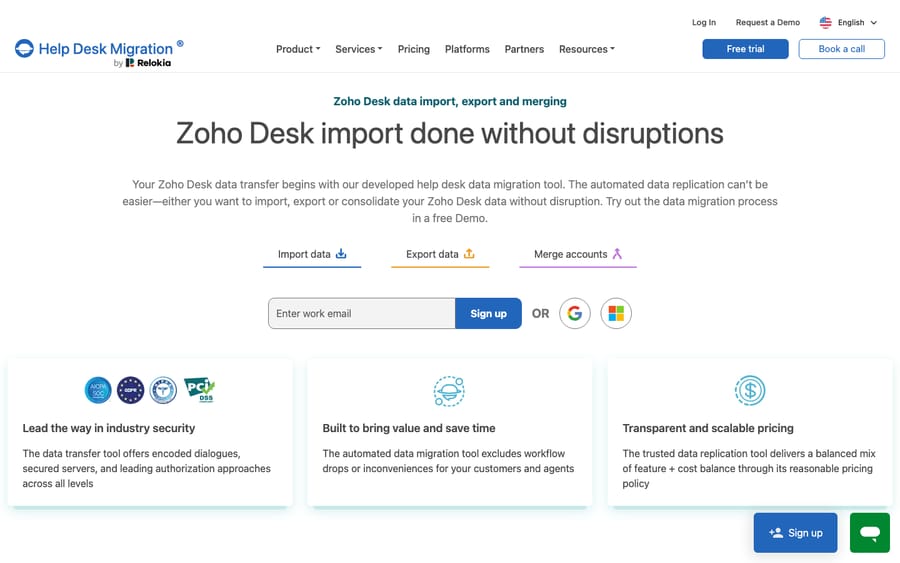
The second is a third-party migration service such as Help Desk Migration (by Relokia), which connects to both help desks via API, runs a free demo on up to 20 records you pick, and then does a full pass with a mapping wizard and support on hand. This is the path to choose when you have a large or messy dataset, custom fields everywhere, or you want a dry run you can inspect before committing.
What moves automatically, and what do you rebuild?
This is the most important table in any migration plan. Standard records port cleanly; the operational logic does not. Based on Zoho's Zwitch documentation and Help Desk Migration's Zoho Desk pages, here's the split.
| Object in Freshdesk | Where it lands in Zoho Desk | Moves automatically? |
|---|---|---|
| Agents (from Users) | Agents | Yes: matched by exact email; inactive or unmatched agents' tickets go to the Primary Support Administrator |
| Contacts (from Users) | Contacts and EndUsers | Yes: all Freshdesk requesters arrive as EndUsers unless you leave that module out |
| Companies / Organizations | Accounts | Yes |
| Tickets (subject, status, priority, source) | Tickets | Yes: standard fields map directly; original status is kept |
| Ticket ID | Stored in display-id | Yes: original Freshdesk ID preserved |
| Public notes / replies | Threads | Yes |
| Private notes | Ticket Comments | Yes |
| Attachments | Attachments | Yes |
| Custom ticket fields | Custom fields | Partial: created dynamically, types predicted from sampled data; land in Unused Fields until you drag them onto a layout |
| Knowledge base (Solutions) | KB Root Categories → Sections → Articles | Yes, with inline images and attachments |
| Tags | Tags | Yes (via paid tools) |
| Automations / Dispatch'r / Supervisor rules | — | No: rebuild in Zoho Blueprint/Workflows |
| SLA policies & business hours | — | No: rebuild |
| Scenario automations / canned responses | — | Rebuild (macros/snippets) |
| Analytics, reports, dashboards | — | No: rebuild in Zoho Desk reports |
| Ticket assignment / round-robin logic | — | No: reconfigure |
The pattern to internalize: records move, rules don't. Zoho's documentation lists the modules Zwitch transfers (companies, users, tickets with threads and comments, and solutions), and automations, SLAs, workflows and reports are absent from that list, because those are configuration, not data, and every help desk expresses them differently. Two data gaps catch teams out: tickets from contacts you deleted in Freshdesk don't come across, because deleted contacts aren't in the backup, and Zwitch puts everything into a single department per pass. Budget explicit time to rebuild the rules, ideally before the data lands so the new tickets have somewhere to flow.
How do you run the migration step by step?
Whichever tool you use, the sequence is broadly the same. Here's a native-first walkthrough with the third-party equivalents noted.
- Audit and clean first. Merge duplicate contacts, close stale tickets, and prune junk in Freshdesk. You're about to spend time or migration fees moving every record, so migrate less by deleting more. Zwitch also lets you filter tickets by Freshdesk group and product and skip the ones you don't need.
- Provision Zoho Desk. Create your department, agent seats, and the custom fields you'll need. Zwitch creates missing fields itself, but types are guessed from sampled data and fields count against your plan's limits, so creating them in advance gives a cleaner map. Disable any Zoho CRM or Salesforce integration during the run, which Zoho recommends to avoid duplicate contacts and accounts.
- Export from Freshdesk. For Zwitch, generate the Freshdesk backup, keep the original filenames, and submit it along with a Freshdesk API key. Don't reset that key mid-migration: Zoho warns that revoking it disconnects Zwitch. For a paid tool, you connect Freshdesk via subdomain and API key instead of exporting files.
- Map fields. Line up each Freshdesk field with its Zoho Desk counterpart. The safe rule: only map fields of the same type, a text field to a text field, a dropdown to a dropdown, or values can error or drop.
- Match agents. Zoho maps tickets to agents by email, and each agent's Zoho Desk email must exactly match their Freshdesk email and have access to the target department. Inactive or mismatched agents' tickets land with the Primary Support Administrator, so sort agent status before this step.
- Run a demo / test batch. Migrate a small sample and open the resulting tickets. Check threads, private-vs-public note placement, attachments, and custom-field values. Ask your tool how it treats demo records when the full run starts, so you don't end up with duplicates.
- Run the full migration, then reconcile counts (tickets, contacts, articles) against Freshdesk before you cut over. Zwitch returns failed records as a file you can correct and re-migrate, and you have two weeks to respond to its error log.
How long does the migration take, and how do you plan the downtime?
Tickets keep arriving while you migrate. If you export Freshdesk on Friday and import over the weekend, anything that lands in the gap won't be in your snapshot. Zoho's documentation says a Zwitch migration might take a minimum of two weeks, and it runs in two phases roughly two weeks apart: the second phase picks up anything created in Freshdesk in the meantime plus any records that need another try. That design has a cost implication worth naming: you need to keep your Freshdesk account active, with enough API rate limit, until the final phase, so raise the request well inside your Freshdesk subscription period. You'll likely pay for both desks for at least a few weeks.
A workable freeze plan:
- Pick a low-volume window (a weekend, a holiday) for the first phase and announce a maintenance note internally.
- Disable email notifications on both systems during the run so agents and customers aren't spammed by status changes on migrated tickets.
- Keep Freshdesk working until the second phase, or freeze new work there and route incoming email/portal tickets to a holding inbox.
- Run the second phase or a Delta pass to sweep up records created after the initial export, before flipping DNS/forwarding to Zoho. Zwitch does this as its residual migration; Help Desk Migration sells it as Delta migration.
- Cut over intake: point your support email and portal at Zoho Desk only once counts reconcile.
Expect a real, if short, freeze at cutover. The alternative, running both help desks live in parallel for weeks, creates split ticket histories that are far more painful to untangle later.
Should you use Zwitch or a paid migration tool?
Zwitch is free and first-party, which is right for a small-to-mid Freshdesk instance with mostly standard fields and a tidy KB. Its constraints are real, though: it's backup-file driven, custom-field mapping is best-effort based on sampled data, it loads a single department per pass, a migration can only be cancelled while it's still queued, and the two-phase schedule sets the pace.
A paid tool like Help Desk Migration costs money (priced by data volume, complexity and options, with a free demo) but buys you an API-to-API connection, an inspectable demo run, granular field mapping, Delta migration, and support during the cutover. For large, custom-heavy, or business-critical moves, that's usually money well spent. Neither option moves your automations, SLAs, or reports; that rebuild is on you regardless of which importer you choose.
Do you need to migrate at all to get better automation?
Once your tickets are in Zoho Desk, the temptation is to rebuild every Freshdesk automation one-for-one and call it done. Pause there. A lot of what teams laboriously recreate (routing rules, canned-response macros, first-reply templates) exists to compensate for the fact that the help desk itself can't reason about a ticket. That's the gap an AI agent layer closes, and it's worth understanding the build-versus-buy tradeoff before you commit engineering time to it.
If you're weighing the switch specifically to get better automation, you can add that intelligence to the help desk you already run without migrating. Macha is an AI agent layer that sits on top of the Freshdesk you already use as a native connector. It doesn't replace Freshdesk, it isn't a help desk of its own, and it doesn't connect to Zoho Desk; it runs on Zendesk, Freshdesk, Gorgias, Front, HubSpot or Intercom. The broader category of AI agents for customer service exists to do the reasoning-heavy work (reading a ticket, understanding intent, drafting a grounded reply, and calling out to your systems through a custom tool) that a migration and a pile of static rules never quite deliver. If part of your motivation for moving is "our Freshdesk automation isn't smart enough," read how to automate Freshdesk with AI first, because you may not need to move at all. Macha's connector is for Freshdesk specifically, not Freshchat, Freshservice, or Freshcaller. It bills per ticket, from $299 a month for up to 750 tickets, one conversation charged once however many messages it takes, never per resolution, with setup and monitoring by the Macha team included; the pricing page breaks that down.
None of that changes the migration mechanics if you've decided Zoho Desk is where you're going. But sometimes the pain that triggers a migration is an intelligence gap, not a platform gap, and those are solved very differently.
FAQ
Does the native Zoho Desk importer move everything from Freshdesk? No. Zwitch moves records (agents, contacts, accounts, tickets, threads, comments, attachments, and knowledge base articles) and preserves your original Freshdesk ticket ID in a display-id field. It doesn't move automations, SLA policies, business hours, or reports, and tickets from contacts you deleted in Freshdesk are skipped.
How long does a Freshdesk-to-Zoho-Desk migration take? Zoho says a Zwitch migration might take a minimum of two weeks, because it runs in two phases roughly two weeks apart, the second picking up new and failed records. Keep your Freshdesk account active until the final phase.
What's the difference between Zwitch and Help Desk Migration? Zwitch is Zoho's free, first-party importer that reads Freshdesk backup files (XML or JSON) and fetches extra data over the Freshdesk API. Help Desk Migration is a paid third-party service, priced by data volume and complexity with a free demo of up to 20 records, that connects both systems via API and offers granular field mapping and Delta migration. Neither moves your automations or SLAs.
Do I have to create custom fields before migrating? Ideally, yes. Zwitch creates missing custom fields dynamically, with types predicted from sampled data, and migrated fields land in the Unused Fields section until you drag them onto a layout. Creating the fields you need in Zoho Desk first, then mapping like-type to like-type, gives a cleaner result.
Can I add AI to Freshdesk instead of migrating? Yes. If your motivation is smarter automation rather than the platform itself, an AI agent layer like Macha connects to Freshdesk as a native connector and runs on top of it (reading tickets, drafting grounded replies, and triaging by intent) without any data migration at all.
Can I use Zwitch on a Zoho Desk trial? Yes, with a limit. Zoho says all paid editions support migration, and the Trial Edition supports migrations of up to 2 GB of data.
Deciding whether the move is even necessary? Start a free trial of Macha ($50 of free usage, no credit card) and connect it to your Freshdesk to see how much of the "we need better automation" problem it solves before you commit to a migration.






