





 Shopify
 Stripe
 Slack
Slack Notion
 Google Workspace
 Confluence

How Does Gorgias Voice Work, and What Does It Cost? (2026)


Gorgias Voice is a paid add-on that answers calls in the browser and files each one as a ticket next to the customer's emails and chats. It bills once per ticket that contains a call, not per minute, and Gorgias sets the rate by call-volume tier rather than publishing one.
Key takeaways
- Gorgias Voice bills per Voice ticket rather than per minute, so a ticket counts once when at least one phone call takes place, regardless of call length.
- Callbacks within three days of the first call join the same ticket, so a WISMO call with three follow-up calls over two days is still one billable Voice ticket.
- Each Gorgias IVR menu supports up to 8 options, and callers can press 9 to go back to the previous menu.
- Voice is a paid add-on that any Gorgias Helpdesk plan can subscribe to, and Gorgias does not publish the per-ticket rate.
- Gorgias AI Agent is billed per automated interaction, from $1.00 on Starter down to $0.85 on Advanced, while Voice is billed per Voice ticket.

Gorgias Voice is a paid phone add-on that turns every call into a ticket in the Gorgias inbox, and it bills per Voice ticket, not per minute: a ticket counts once when at least one call takes place, however many calls follow (Gorgias Voice pricing docs, checked 24 September 2026). Any Gorgias Helpdesk plan can add it. Gorgias does not publish the per-ticket rate; its pricing page says Voice pricing "scales with your call and text volume" and shows your tier in Billing & usage.
| Question | Gorgias Voice (checked 24 September 2026) |
|---|---|
| Billing unit | One Voice ticket per ticket with 1 or more calls |
| Billed per minute? | No |
| Extra calls on the same ticket | No extra charge; callbacks within three days join the same ticket |
| Included in the base plan? | No, a paid add-on available on every Helpdesk plan |
| Published rate | None; tiers scale with call volume |
| IVR menu size | Up to 8 options per menu, press 9 to go back |
| Number types | Local, national, mobile and toll-free |
What is Gorgias Voice?
Voice is a paid add-on channel that sits alongside Email, Chat, and Social inside Gorgias. It is not bundled into the base subscription. You subscribe under Settings → Account → Billing & usage → Usage & Plans → Voice, and it bills on its own usage model (more on that below). Once it's on, your team can make and receive phone calls without leaving Gorgias, and every call lands in the ticket queue with the caller's full history attached. Per the Guide to Gorgias Voice, all Helpdesk plans can subscribe.
The core idea is that a call is not a special, siloed thing. It's just another way a ticket gets created. Per Gorgias' Voice add-on pricing documentation, "a ticket is considered a Voice ticket when at least one phone call takes place between a customer and your helpdesk." That single design decision is what makes Voice worth understanding: the phone stops being a black hole and becomes part of the same record your agents already reason over. If you're new to the platform generally, our what is Gorgias primer covers the broader help desk before you layer a phone channel on top.
How does a call become a ticket?
The value of Voice is the automatic conversion of a live call into a durable, searchable ticket. Here's the shape of it:
- A customer dials your support number (or an agent dials out). The call is answered in Gorgias, in the browser, with no external softphone.
- Gorgias opens or attaches a ticket. If the caller matches an existing customer (Gorgias recognises callers by the phone number on their Shopify profile), the call joins their timeline next to prior emails and chats; if not, a new ticket is created.
- The interaction is logged. With recording and transcription enabled in the integration settings, the call audio and a text transcript attach to the ticket, so the next agent isn't starting blind.
- The ticket persists. After the call ends, the ticket stays in the queue for follow-up: a refund to process, a subscription to pause, an order to re-ship.
Gorgias counts each ticket that contains a phone call as one billable Voice ticket, no matter how many phone calls are exchanged in that conversation, and callback events within three days of the first call land on the same ticket. So a WISMO ("where is my order?") call that turns into three follow-up calls over two days is still a single Voice ticket. Billable events include an agent answering an inbound call, a customer leaving a voicemail, and an agent making an outbound call. A single call can run for up to 4 hours.
How do you set up a phone number and Voice integration?
Setup lives inside Gorgias settings, and it's a two-part job: get a number, then wire up how calls behave.
First, add a phone number. Go to Settings → Channels → Phone numbers → Add Phone Number. You'll name it, pick a country, choose a type (Local, National, Mobile, or Toll-free) and select an area code where one's required. Gorgias lists numbers for countries including the US, Canada, the UK, France, Australia and New Zealand. Some countries need a request form rather than instant provisioning, so international numbers can take longer.
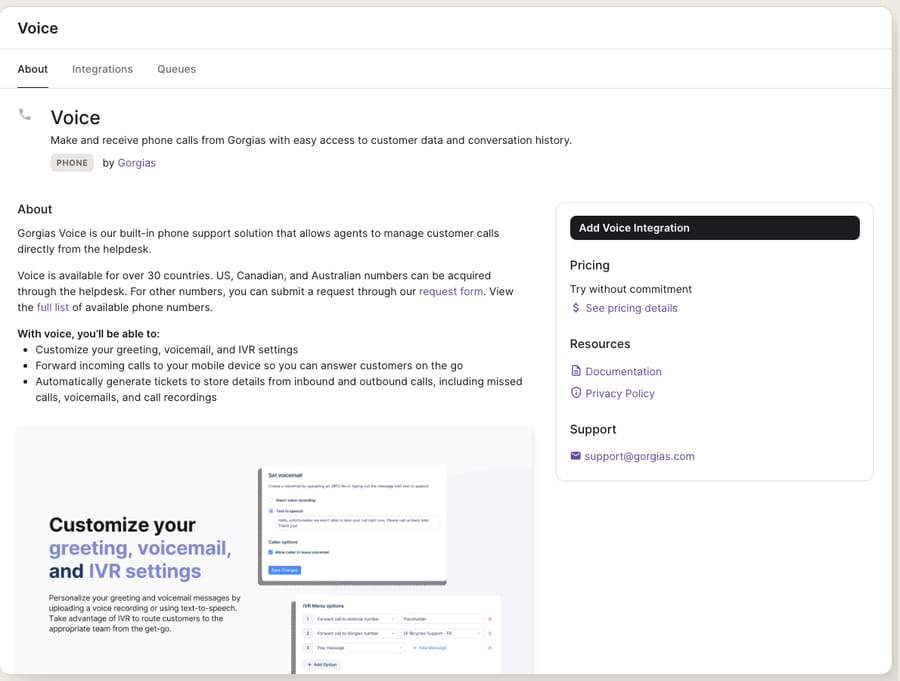
Then, create the Voice integration. Go to Settings → Channels → Voice → Add Voice Integration. Here you give the integration a name and emoji, pick a Default Business hours schedule (customizable later), and make the important choice, a routing behavior:
- Basic Routing: calls ring straight through to available agents.
- Send calls to Voicemail: every call goes to a recorded voicemail.
- IVR: callers navigate a keypad menu before being routed.
After you click Create Voice Integration, Gorgias also spins up a shared View in the ticket sidebar that filters open Voice tickets, so your phone queue is visible at a glance.
How do IVR menus and call flows work in Gorgias?
If you pick IVR routing, you get Gorgias' call flow editor, a visual builder for how callers move through menus, queues, holds, and voicemail. Per Gorgias' IVR documentation, each IVR menu supports up to 8 options, and callers can press 9 to go back to the previous menu. You can nest menus into multi-level trees, so "press 1 for orders, press 2 for returns" can each branch into their own sub-menu.
The editor does more than key-mapping. Its steps include time rules (an after-hours caller hears a different flow than a 10am one), a customer lookup, message playback, routing to queues, forwarding to an external number, moving the caller to SMS, and voicemail as a final catch-all so nobody hits a dead end. Gorgias suggests starting every flow with a time rule or customer lookup step, even if you don't use it yet, because adding one later means rebuilding the flow. Red warnings in the editor mark an incomplete step that blocks the flow; orange ones flag a design that may not route as expected. Custom greeting and voicemail audio should be mono, 16000 Hz, 64 kbps.
For an ecommerce brand, a sensible starter flow is: greeting → business-hours check → "press 1 for order status, 2 for returns, 3 for everything else" → route each to the right queue → voicemail fallback after a wait timeout.
How much does Gorgias Voice cost?
This is the part most write-ups get wrong, so it's worth stating plainly: Gorgias Voice is billed per ticket, not per minute. There is no clock running on call duration. As the Voice add-on pricing docs put it, you are charged "based on the number of Voice tickets that you use per month or per year." A 45-second WISMO call and a 20-minute troubleshooting saga each count as exactly one Voice ticket.
What each Voice ticket costs is not published. The Gorgias pricing page says you pick a Voice tier that matches your call volume, and the docs send you to the Billing & usage page in your account to see your rate. For context, the base Helpdesk plans on that page run from Starter ($10 a month, 50 tickets) through Basic ($60 monthly, 300 tickets), Pro ($360 monthly, 2,000 tickets) and Advanced ($900 monthly, 5,000 tickets). Voice leans on the Shopify integration: Gorgias says agents can see Shopify data, recommend products and create orders while on a call.
Because Voice is priced on top of your Helpdesk plan, read it alongside the full Gorgias pricing breakdown before you switch it on. A busy phone line can move your bill in a way email volume doesn't.
Where does Gorgias Voice fall short, and where does an AI layer help?
Voice is a good native channel. Call-to-ticket is clean, the IVR editor covers what most small teams need from a dialer, and keeping call history in the same record as email and chat is exactly right. But be clear-eyed about what it is and isn't.
It's an add-on with real cost. Voice isn't free, and it bills on usage: every answered call creates a billable ticket. For a low-volume brand where phone is a "nice to have," that math may not work.
It still needs a human to answer. IVR routes the call; it doesn't resolve it. The menu can send a WISMO caller to the "orders" queue, but a person still has to pick up, pull the tracking number, and read it out. Voice moves the work to the right agent. It doesn't do the work.
And it's most valuable if you're on Shopify. The order-timeline and create-order-mid-call features that make Voice shine are Shopify features; on other stacks you get the channel but less of the ecommerce context.
This is the seam where an AI agent layer fits. The category of AI agents for customer service exists to do the reasoning-heavy work a phone menu can't, and Macha is one such layer that runs on top of the Gorgias you already use through a live native connector. Macha does not replace Gorgias or its Voice channel; it reads and writes the same tickets, including the ones Voice creates. When a call becomes a ticket, Macha can triage it by intent, draft a grounded reply for follow-up, and look up live order or subscription status through a custom tool that turns your backend API into something the agent can call, answering the routine questions before they ever ring the phone. See how the Macha–Gorgias integration connects, and note the billing contrast: Gorgias' own AI Agent is billed per automated interaction ($1.00 on Starter, $0.90 on Basic and Pro, $0.85 on Advanced), while Macha bills per ticket, one conversation charged once however many messages it takes, starting at $299 a month for up to 750 tickets on the pricing page. (Gorgias' native AI agent and Chat channel round out the deflection story on the text side.)
The clean division of labour: let Gorgias Voice own the phone channel and the call record, and layer an agent on top to answer the questions that never needed to be a phone call in the first place.
FAQ
Is Gorgias Voice billed per minute? No. Gorgias Voice is billed per ticket, not per minute. A ticket becomes a billable Voice ticket when at least one phone call takes place, and multiple calls within the same ticket don't cost extra. Gorgias doesn't publish the per-ticket rate; check the Billing & usage page in your account.
Is Voice included in my Gorgias plan? No. Voice is a paid add-on that any Helpdesk plan can subscribe to, separately from the base subscription. It leans on the Shopify timeline and order-creation features.
How do I set up a phone number in Gorgias? Go to Settings → Channels → Phone numbers → Add Phone Number, then name it, pick a country and type (Local, National, Mobile, or Toll-free), and select an area code. After that, create the Voice integration under Settings → Channels → Voice → Add Voice Integration and choose a routing behavior.
How many options can a Gorgias IVR menu have? Each IVR menu supports up to 8 options, and callers can press 9 to return to the previous menu. You can nest menus into multi-level trees, branch on business hours with time rules, route to queues, forward to an external number, or fall through to voicemail.
Can I add AI to Gorgias Voice without replacing Gorgias? Yes. Macha connects to Gorgias as a native connector and runs on top of your existing help desk and its Voice channel. It reads the tickets Voice creates, triages them by intent, and can resolve the routine order-status questions through a custom tool, while Gorgias stays the system of record for your calls.
Ready to answer the routine calls before they ring? Start a free trial of Macha and connect it to your Gorgias in minutes.






